Connect - Child car seat Axkid - Free user manual and instructions
Find the device manual for free Connect Axkid in PDF.


| Product Type | Child car seat (connected safety cushion) |
| Brand | Axkid |
| Model | Connect |
| Dimensions (L x H x D) | 21 cm x 1,5 cm x 17 cm |
| Power supply | Integrated rechargeable battery, charges via USB-C (5 V DC), battery life approximately 6 months |
| Communication technology | Bluetooth Low Energy, 2.4-2.5 GHz band |
| Compatibility | Android 6.0+ and iOS 12+ |
| Detection | Child from 3 kg |
| Main functions | High temperature alerts, child left behind, prolonged sitting time |
| Mobile application | Axkid Connect available on App Store and Google Play |
| LED indicator | Red: charging, Green: charged |
| Cover maintenance | Machine washable at 30°C, do not bleach, tumble dry, dry clean or iron |
| Foam cushion maintenance | Do not wash, contains electronics and battery |
| Operating temperature | -25°C to +60°C |
| Protection rating | IP42 (charging port) |
| Certifications | CE, RoHS, REACH, MSDS, UN38.3 |
| Compliance | Directive 2014/53/EU, RoHS 2011/65/EU |
| Warranty | See www.axkid.com |
| Country of origin | Sweden (Axkid AB) |
| Model number | Connect |
| Recycling | Remove cover and recycle foam containing battery according to local regulations |
Frequently Asked Questions - Connect Axkid
User questions about Connect Axkid
0 question about this device. Answer the ones you know or ask your own.
Ask a new question about this device
Download the instructions for your Child car seat in PDF format for free! Find your manual Connect - Axkid and take your electronic device back in hand. On this page are published all the documents necessary for the use of your device. Connect by Axkid.
USER MANUAL Connect Axkid
FR
natural_image
Icon depicting a smartphone and a document inside a blue circle (no text or symbols)Independent Marketing
www.infobebe.es
info@infobebe.es
(+34) 952 561 000
Polsce
Junior Andrzej Kwapinski
Horbaczewskiego 4-6
54-130 Wroclaw Dh Astra Sklep
Poland Tel: +(48) 713 549 723
Czech Republic
Domecek pro deti
www.domecekprodeti.cz
info@domecekprodeti.cz
(+42) 0727 981 815
România
SC Baby Car seats
www.axkid.ro
maria@axkid.ro
(+40) 0747 35 47 47
New Zealand
Clicksafe
www.clicksafe.co.nz/axkid
axkid@clicksafe.co.nz
Tel: (+64) 212 504 215
Suomi
Lastentarvike
www.lastentarvike.fi
info@lastentarvike.fi
(+358) 09 852 05 100
Malaysia
SafenSound
www.safensound.com.my
may@safensound.com.my
(+60) 358 70 22 84
Greece Ελλάδα
Serbia Србија
LETO shop
www.letoshop.gr
christos@letoship.gr
(+30) 211 102 67 30
Eesti
GreenHansa OÜ
www.beebipood.ee
riho@beebipood.ee
(+372) 5300 8000
Latvia
Muki
www.muki.lv
jurgis@muki.lv
(+371) 292 828 98
Lietuva
Kotryna Group
www.kotrynagroup.com
kotryna@kotryna.lt
(+370) 521 322 54
South Africa
Quality Imports SA & #Carseatfullstop
www.qualityimportssa.co.za
qualityimportssa@gmail.com
(+27) 11 789 7119
Ísland
Leiftur
www.leiftur.is
kristmann@leiftur.is
(+354) 821 25 37
flowchart
graph LR
    A["Device Icon"] --> B["Seat"]

natural_image
Illustration of a hand pressing down a button on a car wheel (no text or symbols)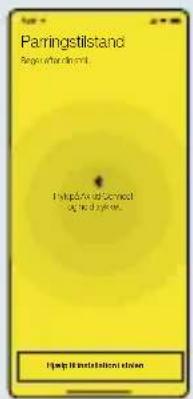
natural_image
Illustration of a black USB cable with two connectors and a yellow label pointing to the letter 'E' (no text or symbols on the cable itself)DELE:
Thank you for choosing Axkid Connect
Read this instruction manual before installing Axkid Connect in your car seat. For more information and videos, visit www.axkid.com.
Axkid Connect is a digital product that should be a compliment that offers an additional safety layer for you and your child. However, you do always have the final and full responsibility for the well-being of your child, and you should not solely trust or rely upon the Axkid Connect
Technical specifications
Android: minimum requirement 6.0
iOS: minimum requirement 12
Communication Technology: Bluetooth Low Energy
Frequency band: 2.4 - 2.5 GHz
Power source for charging Axkid Connect, DC 5 V output
Rechargeable LiFePO4 battery
USB C charging port: IP42
Working temperature -25°C \~ +60°C
Measurements W 21 x H 1,5 x D 17
Detection: 3 kg+
Axkid Connect is certified by: • CE- • RoHS • REACH • MSDS & UN38.3

Declaration of conformity
Axkid AB, Göteborgsvägen 94, 431 37 Mölndal, Sweden, hereby declares that the Axkid Connect complies with the following product standards: EMC Standards: ETSI EN 301 489-1 V2.2.3:2019;Draft ETSI EN 301 489-17 V3.2.0: 2017; Radio Standards: ETSI EN 300 328 V2.2.2: 2016; Health standard: EN 62479: 2010; Safety Standard: EN 609550-1: 2006+A11: 2009+A1: 2010+A12: 2011+A2:2013 and the following directive: 2014/53/EU, UN38.3, RoHs Directive 2011/65/EU and amendment directive 2015/863/EU ä
Important information
To maximize your child's safety, it is important that you keep the following in mind:
- Do not use your phone while driving. Axkid recommends to safely park your car before visually checking your phone.
- Never try to remove any clothing from your child while driving. This may affect the restraining of your child and may seriously affect the safety of your child.
- Please check that Axkid Connect is paired with your phone and is working correctly.
- Before using Axkid Connect, make sure that no components are damaged.
- Do not charge Axkid Connect while your child is seated in your car seat.
- Make sure that Axkid Connect is not folded before you install and restrain your child.
- Do not attempt to disassemble nor modify any part.
- Never use Axkid Connect without the textile cover.
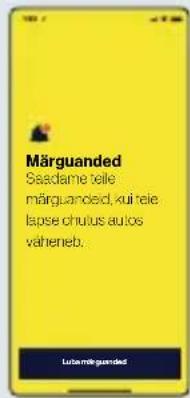
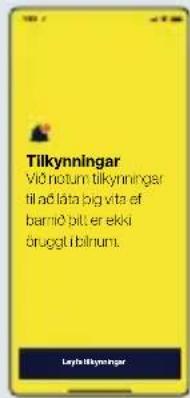
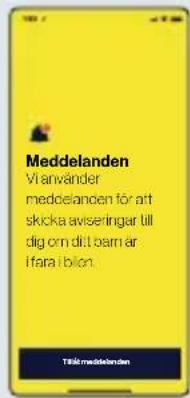
- If you are using an iOS device, make sure you have location service enabled to be able to use Bluetooth.
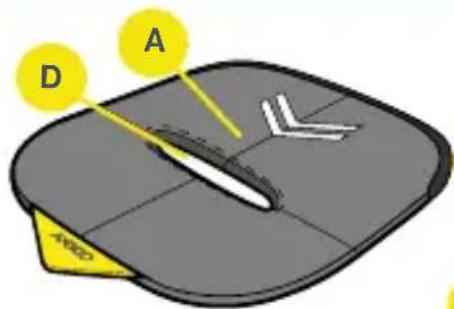
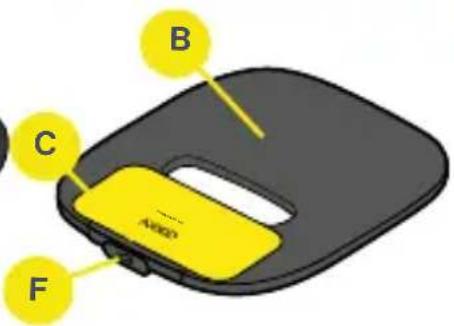
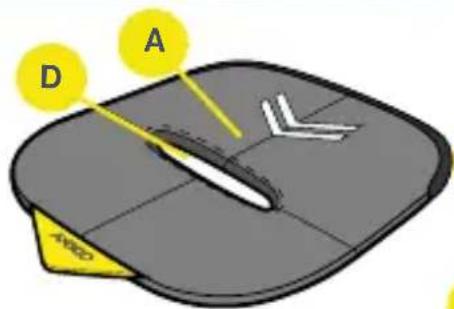
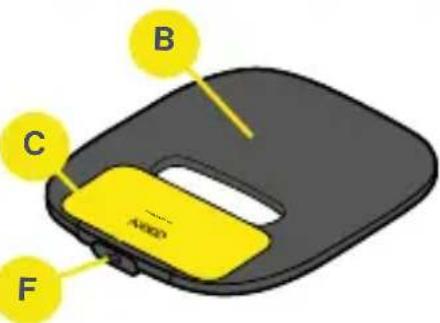
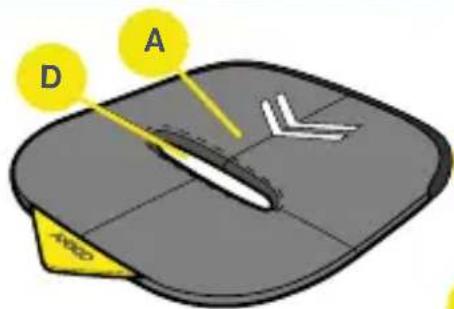
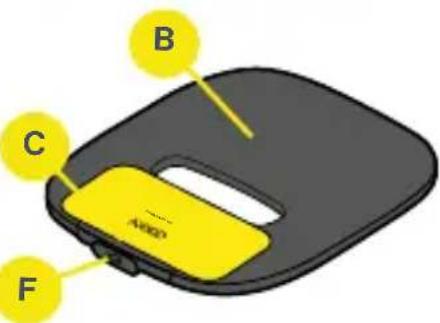
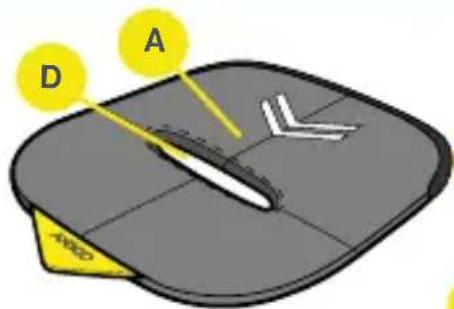
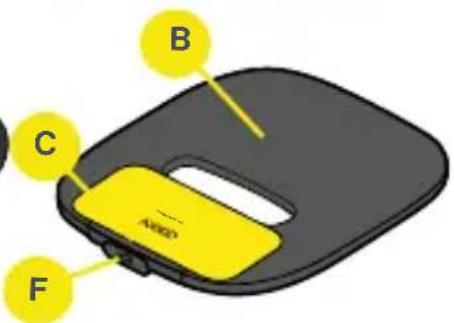
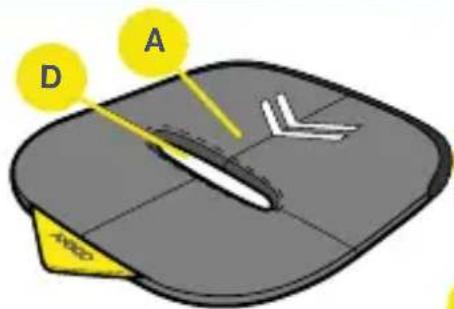
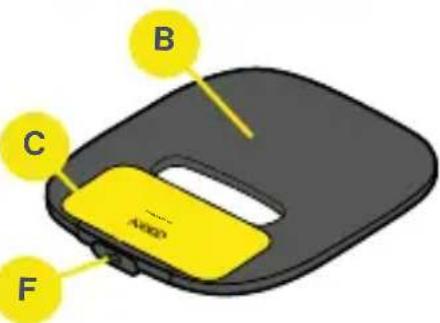
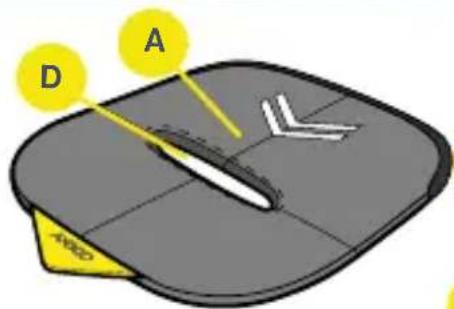
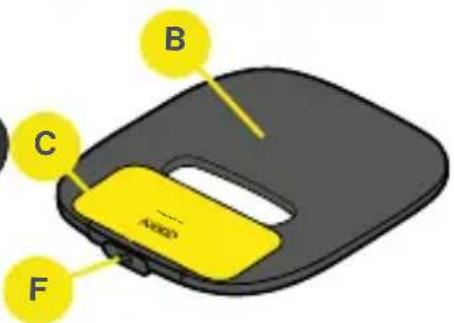
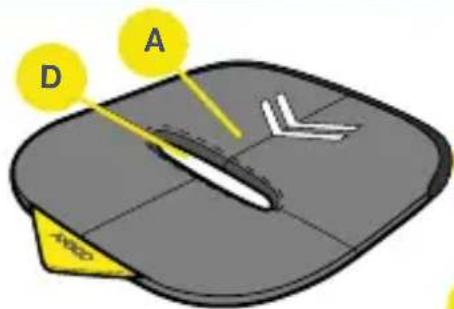
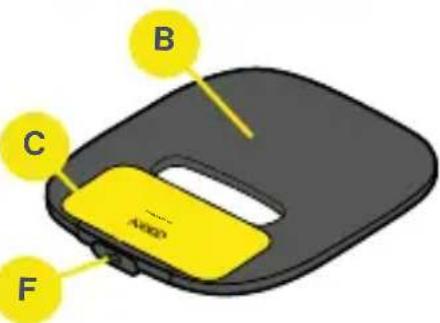
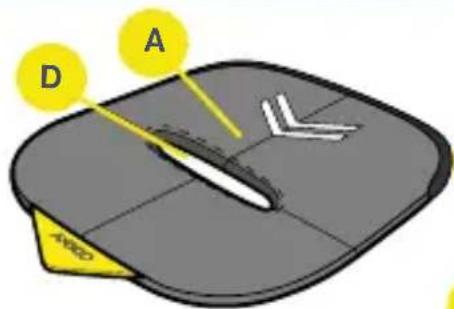
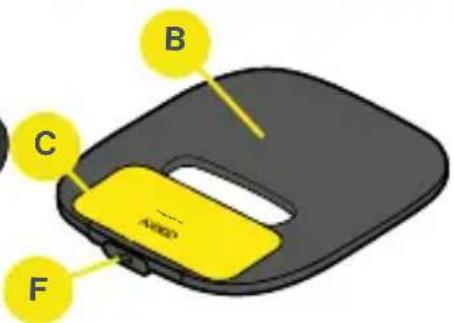
When Axkid Connect should no longer be used, remove the outer textile cover (A) and recycle the foam pad (B) according to your local legislation and recommendations. Note that the foam pad (B) contains battery and electronics.

BATTERY WARNINGS
Do not immerse Axkid Connect in water or any other liquid. Never try to open housing (C) and do not expose the housing to excessive force, eg punching, stamping or bending. Keep Axkid Connect away from any sources of heat to prevent overheating, like stoves, heaters and cookers also avoid direct sunlight and vehicle in extremely hot conditions. Do not short-circuit the power terminals.
About Axkid Connect
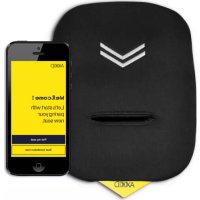
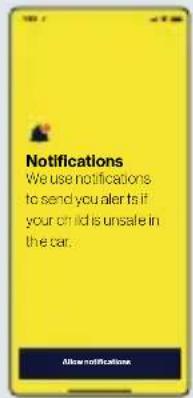
The safety pad Axkid Connect assists parents to keep their child safe in the car seat. You will receive alerts to your connected phone when one of the following unsafe situation occurs: - Temperature is too high in the car. - You have forgot your child in the car. - Your child has been seated too long in the car seat.
Use
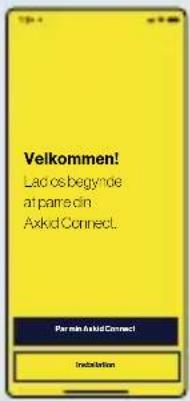
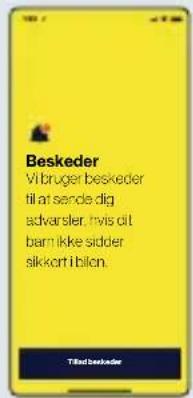
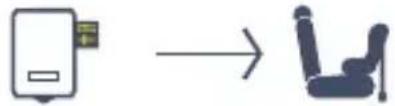
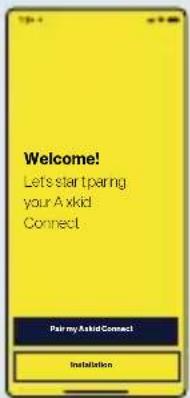
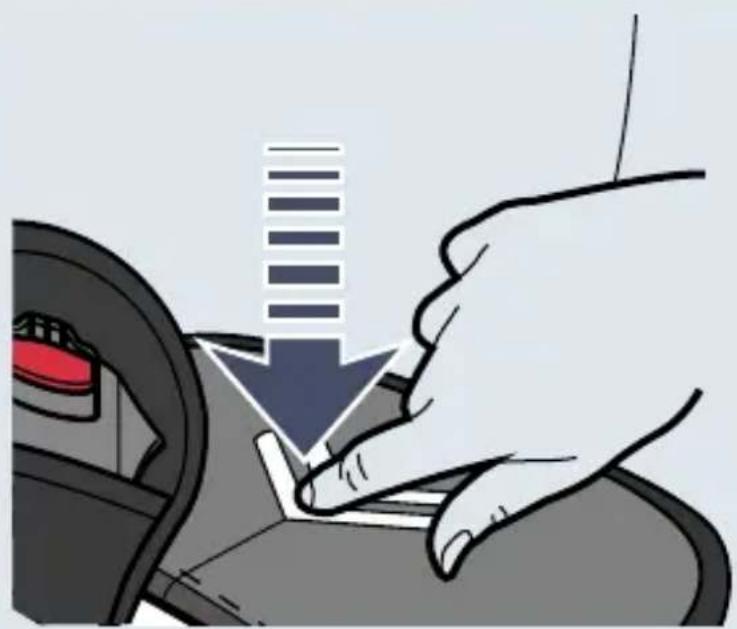
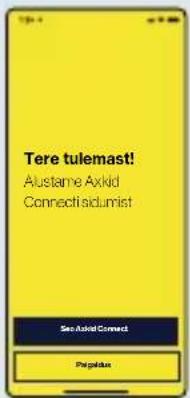
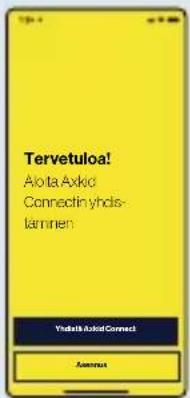
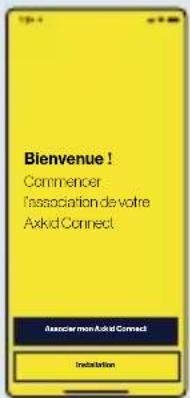
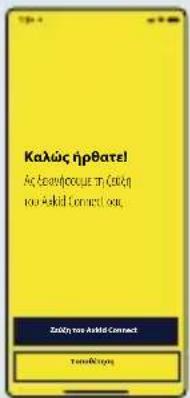
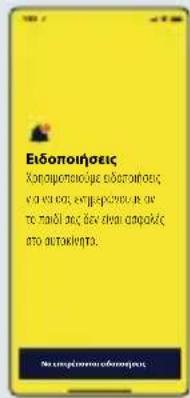
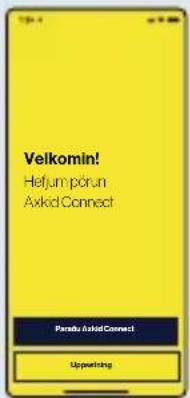
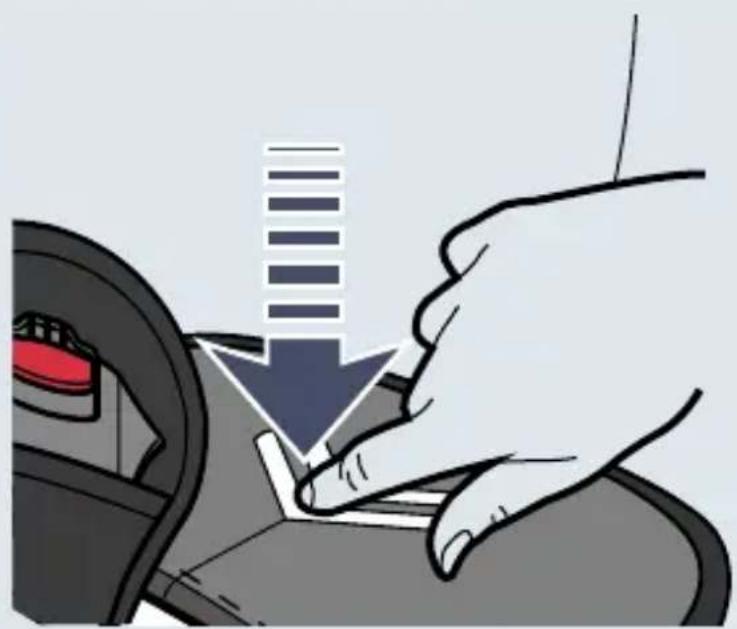
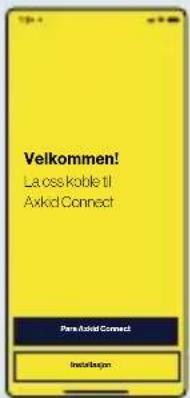
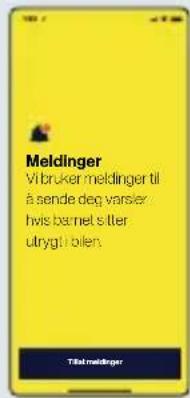
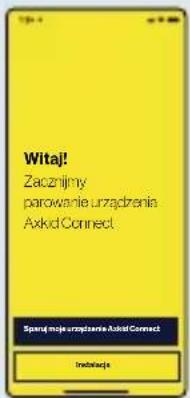
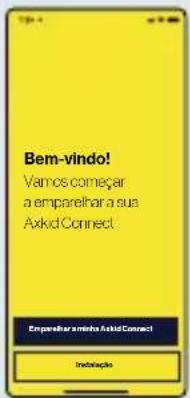
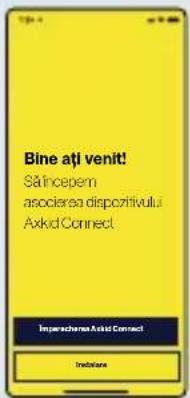
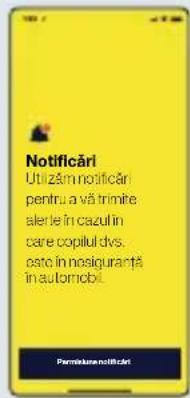
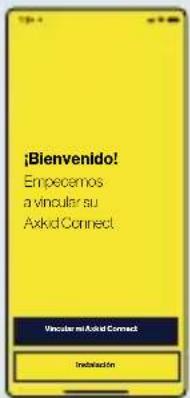
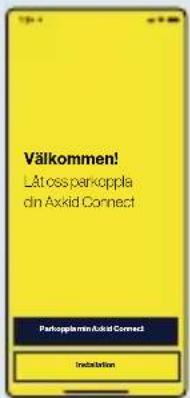
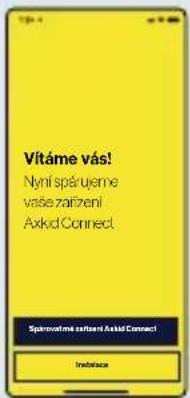
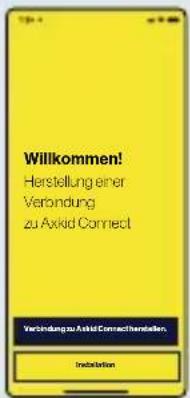
Axkid Connect can be installed in any car seat. Install Axkid Connect in the car seat and push the buckle through the buckle hole (D). To function properly, Axkid Connect must be placed in the child car seat and interact with your phone. You first need to download the app, you will find the 'Axkid Connect' app on App Store and Google Play. To pair your phone to the safety pad, follow the instructions in the app. Firmly press down on the safety pad for a couple of seconds and then release,. the Axkid app will detect your safety pad and pair it with your phone. You will find all necessary information about Maintenance, Warranty, Storage, transport, and Faults in the app or online.
Charge Axkid Connect
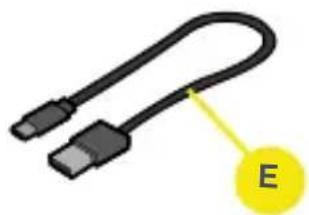
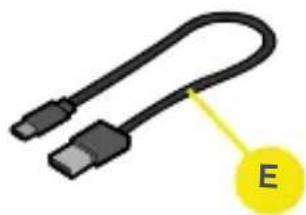
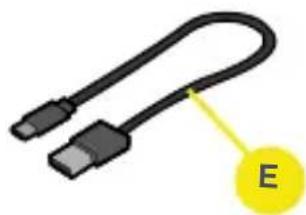
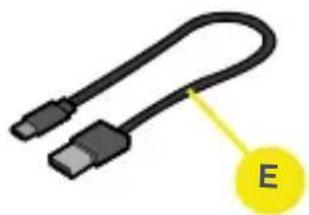
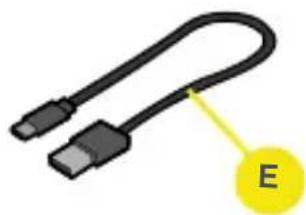
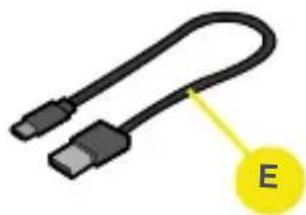
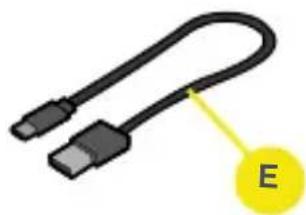
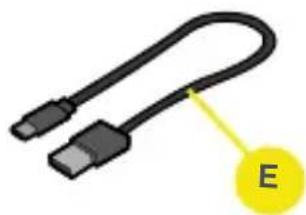
The battery status of the Connect is shown in the app - make sure you check the status here regularly. Axkid Connect has a built-in rechargeable battery that lasts for approximately 6 months at normal use. Recharge the pad with the supplied USB-C cable (E). The LED light (F) indicates charging status: Red – charging, Green – fully charged.
Washing instructions
Never wash the electronics in Axkid Connect, note that the foam pad (B) inside contains electronics. Only wash the outer textile cover, this can be removed, and machine washed gentle at 30°C, do not - bleach, tumble dry, dry clean or iron. When reinstall the foam pad (B) have “this side up” facing the top side of the textile cover (A) (side with Axkid logo).

Textile cover: 100% Polyester.
Warranty: For more information please visit www.axkid.com.
flowchart
graph LR
    A["Device Icon"] --> B["Seat"]


natural_image
Illustration of a hand pressing down on a car's seatbelt, showing the arrow and control panel (no text or symbols)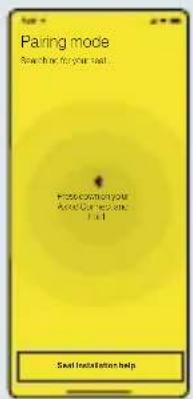
natural_image
Illustration of a black USB cable with two connectors and a yellow label pointing to the letter 'E' (no text or symbols on the cable itself)PARTS:
| A: Textil Cover B: Foam Pad | C: Housing | |
| D: Buckle Hole E: USB - C Cabel F: LED light |
flowchart
graph LR
    A["Device Icon"] --> B["Seat"]


natural_image
Illustration of a hand pressing down on a car's side panel with a downward arrow (no text or symbols)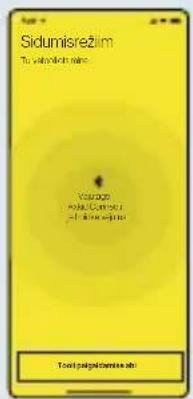
natural_image
Illustration of a black USB cable with a yellow label pointing to it, no text or symbols present.OSAD:
| A: Tekstiilkate B: Vahtpadi C: Korpus | |
| D: Pandlaava E: USB-C-kaabel F: LED-lamp |
flowchart
graph LR
    A["Device Icon"] --> B["Seat"]


natural_image
Illustration of a hand pressing down on a car's seatbelt, showing the wheel and seat (no text or symbols)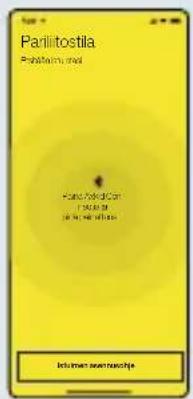
natural_image
Illustration of a black USB cable with two connectors and a yellow label pointing to the letter 'E' (no text or symbols on the cable itself)OSAT:
Batterie LiFePO4 rechargeable
Charger Axkid Connect
flowchart
graph LR
    A["Device Icon"] --> B["Seat"]


natural_image
Illustration of a hand pressing down on a car's seatbelt, showing the wheel and seat (no text or symbols)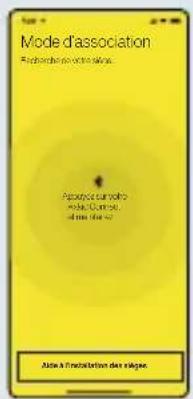
natural_image
Illustration of a black USB cable with two connectors and a yellow label pointing to the letter 'E' (no text or symbols on the cable itself)PIÈCES:
flowchart
graph LR
    A["Device Icon"] --> B["Seat"]

natural_image
Illustration of a hand pressing down a car's seatbelt with a downward arrow symbol (no text or labels)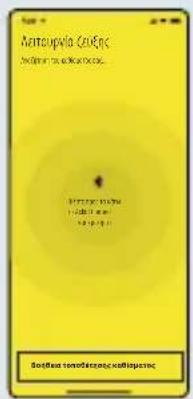
natural_image
Illustration of a black USB cable with a yellow label pointing to it, labeled 'E' (no text or symbols on the cable itself)M'EPH:
flowchart
graph LR
    A["Device Icon"] --> B["Seat"]


natural_image
Illustration of a hand pressing down on a car's seatbelt, showing the wheel and seat (no text or symbols)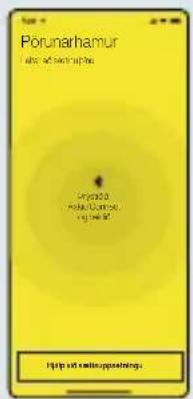
natural_image
Illustration of a black USB cable with two connectors and a yellow label pointing to the letter 'E' (no text or symbols on the cable itself)ÍHLUTIR:
| A: Tauhlíf B: Frauðpúði C: Hylki | |
| D: Sylgjugat E: USB-C-snúra F: LED-ljós |


Endurvinna vöruna pína
Takk for at du valgte Axkid Connect
Les denne brukerveiledningen før du installerer Axkid Connect i barnesetet. Hvis du ønsker mer informasjon og videoer, kan du gå inn på www.axkid.com.
flowchart
graph LR
    A["Device Icon"] --> B["Seat"]

natural_image
Illustration of a hand pressing down a button on a car wheel (no text or symbols)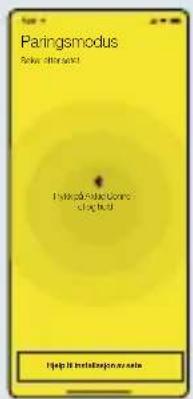
natural_image
Illustration of a black USB cable with a yellow label pointing to it, labeled 'E' (no text or symbols on the cable itself)DELER:
| A: Tekstiltrekk B: Skumpute C: Hus | |
| D: Spennehull E: USB-C-kabel F: LED-lampe |
flowchart
graph LR
    A["Device Icon"] --> B["Seat"]


natural_image
Illustration of a hand pressing down on a car's side panel with a downward arrow indicating compression (no text or symbols)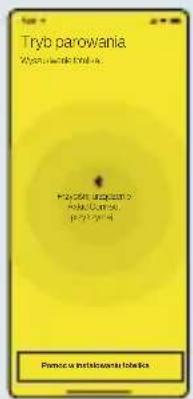
natural_image
Illustration of a black USB cable with two connectors and a yellow label pointing to the letter 'E' (no text or symbols on the cable itself)CZEŚCI:
flowchart
graph LR
    A["Device Icon"] --> B["Seat"]

natural_image
Illustration of a hand pressing down a car's seatbelt with a downward arrow indicating compression (no text or symbols)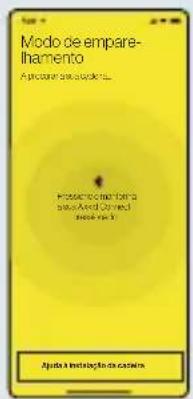
natural_image
Illustration of a black USB cable with two connectors and a yellow label pointing to the letter 'E' (no text or symbols on the cable itself)PEÇAS:
flowchart
graph LR
    A["Device Icon"] --> B["Seat"]


natural_image
Illustration of a hand pressing down a car's seatbelt with a downward arrow indicating compression (no text or symbols)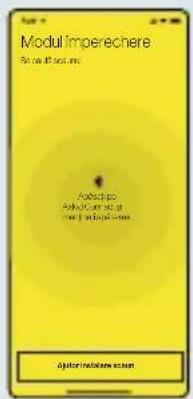
natural_image
Illustration of a black USB cable with two connectors and a yellow label pointing to the letter 'E' (no text or symbols on the cable itself)COMPONENTE:
flowchart
graph LR
    A["Device Icon"] --> B["Seat"]


natural_image
Illustration of a hand pressing down a button on a car wheel (no text or symbols)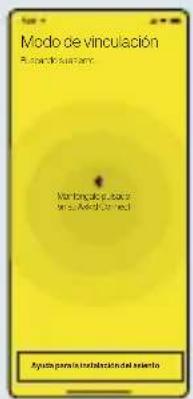
natural_image
Illustration of a black USB cable with a yellow label pointing to it, labeled 'E' (no text or symbols on the cable itself)PARTES:
flowchart
graph LR
    A["Device Icon"] --> B["Seat"]


natural_image
Illustration of a hand pressing down a button on a car's side panel, with no visible text or symbols.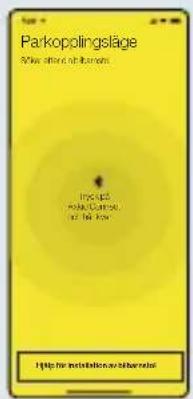
natural_image
Illustration of a black USB cable with two connectors and a yellow label pointing to the letter 'E' (no text or symbols on the cable itself)DELAR:
flowchart
graph LR
    A["Device Icon"] --> B["Seat"]

natural_image
Illustration of a hand pressing down a car's seatbelt with a downward arrow symbol (no text or labels)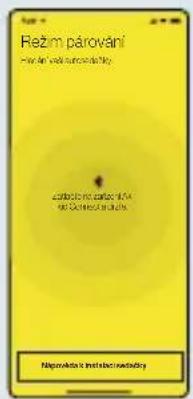
natural_image
Illustration of a black USB cable with a yellow label pointing to it, labeled 'E' (no text or symbols on the cable itself)SOUČÁSTI:
flowchart
graph LR
    A["Device with attached seat"] --> B["Seat"]


natural_image
Illustration of a hand pressing down on a car's steering wheel (no text or symbols)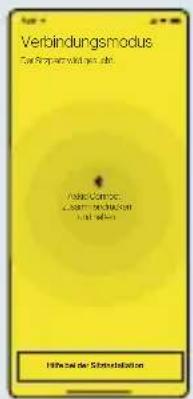
natural_image
Illustration of a black USB cable with a yellow label pointing to it, labeled 'E' (no text or symbols on the cable itself)BAUTEILE: