CyberTrack K1 - Webcam Adesso - Free user manual and instructions
Find the device manual for free CyberTrack K1 Adesso in PDF.


Pick your language and provide your email: we'll send you a specifically translated version.
| Brand | Adesso |
| Model | CyberTrack K1 |
| Product type | Computer webcam |
| Maximum video resolution | 1920 x 1080 pixels (Full HD) |
| Refresh rate | 30 frames per second |
| Field of view (F.O.V.) | 60° (adjustable via dedicated button) |
| Built-in microphone | Yes, with noise reduction |
| Connection | USB-A (fixed cable) |
| Cable length | 1.5 meters |
| Power supply | Via USB port (5V, 500mA) |
| Dimensions (L x H x D) | 70 x 40 x 40 mm |
| Weight | 80 grams |
| Material | ABS plastic |
| Compatible operating systems | Windows, macOS, Chrome OS, Linux (UVC) |
| Installation | Plug & Play (optional driver at adesso.com/downloads) |
| Advanced functions (via driver) | Brightness, contrast, saturation, sharpness, digital zoom, image orientation adjustments |
| F.O.V. button | Allows controlling the field of view |
| Mounting | Clip for screen or flat surface |
| Cleaning | Soft non-abrasive cloth, avoid liquids |
| Operating temperature | 0°C to 40°C |
| Box contents | CyberTrack K1 webcam, quick installation guide |
Frequently Asked Questions - CyberTrack K1 Adesso
How to install the CyberTrack K1 webcam?
Place the webcam on top of your screen using the clip, then plug the USB cable into an available port on your computer. The operating system will detect it automatically. For advanced settings, download the driver from adesso.com/downloads.
Is the driver mandatory to use the webcam?
No, the webcam works in Plug & Play mode without additional driver. The optional driver allows adjusting parameters like brightness, contrast, and zoom.
What is the maximum resolution of the CyberTrack K1?
The webcam offers Full HD 1080p resolution (1920 x 1080 pixels) at 30 frames per second.
Does the webcam have a microphone?
Yes, a built-in microphone with noise reduction is present to capture audio during your calls or recordings.
How to use the F.O.V. button?
The F.O.V. (Field of View) button on the webcam allows you to change the viewing angle. Press to switch between several levels of field of view.
Is the webcam compatible with Mac or Linux?
Yes, it works on Windows, macOS, Chrome OS, and Linux (via UVC protocol). No specific driver is needed for these systems.
Can I use the webcam without an internet connection?
Yes, the webcam is a USB device that does not require an internet connection to function, only to download the optional driver.
How to clean the webcam?
Use a soft, dry cloth to wipe the lens and housing. Avoid chemicals or liquids that could damage the electronics.
What to do if the webcam is not detected by the computer?
Check that the USB cable is properly connected. Try a different USB port. If the problem persists, restart the computer or test on another device to rule out a hardware defect.
Can I adjust the zoom and image orientation?
Yes, with the advanced driver downloadable from adesso.com/downloads, you can perform digital zoom in/out and adjust image orientation (mirror, rotation).
User questions about CyberTrack K1 Adesso
0 question about this device. Answer the ones you know or ask your own.
Ask a new question about this device
No questions yet. Be the first to ask one.
Download the instructions for your Webcam in PDF format for free! Find your manual CyberTrack K1 - Adesso and take your electronic device back in hand. On this page are published all the documents necessary for the use of your device. CyberTrack K1 by Adesso.
USER MANUAL CyberTrack K1 Adesso
natural_image
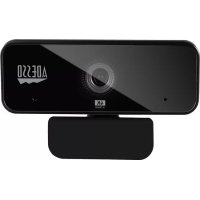
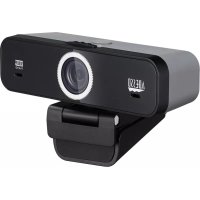
Black video camera with Adobe logo and 1080P Fast HD display (no text or symbols on device body)Model: CyberTrack K1
QuickGuide
www.adesso.com
Contents
English 3
Japanese 4
French 5
German 6
Spanish 7
Portuguese 8
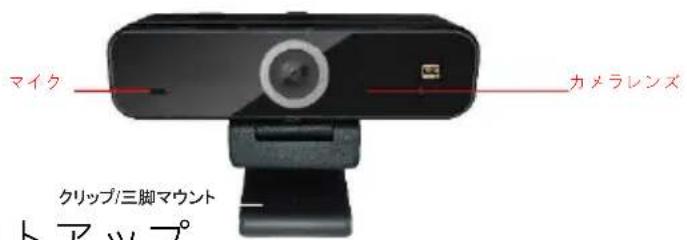
Description
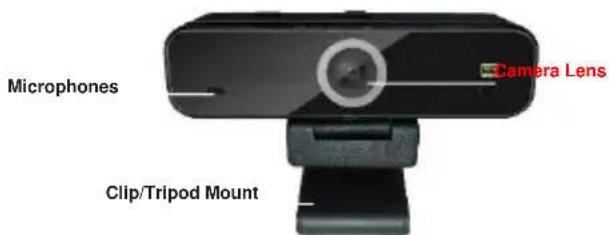
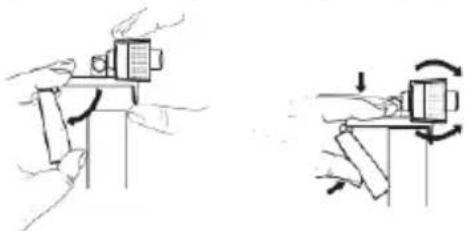
Setting Up Webcam
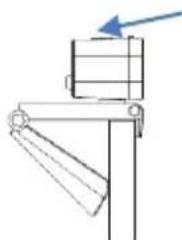
- Place your webcam on a computer monitor, desktop, or laptop.
natural_image
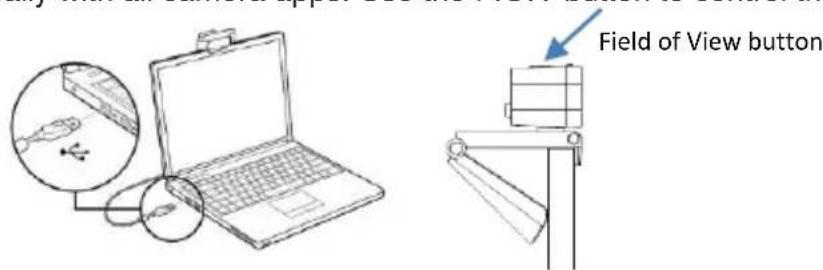
Two technical diagrams showing hand positioning and rotation of a mechanical component (no text or symbols)- Plug in the USB cable to the USB port, and your Operation system will detect the device, then the webcam will work automatically with all camera apps. Use the F.O.V button to control the field of view.
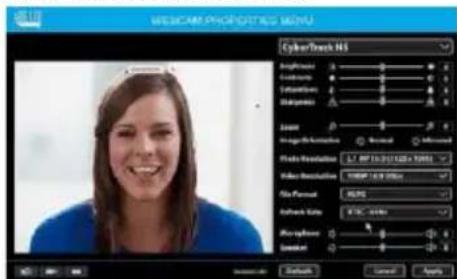
- (Optional) With our advanced driver you can easily adjust our webcams settings such as brightness, contrast, saturations, sharpness, zoom in/zoom out and image orientation to your preference. Our driver is available from: adesso.com/downloads
說明
natural_image
Two mechanical diagrams showing hand positioning and rotation of a block (no text or symbols)natural_image
Line drawing of a laptop connected to a USB cable and a separate monitor, with no visible text or symbols.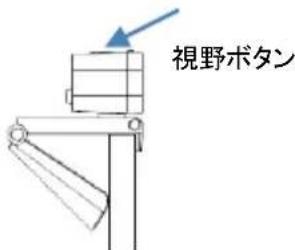
natural_image
Two mechanical diagrams showing hand positioning and rotation of a component (no text or symbols)Beschreibung
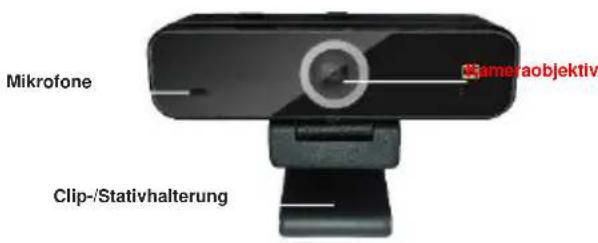
Webcam einrichten
natural_image
Two mechanical diagrams showing hand positioning and rotation of a component (no text or symbols)natural_image
Two mechanical diagrams showing a presser and a moving component with rotational motion arrows (no text or symbols)natural_image
Two technical diagrams showing mechanical assembly steps, no text or symbols presentnatural_image
Illustration of a laptop connected to a USB cable and a magnified inset showing a USB cable (no text or symbols present)