EasyManual
LEDAK100H - Basket Air King - Free user manual and instructions
Find the device manual for free LEDAK100H Air King in PDF.


User questions about LEDAK100H Air King
0 question about this device. Answer the ones you know or ask your own.
Ask a new question about this device
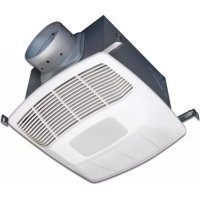
Download the instructions for your Basket in PDF format for free! Find your manual LEDAK100H - Air King and take your electronic device back in hand. On this page are published all the documents necessary for the use of your device. LEDAK100H by Air King.
USER MANUAL LEDAK100H Air King
SAVE THESE INSTRUCTIONS
www.airkinglimited.com210572203 Rev. AB 1-23 1 of 8Exhaust Fan with LightModels: LEDAK50, LEDAK80, LEDAK100, LEDAK80H, LEDAK100H
READ AND SAVE THESE INSTRUCTIONS
When using electrical appliances, basic precautions should always be followed to reduce the risk of fire, electric shock and injury to person, including the following:
TO REDUCE THE RISK OF FIRE, ELECTRIC SHOCK AND INJURY TO PERSON, OBSERVE THE FOLLOWING: a) Use this unit only in the manner intended by the manufacturer.If you have questions, contact the manufacturer.b) Before servicing or cleaning the unit, switch power off at service panel and lock the service disconnecting means to prevent power from being switched on accidentally. When the service disconnecting means cannot be locked, securely fasten a prominent warning device, such as a tag, to the service panel.
WARNING: TO REDUCE THE RISK
OF FIRE, ELECTRIC SHOCK AND INJURY TO PERSON, OBSERVE THE FOLLOWING: a) Installation work and electrical wiring must be done by qualified person(s) in accordance with all applicable codes and standards, including fire-related construction.b) Sufficient air is needed for proper combustion and exhausting of gases through the flue (chimney) of fuel burning equipment to prevent back drafting. Follow the heating equipment manufacturer’s guideline and safety standards such as those published by the National Fire Protection Association (NFPA) and the American Society for Heating, Refrigeration, and Air Conditioning Engineers (ASHRAE), and the local code authorities.c) When cutting or drilling into wall or ceiling, do not damage electrical wiring and other hidden utilities. CAUTION: FOR GENERAL VENTILATING USE ONLY. DO NOT USE TO EXHAUST HAZARDOUS OR EXPLOSIVE MATERIALS AND VAPORS.d) Ducted fans must always be vented to the outdoors.e) This unit must be grounded.f) To avoid motor bearing damage and noisy and/or unbalanced impellers, keep drywall spray, construction dust, etc. off power unit.g) Read all instructions before installing or using exhaust fan.
WARNING: TO REDUCE THE RISK OF FIRE,
ELECTRIC SHOCK, DO NOT USE THIS FAN WITH ANY SOLID-STATE SPEED CONTROL DEVICE.a) If this unit is to be installed over a tub or shower, it must be marked as appropriate for the application and be connected to a GFCI (Ground Fault Circuit Interrupter) – protected branch circuit.b) Do not install in a ceiling with thermal insulation value greater than R40.
WARNING: DO NOT USE IN KITCHENS.
WARNING: THE DUCTING FROM THIS FAN TO THE
Preparing the Exhaust Fan1. Unpack fan from the carton and confirm that all pieces are present. In addition to the exhaust fan you should have: 1 - Grill 4 - Mounting Rails 1 - Light Assembly 1 - Lamp 1 - Damper Assembly (attached) 1 - Instruction/Safety Sheet2. Choose the location for your fan. To ensure the best air and sound performance, it is recommended that the length of ducting and the number of elbows be kept to a minimum, the radius of each elbow be as large as possible for the installation, and that insulated hard ducting be used. This fan will require at least 8" of clearance in the ceiling or wall, and will mount through drywall up to 3/4" thick. The fan mounts between 16" or 24" on center joists using the 4 provided mounting rails.3. Using a straight-blade screw driver remove the electrical knockout from the housing (Figure 1).4. No additional vibration deadening materials are needed for this fan.
New Construction1. Install the rails into the mounting channel on the housing. Center the mounting channel in the slots on the housing, then from inside the housing tighten the mounting channel screws so the channel is securely in place. Position the housing next to the joist. Line up housing so that it will be flush with the finished ceiling. Secure the ends of the rails with screws or nails (not included) to the joists and slide the housing into the final position (Figure 2).
Existing Construction1. Set housing in position between the joist and trace an outline onto the ceiling material (Figure 3). Set housing aside and cut opening, being careful not to cut or damage any electrical or other hidden utilities. Install the rails into the mounting channel on the housing. Center the mounting channel in the slots on the housing, then from inside the housing tighten the mounting channel screws so the channel is securely in place. Position the housing in the previously cut hole so that it is flush with the finished ceiling. Secure the ends of the rails to the joists (Figure 2).
DuctingNOTE: 4" OR LARGER RIGID DUCT IS RECOMMENDED FOR BEST PERFORMANCE. CAUTION: ALL DUCTING MUST COMPLY WITH LOCAL AND NATIONAL BUILDING CODES.NOTE: The ducting from this fan to the outside of the building has a strong effect on the air flow, noise and energy use of the fan. Use the shortest, straightest duct routing possible for best performance, and avoid installing the fan with smaller ducts than recommended. Insulation around the ducts can reduce energy loss and inhibit mold growth. Fans installed with existing ducts may not achieve their rated air flow.1. Connect the ducting to the fan’s duct collar (Figure 4). Secure in place using tape or screw clamp. Always duct the fan to the outside through a wall or roof cap. It is recommended that low restriction termination fittings be used.2. Ensure duct joints and exterior penetrations are sealed with caulk or other similar material to create an air-tight path to minimize building heat loss or gain and to reduce the potential for condensation. Place/wrap insulation around duct and/or fan in order to minimize possible condensation buildup within the duct, as well as building heat loss or gain (Figure 5).www.airkinglimited.com210572203 Rev. AB 1-23 2 of 8
Wiring CAUTION: MAKE SURE POWER IS SWITCHED OFF AT SERVICE PANEL BEFORE STARTING INSTALLATION. CAUTION: ALL ELECTRICAL CONNECTIONS MUST BE MADE IN ACCORDANCE WITH LOCAL CODES, ORDINANCES, OR NATIONAL ELECTRICAL CODE. IF YOU ARE UNFAMILIAR WITH METHODS OF INSTALLING ELECTRICAL WIRING, SECURE THE SERVICES OF A QUALIFIED ELECTRICIAN.NOTE: This unit includes a side access panel for wiring that does not require the removal of the fan’s blower assembly. If you choose to wire the unit from the inside, you will need to remove the blower assembly and internal wiring compartment. Both methods are equally effective.1a. External Wire Compartment: Remove the wire compartment cover screw and place cover in a secure place (Figure 6).1b. Internal Wire Compartment: Remove the screws holding the blower assembly in place and lift assembly out of housing (Figure 7). Remove the wire compartment cover screw and place the cover in a secure place (Figure 8).NOTE: If the fan motor plug is connected to the fan housing receptacle, unplug so the blower assembly can be completely removed.STANDARD MODELS2a. Run wiring from an approved wall switch carrying the appropriate rating. One neutral (White), one ground (green or bare copper), and two hot (Black, and Red leads connected to the switch, one for each function). Secure the electrical wires to the housing with an approved electrical connector. Make sure you leave enough wiring in the box to make the connection to the fan’s receptacle.2b. From where you have chosen to access the fan’s junction box, connect the White wire from the house to the two White wires from the fan. Connect one Hot (Black) wire from the wall switch to the Black wire from the fan (this is the fan control). Connect second Hot (Red) wire from the wall switch to the Red wire from the fan (this is the main light control). Connect the ground wire (green or bare copper) from the house to the Green wire from the fan (Figure 9). Use approved methods for all connections. Figure 6 Screw Wire Compartment Cover Figure 2 Housing Joist Mounting Rails Figure 5 Insulation* (place around and over Fan HousingFan HousingPower Cable*Seal gaps around HousingRound Duct*Seal duct joints with tapeRound Elbows*Wall Cap*Roof Cap* (with built-in damper)Keep duct runs short*Purchase separately
Figure 3 Joist Figure 8 Screw Wire Compartment Cover NOTE: Wire compartment configuration will be dependent on model. Figure 9 Supply from houseNeutral (White)Ground (Green or Bare) Fan Neutral (White)GreenHot (Black) Red BlackSwitch(by others)By others Figure 1 Ducting Duct Collar Figure 4 Screws Plug Venturi Figure 7HUMIDITY SENSING MODELS3a. For proper fan operation, the humidity sensing fan will require a 3 way switch (not included). Run wiring between the fan and the switch location. Make sure you leave enough wiring in each box to make the connections. At the switch box connect the Black wire from the house to the common terminal of the switch. Connect the black wire from the fan to one of the switched terminals on the switch. This position will energize the automatic mode and the fan will energize upon a rise in humidity. Connect the Yellow wire from the fan to the other switched terminal on the switch. This position will activate the Manual On feature and energize the fan. Use approved methods for all connections.3b. To operate the main light, run wiring from single pole switch (not included). At the switch box, connect the Black wire from the house to the common terminal of the switch. Connect the Red wire from the fan to the load terminal of the switch. Use approved methods for all connections.3c. From where you have chosen to access the fan’s junction box, connect the White wire from the house to the two White wires from the fan. Connect the ground wire (green or bare copper) from the house to the Green wire from the fan (Figure 10). Use approved methods for all connections. NOTE: The fan’s receptacle wires might need to be pulled outside compartment for connection. Only pull the three loose wires outside of compartment. Additional wires will be present.4. Carefully tuck wires back inside wire compartment and replace wire compartment cover securing with the screw that was removed earlier.
Completing the Installation1. Use a sealant appropriate for contact with the building materials present and for the temperature requirements of the installation to prevent air leakage from unconditioned spaces is recommended. If gaps between unit housing and ceiling are great, additional material (backing rod, ceiling material) may be required. NOTE: This fan is rated for direct insulation contact (Type IC) and it is recommended that this fan be completely covered by insulation in order to reduce heat loss or gain to unconditioned space.2. If the fan’s blower assembly was removed during the wiring process, reinstall the blower by reversing the directions in Step 1b in Section 5 Wiring. 3. Connect the fan wire harness by plugging the 3 pin quick connect end into the receptacle located on the side of the wire compartment cover. Confirm that the 5 pin quick connect end is plugged into the receptacle from the blower assembly. Connect the light wire harness by plugging the 3 pin rectangular quick connect end into the receptacle located at the top of the wire compartment. These cords will only fit one way into the receptacles (Figure 11).
4. Install the included
lamp into the E26 (screw base) lamp holder (Figure 12). www.airkinglimited.com 210572203 Rev. AB 1-23 3 of 85. Install the reflector onto the grill by placing the slots on the side of the reflector over the lens clips near the center of the grill. While squeezing the middle of the reflector, slide it so that the plastic notches rest under the lens clips and the reflector feels secure (Figure 13).6. Install the grill (with reflector) by squeezing the two ends of the springs together and installing them up into the slots on the fan’s housing. Push the grill up into position (Figure 14).7. Restore power and test your installation.
Setting the HumidistatThis fan may be equipped with a humidity sensor that automatically turns the fan on when humidity is above set point and off when humidity is at or below set point. If the fan is operating too long or not enough, first check to see the humidity sensor set point. In cases where the ambient humidity level of the room rises higher than the preset level, the fan will turn on even if the room is not occupied. This helps prevent conditions that lead to mold growth. CAUTION: MAKE SURE POWER IS SWITCHED OFF AT SERVICE PANEL BEFORE SERVICING THE UNIT.1. To set the desired humidity level of the room, remove the grill and locate the dehumidistat dial located on the wire compartment cover.2. Set the dial to the relative humidity you want the fan to maintain usually between 50 & 80%. Moist climates will require higher settings than dry climates. When the humidity level of the room is below this setting the fan will remain off. When the humidity level rises about this setting the fan will turn on and run until the humidity level falls below this setting. 3. Reinstall the grill and restore power.
Use and Care CAUTION: MAKE SURE POWER IS SWITCHED OFF AT SERVICE PANEL BEFORE STARTING INSTALLATION.
1. Cleaning the Grill: Remove grill and dislodge reflector from grill by sliding the reflector
notches from beneath the lens clips on grill. Use a mild detergent, such as dishwashing liquid, to clean then dry with a soft cloth. NEVER USE ANY ABRASIVE PADS OR SCOURING POWDERS. Completely dry grill before reinstalling. Clean reflector using a dry cloth. Refer to instructions in Section 6 Completing the Installation, to reinstall reflector and grill.
2. Cleaning the Fan Assembly: Wipe all parts with a dry cloth or gently vacuum the fan. NEVER
IMMERSE ELECTRICAL PARTS IN WATER. CAUTION: ALLOW BULBS TO COOL BEFORE REPLACING.
3. Changing the Lamp: Disconnect power to the unit. Remove grill by pulling downward on grill
and squeezing grill springs together to release from housing (Figure 13). Remove Reflector from grill by sliding the reflector notches from beneath the lens clips on grill. (Figure 12). Unscrew and remove old bulb and replace with Air King PN 5S1299727 or other ENERGY STAR certified LED Max 18 Watt, A19, E26 (Medium) base lamp. Figure 11 NOTE: Wire compartment configuration will be dependent on model. Figure 10 Supply from houseNeutral (White)Ground (Green or Bare) Fan Neutral (White)GreenYellowHot (Black) Red BlackHot (Black)Switch(by others)Switch(by others)By others Figure 12 Lamp Lamp Holder NOTE: LED lamp shown Slot Clip Figure 13 Figure 14www.airkinglimited.com 210572203 Rev. AB 1-23 4 of 8 Troubleshooting Guide Trouble Probable Cause Suggested Remedy 1. Fan does not operate when the switch is on. 1a. A fuse may be blown or a circuit tripped. 1a. Replace fuse or reset circuit breaker. 1b. Connector plug from motor is not plugged in. 1b. Turn off power to unit. Remove Grill and plug motor into receptacle in housing. Restore power to unit. 1c. Humidistat set too high. 1c. Adjust humidistat. 1d. Wiring is not connected properly. 1d. Turn off power to unit. Check that all wires are connected. 1e. Motor has stopped operating. 1e. Replace motor. 2. Fan is operating, but air moves slower than normal. 2. Obstruction in the exhaust ducting. 2. Check for any obstructions in the ducting. The most common are bird nests in the roof cap or wall cap where the fan exhausts to the outside. 3. Fan is operating louder than normal. 3a. Motor is loose. 3a. Turn off power to unit. Remove grill and check that all screws are fully tightened. Restore power to unit. 3b. Fan blade is hitting housing of unit. 3b. Call your dealer for service. LIMITED WARRANTY WHAT THIS WARRANTY COVERS: This product is warranted against defects in workmanship and/or materials. HOW LONG THIS WARRANTY LASTS: This warranty extends only to the original purchaser of the product and lasts for five (5) years from the date of original purchase or until the original purchaser of the product sells or transfers the product, whichever first occurs. WHAT AIR KING WILL DO: During the warranty period, Air King will, at its sole option, repair or replace any part or parts that prove to be defective or replace the whole product with the same or comparable model. WHAT THIS WARRANTY DOES NOT COVER: This warranty does not apply if the product was damaged or failed because of accident, improper handling or operation, shipping damage, abuse, misuse, unauthorized repairs made or attempted. This warranty does not cover shipping costs for the return of products to Air King for repair or replacement. Air King will pay return shipping charges from Air King following warranty repairs or replacement ANY AND ALL WARRANTIES, EXPRESSED OR IMPLIED (INCLUDING, WITHOUT LIMITATION, ANY IMPLIED WARRANTY OF MERCHANTABILITY), LAST FIVE YEARS FROM THE DATE OF ORIGINAL PURCHASE OR UNTIL THE ORIGINAL PURCHASER OF THE PRODUCT SELLS OR TRANSFERS THE PRODUCT, WHICHEVER FIRST OCCURS AND IN NO EVENT SHALL AIR KING’S LIABILITY UNDER ANY EXPRESS OR IMPLIED WARRANTY INCLUDE (I) INCIDENTAL OR CONSEQUENTIAL DAMAGES FROM ANY CAUSE WHATSOEVER, OR (II) REPLACMENT OR REPAIR OF ANY HOUSE FUSES, CIRCUIT BREAKERS OR RECEPTACLES. NOTWITHSTANDING ANYTHING TO THE CONTRARY, IN NO EVENT SHALL AIR KING’S LIABILITY UNDER ANY EXPRESS OR IMPLIED WARRANTY EXCEED THE PURCHASE PRICE OF THE PRODUCT AND ANY SUCH LIABILITY SHALL TERMINATE UPON THE EXPIRATION OF THE WARRANTY PERIOD. Some states and provinces do not allow limitations on how long an implied warranty lasts, or the exclusion or limitation of incidental or consequential damages, so these exclusions or limitations may not apply to you. This warranty gives you specific legal rights. You may also have other rights which vary from state to state and province to province. Proof of purchase is required before a warranty claim will be accepted. CUSTOMER SERVICE: Toll-Free (800) 465-7300 Our Customer Service team is available to assist you with product questions, service center locations, and replacement parts. They can be reached Monday through Friday, 8am-4pm Eastern. Please have your model number available, as well as the type and style (located on the label inside of your product). Please do not return product to place of purchase. www.airkinglimited.com PARTS FOR DISCONTINUED, OBSOLETE AND CERTAIN OTHER PRODUCTS MAY NOT BE AVAILABLE. DUE TO SAFETY REASONS, MANY ELECTRONIC COMPONENTS AND MOST HEATER COMPONENTS ARE NOT AVAILABLE TO CONSUMERS FOR INSTALLATION OR REPLACEMENT. Installer: Installation Date: Place of Purchase: Model Number: # Qty. Description Replacement Part # 1 4 Mounting Rails 5S1299002 2 2 Mounting Channel 5S1202122 3 1 Collar Assembly 5S1299111 4 1 Wire Cover Assembly - LEDAK50 5S1202621 1 Wire Cover Assembly - LEDAK80 5S1202625 1 Wire Cover Assembly - LEDAK100 5S1202622 1 Wire Cover Assembly - LEDAK80H 5S1202623 1 Wire Cover Assembly - LEDAK100H 5S1202624 5 1 Blower Assembly - LEDAK50 5S2202029 1 Blower Assembly - LEDAK80 5S2202401 1 Blower Assembly - LEDAK100 5S2202401 1 Blower Assembly - LEDAK80H 5S2202401 1 Blower Assembly - LEDAK100H 5S2202401 6 1 Light Assembly 5S1202799 7 1 Outlet Gasket 5S1202043 8 1 Grill Assembly 5S1202635 9 1 6W LED Lamp 5S1299725 10 1 Knob - LEDAK80H, LEDAK100H 5S1299802 11 1 Fuse Harness 5S1999200