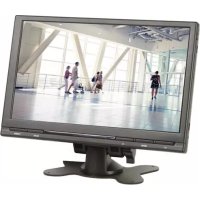
MON9T1 - Monitor VELLEMAN - Free user manual and instructions
Find the device manual for free MON9T1 VELLEMAN in PDF.



| Product type | 9" TFT Monitor |
| Screen size | 9 inches (22.86 cm) |
| Resolution | 800 x 480 pixels |
| Display format | 16:9 / 4:3 (switchable) |
| Panel type | TFT Active Matrix |
| Video inputs | 2 x RCA composite (AV1, AV2) |
| Audio inputs | 2 x RCA (left, right) |
| Power supply | 12 VDC ±10% (max) |
| Remote control | Yes, with CR2025 battery included |
| OSD functions | Brightness, contrast, color, image inversion |
| Menu languages | English, Chinese |
| Mounting | Fixed bracket or headrest cassette |
| Reverse detection | Yes (blue wire, auto power on) |
| Dimensions | 219 x 142 x 20 mm |
| Weight | 0.480 kg |
| Safety | Indoor use, installation by qualified technician |
| Cleaning | Soft damp cloth, no abrasive products |
| Warranty | 24 months for manufacturing defects (conditions apply) |
| Included accessories | Remote control, battery, bracket, headrest cassette |
| Maintenance | Disconnect before cleaning |
| Spare parts and repairability | No user-serviceable parts, contact dealer |
Frequently Asked Questions - MON9T1 VELLEMAN
User questions about MON9T1 VELLEMAN
0 question about this device. Answer the ones you know or ask your own.
Ask a new question about this device
Download the instructions for your Monitor in PDF format for free! Find your manual MON9T1 - VELLEMAN and take your electronic device back in hand. On this page are published all the documents necessary for the use of your device. MON9T1 by VELLEMAN.
USER MANUAL MON9T1 VELLEMAN
natural_image
Computer monitor displaying a photo of a shopping mall interior with people walking, no visible text or symbols on the screen or surroundings.16:9 / 4:3
USER MANUAL 3
HANDLEIDING 7
MODE D'EMPLOI 11
MANUAL DEL USUARIO 15
To all residents of the European Union Important environmental information about this product
This symbol on the device or the package indicates that disposal of the device after its lifecycle could harm the environment. Do not dispose of the unit (or batteries) as unsorted municipal waste; it should be taken to a specialized company for recycling. This device should be returned to your distributor or to a local recycling service. Respect the local environmental rules.
If in doubt, contact your local waste disposal authorities.
Thank you for choosing Velleman! Please read the manual thoroughly before bringing this device into service. If the device was damaged in transit, do not install or use it and contact your dealer.
2. Safety Instructions

Read and understand this manual and all safety signs before using this appliance.

For indoor use only. Keep away from rain, moisture, splashing and dripping liquids.

Risk of electroshock during installation. The installation must be performed by a qualified technician.

For safety reasons, keep your attention on the road while driving. DO NOT watch movies or other programs while driving!
- This device can be used by children aged from 8 years and above, and persons with reduced physical, sensory or mental capabilities or lack of experience and knowledge if they have been given supervision or instruction concerning the use of the device in a safe way and understand the hazards involved. Children shall not play with the device. Cleaning and user maintenance shall not be made by children without supervision.
- Do not disassemble or open the cover(s). No user-serviceable parts inside. Refer to an authorized dealer for service and/or spare parts.
• Always connect the device to a grounded circuit to avoid risk of electrocution. - Always disconnect mains power when the device is not in use or when servicing or maintenance activities are performed. Handle the power cord by the plug only.
- If the external flexible cable or cord of this device is damaged, it shall be exclusively replaced by the manufacturer or his service agent or a similar qualified person in order to avoid a hazard.
- All cords and cables should be routed so that they will not be walked on or pinched by items placed upon or against them. Pay particular attention to the point where they exit the unit.
3. General Guidelines
- Refer to the Velleman ^® Service and Quality Warranty on the last pages of this manual.
- All modifications of the device are forbidden for safety reasons. Damage caused by user modifications to the device is not covered by the warranty.
- Only use the device for its intended purpose. Using the device in an unauthorised way will void the warranty.
- Damage caused by disregard of certain guidelines in this manual is not covered by the warranty and the dealer will not accept responsibility for any ensuing defects or problems.
- Nor Velleman nv nor its dealers can be held responsible for any damage (extraordinary, incidental or indirect) – of any nature (financial, physical...) arising from the possession, use or failure of this product.
- Keep this manual for future reference.
4. Overview
Refer to the illustrations on page 2 of this manual.
| A | display |
| B | DOWN (▼) |
| C | MENU |
| D | UP (▲) |
| E | IR receiver |
| F | video select button (AV1/AV2) |
| G | power button |
| 1 | yellow RCAvideo 1 input (AV1) |
| 2 | yellow RCAvideo 2 input (AV2) |
| 3 | red RCAaudio input right |
| 4 | white RCAAudio input left |
| 5 | red led“+” 12 VDC |
| 6 | black lead“-” GND |
| 7 | blue leadreverse lamp |
| 8 | 8-pinmonitor jack |
5. Installation
The car connection should be carried out by a qualified person only.
- Choose a mounting location, depending on the purpose of the monitor. When used to connect backing-up or parking camera(s), the driver should have a clear view of the display. For all other purposes make sure the driver is not distracted by images and/or sound from the system.
- Mount the mounting bracket and attach the monitor to the bracket with the screw or install the monitor in a headrest using the included frame. When choosing the second option, have the installation done by a qualified person! The dealer will not accept responsibility for any damage to the car's interior.
- Connect the monitor [8] with the monitor.
- Connect a camera/video/DVD... (not incl.) to a video input [1][2]. Connect the sound output of that device to the audio inputs [3][4].
- Make sure the engine is switched off.
- Connect the red +12VDC power cable [5] to the +12VDC power system of the car. Make sure there is no power on the connection wire (remove fuse).
- Connect the black ground cable [6] to the car ground.
MONxT1
- The monitor can switch on/over to AV2 automatically when reverse gear is selected. To enable this functionality, connect the blue reverse cable [7] to the reverse gear power circuit. Make sure there is no power on the connection wire (remove fuse). Connect the backing-up camera to video input AV2 [2].
- Apply power to the system (re-insert fuses).
6. Use
- Switch on the monitor by pressing the ON/OFF button on the monitor [G] or remote control ( ) Note that when connection to the reverse gear system is made, the monitor switches on automatically when reverse gear is selected.
- Select the video channel (AV1 or AV2) by pressing the video select button on the monitor [F] or remote control.
- Press the mode select button on the remote control to select the monitor aspect ratio: 16:9 or 4:3.
- Press the menu button [C] on the monitor or remote control to enter monitor setup. Use the menu button [C] to navigate through the settings; use the up (▲) [D] or down (▼) [B] buttons to change the settings (on the remote control, use the ▶ resp. ◀ buttons).
| menu option | setting | value |
| BRIGHT | brightness | 0 ~ 40 |
| CONTRAST | contrast | 0 ~ 40 |
| COLOR | colour | 0 ~ 40 |
| MODE | aspect ratio | 16:9 or 4:3 |
| TCON | image direction | LD = normalRD = mirrored horizontallyRU = mirrored verticallyLU = mirrored horizontally + vertically |
| LANGUAGE | menu language | English or Chinese |
| IR SELECT(*) | select IR sound output | IR1 - IR2 - OFF |
| RESET | reset | reset monitor to factory defaults |
(*) Set the same channel on the IR headphone (MONT/HP, not incl.) with the channel selector. IR1 = channel A, IR2 = channel B.
7. Care and Maintenance
Before starting any cleaning or maintenance activities:
-
Unplug the device's power cord from the outlet.
-
Let the device cool down.
Cleaning
- Use normal glass cleaner and a soft cloth to wipe off the outside casing.
- Use a soft damp cloth to clean the monitor. Do not apply excessive pressure on the display.
- Do not use abrasive solutions or solvents.
8. Technical Specifications
MON7T1
display mode ....TFT Active Matrix (16:9/4:3)
screen size 7" (17.78 cm)
resolution 800 (H) x 480 (V)
number of pixels 384 000
luminance 250 cd/m²
video input signal 1.0Vpp / 75 Ω (composite video signal)
OSD function ......horizontal/vertical image reversing, setting adjustment and volume power supply
monitor.... max. 12 VDC +/- 10 %
remote control 1 x 1.5 V CR2025 (incl.)
dimensions 173 x 115 x 20 mm
weight 0.360 kg
MON9T1
display mode ....TFT Active Matrix (16:9/4:3)
screen size 9" (22.86 cm)
resolution 800 (H) x 480 (V)
number of pixels 384 000
luminance 250 cd/m²
video input signal 1.0Vpp / 75 Ω (composite video signal)
OSD function ...... horizontal/vertical image reversing, setting adjustment and volume power supply
monitor.... max. 12 VDC +/- 10 %
remote control 1 x 1.5 V CR2025 (incl.)
dimensions 219 x 142 x 20 mm
weight 0.480 kg
Use this device with original accessories only. Velleman nv cannot be held responsible in the event of damage or injury resulting from (incorrect) use of this device. For more info concerning this product and the latest version of this manual, please visit our website www.velleman.eu. The information in this manual is subject to change without prior notice.
© COPYRIGHT NOTICE
The copyright to this manual is owned by Velleman nv. All worldwide rights reserved. No part of this manual may be copied, reproduced, translated or reduced to any electronic medium or otherwise without the prior written consent of the copyright holder.
HANDLEIDING
1. Inleiding

Velleman® Service and Quality Warranty
Since its foundation in 1972, Velleman® acquired extensive experience in the electronics world and currently distributes its products in over 85 countries. All our products fulfil strict quality requirements and legal stipulations in the EU. In order to ensure the quality, our products regularly go through an extra quality check, both by an internal quality department and by specialized external organisations. If, all precautionary measures notwithstanding, problems should occur, please make appeal to our warranty (see guarantee conditions).
General Warranty Conditions Concerning Consumer Products (for EU):
- All consumer products are subject to a 24-month warranty on production flaws and defective material as from the original date of purchase.
- Velleman® can decide to replace an article with an equivalent article, or to refund the retail value totally or partially when the complaint is valid and a free repair or replacement of the article is impossible, or if the expenses are out of proportion.
You will be delivered a replacing article or a refund at the value of 100% of the purchase price in case of a flaw occurred in the first year after the date of purchase and delivery, or a replacing article at 50% of the purchase price or a refund at the value of 50% of the retail value in case of a flaw occurred in the second year after the date of purchase and delivery.
• Not covered by warranty:
- all direct or indirect damage caused after delivery to the article (e.g. by oxidation, shocks, falls, dust, dirt, humidity...), and by the article, as well as its contents (e.g. data loss), compensation for loss of profits;
- consumable goods, parts or accessories that are subject to an aging process during normal use, such as batteries (rechargeable, non-rechargeable, built-in or replaceable), lamps, rubber parts, drive belts... (unlimited list);
- flaws resulting from fire, water damage, lightning, accident, natural disaster, etc....;
- flaws caused deliberately, negligently or resulting from improper handling, negligent maintenance, abusive use or use contrary to the manufacturer's instructions;
- damage caused by a commercial, professional or collective use of the article (the warranty validity will be reduced to six (6) months when the article is used professionally);
- damage resulting from an inappropriate packing and shipping of the article;
- all damage caused by modification, repair or alteration performed by a third party without written permission by Velleman®.
- Articles to be repaired must be delivered to your Velleman® dealer, solidly packed (preferably in the original packaging), and be completed with the original receipt of purchase and a clear flaw description.
- Hint: In order to save on cost and time, please reread the manual and check if the flaw is caused by obvious causes prior to presenting the article for repair. Note that returning a non-defective article can also involve handling costs.
- Repairs occurring after warranty expiration are subject to shipping costs - The above conditions are without prejudice to all commercial warranties.
The above enumeration is subject to modification according to the article (see article's manual).
NL

- To all residents of the European Union Important environmental information about this product
- Safety Instructions
- General Guidelines
- Overview
- Installation
- MONxT1
- Use
- Care and Maintenance
- Cleaning
- Technical Specifications
- MON7T1
- MON9T1
- © COPYRIGHT NOTICE
- HANDLEIDING
- Inleiding
- Velleman® Service and Quality Warranty
- General Warranty Conditions Concerning Consumer Products (for EU):
- • Not covered by warranty:
- NL
Brand : VELLEMAN
Model : MON9T1
Category : Monitor