ManualGo.com
ATXF71A2V1B - Air Conditioning DAIKIN - Free user manual and instructions
Find the device manual for free ATXF71A2V1B DAIKIN in PDF.

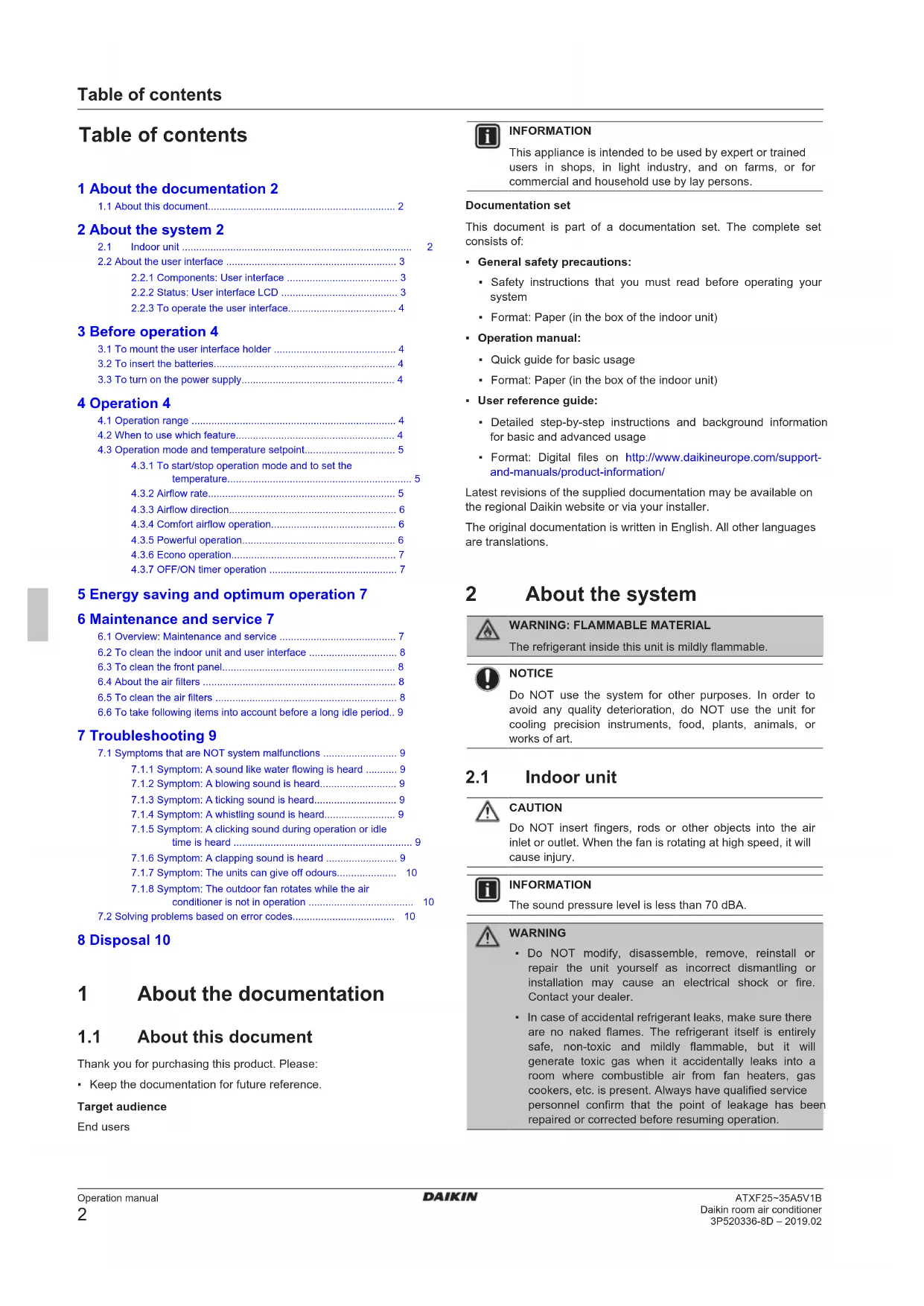


Download the instructions for your Air Conditioning in PDF format for free! Find your manual ATXF71A2V1B - DAIKIN and take your electronic device back in hand. On this page are published all the documents necessary for the use of your device. ATXF71A2V1B by DAIKIN.
USER MANUAL ATXF71A2V1B DAIKIN
ATXF35A5V1BBTable of contents Operation manual
2 About the system 2
3 Before operation 4
4.3.1 To start/stop operation mode and to set the
5 Energy saving and optimum operation 7 6 Maintenance and service 7
6.6 To take following items into account before a long idle period.. 9
7.1 Symptoms that are NOT system malfunctions .......................... 9
7.1.1 Symptom: A sound like water flowing is heard ........... 9
7.1.5 Symptom: A clicking sound during operation or idle
time is heard ............................................................... 9
7.1.6 Symptom: A clapping sound is heard ......................... 9
conditioner is not in operation ..................................... 10
Thank you for purchasing this product. Please:
- Keep the documentation for future reference. Target audience Endusers INFORMATION This appliance is intended to be used by expert or trained users in shops, in light industry, and on farms, or for commercial and household use by lay persons. Documentation set This document is part of a documentation set. The complete set consists of:
- General safety precautions:
- Safety instructions that you must read before operating your system
- Format: Paper (in the box of the indoor unit)
- Format: Paper (in the box of the indoor unit)
- User reference guide:
- Detailed step-by-step instructions and background information for basic and advanced usage
- Format: Digital files on http://www.daikineurope.com/support- and-manuals/product-information/ Latest revisions of the supplied documentation may be available on the regional Daikin website or via your installer. The original documentation is written in English. All other languages are translations. 2 About the system
WARNING: FLAMMABLE MATERIAL
The refrigerant inside this unit is mildly flammable. NOTICE Do NOT use the system for other purposes. In order to avoid any quality deterioration, do NOT use the unit for cooling precision instruments, food, plants, animals, or works of art.
CAUTION Do NOT insert fingers, rods or other objects into the air inlet or outlet. When the fan is rotating at high speed, it will cause injury. INFORMATION The sound pressure level is less than 70dBA. WARNING
- Do NOT modify, disassemble, remove, reinstall or repair the unit yourself as incorrect dismantling or installation may cause an electrical shock or fire. Contact your dealer.
- In case of accidental refrigerant leaks, make sure there are no naked flames. The refrigerant itself is entirely safe, non-toxic and mildly flammable, but it will generate toxic gas when it accidentally leaks into a room where combustible air from fan heaters, gas cookers, etc. is present. Always have qualified service personnel confirm that the point of leakage has been repaired or corrected before resuming operation.2 About the system Operation manual
Daikin room air conditioner 3P520336-8D – 2019.02 INFORMATION The following figures are just examples and may NOT completely match your system layout.
a Air inlet b Air outlet c Flap (horizontal blade) d Louvers (vertical blades) e Front panel f Model name plate g Room temperature sensor h Signal receiver i Operation indicator (green) j Timer lamp (orange) k Indoor unit ON/OFF switch l Air filter ON/OFF button If the user interface is missing, you can use the ON/OFF button on the indoor unit to start/stop operation. When operation is started using this button, the following settings are used:
- Operation mode = Automatic
- Temperature setting = 25°C
- Airflow rate = Automatic
2.2 About the user interface
- Direct sunlight. Do NOT expose the user interface to direct sunlight.
- Dust. Dust on the signal transmitter or receiver will reduce sensitivity. Wipe off dust with a soft cloth.
- Fluorescent lights. Signal communication might be disabled if fluorescent lamps are in the room. In that case, contact your installer.
- Other appliances. If the user interface signals operate other appliances, move the other appliances, or contact your installer.
- Curtains. Make sure that the signal between the unit and the user interface is NOT blocked by curtains or other objects. NOTICE
- Do NOT drop the user interface.
- Do NOT let the user interface get wet.
Icon Description Operation mode = Automatic Operation mode = Drying Operation mode = Heating Operation mode = Cooling Operation mode = Fan only Powerful operation is active Econo operation is active Operation is active The indoor unit receives a signal from the user interface Current temperature setting Airflow rate = Automatic Airflow rate = Indoor unit quiet3 Before operation Operation manual
Daikin room air conditioner 3P520336-8D – 2019.02 Icon Description Airflow rate = High Airflow rate = Medium high Airflow rate = Medium Airflow rate = Medium low Airflow rate = Low Comfort operation is active Auto vertical swing is active ON timer is active OFF timer is active
2.2.3 To operate the user interface
a Signal receiver 1 Aim the signal transmitter at the signal receiver on the indoor unit (maximum distance for communication is 7m). Result: When the indoor unit receives a signal from the user interface, you will hear a sound: Sound Description Beep-beep Operation starts. Beep Setting changes. Long beep Operation stops. 3 Before operation
3.1 To mount the user interface holder
b ca a User interface b Screws (field supply) c User interface holder 1 Choose a place where the signals reach the unit. 2 Attach the holder with screws to the wall or a similar location. 3 Hang the user interface on the user interface holder.
3.2 To insert the batteries
The batteries will last for about 1 year. 1 Remove the back cover. 2 Insert both batteries at once. 3 Put the cover back.
3.3 To turn on the power supply
1 Turn the circuit breaker on. Result: The flap of the indoor unit will open and close to set the reference position. 4 Operation
Operation mode Operation range Cooling (a)(b)
- Outdoor temperature: –10~46°C DB
- Indoor temperature: 18~32°C DB
- Indoor humidity: ≤80% Heating (a)
- Outdoor temperature: –15~24°C DB
- Indoor temperature: 10~30°C DB Drying (a)
- Outdoor temperature: –10~46°C DB
- Indoor temperature: 18~32°C DB
- Indoor humidity: ≤80% (a) A safety device might stop the operation of the system if the unit runs outside its operation range. (b) Condensation and water dripping might occur if the unit runs outside its operation range.
4.2 When to use which feature
You can use the following table to determine which features to use: Feature Tasks Basic features Operation modes and temperature To start/stop the system and to set the temperature:
- Heat up or cool down a room.
- Blow air in a room without heating or cooling.
- Decrease the humidity in a room.
- In Automatic mode, automatically select an appropriate temperature and operation mode. Airflow direction To adjust the airflow direction (swing or fixed position).4 Operation Operation manual
Daikin room air conditioner 3P520336-8D – 2019.02 Feature Tasks Airflow rate To adjust the amount of air blown into the room. To run more quietly. Advanced features Econo To use the system when you are also using other power-consuming appliances. To save energy. Comfort To provide a comfortable airflow that does NOT come in direct contact with people. Powerful To cool down or heat up the room quickly. ON timer + OFF timer To automatically turn ON or OFF the system.
4.3 Operation mode and temperature
setpoint When. Adjust the system operation mode and set the temperature when you want to:
- Heat up or cool down a room
- Blow air in a room without heating or cooling
- Decrease the humidity in a room What. The system operates differently, depending on the user selection. Setting Description Automatic The system cools down or heats up a room to the temperature setpoint. It automatically switches between cooling and heating if necessary. Drying The system decreases the humidity in a room. Heating The system heats up a room to the temperature setpoint. Cooling The system cools down a room to the temperature setpoint. Fan The system only controls the airflow (airflow rate and airflow direction). The system does NOT control the temperature. Additional info:
- Outside temperature. The system's cooling or heating effect decreases when the outside temperature is too high or too low.
- Defrost operation. During heating operation, frost might occur on the outdoor unit and decrease the heating capacity. In that case, the system automatically switches to defrosting operation to remove the frost. During defrosting operation, hot air is NOT blown from the indoor unit.
4.3.1 To start/stop operation mode and to set
the temperature : Unit is operating. : Operation mode = Automatic : Operation mode = Drying : Operation mode = Heating : Operation mode = Cooling : Operation mode = Fan only : Shows the set temperature. 1 Press one or more times to select the operation mode. Result: The mode will be set in the following sequence: 2 Press to start operation. Result: is displayed on the LCD. Result: The operation lamp lights up. 3 Press or on the button one or more times to lower or raise the temperature. Note: When using drying or fan only mode, you cannot adjust the temperature. 4 Press to stop operation. Result: disappears from the LCD. Result: The operation lamp goes off.
1 Press to choose: 5 airflow rate levels, from " " to " " Automatic airflow rate operation Indoor unit quiet operation. When the airflow rate is set to " ", the noise from the unit will be reduced. INFORMATION
- If the unit reaches the temperature setpoint in cooling or heating mode, the fan will stop operating.
- When using drying operation mode, you CANNOT adjust the airflow rate setting. To adjust the airflow rate 1 Press to change the airflow setting as follows:4 Operation Operation manual
4.3.3 Airflow direction
When. Adjust the airflow direction as desired. What. The system directs the airflow differently, depending on the user selection (swinging or fixed position). It does so by moving the vertical blades. Setting Airflow direction Vertical auto swing Moves up and down. [—] Stays in a fixed position. CAUTION
- ALWAYS use a user interface to adjust the angle of the flap. When the flap is swinging and you move it forcibly by hand, the mechanism will break.
- Be careful when adjusting the louvers. Inside the air outlet, a fan is rotating at high speed. Note: The movable range of the flap varies according to the operation mode. The flap will stop at the upper position when the airflow rate is changed to low during the up and down swing setting.
a Flap range in cooling or drying operation b Flap range in hating operation c Flap range in fan only operation To adjust the airflow direction 1 To use auto swing, press . Result: will appear on the LCD. Result: The flap (horizontal blade) will begin to swing. 2 To use fixed position, press when the flap reaches the desired position. Result: disappears from the LCD. To adjust the louvers (vertical blades) 1 Hold 1 or both knobs and move the louvers.
a Knobs INFORMATION When the unit is installed in a corner of a room, the direction of the louvers should be facing away from the wall. Efficiency will drop if a wall blocks the air.
4.3.4 Comfort airflow operation
This operation can be used in heating or cooling operation mode. It will provide a comfortable wind that will NOT come in direct contact with people. The system automatically sets the fixed airflow position upward in Cooling and downward in Heating operation mode. Cooling operation mode Heating operation mode INFORMATION Powerful and Comfort airflow operation CANNOT be used at the same time. The last selected function takes priority. If the vertical automatic swing is selected, Comfort airflow operation will be cancelled. To start/stop Comfort airflow operation 1 Press to start. Result: The flap position will change, is displayed on the LCD, and the airflow rate is set to automatic. Mode Position of flap… Cooling/Drying Up Heating Down 2 Press to stop. Result: The flap will return to the position from before the Comfort airflow mode; disappears from the LCD.
4.3.5 Powerful operation
This operation quickly maximizes the cooling/heating effect in any operation mode. You can get the maximum capacity. INFORMATION Powerful operation CANNOT be used together with Econo and Comfort airflow operation. The last selected function takes priority. Powerful operation will NOT increase the capacity of the unit if it already operates at maximum capacity. To start/stop Powerful operation 1 Press to start. Result: is displayed on the LCD. Powerful operation runs for 20minutes; after that, operation returns to the previously set mode. 2 Press to stop. Result: disappears from the LCD. Note: Powerful operation can be set only when the unit is running. If you press or if you change operation mode, operation will be cancelled; disappears from the LCD.5 Energy saving and optimum operation Operation manual
4.3.6 Econo operation
This is a function which enables efficient operation by limiting the maximum power consumption value. This function is useful for cases in which attention should be paid to ensure a circuit breaker will not trip when the product runs alongside other appliances. INFORMATION
- Powerful and Econo operation CANNOT be used at the same time. The last selected function takes priority.
- Econo operation reduces power consumption of the outdoor unit by limiting the rotation speed of the compressor. If power consumption is already low, Econo operation will NOT further reduce power consumption. To start/stop Econo operation 1 Press to start. Result: is displayed on the LCD. 2 Press to stop. Result: disappears from the LCD.
4.3.7 OFF/ON timer operation
Timer functions are useful for automatically switching the air conditioner off/on at night or in the morning. You can also use OFF timer and ON timer in combination. INFORMATION Program the timer again in case of:
- A breaker has turned the unit off.
- After replacing batteries in the user interface. To start/stop ON timer operation 1 Press to start. Result: is displayed on the LCD and the timer lamp lights up. INFORMATION Each time is pressed, the time setting advances by 1 hour. The timer can be set between 1 to 12 hours. 2 Press to stop. Result: disappears from the LCD and the timer lamp goes off. To start/stop OFF timer operation 1 Press to start. Result: is displayed on the LCD and the timer lamp lights up. INFORMATION Each time is pressed, the time setting advances by 1 hour. The timer can be set between 1 to 9 hours. 2 Press to stop. Result: disappears from the LCD and the timer lamp goes off. INFORMATION When you set the ON/OFF timer, the time setting is stored in the memory. The memory will be reset when the user interface batteries are replaced. Use of night set mode in combination with OFF timer The air conditioner automatically adjusts the temperature setting (0.5°C up in cooling, 2.0°C down in heating) to prevent excessive cooling/heating and ensure a comfortable sleeping temperature. To combine OFF timer and ON timer 1 To set the timers, refer to "To start/stop OFF timer operation"[47] and "To start/stop ON timer operation"[47]. Result: and are displayed on the LCD. 2 Example of what is displayed on the LCD if you combine the 2 timers: 5 Energy saving and optimum operation INFORMATION
- Even if the unit is turned OFF, it consumes electricity.
- When the power turns back on after a power break, the previously selected mode will be resumed. CAUTION NEVER expose little children, plants or animals directly to the airflow. NOTICE Do NOT place objects below the indoor and/or outdoor unit that may get wet. Otherwise condensation on the unit or refrigerant pipes, air filter dirt or drain blockage may cause dripping, and objects under the unit may get dirty or damaged. WARNING Do NOT place a flammable spray bottle near the air conditioner and do NOT use sprays near the unit. Doing so may result in a fire. CAUTION Do NOT operate the system when using a room fumigation-type insecticide. Chemicals could collect in the unit, and endanger the health of people who are hypersensitive to chemicals. 6 Maintenance and service
6.1 Overview: Maintenance and
service The installer has to perform a yearly maintenance. About the refrigerant This product contains fluorinated greenhouse gases. Do NOT vent gases into the atmosphere. Refrigerant type: R32 Global warming potential (GWP) value: 6756 Maintenance and service Operation manual
Daikin room air conditioner 3P520336-8D – 2019.02 NOTICE Applicable legislation on fluorinated greenhouse gases requires that the refrigerant charge of the unit is indicated both in weight and CO
equivalent. Formula to calculate the quantity in CO
equivalent tonnes: GWP value of the refrigerant × total refrigerant charge [in kg] / 1000 Please contact your installer for more information. WARNING The refrigerant inside the unit is mildly flammable, but normally does NOT leak. If the refrigerant leaks in the room and comes in contact with fire from a burner, a heater, or a cooker, this may result in fire, or the formation of a harmful gas. Turn off any combustible heating devices, ventilate the room, and contact the dealer where you purchased the unit. Do NOT use the unit until a service person confirms that the part from which the refrigerant leaked has been repaired. WARNING
- Do NOT pierce or burn refrigerant cycle parts.
- Do NOT use cleaning materials or means to accelerate the defrosting process other than those recommended by the manufacturer.
- Be aware that the refrigerant inside the system is odourless. WARNING The appliance shall be stored in a room without continuously operating ignition sources (example: open flames, an operating gas appliance or an operating electric heater). NOTICE Maintenance MUST be done by an authorised installer or service agent. We recommend performing maintenance at least once a year. However, applicable legislation might require shorter maintenance intervals.
DANGER: RISK OF ELECTROCUTION
To clean the air conditioner or air filter, be sure to stop operation and turn all power supplies OFF. Otherwise, an electrical shock and injury may result. WARNING To prevent electrical shocks or fire:
- Do NOT rinse the unit.
- Do NOT operate the unit with wet hands.
- Do NOT place any objects containing water on the unit. CAUTION After a long use, check the unit stand and fitting for damage. If damaged, the unit may fall and result in injury. CAUTION Do NOT touch the heat exchanger fins. These fins are sharp and could result in cutting injuries. WARNING Be careful with ladders when working in high places.
6.2 To clean the indoor unit and user
- Do NOT use gasoline, benzene, thinner, polishing powder or liquid insecticide. Possible consequence: Discoloration and deformation.
- Do NOT use water or air of 40°C or higher. Possible consequence: Discoloration and deformation.
- Do NOT use polishing compounds.
- Do NOT use a scrubbing brush. Possible consequence: The surface finishing peels off.
- As an end user, you may NEVER clean inside parts of the unit by yourself; this work must be performed by a qualified service person. Contact your dealer.
DANGER: RISK OF ELECTROCUTION
Before cleaning, be sure to stop the operation, turn the breaker OFF or pull out the supply cord. Otherwise, an electrical shock and injury may result. 1 Clean with a soft cloth. If it is difficult to remove stains, use water or a neutral detergent.
6.3 To clean the front panel
1 Clean the front panel with a soft cloth. If it is difficult to remove stains, use water or a neutral detergent.
6.4 About the air filters
Operating the unit with dirty filters means that the filter:
- CANNOT deodorise the air,
- CANNOT clean the air,
- poor heating/cooling,
1 Push the tab at the centre of each air filter, then pull it down. 2 Pull out the air filters.
3 Wash the air filters with water or clean them with a vacuum cleaner.7 Troubleshooting Operation manual
Daikin room air conditioner 3P520336-8D – 2019.02 4 Soak in lukewarm water for about 10 to 15 minutes. 5 Install all filters back in their original positions. INFORMATION
- If the dust does NOT come off easily, wash them with a neutral detergent diluted in lukewarm water. Dry the air filters in the shade.
- It is recommended to clean the air filters every 2 weeks.
6.6 To take following items into
account before a long idle period Operate the unit in fan only mode for several hours to dry the inside of the unit. 1 Press and select fan only operation. 2 Press to start operation. 3 After operation stops, turn the breaker off. 4 Clean the air filters and replace them in their original position. 5 Remove the batteries from the user interface. INFORMATION It is recommended to have periodical maintenance performed by a specialist. For specialist maintenance, contact your dealer. Maintenance costs shall be borne by the customer. In certain operating conditions the inside of the unit may get dirty after several seasons of use. This results in poor performance. 7 Troubleshooting If one of the following malfunctions occur, take the measures shown below and contact your dealer. WARNING Stop operation and shut OFF the power if anything unusual occurs (burning smells etc.). Leaving the unit running under such circumstances may cause breakage, electrical shock or fire. Contact your dealer. The system MUST be repaired by a qualified service person. Malfunction Measure If a safety device such as a fuse, a breaker or an earth leakage breaker frequently actuates or the ON/OFF switch does NOT properly work. Turn OFF the main power switch. If water leaks from the unit. Stop the operation. The operation switch does NOT work well. Turn OFF the power supply. If the user interface display indicates the unit number, the operation lamp flashes and the malfunction code appears. Notify your installer and report the malfunction code. If the system does NOT operate properly except for the above mentioned cases and none of the above mentioned malfunctions is evident, investigate the system in accordance with the following procedures. INFORMATION Refer to the reference guide located on http:// www.daikineurope.com/support-and-manuals/product- information/ for more troubleshooting tips. If after checking all above items, it is impossible to fix the problem yourself, contact your installer and state the symptoms, the complete model name of the unit (with manufacturing number if possible) and the installation date (possibly listed on the warranty card).
7.1 Symptoms that are NOT system
malfunctions The following symptoms are NOT system malfunctions:
7.1.1 Symptom: A sound like water flowing is
- This sound is caused by the refrigerant flowing in the unit.
- This sound may be generated when water is flowing away from the unit during cooling or drying operation.
7.1.2 Symptom: A blowing sound is heard
This sound is generated when the direction of the refrigerant flow is changed (e.g. when switching from cooling to heating).
7.1.3 Symptom: A ticking sound is heard
This sound is generated when the unit slightly expands or contracts with changes in temperature.
7.1.4 Symptom: A whistling sound is heard
This sound is generated by the refrigerant flowing during defrost operation.
7.1.5 Symptom: A clicking sound during
operation or idle time is heard This sound is generated when the refrigerant control valves or electrical parts operate.
7.1.6 Symptom: A clapping sound is heard
This sound is generated when an external device sucks air out of the room (e.g. exhaust fan, extractor hood) while the doors and windows in the room are closed. Open the doors or windows, or turn off the device.8 Disposal Operation manual
7.1.7 Symptom: The units can give off odours
The unit can absorb the smell of rooms, furniture, cigarettes, etc., and then emit it again.
7.1.8 Symptom: The outdoor fan rotates while
the air conditioner is not in operation
- After operation has stopped. The outdoor fan continues to rotate for another 30 seconds for system protection.
- While the air conditioner is not in operation. When the outdoor temperature is very high, the outdoor fan starts to rotate for system protection.
7.2 Solving problems based on error
codes Fault diagnosis by user interface If the unit runs into a problem, you can identify the fault by checking the error code by the user interface. It is important to understand the problem and take measures before resetting the error code. This should be done by a licensed installer or your local dealer. INFORMATION See the service manual for:
- The complete list of error codes
- A more detailed troubleshooting guideline for each error To check the error code by the user interface 1 Aim the user interface at the unit and press for about 5seconds. Result: blinks in the temperature setting display section. 2 Aim the user interface at the unit and press repeatedly until a continuous beep is heard. Result: The code is now displayed on the display. INFORMATION
- A short beep and 2 consecutive beeps indicate non- corresponding codes.
- To cancel the code display, hold for 5seconds. The code will also disappear from the display if the button is NOT pressed within 1minute. System Error code Description Normal Refrigerant shortage Overvoltage detection Signal transmission error (between indoor and outdoor unit) Indoor/outdoor unit combination fault Indoor unit Error code Description Indoor unit PCB abnormality Freeze-up protection or high-pressure control Fan motor (DC motor) abnormality Room temperature thermistor abnormality Outdoor unit Error code Description 4-way valve abnormality Error code Description Outdoor unit PCB abnormality Overload activation (compressor overload) Compressor lock DC fan lock Input power overcurrent Discharge pipe temperature control High-pressure control (in cooling mode) Compressor system sensor abnormality Position sensor abnormality DC voltage / current sensor abnormality Outdoor temperature thermistor abnormality Discharge pipe thermistor abnormality Outdoor heat exchanger thermistor abnormality Electrical parts heat error Radiation fin temperature rise Inverter instantaneous overcurrent (DC) Radiation fin thermistor abnormality Compressor internal temperature error 8 Disposal NOTICE Do NOT try to dismantle the system yourself: dismantling of the system, treatment of the refrigerant, oil and other parts MUST comply with applicable legislation. Units MUST be treated at a specialised treatment facility for reuse, recycling and recovery.Inhaltsverzeichnis Betriebsanleitung