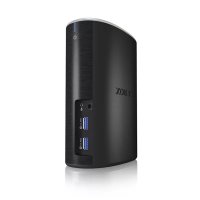
IBDK2651AC - USB Docking Station Icy Box - Free user manual and instructions
Find the device manual for free IBDK2651AC Icy Box in PDF.


| Product type | Multi-port USB 3.0 docking station with integrated screen |
| Brand | Icy Box |
| Model | IBDK2651AC |
| Compatibility | Windows 7/8/8.1, Mac OS X 10.9 |
| Video connectivity | 1x HDMI, 1x DVI |
| Data connectivity | USB 3.0 x2 (front) for data and charging, Ethernet RJ45 |
| Audio | Speaker output, microphone input |
| Power supply | External power adapter (included) |
| Front USB charging current | 5V/2A max (fast charging) or 1.0-1.3A standard |
| Driver installation | Via included CD or download from www.raidsonic.de |
| Dimensions (approx.) | 30 cm x 20 cm x 15 cm |
| Weight (approx.) | 1.2 kg |
| Care and cleaning | Unplug before cleaning, use a soft dry cloth |
| Safety | Do not expose to water or excessive heat |
| Spare parts and repairability | Contact Icy Box support for parts and repairs |
| General information | Complete docking station to expand a laptop's connections |
Frequently Asked Questions - IBDK2651AC Icy Box
User questions about IBDK2651AC Icy Box
0 question about this device. Answer the ones you know or ask your own.
Ask a new question about this device
Download the instructions for your USB Docking Station in PDF format for free! Find your manual IBDK2651AC - Icy Box and take your electronic device back in hand. On this page are published all the documents necessary for the use of your device. IBDK2651AC by Icy Box.
USER MANUAL IBDK2651AC Icy Box
USB 3.0 display and multi port docking station
Handbuch IB-DK2651AC
natural_image
Black cylindrical device rear panel with two USB ports labeled USB 3.0 and USB 3.8 (no additional text or symbols visible)Package content
IB-DK2651AC, 1x USB 3.0 cable, 1x power adapter, 1x Power Cord, 1xCD (driver for Windows and Mac), 1x quick installation guide
text_image
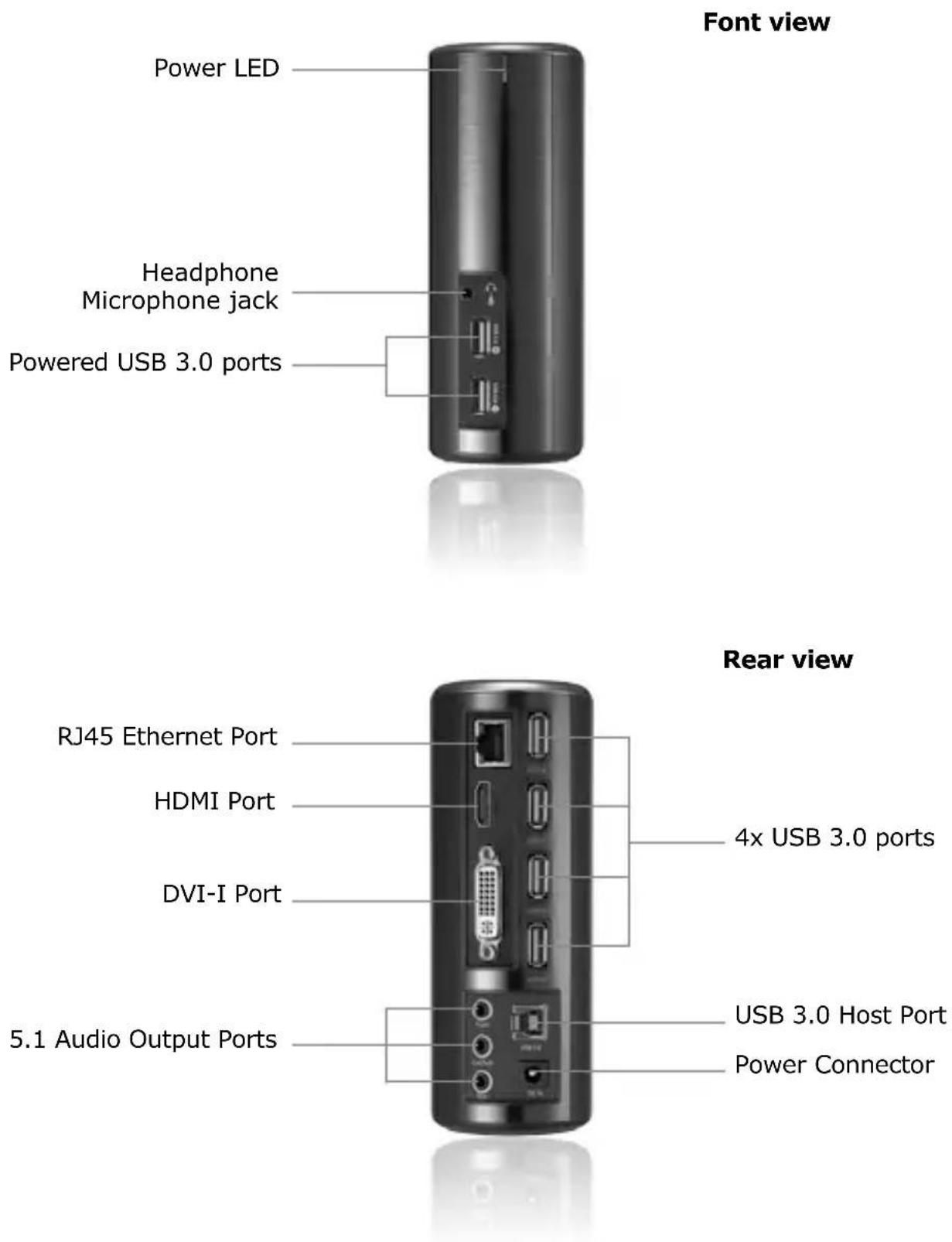
Font view Power LED Headphone Microphone jack Powered USB 3.0 ports Rear view RJ45 Ethernet Port HDMI Port DVI-I Port 5.1 Audio Output Ports 4x USB 3.0 ports USB 3.0 Host Port Power ConnectorConnection diagram
flowchart
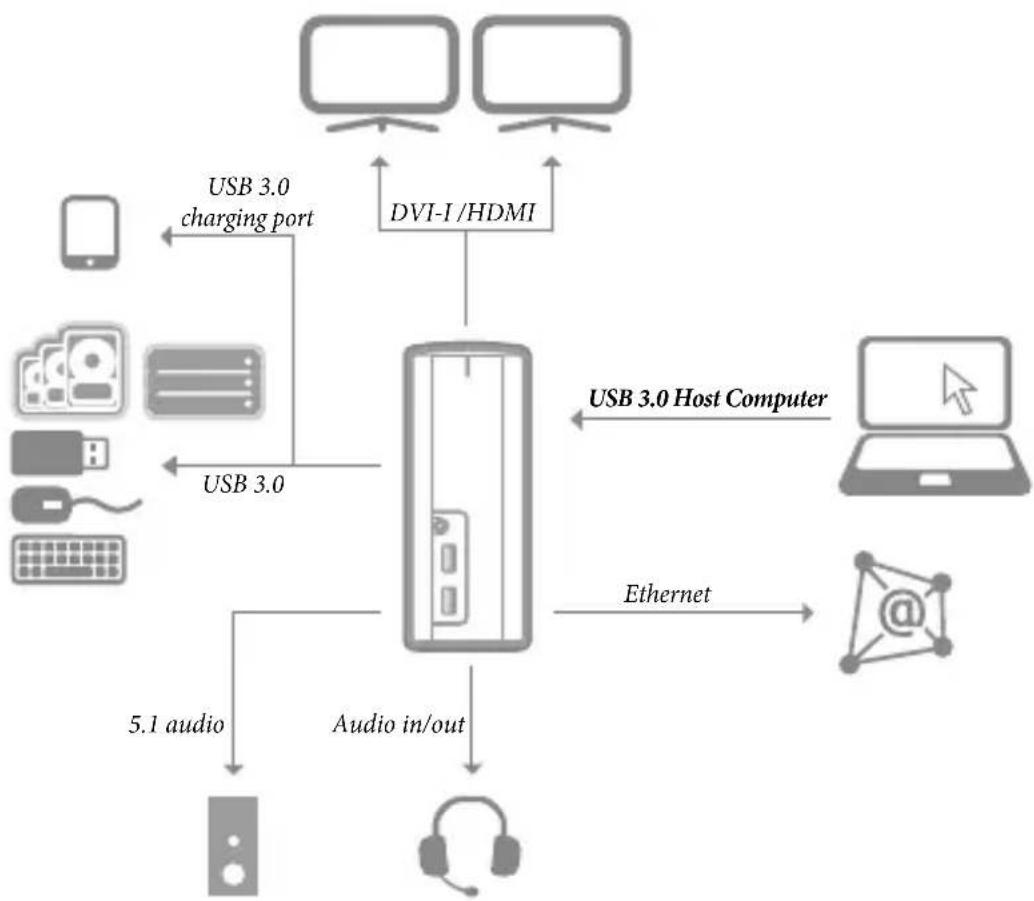
graph TD
    A["Device"] -->|USB 3.0 charging port| B["Central System"]
    B -->|USB 3.0| C["Device"]
    B -->|USB 3.0 Host Computer| D["Laptop"]
    B -->|Ethernet| E["Internet"]
    B -->|Audio in/out| F["Audio In/Out"]
    F --> G["Mobile Device"]
    B --> H["DVI-I/HDMI"]
    H --> B
    style A fill:#f9f,stroke:#333
    style B fill:#ccf,stroke:#333
    style C fill:#cfc,stroke:#333
    style D fill:#fcc,stroke:#333
    style E fill:#cff,stroke:#333
    style F fill:#ffc,stroke:#333
    style G fill:#cfc,stroke:#333
    style H fill:#fcc,stroke:#333
Display applications
flowchart
graph TD
    A["Computer monitor with images"] --> B["Laptop with cat image"]
    C["Computer monitor with images"] --> B
    D["Computer monitor with image"] --> B
    B --> E["USB"]
    E --> F["Mobile phone"]
    F --> G["Computer monitor with images"]
    G --> H["USB"]
    H --> I["Mobile phone"]
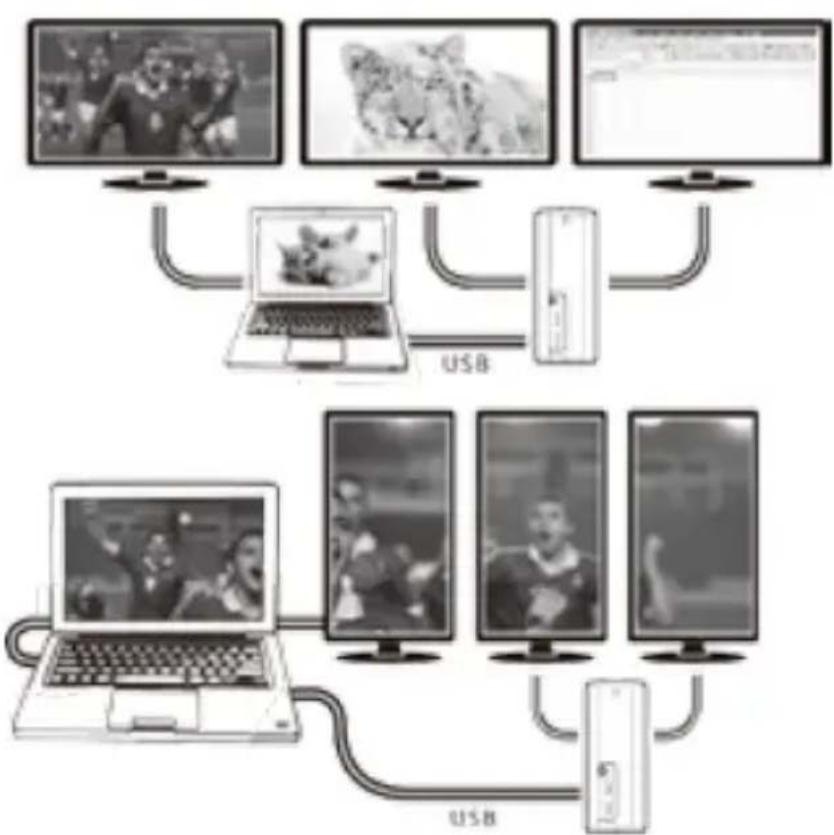
Mode: Extend Resolution: 7680x1080
Mode: Extend Resolution: 5160x6840
In Windows, you can drag your software to the 2nd and/or 3rd display, and adjust the display ratio. However, the display effect may vary depending on the software you use.
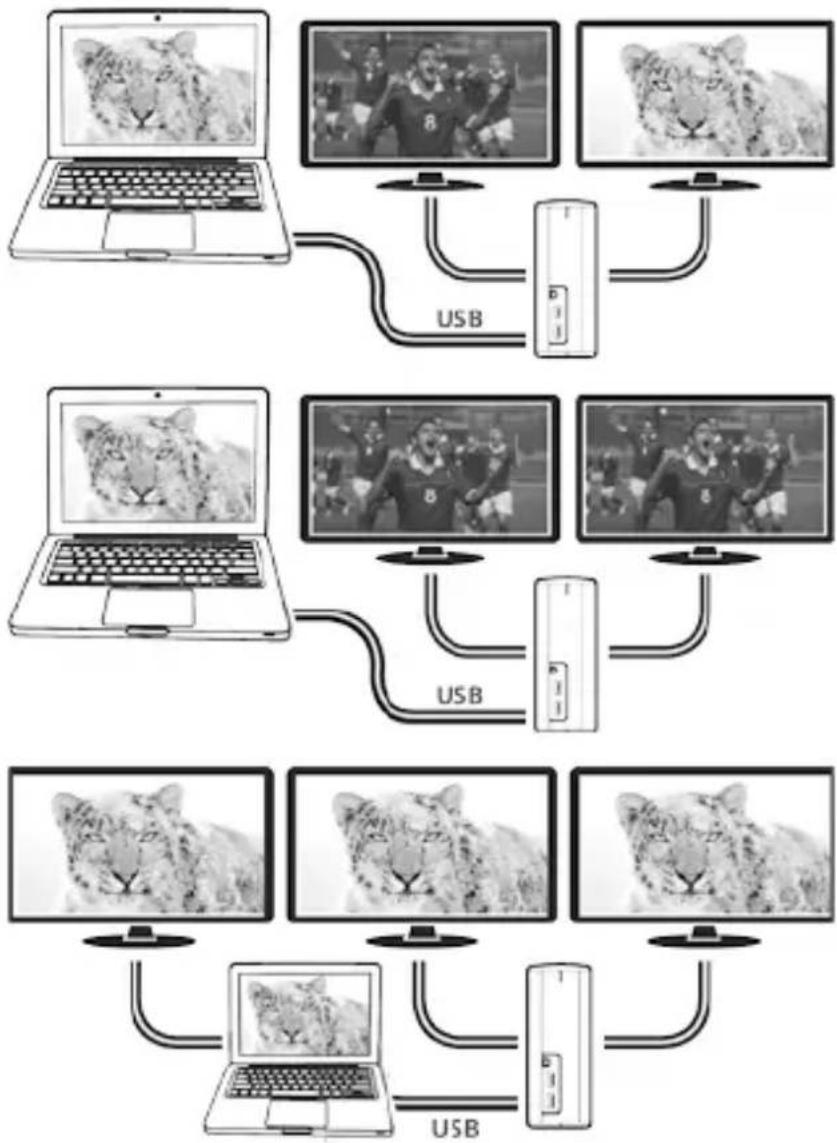
flowchart
graph TD
    A["Laptop 1"] -->|USB| B["TV Screen 1"]
    A -->|USB| C["TV Screen 2"]
    A -->|USB| D["TV Screen 3"]
    A -->|USB| E["TV Screen 4"]
    A -->|USB| F["TV Screen 5"]
    A -->|USB| G["TV Screen 6"]
    A -->|USB| H["TV Screen 7"]
    A -->|USB| I["TV Screen 8"]
    A -->|USB| J["TV Screen 9"]
    A -->|USB| K["TV Screen 10"]
    A -->|USB| L["TV Screen 11"]
    A -->|USB| M["TV Screen 12"]
    A -->|USB| N["TV Screen 13"]
    A -->|USB| O["TV Screen 14"]
    A -->|USB| P["TV Screen 15"]
    A -->|USB| Q["TV Screen 16"]
    A -->|USB| R["TV Screen 17"]
    A -->|USB| S["TV Screen 18"]
    A -->|USB| T["TV Screen 19"]
    A -->|USB| U["TV Screen 20"]
Mode: Duplicate Resolution: 3840x1080
*Note: Windows limits the number of mirrored screens to 2.
Mode: Duplicate Resolution: 3840x1080
*Note: Windows limits the number of mirrored screens to 2.
Mode: Duplicate Resolution: 1920x1080
IB-DK2651AC
USB 3.0 Display and multi port docking station
USB 3.0 Display and Multi Port Docking Station Display and Port replicator with Fast Phone Charger
Description
The USB 3.0 Display and Multi Port Docking Station is designed for extra connectivity demands.
With the docking station you can extend the connection of a Notebook to more display and USB peripherals, Ethernet network, speaker and microphone through one USB cable.
1. Install the Driver
* Caution: Do not connect the adapter to your computer before installing the driver from the delivered CD or from the download area of http://www.raidsonic.de.
Windows 7/8/8.1:
A. Insert the CD into the CD ROM drive.
B. The installer program will run automatically.
C. Click on "Run Setup.exe".
D. Follow the instructions and finish the driver installation.
E. Connect the adapter to a USB port on the PC.
F. Restart the PC.
G. The IB-DK2651AC is ready to be used.
MAC OS X 10.9:
A. Insert the CD into the CD ROM drive.
B. Run the file Mac_driver\ driver.dmg by double click.
C. Follow the instructions and finish the driver installation.
D. Connect the adapter to a USB port on the mac.
E. Restart the mac.
F. The IB-DK2651AC is ready to be used.
2. Connection to Monitor/Projector
Connect the USB 3.0 cable to your notebook / PC and connect your monitor / projector to the HDMI or DVI port.
Please setup your display settings accordingly to your operating system and requirements.
For detailed information of your operating system, see the corresponding operation manual and description of your operating system.
3. Charging function for mobile devices
The two front USB3-0 connectors are designed for both data transfer with USB3.0 speed, as well as for charging your mobile devices (Smartphones and tablets) with max 5V/2A or 1.0A – 1.3A charging current.
IB-DK2651AC
The two front USB3-0 connectors are designed for both data transfer with USB3.0 speed, as well as for charging your mobile devices (Smartphones and tablets) com máx 5V/2A ou 1.0A - 1.3A corrente de carga.
IB-DK2651AC
text_image
CE ROHS ReHS - conforms (2002/05/16)© Copyright 2014 by RaidSonic Technology GmbH. All Rights Reserved The information contained in this manual is believed to be accurate and reliable. RaidSonic Technology GmbH assumes no responsibility for any errors contained in this manual. RaidSonic Technology GmbH reserves the right to make changes in the specifications and/or design of the above mentioned product without prior notice. The diagrams contained in this manual may also not fully represent the product that you are using and are there for illustration purposes only. RaidSonic Technology GmbH assumes no responsibility for any differences between the product mentioned in this manual and the product you may have. All the information contained in this manual was correct at the time of publication. However, as our engineers are always updating and improving the product, your device's software may have a slightly different appearance or modified functionality than presented in this manual.