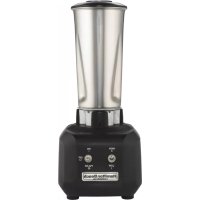
Rio HBB250SR - Blender HAMILTON BEACH - Free user manual and instructions
Find the device manual for free Rio HBB250SR HAMILTON BEACH in PDF.



| Product Type | Bar Blender |
| Brand | Hamilton Beach |
| Model | Rio HBB250SR |
| Equivalent Models | HBB250, HBB250S |
| Container Material | Polycarbonate (model HBB250) or stainless steel (model HBB250S) |
| Container Capacity | 44 oz (1.3 L) for polycarbonate, 32 oz (0.95 L) for stainless steel |
| Power Supply | 120 V AC, 60 Hz or 230 V AC, 50 Hz (depending on model) |
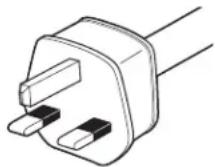
| Plug Type | Three-prong grounded plug |
| Control | On (I) / Off (O) switch + Pulse, high/low speed switch |
| Speeds | 2 speeds (high and low) + pulse |
| Recommended Operating Time | Up to 3 minutes per cycle |
| Intended Use | Mixing beverages, cocktails (do not blend dry ice) |
| Safety | Mandatory grounding, protective lid, sharp blades |
| Cleaning and Disinfection | Daily cleaning: unplug, wash container and lid by hand or dishwasher (top rack). Disinfection: bleach solution (15 mL per 3.8 L water) |
| Main Replacement Parts | Polycarbonate container (ref. 6126-250), stainless steel container (ref. 6126-250S), cutting assembly (ref. 98250) |
| Blade Replacement Frequency | At least once a year, or more often if visible wear |
| Warranty | 2 years parts and labor (excluding wear parts) |
| Technical Service | Call 866-285-1087 or 910-693-4277 (Monday to Friday, 8am-5pm EST) |
Frequently Asked Questions - Rio HBB250SR HAMILTON BEACH
User questions about Rio HBB250SR HAMILTON BEACH
0 question about this device. Answer the ones you know or ask your own.
Ask a new question about this device
Download the instructions for your Blender in PDF format for free! Find your manual Rio HBB250SR - HAMILTON BEACH and take your electronic device back in hand. On this page are published all the documents necessary for the use of your device. Rio HBB250SR by HAMILTON BEACH.
USER MANUAL Rio HBB250SR HAMILTON BEACH
IMPORTANT: This operation manual should be reviewed with all equipment operators as part of your operator training program.
IMPORTANT SAFETY INSTRUCTIONS
WARNING — When using electrical appliances, basic safety precautions should be followed, including the following:
- Read the Operation Manual before using blender.
Keep Operation Manual handy.
2.Plug into a grounded 3-prong outlet.
3.Do not remove ground prong.
4.Do not use an adapter.
5.Do not use an extension cord.
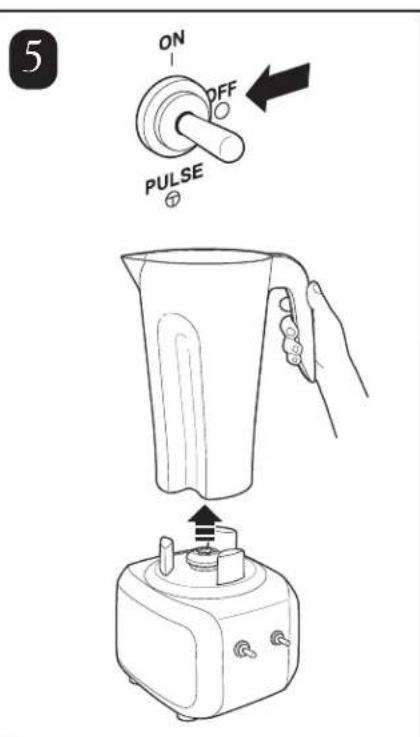
6.Disconnect power before cleaning or servicing.
-
To reduce risk of personal injury, unplug cord from outlet when not in use, and before putting on or taking off parts.
-
To protect against electrical shock, do not immerse cord, plug, or blender base in water or any other liquid.
9.Do not spray the base with a high-pressure spray gun.
- Extreme caution must be used when moving an appliance containing hot oil or other hot liquids.
11.Do not use appliance for other than intended use.
-
Not intended for use by or near children.
-
The use of accessory attachments not recommended by the appliance manufacturer may cause injuries.
-
To reduce risk of personal injury and to prevent damage to blender or container and cutter assembly, DO NOT insert utensils into blender container while operating blender.
-
Do not store any kitchen utensils in the container because the blender would be damaged if inadvertently turned on.
-
To prevent possibility of serious personal injury, keep hands out of blender container while operating blender. Always operate blender with container lid in place.
-
Avoid contacting moving parts.
-
Blades are sharp. Handle carefully.
-
If cutter assembly blades are loose, discontinue use immediately and replace cutter assembly. Do not attempt to repair or tighten cutter assembly.
-
Inspect container and cutter assembly daily. Do not use broken, chipped or cracked container. Check cutter for wear, nicks, or broken blades. Do not use broken or cracked cutting blades.
21.Do not use outdoors.
- This appliance is intended for short periods of operation, with a rated operating time of 3 minutes.
23.Do not leave blender unattended while it is operating.
-
To prevent damage to blender, container, or cutter assembly, DO NOT move or shake blender while in operation. If blending action stops during operation, turn blender OFF, remove jar from base, remove jar cover, and use a thin rubber spatula to push mixture toward cutters.
-
When blending hot liquids, remove center-piece of two-piece lid. Hot liquids may push lid off jar during blending. To prevent possible burns: Do not fill blender jar beyond the 1 quart (1 liter) level. With the protection of an oven mitt or thick towel, place one hand on top of lid. Keep exposed skin away from lid. Start blending at lowest speed.
-
Do not operate any appliance with a damaged cord or plug or after the appliance malfunctions, or is dropped or damaged in any manner. Call the Technical Service number, 866-285-1087 or 910-693-4277, for instructions on examination, repair, or electrical or mechanical adjustment.
- SAVE THESE INSTRUCTIONS -
Safety Alert Symbols
The following safety alert symbols are used throughout this manual to alert you to the safety hazards described below.


Electrical Shock Hazard Disconnect power before cleaning blender base. Failure to follow these instructions can result in death or electrical shock.

Electrical Shock Hazard Plug into a grounded outlet.
Do not remove ground.
Do not use an adapter.
Do not use an extension cord.
Failure to follow these instructions can result in death, fire, or electrical shock.

Cut Hazard
Always place lid on container when blending.
Do not put hands, spoons, or other utensils in container when blending.
Failure to follow these instructions can result in broken bones, cuts, or other injuries.

Burn Hazard
Always use caution when blending hot contents.
Failure to follow these instructions can result in burns.
Sanitizing
Sanitize using 1 tablespoon (15 ml) of household bleach per 1 gallon (3.8 liter) of clean, cool water (60°F/16°C), mixed according to the instructions on the bleach.
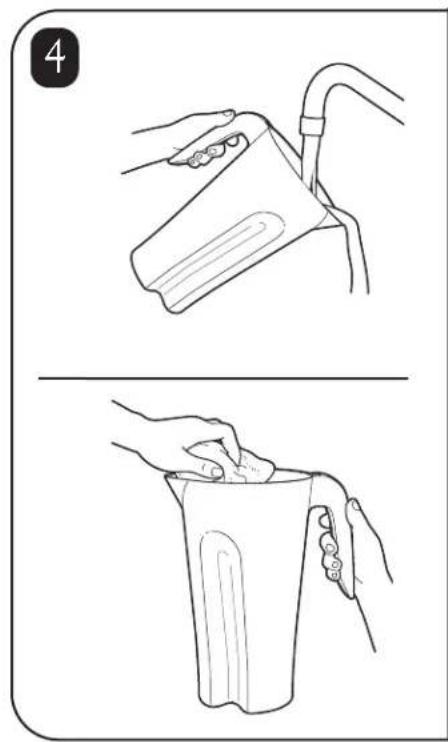
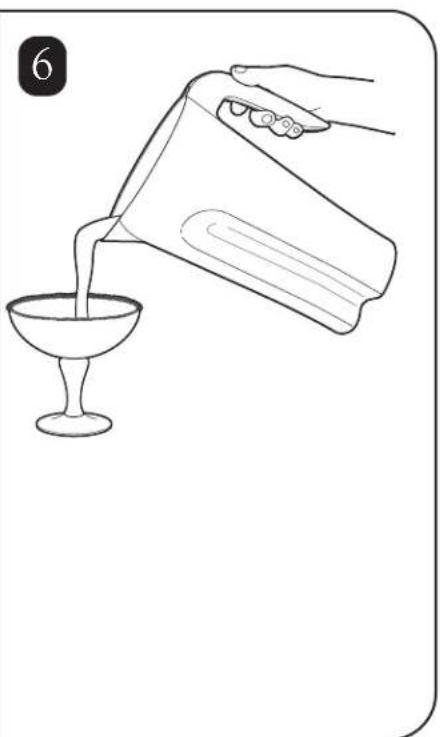
- Fill container with sanitizing solution, replace lid and filler cap and run on LOW speed for 2 minutes. Empty container.
- Wipe exterior with soft cloth dampened with sanitizing solution.
- Immerse lid and filler cap in sanitizing solution for 2 minutes.
- Place empty container on base and run on HIGH speed for 2 seconds to remove any moisture from the cutter assembly.
- When ready to use, rinse with clean water.
Technical Service
For assistance or replacement parts, call our Technical Service number: 866-285-1087 or 910-693-4277
8 a.m. – 5:00 p.m. EST Monday – Friday www.commercial.hamiltonbeach.com
Replacement Parts
The following components are subject to wear and should be replaced at least yearly. We recommend keeping a replacement container and cutter on hand.
| Part Description | Part Number |
| 44 oz. polycarbonate container 6126-250 | |
| 32 oz. Stainless Steel container 6126-250S | |
| Cutter assembly (Rubber Clutch) 98250 |
Parts and Features
The parts and features for the HBB250 and HBB250S blenders are shown on this page. Become familiar with all parts and features before using your blender.
Your Rio series blender is designed for blending and mixing beverages.
Note: The blender is not designed to crush ice. Ice cubes made in most icemakers may be added to liquid ingredients in the blender to make daiquiris or similar drinks.

HBB250

HBB250S
Power Requirements
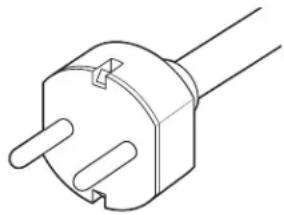
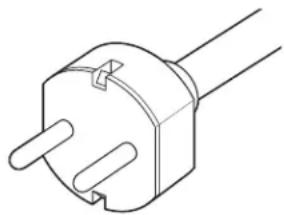
Use a fused electric outlet for the blender. Depending on the model of your blender, the plug will look like one of the following to meet power requirements:
120 VAC, 60Hz

natural_image
Line drawing of a straight electrical outlet plug (no text or symbols)230 VAC, 50Hz

natural_image
Line drawing of a three-pin electrical plug (no text or symbols)UK 230 VAC, 50Hz
Blender Operation – Quick Start Guide
- Read Important Safety Instructions and Warnings before use.
- Place the blender on a dry, level surface.
-
Make sure the power switch is in the "off" or O position. Plug the blender into a grounded electrical outlet.
-
Place the container on the base with ingredients and container lid in place.
- Set the controls to your preference.
- Move the ON/OFF switch to the ON (I) position.


natural_image
Line drawing of a blender being placed into a small pot, showing the lid and base (no text or symbols)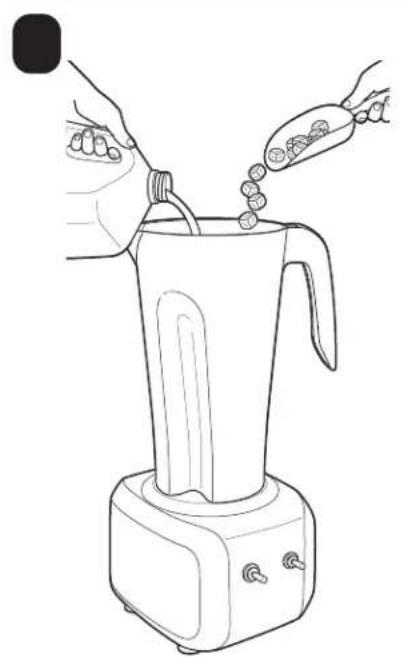
natural_image
Line drawing of a blender being placed with food items, no text or symbols present
natural_image
Line drawing of a blender with a hand pressing down on top (no text or symbols)

natural_image
Line drawing of a hand pouring liquid from a bottle into a glass (no text or symbols)
natural_image
Illustration showing a hand brushing a tooth next to a glass with a plus sign (no text or symbols)

natural_image
Line drawing of a hand pouring liquid into a container with a tool, no text or symbols present
natural_image
Line drawing of a blender being placed into a small kitchen appliance (no text or symbols)
natural_image
Two-step illustration showing hands pouring liquid from a container into a cup (no text or symbols)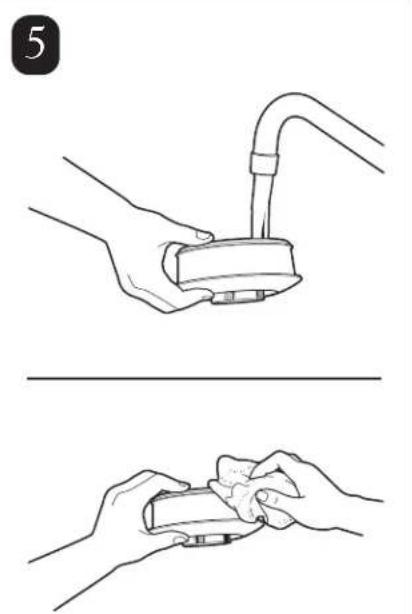
natural_image
Two-step illustration showing hands holding a device with a tube, no text or symbols present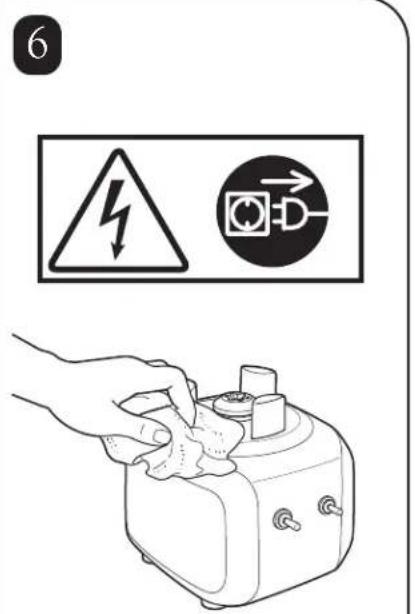
Removing the Old Cutter Assembly


Installing the New Cutter Assembly



Installing the New Cutter Assembly (cont.)

natural_image
Technical line drawing of a mechanical component with no visible text or symbols
natural_image
Diagram of a hand holding a mechanical component with a rotating arrow indicating rotation (no text or symbols)Maintenance
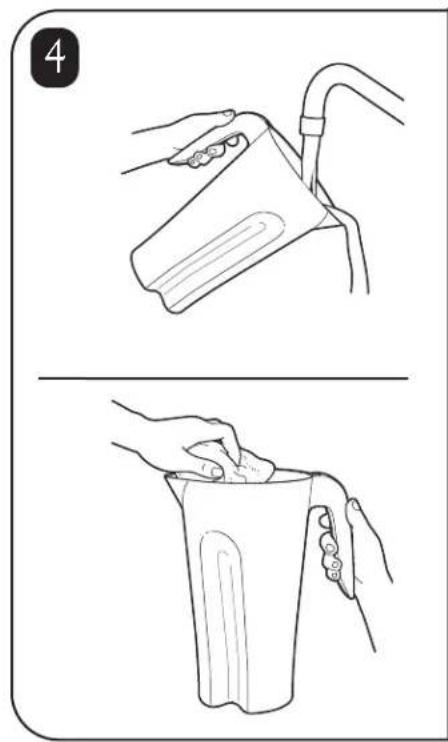
Inspect the blender and its various parts and replace as follows:
| Daily | Unplug the blender and remove the container from the base, and then inspect the container and cutter assembly for wear, nicks, and broken or loose blades. Replace if necessary. If the blades are loose, discontinue use immediately and replace the blades.Do not attempt to repair or tighten the cutter assembly. See “Replacement Parts”. |
| Weekly | Unplug the blender, and then inspect the power cord insulation and power plug for cracks.Refer to “Technical Service” for repair or replacement. Remove jar from blender base.Inspect the cutter by rotating the drive end of the cutter by hand. It should turn smoothly.If it does not, replace the cutter assembly. See “Replacing the Cutter Assembly” for details. |
Troubleshooting Guide
| Problem . . . Solution . . | |
| Blender fails to start or stops while it is running and cannot be restarted | Check to see if unit is securely plugged into an electric outlet.Check to see if the integrated circuit breaker has tripped and reset it, if needed.Check to see if the fuse for the electric outlet has blown or if a circuit breaker has tripped.If the motor stops during operation due to overheating, unplug and allow the unit to cool down for 15 minutes. Plug unit back after 15 minutes to resume normal operation. |
| Ingredients will not mix properly | Check to see if enough liquid has been added to the ingredients. Mixture should be fluid and free-running at all times.Solid pieces are too large. Pieces should not exceed 1" cubes.Container is too full. Do not fill past highest graduation marking.Cutter unit blades are not sharp or are damaged. Inspect container and cutter assembly daily. Replace cutter assembly at least annually or if cutter assembly appears worn or damaged.Check to see if cutter assembly is installed properly.Select speed to create a fluid blend. |
Product Warranty
This Warranty supersedes all other Product Warranties
LIMITED WARRANTY
This product is warranted to be free from defects in material and workmanship for a period of two (2) years from the date of original purchase, except as noted below. During this period, we will repair or replace this product, at our option. THE FOREGOING WARRANTY IS IN LIEU OF ANY OTHER WARRANTY OR CONDITION, WHETHER EXPRESS OR IMPLIED, WRITTEN OR ORAL INCLUDING WITHOUT LIMITATION ANY STATUTORY WARRANTY OR CONDITION OF MERCHANTABILITY OR FITNESS FOR A PARTICULAR PURPOSE, ANY LIABILITY IS EXPRESSLY LIMITED TO AN AMOUNT EQUAL TO THE PURCHASE PRICE PAID, AND ALL CLAIMS FOR SPECIAL, INCIDENTAL AND CONSEQUENTIAL DAMAGES ARE HEREBY EXCLUDED.
There is no warranty with respect to parts subject to wear, including without limitation: motor brushes, container and cutter assembly, clutches, bristle brushes, funnel, stainless steel cup, agitators, carafes, etc. This warranty extends only to the original purchaser and does not include any condition resulting from abuse, misuse, neglect, unauthorized repair, or use not in conformity with the printed directions. Always use this product in accordance with the printed directions. This warranty gives you specific legal rights and you may also have other legal rights which vary from state to state, or province to province. Some states do not allow limitations on implied warranties or special, incidental or consequential damages, so the foregoing limitations may not apply to you.
If you have a claim under this warranty please contact our TECHNICAL SERVICE DEPARTMENT at 1-866-285-1087 or 910-693-4277. (For faster service please have model, series, and type numbers ready for operator to assist you.) Reasonable proof of date of purchase must be presented; otherwise the effective date of the warranty will be based upon the date of manufacture plus ninety (90) days. You are responsible for paying shipping and handling charges to return the product to us.
Hamilton Beach/Proctor-Silex, Inc.
Commercial Technical Service
261 Yadkin Road
Southern Pines, NC 28387
natural_image
Line drawing of an electrical outlet plug (no text or symbols)natural_image
Line drawing of a three-pin electrical plug (no text or symbols)230 VCA 50Hz
natural_image
Line drawing of a dual-pin electrical plug (no text or symbols)
natural_image
Line drawing of a blender being placed into a small pot, showing the lid and base (no text or symbols)
natural_image
Line drawing of a blender being placed with food items, no text or symbols present
natural_image
Line drawing of a blender with a hand pressing down on top (no text or symbols)


natural_image
Line drawing of a hand pouring liquid from a bottle into a glass (no text or symbols)
natural_image
Illustration showing a hand brushing a tooth next to a glass with a plus sign (no text or symbols)

natural_image
Line drawing of a hand pouring liquid into a container with a tool, no text or symbols present
natural_image
Line drawing of a blender being placed into a small kitchen appliance (no text or symbols)
natural_image
Illustration showing two steps of a hand pouring liquid into a container (no text or symbols)
natural_image
Two-step illustration showing hands holding a device with a tube, no text or symbols present


natural_image
Line drawing of a mechanical component with a central hub and internal blades (no text or symbols)
natural_image
Diagram of a hand holding a mechanical component with a rotating arrow indicating rotation (no text or symbols)Entretien
Commercial Technical Service
261 Yadkin Road
Southern Pines, NC 28387
8 a.m. – 5:00 p.m. EST Lunes – Viernes
www.commercial.hamiltonbeach.com
Piezas de Repuesto
natural_image
Line drawing of an electrical outlet plug (no text or symbols)Clavija a tierra
230 VAC, 50Hz

natural_image
Line drawing of a three-pin electrical plug (no text or symbols)230 VAC, 50Hz
natural_image
Line drawing of a dual-pin electrical plug (no text or symbols)
natural_image
Line drawing of a blender being placed into a small pot, showing the lid and base (no text or symbols)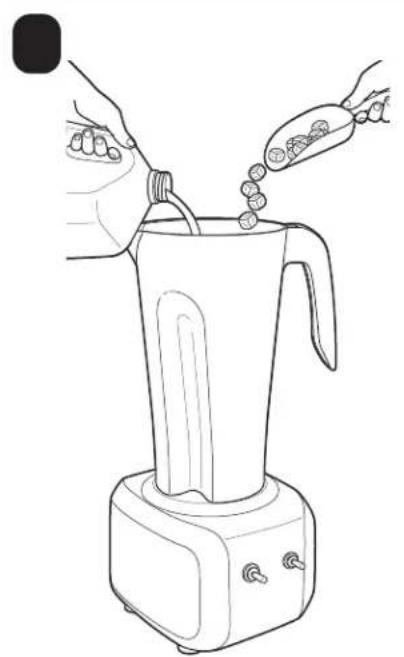
natural_image
Line drawing of a blender being placed with food items, no text or symbols present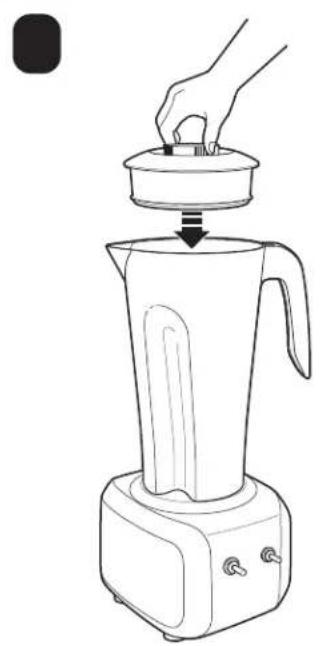
natural_image
Line drawing of a blender with a hand pressing down on top (no text or symbols)

natural_image
Line drawing of a hand pouring liquid from a bottle into a glass (no text or symbols)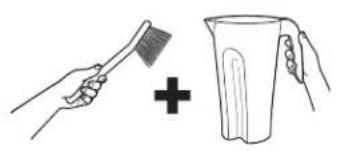
natural_image
Illustration showing a hand brushing a tooth next to a glass with a plus sign (no text or symbols)

natural_image
Line drawing of a hand pouring liquid into a container with a tool, no text or symbols present
natural_image
Line drawing of a blender being placed into a small kitchen appliance (no text or symbols)

natural_image
Illustration showing two steps of a hand pouring liquid into a container (no text or symbols)
natural_image
Illustration showing two steps of a hand holding a small object, with no visible text or symbols.


natural_image
Line drawing of a mechanical component with a central hub and internal blades (no text or symbols)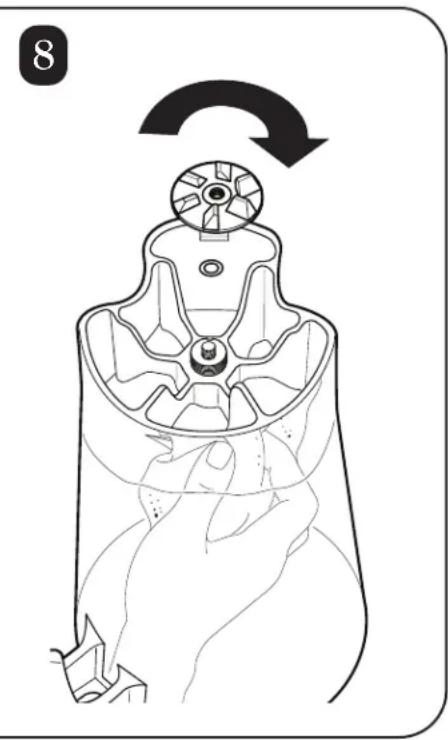
natural_image
Diagram of a hand holding a mechanical component with a rotating arrow indicating rotation (no text or symbols)Mantenimiento
Commercial Technical Service
261 Yadkin Road
Southern Pines, NC 28387
Hamilton Beach
COMMERCIAL
840142401
8/07
261 Yadkin Road
Southern Pines, NC 28387

- IMPORTANT SAFETY INSTRUCTIONS
- Safety Alert Symbols
- Cut Hazard
- Burn Hazard
- Sanitizing
- Technical Service
- Replacement Parts
- Parts and Features
- Power Requirements
- Blender Operation – Quick Start Guide
- Removing the Old Cutter Assembly
- Installing the New Cutter Assembly
- Installing the New Cutter Assembly (cont.)
- Maintenance
- Troubleshooting Guide
- Product Warranty
- LIMITED WARRANTY
- Entretien
- Piezas de Repuesto
- Mantenimiento
- Hamilton Beach
- COMMERCIAL
Brand : HAMILTON BEACH
Model : Rio HBB250SR
Category : Blender