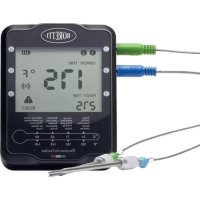
BBA87 - Food thermometer BORETTI - Free user manual and instructions
Find the device manual for free BBA87 BORETTI in PDF.



| Product type | Connected food thermometer |
| Brand | Boretti |
| Model | BBA87 |
| Power supply | 2 AA batteries (not included) |
| Number of probes provided | 2 (blue and green) |
| Number of channels | 6 (up to 6 probes) |
| Sensor temperature range | Up to 380 °C |
| Max reel temperature | 50 °C |
| Max cable and handle temperature | 380 °C |
| Connectivity | Bluetooth |
| Mobile app | Digital BBQ (iOS and Android) |
| Display | LCD screen with backlight |
| Main functions | Core temperature measurement, cooking alarm, timer, choice of type and doneness |
| Care and cleaning | Hand wash probes (not dishwasher safe), do not expose reel to heat |
| Safety | Sharp tips, use with caution; do not put in fire |
| Spare parts | Additional probes: BBA88 (red and orange), BBA89 (yellow and purple) |
| Automatic shutdown | Yes, without probe inserted |
| Smartphone compatibility | iPhone 4S and later, iPad 3rd generation and later, Android 4.3+ with Bluetooth |
Frequently Asked Questions - BBA87 BORETTI
User questions about BBA87 BORETTI
0 question about this device. Answer the ones you know or ask your own.
Ask a new question about this device
Download the instructions for your Food thermometer in PDF format for free! Find your manual BBA87 - BORETTI and take your electronic device back in hand. On this page are published all the documents necessary for the use of your device. BBA87 by BORETTI.
USER MANUAL BBA87 BORETTI
text_image
BORETTI CURRENT TEMP. 175 °F PRESSET TEMF 275 READY Prostrate Dialing, Conductors, Saturated Cathode General Mines-Steel, PUILLIUM: Vide FIO Distress Heat/Heat Lattice Heat Srillness, Racing and Recovery Heat/Fold (GND) C-Electric Heating Temperature Air Condens Coulou Temperature in ConductionSMART BBQ THERMOMETERS SMART BBQ THERMOMETER
(BBA87)(BBA87)
EN | USER MANUAL
text_image
BORETTI CURRENT TEMP. 175 °F PRESSET TEMF 275 READY Probiome Dialing, Cachionine, Sodium Lithium General Molar Heat, PULLIMED, Vide Fiss Distress Heat/Heat, Lides/Heat, Sulfurous, Roasting, and Recovery RMS/FATs (GPa) C-Electric Heating Temperature in Celsius Cathion Probiome in CachionSMART BBQ THERMOMETERS SMART BBQ THERMOMETER
(BBA87)(BBA87)
EN | USER MANUAL
www.boretti.com
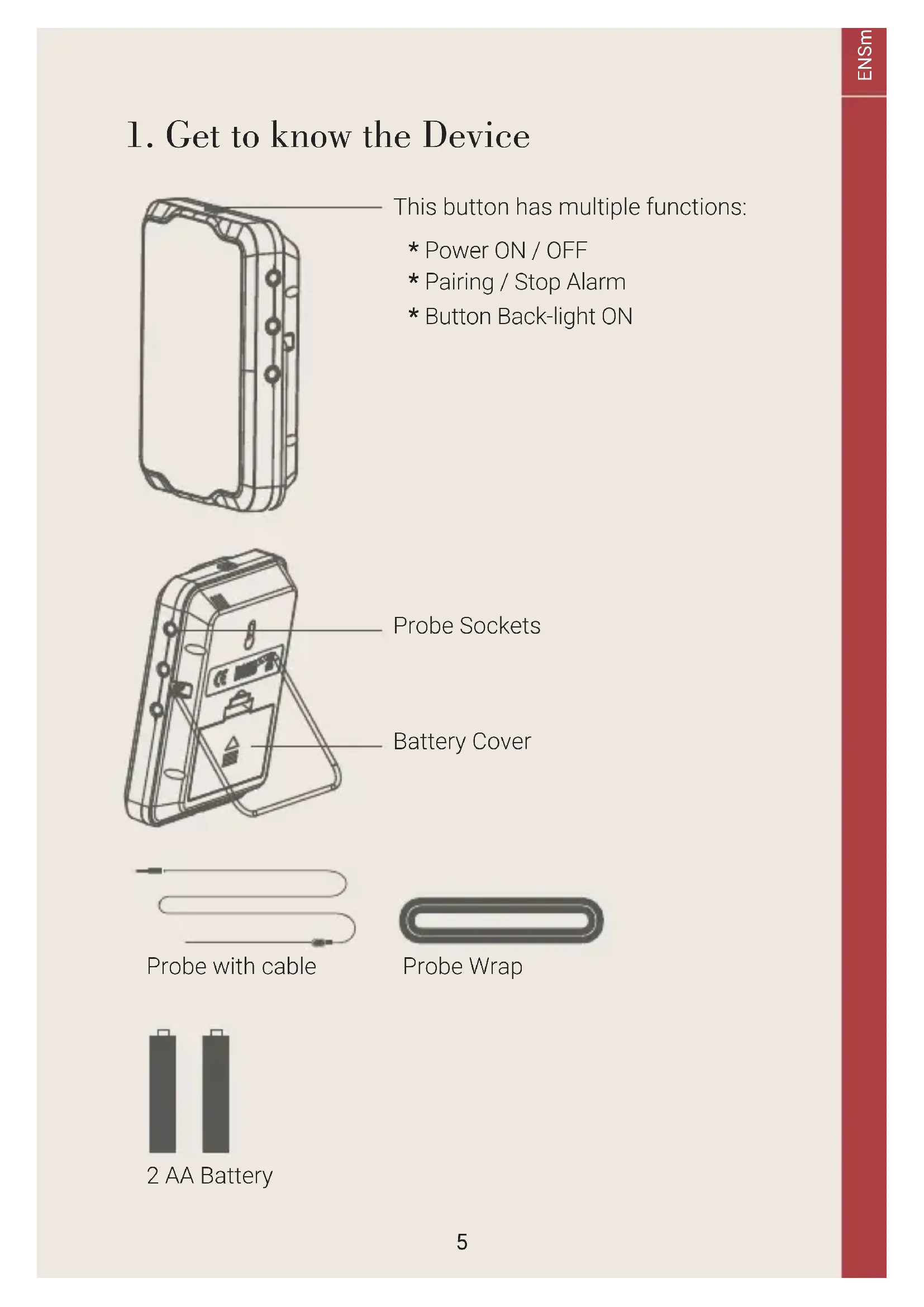
1. Get to know the Device
natural_image
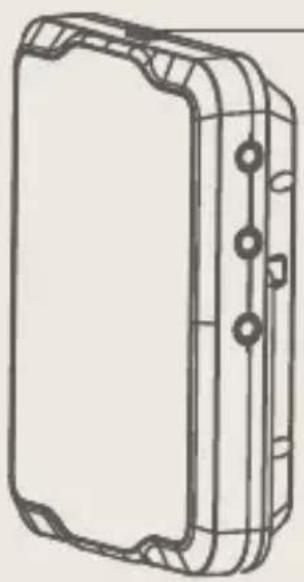
Technical line drawing of a rectangular mechanical component with mounting flanges and bolt holes (no text or symbols)This button has multiple functions:
* Power ON / OFF
* Pairing / Stop Alarm
* Button Back-light ON

natural_image
Technical line drawing of a mobile phone case with internal components (no text or symbols)Probe Sockets
Battery Cover

natural_image
Pure diagram of a U-shaped pipe with two directional arrows (no text or symbols)
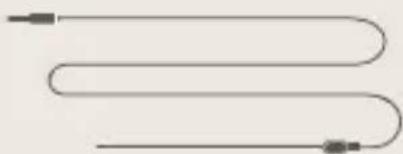
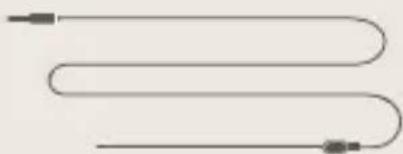
Probe with cable
Probe Wrap

2 AA Battery
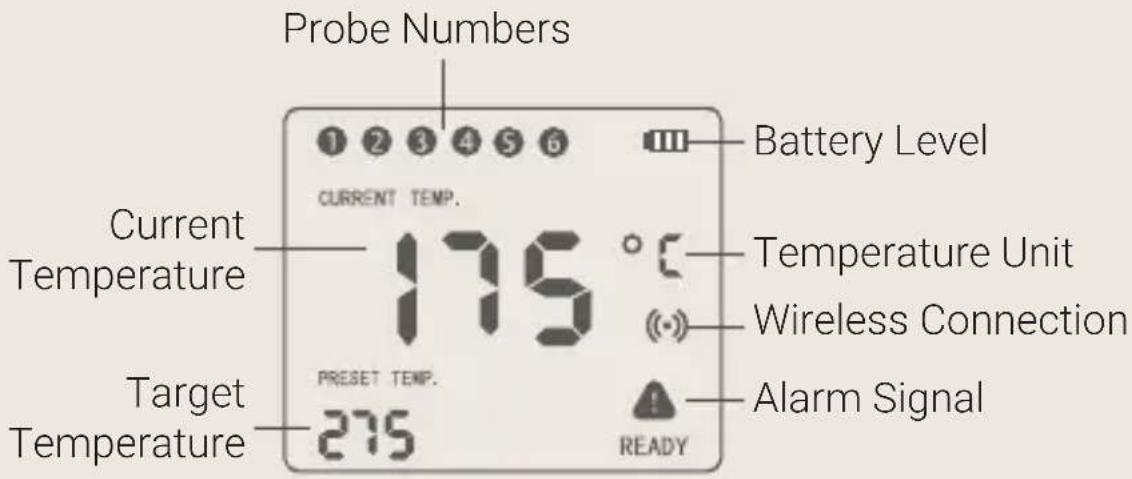
Explanation of displayed information
text_image
Probe Numbers 1 2 3 4 5 6 CURRENT TEMP. Current Temperature 175 °C Target Temperature PRESET TEMP. 275 Battery Level Temperature Unit Wireless Connection Alarm Signal READYInstalling the batteries
2 AA size batteries are needed for this device. Make sure they are put in the right direction by following the icons on the unit:
- Press and slide the battery cover to open.
- Put in batteries, according to the icons which show directions.
- Put back the battery cover.

Power ON/OFF
Press and hold the top button for more than 3 seconds when it is in OFF mode, It will be powered on and the LCD display will show 'ON' with a beep sound, If you do the same when it is in ON mode, it will be powered off.
When there is no probe inserted in the device, it will power off automatically.
Download the APP
Search the keyword "Digital BBQ" in App Store or Google Play Store, or scan one of below QR codes with your phone. Download and install the app on your mobile device.

text_image
QR code with Apple logo in the center, likely for digital scanning and linking to online content.
text_image
QR code image containing a central logo, likely for digital scanning and linking to online content.Make sure your device meets the minimum requirements:
iPhone 4S and later models
Or iPad 3rd generations and later models
Or iPad mini
Android devices running version 4.3 or later, with Bluetooth.
App store is a service mark of Apple Inc.
Google play is a service mark of Google Inc.
Connect the thermometer with your phone
- Switch on your device and keep the blue-tooth switch of your phone on.
- Launch the app Digital BBQ and follow the instructions in the app to pair and activate the device. Press the Pairing / Stop Alarm Button (on the top of the device).
- Connected successfully? Once paired the device with your phone, you don't need to do it again, unless you change to other phones.
Install the probes
Insert the probes into the thermometer.
The device will keep scanning the sockets when its power is switched on, the probe icons on LCD will display one by one from 1 to 6 (where probes are plugged in).
Take of the protective covers of the tips of the probes.
Then insert the probes into the food, make sure the front tip of the probe is in the center of the food to get accurate measurement of the core temperature.
Using the app
Choose food type and doneness for the food where each probe is inserted, the app and the device will display its current and target temperature. When the food is ready the app and the device will play an alarm.
Explanation of displayed information

text_image
Options (click to open) More (change language) Temperature history Connection status Current probe temperature Beef Medium 23° 60° Timer setup Target temperature setup Probe number & probe color configuration Chicken Done 74° Target TemperatureOptions menu in the app
text_image
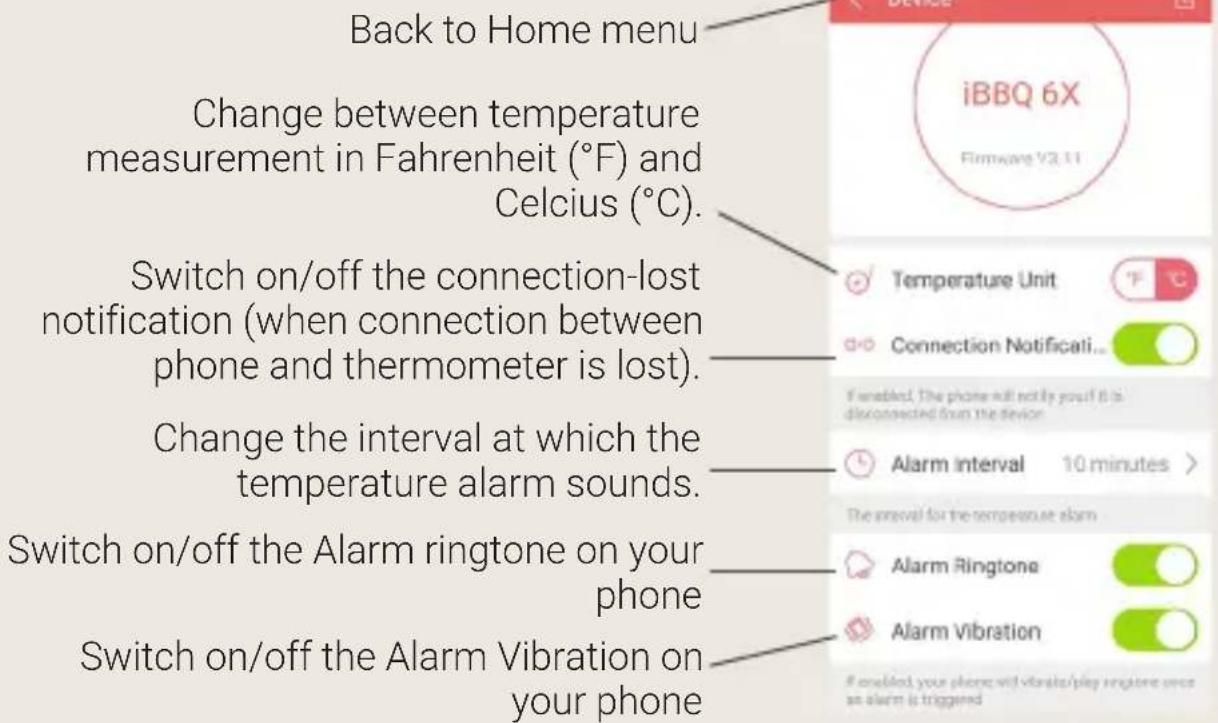
Back to Home menu Change between temperature measurement in Fahrenheit (°F) and Celsius (°C). Switch on/off the connection-lost notification (when connection between phone and thermometer is lost). Change the interval at which the temperature alarm sounds. Switch on/off the Alarm ringtone on your phone Switch on/off the Alarm Vibration on your phoneProbe color configuration menu
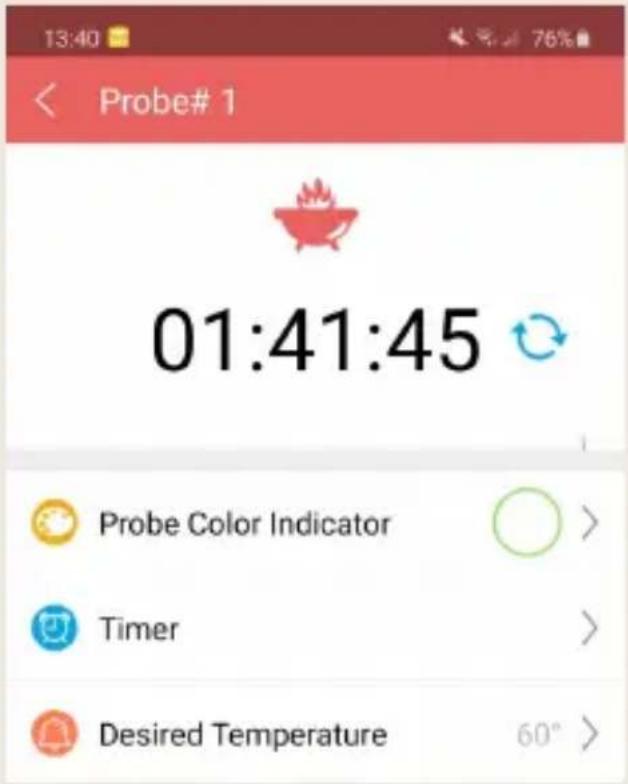
It might be difficult for you to distinguish different probes when you have several probes in use.
The app provides 6 colors for each channel, which enable users set them to be identical to the color of the probes.
The probes come in 6 colors as well;
2 probes are included with the thermometer (blue and green)
text_image
13:40 Probe# 1 01:41:45 Probe Color Indicator Timer Desired Temperature 60° >and the other additional color probes can be bought at www.boretti.com or through your local Boretti dealer.
The product codes for the additional probes are BBA88 (red and orange probe) and BBA89 (yellow and purple probe).
In this menu you can also set a manual timer or change the desired target temperature of the food.
WARNING
The heat resistance varies in different components of the probe.
Please see below for maximum temperatures of components and make sure the components are not exposed to higher temperatures.
DO NOT put the probes directly in fire or charcoal.
DO NOT put the wrap into direct heat or it will melt.
Probes are NOT dishwasher safe. Please wash the probes by hand.

text_image
ABS Wrap Max. 50°C / 176°F Sensor max. 380 °C / 716 °F Stainless steel handle max. 380 °C / 716 °F Teflon cable with stainless steel mesh 380 °C / 716 °F2. PROTECTING THE ENVIRONMENT:
Disposal of electrical devices
This product is subject to European Directive 2012/19/EU for Waste Electrical and Electronic

Equipment (WEEE) which states that waste household devices must not be disposed of with unsorted domestic waste. These used devices must be collected separately from normal domestic waste to increase the proportion of recycled devices and their materials with the aim of reducing their effects on human health and nature. The symbol of the waste bin crossed out is applied to all devices to remind users of their duty to collect them separately. Consumers must contact their local authority (for example licensed waste disposal contractors or local authority waste disposal facilities) or the seller to find out how they must dispose of their device. Please comply with current regulations. If you are in any doubt, please contact your waste management authority.
Disposal of batteries

Batteries must not be disposed of in domestic waste. All consumers have a duty under law to deposit waste batteries at a collection point operated by the local authority or local stores.
This duty is designed to ensure that batteries can be disposed of safely. Only dispose of fully discharged batteries.
CLEANING
Always wear a heat resistant glove to touch the stainless steel probe sensor or wire during or just after cooking. Do not touch with bare hands.
Keep the stainless steel probe sensor and wire away from children.
Wash the metal probe tip with hot soapy water and dry thoroughly. Do not immerse the probe in water while cleaning.
Wipe the transmitter and receiver with damp cloth. Do not immerse either in water.
2. F.A.Q.
How to change language setttings in the app?
The language of the app can be adjusted in the "More" menu. This menu can be found on top-right side in Home menu.
Who can use this device?
The appliance is not to be used by children or persons with reduced physical, sensory or mental capabilities or lack of experience and knowledge. The tips of the probes are sharp and therefore caution must be in place when using them. Please use the protective covers on the probes when te item is not in use. During and after use the probes can be hot, please be careful and use protection on hands when touching probes
Is it possible to use the thermometer without a mobile device with the installed?
Without a connected mobile device it is only possible to get an actual reading of the the temperatures of the probes. We recommend to use the smart thermometer in combination with the app at all times.
What do I do when I face troubles connecting the device?
- Check if mobile device is connected to thermometer.
- Check if bluetooth on mobile device is switched on.
- Check if mobile device meets minimum requirements
- Retry to connect following directions in this manual.
- If you are still unable to connect the thermometer to the app please contact the Boretti customer service.
For barbecue accessories, warranty, service conditions, and other questions we refer you to www.boretti.com
You can also send questions and suggestions to info@boretti.com
WARRANTY
Boretti warrants this product to be free of defects in parts, materials and workmanship for a period of 2 years, from date of purchase.
Should any repairs or servicing under this warranty be required, contact Customer Service by phone or email for instructions on how to pack and ship the product to Boretti

text_image
BORETTIPassione in Cucina


text_image
BORETTI CURRENT TEMP. 175 °F PRESSET TEMF 275 READY Prostrate Dialing, Conductors, Saturated Cathode General Mines-Steel, PUILLIUM: Vide FIO Distress Heat/Heat Lattice Heat Strain/ Racing and Recovery Heat/Fold (GND) C-Electric Heating Temperature in Condens Extrude Prostrate in ConductionSMART BBQ THERMOMETERS SMART BBQ THERMOMETER
(BBA87)(BBA87)
natural_image
Technical line drawing of a rectangular mechanical component with mounting flanges and bolt holes (no text or symbols)natural_image
Technical line drawing of a mobile phone case with internal components (no text or symbols)Sonde openingen
Batterij vak
natural_image
Pure diagram of a U-shaped pipe with two directional arrows (no text or symbols)Sonde met kabel

Sonde-houder

2 AA-batterijen
text_image
QR code with Apple logo in the center, likely for digital scanning and linking to online content.
text_image
QR code image containing a central logo, likely for digital scanning and linking to online content.text_image
BORETTI CURRENT TEMP: 175 °F Preset TEMP 275 READY Pressure Cooling, Capacitors, Roasted Leakers General Heat/Heat (Heat) Heat/Land, Low-Fall Stokes Bed/Falls, Lung/Flat, Roasted Balance and Acups High-Falls (Stokes) for heat/moving Temperature range for Current Tires Passion in CucinaTHERMOMETRE INTELLIGENT POUR BARBECUETHERMOMETRE I
(BBA87)(BBA87)
FR | NOTICE D'UTILISATION
www.boretti.com
natural_image
Technical line drawing of a rectangular mechanical component with mounting flanges and bolt holes (no text or symbols)natural_image
Technical line drawing of a mobile phone case with internal components (no text or symbols)Prises pour sondes
Cache des piles
natural_image
Pure diagram of a U-shaped pipe with two directional arrows (no text or symbols)text_image
QR code with Apple logo in the center, likely for digital scanning and linking to online content.