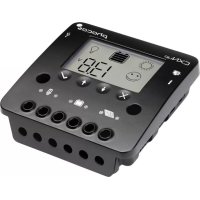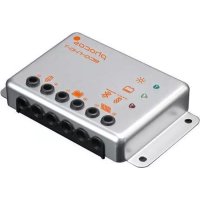
ECONT - Solar panel Phocos - Free user manual and instructions
Find the device manual for free ECONT Phocos in PDF.


| Product type | Solar charge controller |
| Brand / Model | Phocos ECONT (ECO-N-T) |
| System voltage | 12 V / 24 V (auto-detection) |
| Rated charge current | 10 A (ECO-N-10-T) or 20 A (ECO-N-30-T) |
| Compatible battery type | Lead-acid (vented, GEL, AGM) |
| Dimensions (L × H × D) | 1000 × 81 × 20 mm |
| Weight | 1.1 kg |
| Operating temperature | -40 °C to +60 °C |
| Protection rating | IPM (enclosure), IP21 (connector) |
| Display | 3 LEDs: Charging, SOC (state of charge), Charge status |
| Deep discharge protection | Disconnection at 11.0 V (12 V) / 22.0 V (24 V), reconnection at 12.8 V / 25.6 V |
| Overload protection | Disconnection at > 200% of rated current after 3 seconds |
| Short-circuit protection | Disconnection at > 4 × rated current |
| Temperature compensation | -4.2 mV/°C per 2 V cell |
| Certifications | CE, RoHS |
| Installation | Indoor only, on non-flammable surface, same room as battery |
| Maintenance | No user-serviceable parts; clean with a dry cloth |
| Safety | Do not touch live conductors; use insulated tools; follow high voltage instructions |
| Warranty | Refer to manufacturer's terms (not specified in the manual) |
Frequently Asked Questions - ECONT Phocos
User questions about ECONT Phocos
0 question about this device. Answer the ones you know or ask your own.
Ask a new question about this device
Download the instructions for your Solar panel in PDF format for free! Find your manual ECONT - Phocos and take your electronic device back in hand. On this page are published all the documents necessary for the use of your device. ECONT by Phocos.
USER MANUAL ECONT Phocos
Product Overview 4
Operation Notes 4
Warnings & Safety Instructions 5
Display Functions 6
Installation Instructions 8
Tech Data 9
Safety Features & SOA 10
Error Codes 11
Contidente
The charge controller protects the battery from being overcharged by the solar energy as well as from being overused by the loads. The charging characteristics include several stages which include automatic adaptation to the ambient temperatures.
System Voltage
This product is intended for use at 12V and 24V system voltage.
Battery Type
The ECO-N-T is suitable for use with lead acid batteries (vented, GEL, or AGM type).
Low Voltage Disconnect Function
To prevent the battery against over-discharge this function automatically switches off the load output at a battery voltage lower than 11.0V (12 V systems) or 22.0V (24 V systems). As soon as the battery reaches a voltage of 12.8 V (12 V systems) or 25.6 V (24 V systems), the load output is switched on again.
Regulatory Information

C∈RoHS
Operation Notes

Warning: Indicates high voltage. Use caution when performing task.
Caution: Indicates a critical procedure for safe operation.

Note: Indicates important information for safe and easy installation and operation.

It is important the battery receives a full charge at least weekly. If not, the battery will get permanently damaged. The battery cannot receive a full charge if the loads are too large for the system.
Warnings & Safety Instructions
Please read the instructions and warnings in this manual before beginning installation.
Please do not disassemble or attempt to repair Phocos products. Phocos charge controllers do not contain user serviceable parts.

High Voltage Risks
Operation of this device may produce a high voltage which could cause severe injuries or death in case of improper installation or operation of this device.
Do not touch any electrical conductors to avoid electrical shock. Never work on live (energized) electrical equipment.
When working around a battery, do not allow tools to bridge the battery terminals or short circuit any part of the battery. Use only tools that have insulated handles.
PV modules can generate high DC voltages!

Mains and Charging Current Risks
Make sure the cables are always connected to the correct terminal. An electrical shock can be lethal.
Display Functions
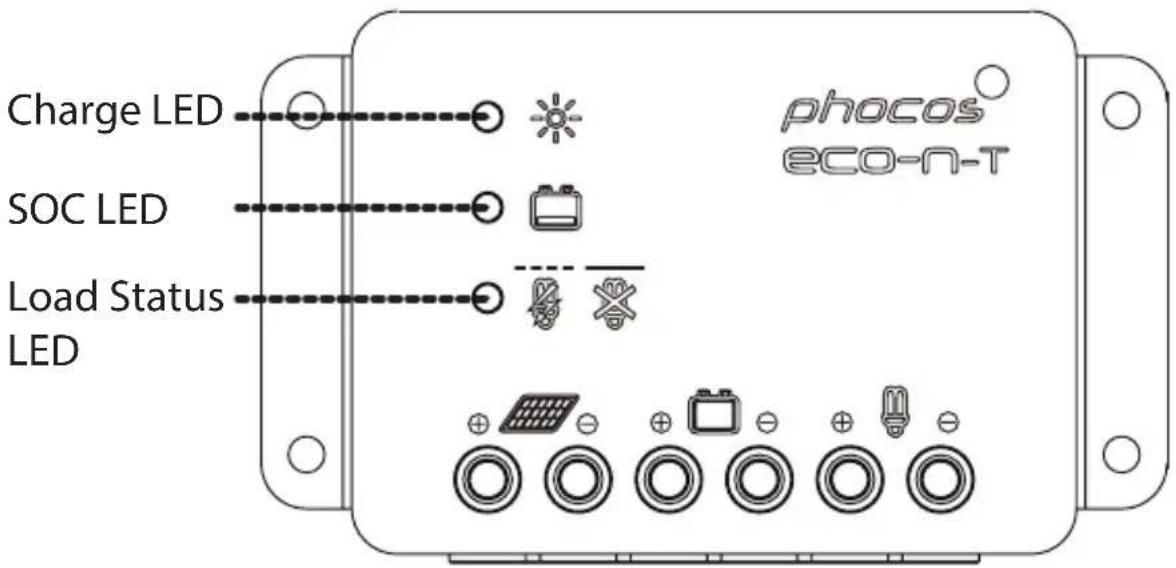
The controller is equipped with 3 LEDs to display the operating status.
In normal operation, the controller shows the charging status, the battery SOC status and the load output status.
Charge Display


Controller connected to battery,
night detected
(Green LED on)
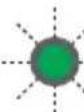

Controller connected to battery,
day detected
(Green LED flashes)


No battery connected
(Green LED off)
Battery SOC Display
When the battery voltage is indicated as low, it is recommended to use the remaining energy economically.
The charge controller will subsequently turn off the load.


OK (Yellow LED off) Battery voltage >12V


Low (Yellow LED on) 12V > Battery voltage > 11.5V

Very low (Yellow LED flashes) 11.5V > Battery voltage > 11V
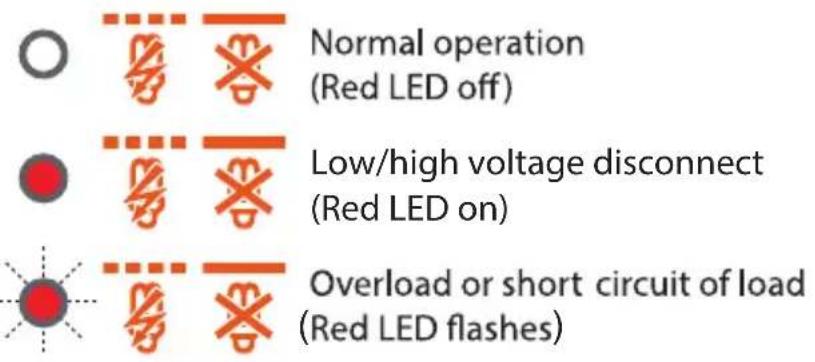
Load Status Display
In case of deep discharge or overload/short circuit of load, the load output is switched off. This is indicated by:
Installation Instructions

Before you Begin
The controller is intended for indoor use only.
Protect the controller from direct sunlight and place it in a dry environment.
The controller and battery must be installed in the same room.
The controller warms up during operation; be sure it is installed on a non-flammable surface.
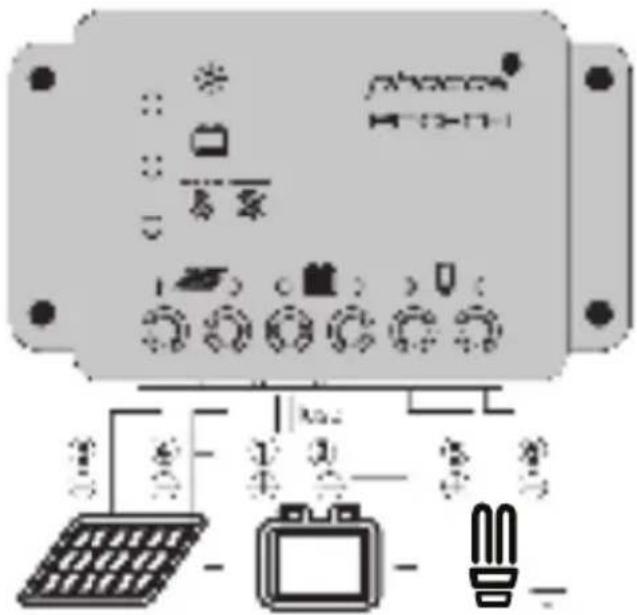
Connect the Controller
Please verify that all the cable/wire connections are made properly and well insulated so that no water or humidity can get in. This avoids any bad or loose connections that would result in excessive heating or further damage.
- *Connect the battery to the charge controller; Positive (+) & Negative (-).
- Connect the solar modules to the charge controller; Positive (+) & Negative (-) .
- Connect the load to the charge controller; Positive (+) & Negative (-).
cos strongly recommends installing an inline fuse as.
e to the battery terminal as possible.
See illustrated steps on opposite page.
Tech Data
| Type | ECO-N-35-T | ECO-N-28-T |
| System voltage | 12/24 V (phase 1) | |
| Max. change/dual current | 2A | 2A |
| Fixed charge | 11.0/27.6 V (TPP125 °C) | |
| Rapid charge | 14.4/28.8 V (TPP125 °C, 1.5 h) (pH) | |
| Boost charge | 14.4/28.8 V (TPP125 °C, 1.5 h) | |
| Overload protection: Cut-off voltage | 11.0/22.2 V | |
| Load Current Level | 12.8/25.6 V | |
| Overload protection | 11.5/11 V | |
| Underload protection | 10.3/21 V | |
| Max. P/N rated voltage | 20/50 V | |
| Temperature compensation | -6.2 or 9% pre J/V cell | |
| Idle self communication | 4 m/s | |
| Overloading | Negative Group | |
| Ambient temperature | -40 to +140°C (-40 to +80°C) | |
| Max. evaporation | 13,000 R (14,000 m above sea level) | |
| Battery type | Lead acid K&L, A&M, B&mcdick | |
| MAX power supply | 8 R/W (10 mm²) | |
| Dimensions 70 x 14 x 16 | 5.86 x 2.4 x 0.70 x 1100 x 61 x 20 mm | |
| Weight | 5.8 or 1150 g | |
| Type of protection | IP58 (inexp), IP21 (compatible) | |
| Certifications | CE, RoHS, U.S.FA, CSA, CE, E No 167.1-01 | |
Safety Features
Safety Features
| PV terminals | Battery terminals | Load terminals | |
| Reverse polarity | Protected | Protected: Red LED on | Protected (1) |
| Short circuit (2) | Protected | Protected (3) | Switches off immediately |
| Overcurrent | ----- | ----- | Switches off with a delay (4) |
| Reverse current | Protected | ----- | --- |
| Overvoltage | 50V 31V | Switches off above 15.5/31V | |
| Undervoltage | ----- | ----- | Switches off |
| Overtemperature | Reduces the charging current if overtemperature occurs and switches off the load if the temperature reaches a high level. | ||
(1) Controller can protect itself, but any connected loads might be damaged.
(2) Short circuit: >4x - 6x nominal current
(3) Battery must be protected by a fuse, or it might be permanently damaged in case of short circuit.
(4) >200% nominal current disconnect with 3s delay
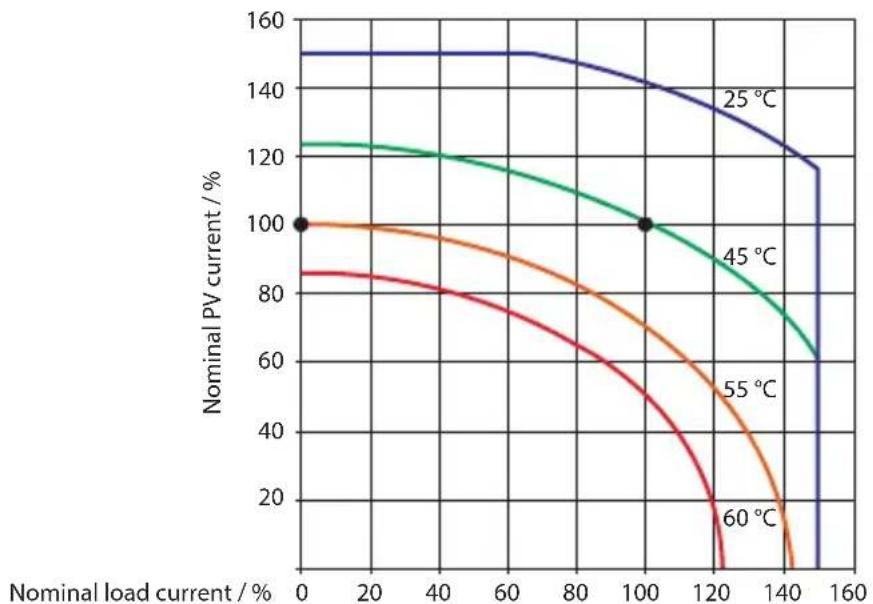
ECO-N-T SOA (Safe Operating Area)
Error Codes

Warning
The combination of multiple error conditions may cause damage to the controller. Always remove the fault condition before you begin connecting the controller!
| Emar | Display Red Tm | Helen Kitty | Family Iodol and a new one! |
| Leasons new appled with it | Layla's homework I am still not in class | Terry's homework The best job ever I missed my first math test | |
| It is time to start the school day | Kitty's homework The best day of the year | Dave's homework The best day of the year | |
| It is time to start the school day | Tomorrow's homework The best day of the year | Jim's homework The best day of the year | |
| Kelly's homework Ileavahue | Kelly's homework The best day of the year | Ricky's homework The best day of the year | |
| Lahar's homework | Lilby's homework The best day of the year | Jim's homework The best day of the year | |
| Kelly's homework Pete | Baller's homework The best day of the year | Jim's homework The best day of the year |
Liability Exclusion
The manufacturer shall not be liable for damages caused by use other than as intended and instructed in this manual. The manufacturer shall not be liable if there has been service or repair carried out by any unauthorized person, unusual use, wrong installation, or bad system design.
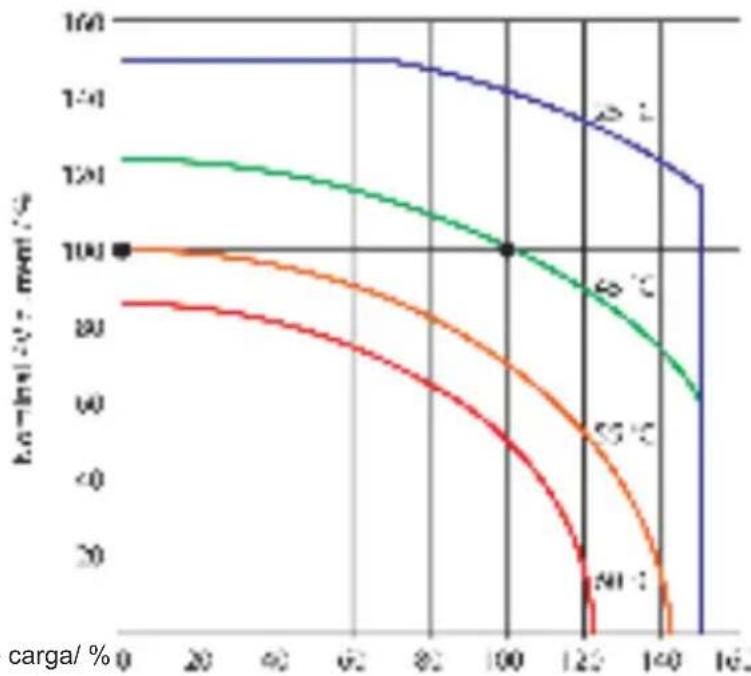
ECO-N-T SOA (Safe Operating Area)
Corrente nominal dearga/ %
Códigos de Error