 ManualGo.com
imageCLASS X LBP1333c - Printer CANON - Free user manual and instructions
Find the device manual for free imageCLASS X LBP1333c CANON in PDF.



Download the instructions for your Printer in PDF format for free! Find your manual imageCLASS X LBP1333c - CANON and take your electronic device back in hand. On this page are published all the documents necessary for the use of your device. imageCLASS X LBP1333c by CANON.
USER MANUAL imageCLASS X LBP1333c CANON
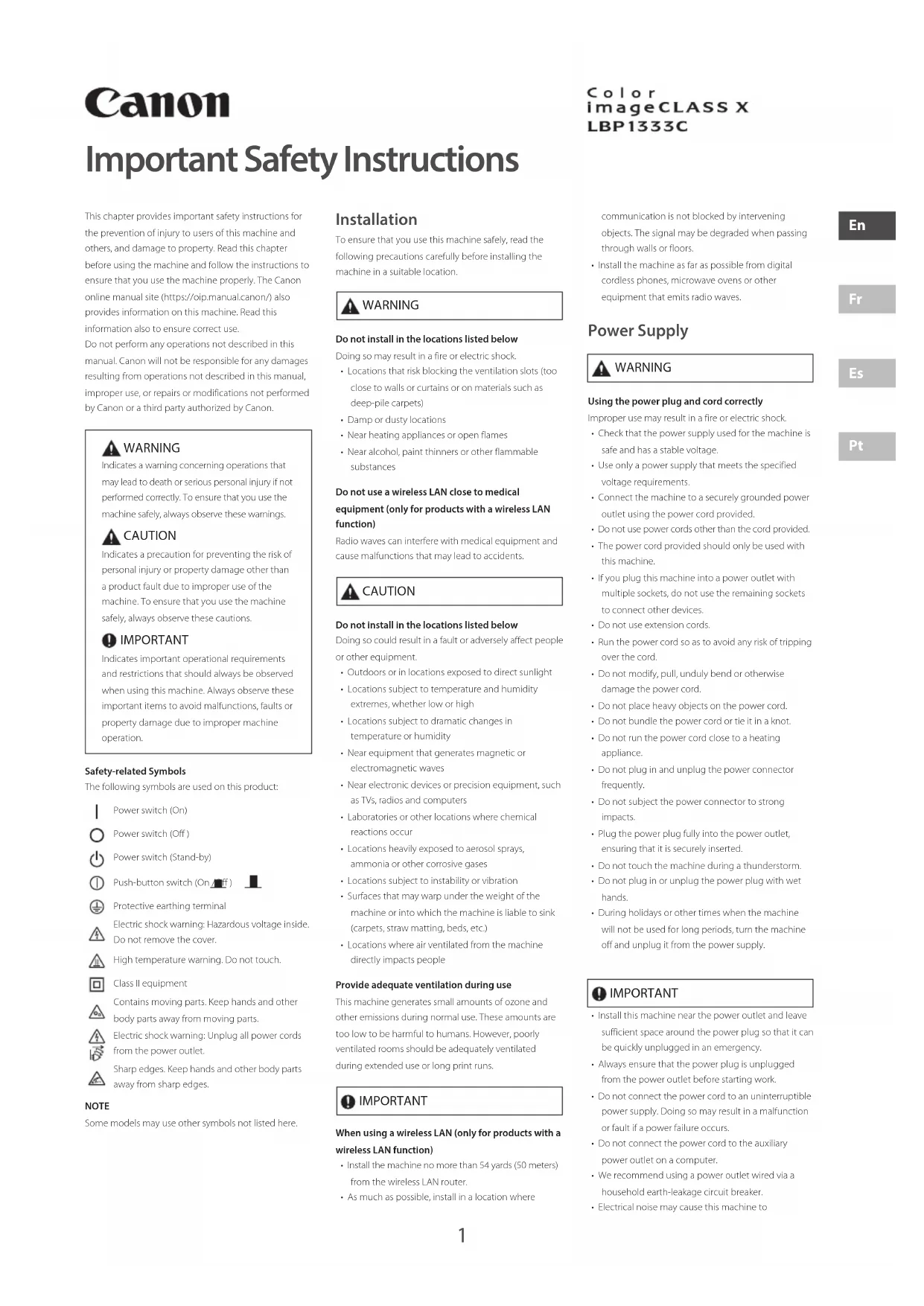
Important Safety Instructions This chapter provides important safety instructions for the prevention of injury to users of this machine and others, and damage to property. Read this chapter before using the machine and follow the instructions to ensure that you use the machine properly. The Canon online manual site (https://oip.manual.canon/) also provides information on this machine. Read this information also to ensure correct use. Do not perform any operations not described in this manual. Canon will not be responsible for any damages resulting from operations not described in this manual, improper use, or repairs or modifications not performed by Canon or a third party authorized by Canon. WARNING Indicates a warning concerning operations that may lead to death or serious personal injury if not performed correctly. To ensure that you use the machine safely, always observe these warnings. CAUTION Indicates a precaution for preventing the risk of personal injury or property damage other than a product fault due to improper use of the machine. To ensure that you use the machine safely, always observe these cautions. IMPORTANT Indicates important operational requirements and restrictions that should always be observed when using this machine. Always observe these important items to avoid malfunctions, faults or property damage due to improper machine operation.Safety-related SymbolsThe following symbols are used on this product:Power switch (On)Power switch (Off )Power switch (Stand-by)Push-button switch (On /Off )Protective earthing terminalElectric shock warning: Hazardous voltage inside. Do not remove the cover.High temperature warning. Do not touch.Class II equipmentContains moving parts. Keep hands and other body parts away from moving parts.Electric shock warning: Unplug all power cords from the power outlet.Sharp edges. Keep hands and other body parts away from sharp edges. NOTE Some models may use other symbols not listed here. Installation To ensure that you use this machine safely, read the following precautions carefully before installing the machine in a suitable location. WARNING Do not install in the locations listed belowDoing so may result in a fire or electric shock.• Locations that risk blocking the ventilation slots (too close to walls or curtains or on materials such as deep-pile carpets)• Damp or dusty locations• Near heating appliances or open flames• Near alcohol, paint thinners or other flammable substancesDo not use a wireless LAN close to medical equipment (only for products with a wireless LAN function)Radio waves can interfere with medical equipment and cause malfunctions that may lead to accidents. CAUTION Do not install in the locations listed belowDoing so could result in a fault or adversely affect people or other equipment.• Outdoors or in locations exposed to direct sunlight• Locations subject to temperature and humidity extremes, whether low or high• Locations subject to dramatic changes in temperature or humidity• Near equipment that generates magnetic or electromagnetic waves• Near electronic devices or precision equipment, such as TVs, radios and computers• Laboratories or other locations where chemical reactions occur• Locations heavily exposed to aerosol sprays, ammonia or other corrosive gases• Locations subject to instability or vibration• Surfaces that may warp under the weight of the machine or into which the machine is liable to sink (carpets, straw matting, beds, etc.)• Locations where air ventilated from the machine directly impacts peopleProvide adequate ventilation during useThis machine generates small amounts of ozone and other emissions during normal use. These amounts are too low to be harmful to humans. However, poorly ventilated rooms should be adequately ventilated during extended use or long print runs. IMPORTANT When using a wireless LAN (only for products with a wireless LAN function)• Install the machine no more than 54 yards (50 meters) from the wireless LAN router. • As much as possible, install in a location where communication is not blocked by intervening objects. The signal may be degraded when passing through walls or floors. • Install the machine as far as possible from digital cordless phones, microwave ovens or other equipment that emits radio waves. Power Supply WARNING Using the power plug and cord correctlyImproper use may result in a fire or electric shock. • Check that the power supply used for the machine is safe and has a stable voltage.• Use only a power supply that meets the specified voltage requirements.• Connect the machine to a securely grounded power outlet using the power cord provided.• Do not use power cords other than the cord provided.• The power cord provided should only be used with this machine.• If you plug this machine into a power outlet with multiple sockets, do not use the remaining sockets to connect other devices.• Do not use extension cords.• Run the power cord so as to avoid any risk of tripping over the cord.• Do not modify, pull, unduly bend or otherwise damage the power cord.• Do not place heavy objects on the power cord.• Do not bundle the power cord or tie it in a knot.• Do not run the power cord close to a heating appliance.• Do not plug in and unplug the power connector frequently.• Do not subject the power connector to strong impacts.• Plug the power plug fully into the power outlet, ensuring that it is securely inserted.• Do not touch the machine during a thunderstorm.• Do not plug in or unplug the power plug with wet hands.• During holidays or other times when the machine will not be used for long periods, turn the machine off and unplug it from the power supply. IMPORTANT
- Install this machine near the power outlet and leave sufficient space around the power plug so that it can be quickly unplugged in an emergency. • Always ensure that the power plug is unplugged from the power outlet before starting work. • Do not connect the power cord to an uninterruptible power supply. Doing so may result in a malfunction or fault if a power failure occurs. • Do not connect the power cord to the auxiliary power outlet on a computer. • We recommend using a power outlet wired via a household earth-leakage circuit breaker. • Electrical noise may cause this machine to
- When reconnecting the power cord after disconnecting it, wait at least 5 seconds before reconnection.
- A voltage drop that exceeds the permitted range may result in a malfunction or loss of data in the machine and any connected computers.
- For information on your power supply, contact your power supplier or your local electrical appliances store. Handling WARNING Observe the following Improper handling may lead to a fire, electric shock or burns.
- If the machine makes an unusual noise, emits an unusual smell, emits smoke or excessive heat, or if any parts are damaged, immediately unplug the machine from the power outlet and contact your dealer or service representative.
- Do not disassemble or modify this machine.
- Place the machine such that the power cord and other cables and the gears and electrical parts inside the machine are well out of the reach of children.
- Do not place jewelry or other metal objects or containers filled with liquid on the machine.
- Do not use flammable sprays near this machine.
- When moving this machine, always turn the machine off at the power switch, unplug the machine from the power outlet and then disconnect the power cord and interface cables.
- When connecting or disconnecting a USB cable while the machine is still plugged into a power outlet, do not touch the metal part of the connector.
- Do not connect unapproved products to ports on this machine (power outlet, connector ports, etc.). Cleaning and maintaining this machine Improper cleaning may result in machine malfunctions, fire, electric shock or static electricity.
- You should clean this machine regularly.
- Before cleaning, always turn the machine off and unplug it from the power outlet.
- Unplug the power plug periodically and wipe the machine with a dry cloth to remove dust and grime.
- Clean the machine using a cloth moistened with water and then thoroughly wrung out. Do not use alcohol, benzene, paint thinners or other flammable substances and do not use tissue paper or paper towels.
- Regularly check the machine for overheating, rusting, dents, scratches and cracks. Users of cardiac pacemakers This machine and its toner cartridges emit low levels of magnetism and ultrasonic waves. If you use a cardiac pacemaker and experience any abnormalities, move away from the machine and consult your physician. CAUTION Observe the following Failure to do so may result in injury, faults or paper jams.
- Do not place heavy objects on this machine.
- Take care not to trap your hands when using parts that open and close.
- To avoid your hands or fingers being trapped, do not touch the paper eject rollers.
- Take care to avoid cutting your hands or fingers on paper or machine parts when replenishing the paper or clearing paper jams.
- Do not subject the machine to strong impacts or shaking.
- Do not use undue force when opening and closing doors, covers or drawers, etc. on the machine.
- Do not turn this machine off while it is printing.
- Do not open and close any covers, or remove or add paper while the machine is running.
- Do not put your hands inside the machine unless absolutely necessary. Contact Canon when moving the machine To move the machine, always contact your dealer or service representative beforehand. Do not attempt to move the machine yourself. Do not put your hand into the machine while the paper drawers are removed (only for machines with paper drawers installed) Doing so may result in injury. Do not touch high-temperature or high-voltage components Doing so may result in burns or other injury.
- Do not touch parts of the machine other than those specified in the manual.
- Immediately after use, the inside of the machine and the paper eject slots are hot and should not be touched.
- Printed paper may become hot during continuous printing and should be handled with care. Standard / regulation Product name In some sales regions, this product may be registered under the names in parentheses ( ) below in accordance with local safety regulations. imageCLASS X LBP1333C (F810200) FCC (Federal Communications Commission) Users in the U.S.A. Laser Beam Printer, Model F810200 Contains Transmitter Module FCC ID: TLZ-NM333 This device complies with part 15 of the FCC Rules. Operation is subject to the following two conditions: (1) This device may not cause harmful interference, and (2) this device must accept any interference received, including interference that may cause undesired operation. FCC CAUTION Changes or modifications not expressly approved by the party responsible for compliance could void the user's authority to operate the equipment. [NOTE] This equipment has been tested and found to comply with the limits for a Class B digital device, pursuant to part 15 of the FCC Rules. These limits are designed to provide reasonable protection against harmful interference in a residential installation. This equipment generates, uses and can radiate radio frequency energy and, if not installed and used in accordance with the instructions, may cause harmful interference to radio communications. However, there is no guarantee that interference will not occur in a particular installation. If this equipment does cause harmful interference to radio or television reception, which can be determined by turning the equipment off and on, the user is encouraged to try to correct the interference by one or more of the following measures: - Reorient or relocate the receiving antenna. - Increase the separation between the equipment and receiver. - Connect the equipment into an outlet on a circuit different from that to which the receiver is connected. - Consult the dealer or an experienced radio/TV technician for help. This transmitter must not be co-located or operated in conjunction with any other antenna or transmitter. This equipment complies with FCC radiation exposure limits set forth for an uncontrolled environment and meets the FCC radio frequency (RF) Exposure Guidelines as this equipment has very low levels of RF energy. But it is desirable that it should be installed and operated keeping the radiator at least 20cm or more away from person's body. Use of shielded cable is required to comply with class B limits in Subpart B of Part 15 of FCC Rules. Do not make any changes or modifications to the equipment unless otherwise specified in this manual. If you make such changes or modifications, you could be required to stop operation of the equipment.
1. This device may not cause interference.
2. This device must accept any interference, including
interference that may cause undesired operation of the device. This equipment complies with ISED radiation exposure limits set forth for an uncontrolled environment and meets RSS-102 of the ISED radio frequency (RF) Exposure rules as this equipment has very low levels of RF energy. But it is desirable that it should be installed and operated
Ptkeeping the radiator at least 20cm or more away from person's body.Français [ French ] L’émetteur/récepteur exempt de licence contenu dans le présent appareil est conforme aux CNR d’Innovation, Sciences et Développement économique Canada applicables aux appareils radio exempts de licence. L’exploitation est autorisée aux deux conditions suivantes :1. L’appareil ne doit pas produire de brouillage;2. L’appareil doit accepter tout brouillage radioélectrique subi, même si le brouillage est susceptible d’en compromettre le fonctionnement.Cet équipement est conforme aux limites d’exposition aux rayonnements énoncées pour un environnement non contrôlé et respecte les règles d’exposition aux fréquences radioélectriques (RF) CNR-102 de l’ISDE puisque cet appareil a une niveau tres bas d'energie RF. Cependant, il est souhaitable qu'il devrait être installé et utilisé en gardant une distance de 20 cm ou plus entre le radiateur et le corps humain.Regulatory information for users in MexicoMódulo IEEE 802.11 b/g/n PARA RED INALÁMBRICAIFT ID: RCPAZAW18-0820Marca: AzureWaveModelo: AW-NM333La operación de este equipo está sujeta a las siguientes dos condiciones:(1) es posible que este equipo o dispositivo no cause interferencia perjudicial y(2) este equipo o dispositivo debe aceptar cualquier interferencia, incluyendo la que pueda causar su operación no deseada.The following applies in California, USA only:The battery included with your product contains perchlorate material and may require special handling.See http://www.dtsc.ca.gov/hazardouswaste/perchlorate/ for details. WARNING Observe the following laser-related precautionsAny direct eye exposure to stray laser beams escaping the machine may be harmful to the eyes. • Never open covers other than those indicated in the instructions in the manual for this machine.• Never use controls, adjustments or operation procedures other than those stipulated in the manual as doing so could result in exposure to hazardous radiation. IMPORTANT
- This product is confirmed as a Class 1 laser product as defined in IEC60825-1:2014 and EN60825-1:2014. CLASS 1 LASER PRODUCTLASER KLASSE 1APPAREIL À LASER DE CLASSE 1APPARECCHIO LASER DI CLASSE 1PRODUCTO LÁSER DE CLASE 1APARELHO A LASER DE CLASSE 1LUOKAN 1 LASER-TUOTELASERPRODUKT KLASS 1Laser beams can be harmful to humans. This machine is fitted with covers and an outer casing that blocks laser beams, so there is no risk of laser beams escaping the machine during normal use. Laser Safety Caution Appendix Legal Limitations on the Usage of Your Product and the Use of Images Legal Limitations on the Use of Your Product and the Use of Images Using your product to scan, print or otherwise reproduce certain documents, and the use of such images as scanned, printed or otherwise reproduced by your product, may be prohibited by law and may result in criminal and/or civil liability. A non-exhaustive list of these documents is set forth below. This list is intended to be a guide only. If you are uncertain about the legality of using your product to scan, print or otherwise reproduce any particular document and/or of the use of the images scanned, printed or otherwise reproduced, you should consult your legal advisor for guidance beforehand.• Paper Money• Travelers Checks• Money Orders• Food Stamps• Certificates of Deposit• Passports• Postage Stamps (canceled or uncanceled)• Immigration Papers• Identifying Badges or Insignias• Internal Revenue Stamps (canceled or uncanceled)• Selective Service or Draft Papers• Bonds or Other Certificates of Indebtedness• Checks or Drafts Issued by Governmental Agencies• Stock Certificates• Motor Vehicle Licenses and Certificates of Title• Copyrighted Works/Works of Art without Permission of Copyright Owner Consumables WARNING Observe the following precautions when handling consumablesImproper handling may lead to burns or a fire. • Do not throw toner cartridges into an open flame.• Do not store toner cartridges, or paper in locations exposed to an open flame.• If you accidentally spill or scatter toner, carefully sweep up the toner particles or wipe them up with a damp cloth in a way that prevents inhalation. Do not use an ordinary vacuum cleaner to clean up spilled toner. Only models with safeguards against dust explosions should be used. CAUTION Observe the following precautions when handling consumablesImproper handling may result in burns or be harmful to your health. If any toner is ingested or gets into your eyes or mouth, consult a physician immediately. • Keep toner and other consumables out of the reach of small children.• Do not disassemble toner cartridges or other consumables.• If toner leaks from a toner cartridge, take care not to ingest the toner or allow it to directly touch your skin. If you get toner on your skin, wash it off with soap and cold water. If any irritation persists after washing, consult a physician immediately. IMPORTANT
- When performing tasks such as removing jammed paper or replacing toner or other consumables, take care not to get any toner on your hands or clothing. • If toner gets on your clothing or hands, immediately wash the affected area with cold water. Washing with hot water may fix the toner and result in permanent staining. About This Manual Trademarks
- QR Code is a trademark of DENSO WAVE INCORPORATED.• All brand names and product names appearing on this document are registered trademarks or trademarks of their respective owners. Disclaimers
- The information in this document is subject to change without notice. • CANON INC. MAKES NO WARRANTY OF ANY KIND WITH REGARD TO THIS MANUAL, EITHER EXPRESS OR IMPLIED, EXCEPT AS STIPULATED HEREIN, INCLUDING WITHOUT LIMITATION THEREOF WARRANTIES AS TO MARKETABILITY, MERCHANTABILITY, FITNESS FOR A PARTICULAR PURPOSE OF USE, OR NON-INFRINGEMENT OF PATENT RIGHTS. CANON INC. SHALL NOT BE LIABLE FOR ANY DIRECT, INCIDENTAL OR CONSEQUENTIAL DAMAGES OF ANY NATURE, NOR FOR LOSSES OR EXPENSES RESULTING FROM THE USE OF THIS MANUAL. • If you are unable to view the manual in PDF format, download Adobe Acrobat Reader from the Adobe Systems website (https://get.adobe.com/reader/). Copyright Unauthorized reproduction of the contents of this document in whole or in part is prohibited. Third Party Software This Canon product (the “PRODUCT”) includes third-party software modules. Use and distribution of
Ptthese software modules, including any updates of such software modules (collectively, the “SOFTWARE”) are subject to license conditions below. (1) You agree that you will comply with any applicable export control laws, restrictions or regulations of the countries involved in the event that the PRODUCT including the SOFTWARE is shipped, transferred or exported into any country. (2) Rights holders of the SOFTWARE retain in all respects the title, ownership and intellectual property rights in and to the SOFTWARE. Except as expressly provided herein, no license or right, expressed or implied, is hereby conveyed or granted by rights holders of the SOFTWARE to you for any intellectual property of rights holders of the SOFTWARE. (3) You may use the SOFTWARE solely for use with the PRODUCT. (4) You may not assign, sublicense, market, distribute, or transfer the SOFTWARE to any third party without prior written consent of rights holders of the SOFTWARE. (5) Notwithstanding the foregoing, you may transfer the SOFTWARE only when (a) you assign to a transferee all of your rights to the PRODUCT and all rights and obligations under the conditions governing the SOFTWARE and PRODUCT and (b) such transferee agrees in writing to be bound by all these conditions. (6) You may not decrypt, decompile, reverse engineer, disassemble or otherwise reduce the code of the SOFTWARE to human readable form. (7) You may not modify, adapt, translate, rent, lease or loan the SOFTWARE or create derivative works based on the SOFTWARE. (8) You are not entitled to remove or make separate copies of the SOFTWARE from the PRODUCT. (9) The human-readable portion (the source code) of the SOFTWARE is not licensed to you. Notwithstanding (1) through (9) above, the PRODUCT includes third-party software modules accompanying the other license conditions, and these software modules are subject to the other license conditions. Please refer to the other license conditions of third-party software modules described in Appendix of Manual for the corresponding the PRODUCT. This Manual is available at https://oip.manual.canon/. By using the PRODUCT, you shall be deemed to have agreed to all applicable license conditions. If you do not agree to these license conditions, please contact your service representative. ACCEPTANCE THE TERMS OF THIS THIRD PARTY SOFTWARE STATED HERE OR IN RELATED WARRANTY PROVISIONS SHALL BE DEEMED ACCEPTED UPON YOUR USE OF THE PRODUCT FOR ONE OR MORE OF ITS NORMAL PURPOSES, IF THERE HAS BEEN NO OTHER PRIOR EXPRESS ACCEPTANCE. THE TERMS OF THIS THIRD PARTY SOFTWARE GOVERN THE THIRD PARTY SOFTWARE AS DELIVERED WITH THE PRODUCT AND ALL UPDATED VERSIONS OF THE THIRD
ORGANIZATIONS. TERMS OF imageWARE REMOTE SERVICE If your Canon Office Imaging Product ("Product") is enabled with embedded functions for the imageWARE Remote Diagnostic Service ("iWR"), or your Product is not iWR enabled but it interacts with the iWR Plug-in program of imageWARE Enterprise Management Console ("EMC") software, then Canon USA, Canon Canada or their respective authorized independent Canon retail dealers can access Product meter readings and receive notifications of certain service errors automatically via the internet. You can read more about iWR in Canon published materials available from your dealer or on the web sites of Canon USA [www.usa. canon.com] or Canon Canada [www.canon.ca.]. iWR will only collect and transmit Product specific meter readings and service data, and will not access, collect or transmit End-User image data in the Product. Your instruction to Canon USA, Canon Canada or your dealer to activate iWR for a Product shall be considered (i) a representation that you have an internal IP network and internet access available on a generally continuous basis; (ii) authorization by you to establish, and perform during the period of iWR activation, HTTPS communications using your network bandwidth for transmissions over the internet of use and service data accumulated by the Product, and (iii) authorization by you to store, analyze and use this data for purposes related to servicing the Product and for Product and iWR improvement. By so instructing Canon USA, Canon Canada or your dealer, you shall also be considered to acknowledge that (A) the iWR software (embedded or plug-in) is the confidential property of Canon USA and its licensor; (B) you have no rights in such iWR software (except as the Product executes the limited data collection and transmission functions for which it is configured when delivered and you obtain the benefits of iWR as outlined in Canon published materials), (C) you shall not disassemble, decompile, reverse engineer, disclose or attempt to copy such iWR software, allow any third party to do any of the foregoing or transfer your limited rights to any other party without the prior written approval of Canon USA or Canon Canada; and (D) there are many factors outside of the control of Canon USA, Canon Canada or their respective dealers that could affect the accuracy or timing of meter readings or service data harvested by iWR and, except as expressly provided in the limited warranty statement for the Product or the End-User License Agreement for EMC software, in the case of the iWR Plug-in program, neither Canon USA, Canon Canada nor their respective dealers shall be responsible for alleged deficiencies in, or your dissatisfaction with, iWR or any software used to provide iWR. A copy of the limited warranty statement can be found within this Operator's Manual. If your dealer ceases to be an authorized Canon USA dealer, it will no longer have access to the use and service data accumulated by iWR for your Product. In that case, you may request or instruct Canon USA to recommend to you an alternative service provider who will have access to this data in order to maintain Product service utilizing iWR functionality. TERMS OF Content Delivery System If the Content Delivery System (CDS) Service is enabled for your Canon Office Imaging Product ("Product"), Canon USA, Canon Canada or their respective authorized independent Canon retail dealers (each a "Canon Seller") can arrange internet-based downloads for purposes of updating firmware, delivering purchased MEAP application software and activation of optional Product features. Certain related data files also may be downloaded (e.g. End-User License Agreements, conditions of export, Release Notes) to your Product. The internet communications will occur between the Product and one or more servers managed by Canon Inc. ("Canon Server"). CDS Service will not download the firmware, software or data files for purposes other than mentioned above. You can read more about CDS Service in Canon published materials available from your dealer or on the web sites of Canon USA [www.usa.canon.com] or Canon Canada [www.canon.ca.]. These materials include a Technology White Paper for the CDS Service. Your instruction to Canon USA, Canon Canada or your dealer to use CDS Service or your use of CDS Service for a Product shall be considered (i) a representation that you have an internal IP network and internet access available to Products connected to that network on a generally continuous basis; (ii) a representation that you have an internet connection and internal network bandwidth available for the Canon Server to download files to each of the Products receiving the CDS Service. Downloaded files may vary in size; some will be on the order of several hundred MB. The CDS Service Technology White Paper contains further details. (iii) authorization by you for the Canon Seller to establish, and perform during the period of provision of Service, HTTPS/HTTP communications using your internet and internal network bandwidth for transmissions to and from the CDS Server; (iv) authorization by you for the Product itself or a Canon serviceperson to download or update firmware and purchased MEAP application software, data for internet-based activation of optional Product features and certain related data files to Product from the CDS Server, and to transmit service data (e.g. serial number, information of firmware) of Product to the CDS Server. You acknowledge and agree that the Canon Seller and CDS Server may rely on internet addresses you assign to Products and that using the internet has benefits but also certain risks; ACCORDINGLY, YOU AGREE THAT THE CDS SERVICE IS PROVIDED WITHOUT WARRANTY OF ANY KIND, THAT ANY WARRANTIES ARE DISCLAIMED AND THAT NO CANON SELLER OR CANON AFFILIATE IS RESPONSIBLE FOR ANY INJURY TO YOUR NETWORK OR TO DATA OR DEVICES NOT SUPPLIED BY A CANON SELLER. You will be responsible for network security and any data back-up. You will timely advise the Canon Seller of any security procedures the Canon Seller will need to use to provide CDS Services as described herein. To the extent downloads involve presenting end user license terms on your network or network-connected Products (with a Canon Seller, Canon affiliate or a third party as licensor) seeking agreement to such terms, any party that you allow to respond to presented license terms will be and is authorized by you to agree (or not agree) to the terms; if license terms are not agreed, a license purchased will not be enabled and you may apply for refund of any license fees paid. You acknowledge and agree that the firmware provided by the CDS Service is governed by the Third Party Software terms set forth in this manual.
PtCANON imageCLASS SERIES EXCHANGE/CARRY-IN PRODUCT LIMITED WARRANTY The limited warranty set forth below is given by Canon U.S.A., Inc. ("Canon USA") with respect to the Canon imageCLASS Series product and accessories packaged with this limited warranty (collectively, the "Product") when purchased and used in the United States. Cartridges for the product are covered by a separate warranty. Accordingly, this limited warranty does not cover any cartridges for the product, whether shipped with the product or purchased thereafter. Canon USA warrants the Product to be free from defects in workmanship and materials under normal use and service for a period of one year after delivery to the original purchaser (“Purchaser”) by Canon USA or its authorized Reseller. During the relevant warranty period, and in its sole discretion, Canon USA shall, or shall cause its authorized service provider (“Service Provider”), to, without charge, repair, or replace any defective part with a new or comparable rebuilt part, or exchange the Product with a new or refurbished Product. Warranty replacement shall not extend the warranty period of the malfunctioning Product. This warranty shall not extend to consumables, such as paper, as to which there shall be no warranty or replacement. Canon USA offers assistance for installation, operation, and support* of the Product as follows: (a) On-line troubleshooting via a searchable Knowledgebase, answers to frequently asked questions, the latest driver and firmware downloads available at www. cusa.canon.com/support. (b) Toll free telephone support at 1-800-OK-CANON (652-2666), Monday through Friday (excluding holidays). If Canon USA's remote assistance above cannot fix your Product's malfunction, Canon USA shall provide the contact information of the nearest authorized Canon USA Service Provider (“Service Provider”) for service, or will exchange the Product, except where the malfunction involves a user replaceable item, in which case Canon USA will send you a replacement part with installation instructions. You will be responsible for installing the user replaceable items in your Product. If the service or exchange is performed, and (1) the Product malfunction is not covered by this limited warranty, or (2) the applicable warranty period has expired or has not been sufficiently established by appropriate documentation, then you will be charged for such service at the then current service rates of Canon USA or the Service Provider, or for such exchange, as applicable. This warranty shall only apply if the Product is used in conjunction with compatible computers, peripheral equipment, and software. Canon USA shall have no responsibility for such items except for compatible Canon brand peripheral equipment covered by a separate warranty (“Separate Warranty”). Repairs of such Canon brand peripheral equipment shall be governed by the terms of the Separate Warranty. NON-CANON BRAND COMPUTERS, PERIPHERAL EQUIPMENT AND SOFTWARE WHICH MAY BE DISTRIBUTED WITH THE PRODUCT ARE SOLD AS IS, WITHOUT WARRANTY OF ANY KIND BY CANON USA, INCLUDING ANY IMPLIED WARRANTY OF MERCHANTABILITY OR FITNESS FOR A PARTICULAR PURPOSE. The sole warranty, if any, with respect to such non-Canon brand item is given by the manufacturer or producer thereof. NO IMPLIED WARRANTY, INCLUDING ANY IMPLIED WARRANTY OF MERCHANTABILITY OR FITNESS FOR A PARTICULAR PURPOSE, APPLIES TO THE PRODUCT AFTER THE APPLICABLE PERIOD OF THE EXPRESS LIMITED WARRANTY STATED ABOVE. NO OTHER WARRANTY OR GUARANTY, EXCEPT AS MENTIONED ABOVE, GIVEN BY ANY PERSON, FIRM, OR CORPORATION WITH RESPECT TO THE PRODUCT SHALL BIND CANON USA OR ANY SERVICE PROVIDER. NO WARRANTY IS GIVEN ON ANY USED PRODUCT. This warranty shall be void and of no force and effect if the Product is damaged as a result of (a) abuse, neglect, mishandling, alteration, electric current fluctuation or accident, (b) improper use, including failure to follow operating or maintenance instructions in, or environmental conditions prescribed in, Canon USA's operator's manual or other documentation, (c) installation or repair by other than authorized service representatives qualified by Canon USA who are acting in accordance with Canon USA's service bulletins, (d) use of supplies or parts (other than those distributed by Canon USA) which damage the Product or cause abnormally frequent service calls or service problems, or (e) use of the Product with non-compatible computers, peripheral equipment or software, including the use of the Product in any system configuration not recommended in any manual distributed with the Product. Nor does this warranty extend to any Product on which the original identification marks or serial numbers have been defaced, removed, or altered. ANY SYSTEM SOFTWARE (WHETHER FACTORY LOADED ON THE PRODUCT OR CONTAINED ON THE SOFTWARE CD-ROM'S ENCLOSED WITH, OR ACCOMPANYING, THE PRODUCT), AND ANY UTILITY SOFTWARE, DISTRIBUTED WITH OR FOR THE PRODUCT, IS SOLD "AS IS" AND WITHOUT WARRANTY BY CANON USA. THE SOLE WARRANTY WITH RESPECT TO SUCH SOFTWARE IS CONTAINED IN THE SOFTWARE MANUFACTURER'S LICENSE AGREEMENT DISTRIBUTED THEREWITH, INCLUDING ANY LIMITATIONS AND DISCLAIMERS THEREON. PLEASE CONTACT CANON USA IMMEDIATELY IF YOU HAVE NOT RECEIVED A COPY OF THE SOFTWARE MANUFACTURER'S LICENSE AGREEMENT. NEITHER CANON USA NOR ANY SERVICE PROVIDER SHALL BE LIABLE FOR PERSONAL INJURY OR PROPERTY DAMAGE (UNLESS CAUSED SOLELY AND DIRECTLY BY THE NEGLIGENCE OF CANON USA OR ANY SERVICE PROVIDER), LOSS OF REVENUE OR PROFIT, FAILURE TO REALIZE SAVINGS OR OTHER BENEFITS, EXPENDITURES FOR SUBSTITUTE EQUIPMENT OR SERVICES, LOSS OR CORRUPTION OF DATA, INCLUDING, WITHOUT LIMITATION, STORAGE CHARGES OR OTHER SPECIAL, INCIDENTAL OR CONSEQUENTIAL DAMAGES CAUSED BY THE USE, MISUSE OR INABILITY TO USE THE PRODUCT, REGARDLESS OF THE LEGAL THEORY ON WHICH THE CLAIM IS BASED AND EVEN IF CANON USA OR ANY SERVICE PROVIDER HAS BEEN ADVISED OF THE POSSIBILITY OF SUCH DAMAGES. NOR SHALL RECOVERY OF ANY KIND AGAINST CANON USA OR ANY SERVICE PROVIDER BE GREATER IN AMOUNT THAN THE PURCHASE PRICE OF THE PRODUCT CAUSING THE ALLEGED DAMAGE. WITHOUT LIMITING THE FOREGOING, THE PURCHASER ASSUMES ALL RISKS AND LIABILITY FOR LOSS, DAMAGE OR INJURY TO PERSONS AND PROPERTY OF THE PURCHASER OR OTHERS ARISING OUT OF THE POSSESSION, USE, MISUSE, OR INABILITY TO USE THE PRODUCT NOT CAUSED SOLELY AND DIRECTLY BY THE NEGLIGENCE OF CANON USA OR ANY SERVICE PROVIDER. THIS WARRANTY SHALL NOT EXTEND TO ANYONE OTHER THAN THE ORIGINAL PURCHASER OF THE PRODUCT AND STATES SUCH PURCHASER'S EXCLUSIVE REMEDY. *Support options are subject to change without notice. THIS WARRANTY APPLIES TO PRODUCTS SOLD AND USED IN THE U.S.A. ONLY.
PtCANON imageCLASS SERIES EXCHANGE/CARRY-IN PRODUCT LIMITED WARRANTY The limited warranty set forth below is given by Canon Canada Inc. ("Canon") with respect to the Canon imageCLASS Series product and accessories packaged with this limited warranty (collectively, the "Product") when purchased and used in Canada. Cartridges for the product are covered by a separate warranty. Accordingly, this limited warranty does not cover any cartridges for the product, whether shipped with the product or purchased thereafter. Canon warrants the Product to be free from defects in workmanship and materials under normal use and service for a period of one year after delivery to the original purchaser (“Purchaser”) by Canon or its authorized Reseller. During the relevant warranty period, and in its sole discretion, Canon shall, or shall cause its authorized service provider (“Service Provider”), to, without charge, repair, or replace any defective part with a new or comparable rebuilt part, or exchange the Product with a new or refurbished Product. Warranty replacement shall not extend the warranty period of the malfunctioning Product. This warranty shall not extend to consumables, such as paper, as to which there shall be no warranty or replacement. Canon offers assistance for installation, operation, and support* of the Product as follows: (a) On-line troubleshooting via a searchable Knowledgebase, answers to frequently asked questions, the latest driver and firmware downloads available at www. canon.ca/support. (b) Toll free telephone support at 1-800-OK-CANON (652-2666), Monday through Friday (excluding holidays). If Canon's remote assistance above cannot fix your Product's malfunction, Canon shall provide the contact information of the nearest authorized Canon Service Provider (“Service Provider”) for service, or will exchange the Product, except where the malfunction involves a user replaceable item, in which case Canon will send you a replacement part with installation instructions. You will be responsible for installing the user replaceable items in your Product. If the service or exchange is performed, and (1) the Product malfunction is not covered by this limited warranty, or (2) the applicable warranty period has expired or has not been sufficiently established by appropriate documentation, then you will be charged for such service at the then current service rates of Canon or the Service Provider, or for such exchange, as applicable. This warranty shall only apply if the Product is used in conjunction with compatible computers, peripheral equipment, and software. Canon shall have no responsibility for such items except for compatible Canon brand peripheral equipment covered by a separate warranty (“Separate Warranty”). Repairs of such Canon brand peripheral equipment shall be governed by the terms of the Separate Warranty. NON-CANON BRAND COMPUTERS, PERIPHERAL EQUIPMENT AND SOFTWARE WHICH MAY BE DISTRIBUTED WITH THE PRODUCT ARE SOLD AS IS, WITHOUT WARRANTY OR CONDITION OF ANY KIND BY CANON, INCLUDING ANY IMPLIED WARRANTY OR CONDITION OF MERCHANTABILITY OR FITNESS FOR A PARTICULAR PURPOSE. The sole warranty, if any, with respect to such non-Canon brand item is given by the manufacturer or producer thereof. NO IMPLIED WARRANTY OR CONIDTION, INCLUDING ANY IMPLIED WARRANTY OR CONDITION OF MERCHANTABILITY OR FITNESS FOR A PARTICULAR PURPOSE, APPLIES TO THE PRODUCT AFTER THE APPLICABLE PERIOD OF THE EXPRESS LIMITED WARRANTY STATED ABOVE. NO OTHER WARRANTY, CONDITION OR GUARANTY, EXCEPT AS MENTIONED ABOVE, GIVEN BY ANY PERSON, FIRM, OR CORPORATION WITH RESPECT TO THE PRODUCT SHALL BIND CANON OR ANY SERVICE PROVIDER. NO WARRANTY IS GIVEN ON ANY USED PRODUCT. This warranty shall be void and of no force and effect if the Product is damaged as a result of (a) abuse, neglect, mishandling, alteration, electric current fluctuation or accident, (b) improper use, including failure to follow operating or maintenance instructions in, or environmental conditions prescribed in, Canon's operator's manual or other documentation, (c) installation or repair by other than authorized service representatives qualified by Canon who are acting in accordance with Canon's service bulletins, (d) use of supplies or parts (other than those distributed by Canon) which damage the Product or cause abnormally frequent service calls or service problems, or (e) use of the Product with non-compatible computers, peripheral equipment or software, including the use of the Product in any system configuration not recommended in any manual distributed with the Product. Nor does this warranty extend to any Product on which the original identification marks or serial numbers have been defaced, removed, or altered. ANY SYSTEM SOFTWARE (WHETHER FACTORY LOADED ON THE PRODUCT OR CONTAINED ON THE SOFTWARE CD-ROM'S ENCLOSED WITH, OR ACCOMPANYING, THE PRODUCT), AND ANY UTILITY SOFTWARE, DISTRIBUTED WITH OR FOR THE PRODUCT, IS SOLD "AS IS" AND WITHOUT WARRANTY BY CANON. THE SOLE WARRANTY WITH RESPECT TO SUCH SOFTWARE IS CONTAINED IN THE SOFTWARE MANUFACTURER'S LICENSE AGREEMENT DISTRIBUTED THEREWITH, INCLUDING ANY LIMITATIONS AND DISCLAIMERS THEREON. PLEASE CONTACT CANON IMMEDIATELY IF YOU HAVE NOT RECEIVED A COPY OF THE SOFTWARE MANUFACTURER'S LICENSE AGREEMENT. NEITHER CANON NOR ANY SERVICE PROVIDER SHALL BE LIABLE FOR PERSONAL INJURY OR PROPERTY DAMAGE (UNLESS CAUSED SOLELY AND DIRECTLY BY THE NEGLIGENCE OF CANON OR ANY SERVICE PROVIDER), LOSS OF REVENUE OR PROFIT, FAILURE TO REALIZE SAVINGS OR OTHER BENEFITS, EXPENDITURES FOR SUBSTITUTE EQUIPMENT OR SERVICES, LOSS OR CORRUPTION OF DATA, INCLUDING, WITHOUT LIMITATION, STORAGE CHARGES OR OTHER SPECIAL, INCIDENTAL OR CONSEQUENTIAL DAMAGES CAUSED BY THE USE, MISUSE OR INABILITY TO USE THE PRODUCT, REGARDLESS OF THE LEGAL THEORY ON WHICH THE CLAIM IS BASED AND EVEN IF CANON OR ANY SERVICE PROVIDER HAS BEEN ADVISED OF THE POSSIBILITY OF SUCH DAMAGES. NOR SHALL RECOVERY OF ANY KIND AGAINST CANON OR ANY SERVICE PROVIDER BE GREATER IN AMOUNT THAN THE PURCHASE PRICE OF THE PRODUCT CAUSING THE ALLEGED DAMAGE. WITHOUT LIMITING THE FOREGOING, THE PURCHASER ASSUMES ALL RISKS AND LIABILITY FOR LOSS, DAMAGE OR INJURY TO PERSONS AND PROPERTY OF THE PURCHASER OR OTHERS ARISING OUT OF THE POSSESSION, USE, MISUSE, OR INABILITY TO USE THE PRODUCT NOT CAUSED SOLELY AND DIRECTLY BY THE NEGLIGENCE OF CANON OR ANY SERVICE PROVIDER. THIS WARRANTY SHALL NOT EXTEND TO ANYONE OTHER THAN THE ORIGINAL PURCHASER OF THE PRODUCT AND STATES SUCH PURCHASER'S EXCLUSIVE REMEDY. *Support options are subject to change without notice. THIS WARRANTY APPLIES TO PRODUCTS SOLD AND USED IN CANADA ONLY. V_210907