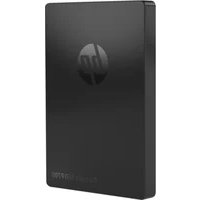
P700 - External hard drive HP - Free user manual and instructions
Find the device manual for free P700 HP in PDF.



| Product Type | External hard drive |
| Brand | HP |
| Model | P700 |
| Storage Capacity | Varies by model (e.g., 1 TB, 2 TB) |
| Dimensions (L x W x H) | Approximately 115 x 80 x 15 mm |
| Weight | Approximately 150 g |
| Power Supply | Via USB port (bus-powered) |
| Interface | USB (likely USB 3.0 or higher) |
| Form Factor | External, portable |
| Main Functions | Data storage, backup, file transfer |
| Maintenance and Cleaning | Avoid exposure to moisture, extreme temperatures, and shocks. Clean with a soft, dry cloth. |
| Safety | Avoid drops and impacts. Always eject properly before disconnecting. |
| Spare Parts and Repairability | Not user-repairable. In case of failure, contact HP support. |
| Warranty | HP limited warranty, duration varies (see manual) |
| General Information | Manual available in multiple languages. Support via support.hp.com |
Frequently Asked Questions - P700 HP
User questions about P700 HP
0 question about this device. Answer the ones you know or ask your own.
Ask a new question about this device
Download the instructions for your External hard drive in PDF format for free! Find your manual P700 - HP and take your electronic device back in hand. On this page are published all the documents necessary for the use of your device. P700 by HP.
USER MANUAL P700 HP
natural_image
HP logo icon with stylized white 'hp' on dark circular background (no additional text or symbols)HP Portable SSD P700
Quick Start Guide / Warranty Statement
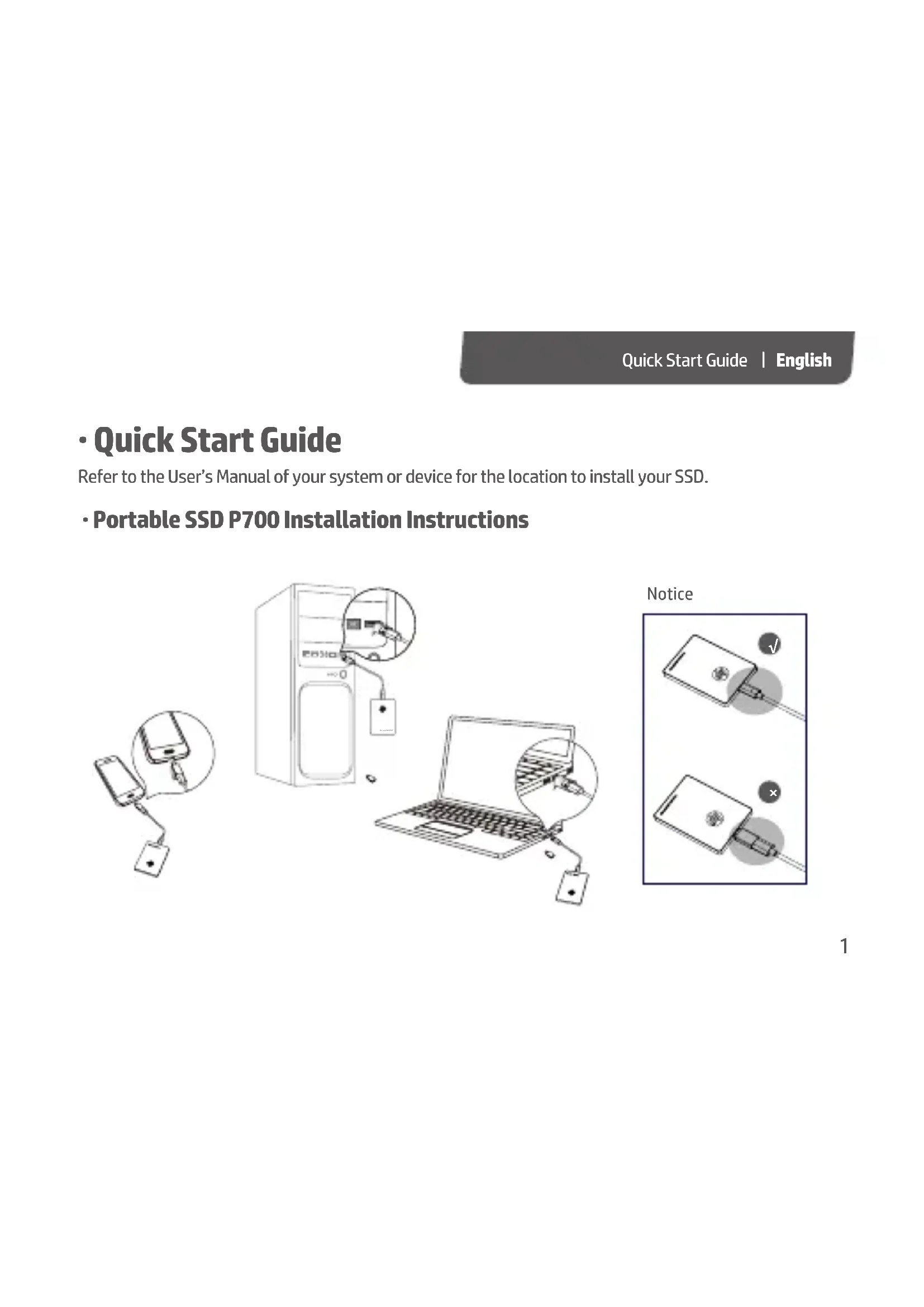
Refer to the User's Manual of your system or device for the location to install your SSD.
- Portable SSD P700 Installation Instructions

Quick Start Guide | English
- Specifications
| Capacity* | 256GB/ 512GB/ 1TB |
| Interface | USB 3.1 Gen2 Type-C (10Gb/s) |
| Max. Transfer Rate** | 1000MB/s (read) ; 1000MB/s(write) |
| Size | 92 x 65 x 9.2mm (L x W x H) |
| Weight | ≤60g |
| System Requirements | Windows® 7 / Windows® 8 / Windows® 10 / Mac / Android |
| Warranty Period | 3 Years |
*For Flash Media Devices, 1 megabyte = 1 million bytes; 1 gigabyte = 1 billion bytes. Actual usable capacity may vary. Some of the listed capacity is used for formatting and other functions, and thus is not available for data storage.
**Results may vary due to different system or hardware configuration.
• Warranty Statement A.Warranty Policy
HP herein guarantees to all direct purchasers (hereinafter "you") that the material and workmanship will be defect free, subject to the conditions stated herein, a period from the date the of purchase of the product in its original sealed package until the expiration date as specified in the HP warranty policy. The warranty period will be considered to have started from three months after the date that product was manufactured until the expiration date specified in HP warranty policy if proof of the purchase date is not provided.
-Limited Warranty
During the warranty period, if a defective HP Product covered by this Limited Warranty is returned to the designated HP Service Center, it will be repaired or replaced or, at the option of the Service Center, its purchase price will be refunded. No repair, replacement or refund will be provided unless the defective HP Product is returned to the Service Center at your expense; for some HP Products, no return will be accepted unless the Service Center first provides you with a Return Material Authorization (RMA). If your HP Product has recurring failures, at the option of the Service Center, either you will be furnished with a different product that is equivalent in performance or you will receive a refund of your purchase price. Service Center support may be provided by an HP subcontractor or other third parties. Please see the HP Service Center information provided below.
Where permitted by local law, HP Products and any replacement products or parts may contain new materials or used materials equivalent to new in performance and reliability. Replacement products or
Warranty Statement | English
parts will have functionality at least equal to that of the product or part being replaced. Replacement products and parts are warranted to be free from defects in materials or workmanship for 90 days, or for the remainder of the warranty period for the HP Product which they are replacing or in which they are installed, whichever is longer.
This Limited Warranty does not include technical assistance. This Limited Warranty does not cover cosmetic damage, loss or damage in transit, or damage resulting from (a) accident, misuse, abuse or other external causes; (b) product elements not supplied by HP; (c) improper site preparation or maintenance; or (d) modification or service by anyone other than HP, an HP Service Center or another HP-authorized service provider. HP, nor its authorized service providers, have liability for data loss in any situation. You should always back up your important data.
- Limitations/Local Laws
EXCEPT AS EXPRESSLY SET FORTH IN THIS LIMITED WARRANTY, THERE ARE NO OTHER WARRANTIES, EXPRESS OR IMPLIED, FOR YOUR HP PRODUCT. ALL OTHER WARRANTIES, INCLUDING ANY IMPLIED WARRANTIES OF MERCHANTABILITY OR FITNESS FOR A PARTICULAR PURPOSE, ARE EXPRESSLY DISCLAIMED. ANY IMPLIED WARRANTIES IMPOSED BY LAW ARE LIMITED IN DURATION TO THE APPLICABLE WARRANTY PERIOD.
This Limited Warranty gives you specific legal rights, and it is governed by the laws of the state and country in which your HP Product was purchased. You may also have other rights that vary from state to state and country to country. You are advised to consult applicable state and country laws to determine your rights. Some states and countries do not allow any limitation on how long a limited warranty will last, or any exclusion or limitation of incidental or consequential damages. In such states and countries,
some of the exclusions or limitations stated in this Limited Warranty may not apply to you.
- Sole Remedies/No Incidental or Consequential Damages
To the extent allowed by local law, the remedies provided in this Limited Warranty are your sole and exclusive remedies. These terms and conditions supersede any prior agreements or representations, including statements made in sales literature or advice given in connection with your purchase.
TO THE EXTENT ALLOWED BY LOCAL LAW, AND EXCEPT AS SPECIFICALLY SET FORTH IN THIS LIMITED WARRANTY, IN NO EVENT SHALL HP, ANY HP SERVICE CENTER OR ANY HP-AUTHORIZED SERVICE PROVIDER BE LIABLE FOR ANY DAMAGES CAUSED BY THE PRODUCT OR THE FAILURE OF THE PRODUCT TO PERFORM, INCLUDING ANY DIRECT, INDIRECT, SPECIAL, INCIDENTAL OR CONSEQUENTIAL DAMAGES, WHETHER BASED ON CONTRACT, TORT, OR ANY OTHER LEGAL THEORY, AND WHETHER OR NOT ADVISED OF THE POSSIBILITY OF SUCH DAMAGES.
- Locate Your HP Service Center
If you need support during the warranty period, visit HP website for this product at: https://support.hp.com
Warranty Statement | English
B. Warranty Limitations
In the event of any of the following conditions, the product will not be covered by a free warranty:
1) Cannot provide valid purchase receipt;
2) Failure due to modifications, disassembly or repair;
3) Product capacity silk screen or serial number wear are missing;
4) Product interface bending, deformation and other anomalies, product shell damage, deformation and other anomalies caused by external forces;
5) Failure caused by not following HP instructions;
6) Damage to the product is caused by force majeure (such as floods, fire, earthquake, lightning, typhoon, etc.), man-made damage (such as beat, drop, rupture, blow, etc.), computer interface failure, improper custody, etc.) or other non-normal use;
7) Product damage caused by computer viruses or malware;
8) Damage caused by physical or electronic and electromagnetic pressure or interference, power supply instability and misuse, lightning, static electricity, fire or other force majeure;
9) Damage caused by exposure or storage in improper environments (including high temperature, low temperature or high humidity);
10) Damage or loss caused by improper delivery and packaging by the customer to the HP authorized service center;
11) Failure or damage caused by the use of the product for research and development, production or professional testing.
- 快速使用指南
| 部件名称Component Name | 有毒有害物质或元素 Hazardous Substance | |||||
| 铅(Pb) | 汞镉(Hg) | 六价铬多溴联苯多溴 | 二本醚(PBB) | (PBDE) | ||
| 固态硬盘(Solid State Drive) | × | ○ | ○ | ○ | ○ | ○ |
| ○表示该有毒有害物质在该部件所有均质材料中的含量均在 SJ/T 11363-2006(现由 GB/T 26572 取代)标准规定的限量要求以下。Indicates that this hazardous substance contained in all homogeneous materials in the parts is below the relevant threshold of the SJ/T 11363-2006 (now replaced by GB/T 26572) standard×表示该有毒有害物质至少在该部件的某一均质材料中的含量超出 SJ-T11363-2006(现由 GB/T 26572 取代)标准规定的限量要求。Indicates that the content of such hazardous substance in at least a least a homogeneous material of such component exceeds the limits specified in SJ-T11363-2006 (now replaced by GB/T 26572)本表格提供的信息是基于供应商提供的数据及惠普公司的检测结果。在当前技术水平下,所有有毒有害物质或元素的使用控制到了最底线。惠普公司会继续努力通过改进技术来减少这些物质和元素的使用。The information in above table is based on data provided by HP's cooperation companies and verified by HP.The usage of all hazardous chemicals and elements has been put at the minimum line under the current technology level.HP will make every effort to reduce the usage of these chemicals and elements by improving related technology. | ||||||
 | 除非另外特别的标注此标志为针对所涉及产品的环保使用期限标志。某些可更换的零部件可能会有一个不同的环保使用期限(例如,电池单元模块);此环保使用期限只适用于产品手册中所规定的条件下工作。The Environment-Friendly User Period (EFUP) for all enclosed products and their parts are per the symbol here, unless otherwise marked. Certain field-replaceable parts may have a different EFUP (for example, battery modules) number. The Environment-Friendly Use Period (EFUP) is valid only when the product is operated under the conditions defined in the product manual. | |||||
快速使用指南 | 繁體中文
- 快速使用指南
注意

natural_image
Two technical diagrams showing a device with a probe inserted into a package, marked with check and cross symbols (no text or labels present)· 規格參數
| 容量* | 256GB/ 512GB/ 1TB |
| 介面 | USB 3.1 Gen2 Type-C (10Gb/s) |
| 最大讀寫速度** | 1000MB/s (read); 1000MB/s(write) |
| 尺寸 | 92 x 65 x 9.2mm (L x W x H) |
| 重量 | ≤60g |
| 推薦系統 | Windows® 7 / Windows® 8 / Windows® 10 / Mac / Android |
| 保修期限 | 3 Years |
주의
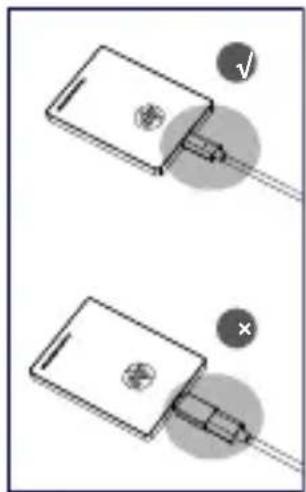
natural_image
Two technical diagrams showing a device with a screwdriver inserted into a package, with no visible text or symbols.- 제품사양
Manufacture: Biwin Storage Technology CO., LTD.
·무상보증
A.보증 정책
Remarque
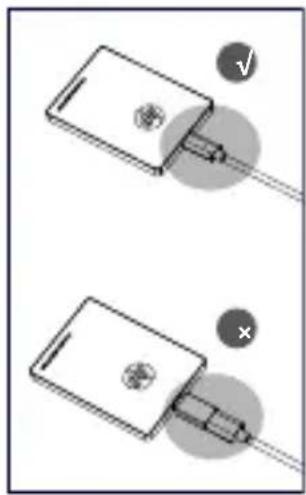
natural_image
Two technical diagrams showing a device with a screwdriver inserted, one with a checkmark and the other with an X (no text or symbols present)- Spécifications
| Capacity* | 256GB/ 512GB/ 1TB |
| Interface | USB 3.1 Gen2 Type-C (10Gb/s) |
| Max. Taux de transfert** | 1000MB/s (read) ; 1000MB/s(write) |
| Taille | 92 x 65 x 9.2mm (L x W x H) |
| Poids | ≤60g |
| Configuration requise | Windows® 7 / Windows® 8 / Windows® 10 / Mac / Android |
| Période de garantie | 3 Years |
Zawiadomienie

natural_image
Two technical diagrams showing a device with a connector and a pin, marked with check and cross symbols (no text or labels present)Aandacht

natural_image
Two technical diagrams showing a device with a screwdriver and a plug, both without any text or symbols.- Specifications
| Capaciteit * | 256GB/ 512GB/ 1TB |
| Interface | USB 3.1 Gen2 Type-C (10Gb/s) |
| Max Transfer Rate ** | 560MB/s (read) ; 500MB/s(write) |
| Afmeting | 92 x 65 x 9.2mm ( L x W x H ) |
| Peso | ≤60g |
| Gewicht | Windows® 7 / Windows® 8 / Windows® 10 / Mac / Android |
| Garantieperiode | 3 Years |
Внимание
natural_image
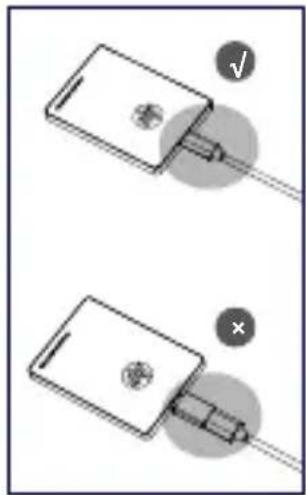
Two technical diagrams showing a device with a pin and a connector, no text or symbols present.em: https://support.hp.com
©Copyright 2019 HP Development Company, L.P.
www.hp.com
Manufactured and distributed under license from HP.


- HP Portable SSD P700
- Quick Start Guide / Warranty Statement
- - Portable SSD P700 Installation Instructions
- Quick Start Guide | English
- • Warranty Statement A.Warranty Policy
- -Limited Warranty
- Warranty Statement | English
- - Limitations/Local Laws
- - Sole Remedies/No Incidental or Consequential Damages
- - Locate Your HP Service Center
- Warranty Limitations
- - 快速使用指南
- 快速使用指南 | 繁體中文
- ·무상보증
- A.보증 정책
Brand : HP
Model : P700
Category : External hard drive