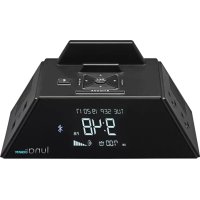
Luna WCR450 - Alarm clock radio Conair - Free user manual and instructions
Find the device manual for free Luna WCR450 Conair in PDF.


| Product type | Bluetooth® clock radio with charging station |
| Brand | Conair |
| Model | Luna WCR450 |
| Dimensions (approx.) | 20 x 15 x 10 cm |
| Weight (approx.) | 1 kg |
| Power supply | 120 V AC, 60 Hz, 12 A, 1500 W |
| Built-in outlets | 2 AC outlets (120 V, 12 A, 1440 W max) and 2 USB ports (5 V, 2.4 A max each) |
| Main functions | Clock radio, Bluetooth® player, charging station, dimmable display (7 levels + off), automatic alarm reset, automatic daylight saving time switch |
| Alarm capacity | Gradual wake up, 9-minute snooze, automatic reset to 6:00 AM or programmed time |
| Connectivity | Bluetooth® for audio streaming |
| Display | LED screen with date, time, adjustable brightness |
| Backup batteries | 2 AAA batteries (not included) for backup during power outage |
| Care and cleaning | Clean with a dry cloth only. Do not use water or liquid products. |
| Safety | Do not expose to water or moisture. Do not block ventilation. Unplug during storms. |
| Spare parts and repairability | No user-serviceable parts. Any repair must be done by a qualified technician. |
| Warranty | Limited one-year warranty (United States and Canada only) |
| General information | Indoor use only. Moderate temperature. FCC and IC certified. |
Frequently Asked Questions - Luna WCR450 Conair
User questions about Luna WCR450 Conair
0 question about this device. Answer the ones you know or ask your own.
Ask a new question about this device
Download the instructions for your Alarm clock radio in PDF format for free! Find your manual Luna WCR450 - Conair and take your electronic device back in hand. On this page are published all the documents necessary for the use of your device. Luna WCR450 by Conair.
USER MANUAL Luna WCR450 Conair
ALARM CLOCK/ CHARGING STATION WITH BLUETOOTH®
RÉVEIL/STATION DE CHARGE AVEC TECHNOLOGIE BLUETOOTH®
USER MANUAL MANUEL D'UTILISATION
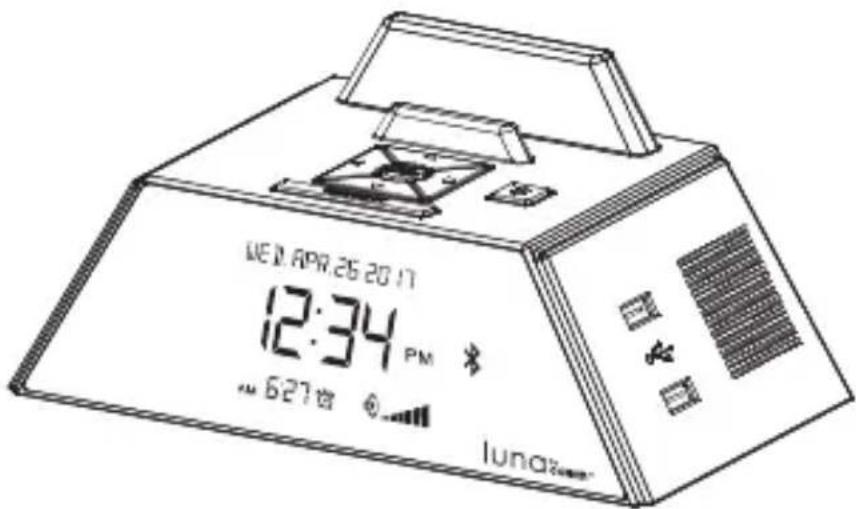
text_image
WED APR 26 20 17 12:34 PM 627 AM lunaWCR450
For your safety and continued enjoyment of this product, always read the instruction book carefully before using.
When using electrical appliances, especially when children are present, basic safety precautions should always be taken, including the following.
-
Read these instructions.
-
Keep these instructions.
-
Heed all warnings.
-
Follow all instructions.
-
Do not use this apparatus near water.
-
Clean with a dry cloth only.
-
Do not block any ventilation openings. Install in accordance with the manufacturer's instructions.
-
Do not install near any heat sources such as radiators, heat registers, stoves, or other apparatus (including amplifiers) that produce heat.
-
Do not defeat the safety purpose of the polarized or grounding-type plug. A polarized plug has two blades, with one wider than the other. A grounding-type plug has two blades and a third grounding prong. The wide blade or the third prong are provided for your safety. When the provided plug does not fit into your outlet, consult an electrician for replacement of the obsolete outlet.
-
Protect the power cord from being walked on or pinched particularly at plugs, convenience receptacles, and the point where they exit from the apparatus.
-
Only use attachments/accessories specified by the manufacturer.
-
Use only with a cart, stand, tripod, bracket, or table specified by the manufacturer, or sold with the apparatus. When a cart is used, use caution when moving the cart/apparatus combination to avoid injury from tipping-over.

natural_image
Symbolic icon of a person climbing a ladder inside a circle (no text or symbols)- Unplug this apparatus during lightning storms or when unused for long periods of time.
- Refer all servicing to qualified service personnel. Servicing is required when the apparatus has been damaged in any way, such as power-supply cord or plug is damaged, liquid has been spilled or objects have fallen into the apparatus, the apparatus has been exposed to rain or moisture, does not operate normally, or has been dropped.
- Mains plug is used as disconnect device and it should remain readily operable during intended use. In order to disconnect the apparatus from the mains completely, the mains plug should be disconnected from the mains socket outlet completely.
- Keep a minimum distance of 4 inches around the apparatus for sufficient ventilation.
- The ventilation should not be impeded by covering the ventilation openings with items such as newspaper, table-cloths, curtains etc.
- Attention should be drawn to the environmental aspects of battery disposal.
- The apparatus should only be used in moderate climates.
WARNING
To reduce the risk of fire or electric shock, do not expose this apparatus to rain or moisture.
*Caution: Markings and ratings plate are located at bottom enclosure of the apparatus.
natural_image
Black triangular warning symbol with a white lightning bolt and downward arrow (no text)The lightning flash with arrowhead symbol within an equilateral triangle is intended to alert the user to the presence of uninsulated, dangerous voltage within the product's enclosure that may be of sufficient magnitude to constitute a risk of electric shock to persons.

natural_image
Black triangular warning symbol with exclamation mark (no text or numbers)The exclamation point within an equilateral triangle is intended to alert the user to the presence of important operating and maintenance (servicing) instructions in the literature accompanying the appliance.
The apparatus shall not be exposed to dripping or splashing and that no objects filled with liquids, such as vases, shall be placed on apparatus.
Battery shall not be exposed to excessive heat such as sunshine, fire or the like.
An appliance with a protective earth terminal should be connected to a mains outlet with a protective earth connection.
No naked flame sources such as lighted candles should be placed on the apparatus.
Introduction
Thank you for purchasing Luna by Conair ^TM . Please be sure to read this User Manual carefully to ensure proper installation and usage.
The information in this document is subject to change and does not represent a commitment on the part of Conair Corporation. No part of this document may be reproduced, transmitted in any form or by any means, electronic or mechanical, including photocopying, recording, or information storage and retrieval systems, or translated into any language for any purpose other than the purchaser's personal use, without the written permission of Conair.
Product Features
- Combination Bluetooth Speakers, Power Outlets & Alarm
- Bluetooth Music Play-Through
- User-Friendly Alarm Clock with Single-Day Alarm Option
- Convenient Connections for AC- and USB-Powered Devices
- Display Dimmer – 7 Levels and OFF
• Auto Update for Daylight Saving Time
Product Description
- Bluetooth Speakers with Passive Radiator
- 2 AC Outlets
- 2 USB Charging Ports (shared 5V 2.4A max. with smart detect)
- Single-Day Alarm Clock Option
WCR450
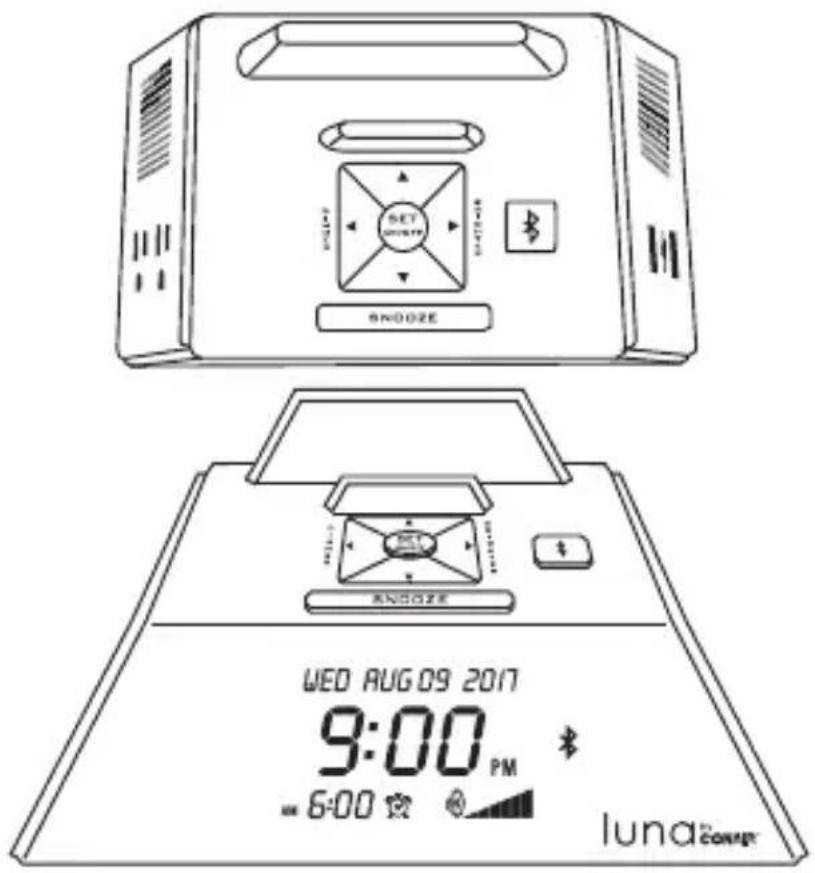
text_image
SNOOZE SNOOZE WED AUG 09 2017 9:00 PM 6:00 luna CONERUnpacking and Setup:
- Carefully remove from packaging. Verify that you have all necessary components before you dispose of display carton.
Component List:
- WCR450 Main Unit
- Cable Clamp
-
2 Wood Screws
-
Place in desired location.
NOTE: This product is designed to be used on a level, flat surface such as a table, desk, shelf or stand with convenient access to an AC outlet, and away from direct sunlight and sources of excessive heat, dust, moisture and vibration.
- Plug unit directly into a wall AC outlet. Do not plug into a surge protector or an extension cord.
- Secure cord with C-clamp to back of nightstand or desk. Wood screws are included.
Setting the Time:
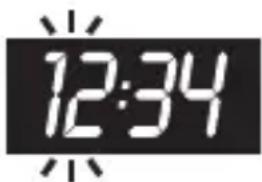
- Press and hold SNOOZE and button for 4 seconds.
- Hour will begin to flash. Adjust by pressing △ or ▽ buttons.
Press SET button to select.
text_image
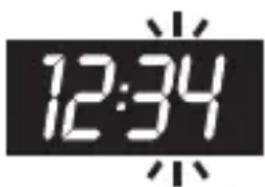
12:34- Minute will begin to flash. Adjust by pressing △ or ▽ buttons.
Press SET button to select.
text_image
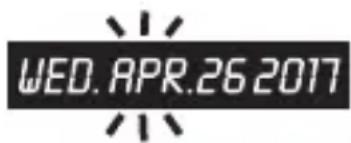
12:34- Month will begin to flash. Adjust by pressing △ or ▽ buttons.
text_image
WED. APR.26 2017Press SET button to select.
- Day will begin to flash. Adjust by pressing or buttons.
Press SET button to select.
- Year will begin to flash. Adjust by pressing △ or ▽ buttons.
Press SET button to select.

text_image
WED. APR.26 2017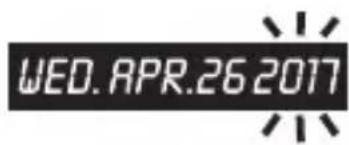
text_image
WED. APR.26 2017Setting the Alarm
- Press and hold SET button to set alarm.
- Hour will begin to flash. Adjust by pressing or buttons.
Press SET button to select. (Alarm will automatically set to last selected alarm time after 9 seconds.)
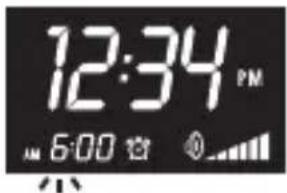
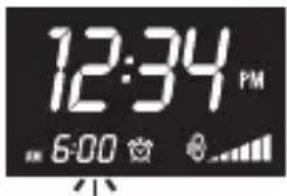
- Minute will begin to flash. Adjust by pressing or ▽ buttons.
Press SET button to select. (Alarm will automatically set to last selected alarm time after 9 seconds.)
text_image
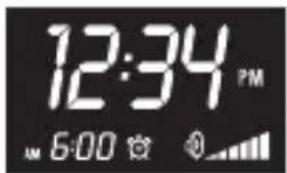
12:34 PM 6:00- Press SET button to toggle alarm ON/OFF. In Single-Day Alarm ON Mode: Alarm time will reset
to 6:00 a.m. with every activation of the alarm.
text_image
12:34 PM AM 6:00In Single-Day Alarm OFF Mode: The alarm time will default back to the last set alarm time with every activation.
Bluetooth® Pairing
-
Open the Bluetooth® setting on your device.
-
Press the Bluetooth ^ button.
- The Bluetooth ^ flashes and Luna by Conair becomes discoverable.
- Connect your device to Luna by Conair.
- Luna will make an audible tone when connected successfully.
The Bluetooth ^® word mark and logos are registered trademarks owned by the Bluetooth SIG, Inc. and any use of such marks by Conair Corporation is under license. Other trademarks and trade names are those of their respective owners.
Volume Control
Press or buttons to adjust the volume.
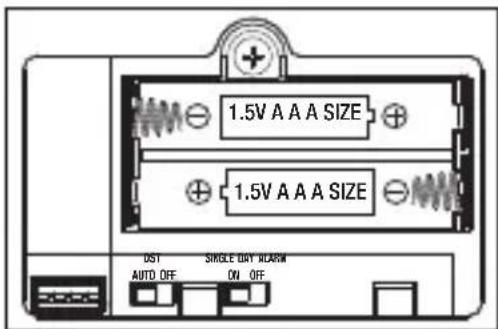
Secure Battery Door/Hidden Switches
Single-Day Alarm (Preset to ON)
ON: Alarm time will reset to 6:00 a.m. with every activation of the alarm.
OFF: The alarm time will default back to the last set alarm time with every activation.
text_image
1.5V A A A SIZE 1.5V A A A SIZE UST SINGLE DAY ALARM AUTO OFF ON OFFDaylight Saving Time (Preset to AUTO)
AUTO: Time will automatically update +1 or -1 hour based on the preset Daylight Saving Time Calendar. Year, Month and Day must be set correctly for this feature to work properly.
OFF: Time will not automatically update for Daylight Saving Time. Any changes to the time must be manually updated.
Backup Battery Function
If the AC supply is interrupted, the internal clock will not be interrupted due to battery backup. The backup battery will not support the alarm settings or any other features of the unit.
Other Features:
Dimmer Control
When in standby mode, press or buttons to change brightness (7 levels of brightness). When the display is turned off, the user can also press any button to turn display on.
Snooze
When alarm is sounding, press the SNOOZE button to go into snooze mode. The alarm symbol will flash and the alarm will re-sound after 9 minutes.
Gradual Awake
Alarm will sound at a low volume and gradually increase to a higher volume.
Battery Handling and Usage:
WARNING: Only adults should handle batteries. Do not allow a child to use this product unless the battery compartment cover is securely attached to the battery compartment in accordance with all product usage instructions.
- Follow the battery manufacturer's safety and usage instructions.
- Keep batteries away from children and pets.
- Do not mix a new and a used battery or mix batteries of different types or sizes.
-
Insert the batteries according to the proper polarity (+/-) as indicated inside the battery compartment. Failure to properly align the battery polarity can cause personal injury and/or damage to the unit.
-
Remove spent or discharged batteries. Remove batteries if product will not be used for an extended period of time.
- Never throw batteries into a fire. Do not expose batteries to fire or other heat sources.
- Dispose or recycle spent/discharged batteries in compliance with all applicable laws. For detailed information, contact your local recycling authority.
FCC STATEMENT
This device complies with Part 15 of the FCC Rules. Operation is subject to the following two conditions:
(1) This device may not cause harmful interference, and
(2) This device must accept any interference received, including interference that may cause undesired operation.
WARNING: Changes or modifications to this unit not expressly approved by the party responsible for compliance could void the user's authority to operate the equipment.
NOTE: This equipment has been tested and found to comply with the limits for Class B digital devices, pursuant to Part 15 of the FCC Rules. These limits are designed to provide reasonable protection against harmful interference in a residential installation. This equipment generates, uses and can radiate radio frequency energy and, if not installed and used in accordance with the instructions, may cause harmful interference to radio communications. However, there is no guarantee that interference will not occur in a particular installation. If this equipment does cause harmful interference to radio or television reception, which can be determined by turning the equipment off and on, the user is encouraged to try to correct the interference by one or more of the following measures:
- Reorient or relocate the receiving antenna.
- Increase the separation between the equipment and receiver.
- Connect the equipment to an outlet on a circuit different from that to which the receiver is connected.
- Consult the dealer or an experienced radio/TV technician for help.
This device complies with Industry Canada Licence-exempt RSS-standard(s). Operation is subject to the following two conditions: (1) this device may not cause interference, and (2) this device must accept any interference, including interference that may cause undesired operation of the device.
Responsible Party
Waring Products, Division of Conair Corporation
314 Ella T. Grasso Avenue
Torrington, CT 06790
(860) 496-3100
Technical Specifications:
Continuous Duty Electrical Rating
120VAC 12A 60Hz 1500W
AC Outlets Output
120V 12A 1440W MAX shared
Powered USB Output
5V/2400mA shared
Power Cord
6 feet, 3 line
Working Surroundings
Indoor fixed mount
Limited 1-Year Warranty
(U.S. and Canada Only)
Products are warranted by Conair Corporation against manufacturing defects in materials and workmanship under normal use for 1 year (365 days) from the date of purchase. Defective products will be exchanged for the sample or a comparable item.
Disclaimer of Damages
In no event shall Conair Corporation or its suppliers be liable for indirect, incidental, or consequential damages, loss of profit, loss of use or data, or interruption of business, whether the alleged damages are labeled in tort, contract, or indemnity, even if Conair Corporation or its suppliers have been advised of the possibility of such damages. Some states do not allow the exclusion or limitation of incidental or consequential damages, so the above limitation may not apply.
Important: This product's USB ports cannot be used as a USB hub and do not transmit data. The powered USB outlets on this unit are intended solely for charging devices that can be charged via a USB interface.