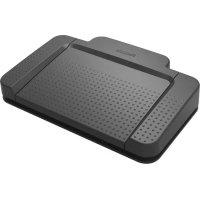
Foot control ACC2320 - Electronic crankset PHILIPS - Free user manual and instructions
Find the device manual for free Foot control ACC2320 PHILIPS in PDF.



| Product type | Electronic dictation foot pedal |
| Brand | Philips |
| Model | ACC2320 |
| Main functions | Rewind, fast forward, playback with mode selector (N hold or T toggle) |
| Power supply | 5V via USB port |
| Required software | Philips SpeechControl (downloadable at www.dictation.philips.com/support) |
| Compatible operating systems | Windows, macOS |
| Dimensions (approx.) | 150 x 100 x 50 mm |
| Weight (approx.) | 200 g |
| Installation | Plug into a free USB port, install SpeechControl software |
| Maintenance and cleaning | Clean with a soft, dry cloth. Do not use chemicals |
| Safety | Do not expose to water, rain, or excessive heat (radiator, direct sunlight). Protect cables from bending |
| Spare parts and repairability | No user-serviceable parts. Contact an authorized Philips service center |
| Warranty | Contact the supplier. Any unauthorized modification voids the warranty |
| Disposal | Do not dispose of with household waste. Follow local WEEE guidelines (Directive 2012/19/EU) |
| General information | Support site: www.philips.com/dictation |
Frequently Asked Questions - Foot control ACC2320 PHILIPS
User questions about Foot control ACC2320 PHILIPS
0 question about this device. Answer the ones you know or ask your own.
Ask a new question about this device
Download the instructions for your Electronic crankset in PDF format for free! Find your manual Foot control ACC2320 - PHILIPS and take your electronic device back in hand. On this page are published all the documents necessary for the use of your device. Foot control ACC2320 by PHILIPS.
USER MANUAL Foot control ACC2320 PHILIPS
For product information and support, visit
www.philips.com/dictation
PHILIPS
EN User manual 3
Congratulations on your purchase and welcome to Philips! Visit our website for comprehensive support such as user manuals, software downloads, warranty information and much more: www.philips.com/dictation.
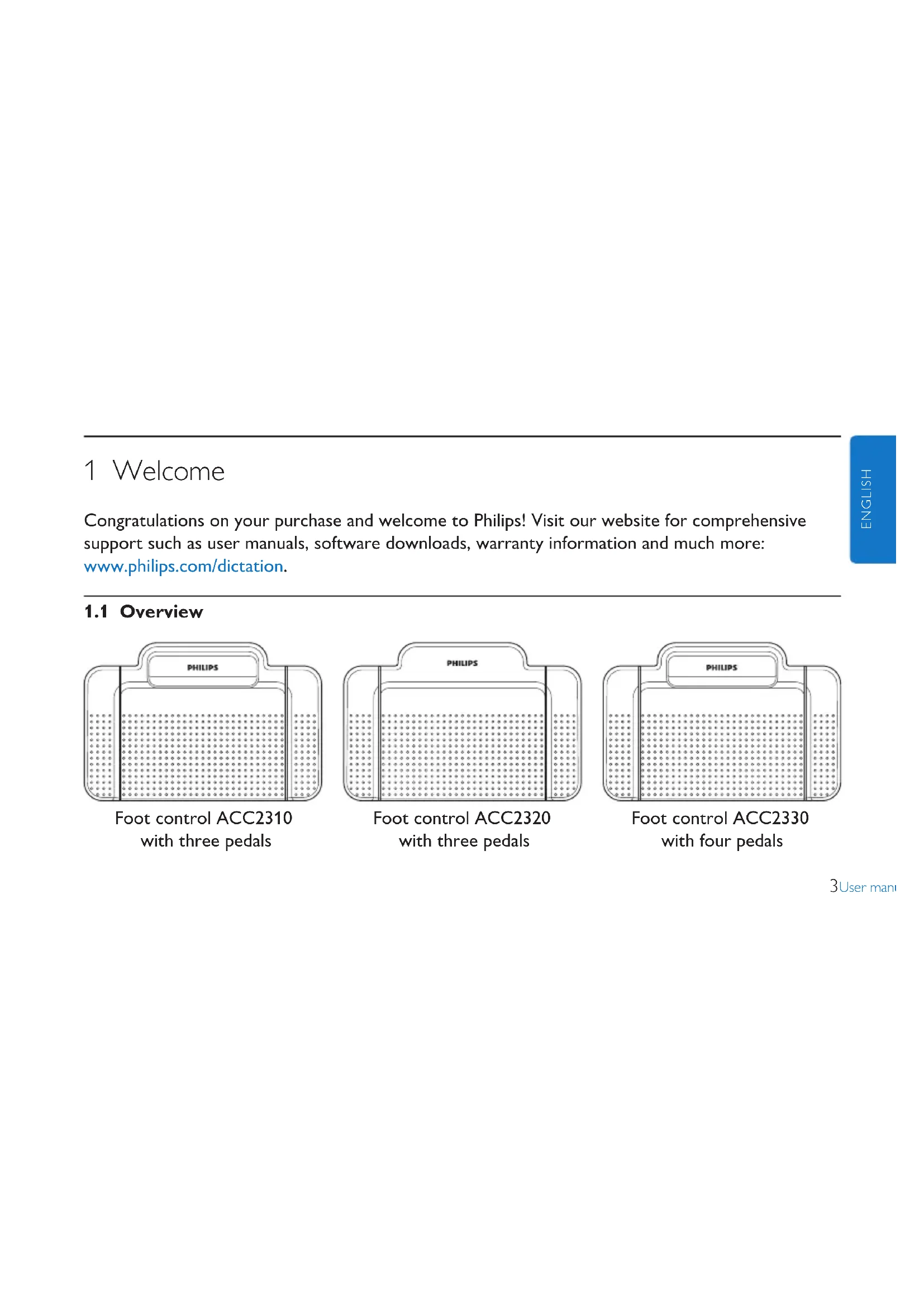
1.1 Overview
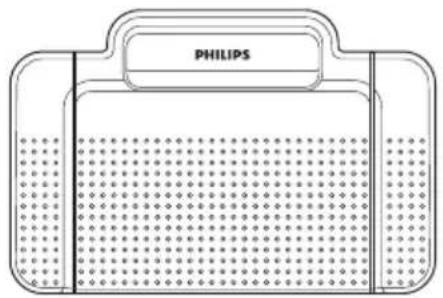
Foot control ACC2310 with three pedals
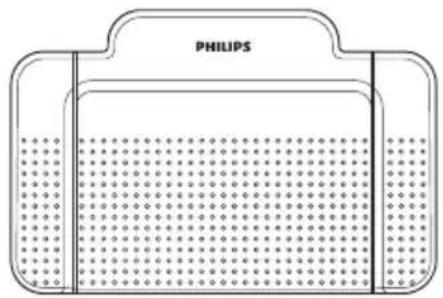
Foot control ACC2320 with three pedals

natural_image
Diagram of a vehicle front panel with dotted pattern and 'PHILIPS' label on the top (no other text or symbols)Foot control ACC2330 with four pedals
2 Important
2.1 Safety
- To avoid short circuit, do not expose the product to rain or water.
- Do not expose the device to excessive heat caused by heating equipment or direct sunlight.
- Protect the cables from being pinched, particularly at plugs and the point where they exit from the device.
- Back up your files. The manufacturer is not responsible for any loss of data.
2.2 Disposal of your old product
- Your product is designed and manufactured with high quality materials and components, that can be recycled and re-used.
- When this crossed-out wheeled bin symbol is attached to a product, it indicates that the product is covered by the European Directive 2012/19/E
- Please become informed about the local separate collection system for electrical and electronic products.
- Please act according to your local rules and do not dispose of old products with your normal household waste. The correct disposal of old products will help prevent potential negative consequences for the environment and human health.

2.3 Technical support and warranty
This product was designed and manufactured to the highest quality standards. If your product is not working correctly or is defective, contact your supplying dealer who will provide you with the necessary information on how to proceed.
If you have questions that your dealer cannot answer or any other related question, visit www.philips.com/dictation to contact us. No components are user-serviceable. Do not open or remove covers and do not insert objects not suitable for the specific connectors. Repairs may be made only by authorized service centers and official repair facilities. Failure to do so will void any warranty, stated or implied. Any operation expressly prohibited in this manual, any adjustments, or assembly procedures not
recommended or authorized in this manual will void the warranty.
3 Installation
Philips SpeechControl software is required for the foot control to function properly.
1 Connect the foot control to a free USB port on the PC.
2 Download Philips SpeechControl software from the website www.dictation.philips.com/support onto your computer.
3 On a Windows computer, extract the downloaded file.
4 Double-click the .exe file (Windows) or the .dmg file (macOS) and follow the on-screen instructions of the set-up program to install the software.

Note
Administrator rights are required to install the software. For more help, contact your administrator.
4 Use the foot control
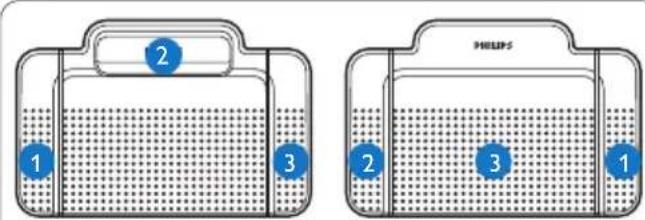
4.1 Foot control ACC2310 / ACC2320 The foot control has three pedals: fast rewind ①, fast forward ② and playback ③.
ACC2310 ACC2320
1 Press and hold the pedal for fast rewind. When rewinding reaches the desired position, release the pedal.
2 Press and hold the pedal to fast forward. When forwarding reaches the desired position, release the pedal.
3 The pedal starts playback. The behavior for starting and stopping playback depends on the setting of the playback switch on the underside of the foot control:
- N (Neutral) position: Press and hold the right pedal for playback. When the pedal is released, playback is stopped.
- T (Toggle) position: Press and release the right pedal to start continuous playback. Press the right pedal again to stop playback.

4.2 Foot control ACC2330
The foot control has four pedals: a left 1, a middle 2, a right 3 and a top 4 pedal.

1 Press and hold the left pedal to fast forward. When forwarding reaches the desired position, release the pedal.
2 Press and release the middle pedal to start
continuous playback. Press the middle pedal again to stop playback.
3 Press and hold the right pedal for fast rewind. When rewinding reaches the desired position, release the pedal.
4 Press and release the top pedal to finish a dictation.
Tip
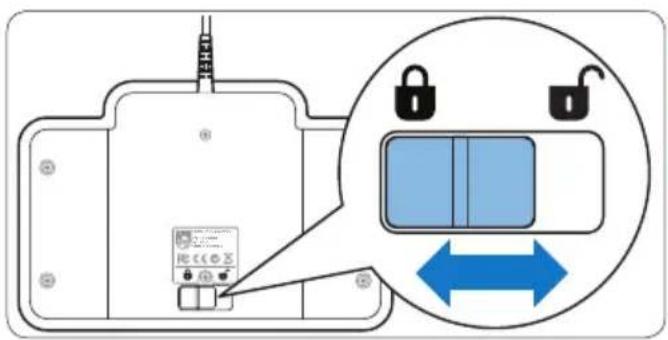
If the middle pedal has been disabled with Philips SpeechControl software (see next chapter), it can be secured with the switch on the underside of the foot control.
5 Advanced configuration
Use the Philips SpeechControl software to change the pedal functions of the foot control.
1 Connect the foot control to a free USB port on the PC.
2 Start Philips SpeechControl software.
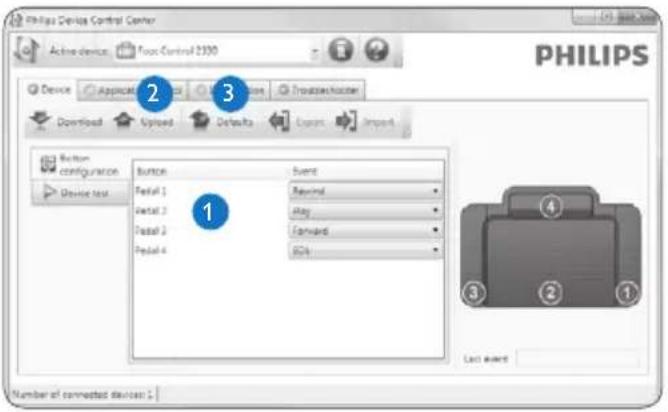
3 Change the function of the pedals according to your preferences. 1
4 Click the Upload button 2 to save the new settings.
the default settings.

Note
The foot control can be reset to its factory default configuration by clicking the Defaults button ③. Click the Upload button ② to save
1 Willkommen
natural_image
Diagram of a vehicle front panel with dotted pattern and 'PHILIPS' label on the top (no other text or symbols)1 Bienvenue
natural_image
Diagram of a plastic bag with dotted pattern and 'PHILIPS' label on top (no other text or symbols)5 Configuration avancée
natural_image
Diagram of a divided container with dotted pattern and 'PHILIPS' label on top (no other text or symbols)
Nota
natural_image
Diagram of a vehicle front panel with dotted pattern and 'PHILIPS' label on the top (no other text or symbols)
Nota
natural_image
Diagram of a vehicle front panel with dotted pattern and 'PHILIPS' label on the top (no other text or symbols)Opmerking
Declaration of Conformity
Tested to comply with FCC standards
FOR HOME OR OFFICE USE
Model number: ACC2310 / ACC2320 / ACC2330
Trade name: Philips foot control
Responsible party: Speech Processing Solutions USA Inc, Two Ravinia Drive, Suite 965, Atlanta, GA 30346, USA, Tel. 888-260-6261
This device complies with Part 15 of the FCC Rules. Operation is subject to the following two conditions:
1) This device may not cause harmful interference.
2) This device must accept any interference received, including interference that may cause undesired operation.

The CE mark confirms that the device corresponds to the relevant guidelines of the European Union.

The cardboard used for packaging can be recycled. This electronic device contains recyclable material.

Discover the comprehensive range of professional dictation products from Philips www.philips.com/dictation
© Speech Processing Solutions GmbH. All rights reserved. Philips and the Philips shield emblem are registered trademarks of Koninklijke Philips N.V. and are used by Speech Processing Solutions GmbH under license from Koninklijke Philips N.V. All trademarks are the property of their respective owners. Specifications are subject to change without notice.
Document version 2.0, 2015/09/21. 7123 303 2010.2
Brand : PHILIPS
Model : Foot control ACC2320
Category : Electronic crankset