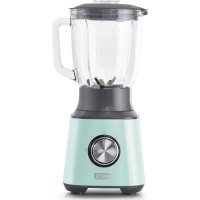
Quest DQB150GBAQ02 - Blender Dash - Free user manual and instructions
Find the device manual for free Quest DQB150GBAQ02 Dash in PDF.


| Product type | Blender |
| Brand | Dash |
| Model | Quest DQB150GBAQ02 |
| Pitcher capacity | 1.5 liters (estimated) |
| Rated power | 500 W (estimated) |
| Power supply | Mains, 220-240 V, 50/60 Hz |
| Materials | Plastic motor base, glass or plastic pitcher, stainless steel blades |
| Main functions | Blending, crushing (ice, hard foods), emulsifying, making sauces and smoothies |
| Speeds | Variable (rotary dial), position 0 for stop |
| Safety | Automatic shut-off in case of overheating, polarized plug, pitcher locking, protected blades |
| Care and cleaning | Motor base not dishwasher safe: wipe with a damp cloth. Pitcher, lid and blades dishwasher safe (hand washing recommended for blades) |
| Spare parts | Available on the Dash website or via customer service |
| Repairability | Contact customer service for any repair or non-routine maintenance |
| Warranty | Limited manufacturer's warranty (see manual) |
| Intended use | Household only |
| Included accessories | Pitcher, lid, blade assembly, user manual |
Frequently Asked Questions - Quest DQB150GBAQ02 Dash
User questions about Quest DQB150GBAQ02 Dash
0 question about this device. Answer the ones you know or ask your own.
Ask a new question about this device
Download the instructions for your Blender in PDF format for free! Find your manual Quest DQB150GBAQ02 - Dash and take your electronic device back in hand. On this page are published all the documents necessary for the use of your device. Quest DQB150GBAQ02 by Dash.
USER MANUAL Quest DQB150GBAQ02 Dash
Instruction Manual | Recipe Guide







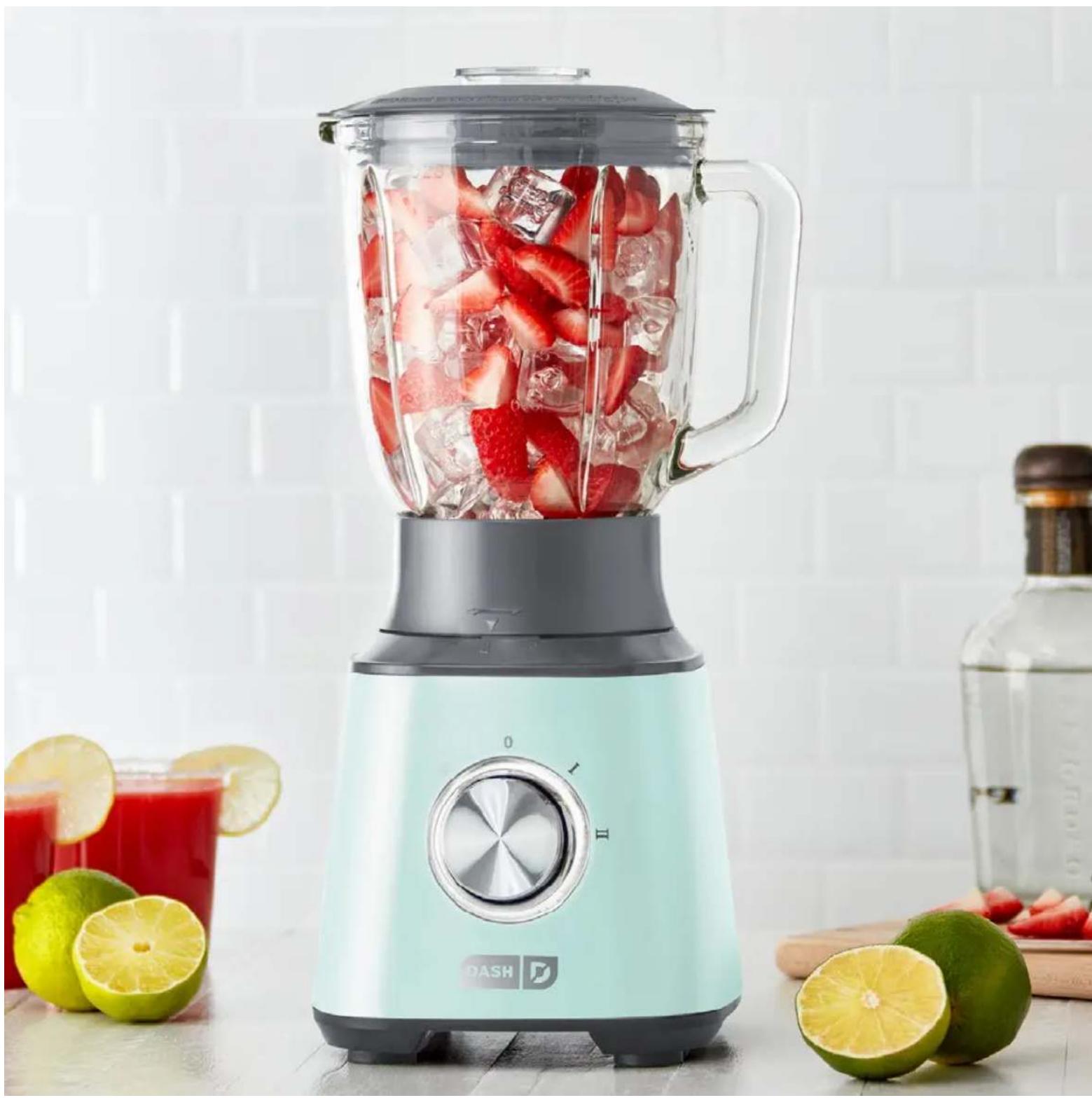
QUEST BLENDER
Important Safeguard. 4-7
Parts & Features. 8
Control Dial Settings. 10
Before First Use. 11
Using Your Quest Blender. 12-17
Removing the Blade. 18-19
Cleaning & Maintenance. 21
Recipes. 23-37
Customer Support. 38
Warranty. 39

IMPORTANT SAFEGUARDS: PLEASE READ AND SAVE THIS INSTRUCTION AND CARE MANUAL.
When using electrical appliances, basic safety precautions should be followed, including:
Read all instructions carefully.
- Remove all packaging and labels from appliance prior to use.
- To protect against risk of electrical shock, do not put cord, plugs, or appliance in or near water or other liquids.
For any maintenance other than cleaning, please contact StoreBound directly at 1-800-898-6970 from 9AM-9PM EST Monday-Friday, or by email at support@bydash.com.
- Keep appliance away from children when in use.
- Unplug the appliance from the outlet when not in use, during assembly, during disassembly, and before cleaning.
- Avoid contact with moving parts.
- Do not operate this appliance with a damaged cord, damaged plug, after the appliance malfunctions, is dropped, or damaged in any manner.
Only use attachments that are recommended or sold by the appliance manufacturer.
Do not use the appliance outdoors.
- Do not leave your Dash Quest Blender unattended while it is operating.
- Do not let the cord hang over the edge of tables, counters, or touch hot surfaces.
Always make sure that the Pitcher is locked securely in place before engaging the motor. Do not remove the Pitcher before the blender is finished operating.
Make sure that the Dial is in the "0" position after each use. Make sure that the motor stops completely before disassembling.
- Do not place your fingers or other foreign objects into the appliance while it is operating. If food becomes lodged in the blades, turn off and unplug the appliance before trying to remove the ingredients.
- Do not use the appliance if any of the parts are damaged.
Do not use without the Lid in place.
- Keep hands and utensils away from moving blades while appliance is engaged to reduce the risk of severe injury or damage to the Blender.
The blades in the Blender are sharp. Handle carefully. Do not touch the blades in the base of the Pitcher with bare hands.
- Do not place the appliance on or near a hot gas plate, hot electric burner, or in a heated oven.
- When cleaning, do not submerge the Motor Base (with electrical parts) in any liquid; instead use a soft, wet cloth to wipe down. The Dash Quest Blender Motor Base is NOT dishwasher safe.
- Do not operate the blender when the Pitcher is empty.
- When blending tough or dry foods for a prolonged period of time, the temperature monitoring system may shut down the motor to prevent overheating. This may occur when the Blender is overloaded. Unplug the Blender
IMPORTANT SAFEGUARDS
and place the Motor Base in a well-ventilated area, allowing it to cool down for 45 minutes.
continuing to blend.
Make sure the Lid is closed tightly during blending to prevent liquid from splashing out.
- Keep hands and utensils out of the Pitcher while the motor is running to prevent injuries or damages.
- When making sauces, stuffing, etc., add 2-3 cups of ingredients at a time. Keep the blending time below 2 minutes to prevent the motor from overloading or overheating. If the motor stops abruptly, allow the motor temperature to decrease before continuing to blend.
Always place soft or liquid ingredients in the blender before adding hard ingredients or ice cubes.
- Wait until the blades come to a complete stop before removing the Pitcher. If not done accordingly, the drive gear may become damaged.
If a burning odor comes from the Blender, shut the appliance off immediately. This may be
Motor Base. Make sure that the rubber feet are stable and that the appliance is properly assembled.
If the blades become jammed during the blending process, use the Tamper to stir the food in the Pitcher, allowing air to escape. Close the Lid tightly and continue to blend.
- When blending tough or sticky foods, begin blending at a low speed. If the blender does not mix in the ingredients, use preference, disconnect the appliance and use a spoon or spatula to incorporate the ingredients and release any captured air in the Pitcher. Close the Lid and continue blending.
This appliance is not intended for use by persons (including children) with reduced physical, sensory, or mental capabilities, or lack of experience and knowledge unless they are provided with supervision and instruction concerning the use of the appliance by a person responsible for their safety. - StoreBound shall not accept liability for damages caused by improper use of the appliance.
- This appliance has a polarized plug (one blade is wider than the other). To reduce the risk of electric shock, this plug will fit in a polarized outlet only one way. If the plug does not completely fit in the outlet, reverse the plug. If it still does not fit, contact a qualified electrician. Do not attempt to modify the plug in any way.
For household use only caused by abrasion of the rubber feet on the
IMPORTANT SAFEGUARDS: PLEASE READ AND SAVE THIS INSTRUCTION AND CARE MANUAL.
GARANTIES IMPORTANTES
GARANTIES IMPORTANTES: VEUILLEZ LIRE ATTEN-TIVEMENT CE MANUEL AVANT D'UTILISER L'APPAREIL.
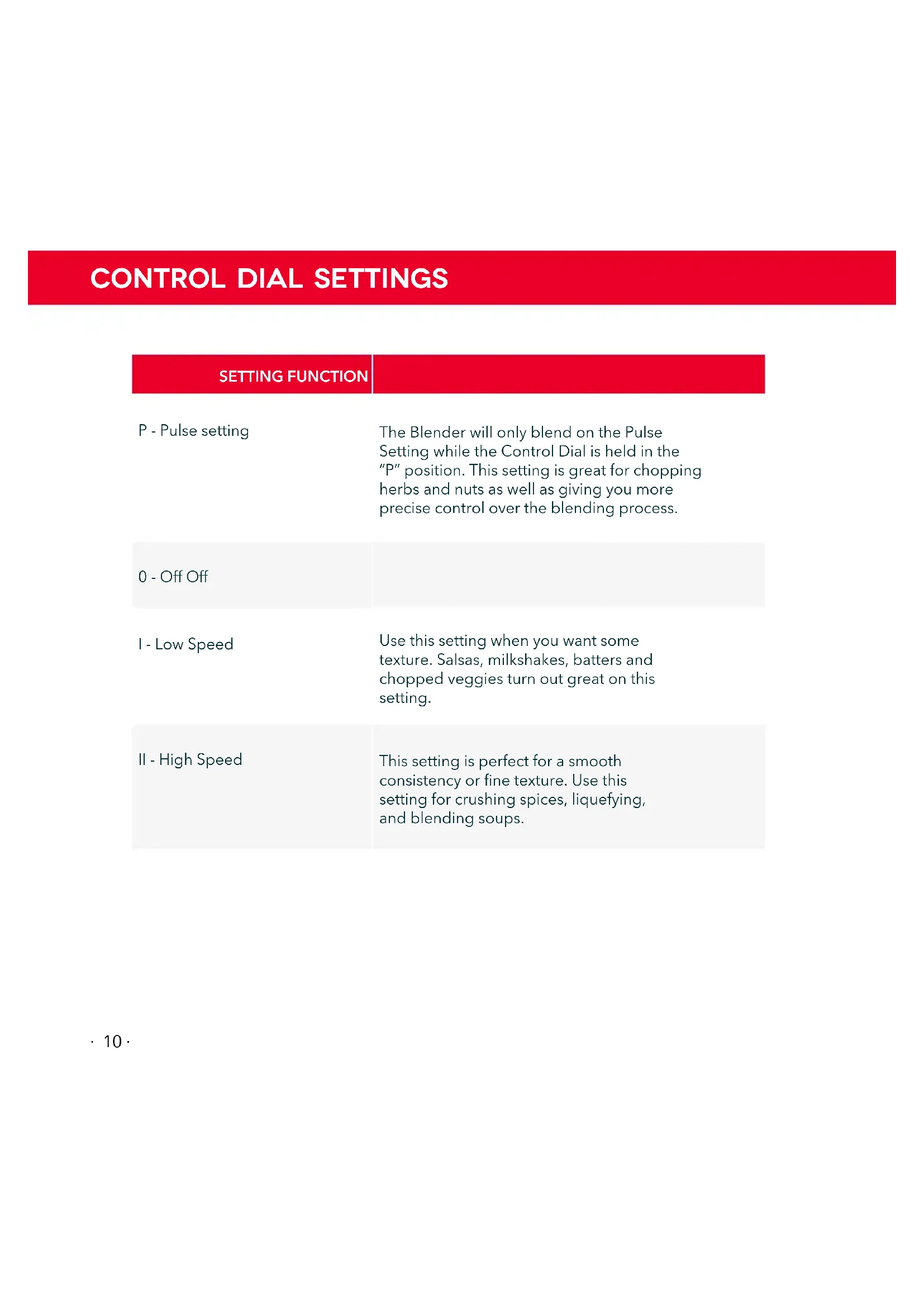
| SETTING FUNCTION | |
| P - Pulse setting | The Blender will only blend on the Pulse Setting while the Control Dial is held in the “P” position. This setting is great for chopping herbs and nuts as well as giving you more precise control over the blending process. |
| 0 - Off Off | |
| I - Low Speed | Use this setting when you want some texture. Salsas, milkshakes, batters and chopped veggies turn out great on this setting. |
| II - High Speed | This setting is perfect for a smooth consistency or fine texture. Use this setting for crushing spices, liquefying, and blending soups. |
BEFORE FIRST USE
- Read the entire instruction manual and save it for further use.
- Remove any stickers and packaging before use.
- Use a wet cloth to wipe down the Motor Base.
- Wash the Lid, Filler Cap, and Pitcher with soapy water and a sponge. Use a dish brush to clean the blades. Do not use your hands.
WARNING: DO NOT SUBMERGE THE MOTOR BASE IN WATER OR OTHER LIQUIDS. MAKE SURE THE BLENDER IS UNPLUGGED.

USING YOUR QUEST BLENDER
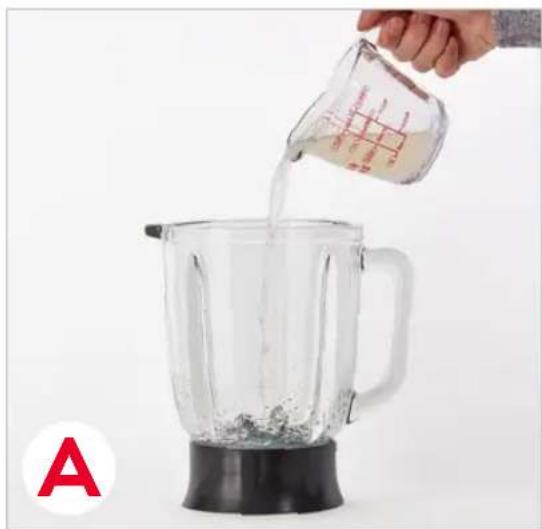
1 Begin by adding liquid ingredients to the Pitcher (photo A).
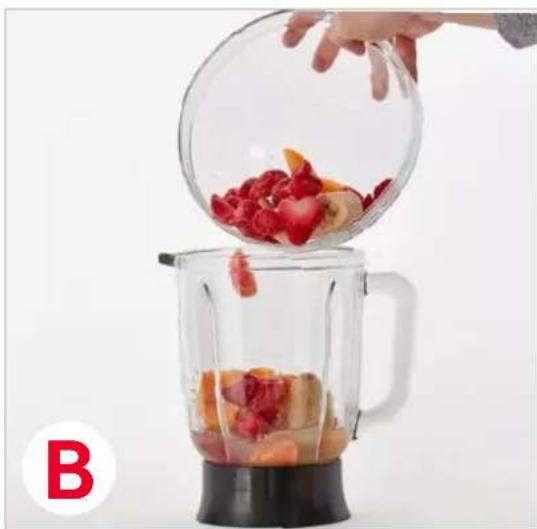
2 Add solid ingredients, such as fruits and vegetables (photo B).
The blending process will be quicker if items are loosely chopped into medium-sized pieces.
USING YOUR QUEST BLENDER
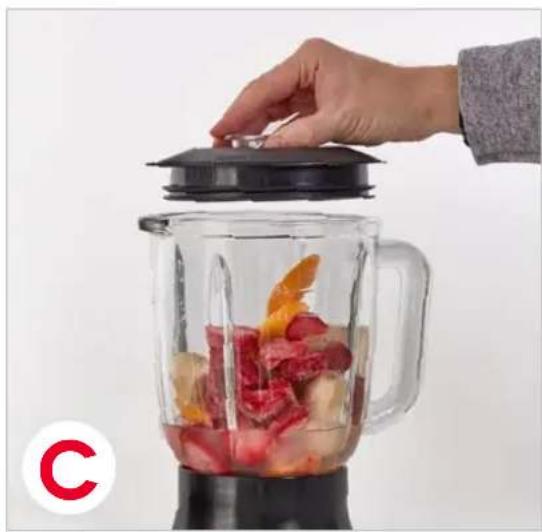
3 Attach the Lid to the Pitcher, pressing down to secure (photo C).
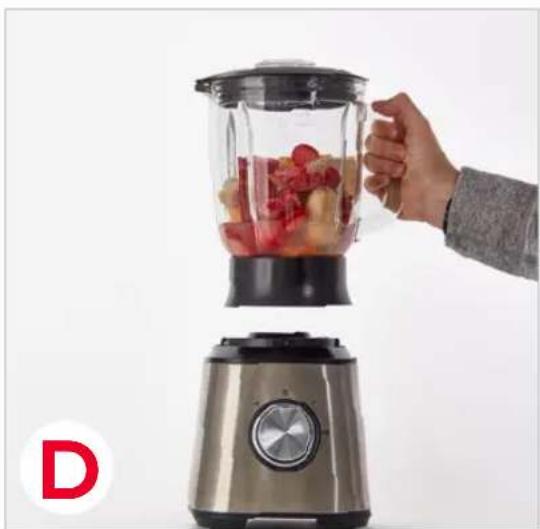
4 Rest the Motor Base on a flat, stable surface. Add the Pitcher to the Motor Base and plug in the appliance (photo D).
USING YOUR QUEST BLENDER
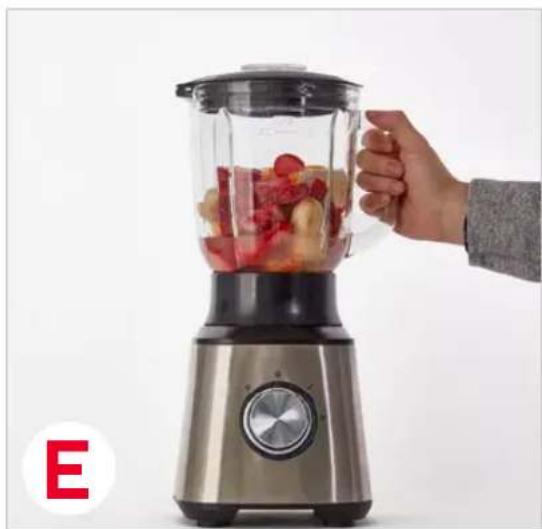
5 Once placed on top of the Motor Base, rotate clockwise to lock into place (photo E).
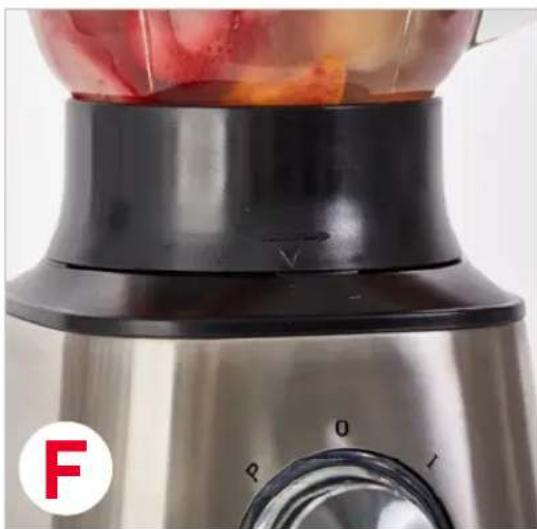
6 You will notice the arrow on the base of the Pitcher line up with the arrow on the Motor Base (photo F).
WARNING: Keep hands and utensils out of the Pitcher when in use. Always make sure that the Lid is secure before blending.
USING YOUR QUEST BLENDER
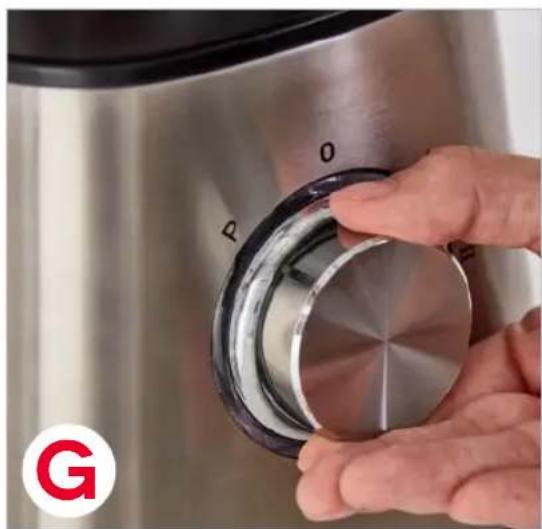
7 To Pulse, rotate the dial repeatedly towards the Pulse Setting, labeled "P" (photo G).
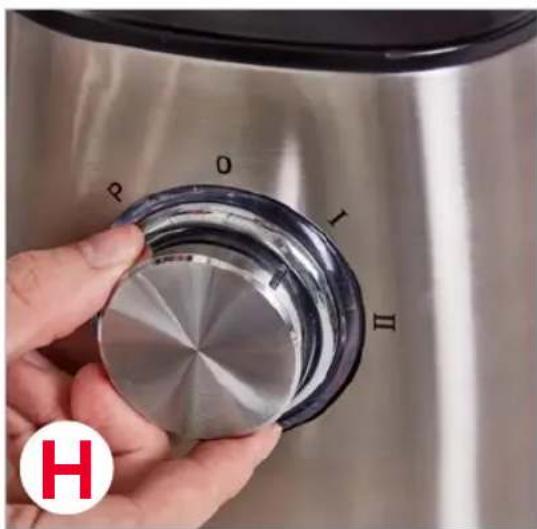
8 To use the Blender on Low power, turn the Dial to "I" (photo H).
USING YOUR QUEST BLENDER
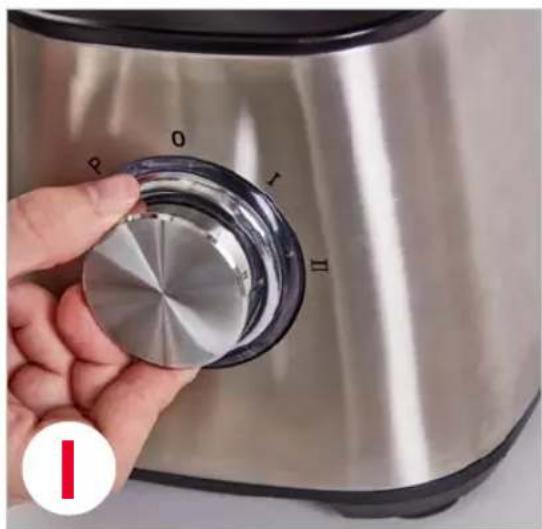
9 Use the Blender on High power, turn the Dial to "II" (photo I).
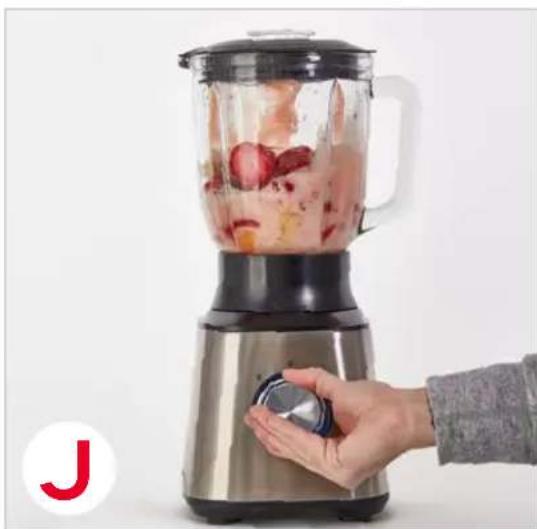
Blend until desired consistency is reached (photo J). Then turn the dial to "0" to turn it off.
USING YOUR QUEST BLENDER
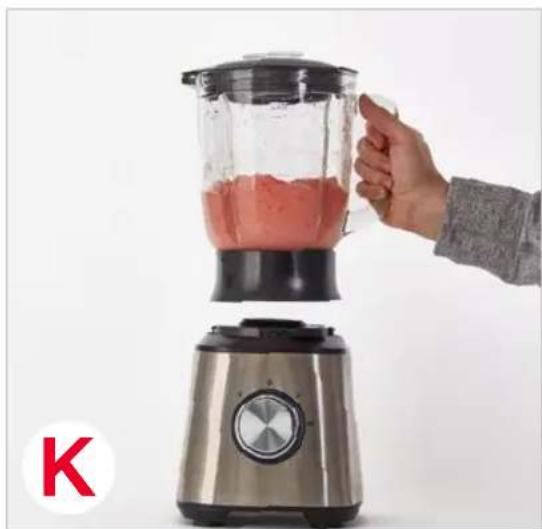
11 Once blending is completed, rotate the Pitcher counter-clockwise and lift to remove (photo K).

Remove the Lid and serve (photo L).
REMOVING THE BLADE
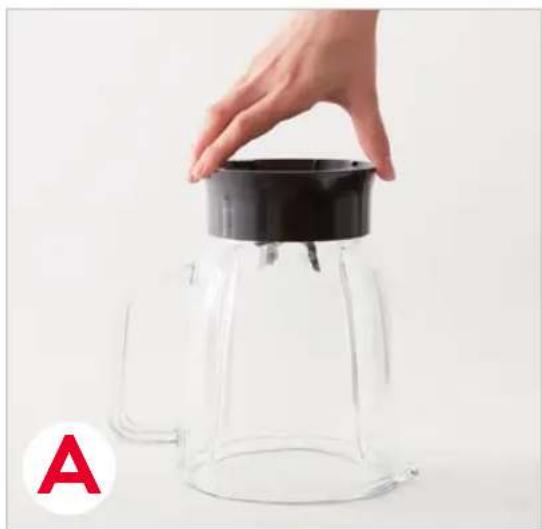
1 Remove the Pitcher, turn upside down and place carefully onto a stable surface (photo A).
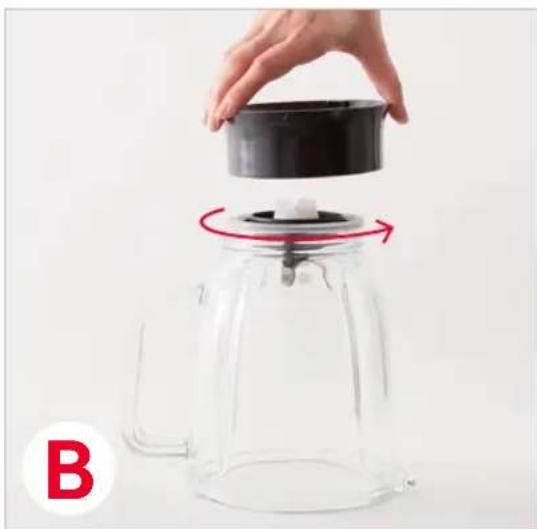
2 Unscrew the Blade Lock (photo B).
REMOVING THE BLADE
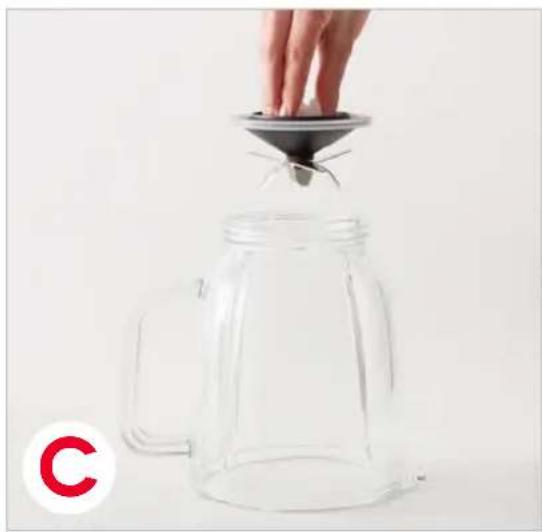
3 Carefully remove the Blade (photo C).
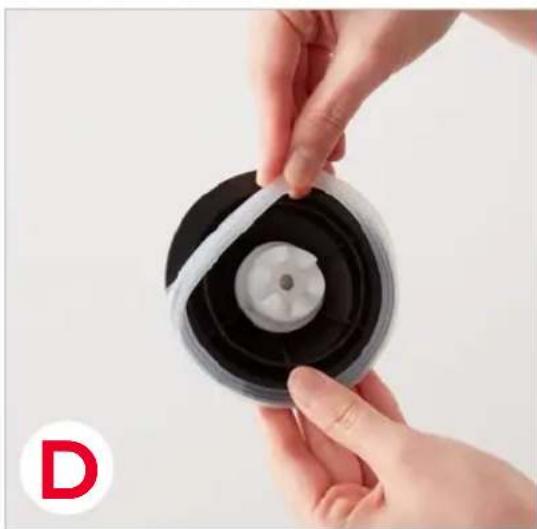
4 Remove the Blade Seal from around the Blade for cleaning (photo D).
NOTE FOR REASSEMBLY: Reinsert the parts in the opposite order they were removed and firmly screw the Blade Lock back into place.
CLEANING & MAINTENANCE
- Before cleaning or moving the appliance, make sure to unplug the Blender.
- Remove the Pitcher from the Motor Base.
- Empty any contents from the Pitcher.
- To remove the Blade, turn the Blade Lock clockwise until you can lift the Lock out of place. Then carefully remove the Blades and Blade Seal (see pages 18-19).
- Hand wash only.
- If you prefer you can wash the Pitcher in the sink with hot, soapy water, using a brush to clean the Blade.
- Dry the base of the Pitcher thoroughly.
- Wipe down the Motor Base with a damp cloth.
- If you removed the Blade Assembly for cleaning, reinsert the parts in the opposite order they were removed, and firmly screw the Blade Lock counterclockwise back into place.
- When you are storing the Pitcher for an extended period of time, store it upside down, without the Lid, to allow any residual moisture to evaporate.
- IMPORTANT: DO NOT SUBMERGE THE MOTOR BASE IN WATER OR OTHER LIQUIDS.
RECIPE

Fellow us!
@bydash | recipes, videos, & inspiration
@unprocessyourfood | veg & vegan-friendly meals

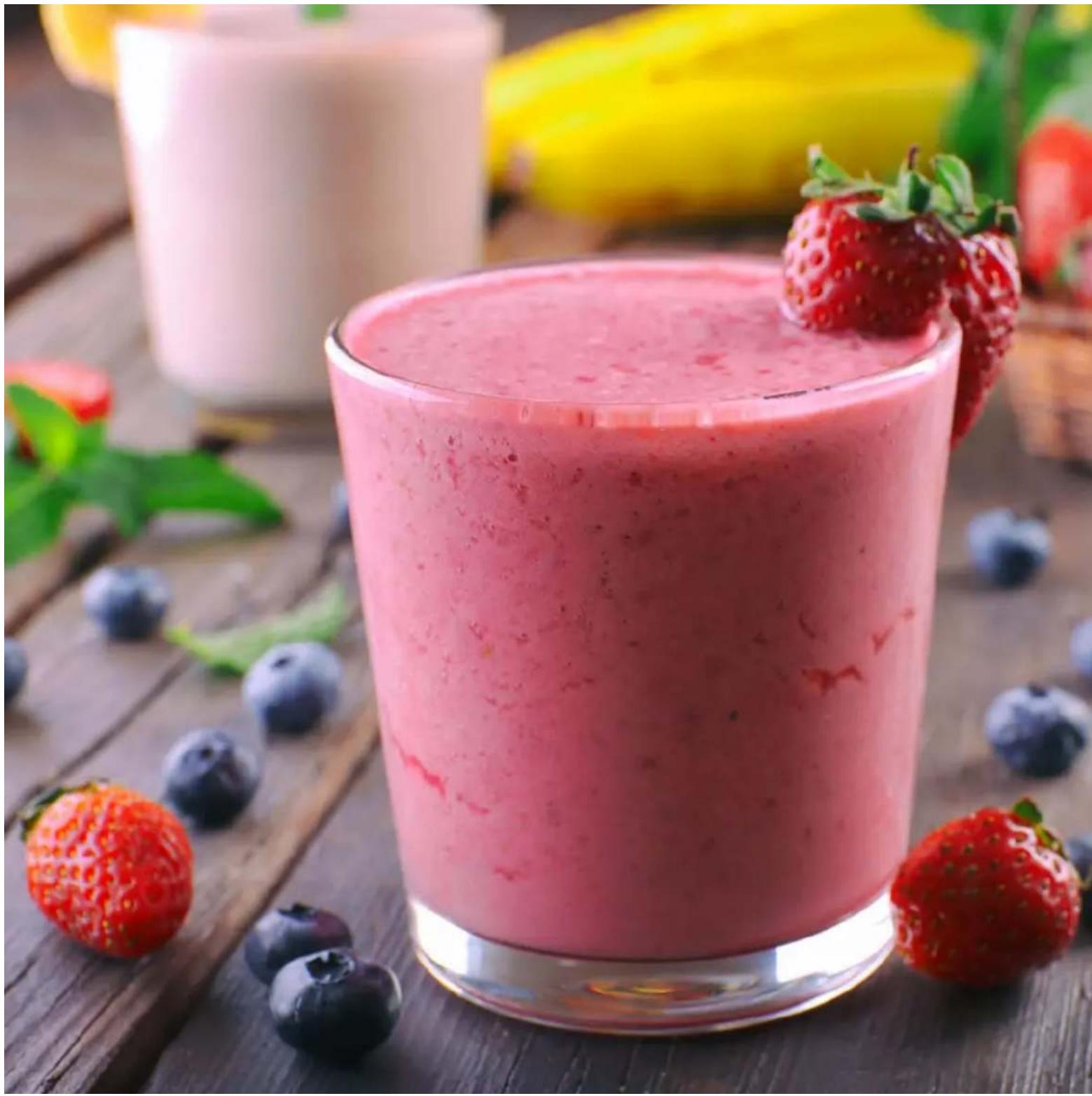
VERY BERRY SMOOTHHIE
Ingredients:
1 1/2 cups milk
8 frozen strawberries
12 cups frozen blueberries
4 tbsp Greek yogurt
1 banana, halved
4 tsp ground flax seeds
agave, to taste
Directions:
- Add all of the ingredients to the Quest Blender, adding the frozen berries last. Blend on speed "II" until creamy.

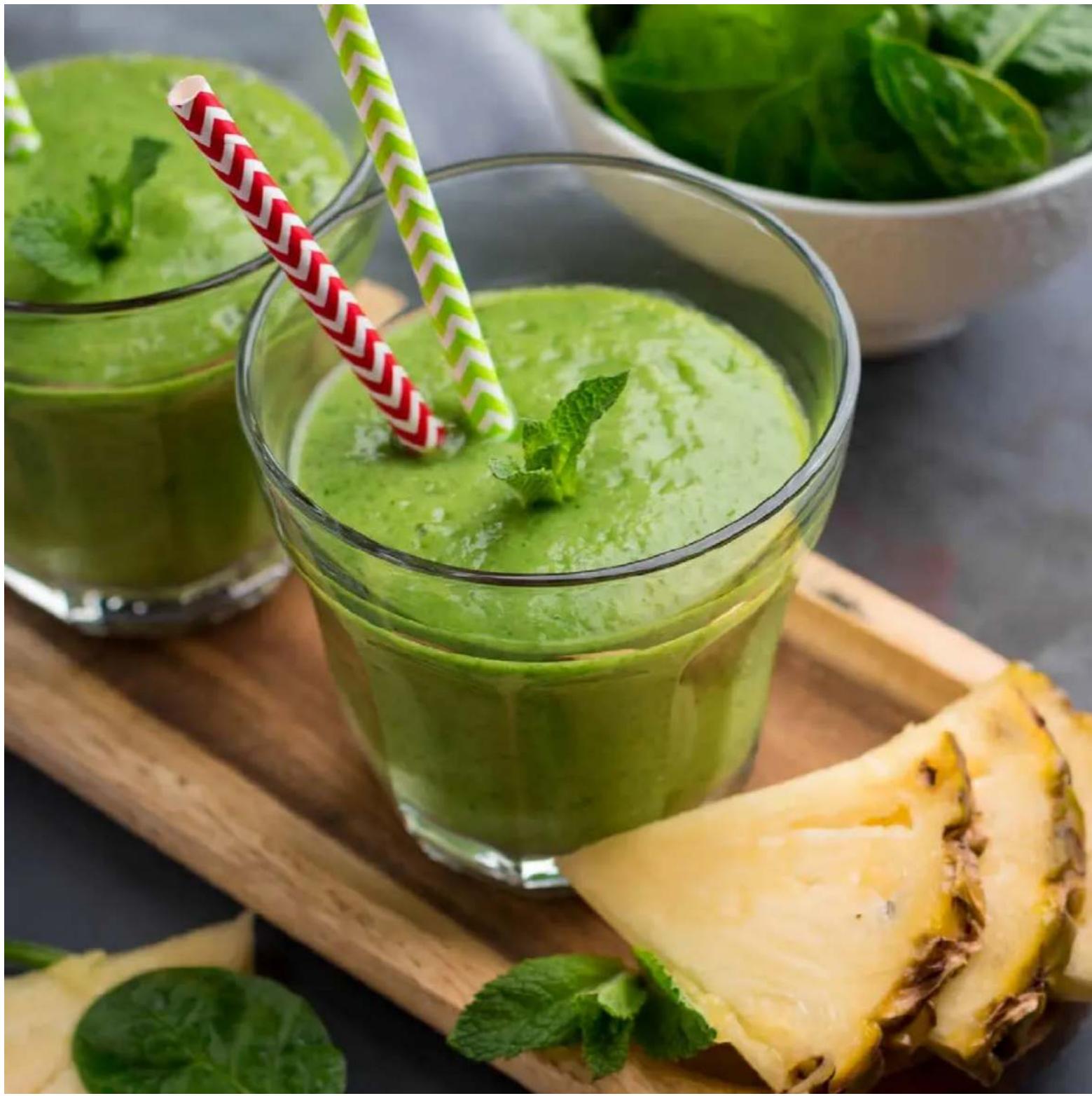
PINEAPPLE MINT SMOOTHIE
Ingredients:
1 cup frozen pineapple chunks
2 cups orange juice
12 cup plain yogurt
6-7 mint leaves
Directions:
- Add all of the ingredients to the Quest Blender, adding the frozen pineapple last. Blend all ingredients on speed "I" until the desired consistency is reached.

STRAWBERRY KIWI SMOOTHHIE
Ingredients:
1 1/2 cups apple juice
2 frozen bananas, cut into 2 pieces
8 strawberries, halved
2 kiwis, sliced
honey, to taste
Directions:
- Add all of the ingredients to the Quest Blender, adding the frozen banana last. Blend all ingredients on speed "II" until creamy.

- Add all of the ingredients to the Quest Blender. Blend all ingredients on speed "II" until consistency is smooth. Serve cold.

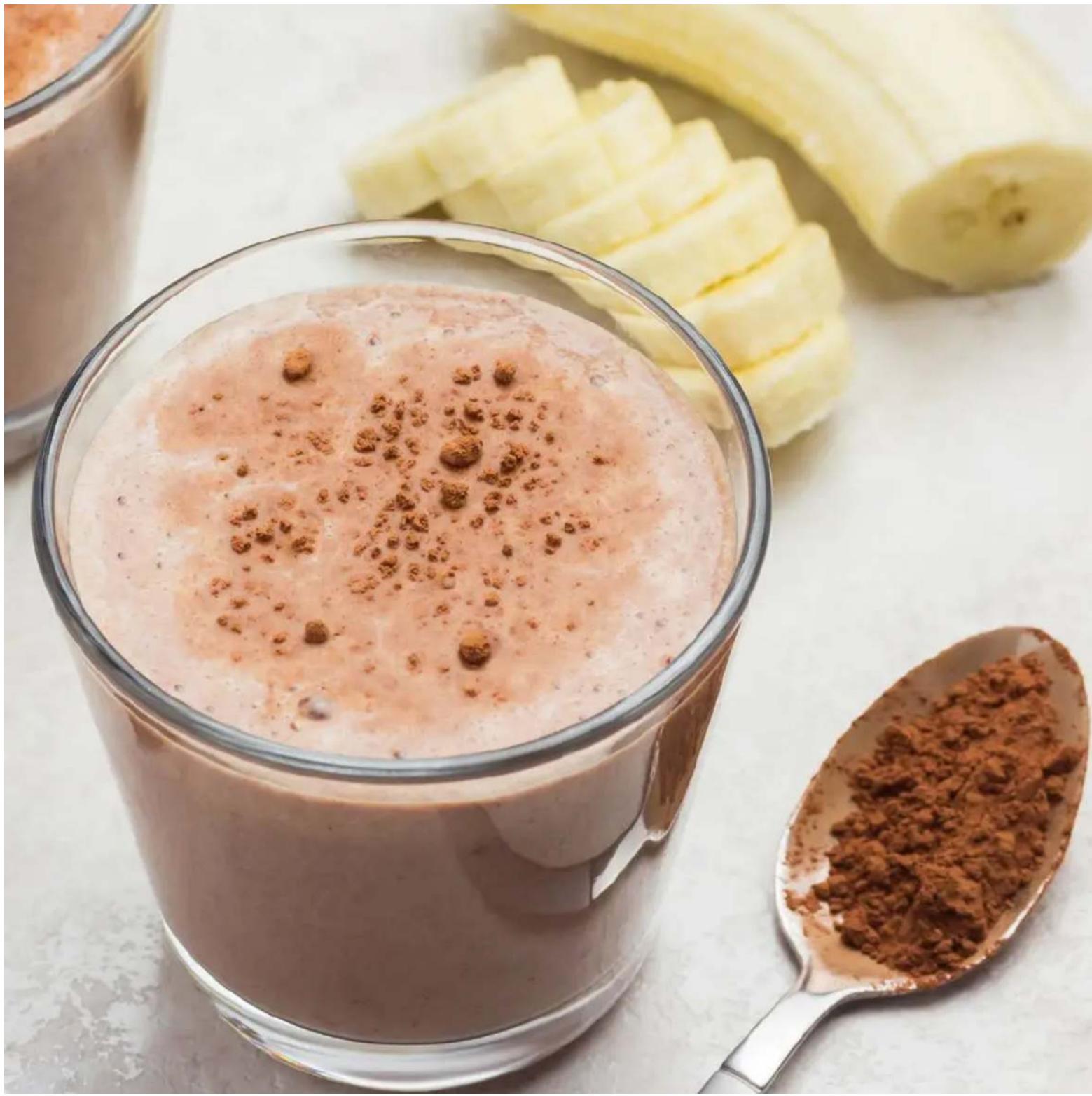
COCONUT MOCHA SHAKE
Ingredients:
1 cup cold brew coffee concentrate
1 cup coconut milk
2 frozen bananas, cut into 2 pieces
4 tbsp unsweetened cocoa powder
Directions:
- Fill the Quest Blender with all of the ingredients, making sure to add the frozen bananas last.
- Cover with the Lid and blend on speed "II" for about 1 minute or until smooth.

PALEO MINT CHOCOLATE SHAKE
Ingredients:
2 frozen bananas, cut into 2" pieces
2 tbsp almond butter
4 tbsp cocoa powder
1 / 2 tsp mint extract
1 tsp vanilla extract
2 cups almond milk
Directions:
- Fill the Quest Blender with all of the ingredients, making sure to add the frozen bananas last.
- Cover with the Lid and blend on speed "II" for about 1 minute or until smooth.

PEACHES 'N CREAM SHAKE
Ingredients:
1 cup canned or fresh peaches
12 cup vanilla ice cream
1 ½ cups milk
honey, to taste
Directions:
- Add all of the ingredients to the Quest Blender. Blend all ingredients on speed "I" until desired consistency is reached.

POWER SHAKE
Ingredients:
2 frozen bananas, cut into 2" pieces
1 scoop vanilla protein powder
12 cup rolled oats
2 cups milk
1 / 4 tsp cinnamon
Directions:
- Fill the Quest Blender with all of the ingredients, adding the frozen banana last. Cover with the Lid and blend on speed "ll" for about a minute or until smooth.

CHOCOLATE PEANUT BUTTER BANANA SMOTHHIE
Ingredients:
2 frozen bananas, cut into 2'' pieces
2 tbsp peanut butter
4 tbsp cocoa powder
2 cups milk
Directions:
- Add milk first, then cocoa powder and peanut butter, and finally the bananas to your Quest Blender. Blend for about a minute on speed "II". Enjoy!
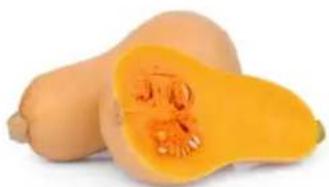
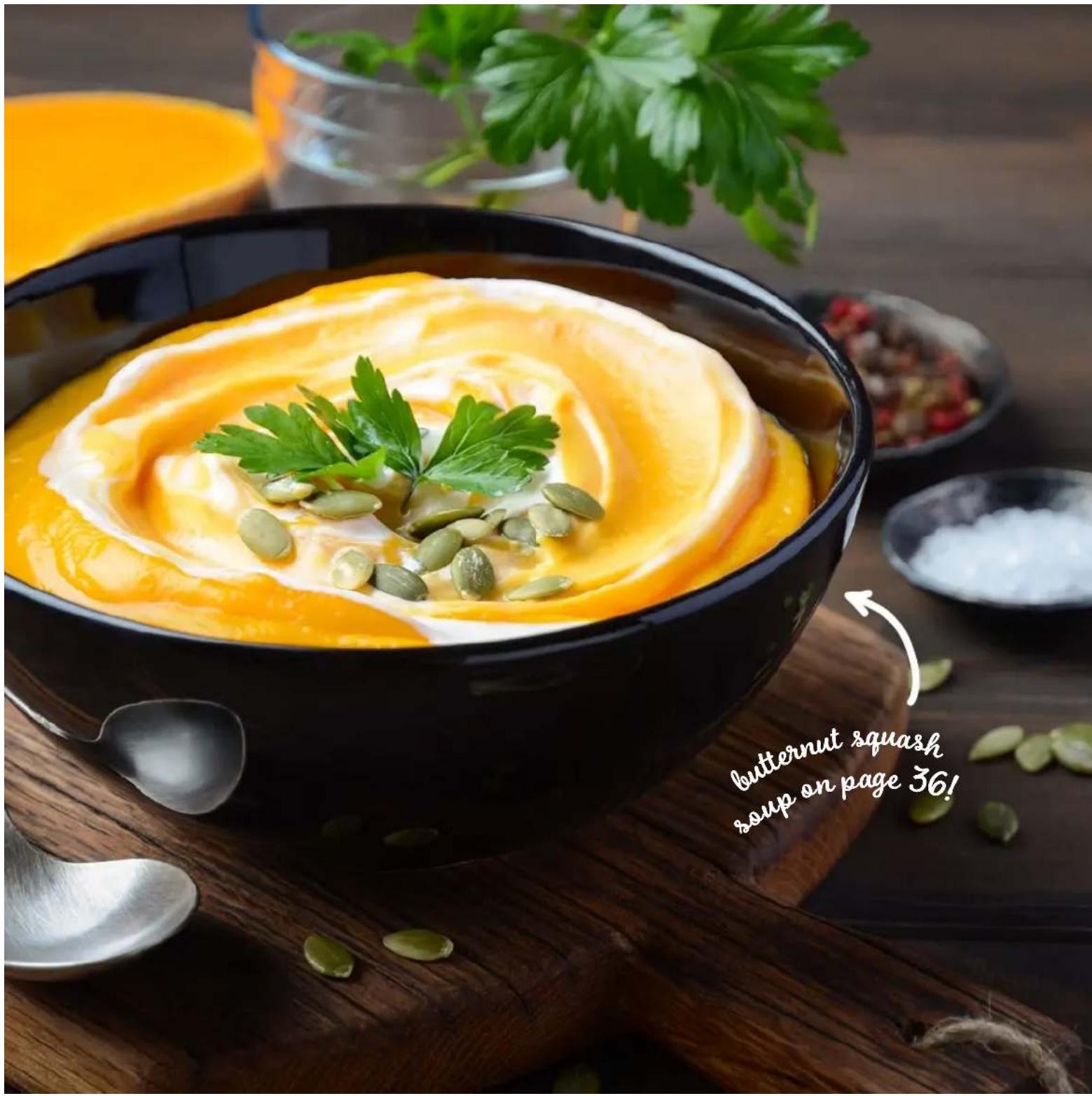
BUTTERNUT SQUASH SOUP
Ingredients:
1 small butternut squash, peeled, seeded, and cut into 34'' cubes
1 / 2 tsp cinnamon
pinch of nutmeg
1 cup chicken stock
crumbled Gorgonzola cheese, to garnish
1 cup water
chopped walnuts, to garnish
1 / 2 small onion, diced
creme fraiche or Greek yogurt, to garnish
1 tbsp butter
Directions:
- Melt butter in a large saucepan over medium heat. Add the butternut squash, stirring to coat the squash in butter. Cook for 3 minutes. Add the chicken stock, water, onion, and spices.
- Bring to a boil and then reduce heat to low. Cover and simmer for about 20 minutes or until the squash is tender.
- Remove from heat and let cool. Once the mixture is near room temperature, transfer to the Quest Blender and blend on speed "II" until smooth. Pour soup into bowl and heat in microwave.
- Garnish with creme fraiche, gorgonzola, and walnuts.
MANGO MARGARITA
Ingredients:
1 12 cups frozen mango chunks, thawed
12 cup tequila
14 cup lime juice
2 1/2 tbsp agave
1 ½ cup ice
Directions:
- Fill the Quest Blender with all of the ingredients, adding the frozen mango last. Blend all ingredients on speed "II" until the desired consistency is reached. Serve in margarita glasses with salted rims.
CUSTOMER SUPPORT

Dash values quality and workmanship and stands behind this product with our Feel Good Guarantee™. To learn more about our commitment to quality, visit bydash.com/feelgood.
Our customer support teams in the US and Canada are at your service Monday - Friday during the times below.
Contact us at 1 (800) 898-6970 or support@bydash.com
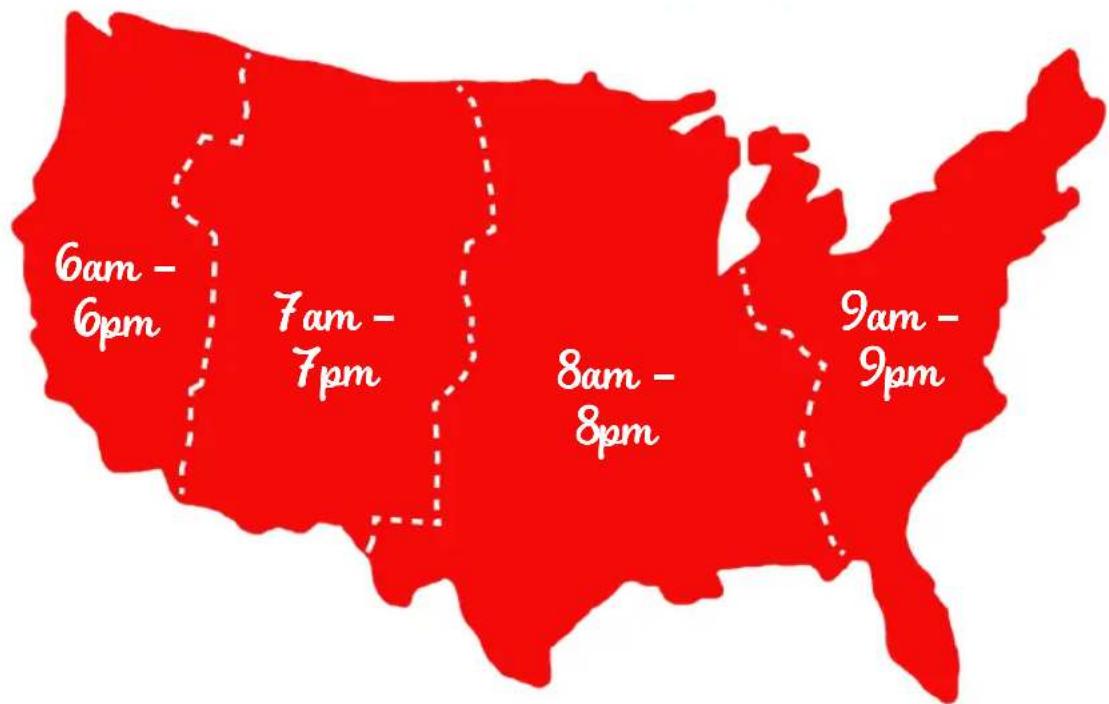
Hey Hawaii! You can reach our customer service team from 3AM to 3PM. And also, Alaska, feel free to reach out from 5AM to 5PM.
STOREBOUND, LLC - 1 YEAR LIMITED WARRANTY
Your StoreBound product is warranted to be free from defects in material and workmanship for a period of one (1) year from the date of the original purchase when utilized for normal and intended household use. Should any defect covered by the terms of the limited warranty be discovered within one (1) year, StoreBound, LLC will repair or replace the defective part. To process a warranty claim, contact Customer Support at 1 (800) 898-6970 for further assistance and instruction. A Customer Support agent will assist you by troubleshooting minor problems. If troubleshooting fails to fix the problem, a return authorization will be issued. Proof of purchase indicating the date and place of purchase is required and should accompany the return. You must also include your full name, shipping address, and telephone number. We are unable to ship returns to a PO box. StoreBound will not be responsible for delays or unprocessed claims resulting from a purchaser's failure to provide any or all of the necessary information. Freight costs must be prepaid by the purchaser.
Send all inquiries to support@bydash.com.
There are no express warranties except as listed above.
REPAIR OR REPLACEMENT AS PROVIDED UNDER THIS WARRANTY IS THE EXCLUSIVE REMEDY OF THE CUSTOMER. STOREBOUND SHALL NOT BE LIABLE FOR ANY INCIDENTAL OR CONSEQUENTIAL DAMAGES OR FOR BREACH OF ANY EXPRESS OR IMPLIED WARRANTY ON THIS PRODUCT EXCEPT TO THE EXTENT REQUIRED BY APPLICABLE LAW. ANY IMPLIED WARRANTY OF MERCHANTABILITY OR FITNESS FOR A PARTICULAR PURPOSE ON THIS PRODUCT IS LIMITED IN DURATION TO THE DURATION OF THIS WARRANTY.
Some states do not allow the exclusion or limitation of incidental or consequential damages, or limitations on how long an implied warranty lasts. Therefore, the above exclusions or limitations may not apply to you. This warranty gives you specific legal rights and you may also have other rights, which vary from state to state.
Refurbished items or items not purchased through an authorized retailer are not eligible for warranty claims.
REPAIRS
DANGER! Risk of electric shock! The Dash Quest Blender is an electrical appliance.
Do not attempt to repair the appliance yourself under any circumstances.
Contact Customer Support regarding repairs to the appliance.
TECHNICAL SPECIFICATIONS
Voltage 120V 60Hz
Power Rating 600W
- QUEST BLENDER
- IMPORTANT SAFEGUARDS: PLEASE READ AND SAVE THIS INSTRUCTION AND CARE MANUAL.
- IMPORTANT SAFEGUARDS
- GARANTIES IMPORTANTES
- GARANTIES IMPORTANTES: VEUILLEZ LIRE ATTEN-TIVEMENT CE MANUEL AVANT D'UTILISER L'APPAREIL.
- BEFORE FIRST USE
- USING YOUR QUEST BLENDER
- REMOVING THE BLADE
- CLEANING & MAINTENANCE
- RECIPE
- VERY BERRY SMOOTHHIE
- Ingredients:
- Directions:
- PINEAPPLE MINT SMOOTHIE
- STRAWBERRY KIWI SMOOTHHIE
- COCONUT MOCHA SHAKE
- PALEO MINT CHOCOLATE SHAKE
- PEACHES 'N CREAM SHAKE
- POWER SHAKE
- CHOCOLATE PEANUT BUTTER BANANA SMOTHHIE
- BUTTERNUT SQUASH SOUP
- MANGO MARGARITA
- CUSTOMER SUPPORT
- STOREBOUND, LLC - 1 YEAR LIMITED WARRANTY
- REPAIRS
- TECHNICAL SPECIFICATIONS
Brand : Dash
Model : Quest DQB150GBAQ02
Category : Blender