KN5103 - Capacitive level sensor IFM - Free user manual and instructions
Find the device manual for free KN5103 IFM in PDF.



| Product type | Capacitive level sensor |
| Brand | IFM |
| Model | KN5103 |
| Main function | Level control in tanks |
| Detection principle | Capacitive |
| Detectable materials | Dry bulk and liquid materials (depending on mounting) |
| Mounting | In the wall or outside the tank |
| Housing for wall mounting | KNM30BSA |
| Housing for off-wall mounting | KNM30NSA |
| Condition for off-wall mounting | Non-metallic tanks |
| Electrical connection | According to label, de-energization mandatory |
| Output | Switching and clogging output (fc-output) |
| LED indications | Green (operational), yellow (switching/short circuit), red (error/clogging) |
| Adjustment | Push button or programming input (pin 2) |
| Adjustment modes | "empty" and "full" |
| Locking/Unlocking | By pressing ≥10 s or programming input |
| Safety | De-energize the installation before connection |
| Usage | Dry bulk materials for wall mounting; dry bulk and liquid materials for off-wall mounting |
| Detection type | Direct contact or through the wall |
| Error validation | Brief button press |
| Clogging output error signal | 2 Hz |
| Programming input | Pin 2 |
| Available types | FPKG (PNP) and FNKG (NPN) |
| Programming LED flashing | Slow (1 Hz) then fast (2 Hz) |
Frequently Asked Questions - KN5103 IFM
User questions about KN5103 IFM
0 question about this device. Answer the ones you know or ask your own.
Ask a new question about this device
Download the instructions for your Capacitive level sensor in PDF format for free! Find your manual KN5103 - IFM and take your electronic device back in hand. On this page are published all the documents necessary for the use of your device. KN5103 by IFM.
USER MANUAL KN5103 IFM
natural_image
Pure mechanical assembly diagram without any text, numbers, or symbolsnatural_image
Simple line drawing of a U-shaped container with a side outlet and a small protrusion (no text or symbols)natural_image
Simple line drawing of a U-shaped container with a side outlet and a cylindrical object inserted into it (no text or symbols)Function and features
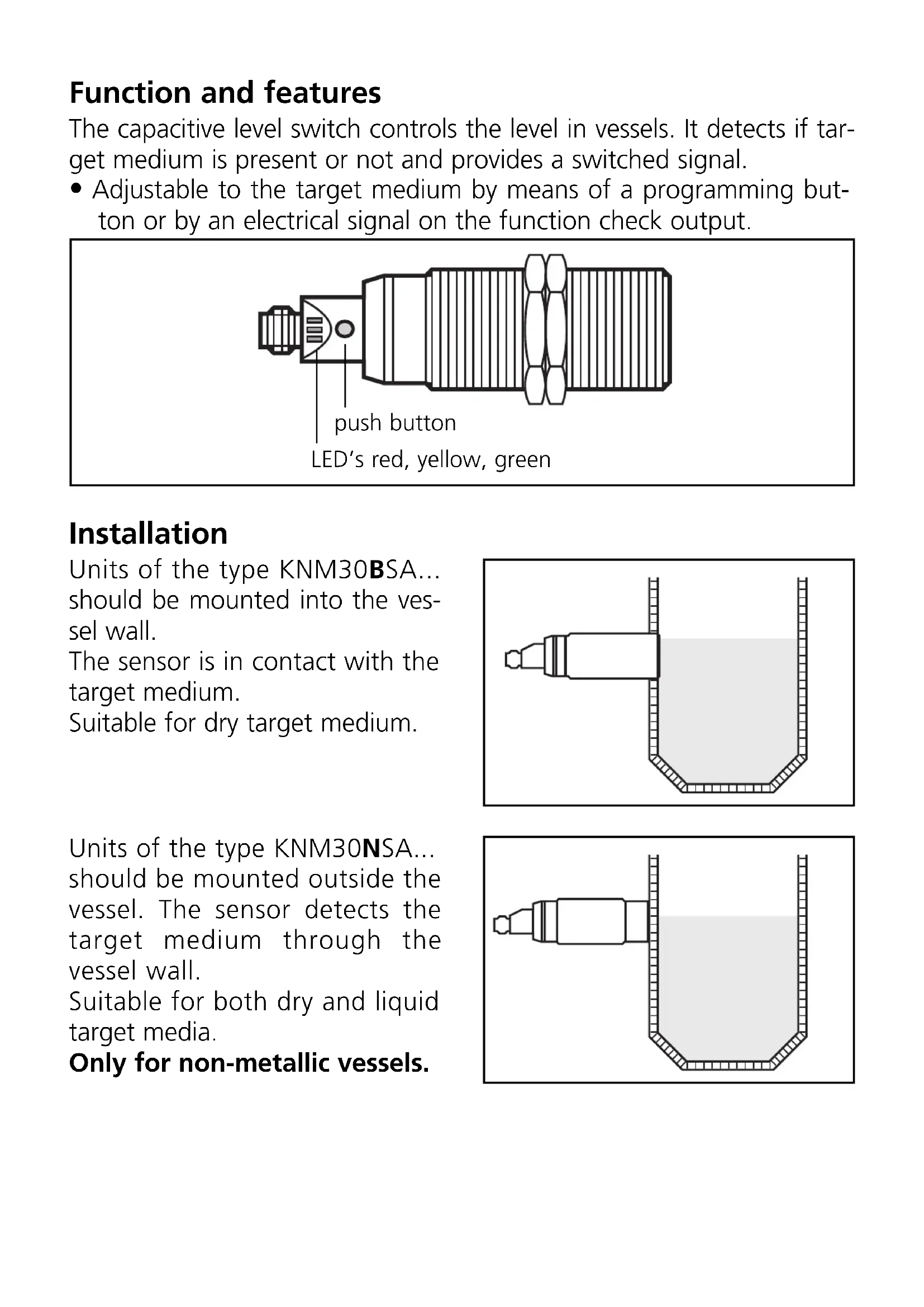
The capacitive level switch controls the level in vessels. It detects if target medium is present or not and provides a switched signal.
- Adjustable to the target medium by means of a programming button or by an electrical signal on the function check output.
Installation
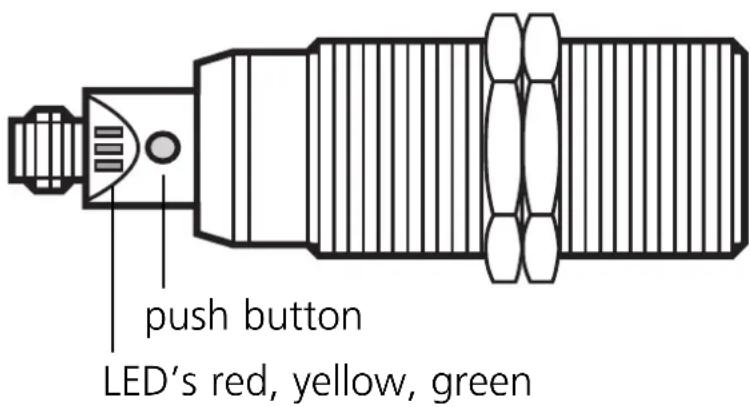
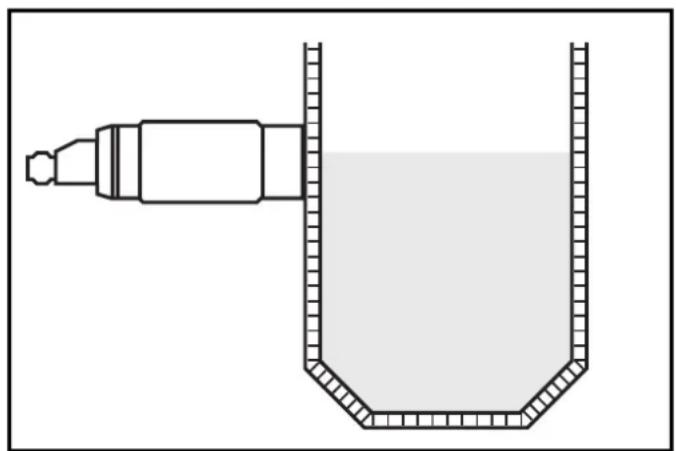
Units of the type KNM30BSA... should be mounted into the vessel wall.
The sensor is in contact with the target medium.
Suitable for dry target medium.
natural_image
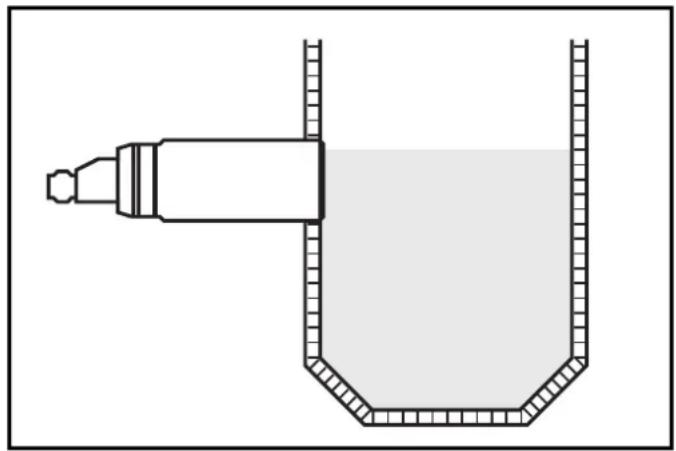
Simple line drawing of a U-shaped container with a side outlet and a small protrusion (no text or symbols)Units of the type KNM30NSA... should be mounted outside the vessel. The sensor detects the target medium through the vessel wall.
Suitable for both dry and liquid target media.
Only for non-metallic vessels.
natural_image
Simple line drawing of a U-shaped container with a side outlet and a cylindrical object inserted into it (no text or symbols)Electrical connection
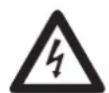
Disconnect power before connecting the unit. Connect according to the indications on the type label.
Setting
- With target medium absent
The setpoint is adjusted while the vessel is empty. When target medium is detected, the sensor's output switches. The switch-on and switch-off points are automatically generated.
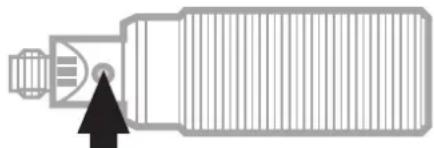
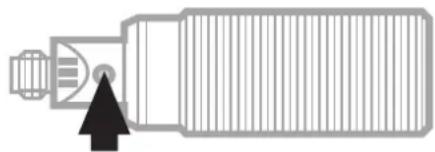 Press until the green LED flashes (max. 5s), then release the button.* Press until the green LED flashes (max. 5s), then release the button.* |  | LED green flashes (= unit is in the programming mode); |
| after a short time the green LED lights (= unit is set and is in the operating mode). |
- With target medium present
For most applications setting the sensor while the vessel is empty is sufficient. You can, if you wish, make an additional adjustment with the target medium present (e.g. to obtain an optimum excess gain for special applications).
| 1 | 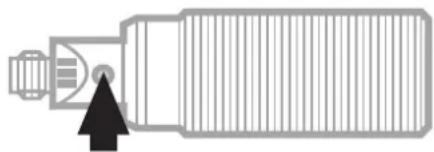 Press the button and keep itpressed (5 ... 10s).* Press the button and keep itpressed (5 ... 10s).* |  | 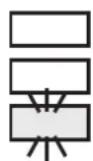 | 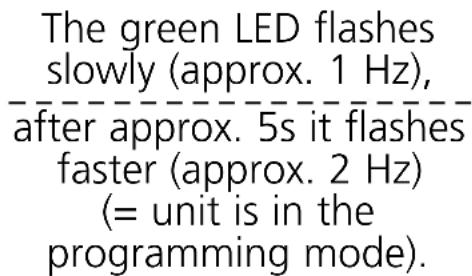 |
 |  Now release the button. Now release the button. |  | 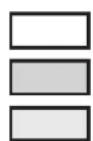 | 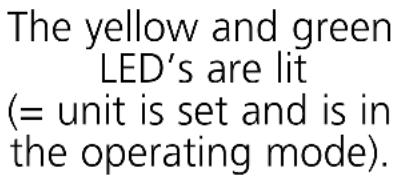 |
*You can adjust the setpoint via pin 2 (fc output).
(signal length = duration of pressing the button)
Type FPKG: (+U_B) to pin 2; type FNKG: (-U_B) to pin 2.
The setpoint values made with an empty vessel are not overwritten by automatic setting while the vessel is full. You can update adjustment with the vessel full as often as you wish. (Automatic setting with the vessel full will return the “full” setting to the factory default.)

If adjustment is not possible (e.g. “empty” signal strength and “full” signal strength are almost the same), the red LED flashes after setting (in addition the function check output provides a 2Hz signal).
Press the button briefly (= acknowledgement) and repeat setting.
Locking / Unlocking:
| 1 | 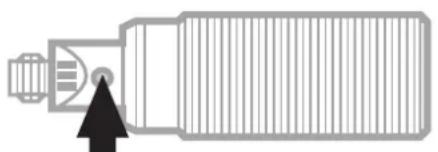 Press for at least 10s* Press for at least 10s* | [szwc] | At first the green LED flashes slowly, then faster. After 10s it goes out. The unit is locked. |
| 2 | 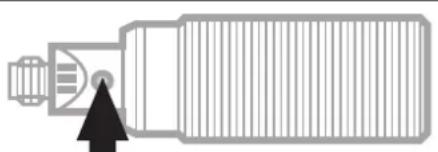 Press for at least 10s* Press for at least 10s* | [szgd] | After 10s all LED's go out for a short time. The unit is unlocked and the LED's indicate the current operating status. |
*You can also lock/unlock the unit via pin 2 (fc output).
(signal length = duration of pressing the button)
Type FPKG: (+U_B) to pin 2.
Type FNKG: (-U_B) to pin 2.
Operation
Check whether the unit functions properly. Indication by LED's and by the function check output:
| LED green | unit is ready for operation |
| LED yellow lit | = output is switchedflashing = output is short-circuited |
| LED red+fc output | ON = uncertain range:- when the vessel is full: target medium is not safely detected- when the vessel is empty: the “empty” signal has changed since the last setpoint adjustment (e.g. due to excessive build-up of deposits).flashing + 2Hz signal of the fc output= error in setting or locking / unlocking. |
natural_image
Simple line drawing of a U-shaped container with a side outlet and a small protrusion (no text or symbols)natural_image
Simple line drawing of a U-shaped container with a side outlet and a pointed tip, no text or symbols present.
Brand : IFM
Model : KN5103
Category : Capacitive level sensor