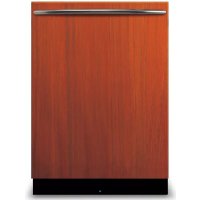
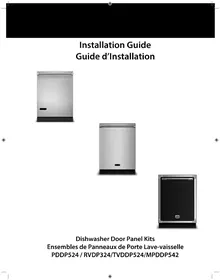
VIKING TVDDP524DG - Dishwasher

TVDDP524DG - Dishwasher VIKING - Free user manual and instructions

Find the device manual for free TVDDP524DG VIKING in PDF.

📄 8 pages English EN Download 💬 AI Question 10 questions ⚙️ Specs
Notice VIKING TVDDP524DG - page 2
View the manual : Français FR English EN
Pick your language and provide your email: we'll send you a specifically translated version.
Brand Viking
Model TVDDP524DG
Product Type Built-in dishwasher
Dimensions (W x D x H) 60 x 60 x 85 cm
Weight 45 kg
Electrical supply 220-240 V, 50/60 Hz, 10 A
Number of place settings 14
Noise level 44 dBA
Energy class E (according to previous regulation)
Water consumption per cycle 9.5 L
Energy consumption per cycle 0.92 kWh
Wash programs Intensive, Normal, Rapid, Eco, Rinse
Options Delayed start, Extra drying, Half load
Drying type Condensation
Tub material Stainless steel
Self-cleaning function Maintenance program
Installation Built-in with custom decorative panel
Maintenance Regular cleaning of filters and spray arms
Safety Leak protection, child lock, door lock

Frequently Asked Questions - TVDDP524DG VIKING

How to install the custom door panel on my Viking TVDDP524DG dishwasher?
Follow the steps provided in the manual: attach the brackets to the back of the panel, screw in the screws, then attach the panel to the appliance with the plastic caps. Open the door, remove the inner cap at position 5 and screw. Check alignment and adjust if necessary.
What tools are needed for the door panel installation?
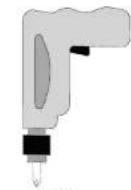
You need a drill with a Phillips bit.
What to do if the bottom of the door touches the cabinet toe kick?
If the door touches the toe kick, cut the necessary part of the toe kick (Figure B). Apply silicone or sealant to the cut edge to prevent moisture absorption, or paint it.
Where can I find spare parts for the TVDDP524DG?
Contact Viking customer service at 1-888-845-4641 or visit vikingrange.com to order spare parts.
What is the noise level of this dishwasher?
The noise level is approximately 44 dBA, which corresponds to quiet operation.
How many place settings can the Viking TVDDP524DG hold?
This dishwasher can hold up to 14 standard place settings.
What wash programs are available?
Programs include: Intensive, Normal, Rapid, Eco and Rinse. You can also select options like Delayed start, Extra drying and Half load.
How to maintain my Viking dishwasher?
Regularly clean the filters and spray arms under running water. Use a maintenance program or a specific dishwasher cleaner.
Does the dishwasher have a child lock?
Yes, this model is equipped with a door lock and a leak protection system for safe use.
What is the water consumption per cycle?
The water consumption is approximately 9.5 liters per cycle, making it resource-efficient.

User questions about TVDDP524DG VIKING

0 question about this device. Answer the ones you know or ask your own.

Ask a new question about this device

The email remains private: it is only used to notify you if someone responds to your question.

No questions yet. Be the first to ask one.

Download the instructions for your Dishwasher in PDF format for free! Find your manual TVDDP524DG - VIKING and take your electronic device back in hand. On this page are published all the documents necessary for the use of your device. TVDDP524DG by VIKING.

USER MANUAL TVDDP524DG VIKING

The unit comes with everything needed to make installing the door panel easy.

n- (2) Custom Door Plugs
w- (2) Plug Screws
x- (2) Door Screws
VIKING TVDDP524DG - 1
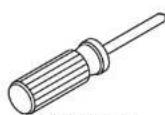
Tools Needed:
Drin w/ Phillips Driver
VIKING TVDDP524DG - 2
Phillips Head
Screwdriver

VIKING TVDDP524DG - 3
Provided Parts:

VIKING TVDDP524DG - 4

VIKING TVDDP524DG - 5

Step 1

Install the custom door plugs to the back of the door panel using the (2) plug screws
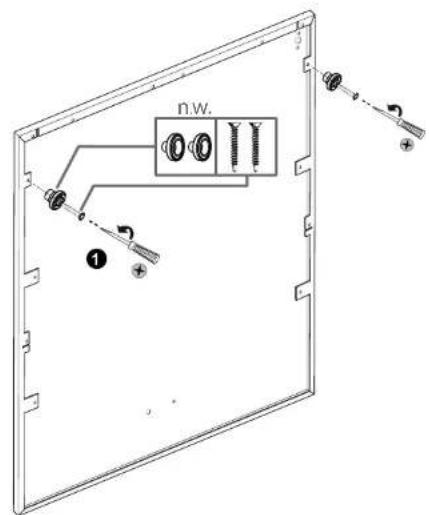
VIKING TVDDP524DG - Step 1 - 1

2

Installation

Step 2

Mount the panel door onto the dishwasher with the plastic custom door plugs installed in step one.
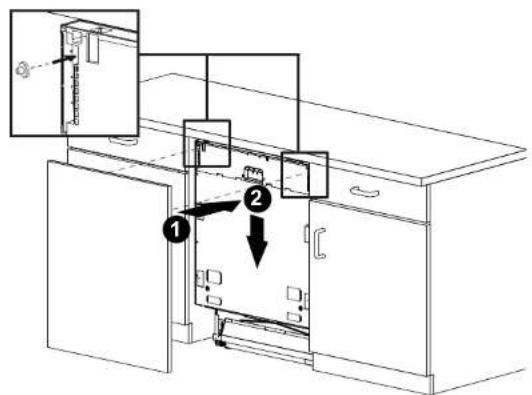
VIKING TVDDP524DG - Step 2 - 1

Step 3

Open the door and remove the cap inside the door at position 5
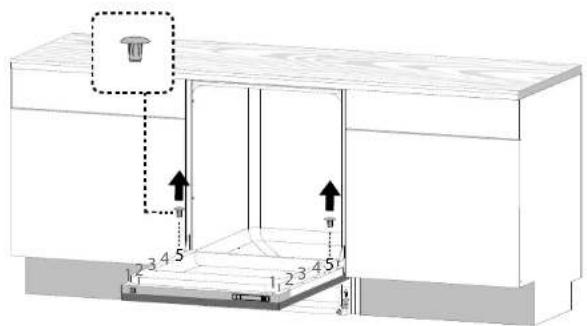
VIKING TVDDP524DG - Step 3 - 1

Step 4

Using the door screws provided, attach the panel to the dishwasher at position 5.
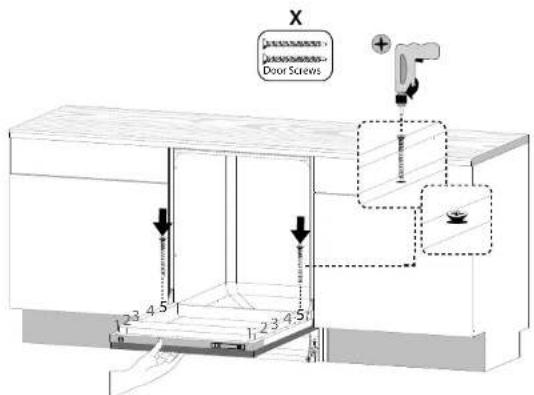
VIKING TVDDP524DG - Step 4 - 1
3

Installation

Step 5

Check the position of the panel door and make sure it is aligned properly.
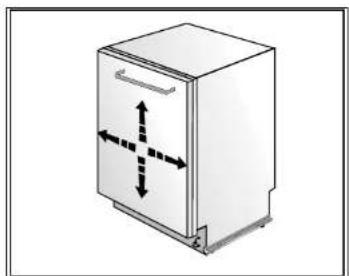
VIKING TVDDP524DG - Step 5 - 1

Step 6

Check whether the bottom of the door hits the kickplate of the kitchen cabinet (A). If the door hits the kickplate, cut the necessary section out of the kickplate (B). Apply silicon or sealant to the cut edge of the kitchen cabinet kickplate or paint so it does not absorb moisture (C).
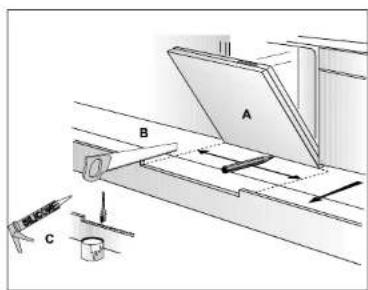

VIKING TVDDP524DG - Step 6 - 1

Installation

Table of contents Click a title to access it
Manual assistant
Powered by Anthropic
Waiting for your message
Product information

Brand : VIKING

Model : TVDDP524DG

Category : Dishwasher