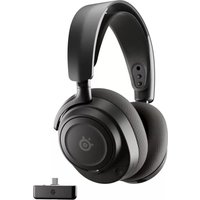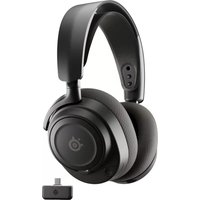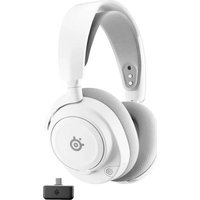
Arctis 7+ Wireless - Headphones STEELSERIES - Free user manual and instructions
Find the device manual for free Arctis 7+ Wireless STEELSERIES in PDF.



| Product type | Wireless headset |
| Brand | Steelseries |
| Model | Arctis 7+ Wireless |
| System compatibility | PC, Mac, PlayStation 5, PlayStation 4, Nintendo Switch, Android (USB-C) |
| Connectivity | Wireless 2.4 GHz via USB-C dongle, wired via 3.5 mm jack |
| Microphone | ClearCast 3 retractable with mute |
| Battery | Rechargeable lithium-ion via USB-C |
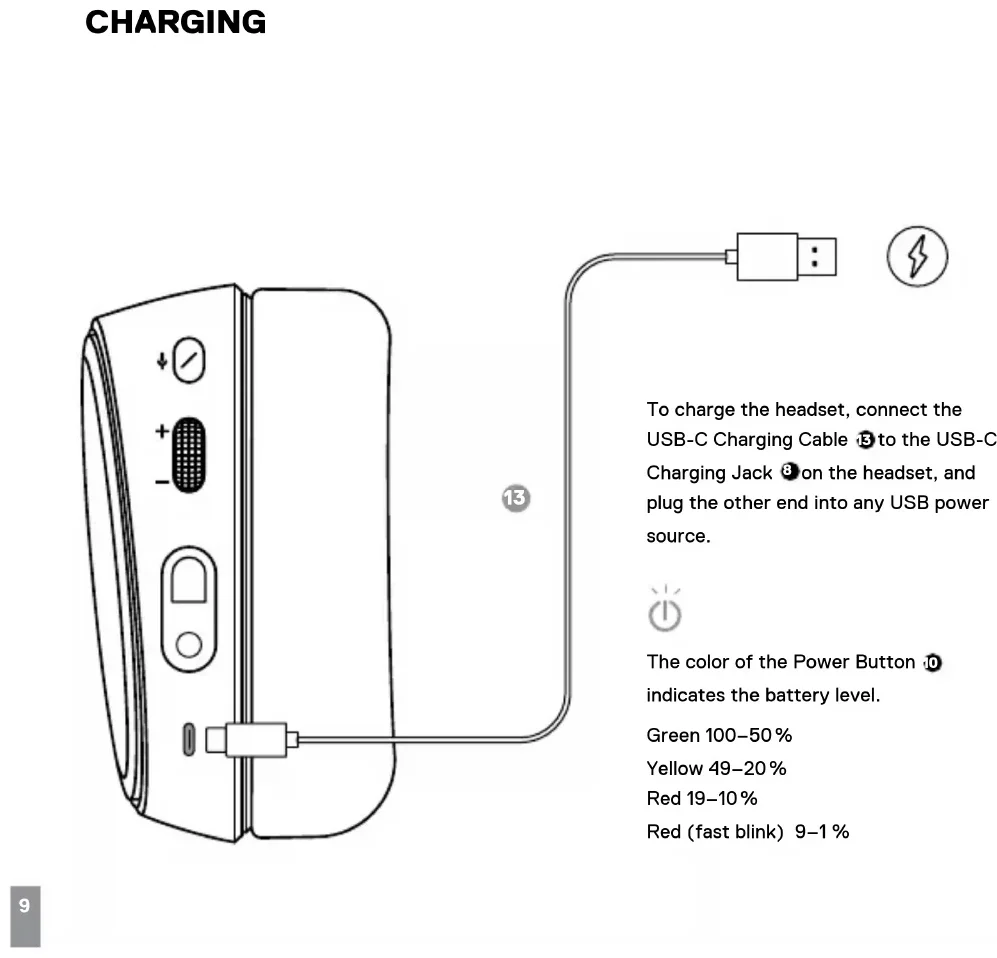
| Battery indicator | LED: green (100-50%), yellow (49-20%), red (19-10%), flashing red (9-1%) |
| Battery life | Approximately 30 hours |
| Headband | Adjustable with Velcro system |
| Ear cushions | Airweave |
| Main features | ChatMix dial, volume control, media controls (play/pause, track skip), microphone mute |
| Included accessories | USB-C dongle, USB-C to USB-A adapter cable, 4-pole 3.5 mm audio cable, USB-C charging cable |
| Care and cleaning | Clean with a soft, dry cloth. Do not use chemicals. |
| Safety | Do not expose to water or high temperatures. Use only the provided charger. |
| Spare parts and repairability | Accessories available at steelseries.com/gaming-accessories |
Frequently Asked Questions - Arctis 7+ Wireless STEELSERIES
User questions about Arctis 7+ Wireless STEELSERIES
0 question about this device. Answer the ones you know or ask your own.
Ask a new question about this device
Download the instructions for your Headphones in PDF format for free! Find your manual Arctis 7+ Wireless - STEELSERIES and take your electronic device back in hand. On this page are published all the documents necessary for the use of your device. Arctis 7+ Wireless by STEELSERIES.
USER MANUAL Arctis 7+ Wireless STEELSERIES
PRODUCT INFORMATION GUIDE
CONTENTS
Product overview 5-6
Setup 7
Charging 9
Power On/Off 10
Pairing 11
Microphone 12
Multimedia Control 13
Ski Goggle Headband 14
ChatMix Setup 15
Translations
Espanol 16
简体中文 18
繁體中文 20
日本語 22
24
Deutsch 26
Pycckn 28
Francais 30
Italiano 32
Portugués 34
Polski 36
Regulatory 39
WELCOME TO ARCTIS
Your new headset is the result of gaming expertise since 2001 and our unyielding pursuit of perfection. We poured our hearts into making your new Arctis, giving it the best gaming mic available, 7.1 surround sound and comfort and style unlike anything you've experienced before.
Arctis is our glory; now go chase yours.
STEELSERIES GG
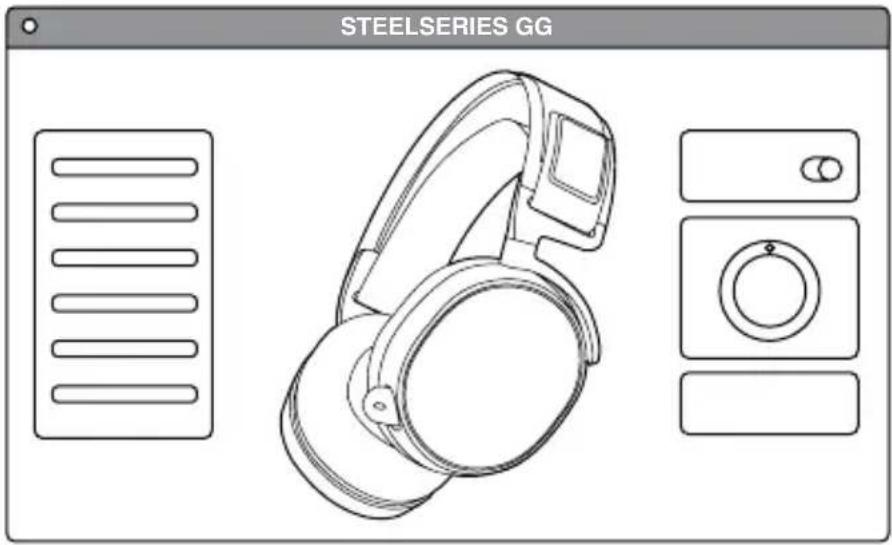
Download SteelSeries GG to customize your audio settings, setup ChatMix, use surround sound and to integrate with Engine Apps like Discord: steeleries.com/gg
PACKAGE CONTENTS
Product Information Guide
Artcis 7+ Wireless Headset
USB-C Wireless Dongle
USB-C to USB-A Adapter Cable
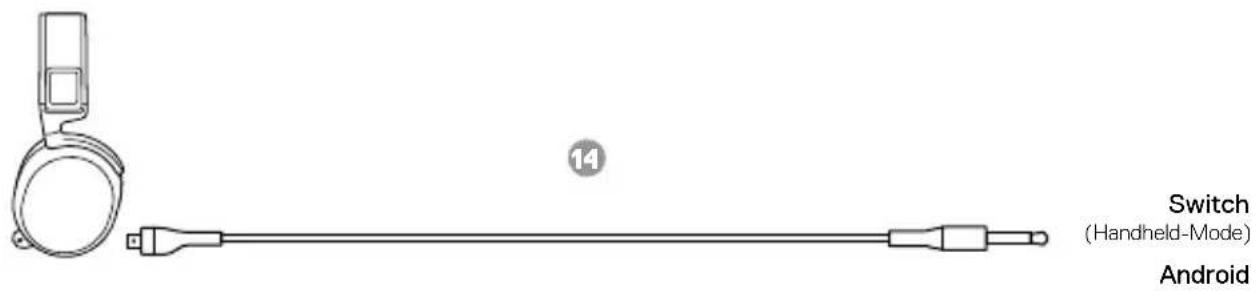
4-pole 3.5 mm Audio Cable
USB-C Charging Cable
SYSTEMCOMPATIBILITY
PC
Mac
PlayStation 5
PlayStation 4
Nintendo Switch
Android (with USB-C)
PRODUCT OVERVIEW
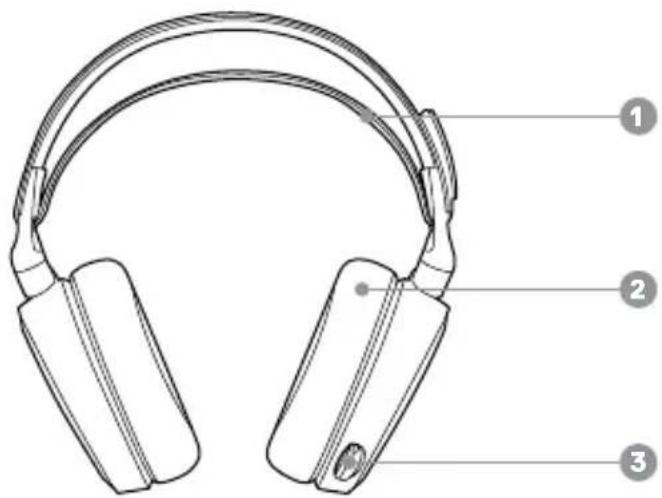
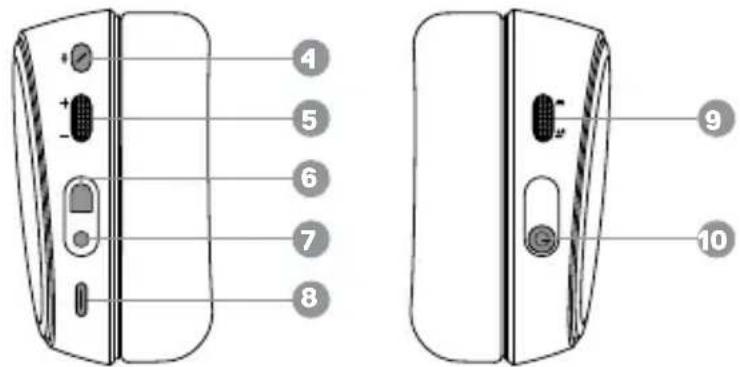
1 Ski Goggle Headband
2 Airweave Ear Cushions
3 Retractable Microphone
4 Microphone Mute Button
5 Volume Control
6 Mobile Cable Jack
7 Headphone Share Jack
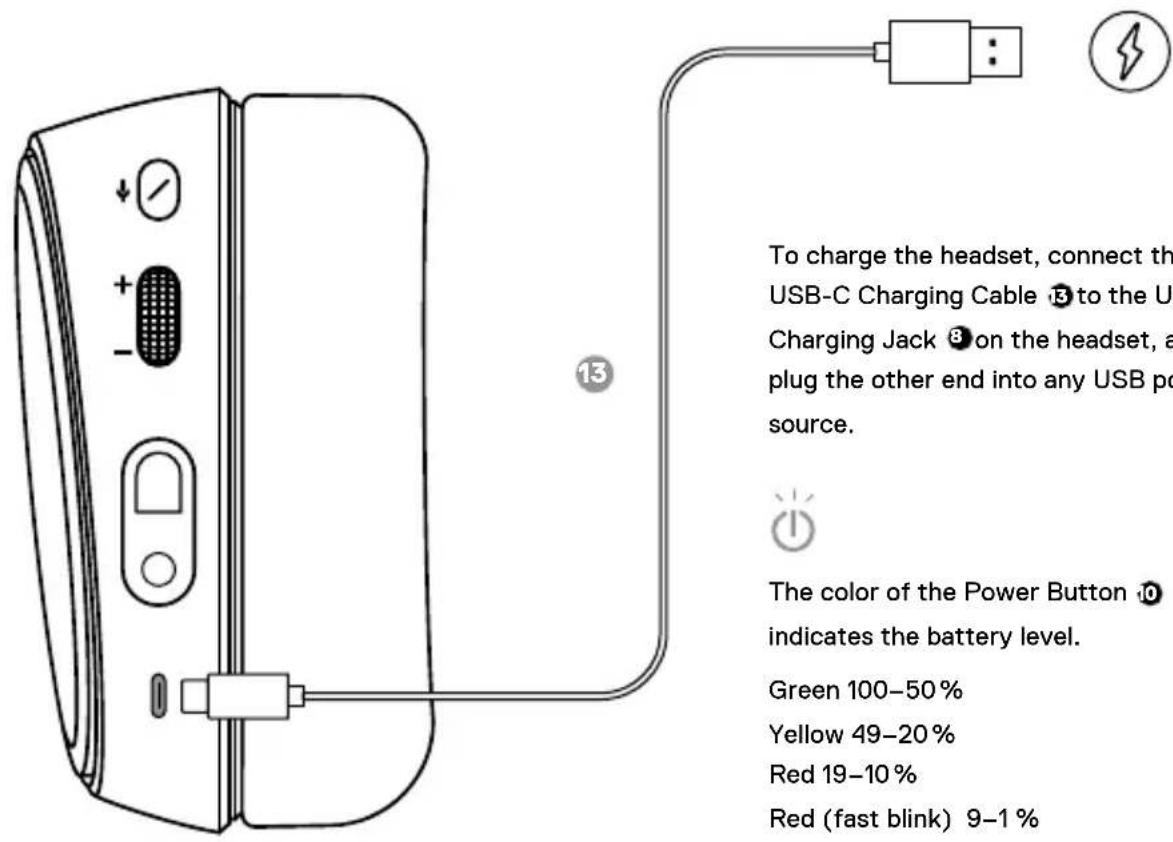
8 USB-C Charging Jack
9 ChatMix Dial
10 Power Button
*Find accessories at steelseries.com/gaming-accessories
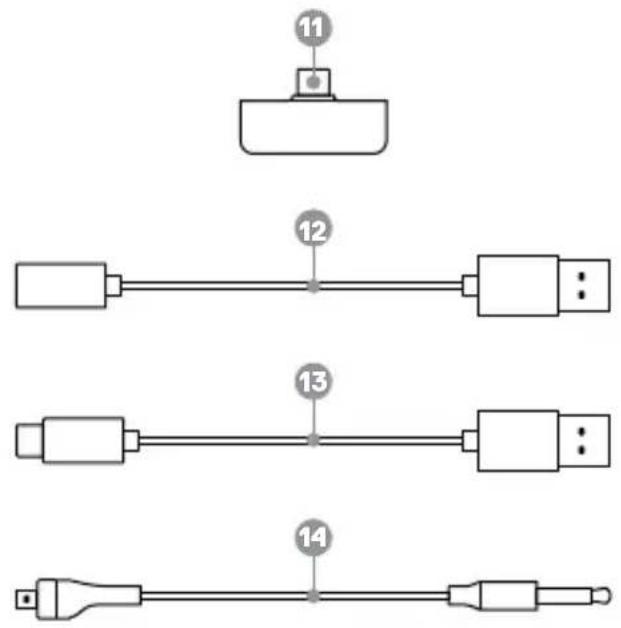
11 USB-C Wireless Dongle
12 USB-C to USB-A Adapter Cable
13 USB-C Charging Cable
14 4-pole 3.5 mm Audio Cable*
SETUP
More detailed product information at steelseries.com/arctis-7x
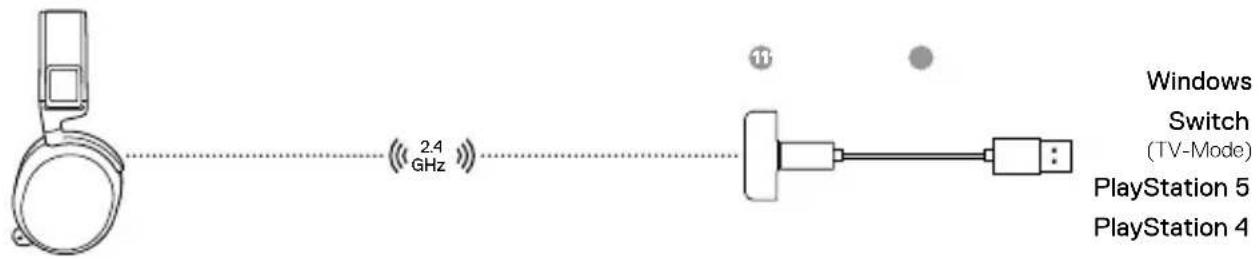
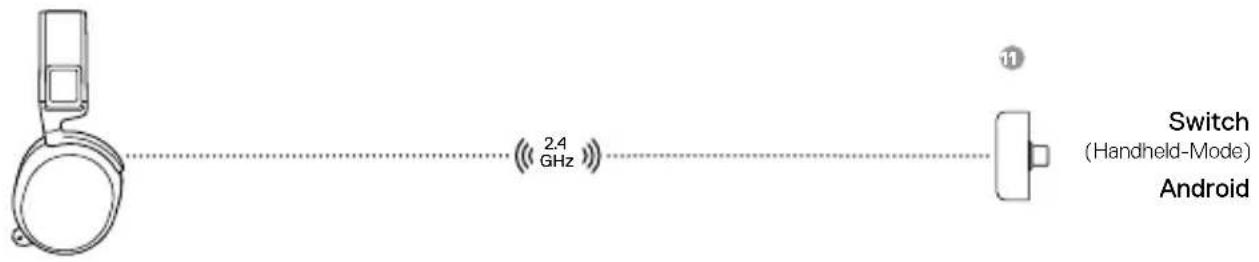
WIRELESS SETUP
Connection to USB-A
Connection to USB-C
WIRED SETUP
CHARGING
POWER ON/OFF
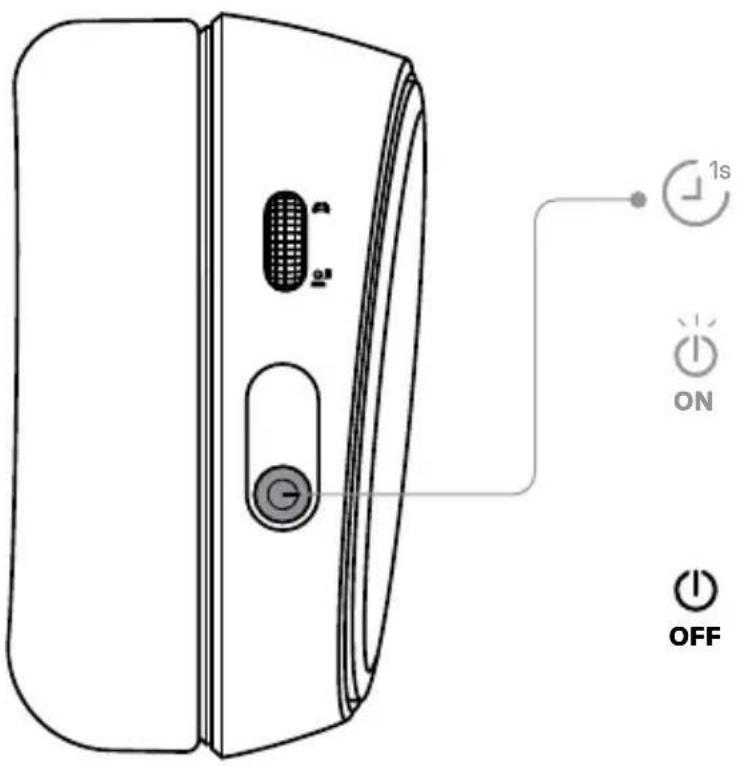
To power on the headset, press and hold the Power Button 0 for 1 second. You will hear a tone, and the Power Button 0 will illuminate.
To power off the headset, press and hold the Power Button for at least 3 seconds.
PAIRING
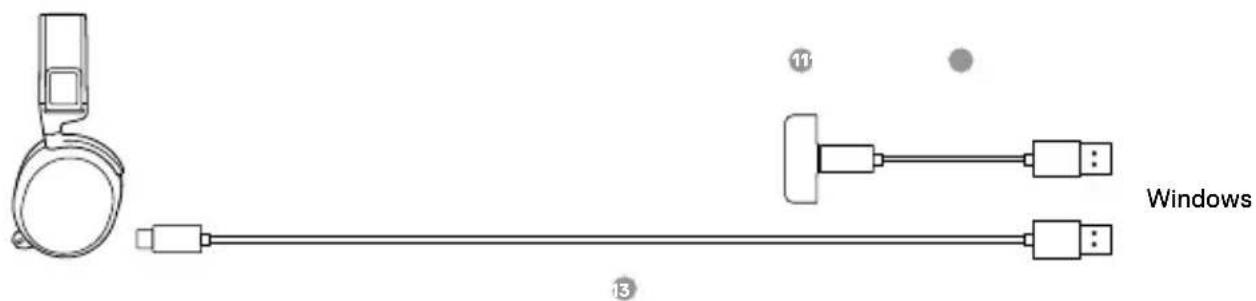
Note: The headset is already paired with the Dongle out of the box. To re-pair the Dongle
1 Connect the USB-C Wireless Dongle to a Windows PC with SteelSeries GG installed.
2 Use the USB-C Charging Cable to connect the headset to the same PC.
3 Use Engine from SteelSeries GG software to initiate the pairing.
4 Engine will show when pairing is completed.
MICROPHONE
RETRACTABLE MICROPHONEPOSITIONING
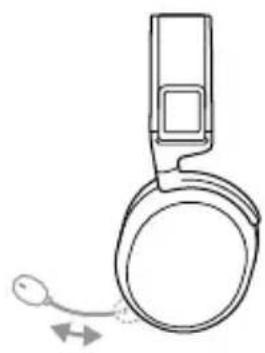
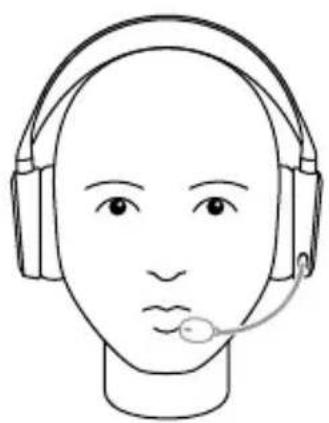
top viewfront view

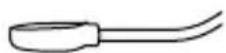
Position the ClearCast Microphone close to the corner of your mouth with the flat surface facing you.
MULTIMEDIA CONTROL
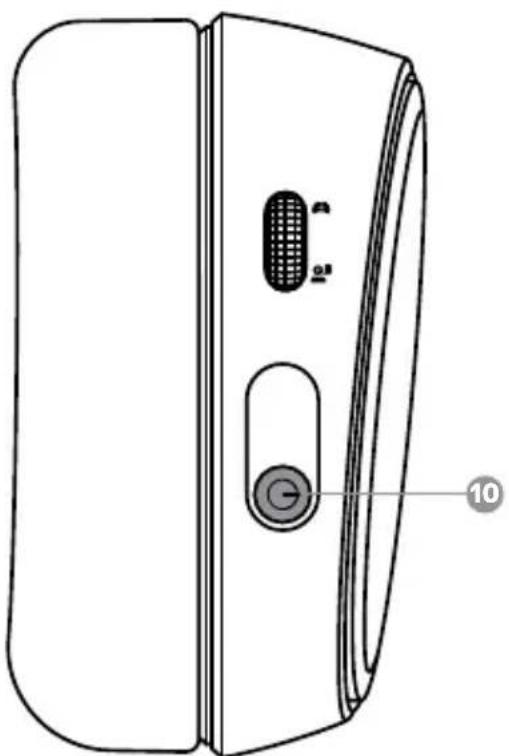

Answer/end voice call single - press Power Button 9

Play/pause music single · press Power Button 10

Next track double . . press Power Button

Previous track triple...press Power Button.
SKI GOGGLE HEADBAND

CHATMIX SETUP
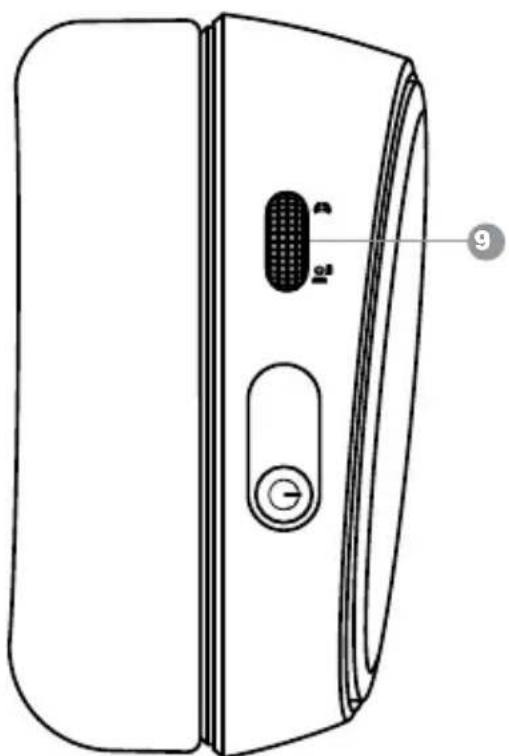
CHATMIX DIAL
Download and install SteelSeries GG, then run GG's first time audio setup. After finishing setup, the ChatMix Dial 9, can be used to control the balance between how much you hear of the game audio vs chat audio from your voice communication application.
ESPÁÑOL
Cable adaptor USB-C a USB-A
Cable de audio de 3,5 mm, 4 polos
Cable de energia USB-C
steelseries.com/gaming-accessories
CONFIGURACION
CONFIGURación INALÁBRICA
Conexión a USB-A
Conexión a USB-C
support.steelseries.com
产品概览
steelseries.com/gaming-accessories 查找配件
设置
无线设置
连接至USB-A
连接至USB-C
有线设置
更多详细的产品信息,请访问steelseries.com/ arctis-7x
充电
*steelseries.com/gaming-accessories@
首长
★
USB-A对连接
USB-C或端子
U
USB-C-Wireless-Dongle
support.steelseries.com
PRODUKTÜBERSICHT
steelseries.com/gaming-accessories
EINRICHUNG
Dongle wireless USB-C
support.steelseries.com
PANORAMICA SUL PRODOTTO
steelseries.com/gaming-accessories
CONFIGURAÇÃO
Europe - EU Declaration of Conformity
Hereby, SteelSeries ApS. declares that the equipment which is compliance with directive RoHS 2.0 (2015/863/EU), R.E.D (2014/53/EU), EMC Directive (2014/30/EU), and LVD (2014/35/EU) which are issued by the Commission of the European Community.
The full text of the EU declaration of conformity is available at the following internet address: https://steelseries.com/Operating Temperature: 0 to +40 °C
SteelSeries ApS. hereby confirms, to date, based on the feedback from our suppliers indicates that our products shipping to the EU territory comply with REACH (Registration, Evaluation, Authorization, and Restriction of Chemicals - (EC) 1907/2006) compliance program. We are fully committed to offering REACH compliance on the products and posting accurate REACH compliance status for the all of products.
Frequency bands and Powers (Headset and Transceiver)
a. Frequency band(s) in which the radio equipment operates: 2.400 - 2.4835 GHz
b. Maximum radio-frequency power transmitted in the frequency band(s) in which the radio equipment operates:
-EIRP: GFSK: 7.93 dBm (Headset)
-EIRP: GFSK: 6.62 dBm (Transceiver:HS33TXB)
EIRP: GFSK: 6.24 dBm (Transceiver:HS33TXQ)
c. Firmware Version: V1.0.0

UK Declaration of Conformity
Hereby, SteelSeries ApS. declares that the following equipment which is compliance with Electromagnetic Compatibility Regulations 2016, Electrical Equipment (Safety) Regulations 2016, Radio Equipment Regulations 2017 and The Restriction of the Use of Certain Hazardous Substances in Electrical and Electronic Equipment Regulations 2012 issued by the Department for Business, Energy& Industrial Strategy.
The full text of the UK declaration of conformity is available at the following internet address: https://steelseries.com/
WEEE
This product must not be disposed of with your other household waste or treat them in compliance with the local regulations or contact your local city office, your household waste disposal service or the shop where you purchased the product.
TURKEY ROHS COMPLIANCE
Republic of Turkey: In conformity with the EEE Regulation
Safety Guideline for Lithium Battery
This battery must not be disposed of with your other household waste or treat them in compliance with the local regulations or contact your local city office, your household waste disposal service or the shop where you purchased the product.

Federal Communication Commission Interference Statement
This device complies with Part 15 of the FCC Rules. Operation is subject to the following two conditions: (1) This device may not cause harmful interference, and (2) this device must accept any interference received, including interference that may cause undesired operation.
This equipment has been tested and found to comply with the limits for a Class B digital device, pursuant to Part 15 of the FCC Rules. These limits are designed to provide reasonable protection against harmful interference in a residential installation. This equipment generates, uses and can radiate radio frequency energy and, if not installed and used in accordance with the instructions, may cause harmful interference to radio communications. However, there is no guarantee that interference will not occur in a particular installation. If this equipment does cause harmful interference to radio or television reception, which can be determined by turning the equipment off and on, the user is encouraged to try to correct the interference by one of the following measures:
Reorient or relocate the receiving antenna.
Increase the separation between the equipment and receiver.
- Connect the equipment into an outlet on a circuit different from that to which the receiver is connected.
- Consult the dealer or an experienced radio/TV technician for help.
FCC Caution:
Any changes or modifications not expressly approved by the party responsible for compliance could void the user's authority to operate this equipment.
This transmitter must not be co-located or operating in conjunction with any other antenna or transmitter.
Radiation Exposure Statement:
The device has been evaluated to meet general RF exposure requirement, the device can be used in portable exposure condition without restriction.
FCC ID: ZHK-HS33 (Wireless Headset)
FCC ID: ZHK-HS33TXQ/ ZHK-HS33TXB(Transceiver)
Frequency bands and Powers
a. Frequency band(s) in which the radio equipment operates: 2.400 - 2.4835 GHz
b. Maximum radio-frequency power transmitted in the frequency band(s) in which the radio equipment operates:
Conducted Peak Power/GFSK: 5.18 dBm (Headset)
Conducted Peak Power/GFSK:5.47 dBm (Transceiver:HS33TXB)
Conducted Peak Power/GFSK: 5.15 dBm (Transceiver:HS33TXQ)
c. Firmware Version: V1.0.0
| Regions Contact Information | |
| USA SteelSeries ApS., 656 W Randolph St., Suite 3E, Chicago, IL 60661, USA +1 312 258 9467 |
More information and support from https://steelseries.com/
Industry Canada Statement:
This device complies with Industry Canada license-exempt RSS standard(s). Operation is subject to the following two conditions:
1) this device may not cause interference, and
2) this device must accept any interference, including interference that may cause undesired operation of the device. Le present appeareil est conforme aux CNR d'Industrie Canada
This Class B digital apparatus complies with Canadian ICES-003.
This device and its antenna(s) must not be co-located or operating in conjunction with any other antenna or transmitter, except tested built-in radios.
The County Code Selection feature is disabled for products marketed in the US/ Canada.
The appliance must not be exposed to splashes or drops of water and it should not be used as a support for any object filled with liquid, such as a vase.
RISK OF EXPLOSION IF BATTERY PACK IS NOT REPLACE BY SAME TYPE AS SPECIFIED BY THE MANUFACTURER.
Please keep follow all listed important warnings and cautions below while using this battery pack to avoid any damage or hazard.
- The battery polarity (+) and (-) shall not be connected and charged reversely. Risk of explosion if the battery polarity (+) and (-) is reversed.
- Please keep this battery pack away from fire and high heat sources due to the explosion that might happen. Do not place your battery pack close to any heater or hot location.
- This battery pack shall not be hit or impacted. This battery pack shall not be dealt with any sharp or keen objects either.
- This battery pack shall not be exposed to moisture, dripping or splashing.
- If any electrolyte flows out of this battery pack when touching the user's eyes and skin, please seek medical advice immediately.
"MISE EN GARDE!"
RISQUE D'EXPLOSION SI LE BLOC-PILES N'EST PAS REMPLACÉ PAR LE MÉME TYPE QUE SPECIFIÉ PAR LE FABRICANT.
Radiation Exposure Statement:
The device has been evaluated to meet general RF exposure requirement, The device can be used in portable exposure condition without restriction.
Transceiver IC: 9638A-HS33TXQ/ 9638A-HS33TXB
海道自
達國用開信建信
i)为自的,
This product is compliant with requirements of Circular No. 30/2011/TT-BCT Regulations "STIPULATING TEMPORARILY THE PERMISSIBLE CONTENT LIMITATION OF SOME TOXIC CHEMICALS IN THE ELECTRONIC, ELECTRICAL PRODUCTS"
Restriction on Hazardous Substances statement (India)
This product complies with the "India E-waste Rule 2011" and prohibits use of lead, mercury, hexavalent chromium, polybrominated biphenyls or polybrominated diphenyl ethers in concentrations exceeding 0.1 weight % and 0.01 weight % for cadmium, except for the exemptions set in Schedule 2 of the Rule.

Custom Union Compliance. (Russia / Belarus / Kazakhstan / Armenia / Kyrgyzstan)

Malaysia Approval (SIRIM)

ACMA Compliance (Australia/New Zealand)
RED (2014/53/EU), EMCD(2014/30/EU) and LVD (2014/35/EU) Compliances (The Commission of the European Community.)

Direct Current
Complies with IMDA Standards DA 106032
Singapore approval (IMDA)
| Region Address Telephone | ||
| Asia 亞洲 | 4F.-4, No. 186, Jian 1st Rd., Zhonghe Dist., New Taipei City 235603, Taiwan 新北市中和區建一路186號4樓及4樓之4 | +886 2 8227 1999 |
| Europe Havneholmen 8, 1 5thFloor, 2450 Copenhagen SV, Denmark | +45 702 500 75 | |
| USA 656 W | Randolph St., Suite 3E, Chicago, IL 60661, USA | +1 312 258 9467 |
More information and support from https://steelseries.com/
Operating Temperature: 0 to +40 °C

learn more at steelseries.com