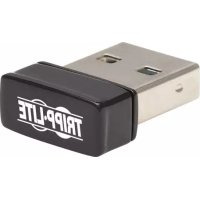
U263AC600 - Network adapter Tripp Lite - Free user manual and instructions
Find the device manual for free U263AC600 Tripp Lite in PDF.



| Product Type | USB 2.0 Dual-Band Wi-Fi Network Adapter |
| Brand | Tripp Lite |
| Model | U263-AC600 |
| Host Interface | USB 2.0 (backward compatible with USB 1.1) |
| Frequency Bands | 2.4 GHz and 5 GHz (dual-band) |
| Maximum Speeds | 2.4 GHz: 150 Mbps (802.11n); 5 GHz: 433 Mbps (802.11ac) |
| Supported Wi-Fi Standards | IEEE 802.11a/b/g/n/ac |
| Wireless Security | WEP 64/128-bit, WPA, WPA2 |
| Antennas | Internal 2 dBi (2.4/5 GHz) |
| Power Supply | Via USB port (bus-powered) |
| Operating Temperature | 0° to 40°C (32° to 104°F) |
| Storage Temperature | -40° to 70°C (-40° to 158°F) |
| Operating Humidity | 10 to 90% RH (non-condensing) |
| Storage Humidity | 5 to 90% RH (non-condensing) |
| Compatible Operating Systems | Windows (XP, Vista, 7, 8, 10, 11), Mac (up to 10.15), Linux |
| Package Contents | Wi-Fi adapter, quick start guide |
| Warranty | 3-year limited |
| Repairability | No user-serviceable parts; Tripp Lite support |
| Cleaning and Maintenance | Disconnect before cleaning; use a dry cloth |
| Safety Precautions | Do not expose to water; do not open; use in accordance with instructions |
Frequently Asked Questions - U263AC600 Tripp Lite
User questions about U263AC600 Tripp Lite
0 question about this device. Answer the ones you know or ask your own.
Ask a new question about this device
Download the instructions for your Network adapter in PDF format for free! Find your manual U263AC600 - Tripp Lite and take your electronic device back in hand. On this page are published all the documents necessary for the use of your device. U263AC600 by Tripp Lite.
USER MANUAL U263AC600 Tripp Lite
Register your product for quicker service and ultimate peace of mind. You could also win an ISOBAR6ULTRA® surge protector—a \$100 value!
tripplite.com/warranty

1111 W. 35th Street, Chicago, IL 60609 USA tripplite.com/support
Copyright © 2022 Tripp Lite. All rights reserved.
Product Features
- Plugs into your laptop, tablet or PC's USB port to provide instant access to a fast wireless network
- Dual-band adapter supports 2.4 GHz (150 Mbps) and 5 GHz (433 Mbps) networks
- IEEE 802.11ac adapter is backward compatible with 802.11a, 802.11b, 802.11g and 802.11n standards
- USB 2.0 host interface is backward compatible with USB 1.1 devices
• Supports 64- and 128-bit WEP/WPA and WPA2 wireless security encryption - Includes internal 2dBi 2.5/5G antennas for extra signal strength
Package Contents
• U263-AC600 USB 2.0 Dual-Band Wi-Fi Adapter
- Quick Start Guide
System Requirements
- Laptop, tablet or desktop computer with USB port
• 2.4 GHz and/or 5 GHz wireless network - Windows (XP, Vista, 7, 8, 10, 11), Mac (up to 10.15) or Linux operating system
Installation
- Install the applicable driver on your computer or laptop before connecting the adapter. You can find the driver online at tripplite.com/support. Search "U263-AC600".
Note: When installing Linux drivers, it is critical that the "install.sh" file be given permission to run as a program. If not, it will open as a .TXT file and installation will fail.
-
Once the appropriate driver is successfully installed, connect the USB 2.0 Dual-Band Wi-Fi Adapter to the USB port on your device.
-
Open the list of available networks on your device, and connect to the desired network.
Specifications
| Input | |
| USB USB-A 2.0 (Male) | |
| Output | |
| Network Dual-Band 2dBi | Wi-Fi Antenna |
| Data Transfer Rates | |
| 2.4 GHz 150 Mbps (11n) | |
| 5 GHz 433 Mbps (11ac) | |
| Network Specifications | |
| Standards IEEE 802.11a | IEEE 802.11bIEEE 802.11gIEEE 802.11nIEEE 802.11ac |
| EIRP 2.4 GHz: | 802.11b (11 Mbps): 18±2dBm802.11g (54 Mbps): 14±2dBm802.11n (MCS7): 13±2dBm5 GHz:802.11a (54 Mbps): 18±2dBm802.11n (MCS7): 13±2dBm802.11ac (MCS9): 12±2dBm |
| Wi-Fi Security WEP/WPA | WPA2 |
| Operating Frequency 2.4 | ~ 2.4835 GHz5.15 ~ 5.35 GHz5.47 ~ 5.725 GHz5.725 ~ 5.825 GHz |
Specifications
| USB Specifications | |
| Interface USB 2.0, USB | 1.1 |
| Environmental | |
| Network Dual-Band 2dBi Wi-Fi Antenna | |
| Data Transfer Rates | |
| Operating Temperature | 32° to 104°F (0° to 40°C) |
| Storage Temperature -40° to 158°F (-40° to 70°C) | |
| Operating Humidity | 10% to 90% RH,Non-Condensing |
| Storage Humidity 5% to | 90% RH, Non-Condensing |
Warranty and Product Registration
3-Year Limited Warranty
Seller warrants this product, if used in accordance with all applicable instructions, to be free from original defects in material and workmanship for a period of three (3) years from the date of initial purchase. If the product should prove defective in material or workmanship within that period, Seller will repair or replace the product, at its sole discretion.
THIS WARRANTY DOES NOT APPLY TO NORMAL WEAR OR TO DAMAGE RESULTING FROM ACCIDENT, MISUSE, ABUSE OR NEGLECT. SELLER MAKES NO EXPRESS WARRANTIES OTHER THAN THE WARRANTY EXPRESSLY SET FORTH HEREIN. EXCEPT TO THE EXTENT PROHIBITED BY APPLICABLE LAW, ALL IMPLIED WARRANTIES, INCLUDING ALL WARRANTIES OF MERCHANTABILITY OR FITNESS, ARE LIMITED IN DURATION TO THE WARRANTY PERIOD SET FORTH ABOVE; AND THIS WARRANTY EXPRESSLY EXCLUDES ALL INCIDENTAL AND CONSEQUENTIAL DAMAGES. (Some states do not allow limitations on how long an implied warranty lasts, and some states do not allow the exclusion or limitation of incidental or consequential damages, so the above limitations or exclusions may not apply to you. This warranty gives you specific legal rights, and you may have other rights which vary from jurisdiction to jurisdiction.)
WARNING: The individual user should take care to determine prior to use whether this device is suitable, adequate or safe for the use intended. Since individual applications are subject to great variation, the manufacturer makes no representation or warranty as to the suitability or fitness of these devices for any specific application.
Warranty and Product Registration
PRODUCT REGISTRATION
Visit tripplite.com/warranty today to register your new Tripp Lite product. You'll be automatically entered into a drawing for a chance to win a FREE Tripp Lite product!*
*No purchase necessary. Void where prohibited. Some restrictions apply. See website for details.
FCC Notice, Class B
This device complies with part 15 of the FCC Rules.
Operation is subject to the following two conditions:
(1) This device may not cause harmful interference, and
(2) this device must accept any interference received, including interference that may cause undesired operation.
Note: This equipment has been tested and found to comply with the limits for a Class B digital device, pursuant to part 15 of the FCC Rules. These limits are designed to provide reasonable protection against harmful interference in a residential installation. This equipment generates, uses and can radiate radio frequency energy and, if not installed and used in accordance with the instructions, may cause harmful interference to radio communications. However, there is no guarantee that interference will not occur in a particular installation. If this equipment does cause harmful interference to radio or television reception, which can be determined by turning the equipment off and on, the user is encouraged to try to correct the interference by one or more of the following measures:
- Reorient or relocate the receiving antenna.
- Increase the separation between the equipment and receiver.
- Connect the equipment into an outlet on a circuit different from that to which the receiver is connected.
- Consult the dealer or an experienced radio/TV technician for help.
Warranty and Product Registration
Any changes or modifications to this equipment not expressly approved by Tripp Lite could void the user's authority to operate this equipment.
Use of this equipment in life support applications where failure of this equipment can reasonably be expected to cause the failure of the life support equipment or to significantly affect its safety or effectiveness is not recommended.
Tripp Lite has a policy of continuous improvement. Specifications are subject to change without notice. Photos and illustrations may differ slightly from actual products.

1111 W. 35th Street, Chicago, IL 60609 USA tripplite.com/support
1111 W. 35th Street, Chicago, IL 60609, EE UU tripplite.com/support
1111 W. 35th Street, Chicago, IL 60609, EE UU tripplite.com/support
1111 W. 35th Street, Chicago, IL 60609 USA tripplite.com/support
1111 W. 35th Street, Chicago, IL 60609 USA tripplite.com/support
1111 W. 35th Street, Chicago, IL 60609 USA
tripplite.com/support
1111 W. 35th Street, Chicago, IL 60609 USA tripplite.com/support
Kurzanleitung
USB 2.0 Dualband WLAN-Adapter
Modell: U263-AC600
English 1 • Español 9 Français 16 • Русский 23

1111 W. 35th Street, Chicago, IL 60609 USA tripplite.com/support
1111 W. 35th Street, Chicago, IL 60609 USA tripplite.com/support

Brand : Tripp Lite
Model : U263AC600
Category : Network adapter