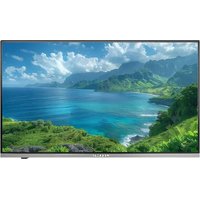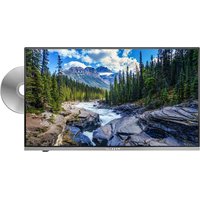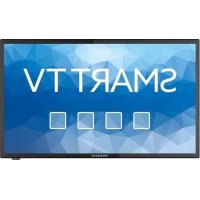
Royal Line III 24 Smart - TV MEGASAT - Free user manual and instructions
Find the device manual for free Royal Line III 24 Smart MEGASAT in PDF.

Document temporarily unavailable
The manual is currently being transferred to our new server. It will be accessible again in a few hours. Thank you for your patience.


| Brand and model | Megasat Royal Line III 24 Smart |
| Product type | 24-inch LED Smart TV |
| Screen size | 24 inches (59.9 cm) |
| Display resolution | 1920 x 1080 pixels (Full HD) |
| Contrast ratio | 3000:1 |
| Brightness | 250 cd/m² |
| Viewing angles | 178° horizontal and vertical |
| Dimensions (with stand) | 552 x 356 x 175 mm |
| Dimensions (without stand) | 552 x 326 x 43.8 mm |
| Weight | 3.3 kg |
| Power supply | AC 100-240 V, 50/60 Hz ; DC 12 V, 3A (10-30 V stabilized) |
| Consumption (on / standby) | 24 W / <0.5 W |
| Energy class | F (spectrum A to G) |
| Integrated tuner types | DVB-S/S2 (satellite), DVB-C (cable), DVB-T/T2 (terrestrial) |
| Smart TV operating system | Android 9.0 |
| Processor and memory | ARM Cortex-A53, 1 GB DDR / 8 GB Flash |
| Network connectivity | Built-in Wi-Fi, Ethernet (RJ45) |
| Bluetooth | Version 4.2 |
| HDMI connectors | 2 HDMI inputs (including one with ARC) |
| USB ports | 2 USB 2.0 ports |
| Other connectors | Coaxial audio output (S/PDIF), 3.5 mm headphone output, CVBS input (composite), Audio L/R inputs, satellite antenna (1), terrestrial/cable antenna (1) |
| CI+ slot | 1x (for pay TV modules, HD+ ready) |
| Speakers | 2x 5 W (stereo) |
| VESA standard | 100 x 100 mm (for wall mounting) |
| Main functions | Smart TV with Google Play Store, Chrome browser, media player (photos, audio, video), PVR/recording (optional), EPG (7-day guide), parental control, hotel mode, CEC settings |
| Maintenance and cleaning | Unplug the device before cleaning; use a soft, dry cloth. Do not use abrasive or liquid products. |
| Safety | Do not expose to drips or splashes; leave ventilation slots free; do not open the casing; use only the provided power cord. |
| Spare parts and repairability | Contact an authorized service or the retailer; repairs must be carried out by a qualified professional. No consumer spare parts listed. |
Frequently Asked Questions - Royal Line III 24 Smart MEGASAT
User questions about Royal Line III 24 Smart MEGASAT
0 question about this device. Answer the ones you know or ask your own.
Ask a new question about this device
Download the instructions for your TV in PDF format for free! Find your manual Royal Line III 24 Smart - MEGASAT and take your electronic device back in hand. On this page are published all the documents necessary for the use of your device. Royal Line III 24 Smart by MEGASAT.