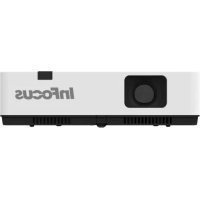
LightPro IN1014 - Projector INFOCUS - Free user manual and instructions
Find the device manual for free LightPro IN1014 INFOCUS in PDF.

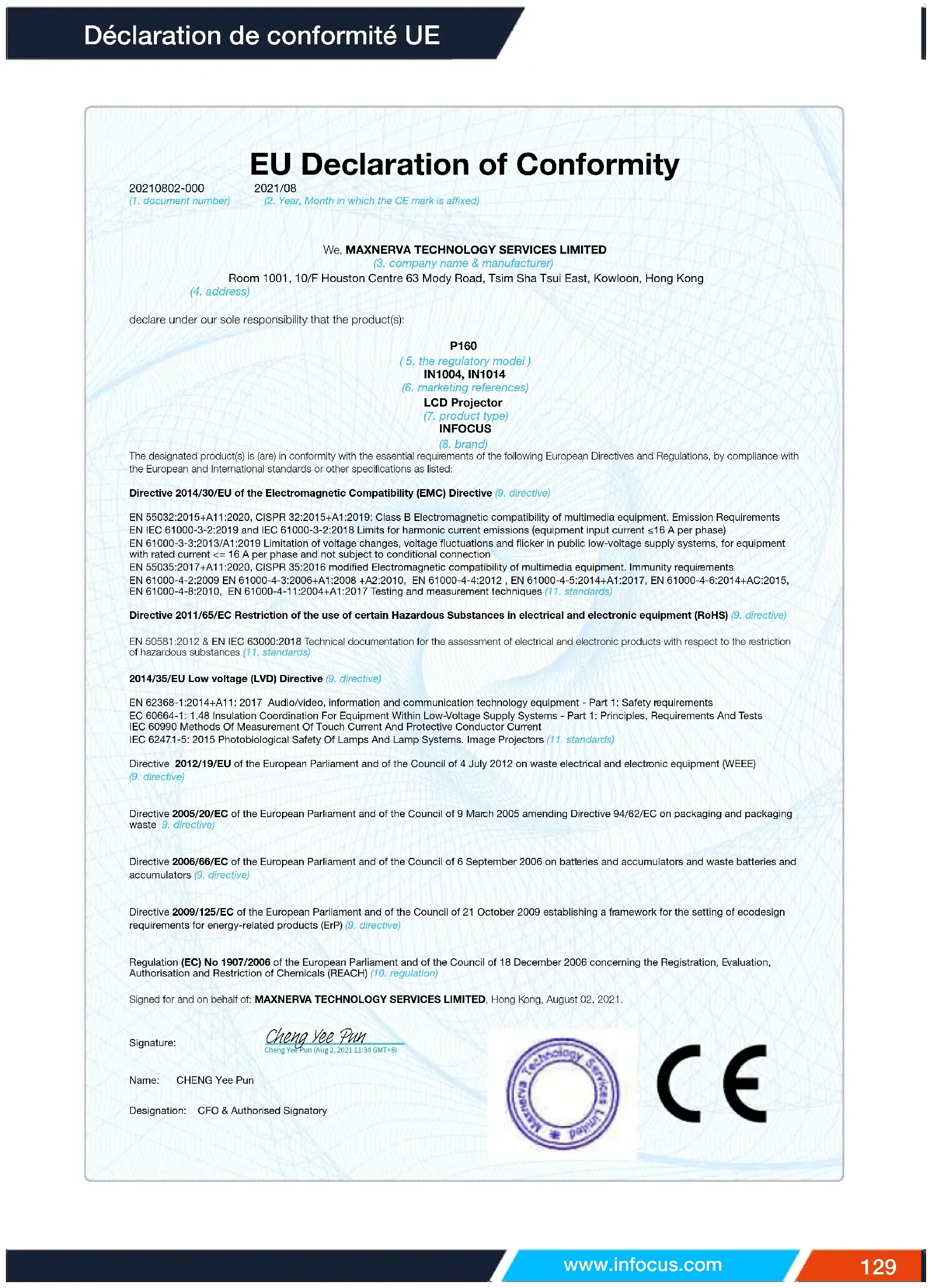

| Product type | LCD multimedia projector |
| Native resolution | XGA (1024 x 768) |
| Contrast ratio | Not provided (estimated 2000:1 dynamic) |
| Brightness | Approximately 3000 ANSI lumens (estimated) |
| Lamp life | Up to 5000 hours in normal mode |
| Power supply | AC 100-240 V, 50/60 Hz |
| Power consumption | Approximately 240 W in operation |
| Weight | Approximately 2.5 kg |
| Dimensions (W x D x H) | Approximately 30 x 22 x 8 cm |
| Display technology | LCD 0.55" (estimated) |
| Noise level | Approximately 30 dB (normal mode) |
| Keystone correction | Vertical and horizontal, corner correction and curve |
| Digital zoom | Yes (D.Zoom +/- on remote control) |
| Image modes | Bright, Dynamic, Standard, Cinema, Greenboard, Colourboard, User |
| Video inputs | VGA (x1), HDMI 1.4 (x2), Composite video (x1), USB-A (Memory Viewer), USB-B (USB Display), LAN (RJ45) |
| Outputs | Audio (3.5 mm jack), VGA (Monitor Out) |
| Control | RS-232C, LAN (network control), infrared remote control |
| Security | Key lock, 3-digit PIN code, Kensington security slot |
| Maintenance | Filter cleaning, lamp replacement |
| OSD languages | 26 languages including French, English, German, etc. |
Frequently Asked Questions - LightPro IN1014 INFOCUS
User questions about LightPro IN1014 INFOCUS
0 question about this device. Answer the ones you know or ask your own.
Ask a new question about this device
Download the instructions for your Projector in PDF format for free! Find your manual LightPro IN1014 - INFOCUS and take your electronic device back in hand. On this page are published all the documents necessary for the use of your device. LightPro IN1014 by INFOCUS.
USER MANUAL LightPro IN1014 INFOCUS
Copyright © 2021 InFocus
Copyright © 2020 by InFocus Corporation
https://infocus.com/support/contact/
Pour les modèles IN1029, IN1039, IN1049, IN1059, IN1024, IN1034, IN1044, IN1026, IN1036, IN1046
Terminaux
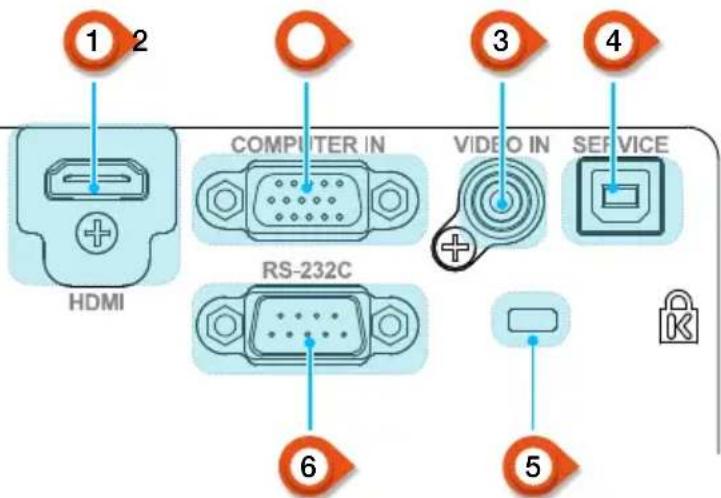
1 Port HDMI
IN1024, IN1034, IN1044
| Taille d'écran | Distance de projection | |||||
| Standard 4:3 Compatible 16:9 | ||||||
| Taille d'écran(pouce) | Largeur(m) | Hauteur(m) | Large | Télé | Large | Télé |
| 30" 0.6100.457 0.8121.347 0.885 1.467 | ||||||
| 60" 1.2190.9141.630 2.702 1.776 2.944 | ||||||
| 80" 1.6261.2192.178 3.610 2.373 3.933 | ||||||
| 100" 2.032 1.524 | 2.728 4.523 | 2.972 4.927 | ||||
| 150" 3.048 2.2864 | .1146.8204.4 | 827.430 | ||||
| 200" 4.0643.048 5 | .514 9.1416 | .0089.959 | ||||
| 250" 5.080 3.810 | 6.92911.486 | 7.549 12.513 | ||||
| 300" 6.0964.572 8 | .358 13.855 | 9.10615.094 | ||||
IN1026
| Taille d'écran | Distance de projection | |||||
| Standard 4:3 Compatible 16:9 | ||||||
| Taille d'écran(pouce) | Largeur(m) | Hauteur(m) | Large | Télé | Large | Télé |
| 30" 0.6460.4040.94 | 42 1.137 | 0.969 1.169 | ||||
| 60" 1.2920.8081.91 | 0 2.299 | 1.963 2.363 | ||||
| 80" 1.723 1.077 2 | 554 3.073 | 2.626 3.159 | ||||
| 100" 2.154 1.346 | 3.199 3.848 | 3.289 3.956 | ||||
| 150" 3.231 2.0194 | 811 5.785 | 4.946 5.946 | ||||
| 200" 4.308 2.6926 | 423 7.721 | 6.602 7.937 | ||||
| 250" 5.385 3.365 | 8.035 9.658 | 8.259 9.927 | ||||
| 300" | 6.462 | 4.039 | 9.647 | 11.595 | 9.916 | 11.917 |
IN1046, IN1039, IN1059
| Taille d'écran | Distance de projection | |||||
| Standard 4:3 Compatible 16:9 | ||||||
| Taille d'écran(pouce) | Largeur(m) | Hauteur(m) | Large | Télé | Large | Télé |
| 30" 0.6460.4040.81 | 2 1.347 0 | 835 1.384 | ||||
| 60" 1.2920.8081.63 | 0 2.702 1 | 675 2.777 | ||||
| 80" 1.723 1.077 2 | 178 3.610 | 2.239 3.711 | ||||
| 100" 2.154 1.346 | 2.728 4.523 | 2.804 4.648 | ||||
| 150" 3.231 2.0194 | 114 6.820 | 4.228 7.009 | ||||
| 200" 4.308 2.6925 | 520 9.150 | 5.673 9.405 | ||||
| 250" 5.385 3.365 | 6.936 11.498 | 7.129 11.817 | ||||
| 300" 6.4624.039 8 | 367 13.869 | 8.599 14.255 | ||||
IN1036, IN1029, IN1049
| Taille d'écran | Distance de projection | |||||
| Standard 4:3 Compatible 16:9 | ||||||
| Taille d'écran(pouce) | Largeur(m) | Hauteur(m) | Large | Télé | Large | Télé |
| 30" 0.6460.4040.87 | 2 1.053 0 | 896 1.082 | ||||
| 60" 1.2920.8081.76 | 9 2.129 1 | 818 2.188 | ||||
| 80" 1.723 1.077 2 | 365 2.845 | 2.431 2.924 | ||||
| 100" 2.154 1.346 | 2.962 3.563 | 3.044 3.662 | ||||
| 150" 3.231 2.0194 | 455 5.356 | 4.578 5.505 | ||||
| 200" 4.308 2.6925 | 947 7.149 | 6.113 7.348 | ||||
| 250" 5.385 3.365 | 7.440 8.943 | 7.647 9.191 | ||||
| 300" 6.4624.039 8 | 932 10.736 | 9.181 11.035 | ||||
Pour les modèles IN1029, IN1039, IN1049, IN1059, IN1024, IN1034, IN1044, IN1026, IN1036, IN1046
Pour les modèles IN1029, IN1039, IN1049, IN1059, IN1024, IN1034, IN1044, IN1026, IN1036, IN1046
Pour les modèles IN1029, IN1039, IN1049, IN1059, IN1024, IN1034, IN1044, IN1026, IN1036, IN1046
Pour les modèles IN1029, IN1039, IN1049, IN1059, IN1024, IN1034, IN1044, IN1026, IN1036, IN1046