Malaga 4400 W - Mailbox Burg Wächter - Free user manual and instructions
Find the device manual for free Malaga 4400 W Burg Wächter in PDF.



| Product type | Mailbox with integrated solar panel |
| Brand | Burg Wächter |
| Model | Malaga 4400 W |
| Approximate dimensions | 35 x 25 x 45 cm (L x W x H) |
| Approximate weight | 2 kg |
| Solar panel power supply | Solar panel integrated in the door |
| Battery type | NiMH (nickel-metal hydride), 600-1000 mAh |
| Lighting | Battery-powered LED lights |
| Lighting duration | More than 10 hours with full battery |
| Charging time | Approximately 10 hours of sun exposure for full charge |
| Operation | Automatic switch-on at dusk, charges in sunlight |
| House number plate | Self-adhesive street number panel included |
| Material | Steel or aluminum (not specified, estimate) |
| Maintenance and cleaning | Slightly damp soft cloth, no alcohol or acetone |
| Battery replacement | Yes, accessible via screw, only NiMH 600-1000 mAh |
| Warranty | Statutory warranty, requires proof of purchase and return of components |
| Disposal | Electronic device: do not dispose of with household waste |
| General information | Manual and CE declaration available on request |
Frequently Asked Questions - Malaga 4400 W Burg Wächter
User questions about Malaga 4400 W Burg Wächter
0 question about this device. Answer the ones you know or ask your own.
Ask a new question about this device
Download the instructions for your Mailbox in PDF format for free! Find your manual Malaga 4400 W - Burg Wächter and take your electronic device back in hand. On this page are published all the documents necessary for the use of your device. Malaga 4400 W by Burg Wächter.
USER MANUAL Malaga 4400 W Burg Wächter
Letterbox (mailbox) with integrated solar panel
Dear customer,
Thank you for choosing this product from BURG-WÄCHTER. We hope you will enjoy this letterbox (mailbox) with integrated solar panel.
Index
General remarks 6
Function/assembly 6
Changing the battery 7
Cleaning note 8
Warranty 8
Disposal of the device 8
1. General remarks
Please read the instructions carefully before the commissioning of the solar panel and the assembly of the letterbox (mailbox). Store the instruction manual away safely. For possible injuries or damages occurring during a wrongful installation or inappropriate handling, the manufacturer accepts no liability.
2. Function / Assembly
The door of the letterbox (mailbox) is provided with an integrated solar panel. The panel uses the sunlight's energy to charge the NiMH battery. With approaching dusk, during the night or at dawn, the battery supplies the LEDs with power. Whether the battery will be charged or the LEDs will be glowing, is automatically regulated by the respective light conditions.
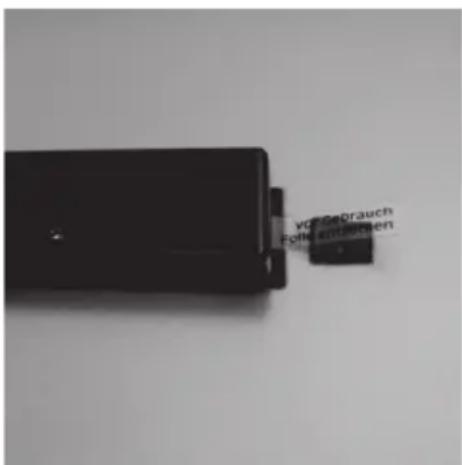
Before the assembly of the letterbox (mailbox), it is advisable to fully charge the battery once: For this, please open the door of the letterbox (mailbox). Please remove the battery backup stripe carefully from the battery case on the door inside (see fi g. 1 and 2). Close the door and place the box with the panel facing the direct sun for approx. 10 hours.
With a completely charged battery and under optimal conditions, the battery life can last more than 10 hours.
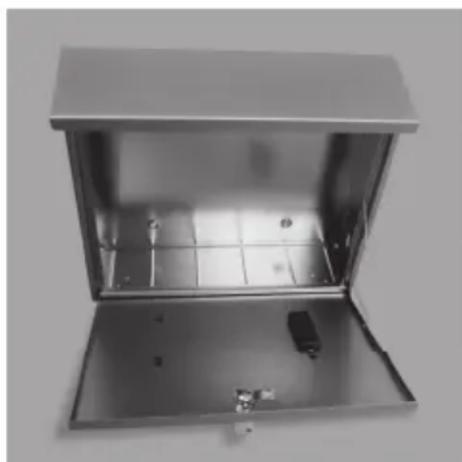
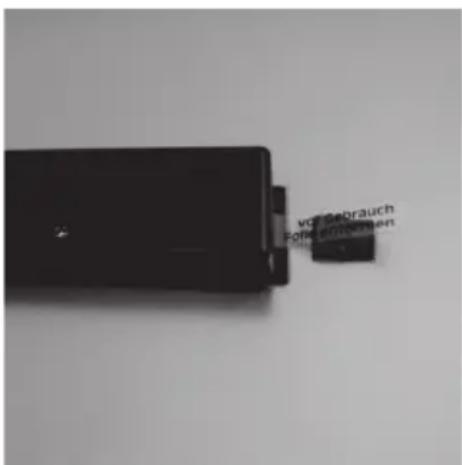
Figure 1: Figure 2 Remove battery backup stripe
Assembling note: During installation, please regard that the solar cells face the sun or resp. that as much light as possible meets the cells.
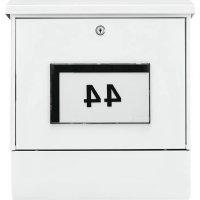
Please stick the house number according to your wishes onto the panel as seen in the figure on page 1. To assure an ideal adhesion, the temperature should not be under 5 °C.
3. Changing the battery
Every battery is a wearing part, whose durability depends on the use, as e. g. on the number of charge cycles or charge times. With very low temperatures, the functionality of the battery can in some circumstances slightly be limited.
If you have to change the battery, open the door and loosen the screw that fixates the battery case lid.
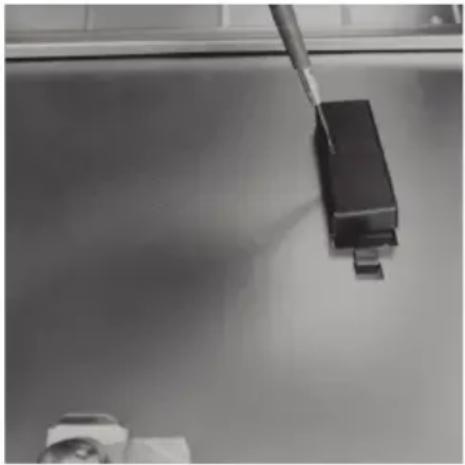
Figure 3: Opening the battery case lid
Exchange the battery. Only NiMH batteries with a capacity of approx. 60–1000 mAh are usable.
Please consider the polarity during an exchange of the battery. (Labelling (labeling) inside the battery case.)
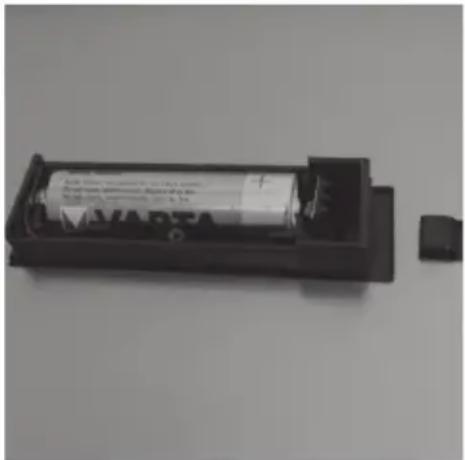
Figure 4: Inserted battery
Apply the battery case lid again and screw it in place.
4. Cleaning note
Dusty and dirty solar cells can compromise the functionality signifi cantly. For cleaning, neither alcohol containing (spirit, SIDOLIN® or the like) nor aggressive cleaning agents (acetone or the like) should be used. Dusty or dirty surfaces can easily be wiped with a soft, wet cloth.
5. Warranty
To provide you with a flawless and qualitatively valuable product and to offer you optimal help in a case of service or repair, it is necessary to return flawed or defective devices together with the original proof of purchase to your respective retailer. For a return based on your cancellation right, all components further need to be undamaged. In a case of disregard, the warranty expires.
6. Disposal of the device
Dear customer,
Please help us avoid unnecessary waste. Should you intend to dispose of this device at any time, please remember that many components of this device contain valuable materials, which can be recycled.

Please be aware that electrical and electronic equipment and batteries shall not be disposed of as household waste, but rather collected separately. Please obtain information on the collecting points for electrical waste from the responsible authority of you municipality.

If you have any questions concerning the EC declaration of conformity, please use info@burg.biz
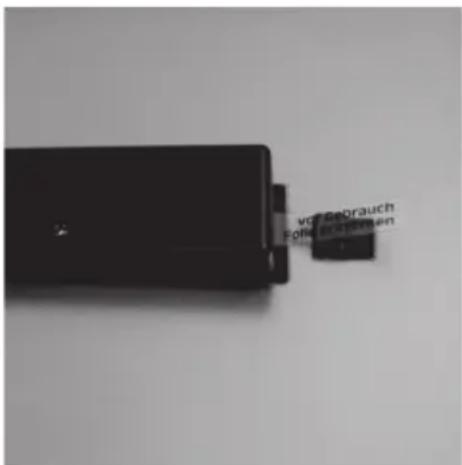

Brand : Burg Wächter
Model : Malaga 4400 W
Category : Mailbox