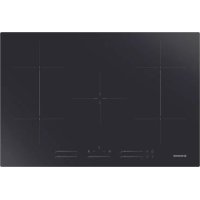
HOOVER HHOB 700 HIFS85MCTT - Cooker

HHOB 700 HIFS85MCTT - Cooker HOOVER - Free user manual and instructions

Find the device manual for free HHOB 700 HIFS85MCTT HOOVER in PDF.

English EN Download 💬 AI Question 10 questions ⚙️ Specs
📄

Document temporarily unavailable

The manual is currently being transferred to our new server. It will be accessible again in a few hours. Thank you for your patience.

Pick your language and provide your email: we'll send you a specifically translated version.
BrandHoover
ModelHHOB 700 HIFS85MCTT
Product TypeInduction Hob
Product Dimensions (W x D x H)770 x 520 x 60 mm
Cut-out Dimensions (W x D)740 x 490 mm
Power Supply220-240 V ~ 50/60 Hz
Total Installed Power2.5 kW / 3.0 kW / 4.5 kW / 6.5 kW / 7.4 kW (adjustable)
Number of Cooking Zones5 induction zones
Cooking Zone DiametersFront left zone: 20 cm, Rear left zone: 20 cm, Rear center zone: 21 cm, Rear right zone: 20 cm, Front right zone: 20 cm
Flex ZoneYes, can be used as one large zone or two independent zones
Boost FunctionYes, boost up to 2600 W (2000 W zones) and 3500 W (flex zone)
TimerYes, up to 99 minutes, with alarm or automatic shut-off
Keep Warm FunctionYes, low power level 'A'
Pause FunctionYes, allows pausing all zones
Child LockYes, control lock key
SafetyAutomatic shut-off, anti-overflow protection, small object detection, overheat protection
Energy Consumption186.8 Wh/kg (according to EN 60350-2)
CleaningCleaner for ceramic glass hobs, scraper for burnt residues
Surface MaterialCeramic glass
Weight (approx.)Not specified in the manual

Frequently Asked Questions - HHOB 700 HIFS85MCTT HOOVER

What types of cookware can be used on an induction hob?
Use only pots and pans with a magnetic base suitable for induction. Check the induction symbol or test with a magnet. Materials such as stainless steel with magnetic base, cast iron, or enamel are compatible. Avoid aluminum, copper, glass, and ceramic.
How to activate the Boost function?
Press the B key of the desired zone for 3 seconds. The display shows 'P' to indicate that Boost mode is active. It lasts 5 minutes, then the zone returns to level 9.
How to lock the controls to prevent use by children?
Touch the lock key (padlock) for a few seconds. The display shows 'Lo'. Only the On/Off key remains active. To unlock, press and hold the same key until 'Lo' disappears.
What to do if an error code appears (e.g., E3, F9)?
Note the displayed code. Turn off the hob at the circuit breaker and wait a few minutes. If the code persists, contact a qualified technician. Codes like E3 indicate overheating, E1/E2 abnormal voltage.
How to clean the glass hob without scratching it?
Clean with a specific induction hob cleaner when the surface is warm (not hot). Use a soft cloth or paper towel. For burnt residues, use a scraper at a 30° angle, taking care not to scratch the glass. Avoid abrasive sponges.
How to set the timer to automatically turn off a zone?
Select the zone by touching its slider, then touch the '+' or '-' keys of the timer. The default time is 30 minutes. Adjust with '+' or '-'. After setting, the countdown starts. The zone will turn off automatically at the end of the time.
Can the flex zone be used as one large zone?
Yes, press the slider of the flex zone (left side) then the flex zone selection key. An indicator lights up to show that the zone is now a single large zone. You can then adjust the power as for a normal zone.
How to use the Pause function?
During cooking, press the Pause key. All zones go into standby mode and display 'II'. To resume, press Pause again; the zones return to their previous power level.
What safety distance should be maintained above the hob?
The minimum distance between the hob and the cabinet above must be at least 760 mm. Also ensure a 5 cm space is left around the cut-out for ventilation.
Why does the hob make a fan noise after use?
This is normal. The built-in cooling fan continues to run to protect the electronic components from residual heat. It stops automatically when the internal temperature is low enough. Do not cut off the power during this phase.

User questions about HHOB 700 HIFS85MCTT HOOVER

0 question about this device. Answer the ones you know or ask your own.

Ask a new question about this device

The email remains private: it is only used to notify you if someone responds to your question.

No questions yet. Be the first to ask one.

Download the instructions for your Cooker in PDF format for free! Find your manual HHOB 700 HIFS85MCTT - HOOVER and take your electronic device back in hand. On this page are published all the documents necessary for the use of your device. HHOB 700 HIFS85MCTT by HOOVER.

USER MANUAL HHOB 700 HIFS85MCTT HOOVER

Manual assistant
Powered by Anthropic
Waiting for your message
Product information

Brand : HOOVER

Model : HHOB 700 HIFS85MCTT

Category : Cooker