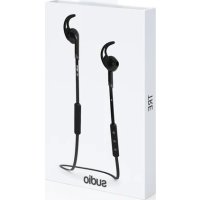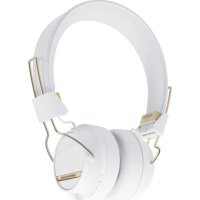
Regent II - Earphones Sudio - Free user manual and instructions
Find the device manual for free Regent II Sudio in PDF.


| Product Type | Wireless earbud (mono) |
| Brand | Sudio |
| Model | Regent II |
| Connectivity | Bluetooth 5.0 |
| Weight | 10 g |
| Dimensions | 2.5 x 2.5 x 2.5 cm |
| Power supply | Rechargeable lithium-ion battery, charging via USB cable (not included) |
| Music playback time | Approximately 8 hours |
| Talk time | Approximately 6 hours |
| Charging time | Approximately 1 hour |
| Charging indicator | Red LED while charging, blue when fully charged |
| Main functions | Calling and music, one-button control, Bluetooth pairing |
| Bluetooth range | Approximately 10 meters |
| Care and cleaning | Clean with a slightly damp cloth; do not immerse in water |
| Safety | Do not listen at high volume to avoid hearing damage; do not use while driving; keep out of reach of children |
| Spare parts and repairability | Spare parts available from the manufacturer; professional repair recommended |
| General information | Made in China; compliance with CE and RoHS standards |
| Operating temperature | 0°C to 45°C |
| Box contents | Regent II earbud, USB charging cable, silicone ear tips, user manual |
Frequently Asked Questions - Regent II Sudio
User questions about Regent II Sudio
0 question about this device. Answer the ones you know or ask your own.
Ask a new question about this device
Download the instructions for your Earphones in PDF format for free! Find your manual Regent II - Sudio and take your electronic device back in hand. On this page are published all the documents necessary for the use of your device. Regent II by Sudio.
USER MANUAL Regent II Sudio
natural_image
Black-and-white panoramic view of a historic European cityscape with twin towers and a prominent spire, reflected in water (no visible text or signage)ADMIRATION AND EVERY DAY ENRICHMENTS FROM STOCKHOLM, THE CAPITAL OF SCANDINAVIA
Sudio is a company based in Stockholm, Sweden that is disrupting the industry by transforming people's perception of earphones from being an electronics product to become a wearable accessory with studio quality sound. The watch industry has been used as inspiration where the product has evolved from serving the purpose of showing time to equally important being an accessory to complement an outfit.
We quit our jobs to build the product we wished already existed. At the time being there were no earphones that could be admired the way other accessories are. We could all relate to the every day enrichment beautifully designed items such as watches, wallets and sunglasses can contribute to - when gathering the essentials for the day. Items that have been crafted and designed without tradeoffs.
PHIL COLLINS GAVE US DETERMINATION AND THE NAME
The name Sudio came to be when one of the founders spotted the musician Phil Collins in New York having problems with his headphones. With the frustration of not yet being able to offer any better alternative to Phil the only words he could say were: “Trust me I know the feeling”, as they shared eye contact. The name “Sudio” is an homage to Phil Collins song Sussudio and the determination of succeeding with the venture rendered from the bitter sweet anecdote.
text_image
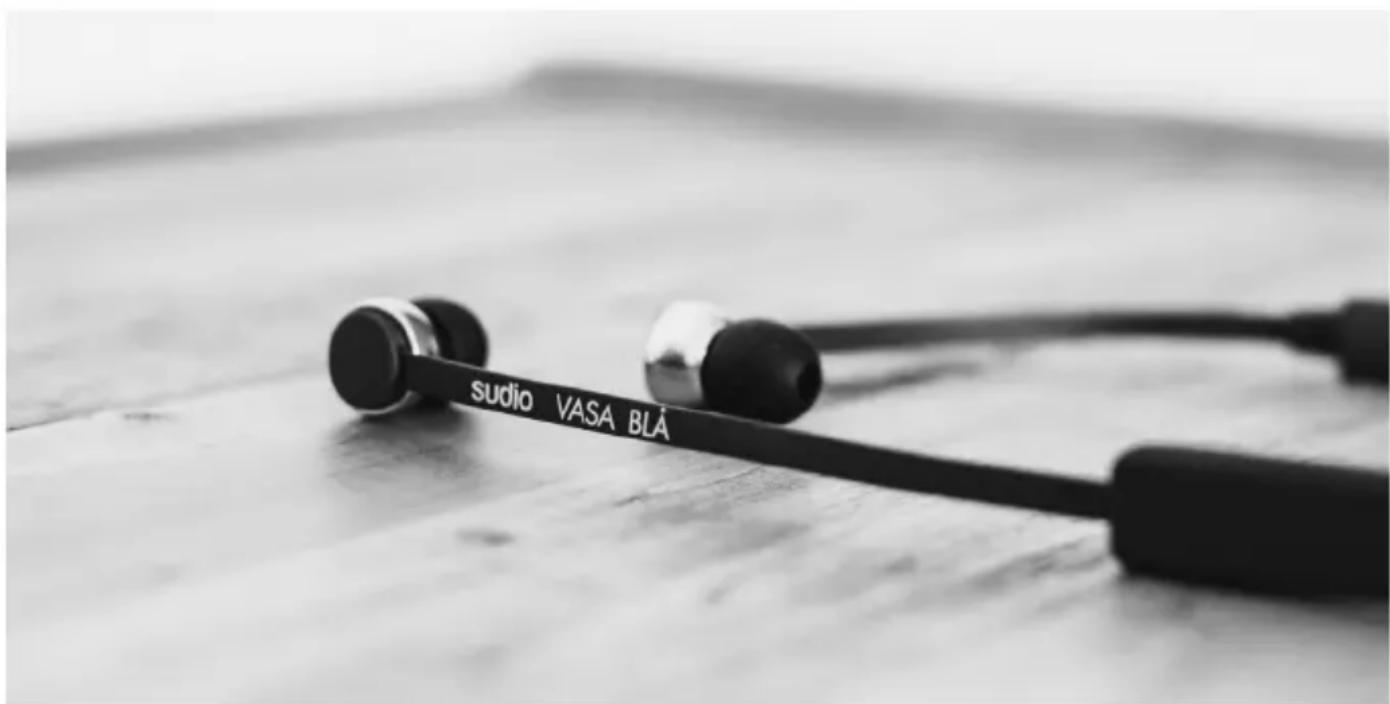
studio VASA BLÁ
text_image
Coltrane CHROME WHITE WOMENPHILOSOPHY THE ART OF SOUND
Sound is vibrations that propagates through a medium. The objective of an earphone is to mimic the original vibrations that were generated when the piece of sound was recorded.
The most common mistake when taking on the challenge of reproducing sound is to forget to take the flaws of the human being in to consideration. To understand the art one has to study the psychoacoustics of the human species. With the science of human's perception of sound as a background, one can start to make informative choices of how to maximize the user's experience by mitigating the flaws and boosting the effects that really matters.
At Studio we always begin by defining the experience we want to achieve. From this we define the technical specifications that corresponds to the experience.
LANGUAGES TABLE OF CONTENTS
| ENGLISH | 10 | |
| SVENSKA | 14 | |
| FRANÇAIS | 16 | |
| ITALIANA | 18 | |
| ESPAÑOL | 20 | |
| DEUTSCH | 22 | |
| DANSK | 24 | |
| SUOMI | 26 | |
| NORSK | 28 | |
| 한국어 | 30 | |
| PORTUGUÊS | 34 | |
| NEDERLANDS | 36 | |
| POCCИЯ | 38 | |
| 简体中文 | ||
| 繁體中文 | 42 | |
| 日本語 | 44 | |
| TÜRKÇE | 46 | |
| ČESKY | 48 | |
| GREEK | 50 |
PRECAUTIONS AND USAGE
Do NOT use the product in other ways than described. Handle with care at all times and protect from damage. Do NOT expose the earphones to heat, magnetism, cold, damp environments or abnormal wear and tear e.g. by bending or pulling them. AVOID dropping, strong impact or winding the cable tightly. Clean with a slightly moist fabric.
The WEEE-symbol means that the product should NOT be mixed with normal household waste, please return to facilities for Waste Electrical and Electronic Equipment.
WARNING
NEVER listen to music at an uncomfortably high volume, this may permanently damage your hearing. NEVER use the earphones in traffic or in other places where your hearing is needed to perceive dangers. ALWAYS store small accessories out of small children's range. ALWAYS lower the volume before you connect.
WIRELESS PAIRING
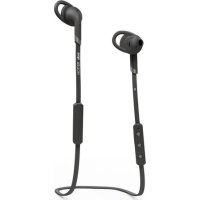
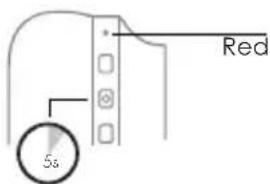
Press and hold the middle button for 5 sec until red light is blinking.
text_image
Red SsPOWER ON
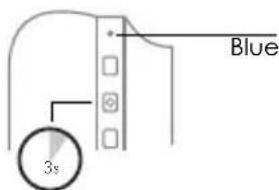
Press and hold the middle button for 3 sec until blue light is blinking.
text_image
Blue 3sBATTERY LIFE
Battery life status will be indicated on your smartphone. Charge the earphone when the flashing light turns red. Red light means the earphones are being charged. Blue light means the earphones are fully charged. The earphone will turn off automatically after 10 minutes if it is not paired.
POWER OFF
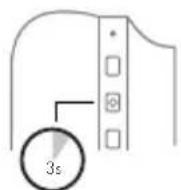
Press and hold the middle button for 3 sec until the blue light turns off.
FCC Radiation Exposure Statement:
This equipment complies with FCC radiation exposure limits set forth for an uncontrolled environment. This transmitter must not be co-located or operating in conjunction with any other antenna or transmitter. Note: This equipment has been tested and found to comply with the limits for a Class B digital device, pursuant to part 15 of the FCC Rules. These limits are designed to provide reasonable protection against harmful interference in a residential installation. This equipment generates uses and can radiate radio frequency energy and, if not installed and used in accordance with the instructions, may cause harmful interference to radio communications. However, there is no guarantee that interference will not occur in a particular installation. If this equipment does cause harmful interference to radio or television reception, which can be determined by turning the equipment off and on, the user is encouraged to try to correct the interference by one or more of the following measures:
—Reorient or relocate the receiving antenna.
—Increase the separation between the equipment and receiver.
—Connect the equipment into an outlet on a circuit different from that to which the receiver is connected.
—Consult the dealer or an experienced radio/TV technician for help.
Product name: Sudio Wireless, M/N: Sudio Regent.
Swedish design, made in China. FCC ID: 2AF9PREGENT
Any Changes or modifications not expressly approved by the party responsible for compliance could void the user's authority to operate the equipment. This device complies with part 15 of the FCC Rules. Operation is subject to the following two conditions: (1) This device may not cause harmful interference, and (2) this device must accept any interference received, including interference that may cause undesired operation.
ADDRESS
Sudio AB
Upplandsgatan 7
SE-11123 Stockholm
Sweden
FÖRSIKTIGHETSÅTGÄRDER OCH ANVÄNDNING
text_image
Kirmizi 5sAÇIK
text_image
mavi yapmak 3sBATARYA ÖMRÜ
For more information, visit: www.sudiosweden.com/faq