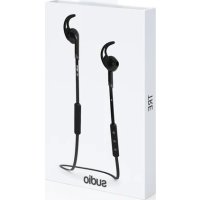
Tio - Earphones Sudio - Free user manual and instructions
Find the device manual for free Tio Sudio in PDF.


| Product Type | Wireless Bluetooth Earbuds |
| Model | Tio |
| Brand | Sudio |
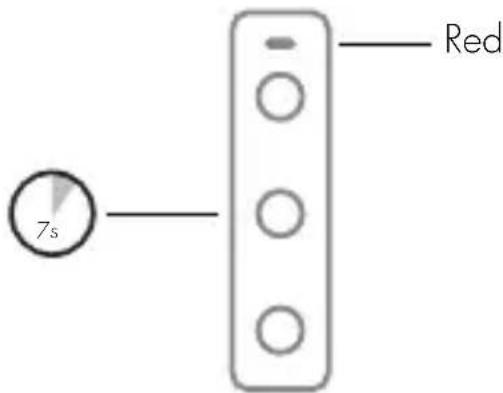
| Wireless Pairing | Press and hold the center button for 7 seconds (red flashing) |
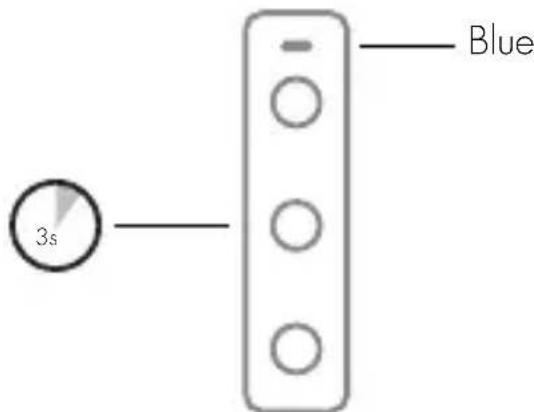
| Power On | Press and hold the center button for 3 seconds (blue flashing) |
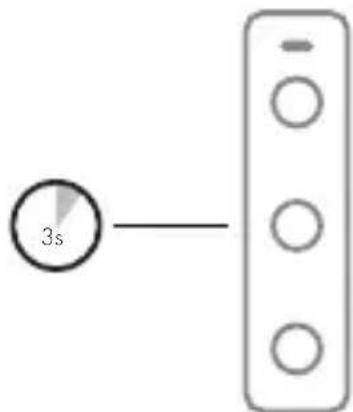
| Power Off | Press and hold the center button for 3 seconds (blue light turns off) |
| Charge Indicator | Red: charging; Blue: fully charged |
| Battery Life | Displayed on phone; auto-off after 10 minutes without pairing |
| Power Source | Built-in rechargeable battery |
| Care and Cleaning | Clean with a slightly damp cloth |
| Safety | Do not use at high volume; do not use while driving; keep out of reach of children |
| Usage Precautions | Avoid heat, magnetic fields, cold, humidity, shocks, tight cable winding |
| Disposal | Do not dispose with household waste (WEEE symbol) |
Frequently Asked Questions - Tio Sudio
User questions about Tio Sudio
0 question about this device. Answer the ones you know or ask your own.
Ask a new question about this device
Download the instructions for your Earphones in PDF format for free! Find your manual Tio - Sudio and take your electronic device back in hand. On this page are published all the documents necessary for the use of your device. Tio by Sudio.
USER MANUAL Tio Sudio
Audio is a company based in Stockholm, Sweden that is disrupting the industry by transforming people's perception of earphones from being an electronics product to become a wearable accessory with studio quality sound. The watch industry has been used as inspiration where the product has evolved from serving the purpose of showing time to equally important being an accessory to complement an outfit.
We set out to build the product we wished already existed. At the time being there were no earphones that could be admired the way other accessories are. We could all relate to the every day enrichment beautifully designed items such as watches, wallets and sunglasses can contribute to - when gathering the essentials for the day. Items that have been crafted and designed without tradeoffs.
PHIL COLLINS GAVE US DETERMINATION AND THE NAME
The name Audio came to be when one of the founders spotted the musician Phil Collins in New York having problems with his headphones. With the frustration of not yet being able to offer any better alternative to Phil the only words he could say were: "Trust me I know the feeling", as they shared eye contact. The name "Audio" is an homage to the Phil Collins song Sussudio and the determination of succeeding with the venture rendered from the bitter sweet anecdote.
PHILOSOPHY
THE ART OF SOUND
Sound is vibrations that propagates through a medium. The objective of an earphone is to mimic the original vibrations that were generated when the piece of sound was recorded.
The most common mistake when taking on the challenge of reproducing sound is to forget to take the flaws of the human being in to consideration. To understand the art one has to study the psychoacoustics of the human species. With the science of human's perception of sound as a background, one can start to make informative choices of how to maximize the user's experience by mitigating the flaws and boosting the effects that really matters.
At Sudio we always begin by defining the experience we want to achieve. From this we define the technical specifications that corresponds to the experience.
LANGUAGES
TABLE OF CONTENTS
ENGLISH
SVENSKA
FRANÇAIS
ITALIANA
ESPANOL
DEUTSCH
DANSK
SUOMI
NORSK
PORTUGUES
NEDERLANDS
POCCN
中文
繁體中文
日本語
TURKÇE
CESKY
10
14
16
18
20
22
24
26
28
30
34
36
38
40
42
46
48
50
PRECAUTIONS AND USAGE
Do not use the product in other ways than described. Handle with care at all times and protect from damage. Do not expose the earphones to heat, magnetism, cold, damp environments or abnormal wear and tear e.g. by bending or pulling them. Avoid dropping, strong impact or winding the cable tightly. Clean with a slightly damp fabric.
The WEEE-symbol means that the product should Not be mixed with normal household waste, please return to facilities for Waste Electrical and Electronic Equipment.
WARNING
Never listen to music at an uncomfortably high volume, this may permanently damage your hearing. Never use the earphones in traffic or in other places where your hearing is needed to perceive dangers. Always store small accessories out of small children's range. Always lower the volume before you connect.
WIRELESS PAIRING
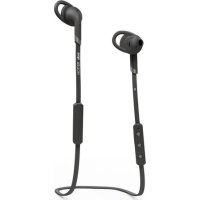
Press and hold the middle button for 7 sec until red light is blinking.
POWER ON
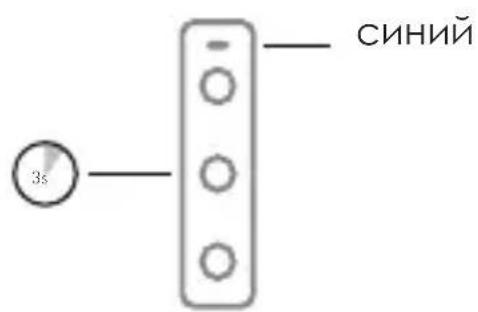
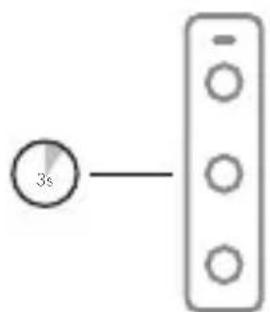
Press and hold the middle button for 3 sec until blue light is blinking.
BATTERY LIFE
Battery life status will be indicated on your smartphone. Charge the earphone when the flashing light turns red. Red light means the earphones are being charged. Blue light means the earphones are fully charged. The earphone will turn off automatically after 10 minutes if it is not paired.
POWER OFF
Press and hold the middle button for 3 sec until the blue light turns off.
FCC Radiation Exposure Statement:
This equipment complies with FCC radiation exposure limits set forth for an uncontrolled environment.
This transmitter must not be co-located or operating in conjunction with any other antenna or transmitter.
Note: This equipment has been tested and found to comply with the limits for a Class B digital device, pursuant to part 15 of the FCC Rules. These limits are designed to provide reasonable protection against harmful interference in a residential installation. This equipment generates uses and can radiate radio frequency energy and, if not installed and used in accordance with the instructions, may cause harmful interference to radio communications. However, there is no guarantee that interference will not occur in a particular installation. If this equipment does cause harmful interference to radio or television reception, which can be determined by turning the equipment off and on, the user is encouraged to try to correct the interference by one or more of the following measures:
—Reorient or relocate the receiving antenna.
—Increase the separation between the equipment and receiver.
- Connect the equipment into an outlet on a circuit different from that to which the receiver is connected.
—Consult the dealer or an experienced radio/TV technician for help.
Product name: Audio Wireless, M/N: Audio Tio.
Swedish design, made in China. FCC ID: 2AF9PTIO
Any Changes or modifications not expressly approved by the party responsible for compliance could void the user's authority to operate the equipment. This device complies with part 15 of the FCC Rules. Operation is subject to the following two conditions: (1) This device may not cause harmful interference, and (2) this device must accept any interference received, including interference that may cause undesired operation.
CE CERTIFICATION
ADDRESS
Audio AB
Upplandsgatan 7
SE-1 1123 Stockholm
Sweden
FÖRSIKTIGHETSÄTGÄRDER OCH ANVÄNDNING
ACCOPIAMENTO WIRELESS
MEPbI PPEOCTOPOXHOCTN I NcPi3OBAHNE
HE nCpOaB3yIte npOaYKT B dpYrNX OTHOWeHnX, Yem OINCAHO.
O6paatabca c octopoxkHOCTbBO BCE BpemeHa n 3aunHtB OT NOBpeKdHn. He noDBepraTe HayuHKn K TeNay, MaHHeTu3Ma,
XOAOAnbIX, BAAKhbIX CpeaX HAn HeHOpMaIbHOrO n3HOCa, HApPIMep, n3n6 nn NotaHyB nx. He dOnyckaIte naeHna, cNAbHOe BAHNHe nn HAOTKn Ka6eAЯ NaOTHO. YIcTbI CO CAERKa BAAxHOH TKAHN.
WEEE-CIMBOA O3HauaET, YTO PPOyKT Heb3r CMeUINBAtb C O6bIHyBMN 6bITOBbIMN OTXoAMn, NOKAAuYnCTa, BEPhyTb K CpeACTBAM yTHAN3aUNN 3AEKTPnueCKOTO N 3AEKTPoHHOrO O6OpyDoBAHN.
PPEyPExKdEHNE
HNKOTDA He caywaite My3bky Ha HnprnTHo BbICOKO rPOMKocT, 3TO MoKET npINBeCTN K NOBpeJdeHIO CAYxa. HNKOTDA He nCnoAbyte HayshnKn Bnp6ke nn B apyHX MeCTax, TDe BAaCAYX, Heo6xOAnMbIX AAR BOCnprnTn OaacHOCTn. BCEDA xpaHntb He6oAusbne akceccyapbl B HeaoCTyHOM dAra Deten Dnana3OHa. ChnkaTe rPOMKOCTb DO IODKAIOUeHnra.
BECIPOBOHOE
COPRJXEHNE
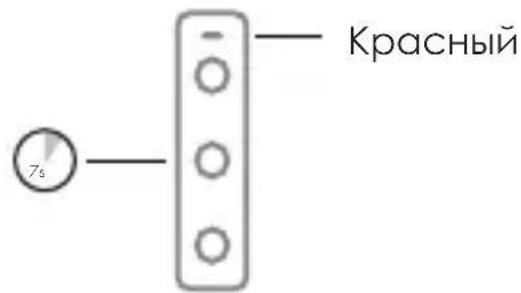
Hamnte u ydepxnBaIte CpeaHIOKHOKNy B TeueHne 10 cekyHa, NOKa He HauHET MInatb KpachbINHAnKATOp.
BKAIOUOYEHNE
Haxmte n ydepxnbaiTe CpeaHIOIO KhONky B TeueHne 3 CeKYHa DO Tex NOp, NOKa CnHn INHAnKATOp He HauHET MInatb.
BPEMRABOTbI BATAPEN
BpeMa pa6obtbl 6atapen 6ydet OTo6paXaTbCn Ha BaWeM CMapToPHe. ECan nHAnKATOp HAYuHNKOB HauaAMNAtb KpachbIM UBeTOM-3apAHTe HAYuHNKn. Bo BpeMa 3apAaKN uHAnKATOp CBETTCa KPachbIM LCBetOM,a ECan 3apAka 3abepLWeHa,TO INHAnKATOp CTAHOBNTc CnHM.ECan COnpJxHe He npOn3BeDeHo, To uepe310 MNHyT HAYuHNKn ABTomATnueCKn BBIAIOUaOTcR.
BbIKAIOYEHNE
Haxmte u ydepnBaiTe CpeaHIO KhoNky B TeueHne 3 CeKYHa DO Tex NOp, NOKa CnHn INHAnKATOp He NoracHet.
注意事项和使用说明
For more information, visit: www.sudio.com/faq