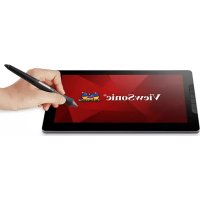
ID1330 - Monitor VIEWSONIC - Free user manual and instructions
Find the device manual for free ID1330 VIEWSONIC in PDF.



| Product Type | Interactive Monitor (graphic display with stylus) |
| Brand | ViewSonic |
| Model | ID1330 |
| Screen Size | 13.3 inches (33.8 cm) |
| Resolution | 1920 x 1080 pixels (Full HD) |
| Panel Type | IPS |
| Refresh Rate | 60 Hz (estimated) |
| Connectivity | 1 x USB Type-C, 1 x Mini HDMI, 1 x USB-A (via cable) |
| Power Supply | Via USB Type-C (bus power) |
| Main Features | Touchscreen, passive stylus, 6 customizable shortcut keys |
| Box Contents | Passive stylus, 3 stylus tips, tip remover, Type-C cable, HDMI cable, USB-A to Type-C cable, quick start guide |
| Compatible Operating Systems | Windows 7/8/10 or higher, Mac OSX 10.11 or higher |
| Driver Installation | Download from ViewSonic website |
| Dimensions (approx.) | 30.5 x 20.5 x 1.2 cm (estimated) |
| Weight (approx.) | 0.8 kg (estimated) |
Frequently Asked Questions - ID1330 VIEWSONIC
User questions about ID1330 VIEWSONIC
0 question about this device. Answer the ones you know or ask your own.
Ask a new question about this device
Download the instructions for your Monitor in PDF format for free! Find your manual ID1330 - VIEWSONIC and take your electronic device back in hand. On this page are published all the documents necessary for the use of your device. ID1330 by VIEWSONIC.
USER MANUAL ID1330 VIEWSONIC
natural_image
Abstract geometric shape with curved and straight lines forming a partial circle (no text or symbols)Overview

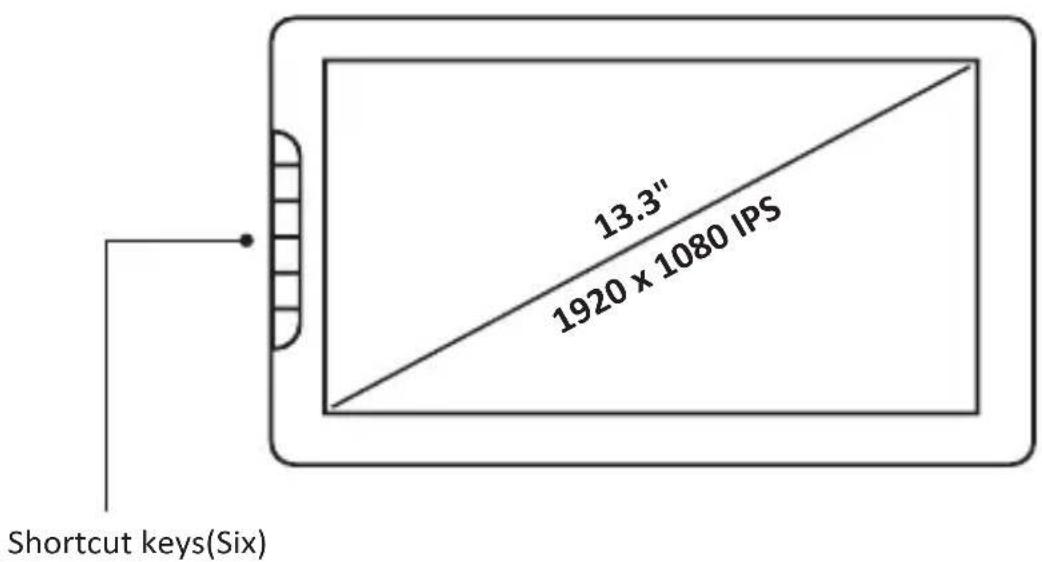
NOTE: The six shortcut keys can be customized as needed.
System Requirements
Windows: 7/8/10 or above
Mac OSX : 10.11 or above
Package Contents
- Stylus x1
- Pen Nibs x3 and Pen Nibs Remover x1
- Type-C to Type-C Cable x1
- Mini HDMI to HDMI Cable x1
• USB-A to Type-C Cable x1 - Quick Start Guide x1
natural_image
Simple line drawing of a tablet device with no text or symbols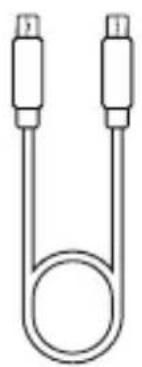
natural_image
Simple line drawing of a U-shaped tube with two connectors (no text or symbols)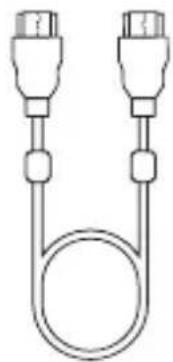
natural_image
Simple line drawing of two connected connectors with a coiled cable (no text or symbols)
natural_image
Simple line drawing of two connected U-shaped devices (no text or symbols)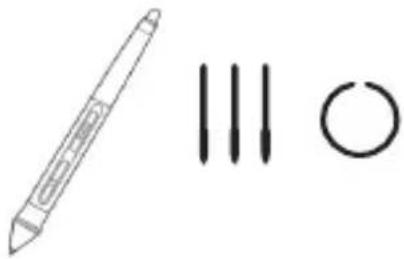
natural_image
Simple line drawing of a pencil, three vertical lines, and a circle (no text or symbols)
Connection
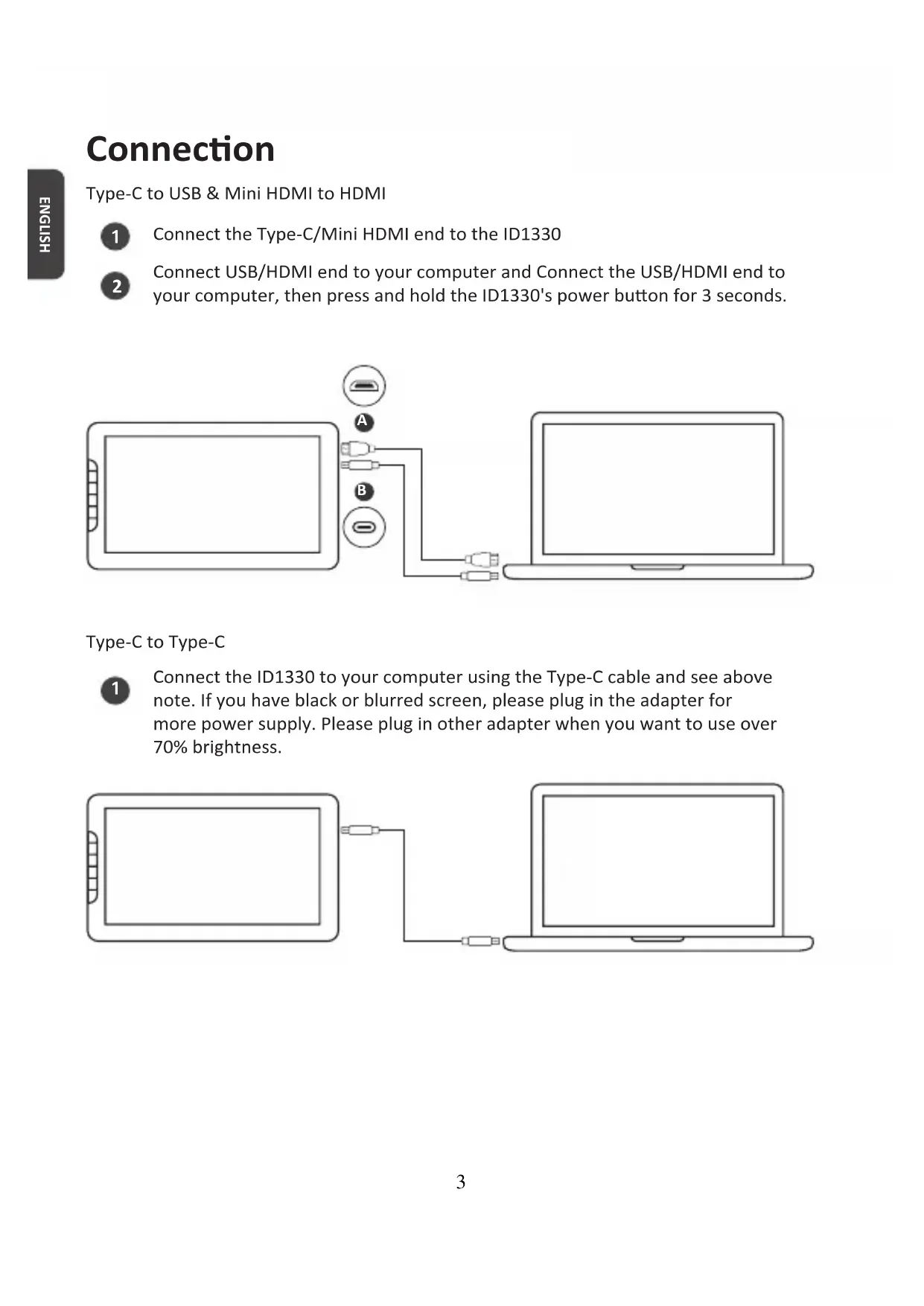
Type-C to USB & Mini HDMI to HDMI
1 Connect the Type-C/Mini HDMI end to the ID1330
2 Connect USB/HDMI end to your computer and Connect the USB/HDMI end to your computer, then press and hold the ID1330's power button for 3 seconds.
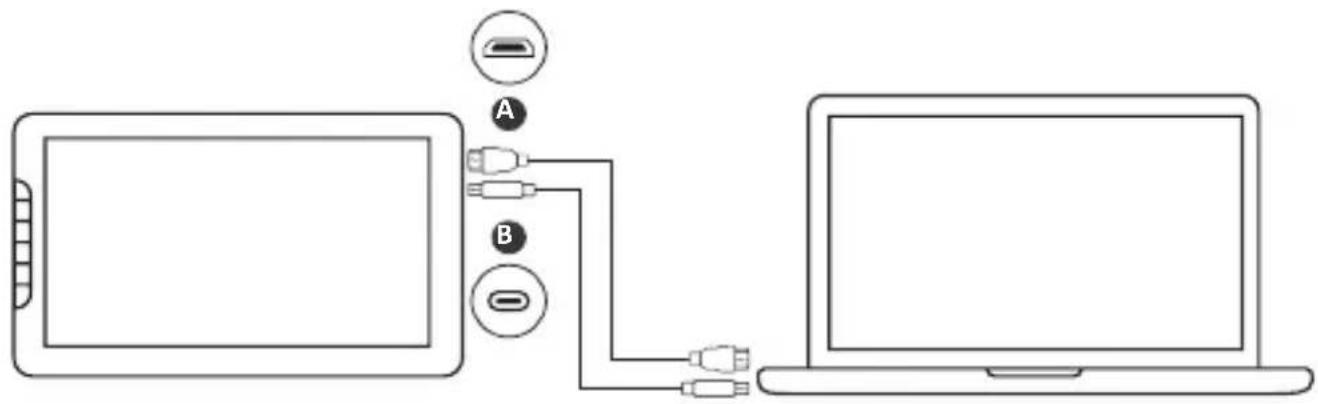
Type-C to Type-C
1 Connect the ID1330 to your computer using the Type-C cable and see above note. If you have black or blurred screen, please plug in the adapter for more power supply. Please plug in other adapter when you want to use over 70% brightness.

natural_image
Line drawing of two connected devices: a tablet and a laptop, with no text or symbols present.Setting Up the ID1330
Before Installing
1 Uninstall and completely remove any driver of other graphic tablets/monitors installed on your computer/laptop before.
2 Disable any anti-virus software and firewall temporarily.
3 Make sure you are installing the driver as an administrator.
Installation
Download and install the driver from: https://pendisplay.viewsonic.com/pages/support-ID1330
2 After a successful installation, reboot the computer.
3 Plug in the ID1330 and the system will show the "ViewSonic Pen Manager" icon in the system tray.
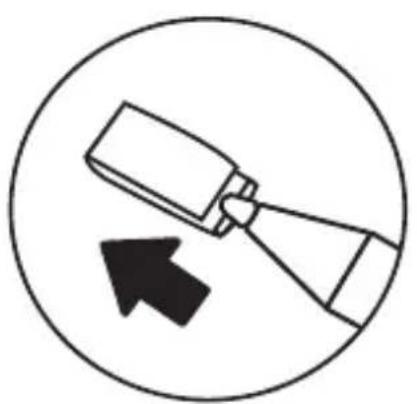
Changing the Pen Tip
1 Pull out the pen nib from the pen by using the nib removal tool.
2 Insert a new nib and push it into the pen.
natural_image
Simple line drawing of a mechanical component with an arrow indicating direction (no text or symbols)
natural_image
Simple line drawing of a tool with a downward arrow inside a circle (no text or symbols)Important information
The user manual is uploaded into ViewSonic product page. It provides detailed information in using and customizing your ID1330
2 You may find a solution from FAQ if you have any questions with ID1330
3 Check for updated driver of ID1330 from Driver page: https://pendisplay.viewsonic.com/pages/support-ID1330
Support Option
Visit ViewSonic https://pendisplay.viewsonic.com/pages/support-ID1330 for driver update, user manual and FAQ
2 Click "contact us" to send your enquiry
Vue d'ensemble
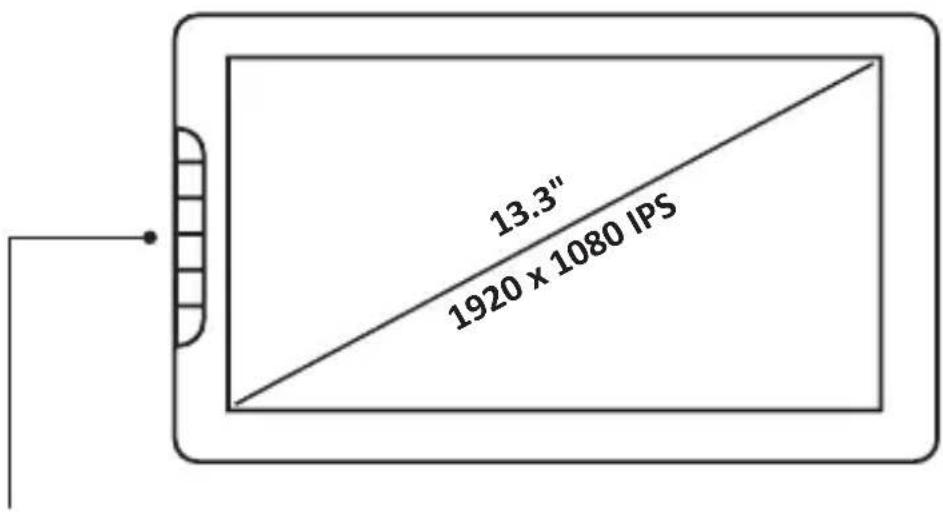
Touches express (6)
natural_image
Simple line drawing of a tablet device with no text or symbols
natural_image
Simple line drawing of a pencil and three abstract shapes: a pen, three vertical lines, and a circle (no text or symbols)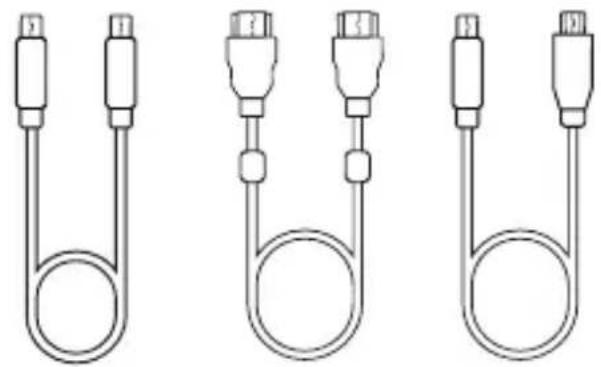
natural_image
Three identical line drawings of a U-shaped connector with connectors, shown from different angles (no text or symbols)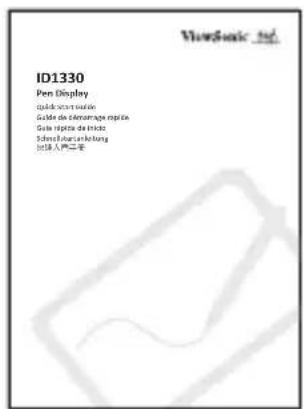
Connexion
Type-C vers Type-C
natural_image
Line drawing of two connected devices: a tablet and a laptop, with no text or symbols present.Configuration de ID1330
natural_image
Simple line drawing of a mechanical component with an arrow indicating direction (no text or symbols)
natural_image
Simple line drawing of a tool with a downward arrow inside a circle (no text or symbols)Informations importantes
natural_image
Simple line drawing of a tablet device with no text or symbols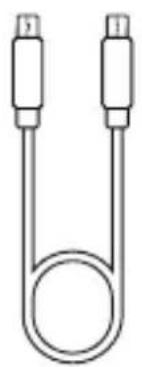
natural_image
Simple line drawing of a U-shaped tube with two connectors (no text or symbols)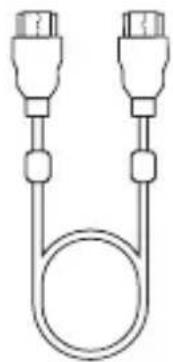
natural_image
Simple line drawing of two connected connectors with a coiled cable (no text or symbols)
natural_image
Simple line drawing of two connected U-shaped devices with ports (no text or symbols)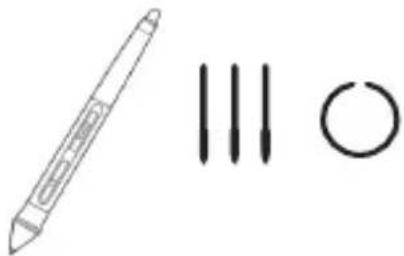
natural_image
Simple line drawing of a pencil and three abstract shapes: a pen, three vertical lines, and a circle (no text or symbols)
natural_image
Line drawing of two connected devices: a tablet and a laptop, with no text or symbols present.natural_image
Simple line drawing of a mechanical component with an arrow indicating direction (no text or symbols)
natural_image
Simple line drawing of a tool with a downward arrow inside a circle (no text or symbols)natural_image
Simple line drawing of a tablet device with no text or symbols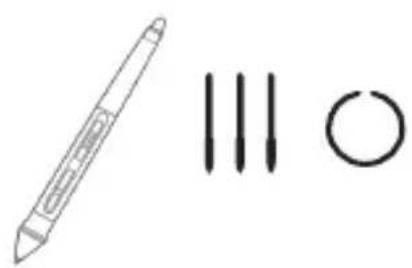
natural_image
Simple line drawing of a pencil and two vertical lines with circles, no text or symbols present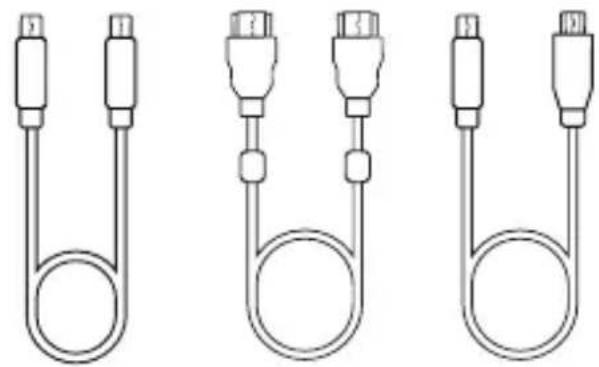
natural_image
Three identical line drawings of a U-shaped connector with connectors, shown from different angles (no text or symbols)
Conexión
Tipo-C a USB y Mini-HDMI a HDMI
Tipo-C a Tipo-C
natural_image
Line drawing of two connected devices: a tablet and a laptop, with no text or symbols present.Configurar ID1330
natural_image
Simple line drawing of a mechanical component with an arrow indicating direction (no text or symbols)
natural_image
Simple line drawing of a tool with a downward arrow inside a circle (no text or symbols)natural_image
Simple line drawing of a rectangular device with a side panel and handle (no text or symbols)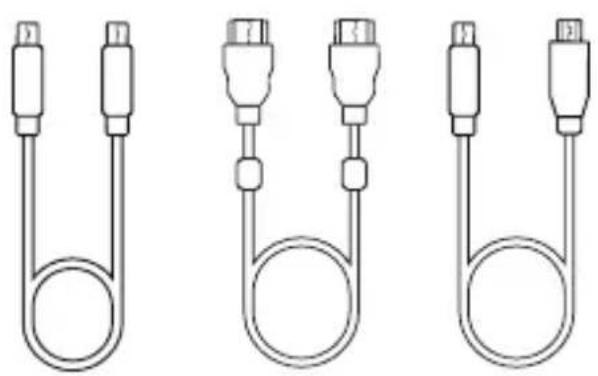
natural_image
Three identical line drawings of a U-shaped connector with connectors, shown from different angles (no text or symbols)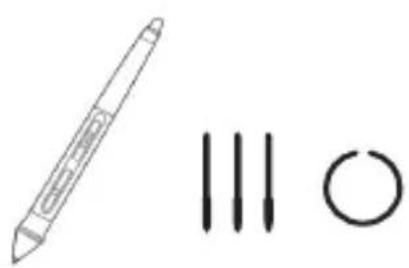
natural_image
Simple line drawing of a pencil, three vertical lines, and a circle (no text or symbols)
TypeC 連接到Type-C
natural_image
Line drawing of two connected devices: a tablet and a laptop, with no text or symbols present.安装ViewSonic ID1330
安裝須知
natural_image
Simple line drawing of a mechanical component with an arrow indicating direction (no text or symbols)
natural_image
Simple line drawing of a paintbrush inside a circle with a downward arrow (no text or symbols)重要訊息
natural_image
Three birds perched on a branch, wearing black-and-white striped caps (no text or symbols visible)ViewSonic®
Brand : VIEWSONIC
Model : ID1330
Category : Monitor