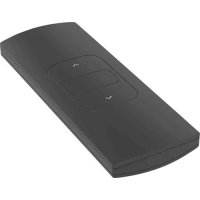
CM11 - Remote control MOTION - Free user manual and instructions
Find the device manual for free CM11 MOTION in PDF.



| Product Type | Remote control for motorized blinds |
| Brand | Motion |
| Model | CM11 |
| Number of channels | 1 |
| Power supply | CR2430 3V battery |
| Battery life | Approximately 1 year (depending on usage) |
| Range | Up to 30 m in open field |
| Main functions | Stop blind, memorize preferred position |
| Wall mount | Included, with screws and plugs adapted to material |
| Compatibility | Motion motors (motorized blinds) |
| Safety | Do not open, do not paint, keep dry, do not drop |
| Cleaning | Soft damp cloth, no solvents or aerosols |
| Operating temperature | 0 °C to 40 °C |
| Certifications | FCC (Part 15), CE |
| Reparability | No user-serviceable parts |
| Warranty | Consult your local dealer |
Frequently Asked Questions - CM11 MOTION
User questions about CM11 MOTION
0 question about this device. Answer the ones you know or ask your own.
Ask a new question about this device
Download the instructions for your Remote control in PDF format for free! Find your manual CM11 - MOTION and take your electronic device back in hand. On this page are published all the documents necessary for the use of your device. CM11 by MOTION.
USER MANUAL CM11 MOTION
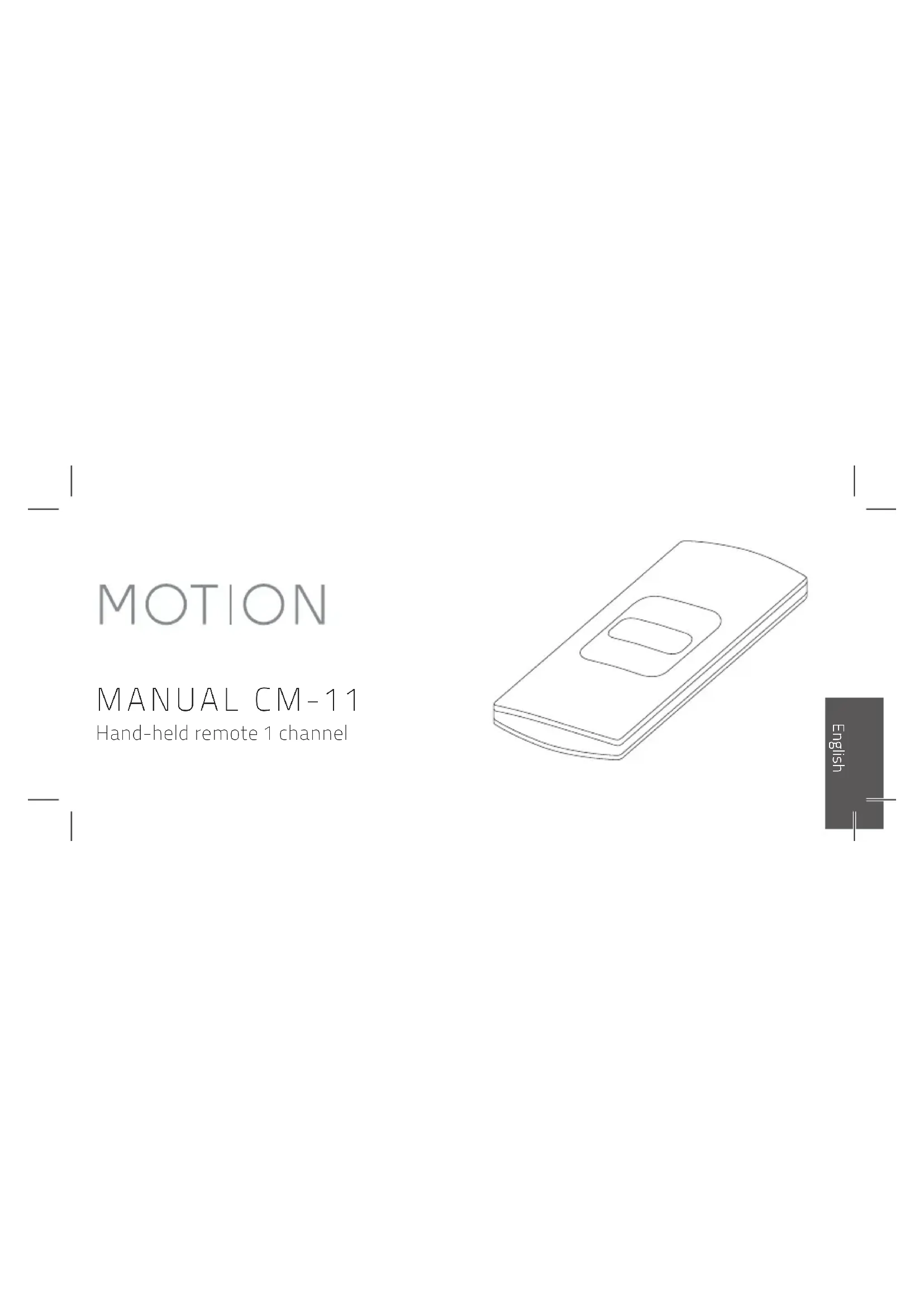
Hand-held remote 1 channel
English
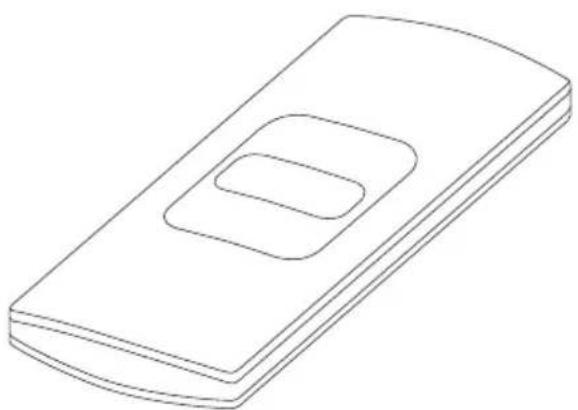
CM-11 is a hand-held remote with 1 channel for operating and programming blinds at the push of a button. Blinds can be moved to any desired position or to a preset favourite position. The wall mounting clip for this remote control is included by default.
For the latest information and updated manuals, visit rtube.nl/cm-11
| Channels Max. | Frequency Range | Power supply | Length | Width | Height | Certificates |
| blinds |
| 1 unlimited 433 MHz | 30 m with 1 concrete wall | CR2430 3.0V 120 mm 45 mm 14 mm | C∈F |
Safety
WARNING: Important safety instructions. Follow all instructions, since incorrect installation can lead to severe injury.
- Do not let children play with the blind and/or remote control.
Take care that the blind can move freely and is not blocked by any objects.
Do not paint the device. - Keep the device dry.
- Do not drop, knock, or shake the device. Rough handling can break internal circuit boards.
Cleaning
Follow these general rules when cleaning the outside of the device and its components:
Use a damp, soft, lint-free cloth. Avoid getting moisture in openings.
Do not use aerosol sprays, solvents, alcohol, or abrasives.
Service & Support
Do not perform repairs yourself. Do not attempt to open the device or disassemble it. You run the risk of electric shock and voiding the limited warranty. No user-serviceable parts are inside.
Warranty Service
First follow the advice in this manual. If the product appears to be damaged or does not function properly, go to your local dealer for instructions on how to obtain warranty service.
FCC Manual | FCC ID: ZY4CM11
Regulatory Information
1 FCC Information for User
This product does not contain any user-serviceable components and is to be used with approved antennas only. Any product changes or modifications will invalidate all applicable regulatory certifications and approvals.
2 FCC Electronic Emission Notices
This device complies with part 15 of the FCC Rules.
Operation is subject to the following two conditions:
-
This device may not cause harmful interference
-
This device must accept any interference received, including interference that may cause undesired operation.
3 FCC Radio Frequency Interference Statement
This equipment has been tested and found to comply with the limits for a class B digital device, pursuant to Part 15 of the FCC Rules. These limits are designed to provide
reasonable protection against harmful interference when the equipment is operated in a commercial environment. This equipment generates, uses and can radiate radiofrequency energy and, if not installed and used in accordance with the instructions, may cause harmful interference to radio communications.
Operation of this equipment in a residential area may cause harmful interference, in which case the user will be required to correct the interference at their own expense.
If this equipment does cause harmful interference to radio or television reception, which can be determined by turning the equipment off and on, the user is encouraged to try to correct the interference by one or more of the following measures:
Reorient or relocate the receiving antenna
Increase the distance separating the equipment and receiver
- Connect the equipment to an outlet on a circuit different from that to which the receiver is connected
Consult the dealer or an experienced radio/TV technician for help

Buttons

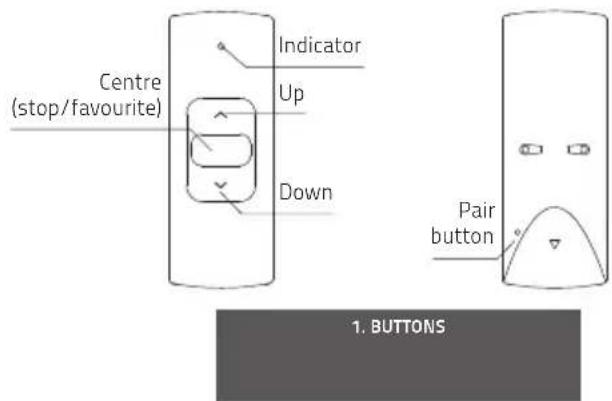
The center button has two functions: press to stop the blind, hold to move the blind to its favorite position.
2 Changing the battery
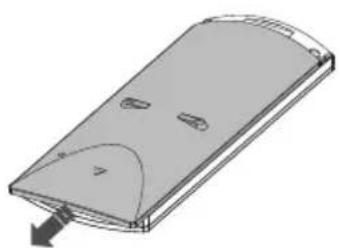
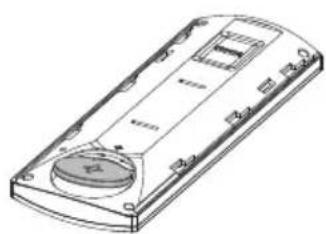
When the indicator is flashing at a high frequency, the battery needs to be replaced.
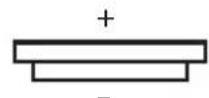
CR2430 3,0V
- CHANGING THE BATTERY
3 Remote holder
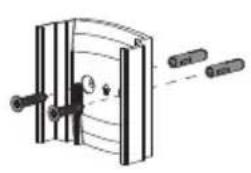
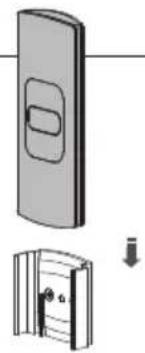
Different materials require different types of fittings. Always choose screws and plugs that are specially suited to the material.
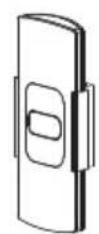
- REMOTE HOLDER
4 Pair a remote
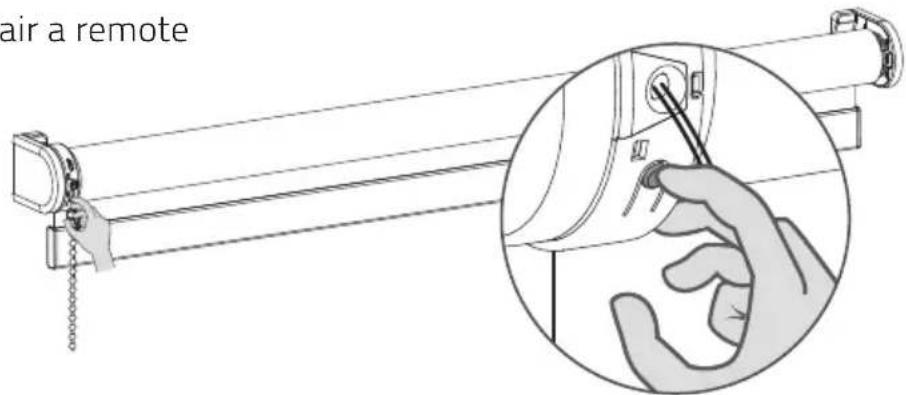
- PAIR REMOTE
4.1
Shortly press the program button on the motor. The blind will start stepping, indicating that program mode has been activated. (The blind keeps stepping until program mode is deactivated.)
4.2
Press the pair button on the back of the remote control to pair the blind with the remote control.
The blind will shortly stop stepping, indicating that the remote has been paired with the blind.
0
Repeat steps 4.1 - 4.3 to remove a blind from a channel.

- PAIR A REMOTE
All rights reserved. No part of this publication may be reproduced, stored in a retrieval system, or transmitted, in any form, by any means, electronic, mechanical, photocopying, recording, digital or otherwise without the written permission of the publisher.
Although this manual has been composed with the utmost care, Coulisse b.v. does not accept any responsibility for damage due to mistakes and/or faults in this manual. Coulisse b.v. reserves the right to revise the manual and to revise and/or change its content at any time, without obligation to notify any person or entity of such revisions or changes.