
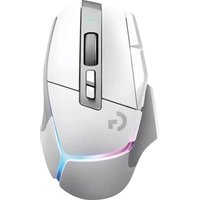
G903 SE - Mouse LOGITECH - Free user manual and instructions
Find the device manual for free G903 SE LOGITECH in PDF.
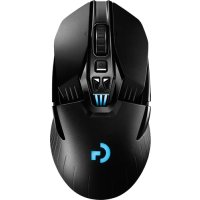


| Product Type | Wireless Gaming Mouse |
| Brand | Logitech |
| Model | G903 SE |
| Connection | Wireless (USB receiver) and wired (USB) |
| Sensor | Optical |
| Resolution (DPI) | 400 / 800 / 1600 / 3200 / 6400 (default) |
| Number of Buttons | 11 programmable |
| Scroll Wheel | Dual-mode hyper-fast scrolling (click to toggle) |
| Lighting | Programmable RGB, 2 zones (DPI indicators and G logo) |
| Battery | Rechargeable LiPo 720 mAh |
| Battery Life | Up to 32 hours (lights off), 24 hours (RGB on) |
| Charging | Via USB cable (2 hours full charge) or POWERPLAY wireless charging (optional) |
| Wireless Range | Up to 10 m (recommended <20 cm) |
| Saved Profiles | 5 customizable profiles via Logitech G HUB software |
| Optional Weight | 10 g included |
| Included Accessories | Wireless receiver, USB adapter, charging cable, 10 g weight, replacement buttons |
| Maintenance | Clean with a soft dry cloth; remove protective film before use |
| Safety | Avoid interference: keep at least 2 m away from wireless routers |
Frequently Asked Questions - G903 SE LOGITECH
User questions about G903 SE LOGITECH
0 question about this device. Answer the ones you know or ask your own.
Ask a new question about this device
Download the instructions for your Mouse in PDF format for free! Find your manual G903 SE - LOGITECH and take your electronic device back in hand. On this page are published all the documents necessary for the use of your device. G903 SE by LOGITECH.
USER MANUAL G903 SE LOGITECH
LIGHTSPEED Wireless Gaming Mouse
LIGHTSPEED Wireless Gaming Mouse
SETUP GUIDE | INSTALLATION GUIDE
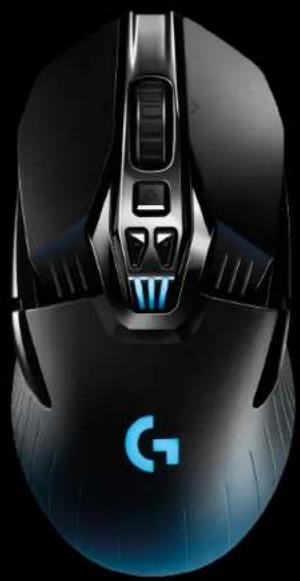
logitech




ENGLISH 3
FRENCH 10
SPANISH....17
PORTUGUESE 24
SETUP INSTRUCTIONS
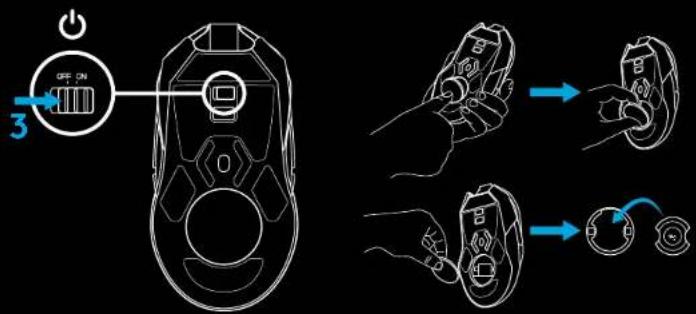
1 Remove the protective film on the bottom side of the mouse before use. This film is designed to protect the sensor from dust during transport, and your mouse may not function unless this is removed.
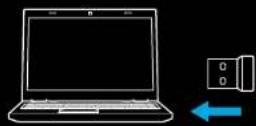
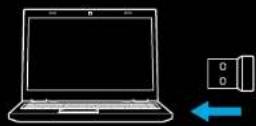
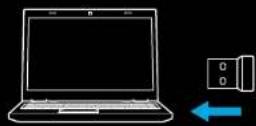
2 A wireless receiver, USB adapter, and optional 10g weight can be found in the accessory box. Plug one end of the cable into your PC, and the other end into the USB adapter and receiver.
- The receiver can also be used plugged directly into your PC. However, using the cable and adapter when in wireless mode is recommended and allows for better connectivity and easy access to the cable for recharging.
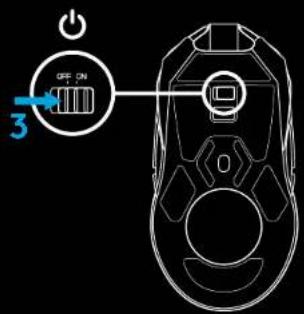
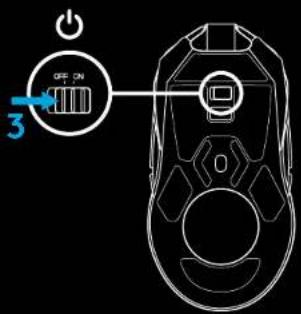
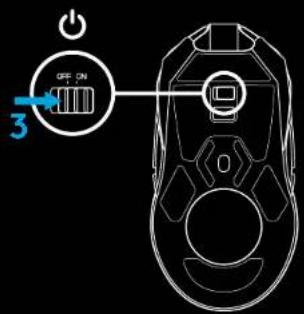
3 Turn mouse on via the switch on the bottom of the mouse.
1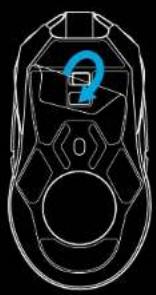
![graph LR A["logitech"] -->|2| B["/"] B --> C["Server"] C --> D["Computer"]](/content/2026/03/582931/images/4f62493f5544a389ed2a35b9d5fcc53d4c16387d5f7697c4076dd2ad4726569f.jpg)
![graph LR A["logitech"] -->|Input| B[" laptop "] B -->|Output| C[" output "] style A fill:#f9f,stroke:#333 style B fill:#ccf,stroke:#333 style C fill:#cfc,stroke:#333](/content/2026/03/582931/images/fce4bbbb213e486368e8c8cf3996fa4d0ca22652811709c6b1f53bd8e8dd6a51.jpg)
4 To charge, disconnect the cable from the adapter and plug into the front of the mouse. Your mouse will operate in data-over-cable mode whenever it is plugged in directly to a PC. Full charge from empty requires approximately two hours plugged in to a PC USB port.
Tips:
- Keep the mouse and receiver 2 m+ away from wireless routers or other 2.4GHz wireless devices to minimize environmental noise.
- G903 SE has a wireless range of up to 10 meters. To ensure optimal performance in noisy wireless environments, and to keep the charging cable easily accessible, it is recommended to keep the receiver within 20 cm of the mouse.
![graph TD A["Computer"] --> B["Router"] B --> C["Mouse"] C --> D["Logitech"] D --> E["Device Icon"] E --> F["Server"] G["No Device"] --> H["20 cm-"] H --> I["User Mouse"] style A fill:#f9f,stroke:#333 style G fill:#ccf,stroke:#333 style H fill:#cfc,stroke:#333 style I fill:#fcc,stroke:#333](/content/2026/03/582931/images/863a6e29f36a43ad100940fa572e406e0a7fb0f9b4a6509a695a490be4f71704.jpg)
BUTTON CONFIGURATIONS
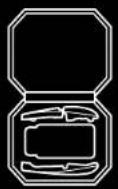
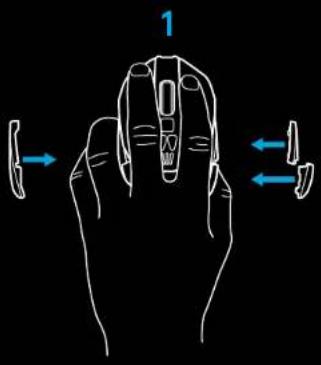
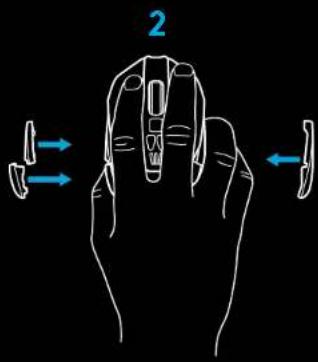
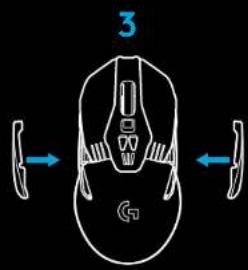
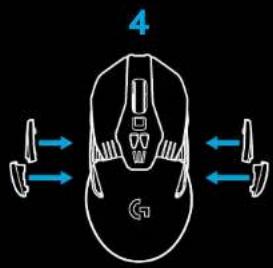
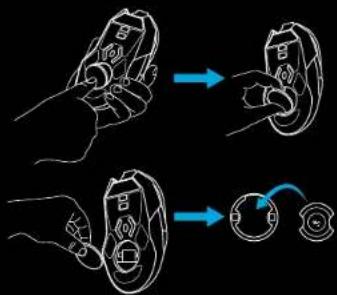
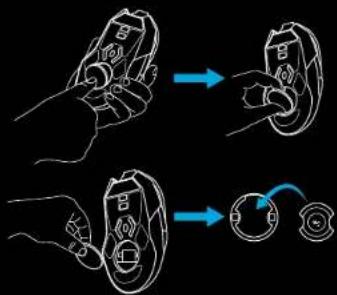
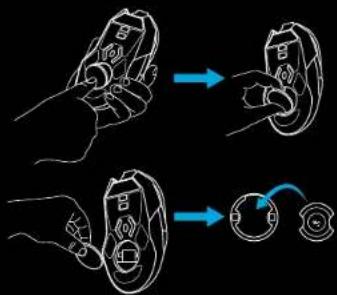
G903 SE comes with replaceable buttons and button caps, which are held onto the mouse magnetically. These should be stored in box when not in use. These replaceable buttons support conversion to the following configurations:
1 Left handed 2 Right handed 3 No buttons 4 Full buttons
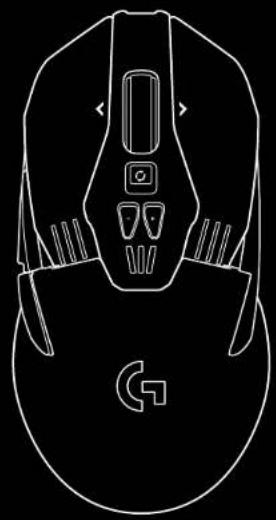
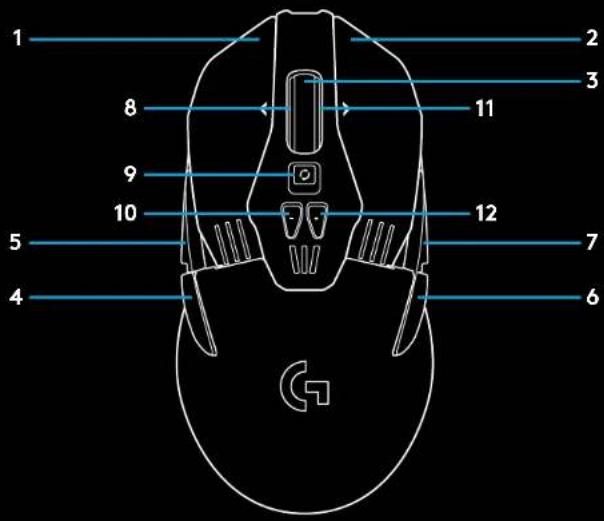
11 FULLY PROGRAMMABLE BUTTONS
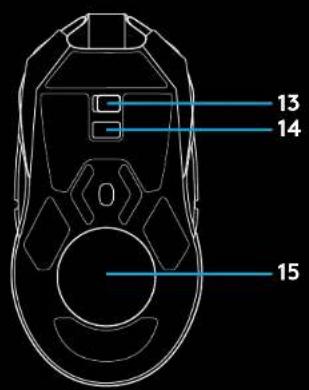
1 Left (Button 1) 2 Right (Button 2) 3 Wheel click (Button 3) 4 Back (Button 4) 5 Forward (Button 5) 6 Back (Button 6) 7 Forward (Button 7) 8 Scroll left (wheel tilt left) 9 Wheel mode shift (not programmable) 10 DPI Down (Button -) 11 Scroll right (wheel tilt right) 12 DPI Up (Button +) 13 On/Off switch (bottom of mouse, not programmable) 14 Profile Select (bottom of mouse, not programmable) 15 Weight door
BATTERY LIFE
G903 SE has a rechargeable 720mAh LiPol battery which provides it with up to 32 hours non-stop gaming at 1ms report rate with lights off, or 24 hours non-stop gaming at 1ms report rate with RGB color cycling on.*
- Charge level can be checked when the mouse is powered on or using Logitech Gaming Software to assign a button to check charge level.
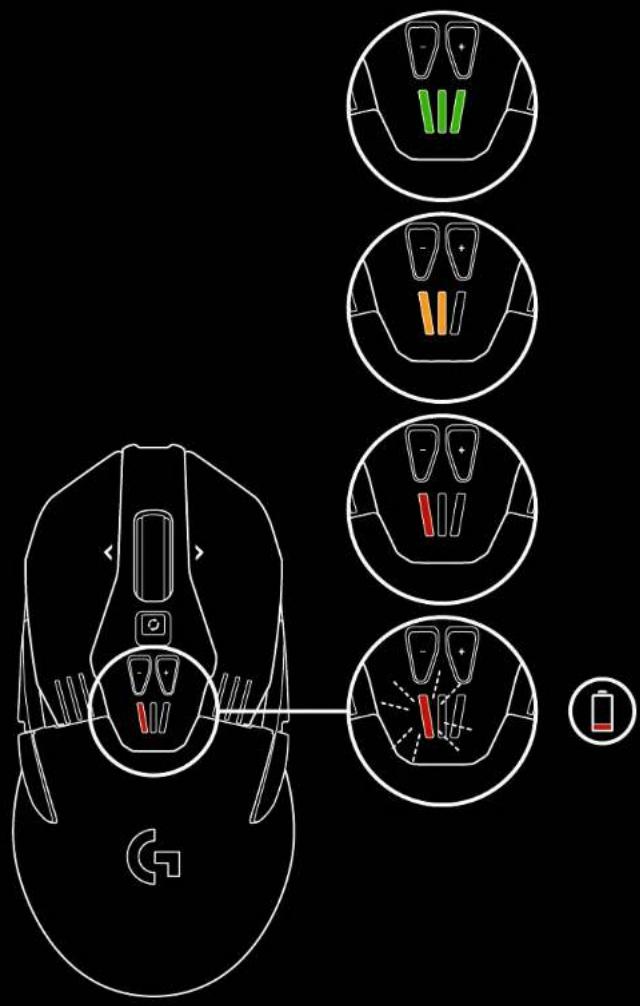
- Charge level is displayed for seven seconds at mouse power-on using the color and number of bars illuminated on the DPI indicator:
- 3 green bars = 50-100%
- 2 orange bars = 30–50%
- 1 red bar = 15-30%
- 1 flashing red bar = <15%
Tip: You can program a button to show charge level using LGS.
- The left DPI LED will flash red when battery is at 15% or less. When this happens, plug in your mouse to charge.
- Charge level, power draw, and estimated remaining battery life can be checked in Logitech Gaming Software
*Battery life and capacity may vary with age and use. Rechargeable batteries have a limited number of charge cycles.
CHARGING/DATA OVER CABLE
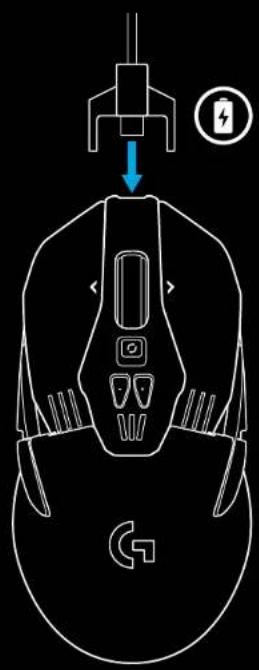
Plug your mouse in via the provided USB charging cable when the battery is low. G903 SE is also compatible with the Logitech G POWERPLAY wireless charging system, sold separately.
RGB PROGRAMMABLE LIGHTING
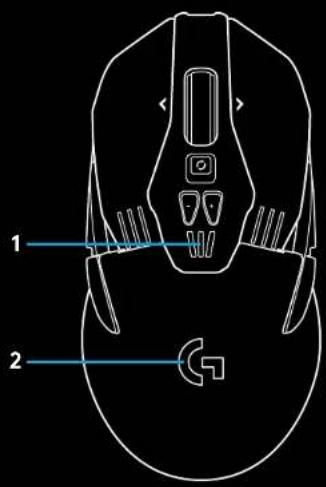
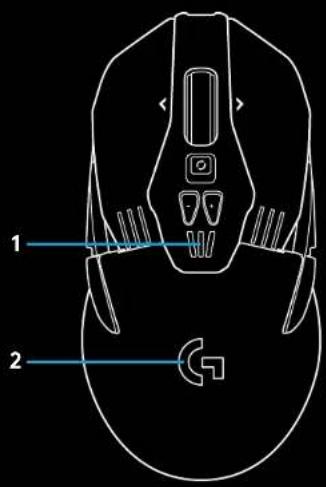
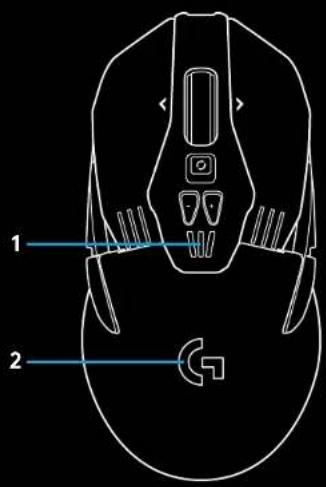
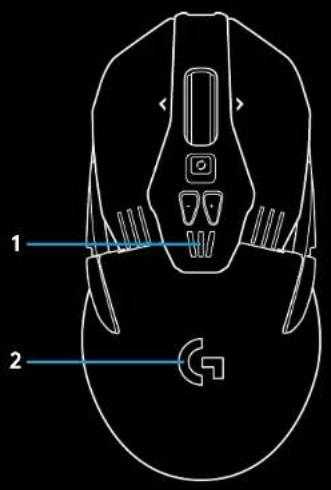
G903 SE has two lighting zones
1 DPI indicators 2 G logo
These colors can be customized using Logitech Gaming Software to a variety of breathing, color cycling, or solid color modes. Lighting patterns can also be synchronized with other supported Logitech G devices using this software.
LOGITECH GAMING SOFTWARE
You can customize the 5 onboard profiles of the G903 SE using the Logitech Gaming Software. These settings include surface tuning, button programming, lighting color, lighting effects, report rate, and tracking behavior. G903 SE allows up to 5 DPI settings per profile.
By default, G903 SE has 1 active onboard profile with the following settings:
- DPI: 400/800/1600/3200/6400
- RGB lighting: color cycle
- Report rate: 1ms
DPI/ONBOARD PROFILE INDICATORS
DPI/Onboard profiles are shown using three LEDs under the -/+ buttons. The image below shows which values are being indicated by the LED panel.

DPI/Profile 1 DPI/Profile 2
DPI/Profile 3

DPI/Profile 4 DPI/Profile 5
HYPERFAST SCROLL WHEEL
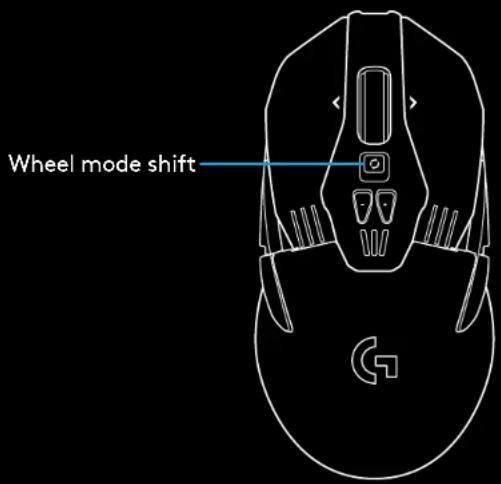
G903 SE features Logitech's exclusive dual-mode Hyperfast scroll wheel. Click the button right below the wheel to switch between the two modes.
QUESTIONS
www.LogitechG.com/support
![graph LR A["logitech"] -->|2| B["/"] B --> C["Server"] C --> D["Computer"]](/content/2026/03/582931/images/68f3424186beb49ba2e9cacba66f394edb5f5cafccb99b3be42a960324e094f4.jpg)

CHARGING AND DATA TRANSMISSION VIA CABLE
LOGITECH GAMING SOFTWARE ASSISTANT
![graph LR A["logitech"] -->|2| B["/"] B --> C["Server"] C --> D["Computer"]](/content/2026/03/582931/images/39b8ff616369bb048e310b10b21a212284b83d3047c08f78ee39cb1f731c7bf3.jpg)

2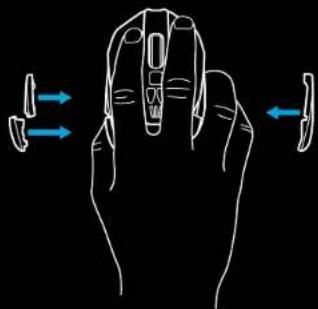
3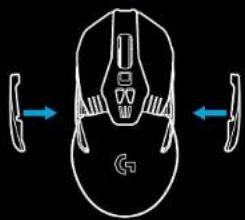
4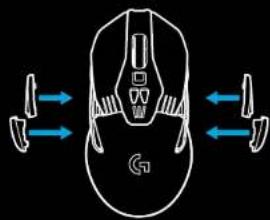
11 FULLY PROGRAMMABLE BUTTONS
CHARGING/DATA VIA CABLE
LOGITECH GAMING SOFTWARE
![graph LR A["logitech"] --> B["/"] B --> C["Server"] C --> D["Computer"]](/content/2026/03/582931/images/ae5dc4a0d014ec8090337207da2f1998299650a813b239b10866b6647b4acab6.jpg)

2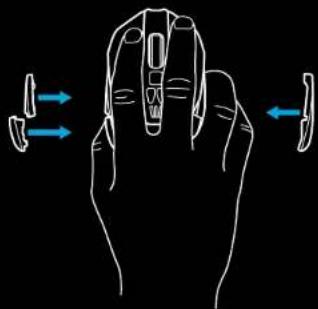
3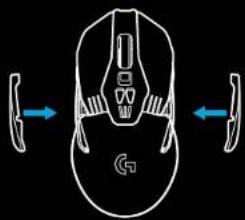
4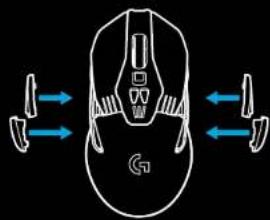
11 FULLY PROGRAMMABLE BUTTONS
CHARGING/DATA VIA CABLE
LOGITECH GAMING SOFTWARE
© 2019 Logitech, Logi and the Logitech Logo are trademarks or registered trademarks of Logitech Europe S.A.
and/or its affiliates in the U.S. and other countries. All other trademarks are the property of their respective owners. Logitech assumes no responsibility for any errors that may appear in this manual. Information contained herein is subject to change without notice.


- SETUP INSTRUCTIONS
- TIPS
- BUTTON CONFIGURATIONS
- FULLY PROGRAMMABLE BUTTONS
- BATTERY LIFE
- CHARGING/DATA OVER CABLE
- RGB PROGRAMMABLE LIGHTING
- LOGITECH GAMING SOFTWARE
- DPI/ONBOARD PROFILE INDICATORS
- HYPERFAST SCROLL WHEEL
- QUESTIONS
- CHARGING AND DATA TRANSMISSION VIA CABLE
- LOGITECH GAMING SOFTWARE ASSISTANT
- CHARGING/DATA VIA CABLE
Brand : LOGITECH
Model : G903 SE
Category : Mouse