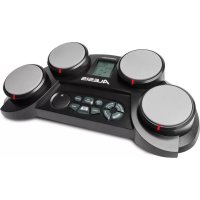
CompactKit 4 - Electronic musical instrument ALESIS - Free user manual and instructions
Find the device manual for free CompactKit 4 ALESIS in PDF.



| Product type | Electronic percussion instrument with pads |
| Brand | Alesis |
| Model | CompactKit 4 |
| Number of pads | 4 |
| Display | LCD screen |
| Power supply | Included AC adapter (power cable provided) |
| Headphone output | 3.5 mm stereo jack |
| Built-in speaker | Yes, disabled when headphones are connected |
| Main functions | Songs, accompaniment, Game, Coach, sound assignment |
| Volume control | Separate master volume and accompaniment volume |
| Tempo adjustment | Dial or Tap function (hit pads) |
| Demo mode | Yes, dedicated button |
| Difficulty levels | 1 (easy), 2 (normal), 3 (hard) for Game and Coach functions |
| Included accessories | 2 drumsticks, power cable |
| Dimensions (approx.) | 30 x 30 x 10 cm |
| Weight (approx.) | 1.5 kg |
| Maintenance and cleaning | Clean with a soft, dry cloth. Do not use abrasive products or solvents. |
| Safety | Use only the supplied AC adapter. Do not expose to water or moisture. |
| Spare parts and repairability | Contact Alesis support for any repairs. No consumer spare parts. |
| General information | Full manual available for download. For assistance: alesis.com/support |
Frequently Asked Questions - CompactKit 4 ALESIS
User questions about CompactKit 4 ALESIS
0 question about this device. Answer the ones you know or ask your own.
Ask a new question about this device
Download the instructions for your Electronic musical instrument in PDF format for free! Find your manual CompactKit 4 - ALESIS and take your electronic device back in hand. On this page are published all the documents necessary for the use of your device. CompactKit 4 by ALESIS.
USER MANUAL CompactKit 4 ALESIS
User Guide (English)
Introduction
Box Contents
CompactKit 4 User Guide
(2) Drum Sticks Safety & Warranty Manual
Power Adapter
Support
For the latest information about this product (system requirements, compatibility information, etc.) and product registration, visit alesis.com.
For additional product support, visit alesis.com/support.
Features
Top Panel
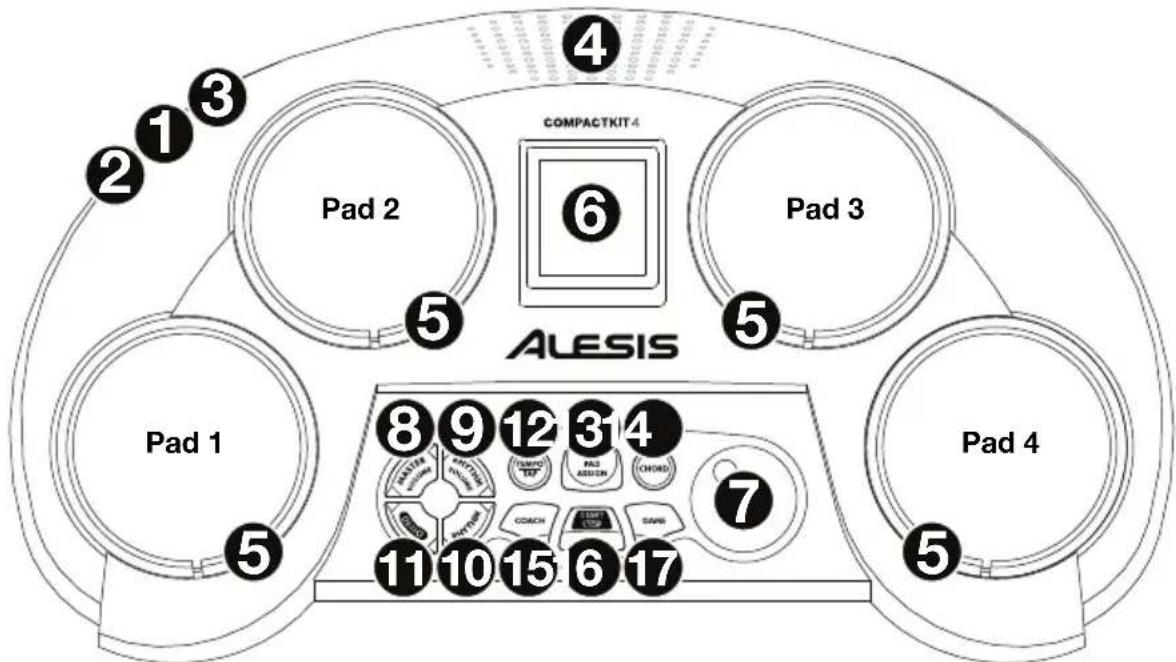
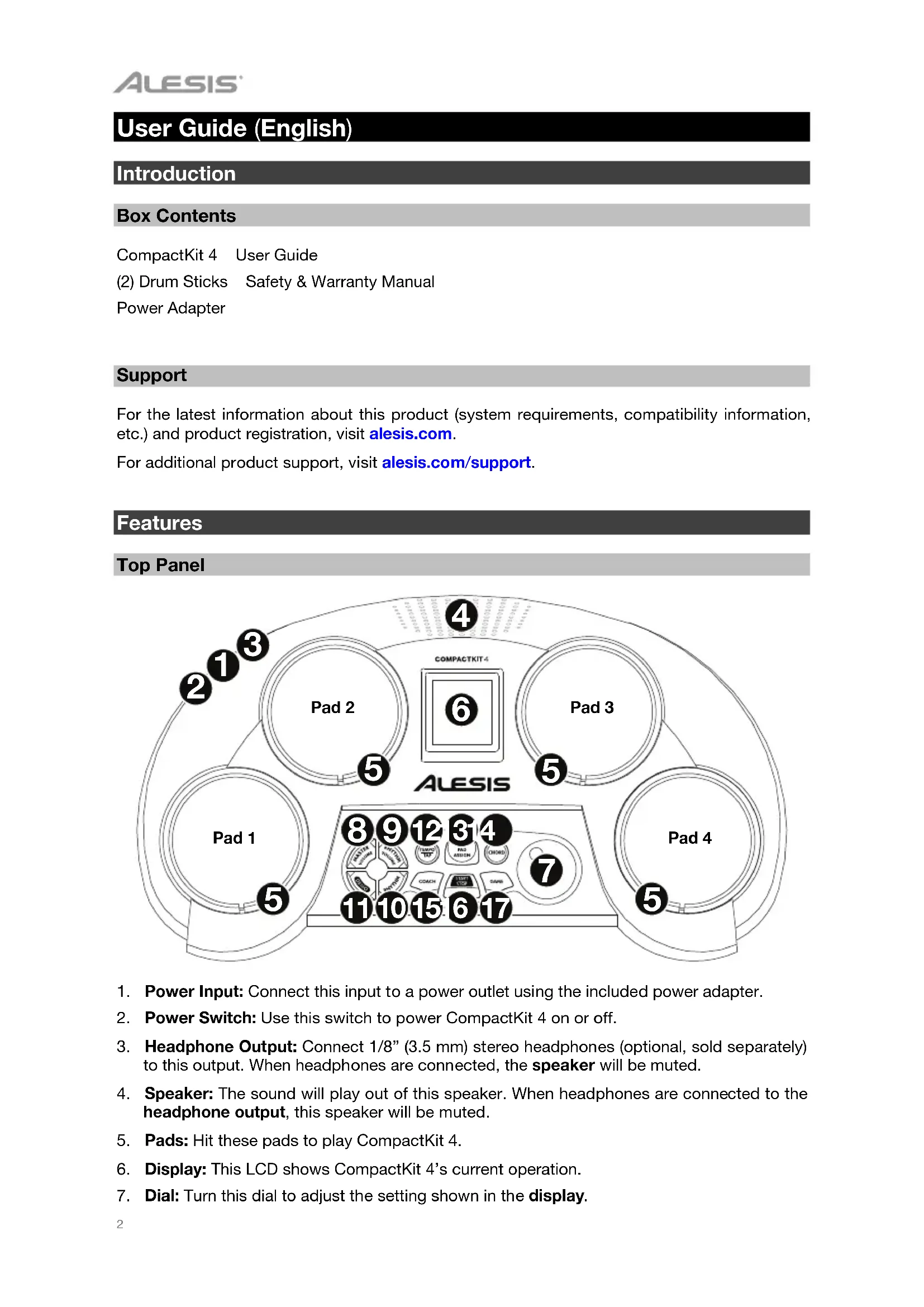
- Power Input: Connect this input to a power outlet using the included power adapter.
- Power Switch: Use this switch to power CompactKit 4 on or off.
- Headphone Output: Connect 1/8" (3.5 mm) stereo headphones (optional, sold separately) to this output. When headphones are connected, the speaker will be muted.
- Speaker: The sound will play out of this speaker. When headphones are connected to the headphone output, this speaker will be muted.
- Pads: Hit these pads to play CompactKit 4.
- Display: This LCD shows CompactKit 4's current operation.
-
Dial: Turn this dial to adjust the setting shown in the display.
-
Master Volume: Press this button, and then turn the dial to adjust the master volume.
- Rhythm Volume: Press this button, and then turn the dial to adjust the volume of the accompaniment (everything but the drum sounds in a song).
- Rhythm: Press this button, and then turn the dial to select a song.
- Demo: Press this button to play the demo song.
- Tempo/Tap: Press this button, and then turn the dial to adjust the tempo. Alternatively, hit any pad 3 or 4 times (based on the current song's time signature) at the desired tempo. The current song will start playing at a tempo based on your last two hits.
- Pad Assign: Press this button, and then hit a pad to change its sound. Each hit will play and select the next sound. After you hear the sound you want to use for that pad, press this button again.
- Chord: Press this button to activate or deactivate the accompaniment.
- Coach: Press this button, and then turn the dial to select a solo to play using the Coach feature. See Operation > Coach to learn more.
- Start/Stop: Press this button to start or stop the current song.
- Game: Press this button, and then turn the dial to select a rhythm to play using the Game feature. See Operation > Game to learn more.
Operation
Songs
CompactKit 4 has several songs consisting of drum parts and accompaniment ("rhythm"). You can play the song with or without the accompaniment.
To select a song, press Rhythm and then turn the dial.
To play or stop the song, press Start/Stop.
Tip: Alternatively, press Tempo, and then hit any pad 3 or 4 times (based on the current song's time signature) at the desired tempo. The current song will start playing at a tempo based on your last two hits.
To play or stop the demo song, press Demo.
To adjust the master volume, press Master Volume and then turn the dial.
To adjust the volume of the accompaniment, press Rhythm Volume and then turn the dial.
To adjust the tempo of the song, press Tempo, and then turn the dial to adjust the tempo.
Tip: Alternatively, press Tempo, and then hit any pad 3 or 4 times (based on the current song's time signature) at the desired tempo. The current song will start playing at a tempo based on your last two hits.
To activate or deactivate the accompaniment, press Chord.
Sounds
CompactKit 4 has several different sounds that you can assign to each drum pad.
To assign a sound to a pad:
- Press Rhythm then turn the dial to select a song.
- Press Pad Assign.
- Hit a pad to change its sound. Each hit will play and select the next sound. Stop after you hear the sound you want to use for that pad.
- Optional: To change the sound of another pad, repeat Step 3.
- When you are finished, press Pad Assign. The sounds are now assigned to those pads.
Game
CompactKit 4 has a built-in game that can help you learn its various drum patterns. In the display, bars will descend in each column (representing each pad). Once a bar reaches below the line, hit the corresponding pad.
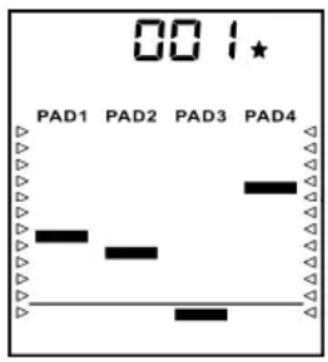
To play the game:
- Press Game.
- Turn the dial to select a rhythm. The upper-right corner will show 1, 2, or 3 stars to indicate the difficulty level: 1 is easy, 2 is normal, and 3 is hard.
- Press Start/Stop to start playing. As each bar reaches the line at the bottom of the display, hit the corresponding pad.
- When the game is finished, you will see your score (000-100%). After 3 seconds, the game will restart.
- Press Start/Stop to stop playing.
Coach
CompactKit 4 has a built-in drum coach that can help improve your skill at learning general drum patterns. In the display, bars will descend in each column (representing each pad). Once a bar reaches below the line, hit the corresponding pad.
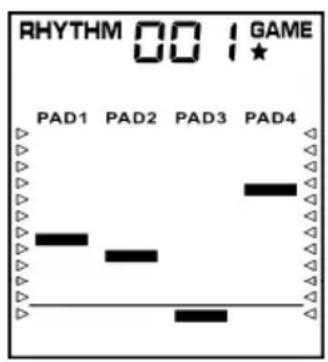
To use the coach:
- Press Coach.
- Turn the dial to select a pattern. The upper-right corner will show 1, 2, or 3 stars to indicate the difficulty level: 1 is easy, 2 is normal, and 3 is hard.
- Press Start/Stop to start playing. As each bar reaches the line at the bottom of the display, hit the corresponding pad.
- When the session is finished, you will see your score (000-100%). After 3 seconds, the coach will restart.
- Press Start/Stop to stop playing.
Assistance technique
27 Hi-Hat & Kick 50 Cowbell 2
1 Standard Kick 28 Standard Hi-Hat Closed 51 Cowbell 3
2 Analog Kick 1 29 Standard Hi-Hat Open 52 Timbale Low
3 Rock Kic30 Analog Hi-Hat Closed 53 Timbale 1
4 Room Kick 31 Analog Hi-Hat Open 54 Timbale 2
5 Analog Kick 2 55 Timbale & Kick
6 Hard Kick Toms 56 Metronome Click k
7 Acoustic Kic32 Standard Tom 1 57 Metronome Bell
8 Standard Kick 2 33 Standard Tom 2 58 Hand Clap
9 Standard Kick 3 34 Standard Tom 3 59 Tambourine 1
Snare Drum
35 Standard Tom 4 60 Tambourine 2
36 Tom & Snare 61 Bongo Hi
37 Tom Low 62 Bongo Low
38 Acoustic Tom 63 Conga Open
39 Rock Tom 64 Conga Mute
40 Analog Tom 65 Cabasa
66 Maracas
10 Standard Snare 1
11 Standard Snare 2
12 Synth Snare 1
13 Synth Snare 2
14 Synth Snare 3
15 Analog Snare 1
16 Standard Snare Rim
17 Standard Snare 3
18 Acoustic Snare
19 Rock Snare
20 Rock Snare Rim
21 Analog Snare Rim
22 Analog Snare 2
23 House Snare
Crash
41 Standard Crash 1 68 Triangle Open
42 Standard Crash 2 69 Triangle Mute
43 Standard Crash 3 70 Analog Cowbell
44 Analog Crash 71 One
Ride
45 Ride 1 74 Fou
46 Ride 2 75 OK
74 Fou r
75 OK
47 Ride 3 76 Good
48 Standard Ride 77 Very Good
Hi-Hat
24 Hi-Hat 1
25 Hi-Hat 2
26 Hi-Hat & Snare
Percussion
49 Cowbell 1 80 BLJ Trill
72 Two
73 Three
76 Good
Very Good
78 Excellent
79FX
80 BLJ Trill
Songs
| 8-Beat Dance | 35 Samba | ||||||
| 1 | 8-Beat | 17 Pop Dance | 36 Latin Roc | k | |||
| 2 | 8-Beat | Ballad | 18 disco | 37 Cha Cha | |||
| 3 | 8-Beat | Pop | 19 House | 38 Mambo | |||
| 4 | 8-Beat | Rac | 20 Hip | Hop | 39 | ||
| 5 | Rock | 1 | 21 Rap | ||||
| 6 | Rock | 2 | 22 Shuf | fle | Country | ||
| 7 | Hard | Roc | 23 k | Slow | 40 Country Roc | ||
| 8 | Heavy Metal 1 | 24 Soul 41 Country Roc | k | ||||
| 9 | Heavy Metal 2 | ||||||
| Jazz | March & Waltz | ||||||
| 6/8 Pop | 25 Cool Jazz | 42 March | |||||
| 10 | 6/8 Pop 1 | 26 Jazz Swing | 43 Polka | ||||
| 11 | 6/8 Pop 2 | 27 Blues 1 | 44 Waltz 1 | ||||
| 28 Blues 2 | 45 Waltz 2 | ||||||
| 16-Beat | 29 Fusion 1 | ||||||
| 12 | 16-Beat Pop | 30 Fusion 2 | Sound Effects | ||||
| 13 | 16-Beat Funk | 31 Bounce | 46 | SFX 1 | |||
| 47 SFX 2 | |||||||
| Funk | Latin | 48 SFX 3 | |||||
| 14 | Funk | 32 Reggae 1 | 49 SFX 4 | ||||
| 15 | Funk Pop | 33 Reggae 2 | 50 SFX 5 | ||||
| 16 | Blues Funk | 34 Bossa Nova | |||||
Technical Specifications
| Pads | 4 velocity-sensitive pads with indication lights |
| Sounds | 70 drum and percussion sounds 10 effect sounds |
| Songs | 50 songs 20 coach songs 1 demo song |
| Connections | (1) 1/8” (3.5 mm) stereo headphone output (1) power input |
| Power | 9V DC, 800 mA, center-positive power adapter (included) (6) C batteries |
| Dimensions (width x depth x height) | 18.1” x 10.2” x 5.9” 460 mm x 260 mm x 150 mm |
| Weight | 3.3 lbs. 1.5 kg |
Specifications are subject to change without notice.
Trademarks and Licenses
Alesis is a trademark of inMusic Brands, Inc., registered in the U.S. and other countries.
All other product or company names are trademarks or registered trademarks of their respective owners.
alesis.com

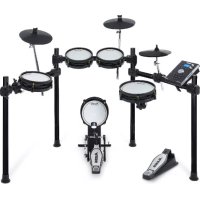
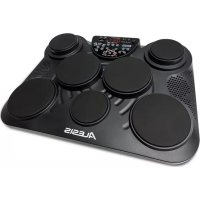
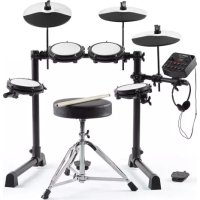
- User Guide (English)
- Introduction
- Box Contents
- Support
- Features
- Top Panel
- Operation
- Songs
- To play or stop the song, press Start/Stop.
- Sounds
- To assign a sound to a pad:
- Game
- To play the game:
- Coach
- To use the coach:
- Assistance technique
- Snare Drum
- Crash
- Ride
- Hi-Hat
- Percussion
- Trademarks and Licenses
- alesis.com
Brand : ALESIS
Model : CompactKit 4
Category : Electronic musical instrument