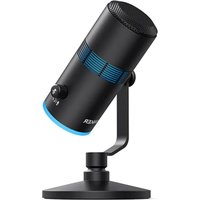
PowerConf - Phone Anker - Free user manual and instructions
Find the device manual for free PowerConf Anker in PDF.



| Product Type | Phone (Conference Speaker) |
| Brand | Anker |
| Model | PowerConf |
| Power Supply | Rechargeable battery 6700 mAh, Input 5V 2A, Output 5V |
| Charging Time | 4 hours |
| Talk Time | 24 hours |
| Bluetooth Version | V 5.0 |
| Bluetooth Range | 10 m (33 ft) |
| Frequency Response | 20 Hz - 20 kHz |
| Rated Output Power | 3 W RMS |
| Speaker Size | 1 x 1.75 inch (full range) |
| Connectivity | Bluetooth, USB-C (charging), USB-A (charging out), AUX (audio out) |
| Functions | Call control (answer/hang up/reject), volume control, mute, music play/pause, Bluetooth/USB toggle |
| LED Indicators | Status (Bluetooth, call, mute, charging, low battery) |
| App | AnkerWork (iOS and Android) |
| Ports | USB-C (charging), USB-A (external charging), AUX (audio out) |
Frequently Asked Questions - PowerConf Anker
User questions about PowerConf Anker
0 question about this device. Answer the ones you know or ask your own.
Ask a new question about this device
Download the instructions for your Phone in PDF format for free! Find your manual PowerConf - Anker and take your electronic device back in hand. On this page are published all the documents necessary for the use of your device. PowerConf by Anker.
USER MANUAL PowerConf Anker
natural_image
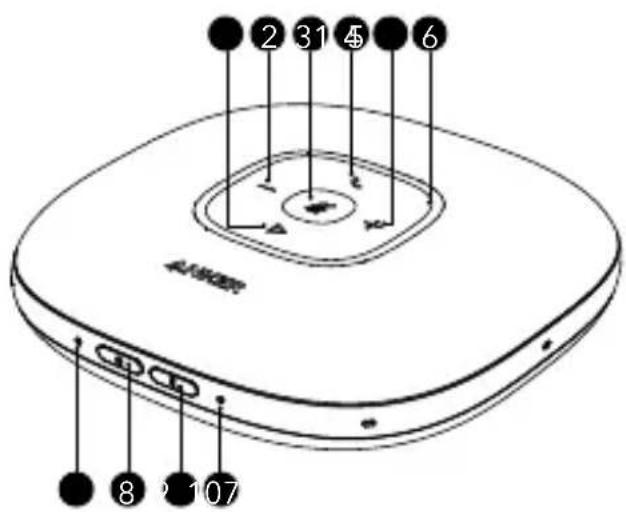
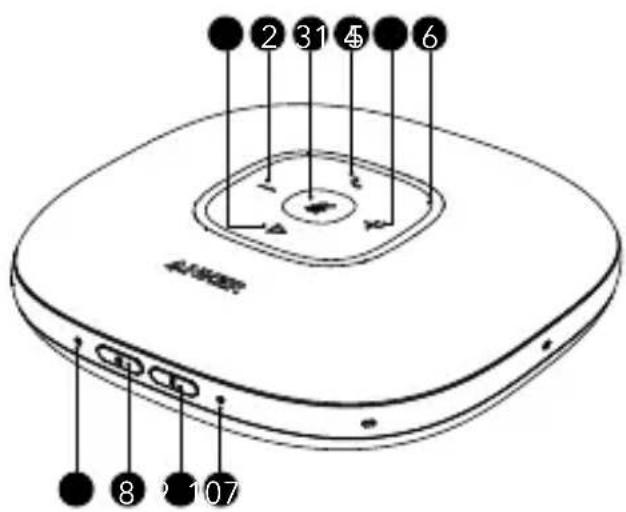
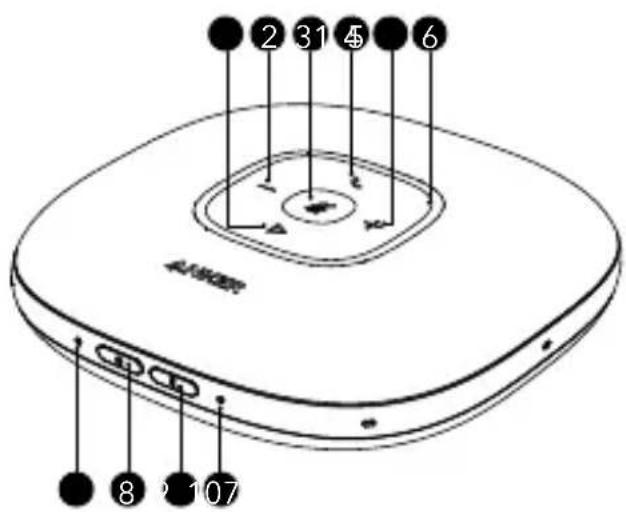
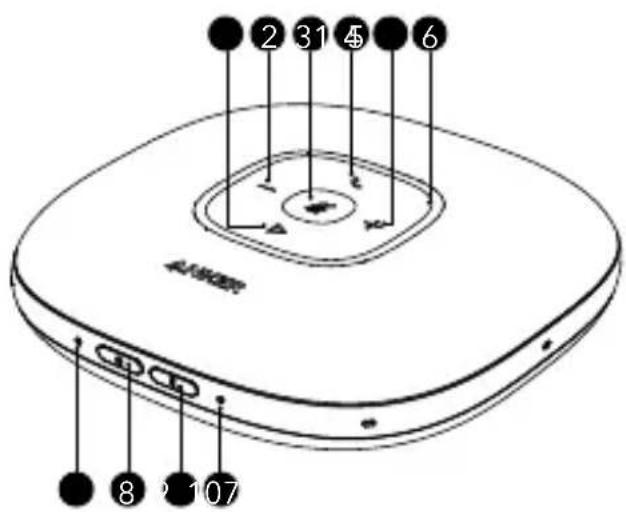
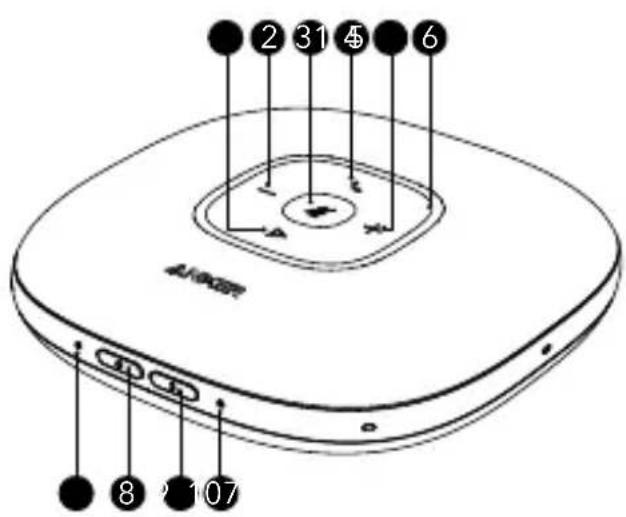
Line drawing of a circular electronic device with labeled ports and buttons (no text or symbols)1 Multi-function button
2 Volume down button
3 Mute button
4 Phone call button
5 Volume up button
6 Status LED
7 Power LED
8 Power button
9 Bluetooth button
10 Bluetooth LED
11 USB-A port for charge-out
12 Audio output port
13 USB-C port for charge-in
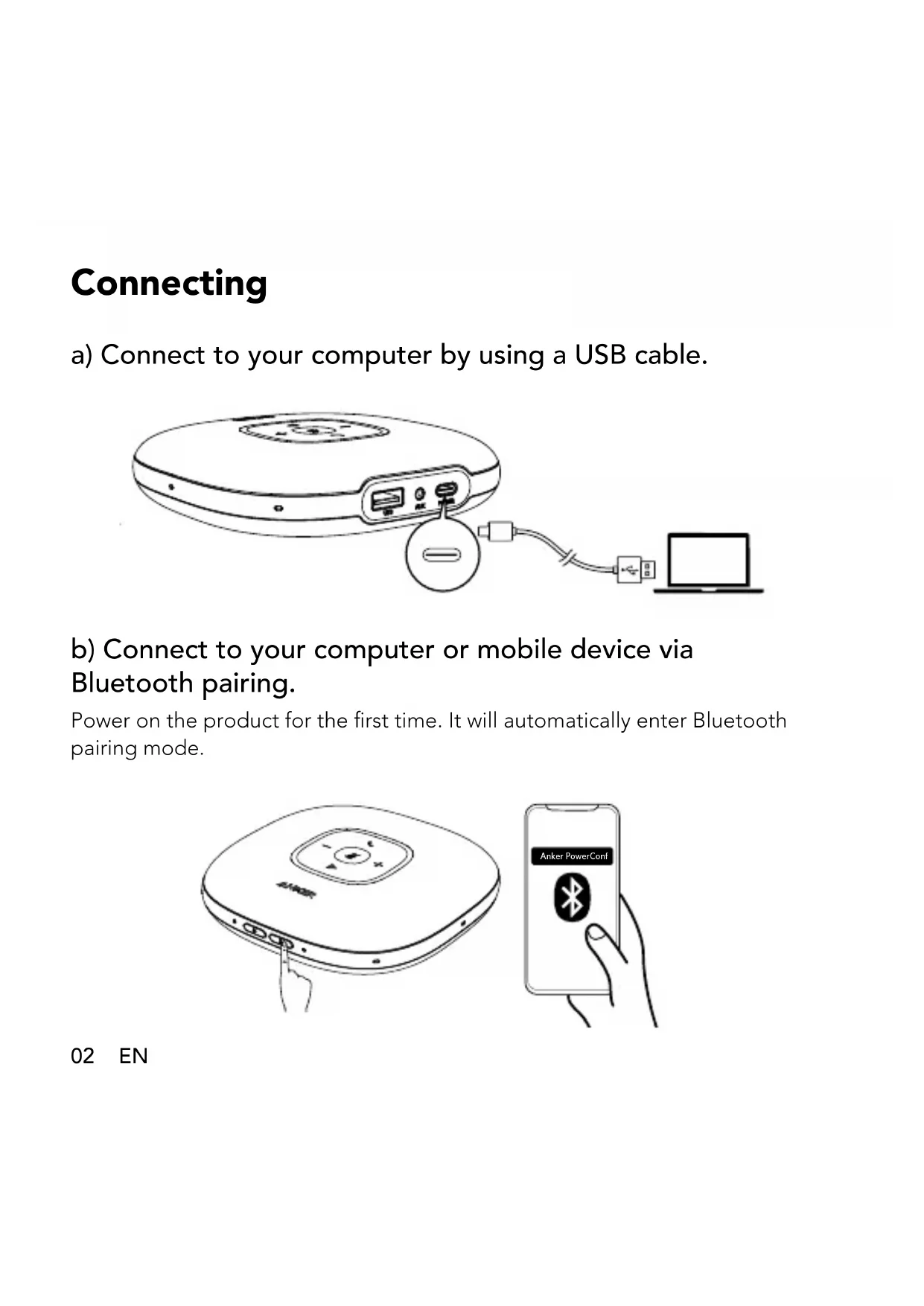
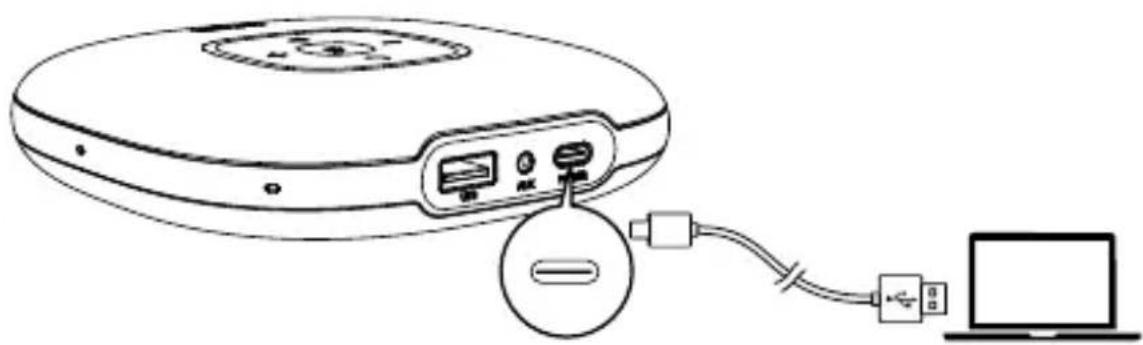
Connecting
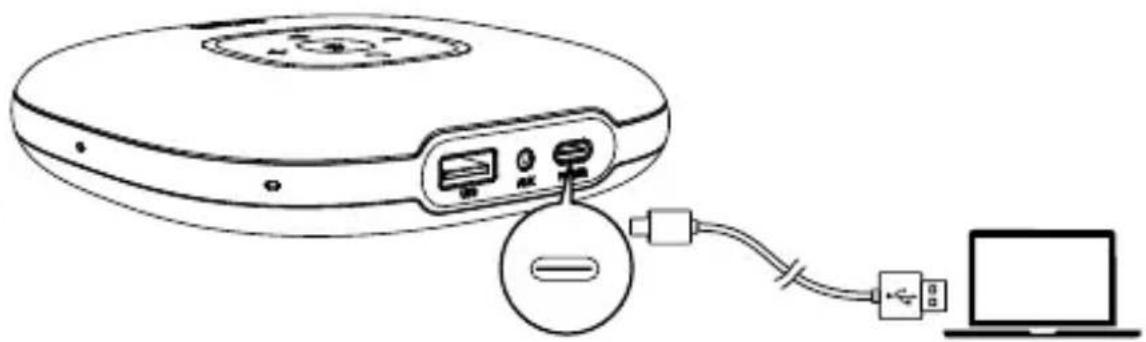
a) Connect to your computer by using a USB cable.
natural_image
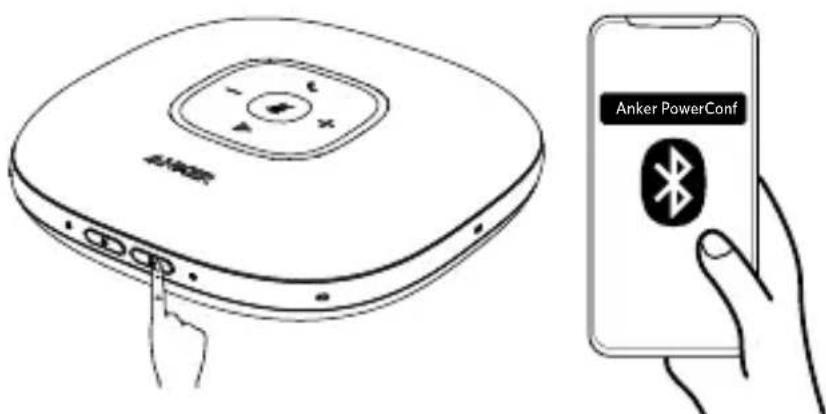
Line drawing of a CD or DVD device connected to a laptop via cable (no text or symbols)b) Connect to your computer or mobile device via Bluetooth pairing.
Power on the product for the first time. It will automatically enter Bluetooth pairing mode.
text_image
Anker PowerConf Anker PowerConf02 EN
| * | ||
| Flashes blue Bluetooth pairing | ||
| Steady blue Bluetooth connected | ||

• Each time you power on the product, it will automatically connect with the last successfully connected device if available.
- When the speakerphone is connected to two devices via USB and Bluetooth at the same time, press and hold the multi-function button for two seconds to switch between Bluetooth and USB modes.
• To disconnect Bluetooth, press the Bluetooth button again.
Powering On / Off
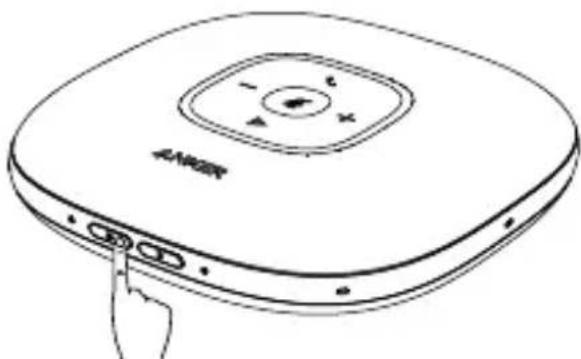
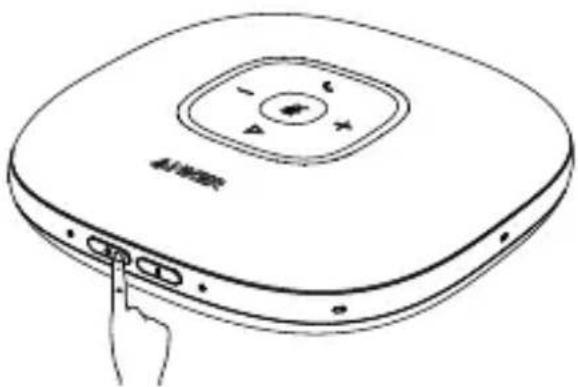
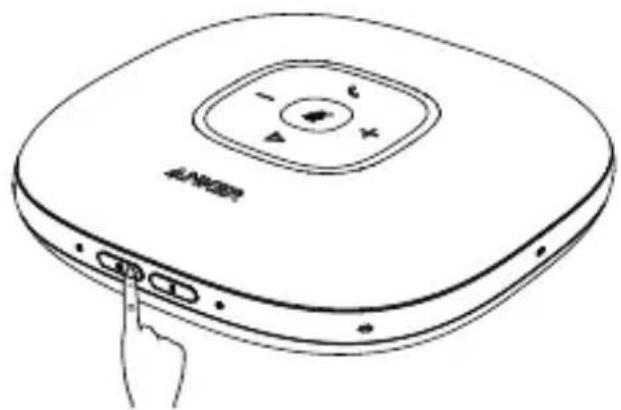
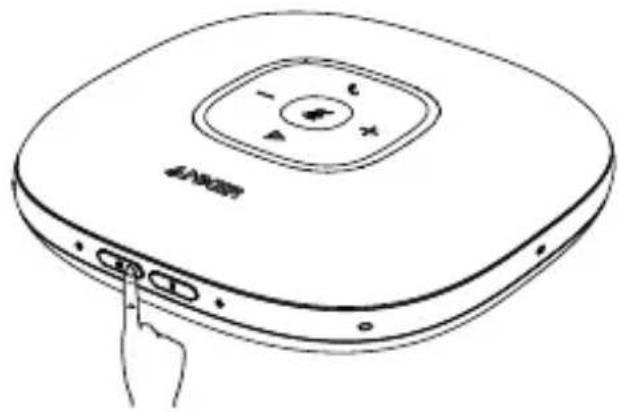
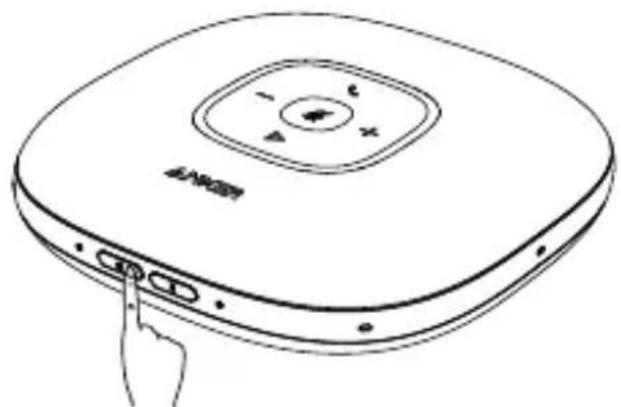
Press and hold the power button for two seconds to power on. The LED light will turn on, run clockwise, and then fade out. To power off, press and hold the power button for two seconds.
natural_image
Line drawing of a device with a circular top and three buttons, no text or symbols presentEN 03
Power LED
 | Steady white Power on | |
 | Light off Power off |

- Once connected to your computer, the product will automatically power on.
- The product will automatically power off after 30 minutes of inactivity or if it's not connected to a source.
Button Controls
| +/- | Press or press and hold Volume up / down | |
 | Press Answer / End a call | |
| Press and hold for 2 seconds Reject a call | ||
 | Press | Mute or restore the microphone |
 | Press Play / Pause music | |
04 EN
Status LED
| Lights up white for 2 seconds | USB connected to computer |
| Breathes green Incoming call | |
| Lights up blue partially Sound | direction detected |
| Lights up blue clockwise or counterclockwise | Increase or decrease volume |
| Turns red Muted | |
| Lights up green Press Power button to check the battery level | |
Charging
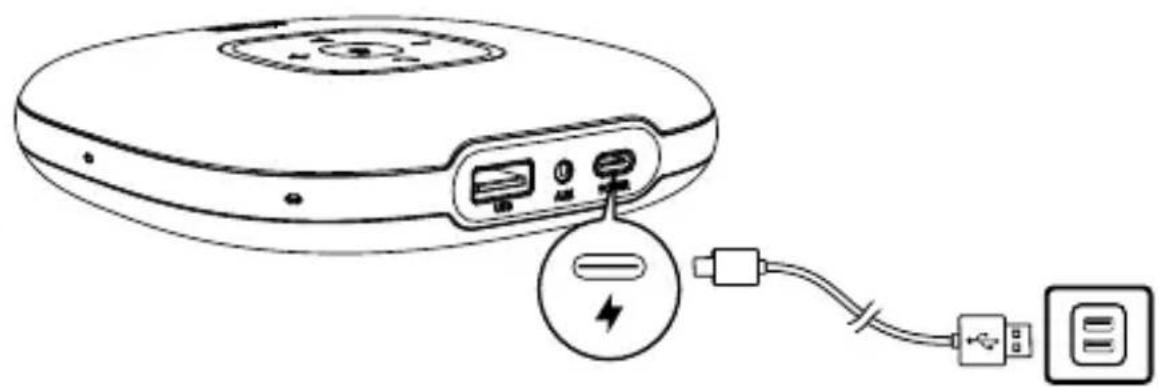
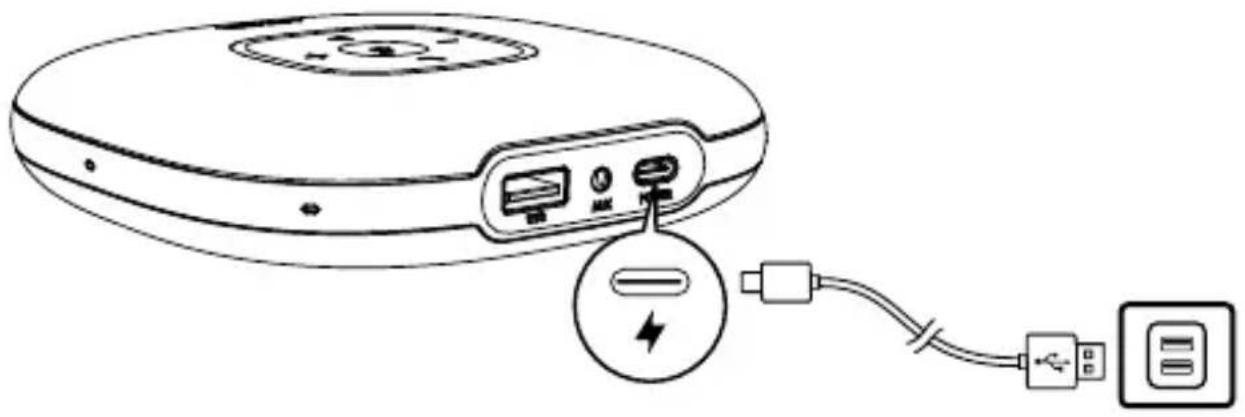
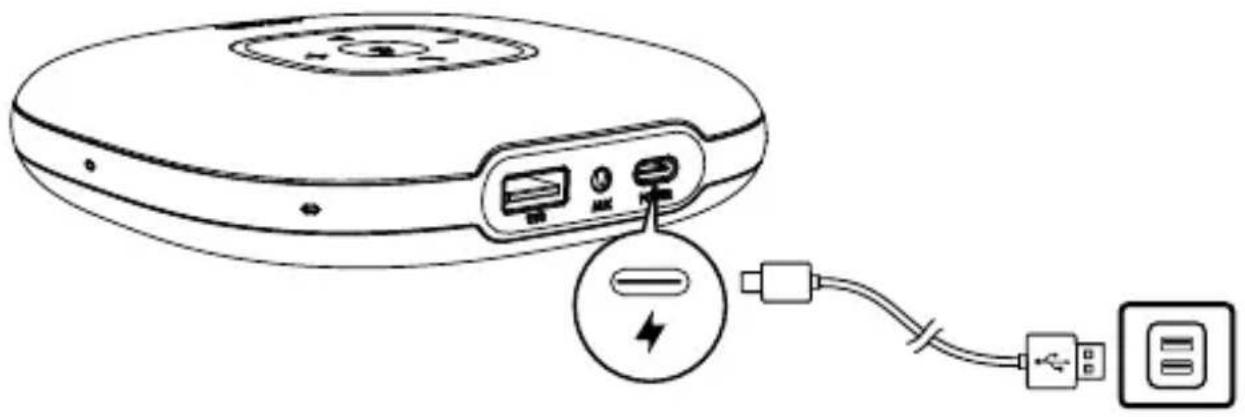
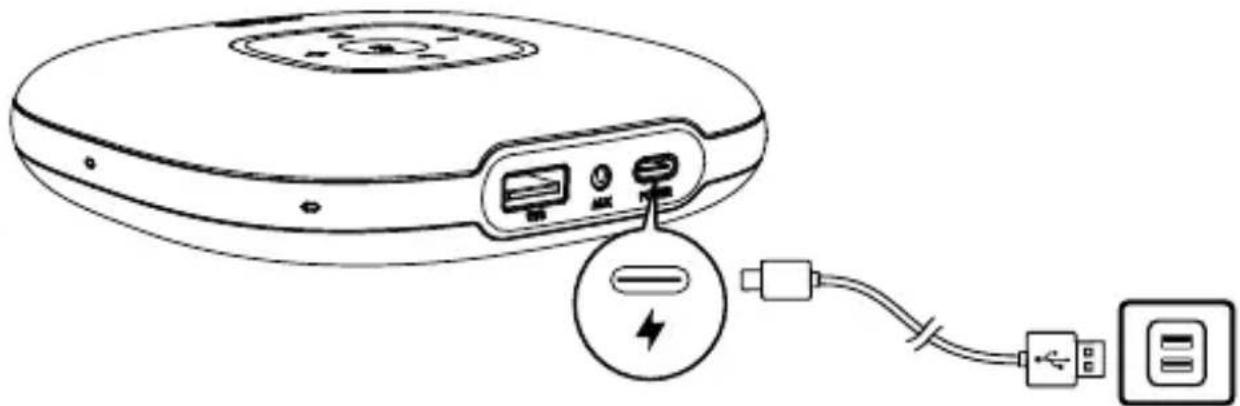
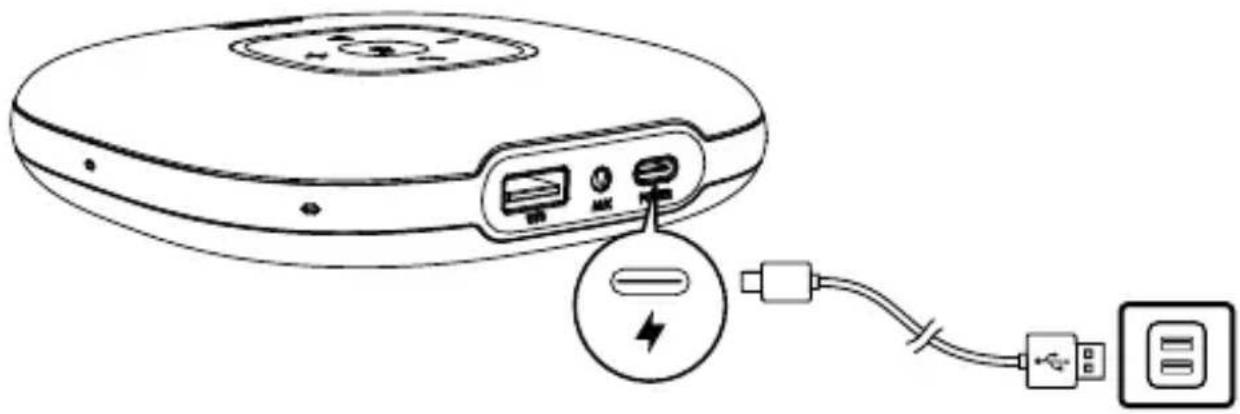
a) Charging this product
natural_image
Line drawing of a circular electronic device with ports and an attached cable showing connections (no text or symbols)EN 05
Power LED
| Steady red Being charged | |
| Light off Fully charged | |
| Flashes red Low battery |
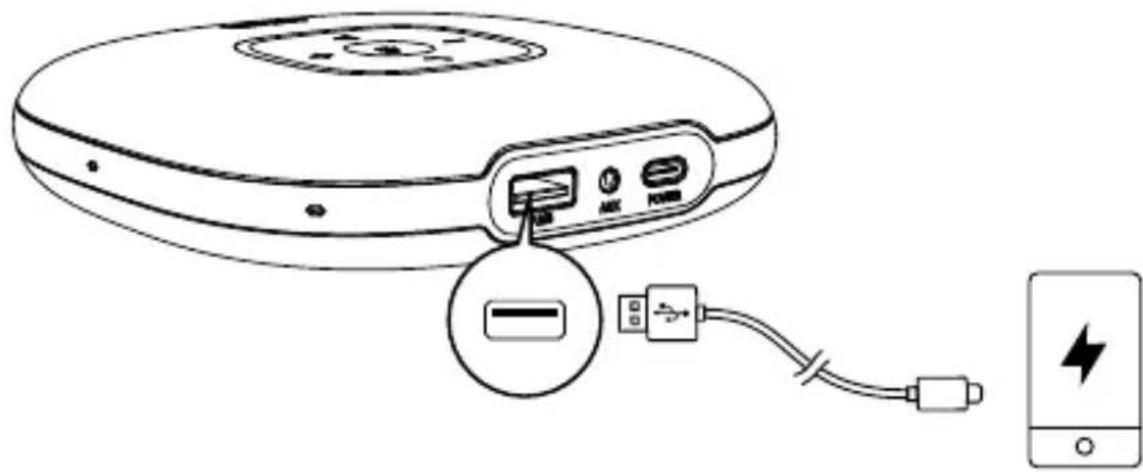
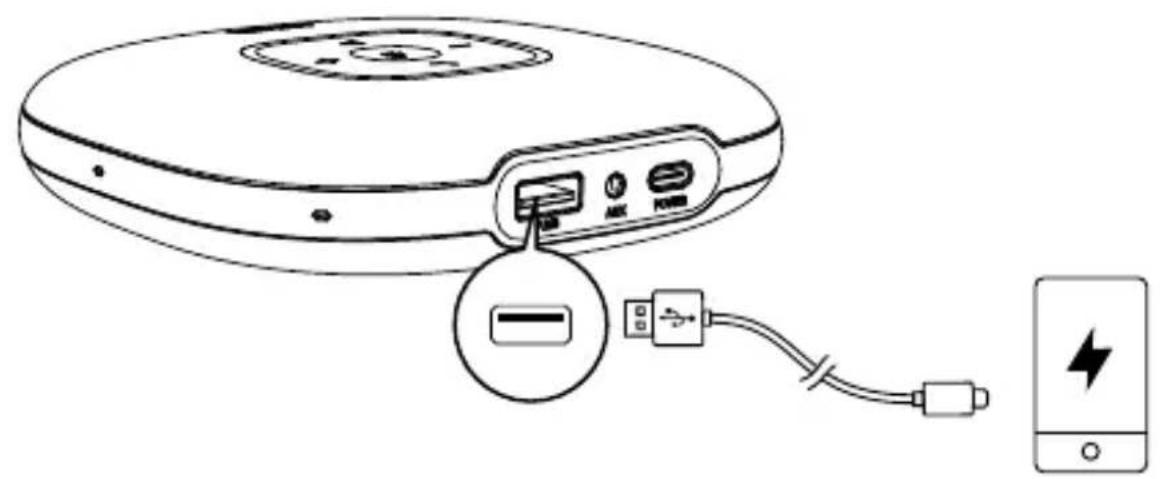
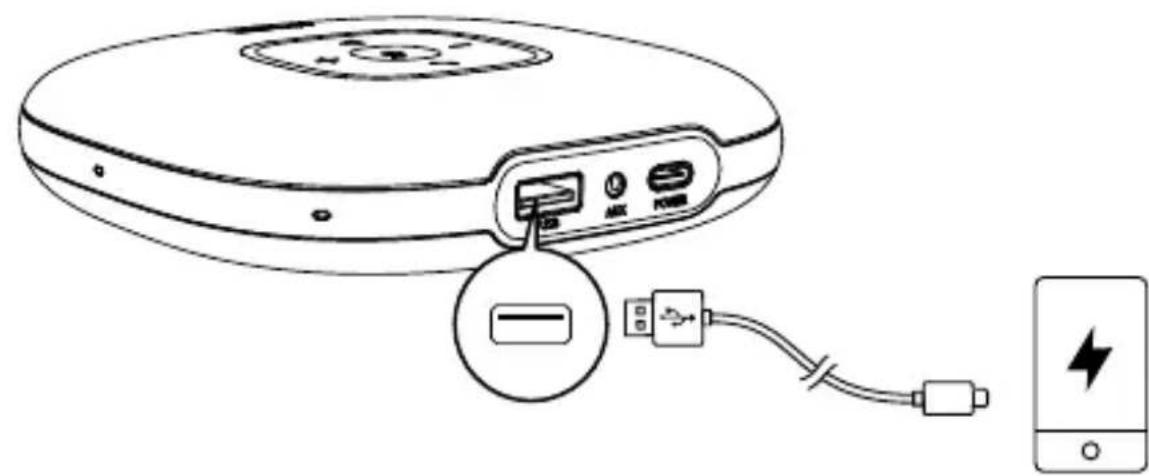
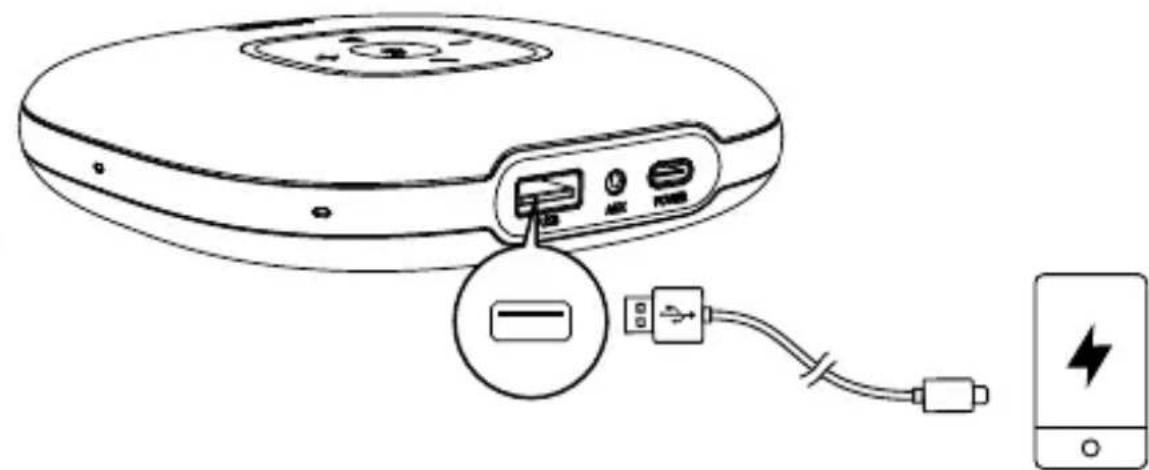
b) Charging an external device
text_image
Diagram showing the internal components of a CD-ROM drive connected to a battery, with an icon indicating the battery's connection.
- When powered off or being charged, PowerConf won't have an output charge.
- When the remaining battery is less than 30% , the charge out current will be 5V A; if less than 10% , it won't have an output charge.
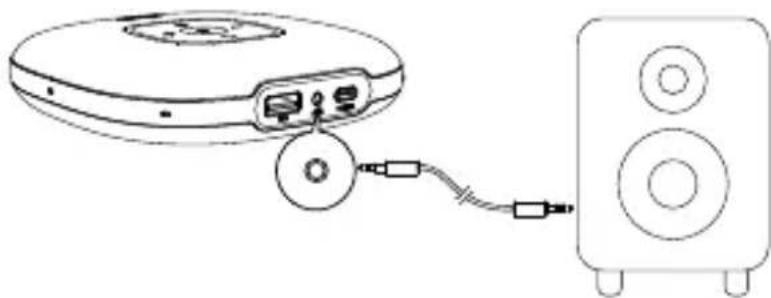
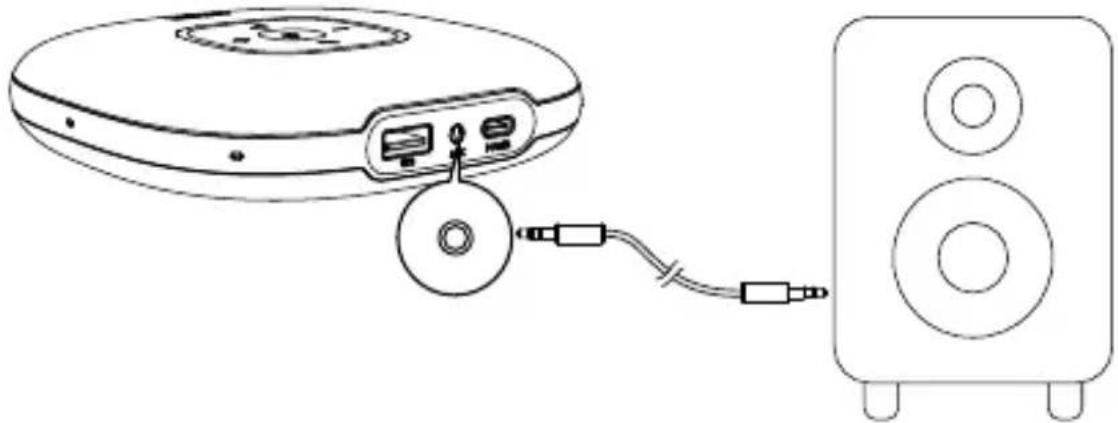
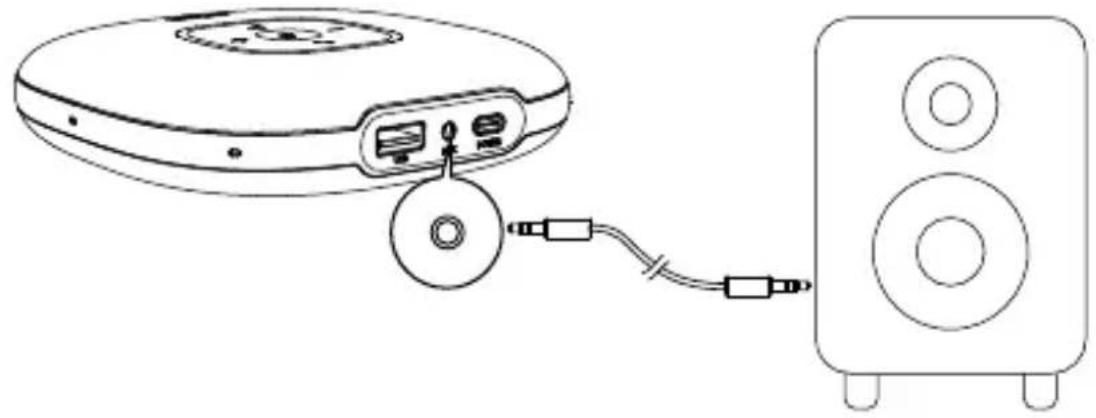
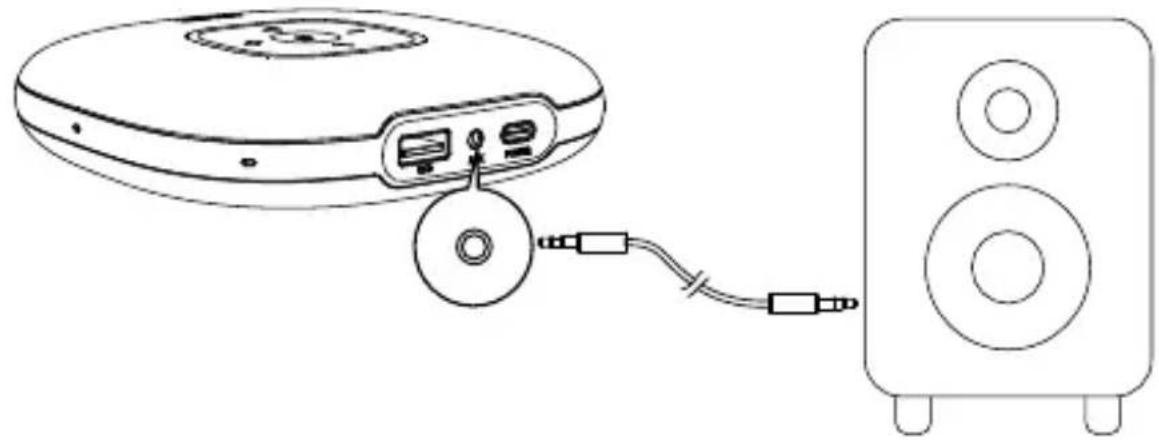
Audio Output
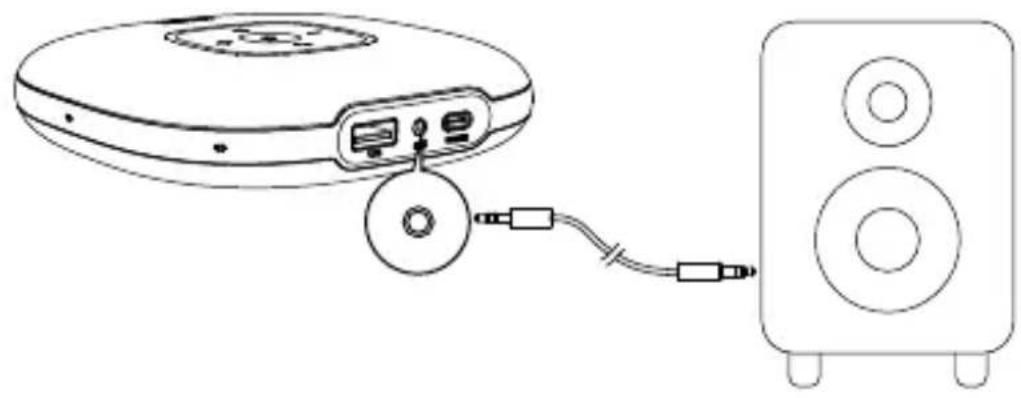
Connect an external speaker to the AUX jack of this product by using an AUX cable (not provided). The audio will be played through the speaker.
natural_image
Line drawing of a CD/DVD drive connected to a speaker (no text or symbols)AnkerWork App
Download the AnkerWork app to enhance your experience.
text_image
AnkerWork GET ON Google Play Google Play App Store Apple and the next phone are customized applets.EN 07
Specifications
Specifications are subject to change without notice.
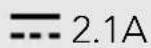
Charge input 5V 2A
Charge out 5V

Rated output power 3W RMS
Battery capacity 6700 mAh
Charging time 4 hours
Talktime 24 hours
Driver size 1 x 1.75" (full range)
Frequency response 20 Hz - 20 kHz
Bluetooth version V 5.0
Bluetooth range 10 m / 33 ft
08 EN
Auf einen Blick
text_image
2 31 4 6 A-10000 8 9 107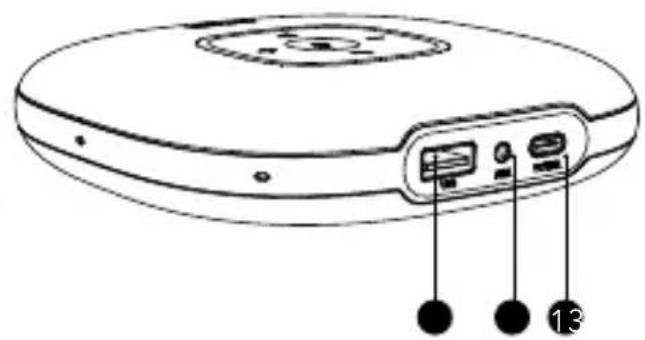
natural_image
Line drawing of a circular electronic device with labeled ports and buttons (no text or symbols)natural_image
Line drawing of a circular electronic device connected to a laptop via cable (no text or symbols)natural_image
Line drawing of a portable electronic device with a central hub and three ports (no text or symbols)Betriebsanzeige-LED
natural_image
Line drawing of a CD-ROM device with an attached cable showing power connection (no text or symbols)DE 13
Betriebsanzeige-LED
text_image
Diagram showing the connection between a CD-ROM device and a smartphone, with labeled ports and battery symbol.
natural_image
Line drawing of a CD/DVD device connected to a speaker tower (no text or symbols)AnkerWork App
text_image
AnkerWork GET FOR Google Play Downloaded on the App Store W ANKERWORKTechnische Daten

text_image
Diagram of a circular electronic device with labeled ports and connectors, marked with numbers 13 and 2.natural_image
Line drawing of a CD-ROM device connected to a laptop via cable (no text or symbols)natural_image
Line drawing of a portable electronic device with a circular top and buttons, no text or symbols presentES 19
LED de encendido
natural_image
Line drawing of a CD-ROM device with an attached cable showing battery, power cord, and USB port (no text or symbols)ES 21
LED de encendido
text_image
Diagram showing the internal components and connection to a device, including battery, USB, and power plug with a lightning bolt symbol.
natural_image
Line drawing of a CD/DVD device connected to a speaker (no text or symbols)text_image
AnkerWork GETT ON Google Play Download on the App Store Google Play and Google Play in ######## at Google's. AnkerWork App StoreEspecificaciones
natural_image
Line drawing of a circular electronic device with labeled ports and buttons (no text or symbols)natural_image
Line drawing of a circular electronic device connected to a laptop via cable (no text or symbols)natural_image
Line drawing of a white electronic device with a circular top and three buttons at the bottom (no text or symbols)FR 27
natural_image
Line drawing of a CD-ROM device with cable and power connector (no text or symbols)FR 29
text_image
Diagram showing the connection between a device with labeled ports and a battery, illustrating wireless or wireless data transmission.
natural_image
Line drawing of a CD-ROM connected to a speaker tower, showing ports and cable (no text or symbols)Application AnkerWork
natural_image
Line drawing of a circular electronic device with labeled ports and buttons (no text or symbols)natural_image
Line drawing of a CD-ROM device connected to a laptop via cable (no text or symbols)natural_image
Line drawing of a portable electronic device with a circular top and three buttons, no text or symbols present.natural_image
Line drawing of a circular electronic device with ports and an attached cable showing connection (no text or symbols)natural_image
Line drawing of a device with an attached power connector and connected to a battery (no text or symbols)
natural_image
Line drawing of a CD/DVD device connected to a speaker (no text or symbols)App AnkerWork
text_image
AnkerWork GET IT ON Google Play Google Play and the Google Play logo are instructions on Google's. App Store AnkerWorkSpecifiche
Dimensioni driver 1 x 1,75" (full range)
natural_image
Line drawing of a circular electronic device with labeled ports and connectors (no text or symbols)natural_image
Line drawing of a CD-ROM device connected to a laptop via cable (no text or symbols)natural_image
Line drawing of a portable electronic device with a button and indicator lights (no text or symbols)LED de alimentação
| Luz branca constante Ligado | |
| Luz apagada Desligado |

natural_image
Line drawing of a portable electronic device with ports and cable, showing internal components connected to a USB port (no text or symbols)LED de alimentação
natural_image
Line drawing of a CD-ROM device with an attached USB cable and battery, showing no text or symbols.三
natural_image
Line drawing of a CD/DVD device connected to a speaker tower (no text or symbols)AnkerWork App
text_image
AnkerWork GETION Google Play Downloaded on the App Store Google Play and Google Play are supervised or quick access. AppStore ANDSINWORKEspecificações
natural_image
Line drawing of a circular electronic device with labeled ports and buttons (no text or symbols)natural_image
Line drawing of a CD-ROM device connected to a laptop via cable (no text or symbols)natural_image
Line drawing of a portable electronic device with a circular button and indicator lights (no text or symbols)RU 51
Индикатор питания
natural_image
Line drawing of a portable electronic device connected to a USB cable, showing ports and power connections (no text or symbols)RU 53
Индикатор питания
natural_image
Line drawing of a portable electronic device with ports and a battery connected to a mobile phone (no text or symbols)
natural_image
Line drawing of a CD/DVD device connected to a speaker tower, showing ports and cable (no text or symbols)natural_image
Line drawing of a circular electronic device with labeled ports and buttons (no text or symbols)1
2
3
4
5
6
7
8
9
10
11
12
13

natural_image
Line drawing of a circular electronic device connected to a laptop via cable (no text or symbols)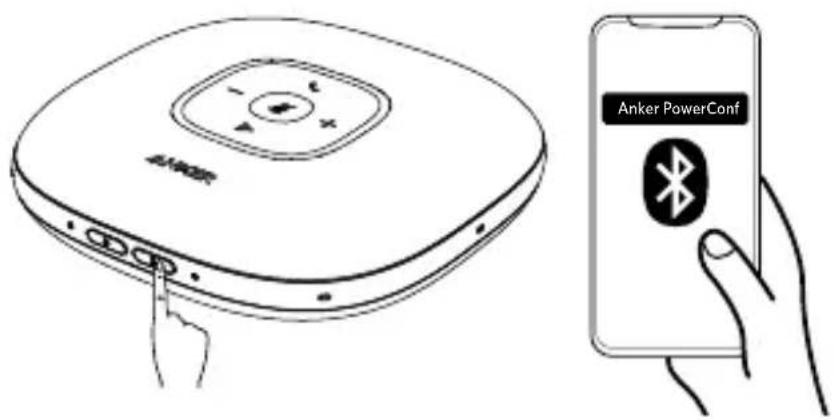
text_image
Anker PowerConf Anker| * | ||
三
●
●
●
natural_image
Line drawing of a portable electronic device with a button and indicator lights (no text or symbols)JP 59
| ○ | ||


| +/- | ||
natural_image
Line drawing of a CD-ROM device with ports and cable, showing internal components connected to a power outlet (no text or symbols)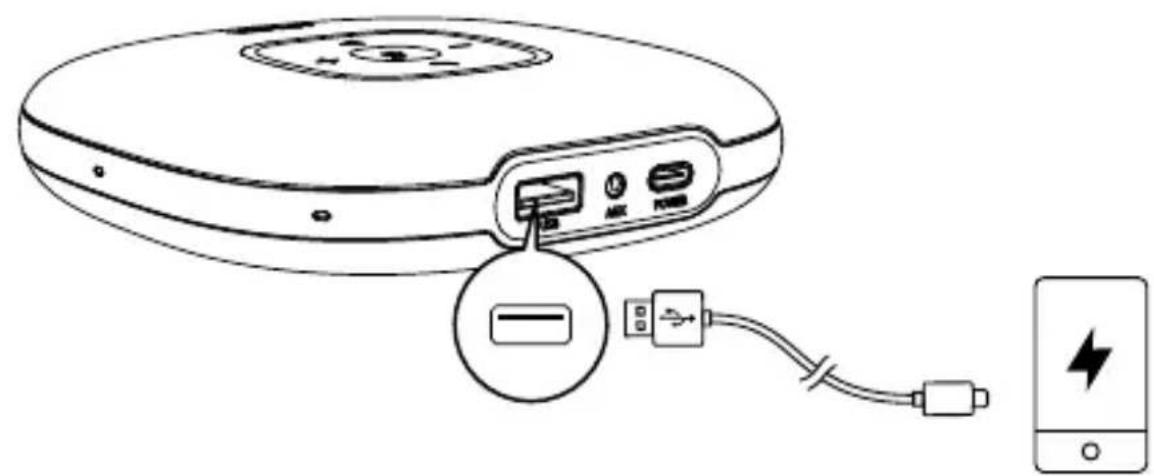
text_image
Diagram showing the connection between a CD-ROM device and a battery, with labeled ports and an icon indicating the battery.三
•
•
natural_image
Line drawing of a CD/DVD drive connected to a speaker (no text or symbols)
text_image
AnkerWork GET ON Google Play Downloaded on the App Store AnkerWork


text_image
2 31 4 6 8 9 107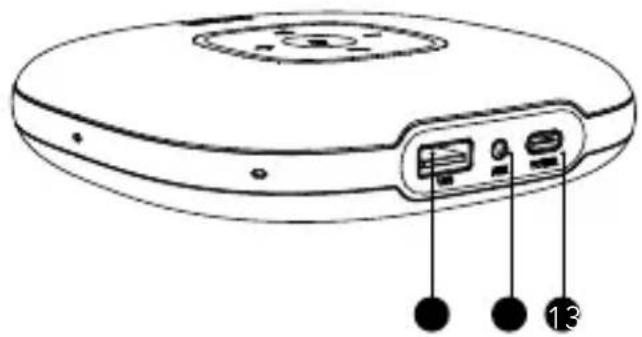
natural_image
Line drawing of a circular electronic device with labeled ports and buttons (no text or symbols)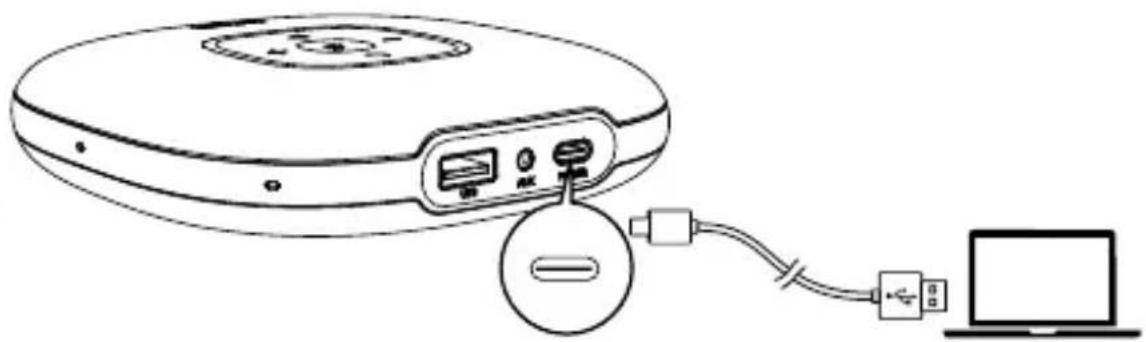
natural_image
Line drawing of a circular electronic device connected to a laptop via cable (no text or symbols)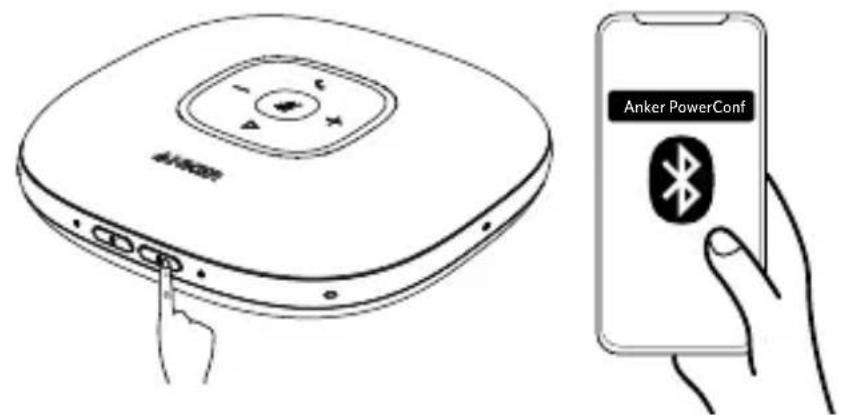
text_image
Anker PowerConf Anker PowerConf| * | ||
三
●
●
●
natural_image
Line drawing of a beige electronic device with a circular top and control buttons, no text or symbols present.KO 67
| ○ | ||
三
• •
| +/- | ||
text_image
Diagram of a CD-ROM device showing internal components and connection to a USB driveKO 69
text_image
Diagram showing a device with labeled ports and connected to a smartphone, highlighting battery charging.三
:
70 KO
natural_image
Line drawing of a CD/DVD device connected to a speaker (no text or symbols)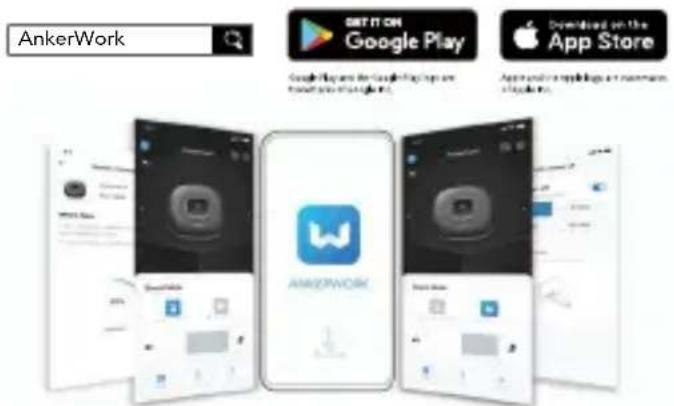
text_image
AnkerWork GET IT ON Google Play Downloaded on the App Store Google Play and Google Play are from all this image. App store is a mobile app store.


72 KO
text_image
2 31 4 6 A-10000 8 9 107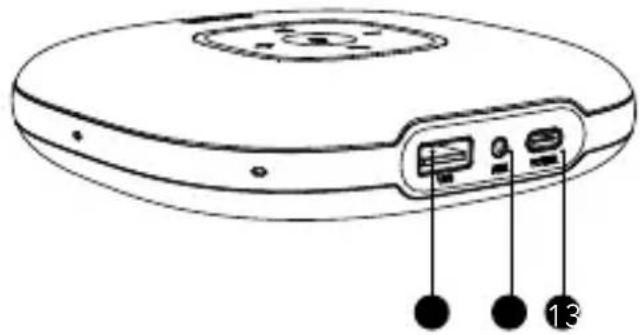
natural_image
Line drawing of a circular electronic device with labeled ports and connectors (no text or symbols)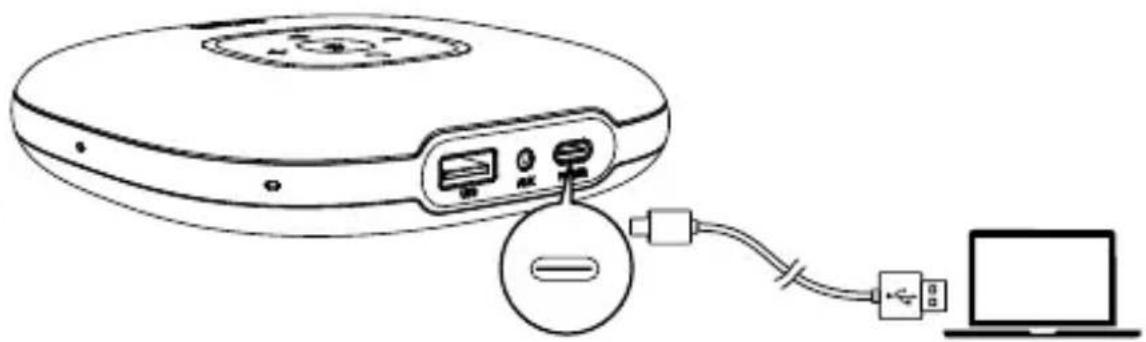
natural_image
Line drawing of a circular electronic device connected to a laptop via cable (no text or symbols)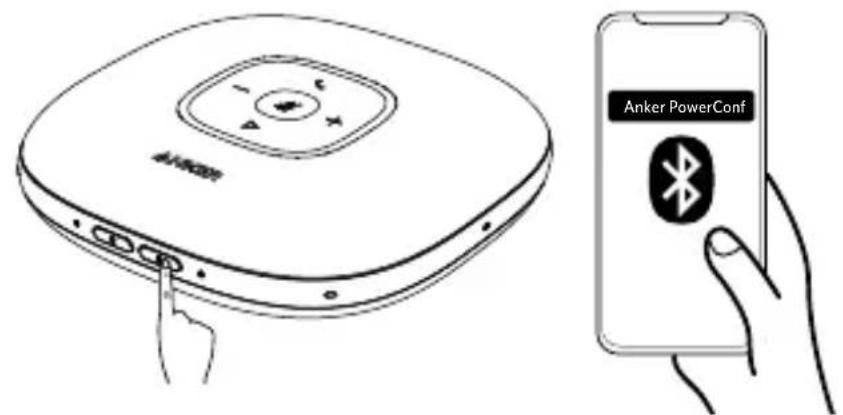
text_image
Anker PowerConf Anker PowerConf| * | ||
三
• • •
natural_image
Line drawing of a circular electronic device with a button and indicator lights, no text or symbols presentSC 75
| ○ | ||


| +/- | ||
natural_image
Line drawing of a CD or DVD device with an attached cable showing power connection (no text or symbols)SC 77
natural_image
Line drawing of a CD-ROM device with an attached USB cable and battery, showing no text or symbols.

natural_image
Line drawing of a CD/DVD device connected to a speaker tower, showing cable and connector (no text or symbols)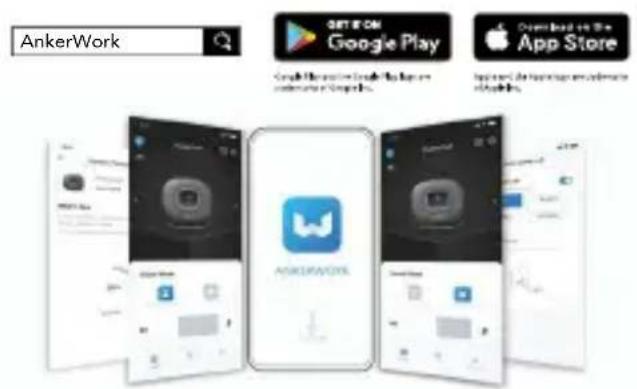
text_image
AnkerWork GET IT CAN Google Play Download the next page is your app store. App Store AnkerWork


text_image
2 31 4 6 A-10000 8 9 107
natural_image
Line drawing of a circular electronic device with labeled ports and buttons (no text or symbols)1
2
3
4
5
6
7
8
9
10
11
12
13
natural_image
Line drawing of a circular electronic device connected to a laptop via cable (no text or symbols)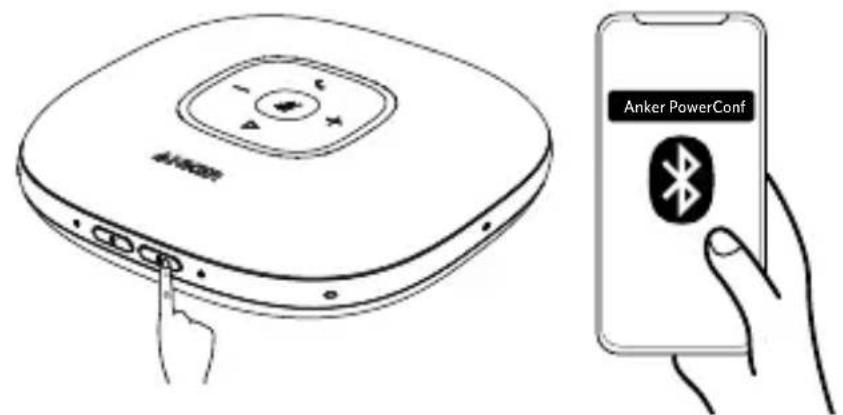
text_image
Anker PowerConf Anker PowerConf| * | ||

●
●
●
natural_image
Line drawing of a circular electronic device with a button and indicator lights (no text or symbols)TC 83
| ○ | ||


| +/- | ||
natural_image
Line drawing of a CD or DVD device with an attached cable showing power connection (no text or symbols)TC 85
natural_image
Line drawing of a CD-ROM device with an attached USB cable and battery, showing no text or symbols.

natural_image
Line drawing of a CD/DVD device connected to a speaker tower (no text or symbols)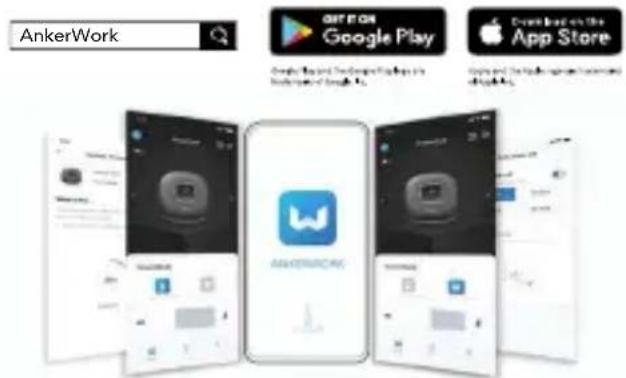
text_image
AnkerWork GET IT ON Google Play Google Play And Software Help in App Store App Store Android App StoreTC 87


نظرة سريعة
text_image
2 31 4 6 A#088 8 9 107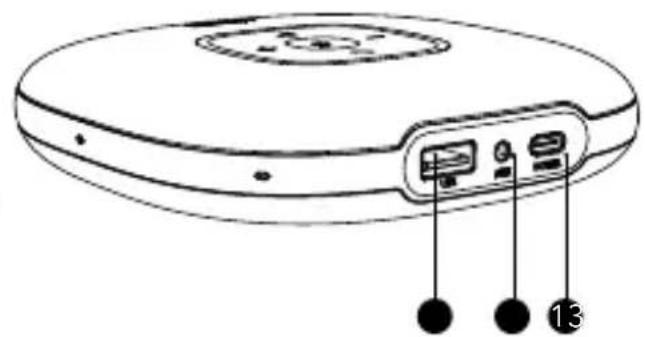
natural_image
Line drawing of a circular electronic device with labeled ports and connectors (no text or symbols)زر التشفيل
8
زر متعدد الوظائق
1
Bluetooth زر
9
زر خفض مستوى الصوت
2
Bluetooth مؤشر
10
زر كتم الصوت
3
natural_image
Line drawing of a circular electronic device connected to a laptop via USB cable (no text or symbols)natural_image
Line drawing of a circular electronic device with a central hub and three ports, no text or symbols present.AR 91
Yeشر الطاقة
natural_image
Line drawing of a CD-ROM device with an attached cable showing power connection (no text or symbols)AR 93
مؤشر الطاقة
text_image
Diagram showing the internal structure of a device with labeled ports and connected to a battery, including a lightning bolt symbol.
natural_image
Line drawing of a CD/DVD device connected to a speaker tower (no text or symbols)AnkerWork تطبيق
text_image
AnkerWork GET IT ON Google Play Download on the App Store Simple Play and The Google Play has an application of Google Inc. Apple and Android Apps are available out of apps.AR 95
المواصفات
natural_image
Line drawing of a circular electronic device with labeled ports and connectors (no text or symbols)תַלְרָה אַעִי
Bluetooth jxn7
Bluetooth-7 LED
הכלהה USB-A
natural_image
Line drawing of a circular electronic device connected to a laptop via cable (no text or symbols)Bluetooth (בַרְׁעֹרָה)
natural_image
Line drawing of a circular electronic device with a button and indicator lights, no text or symbols presentHE 99
natural_image
Line drawing of a portable electronic device with ports and cable, showing internal components connected to a power outlet (no text or symbols)HE 101
natural_image
Line drawing of a CD-ROM device with an attached USB cable and a battery, showing no text or symbols.
•.בְרָא
• אַרְאָה
natural_image
Line drawing of a CD/DVD device connected to a speaker tower (no text or symbols)AnkerWork כְרַעָה
text_image
AnkerWork GET ON Google Play Download on the App Store AnkerWorkHE 103