CL700OM - Keyboard Nacon - Free user manual and instructions
Find the device manual for free CL700OM Nacon in PDF.


| Product type | Mechanical-optical gaming keyboard |
| Brand | NACON |
| Model | CL700OM |
| Dimensions (H x W x D) | 40 mm x 437 mm x 148 mm |
| Weight | 920 g |
| Power supply | USB 5 V, 350 mA |
| Cable | USB, approx. 1.5 m |
| Keys | Mechanical-optical |
| Chassis | Metal |
| Shared macro keys | 5 keys (Y, U, I, O, P) |
| Anti-ghosting | Full |
| Backlighting | 16.7 million colors, adjustable per key |
| Backlighting modes | 5 dynamic effects, 4 fixed modes, breathing, customizable |
| Programmable keys | Yes, via software (up to 8 profiles) |
| Multimedia functions | Player, volume, mute (FN + F1-F4) |
| System compatibility | Windows 7, 8, 10 |
| Software | Downloadable from www.naongaming.com |
| Warranty | 2 years (material/manufacturing defects) |
| Care and cleaning | Slightly damp soft cloth, no detergents |
| Safety | Indoor use, avoid water, shocks, disassembly |
| Spare parts and repairability | Not user-repairable, no internal parts accessible |
| Customer service | support@naongaming.com |
Frequently Asked Questions - CL700OM Nacon
User questions about CL700OM Nacon
0 question about this device. Answer the ones you know or ask your own.
Ask a new question about this device
Download the instructions for your Keyboard in PDF format for free! Find your manual CL700OM - Nacon and take your electronic device back in hand. On this page are published all the documents necessary for the use of your device. CL700OM by Nacon.
USER MANUAL CL700OM Nacon
GAMINGTOETSENBORD VOOR PC
TASTIERA GAMING PER PC
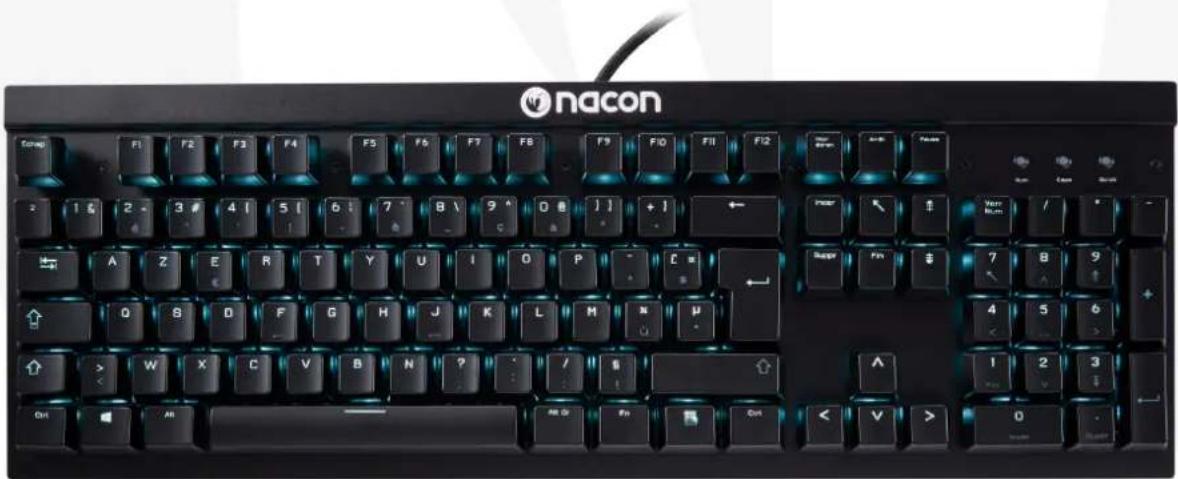
NACON CL-700OM gaming keyboard for PC
Thank you for purchasing this NACON product. In case of a malfunction please refer to the support information at the end of this manual. We highly appreciate any feedback which helps us to improve our products. Please keep this instruction manual for future reference.
Warranty
This product bearing the NACON trademark, is guaranteed by the manufacturer for a period of 2 years from the date of purchase, and will, during this period, be replaced with the same or a similar model, at our option, free of charge if there is a defect due to faulty material or workmanship. This guarantee does not cover defects arising from accidental damage, misuse or wear. This does not affect your statutory rights.
Product specifications
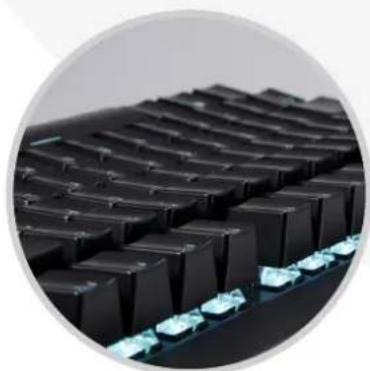
Optic-mechanical keys
Metal front casing
- 5 shared macro keys
Full anti-ghosting
- WinLock & keyboard lock function
- Programmable keys
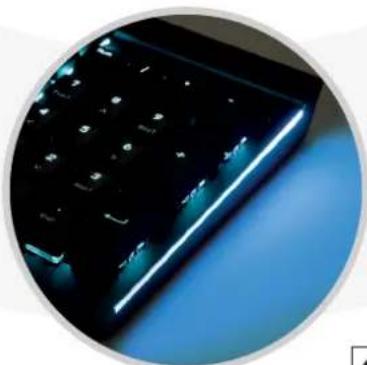
- 16.7M colour backlight, which can be set separately for each key
USB cable (app. 1.5m)
- Compatible with Windows 7/8/10
Contents of the package
- NACON CL-7000M gaming keyboard
- Instruction booklet
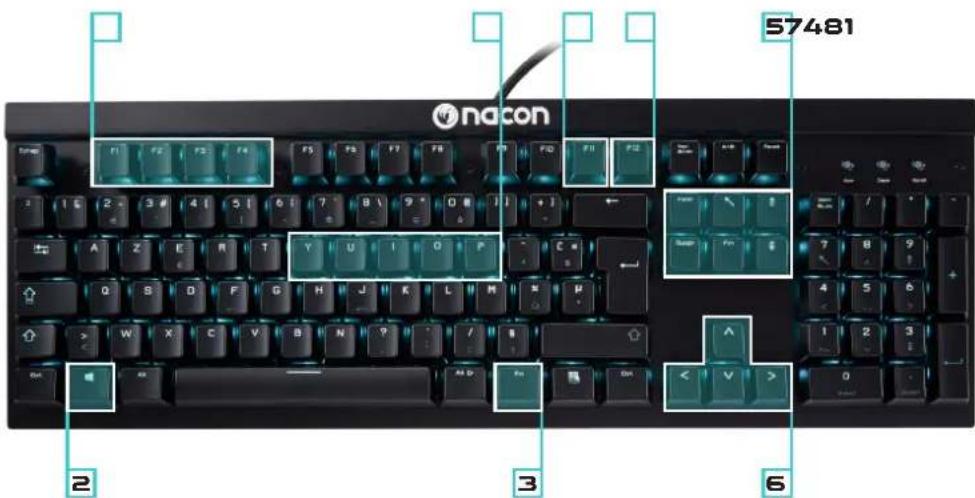
Control elements
- Shared macro keys
- Windows key with WINLOCK function
- Function key FN
- MULTIMEDIA functions (+Fn)
- Backlight modes (+Fn)
- Backlight brightness / animation speed (+Fn)
- Macro recording (+Fn)
- Lock keyboard (+Fn)
Installation
The NACON CL-700OM works as a plug'n'play device. This means there's no additional driver software needed to operate it. Simply insert the plug of your new keyboard into one of the free USB sockets of your computer and after some seconds the keyboard should be operational.
For the advanced functions like full backlight control a software is available, which can be downloaded under www.naongaming.com
Software
After installation is finished and you've clicked the icon in the Windows task bar, you'll be presented with the configuration screen for your CL-700OM. On the left you will find 3 menus:
- Customize
Here you can reassign functions to each key on the CL-700. These can be new key values, multimedia functions or even entire macros. Various settings can be organized in up to 8 profiles, which then can be linked to certain programs and games to be automatically activated.
- Macros
Here you can record macros, which you later can assign to keys by using the CUSTOMIZE menu.
- Lighting
Let's you adjust the backlight options of you CL-700OM.
Lockable Windows key (WinLock)
By default, pressing the Windows key (2) the start menu will appear on your screen. If you're in the middle of your game, accidentally pressing this key would therefore result in leaving your active game. To prevent this, you can deactivate this function by pressing the Windows (2) and function key FN (3) together.
MACRO KEYS
Macros are recordings of singular or a sequence of key presses. Usually these are regularly used in certain games or applications, so it's convenient to have them tied to one key and fire them up when needed.
Your NACON CL-700OM features 5 shared macro keys, which means that the keys Y,U,I,O,P work as macro keys when you set the keyboard to game mode by pressing FN + Y. After you have set up a macro and assigned it to one of those keys, you can execute it directly by pressing the according key.
To record a macro first press the keys FN and F11 together. Then press the key you want to record the macro for. Now you can enter the key combination you want to record. To finalise press FN + F11 again. If you now set the CL-700OM to game mode by pressing FN + Y , your macro can be executed when pressing the shared macro key.
MULTIMEDIA, BACKLIGHT & KEYBOARD FUNCTIONS
Your NACON CL-7000M keyboard features several hot keys. These can be accessed by pressing the FN (3) key and the according function key. The functions are:
FN + F1 Media Player
FN+F2 -Volume decrease
FN + F3 - Volume increase
FN+F4 -Volume mute
FN + ↑ - Backlight brightness +
FN + ↓ - Backlight brightness -
FN + → - Backlight animation speed +
FN + ← - Backlight animation speed -
FN + INS - Backlight modes: Choose between 5 different key press effects
FN + HOME - Backlight breathing mode
FN + PAGE UP - Backlight Color Changing mode
FN + DEL - Backlight modes: Choose between 4 full color backlight modes
FN + END - Custom constant backlight pattern (to be recorded in combination with
FN + BACKSPACE)
FN + BACKSPACE - After pressing FN+END this turns the recording mode for each key on. Pressing a key changes its color. Recording will be saved by pressing FN+ BACKSPACE again
FN + CTRL - Changes the color of the sidebars
FN + F11 - Start macro recording
FN + F12 - Lock keyboard entirely
FN + WIN - Lock WIN key
FN + Y - Switch keyboard mode between NORMAL & SHARED MACRO KEYS

Recycling
This product should not be disposed of in normal household rubbish. Please take it to a nominated collection point. Recycling is important and will help to protect our environment from reduced landfill waste.
Important safety notices and precautions for using the product:
- This product is designed for indoor use only,
- Do not expose it to direct sunlight or bad weather,
- Do not expose it to splashes, rain, drips or high levels of humidity,
- Do not expose it to dust, extreme temperatures or mechanical shock,
- Do not immerse it in liquid,
- Do not under any circumstances use it if it is damaged,
- Do not disassemble it under any circumstances; it contains no parts that can be repaired,
- For external cleaning of the product only use a soft, clean, slightly damp cloth. The use of detergents should be avoided as they can damage the finish and get inside the product.
Ergonomics
Holding your hand in the same position for a longer period of time can lead to aching and pain. If this occurs repeatedly please consult your doctor.
- As a precaution we recommend that you take a 15 minute break every hour.
Technical Specification:
- USB keyboard
- 5 V, 350 mA power consumption
Weight: 920 g - Height x Width x Depth: 40 mm x 437 mm x 148 mm
Customer Support
For UK support contact: support@naongaming.com
To access the declaration of conformity, please visit: www/bigben-interactive.co.uk/support
Legal lines
Windows® 7/8/10 are registered trademarks of Microsoft Corporation.
FN + F1 Media Player
FN + F2 - Lautstärke verringn
www/bigben-interactive.co.uk/support
Wettelijkregels
www/bigbeninteractive.it/supporto-technico