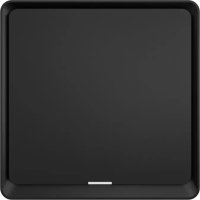
Push LE - Switch MARMITEK - Free user manual and instructions
Find the device manual for free Push LE MARMITEK in PDF.


| Product Type | Zigbee Wireless Switch |
| Brand | Marmitek |
| Model | Push LE |
| Wireless Technology | Zigbee 3.0 |
| Range | Up to 30 meters in open area |
| Power Supply | CR2430 Battery |
| Battery Life | Up to 50,000 clicks (approx. 2 years at 30 clicks/day) |
| Dimensions (H x W x D) | 86 x 86 x 13 mm |
| Weight | Approximately 40 g |
| Protection Rating | IP20 (not waterproof) |
| Main Functions | Single click, double click, long press 5 seconds |
| Compatible App | Marmitek Smart me (iOS/Android) |
| Required Gateway | Smart me Zigbee Gateway (sold separately) |
| Standby Current | 20 μA |
| Operating Temperature | Indoor use, avoid extreme temperatures |
| Maintenance and Cleaning | Clean with a soft, dry cloth |
| Safety | Do not expose to water; keep batteries out of reach of children; observe battery polarity |
| Spare Parts and Repairability | Replaceable CR2430 battery; repairs only by qualified personnel |
| General Information | Compliant with directive 2014/53/EU; declaration of conformity at www.marmitek.com |
Frequently Asked Questions - Push LE MARMITEK
User questions about Push LE MARMITEK
0 question about this device. Answer the ones you know or ask your own.
Ask a new question about this device
Download the instructions for your Switch in PDF format for free! Find your manual Push LE - MARMITEK and take your electronic device back in hand. On this page are published all the documents necessary for the use of your device. Push LE by MARMITEK.
USER MANUAL Push LE MARMITEK
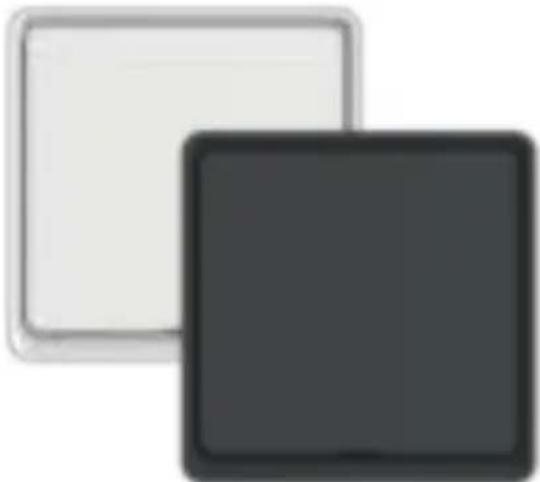
Battery powered multi-function button | on-wall scene activation
natural_image
Two overlapping squares, one light gray and one dark gray, with no text or symbols.Package content
1x smart switch
1x CR2430 battery
1x 3M adhesive tape
1x quick guide
This product requires a Zigbee gateway (sold separately).


Marmitek Smart me app Multi language user guide
Safety Instructions
Please read these instructions thoroughly before you use the device and keep them for future reference. Only for indoor use.
- Do not expose the product to extremely high or low temperatures, strong light sources or direct sunlight.
- This product is not a toy. Keep out of reach of children.
- Dispose of batteries as chemical waste. Remove the batteries when you are not using the system for a longer period of time. Check the polarity (+/-) of the batteries when inserting them in the product. Wrong positioning can cause an explosion.
- Repairs or service should only be performed by qualified personnel.
Requirements
This product requires a Smart me Zigbee Gateway (sold separately) that is connected to the Internet. Follow the instructions for the Smart me Gateway to add it.
Installation of the Smart me app
Download and install the Marmitek Smart me app from the Apple app store or the Google Play store. Launch the Smart me app after installation is completed. Follow the instructions and register for a new account.
Installation of the Push LE
- Open the Push LE housing by sliding the front to the left and pull the plastic battery strip to activate the battery.
- The indicator light should start flashing rapidly. If the light does not blink, press push button 1 for 10 seconds until it starts to blink.
- Launch the Smart me app from your smart phone or tablet.
- Select the Smart me Zigbee Gateway.
- Click on the + (at the bottom of the screen) to add a new product, confirm that the indicator light is flashing quickly and follow the instructions.
- Press Help button during installation for more information or when installation fails.
Notes for using the product
- After the installation is completed you can configure the Push LE by using the app.
- Check our website www.marmitek.com for more details and how to use the Smart me products.
Technical specifications
Triggered action One click, double click, long press 5s
Battery life 50.000 clicks
- 2 years @ 30 per day
Wireless technology Zigbee 3.0
Operating range up to 30 meters in open area
Power Battery CR2430
Standby current 20μA
Dimensions (h x w x d) 86 x 86 x 13 mm
IP code 20 (not dust proof, not waterproof)

Declaration of Conformity

Hereby, Marmitek BV, declares that the Push LE is in compliance with the essential requirements of the 2014/53/EU Directives. Full Declaration of Conformity is available at
www.marmitek.com/en/declarations-of-conformity/
More detailed user guide and instructions are available on our website at www.marmitek.com
natural_image
Simple diagram with a square frame and an arrow pointing left, no text or symbols present.Bouton poussoir 1
natural_image
Abstract black-and-white icon of a Wi-Fi symbol with concentric arcs and central dot (no text or symbols)smart me
20752/20210623 | Push LE™ all rights reserved © MARMITEK
stay connected marmitek.com
Brand : MARMITEK
Model : Push LE
Category : Switch