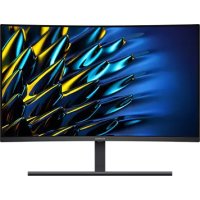
MateView GT 27 - Monitor HUAWEI - Free user manual and instructions
Find the device manual for free MateView GT 27 HUAWEI in PDF.



| Product Type | Curved Gaming Monitor |
| Brand | Huawei |
| Model | MateView GT 27 |
| Screen Size | 27 inches |
| Resolution | 2560 x 1440 (QHD) |
| Refresh Rate | 165 Hz |
| Response Time | 1 ms (MPRT) |
| Panel Technology | VA |
| Curvature | 1500R |
| Brightness | 350 cd/m² |
| Contrast Ratio | 3000:1 |
| Viewing Angle | 178° / 178° |
| Connectivity | HDMI, DisplayPort, USB-C (power delivery 5V/2A) |
| Power Supply | Power adapter (detachable plug) |
| Operating Temperature | 0°C to 35°C |
| Storage Temperature | -10°C to +45°C |
| Weight (Approximate) | 5.5 kg |
| Dimensions with Stand (Approx.) | 613 x 525 x 200 mm |
| Key Features | Five-way joystick for navigation, quick-release base, integrated cable management |
| Care and Cleaning | Avoid dust, humidity, and magnetic fields; use a soft, dry cloth |
| Safety | Compliant with EU directives (EMC, LVD, RoHS, ErP); manual available online |
| General Information | Models XWU-CAA / XWU-CBA; recycling via local collection points |
Frequently Asked Questions - MateView GT 27 HUAWEI
User questions about MateView GT 27 HUAWEI
0 question about this device. Answer the ones you know or ask your own.
Ask a new question about this device
Download the instructions for your Monitor in PDF format for free! Find your manual MateView GT 27 - HUAWEI and take your electronic device back in hand. On this page are published all the documents necessary for the use of your device. MateView GT 27 by HUAWEI.
USER MANUAL MateView GT 27 HUAWEI
natural_image
Technical line drawings of two electronic component enclosures (no text or symbols)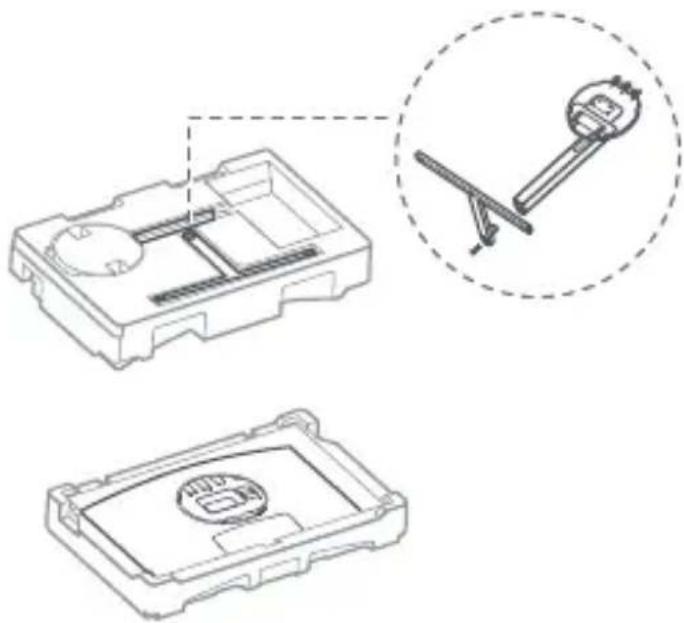
natural_image
Technical line drawing of a mechanical component with two views: top shows internal structure, bottom shows close-up of a circular component (no text or symbols)2
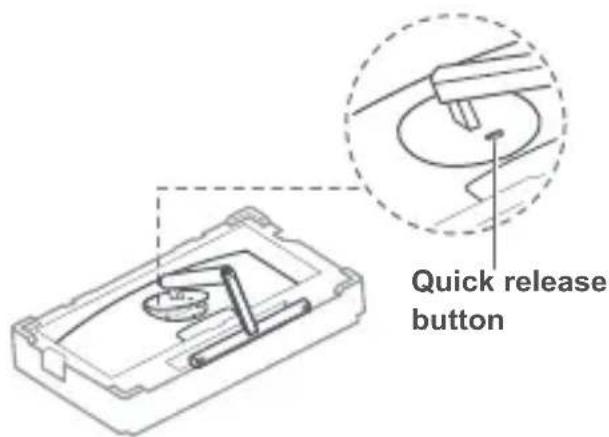
3
natural_image
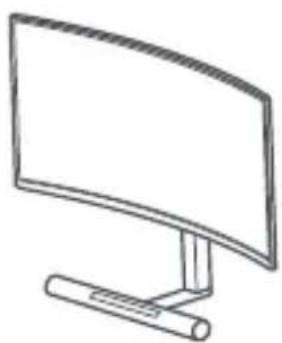
Line drawing of a curved monitor with a stand (no text or symbols)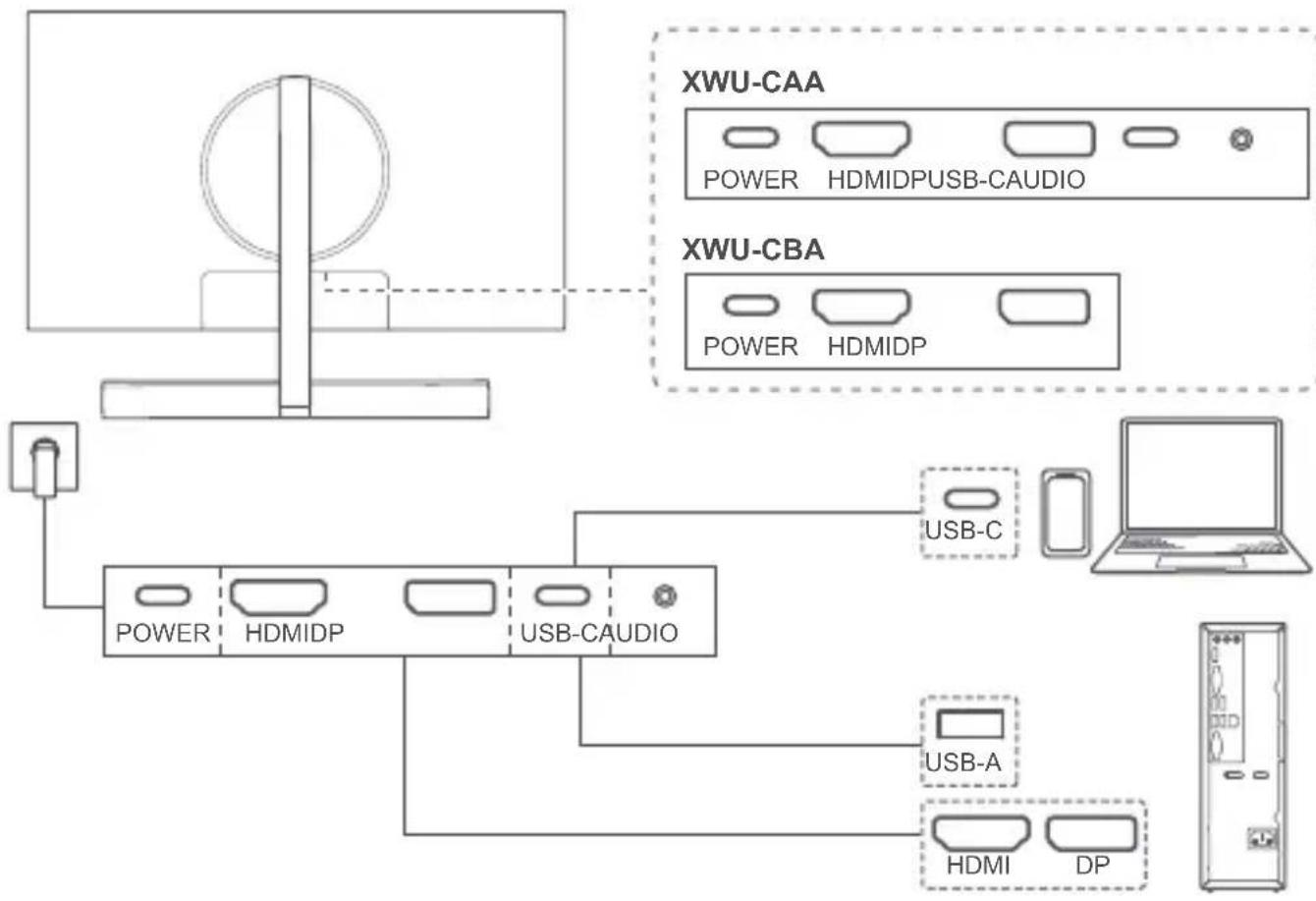
flowchart
graph TD
    A["Central Device"] --> B["XWU-CAA"]
    A --> C["XWU-CBA"]
    B --> D["POWER HDMIDPUSB-CAUDIO"]
    C --> E["POWER HDMIDP"]
    F["Computer"] --> G["USB-C"]
    F --> H["USB-A"]
    F --> I["HDMI DP"]
English....1
English (United Kingdom)....2
Français....2
Deutsch....3
Italiano....4
Español....5
Português....6
Nederlands....6
Polski....7
Ελληνικά......8
Čeština....9
Slovenčina....10
Română....11
Български....11
Latviešu 12
Lietuvių 13
Hrvatski....14
Slovenščina....14
Srpski....15
Македонски.... 16
Magyar....17
Eesti....18
Svenska.... 18
Norsk 19
Dansk....20
Suomi....21
Türkçe....21
Русский 25
Українська....26
Қазақ тілі....27
Tiếng Việt 28
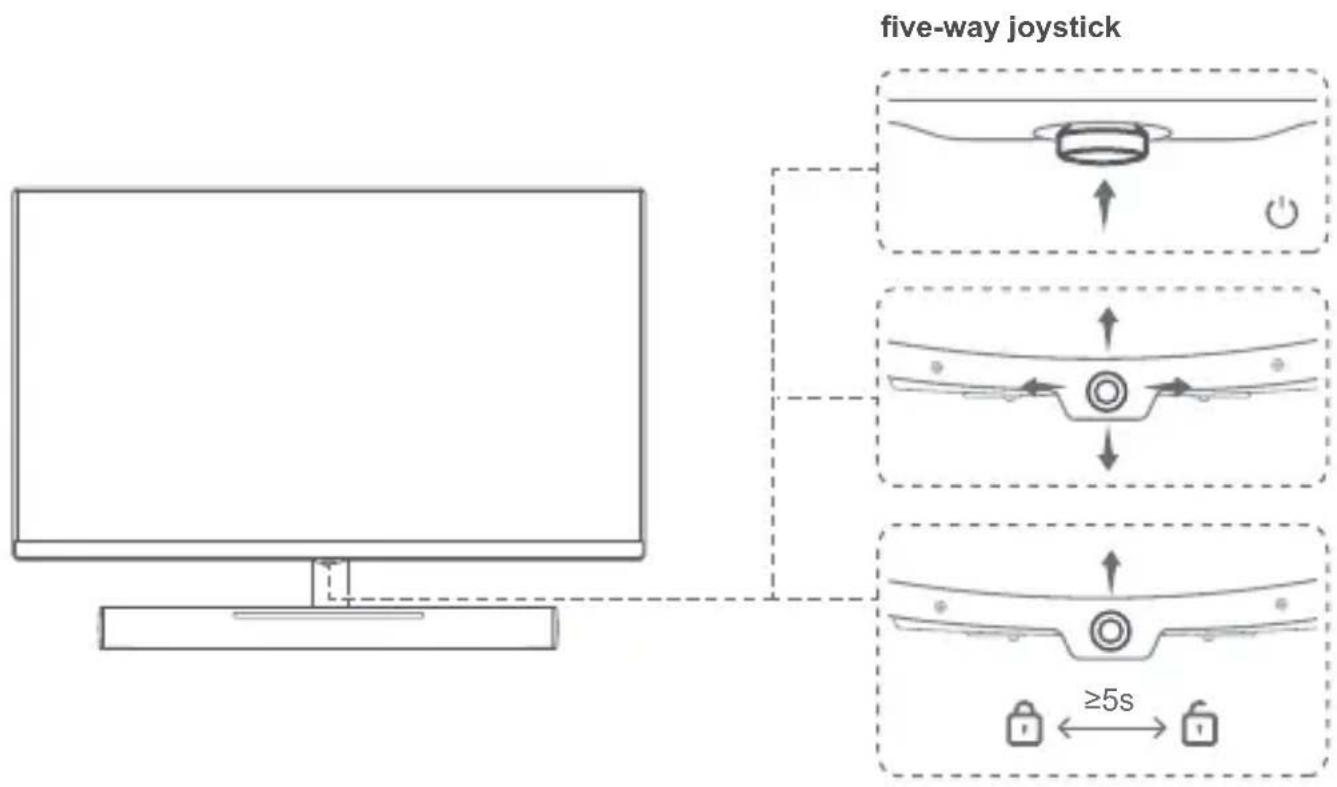
Before using the device, review and download the latest user guide at https://consumer.huawei.com/en/support/. When using your display, plug it in to a power supply and then press the five-way joystick to turn it on.

- Some cables need to be purchased separately.
- To remove the base, find the quick release button at the rear of the display, push the button upwards, lift the bottom of the base support, and remove the base.
Safety Information

• To prevent possible hearing damage, do not listen at high volume levels for long periods.
- Please consult your doctor and the device manufacturer to determine if using your device may interfere with the operation of your medical device.
- Avoid using the device in a dusty, damp, or dirty place, or near a magnetic field.
- Ideal temperatures: 0^ to 35^ for operating, -10^ to +45^ for storage.
- The USB-C port can provide 5V DC/2A MAX power to other devices.
- The power plug is used as the disconnect device. The socket-outlet shall be installed near the device and be easy to operate.
- Unplug the power adapter from electrical outlets and the device when not in use.
- The power plug should connect to a socket outlet with an earth connection.
- The device nameplate is on the rear side of the display. It can be viewed after the cable-management cover is removed.
Disposal and recycling information

The symbol on the product, battery, literature, or packaging means that the products and batteries should be taken to separate waste collection points designated by local authorities at the end of the lifespan. This will ensure that EEE waste is recycled and treated in a manner that conserves valuable materials and protects human health and the environment. For more information, please contact your local authorities, retailer, or household waste disposal service or visit the website https://consumer.huawei.com/en/.
EU Regulatory Conformance
Hereby, Huawei Device Co., Ltd. declares that this device XWU-CAA/XWU-CBA is in compliance with the following Directive: EMCD 2014/30/EU, LVD 2014/35/EU, RoHS 2011/65/EU, ErP 2009/125/EC. The full text of the EU declaration of conformity, the detailed ErP information and most recent information about accessories & software are available at the following internet address: https://consumer.huawei.com/certification.
EU product database for energy lable and product information sheet
XWU-CAA: https://eprel.ec.europa.eu/qr/753287
XWU-CBA: https://eprel.ec.europa.eu/qr/817645
ISED Canada Compliance
ISED Statement
This device complies with CAN ICES-3 (B)/NMB-3(B).
This device complies with the Innovation, Science and Economic Development Canada (ISED) license-exempt RSS standard(s). Operation is subject to the following two conditions: (1) this device may not cause interference, and (2) this device must accept any interference, including interference that may cause undesired operation of the device.
Disposal and recycling information (India)
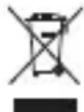
This symbol on the device or on its packaging indicates that the device (including its electrical accessories) should not be disposed of as normal household garbage.
Do not dispose this product with Regular Household, Dry and Wet Waste. If you wish to discard this product, please contact on the details below and follow the correct method of disposal as guided:
E-mail: service.hw.in@huawei.com, Service hotline: 1800-209-6555 (Toll-Free) 9AM-9PM all 7 days, except public holidays.
For further information, log on to:
Huawei E-waste Policy: https://consumer.huawei.com/in/support/e-waste-process-policy/.
Official Recycling Partner: Reteck Envirotech Private Limited.
Plot-4A, Sanghi Udyog, Near Navade Railway Station, Tal-Panvel, Dist. - Raigad, Taloja MIDC-410208.
info@reteck.in
www.reteck.in / www.reteck.co
Reduction of hazardous substances(India)
This device is compliant with the E-Waste (Management) Rules, 2016 and does not contain hazardous substances regulated by the Rules except for the applications of exemption.
English (United Kingdom)
Before using the device, review and download the latest user guide at https://consumer.huawei.com/uk/support/.
When using your display, plug it in to a power supply and then press the five-way joystick to turn it on.

- Some cables need to be purchased separately.
- To remove the base, find the quick release button at the rear of the display, push the button upwards, lift the bottom of the base support, and remove the base.
Safety Information
To prevent possible hearing damage, do not listen at high volume levels for long periods.
- Please consult your doctor and the device manufacturer to determine if using your device may interfere with the operation of your medical device.
- Avoid using the device in a dusty, damp, or dirty place, or near a magnetic field.
- Ideal temperatures: 0^ to 35^ for operating, -10^ to +45^ for storage.
- The USB-C port can provide 5V DC/2A MAX power to other devices.
- The power plug is used as the disconnect device. The socket-outlet shall be installed near the device and be easy to operate.
- Unplug the power adapter from electrical outlets and the device when not in use.
- The power plug should connect to a socket outlet with an earth connection.
- The device nameplate is on the rear side of the display. It can be viewed after the cable-management cover is removed.
Disposal and recycling information


The symbol on the product, battery, literature, or packaging means that the products and batteries should be to separate waste collection points designated by local authorities at the end of the lifespan. This will ensure that waste is recycled and treated in a manner that conserves valuable materials and protects human health and the environment. For more information, please contact your local authorities, retailer, or household waste disposal service the website https://consumer.huawei.com/en/.
EU Regulatory Conformance
Hereby, Huawei Device Co., Ltd. declares that this device XWU-CAA/XWU-CBA is in compliance with the following Directive: EMCD 2014/30/EU, LVD 2014/35/EU, RoHS 2011/65/EU, ErP 2009/125/EC. The full text of the EU declaration of conformity, the detailed ErP information and most recent information about accessories & software are available at the following internet address: https://consumer.huawei.com/certification.
UK Regulatory Conformance
Hereby, Huawei Device Co., Ltd. declares that this radio equipment is in compliance with the relevant statutory requirements in the UK. The full text of the declaration of conformity is available at the following internet address: https://consumer.huawei.com/certification.
EU and UK product database for energy lable and product information sheet
XWU-CAA:https://eprel.ec.europa.eu/qr/753287
XWU-CBA:https://eprel.ec.europa.eu/qr/817645
Français
https://consumer.huawei.com/pt/support/.
https://consumer.huawei.com/certification.
https://consumer.huawei.com/certification.
https://consumer.huawei.com/si/support/.
Preden začnete uporabljati zaslon, ga priključite v vir napajanja in nato pritisnite five-way joystick, da ga vklopite.

•Nekatere kable je treba kupiti posebej.
https://consumer.huawei.com/ee/support/.
https://consumer.huawei.com/tr/support/warranty-policy/
https://consumer.huawei.com/tr/legal/privacy-policy/
No.2 of Xincheng Road, Songshan Lake Zone, Dongguan, Guangdong 523808, People's Republic of China
Tel: 0086-755-28780808
Web: www.huawei.com
E-mail: mobile.tr@huawei.com
https://consumer.huawei.com/tr/
mobile.tr@huawei.com

Yetkili Servisler:
https://consumer.huawei.com/th/support/
https://consumer.huawei.com/certification
https://consumer.huawei.com/certification
Bahasa Melayu
PT Huawei Tech Investment
Gedung Wisma Mulia 2, lantai 37, S.3701,
XWU-CAA/XWU-CBA MKG:IMKG.1260.07.2021
日本語
https://consumer.huawei.com/certification.

- Safety Information
- Disposal and recycling information
- EU Regulatory Conformance
- EU product database for energy lable and product information sheet
- ISED Canada Compliance
- ISED Statement
- Disposal and recycling information (India)
- Reduction of hazardous substances(India)
- English (United Kingdom)
- UK Regulatory Conformance
- EU and UK product database for energy lable and product information sheet
- Français
- Yetkili Servisler:
- Bahasa Melayu
- 日本語
Brand : HUAWEI
Model : MateView GT 27
Category : Monitor