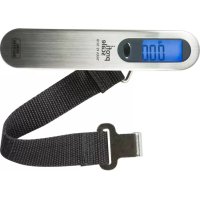
ProfiScale TARA PS 7610 - Scale Burg Wächter - Free user manual and instructions
Find the device manual for free ProfiScale TARA PS 7610 Burg Wächter in PDF.



| Brand | Burg Wächter |
| Model | ProfiScale TARA PS 7610 |
| Product type | Digital hanging scale |
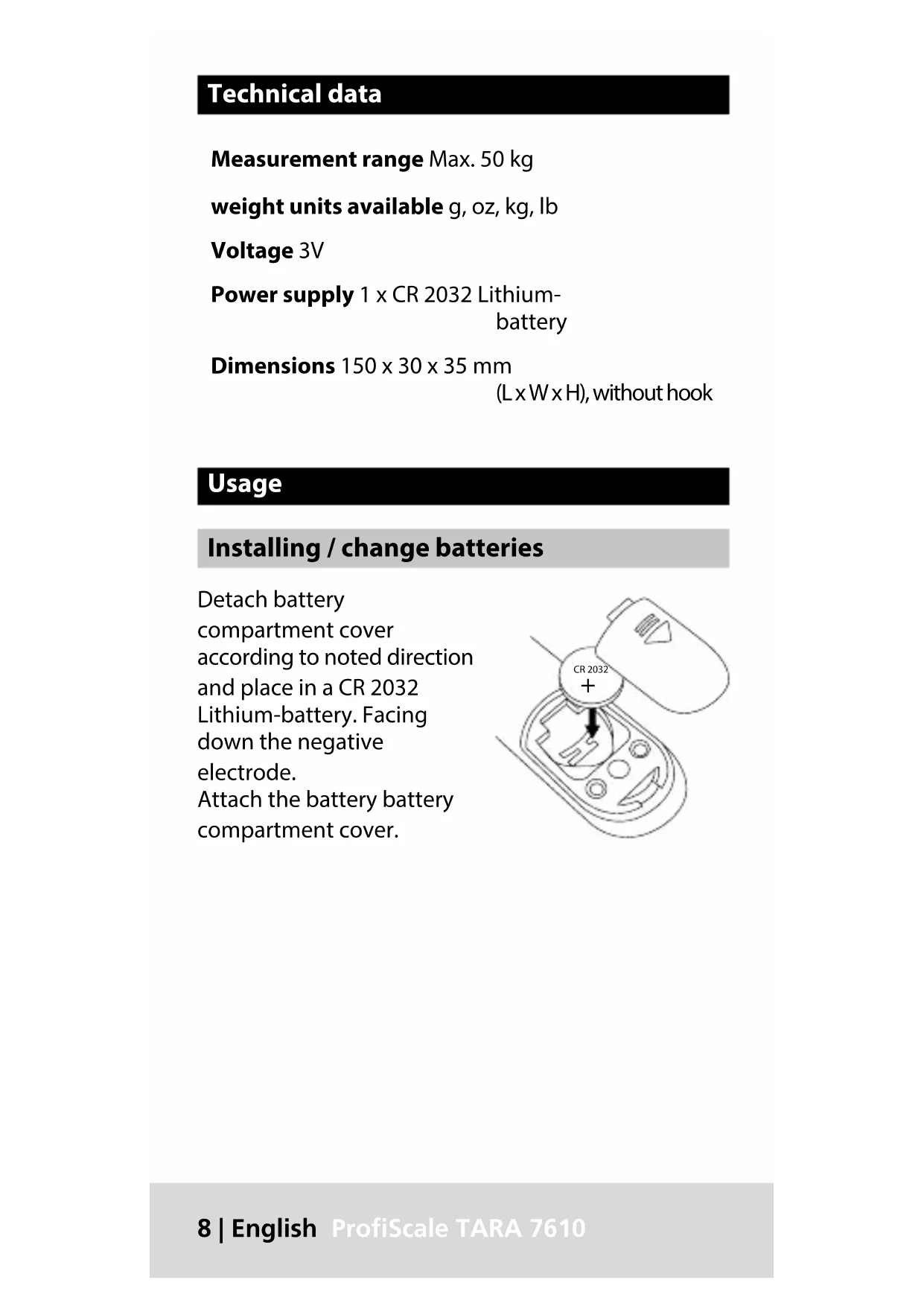
| Maximum capacity | 50 kg |
| Units of measurement | grams (g), ounces (oz), kilograms (kg), pounds (lb) |
| Power supply | 1 CR2032 lithium button cell, 3 V |
| Dimensions (without hook) | 150 x 30 x 35 mm |
| Approximate weight (without battery) | 100 g |
| Display type | Digital LCD screen |
| Housing material | Robust plastic |
| TARE function | Yes, allows net weight measurement by subtracting container weight |
| HOLD function | Yes, keeps the displayed measurement after stabilization |
| Unit switching | Possible when turning on before weighing |
| Auto-off | After 60 seconds of inactivity |
| Maintenance | Cleaning with a damp cloth, without harsh products |
| Warranty | 2 years (excluding battery and damage due to misuse) |
| CE compliance | Directives 2014/30/EU (EMC) and 2011/65/EU (RoHS) |
| Included accessories | Hook, suspension strap |
| Color | Grey/black (not specified, common estimate) |
Frequently Asked Questions - ProfiScale TARA PS 7610 Burg Wächter
User questions about ProfiScale TARA PS 7610 Burg Wächter
0 question about this device. Answer the ones you know or ask your own.
Ask a new question about this device
Download the instructions for your Scale in PDF format for free! Find your manual ProfiScale TARA PS 7610 - Burg Wächter and take your electronic device back in hand. On this page are published all the documents necessary for the use of your device. ProfiScale TARA PS 7610 by Burg Wächter.
USER MANUAL ProfiScale TARA PS 7610 Burg Wächter
Power supply 1 x CR 2032 Lithium-battery
Dimensions 150 x 30 x 35 mm
(L x W x H), without hook
Usage
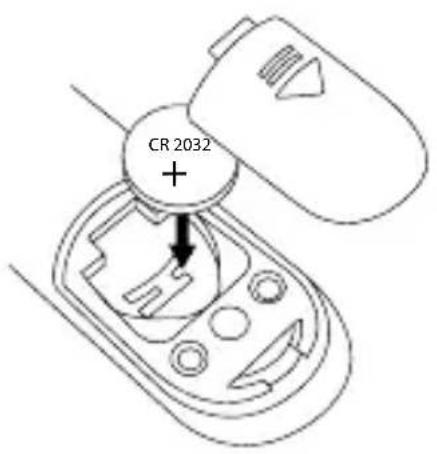
Installing / change batteries
Detach battery compartment cover according to noted direction and place in a CR 2032 Lithium-battery. Facing down the negative electrode. Attach the battery battery compartment cover.
Unit interchange / Weighing
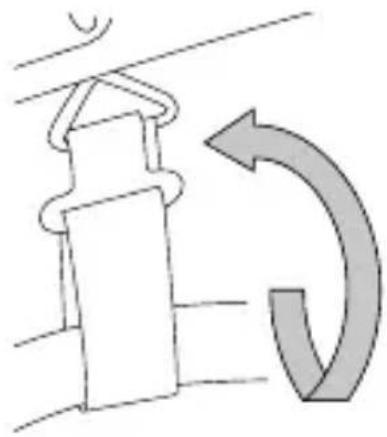
- Wrist the strap around a lift of lip of the measuring object and attach the hook to the bracket.
- Presse the button on top side of the device. LCD will show „18888“
- Press button to select the unit measure you prefer (g/ oz/ kg/ lb)
Weight measurement table:
1. 0 0 0 g = 3 5 oz = 1 kg = 2. 2 lb.
- Hold the scale in a vertical state, lift up and keep steady until the LCD display show a weight data with „HOLD“ indicator.
- Put down the scale and read the weight.
- Reset the scale and tare previous weight by press button again.
TARE function
If you need a measurement in between, you can use the tare function and attach additional weight
- After you did weight your object and the scale shows „HOLD“, press the button. The display will delete the current weight and shows the add „TARE“.
- Add more weight to the scale. The scale will show the weight along with the note „TARE HOLD“.
- You may use tare function in a row but you must not exceed the maximum weight 50 kg. If more than that, the overload flag will show „err“.
Switch off
After 60 seconds not in use, te device will switch of automatically. If you like to switch it off by hand, press and hold the button on top side.
For long-term-storage of the device, please remove the battery.
Cleaning
Use only a damp cloth for cleaning.
Ensure that no water enters the device.
Do not use any readily inflammable, chemical, corrosive, abrasive or sharp cleaning materials.
Guarantee
BURG-WÄCHTER products comply with the technical standards in force at the time of production and adhere to our own quality standards.
The guarantee only covers defects which can be proved to have resulted from production or material defects at the time of purchase. The guarantee expires after two years; further claims are excluded.
A short description of any defects identified must be made in writing and the device returned to the place it was bought, together with the original packaging.
After the device has been tested, and within an appropriate period of time, the guarantor will decide whether or not to repair or exchange the item.
Any defects or damage which may have resulted from transport, inappropriate or improper use, wear and tear etc. are not included in the guarantee.
The battery is not included in the guarantee.
Disposal
Please be aware that electrical and electronic equipment and batteries shall not be disposed of as household waste, but rather collected separately.
Please obtain information on the collecting points for electrical waste from the responsible authority of you municipality.
CE
BURG-WÄCHTER KG hereby declares that this device complies with Directive 2014/30/EU, (EMC) and 2011/65/EU (RoHS).
The full text of the EU Declaration of Conformity can be found on www.burg.biz.
f you have technical questions about this device, please read the user manual and the FAQ sheet which you will find on the following website: www.burg.biz. If, however, you still have questions, please send an e-mail to: info@burg.biz
Copyright
All rights reserved. This publication may not be reproduced, stored in a retrieval system or transmitted, in any form or by any means (electronic, mechanical, photocopying, recording or otherwise), without the written prior permission of BURG-WÄCHTER KG. No reproduction of any part or excerpts thereof are permitted. Errors excepted. Specifications are subject to change without notice for quality improvement. All companies or products mentioned in this publication are trademarks, registered trademarks or brands of the respective company.
Subject to technical changes without notice. Errors excepted.
Données techniques
BA TARA7610 swi 01/2018

Brand : Burg Wächter
Model : ProfiScale TARA PS 7610
Category : Scale