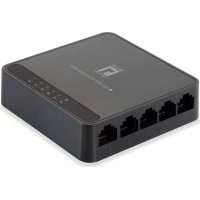
GEU0522 - Switch LEVELONE - Free user manual and instructions
Find the device manual for free GEU0522 LEVELONE in PDF.


User questions about GEU0522 LEVELONE
0 question about this device. Answer the ones you know or ask your own.
Ask a new question about this device
Download the instructions for your Switch in PDF format for free! Find your manual GEU0522 - LEVELONE and take your electronic device back in hand. On this page are published all the documents necessary for the use of your device. GEU0522 by LEVELONE.
USER MANUAL GEU0522 LEVELONE
text_image
level® oneGEU-0522
5 Port Gigabit Switch
Quick Installation Guide
English
Français
Deutsch
Italiano
Español
Português
Package Contents
Open the shipping carton of the Switch and carefully unpack its contents.
The carton should contain the following items:
• One 5 Port Gigabit Ethernet Switch
- One power adapter
ENGLISH
Installation
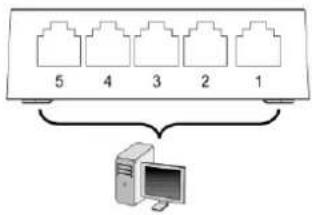
text_image
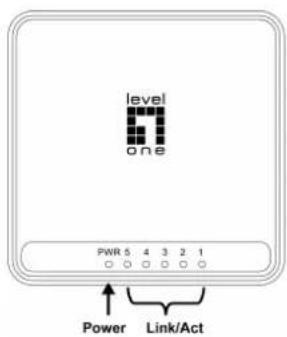
5 4 3 2 1 ComputerLED Indicator
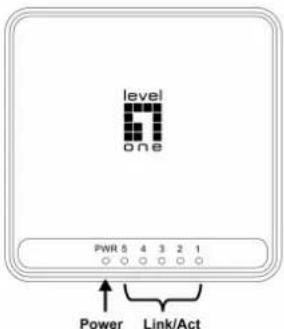
text_image
level one PWR 5 4 3 2 1 Power Link/Act| LED Indicator | Status | Meaning |
| Power | On | Power is on. |
| Off | Power is off. | |
| Link/Act | On | Port is connected |
| Blinking | Transmitting / Receiving data | |
| Off | Port is not connected |
Connecting Equipment
Step1. Inspect the Power Adapter carefully, and make sure that it is properly connected to a power source.
Step2. Plug-in the Power Adapter to the Switch.
Step3. Connect your network devices with the switch by using Ethernet cable. (e.g. Cat-5e)
Deutsch
Installation
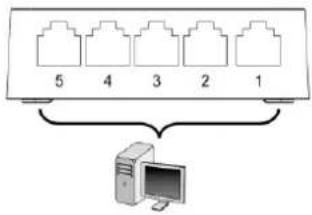
text_image
5 4 3 2 1 ComputerLED-Anzeige