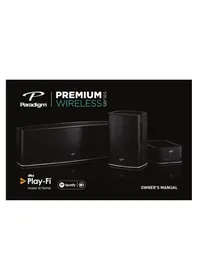
PW AMP - Home Theater System Paradigm - Free user manual and instructions
Find the device manual for free PW AMP Paradigm in PDF.


| Product Type | Wireless Stereo Amplifier |
| Brand | Paradigm |
| Model | PW AMP |
| Dimensions (H x W x D) | 7.9 x 14.6 x 21.9 cm |
| Weight | 1.4 kg |
| Power Supply | 120 V~, 2 A, 60 Hz |
| Amplification | Anthem Class D, 2 x 200 W dynamic peak, 2 x 100 W RMS |
| Wireless Connectivity | Wi-Fi 2.4 GHz and 5 GHz, 802.11 g/n |
| Inputs | Analog stereo RCA, USB (firmware update), Ethernet 10/100 |
| Outputs | Left/right speaker terminals, subwoofer output (Sub Out) |
| Room Correction | Anthem Room Correction (ARC) with calibrated microphone included |
| Compatible Impedance | 8 ohms (minimum 4 ohms) |
| Main Features | Streaming via DTS Play-Fi, multiroom, auto standby mode, auto input |
| Care and Cleaning | Dust with a soft dry cloth. Do not use liquids. |
| Safety | Do not expose to water or moisture. Unplug before cleaning. Use only with appropriate equipment. |
| Spare Parts and Repairability | No user-serviceable parts. Contact Paradigm support for any service. |
| Warranty | 1 year against defects in materials and workmanship |
| General Information | Certified FCC Part 15 Class B and IC. Includes power cord, Ethernet cable, ARC microphone, and USB cable. |
Frequently Asked Questions - PW AMP Paradigm
User questions about PW AMP Paradigm
0 question about this device. Answer the ones you know or ask your own.
Ask a new question about this device
Download the instructions for your Home Theater System in PDF format for free! Find your manual PW AMP - Paradigm and take your electronic device back in hand. On this page are published all the documents necessary for the use of your device. PW AMP by Paradigm.
USER MANUAL PW AMP Paradigm

RECYCLING AND REUSE GUIDELINES FOR EUROPE
In accordance with the European Union WEEE (Waste Electrical and Electronic Equipment) directive effective August 13, 2005, we would like to notify you that this product may contain regulated materials which, upon disposal, according to the WEEE directive, require special reuse and recycling processing. For this reason Paradigm Electronics Inc. (manufacturers of Paradigm speakers and Anthem Electronics) has arranged with our distributors in European Union member nations to collect and recycle this product at no cost to you. To find your local distributor please contact the dealer from whom you purchased this product or go to our website at paradigm.com. Please note that the product only falls under the WEEE directive. When disposing of packing and other shipping material we encourage you to recycle through the normal channels.

PW800: FCC ID: R48TT025 and IC ID: 7190A-TT025 PW 600: FCC ID: R48BS025 and IC ID: 7190A-BS025 PW AMP: FCC ID: R48MP025 and IC ID: 7190A-MP025 This device complies with Part 15 of the FCC Rules. Operation is subject to the following two conditions: [1] This device may not cause harmful interference, and [2] This device must accept any interference received, including information that may cause undesired operation. Changes or modifications not expressly approved by the party responsible for compliance could void the user's authority to operate the equipment.
This product has been tested and found to comply with the limits for a Class B digital device, pursuant to Part 15 of the FCC Rules. These limits are designed to provide reasonable protection against harmful interference in a residential installation. This product generates, uses, and can radiate radio frequency energy and, if not installed and used in accordance with the instructions, may cause harmful interference to radio communications. However, there is no guarantee that interference will not occur in a particular installation. If this product does cause harmful interference to radio or television reception, which can be determined by turning the equipment off and on, the user is encouraged to try to correct the interference by one or more of the following measures:
- Reorient or relocate the receiving antenna.
- Increase the separation between the equipment and receiver.
- Connect the equipment into an outlet on a circuit different from that to which the receiver is connected.
- Consult the dealer or an experienced radio/TV technician for help.
This device complies with Industry Canada licence-exempt RSS standard(s). Operation is subject to the following two conditions:
(1) this device may not cause interference, and
(2) this device must accept any interference, including interference that may cause undesired operation of the device.
WIRELESS TRANSMITTER COMPLIANCE INFORMATION
The term "IC" before the radio certification number only signifies that Industry Canada technical specifications were met. This equipment complies with FCC and IC radiation exposure limits set forth for an uncontrolled environment. This equipment should be installed and operated with minimum distance 20 cm between the radiator and your body. This transmitter must not be co-located or operating in conjunction with any other antenna or transmitter. To reduce potential radio interference to other users, the antenna type and its gain should be so chosen that the equivalent isotropically radiated power (e.i.r.p.) is not more than that permitted for successful communication.
PARADIGM ELECTRONICS RESERVES THE RIGHT TO CHANGE SPECIFICATIONS AND/OR FEATURES WITHOUT NOTICE AS DESIGN IMPROVEMENTS ARE INCORPORATED.
PARADIGM and ANTHEM are registered trademarks of Paradigm Electronics Inc. PW 800, PW 600, PW AMP, ARC are trademarks of Paradigm Electronics Inc. Copyright © Paradigm Electronics Inc. All rights reserved. All other products and services mentioned may be trademarks or service marks of their respective owner(s).
Apple and the Apple logo are trademarks of Apple Inc., registered in the U.S. and other countries. App Store is a service mark of Apple Inc.
Windows ^® is a registered trademark of Microsoft Corporation in the United States and other countries.
Amazon, Kindle, Fire, and all related logos are trademarks of Amazon.com, Inc. or its affiliates.
Google Play is a trademark of Google Inc.
The Spotify software is subject to third party licenses found here: www.spotify.com/connect/third-party-licenses
For DTS patents, see http://patents.dts.com. Manufactured under license from DTS Licensing Limited. DTS, Play-Fi, the Symbol, and Play-Fi together in combination with the Symbol are trademarks of DTS, Inc. DTS and Play-Fi are registered trademarks of DTS, Inc. © DTS, Inc. All Rights Reserved.
For more information visit paradigm.com

09.17.15 (REV. 002)
Paradigm Premium Wireless Series Owner's Manual
TABLE OF CONTENTS
Congratulations! 1
Important Safety Instructions.... 2
Important Safety Information....3
What's In The Box 4
PW 800 Premium Wireless Speaker....4
PW 600 Premium Wireless Speaker....5
PW AMP Premium Wireless Amplifier 6
Network Requirements 7
System Requirements 7
Features & Functions: 8
Controls & Connections 9
PW 800 Premium Wireless Speaker....9
PW 600 Premium Wireless Speaker....10
PW AMP Premium Wireless Amplifier 11
Connecting PW AMP to Speakers.... 12
Adding an Optional External Subwoofer....13
Play Music & Connect Multiple PW Series Products....14
Anthem Room Correction (ARC") 15
Updates 16
Reboot (Power Cycle) & Factory Reset 16
Enable/Disable Auto Input Mode 16
Device Usage Guide....17
Basic Troubleshooting .... 18
Technical Specifications....21
PW 800 Premium Wireless Speaker....21
PW 600 Premium Wireless Speaker....22
PW AMP Premium Wireless Amplifier 23
Limited Warranty....24
CONGRATULATIONS!
Thank you for purchasing this Paradigm® Premium Wireless Series product.
Paradigm® and its sister company, Anthem® have leveraged over 30 years in groundbreaking loudspeaker and amplifier design to create the Paradigm® Premium Wireless Series of wireless speakers and powerful amplifier.
The inclusion of DTS Play-Fi® technology to Paradigm's technology platforms means you can enjoy high fidelity, lossless music streamed from your Android device, iOS device, tablet or PC – to a premium sounding Paradigm speaker, or amplifier. Using your home Wi-Fi network, you can stream music to individual speakers, or play the same music to all Paradigm® Premium Wireless Series devices you have installed – all with crystal clear clarity.
IMPORTANT SAFETY INSTRUCTIONS
- Read these instructions.
- Keep these instructions.
- Heed all warnings.
- Follow all instructions.
- Do not use this apparatus near water.
- Clean only with dry cloth.
- Do not block any ventilation openings. Install in accordance with the manufacturer's instructions.
- Do not install near any heat sources such as radiators, heat registers, stoves, or other apparatus (including amplifiers) that produce heat.
- Do not defeat the safety purpose of the polarized or grounding-type plug. A polarized plug has two blades with one wider than the other. A grounding type plug has two blades and a third grounding prong. The wide blade or the third prong are provided for your safety. If the provided plug does not fit into your outlet, consult an electrician for replacement of the obsolete outlet.
-
Protect the power cord from being walked on or pinched particularly at plugs, convenience receptacles, and the point where they exit from the apparatus.
-
Only use attachments/accessories specified by the manufacturer.
-
Usually with the cart, stand, tripod, bracket, or table specified by the manufacturer, or sold with the apparatus. When a cart is used, use caution when moving the cart/ apparatus combination to avoid injury from tip-over.
-
Unplug this apparatus during lightning storms or when unused for long periods of time.
-
Refer all servicing to qualified service personnel. Servicing is required when the apparatus has been damaged in any way, such as power-supply cord or plug is damaged, liquid has been spilled or objects have fallen into the apparatus, the apparatus has been exposed to rain or moisture, does not operate normally, or has been dropped.
-
The apparatus shall not be exposed to dripping or splashing and that objects filled with liquids, such as vases, shall not be placed on apparatus.
-
The apparatus should be connected to a mains socket outlet with a protective earthing connection.
IMPORTANT SAFETY INFORMATION
Paradigm Premium Wireless Series Owner's Manual

The lightning bolt flash with arrowhead symbol, within an equilateral triangle, is intended to alert the user to the presence of uninsulated “dangerous voltage” within the product’s enclosure that may be of sufficient magnitude to constitute a risk of electric shock.

The exclamation point within an equilateral triangle is intended to alert the user to the presence of important operating and maintenance (servicing) instructions in the literature accompanying the appliance.

WARNING! Do not use your Paradigm product(s) outside of the country of original sale—voltage requirements vary by country. Improper voltage can cause damage that will be potentially expensive to repair. Paradigm products are shipped to authorized Paradigm distributors with the correct power supply for use in the country of intended sale. A list of authorized distributors can be accessed at www.paradigm.com or by emailing info@paradigm.com.

WARNING!
RISK OF ELECTRIC SHOCK DO NOT OPEN


WARNING: TO REDUCE THE RISK OF FIRE OR ELECTRIC SHOCK, DO NOT EXPOSE THIS APPARATUS TO RAIN OR MOISTURE AND OBJECTS FILLED WITH LIQUIDS, SUCH AS VASES, SHOULD NOT BE PLACED ON THIS APPARATUS.
• TO COMPLETELY DISCONNECT THIS APPARATUS FROM THE AC MAINS, DISCONNECT THE POWER SUPPLY CORD PLUG FROM THE AC RECEPTACLE.
- THE MAINS PLUG OF THE POWER SUPPLY CORD SHALL REMAIN READILY ACCESSIBLE.
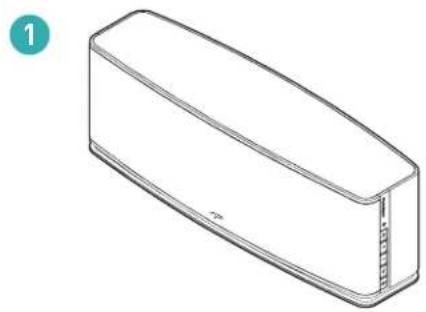
WHAT'S IN THE BOX ...
PW 800 Premium Wireless Speaker
- Paradigm PW 800 Speaker
- 6' (1.8 m) Power Cable
-
6' (1.8 m) Ethernet Cable
-
ARC ^™ Microphone
-
6.5' (2 m) ARC™ Microphone USB Cable
-
Owner's Manual and Setup Guide
natural_image
Line drawing of a rectangular electronic component with a small internal structure, labeled with number 1 (no text or symbols on the object itself)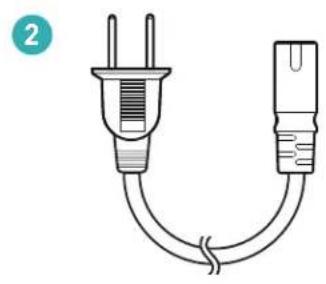
natural_image
Simple line drawing of a two-pin electrical plug with a curved cord (no text or symbols)
natural_image
Diagram of two Ethernet connectors with a curved cable, no text or symbols present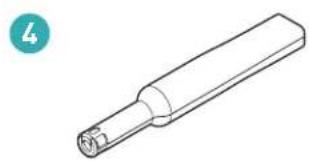
natural_image
Line drawing of a cylindrical mechanical component with a flanged end (no text or symbols)
natural_image
Simple line drawing of two USB connectors with a curved cable (no text or symbols)
PW 600 Premium Wireless Speaker
- Paradigm PW 600 Speaker
- 6' (1.8 m) Power Cable
-
6' (1.8 m) Ethernet Cable
-
ARC ^™ Microphone
- 6.5' (2 m) ARC™ Microphone USB Cable
- Owner's Manual and Setup Guide
natural_image
Simple line drawing of a plug with two leads and a terminal outlet, no text or symbols present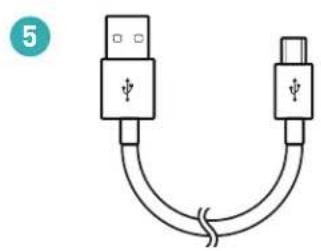
natural_image
Simple line drawing of two USB connectors with a curved cable (no text or symbols)
natural_image
Diagram of two Ethernet connectors with a curved cable, no text or symbols present
WHAT'S IN THE BOX ... (cont'd ...)
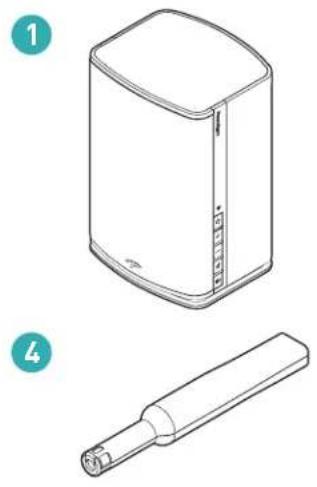
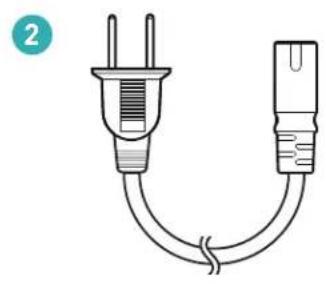
PW AMP Premium Wireless Amplifier
-
Paradigm PW AMP
-
ARC ^™ Microphone
-
6' (1.8 m) Power Cable
-
6.5' (2 m) ARC™ Microphone USB Cable
-
6' (1.8 m) Ethernet Cable
-
Owner's Manual and Setup Guide

natural_image
Isometric line drawing of a rectangular electronic device with a grid and control buttons (no text or symbols)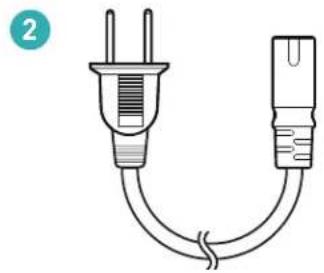
natural_image
Simple line drawing of a plug with two leads and a terminal plug, no text or symbols present
natural_image
Diagram of two Ethernet connectors with a coiled cable (no text or symbols)
natural_image
Line drawing of a cylindrical mechanical component with a flanged end (no text or symbols)
natural_image
Diagram of two USB connectors with a curved cable, no text or symbols present
NETWORK REQUIREMENTS
You must have the following to connect your Paradigm product to your network:
- A high-speed DSL/Cable modem or a fiber-to-the-home broadband connection for reliable playback of music services based on the internet. Note: Satellite internet services are prone to playback issues due to fluctuating download rates.
- If your modem is not a modem/router combination you must purchase and install a router into your home network before proceeding.
- If you plan to use the DTS Play-Fi® App on an Android™ or iOS device or you are setting up a Paradigm product for Wi-Fi streaming, you will need a wireless router.
- Have your network password ready before connecting the Paradigm product to your network.
NOTE: To make the quickest connection, use a dual-band router and connect your Paradigm Product to the 5G network instead of the 2.4 Network.
Paradigm Premium Wireless Series Owner's Manual
NOTE: If your wireless connectivity is weak or not available, connect your Paradigm product to your router with the supplied ethernet cable.
TIP! Paradigm Premium Wireless Series products communicate with wireless networks that support 802.11 g/n wireless technology. For the fastest streaming performance, a network that supports 802.11 n wireless technology is recommended. A network supporting 802.11b may be used, but it will effectively stream to only one device equipped with DTS Play-Fi ^® .
TIP! For superior performance connect your PC or NAS (Network-Attached Storage) drive that holds your personal music library to your network router using the provided Ethernet cable.
SYSTEM REQUIREMENTS
- An Android device running Android 2.2 or later.
- An iOS device running iOS 6.0 or later.
- A Windows® PC running Windows® 7, 8 or 8.1 (32 and 64 bit).
FEATURES & FUNCTIONS
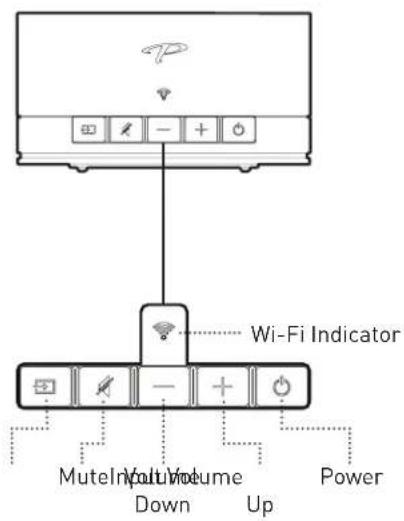
Power Button ( ⏻ ):
- Press ⏻ to power on/off. If no signal is received for 20 minutes, unit will be in standby.
- Press Ⓧ to reboot (power cycle) or Factory Reset your Paradigm product (see page 16).
Volume Up/Down Buttons (+ / +):
- Press + to increase the volume level. Press - to decrease the volume level.
- Press and hold either +/to ramp the volume level up or down.
Mute Button (✗):
- Press ¼ to mute the audio. The Mute button (¼) will illuminate WHITE when the mute function is active.
-
The Mute Button ( 14 ) also switches on/off ARC ^™ Settings
-
To setup ARC ^TM and to learn how it corrects room deficiencies see page 15.
- To switch off ARC™ settings: PRESS and HOLD ¼ for 5 seconds. Upon releasing the button, a "negative tone" will sound verifying ARC™ settings are switched off.
- Repeat the process to switch on ARC ^TM settings. You will hear a "positive tone" when ARC ^TM settings are switched on.
Input Button (→):
- PRESS and RELEASE → to toggle between Wireless/Wired Network Streaming Mode AND Rear Input Mode.
- The Input button (☐) illuminates WHITE when Wireless/Wired Network Streaming Mode is enabled and BLUE when the Rear Input Mode is enabled.
- Your Paradigm product has the following rear input: 3.5 mm Analog Input (PW 800 and PW 600) OR RCA Analog Input (PW AMP).
- Wireless/Wired Network Streaming Mode is the default input mode. If your Paradigm product is set to Rear Input Mode and music is streamed, by default your Paradigm product will switch to Wireless/Wired Network Streaming Mode.
- Enable/disable Auto input Mode (see page 16).
Wi-Fi Setup Button:
- Initiates Wi-Fi setup for both Wi-Fi Protected Setup (WPS) and Standard Wi-Fi Setup.
Stereo/Mono Setting Switch (L/S/R) (PW 600 ONLY):
- For stereo output from one PW 600 speaker, set the switch to the "S" (Stereo) position. For a stereo pair, set the switch to either "L" (Left) or "R" (Right) depending on the position of your speaker within a listening space. For example: If your speaker is in the left position within a listening space, set the switch to the "L" (Left) position. Follow app instructions for pairing with iOS/Android apps.
Wi-Fi Indicator ( ✉ );
The Wi-Fi Indicator (💡) tells you what your Paradigm product is doing:
- Fast Blinking – Your Paradigm product is booting up.
- Blinking – Your Paradigm product is attempting to connect to a wireless router.
- Slow Pulse – Setup Mode.
- Two Blinks > Pause - WPS Mode.
- Solid – Connected to router.
- Off - Connected to a router using a wired connection.
CONTROLS & CONNECTIONS
PW 800 Premium Wireless Speaker

Paradigm Premium Wireless Series Owner's Manual

CONTROLS & CONNECTIONS (cont'd ...)
PW 600 Premium Wireless Speaker

*For one PW-600 speaker set to Stereo (S) and for two PW-600 speakers set to Left (L) or Right (R).

Paradigm Premium Wireless Series Owner's Manual
PW AMP Premium Wireless Amplifier
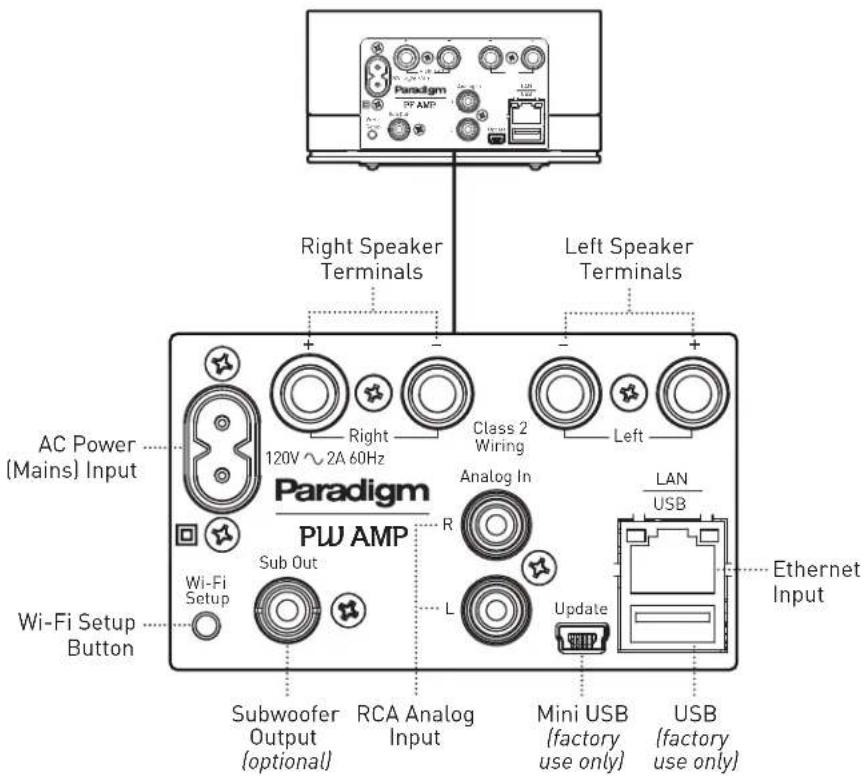
CONNECTING PW AMP TO SPEAKERS

WARNING: Use Class 2 wiring only.

CAUTION: Do not connect speakers, which are rated less than 4 Ohms to the Paradigm PW AMP.

CAUTION: While making connections with bare wire, ensure that none of your bare wire comes in contact with a an adjacent terminal.
The speakers to be connected to the Paradigm PW AMP should be rated to handle at least 75 W for 8 Ohm speakers and at least 150 W for 4 Ohm speakers.
Your PW AMP's binding posts can be used with banana, plug connectors, and bare wire.
IMPORTANT! Correct polarity (or phase) is critical for proper soundstage imaging and bass performance. Connect one speaker at a time to ensure proper connection of every channel. The red (+) amplifier terminal must be connected to the red (+) speaker terminal. The same applies to the black (-) terminals. Make sure all wires are firmly fastened. Repeat this connection procedure for each speaker in your system.
IMPORTANT! If you hear a distinct lack of bass and a dislocated stereo image then one or more of your speakers may be connected out of phase (polarity is reversed). Re-check to ensure that each speaker's cable is connected with correct polarity: red (+) to red (+) and black (−) to black (−).
Bare Wire Connectors:
If you are using speaker wire without banana plugs, simply press in the spring loaded binding post to expose the connection hole. Insert the stripped end of the speaker wire into the hole, then release the binding post. The exposed speaker wire should be securely gripped by the binding post.
Banana Plug Connectors:
If you are using banana plugs, remove the end caps from the PW AMP's binding posts to expose the banana plug socket; insert the banana plug into the socket.
ADDING AN OPTIONAL EXTERNAL SUBWOOFER
Paradigm Premium Wireless Series Owner's Manual
If desired, an external subwoofer can be used to reinforce low-frequency channel information in multichannel and stereo recordings. For seamless system matching, we recommend a Paradigm subwoofer, however any brand of subwoofer can be connected.
Using a high-quality RCA style cable, connect the "Sub Out" on the Paradigm Premium Wireless Series product back panel to the "LFE In/Sub In" on the subwoofer's back panel.
TIP! Reference your subwoofer's Owner's Manual to learn how to properly adjust the subwoofer's level and phase controls to achieve proper blending with the PW AMP.
Upon connecting an external subwoofer, your Paradigm product will automatically detect its presence and redirect low frequency content from the speakers to the subwoofer. If your subwoofer has an adjustment for bandwidth (BW), set it to 100 Hz (recommended setting) if you will not be running ARC. If you will be running ARC set it to maximum bandwidth (or bypass). If you ran ARC before connecting a subwoofer, you will need to run it again.
PLAY MUSIC & CONNECT MULTIPLE PW SERIES PRODUCTS
Once your Paradigm product is connected to your home network, you can start playing music anytime.
- Activate the DTS Play-Fi® App on your mobile device or PC. If you have setup more than one Paradigm product, select which one you want to stream music to.
- Select your music source – personal music library or any subscription-based music service contained on your mobile device or PC, Internet Radio, or from select online music services such as Deezer, Songza, etc. (visit our website at paradigm.com to view a full list of available music services).
How to Connect Multiple Paradigm Premium Wireless Series products:
- To connect additional Paradigm Premium Wireless Series products to your network, open the DTS Play-Fi® App and select "Setting".
- Select, "Add Play-Fi Device"
- Follow the instructions to add each Paradigm Premium Wireless Series product.
Primary/Secondary Zones:
When using the DTS Play-Fi® App on your device, you will notice when streaming music to your Paradigm Premium Wireless Series product that there are two groups: Primary and secondary zones. The DTS Play-Fi® module within your Paradigm Premium Wireless Series product requires that a primary speaker be selected to create a new listening session or zone. The purpose of this is to eliminate any echo, found on other ecosystems, and to maximize synchronization down to 1 millisecond.
We suggest that you select the Paradigm Premium Wireless Series product with the strongest signal strength as your primary device. It should be noted that secondary speakers are connected to your primary speaker, so if you disable your primary speaker for any reason, your secondary speaker will be temporarily unavailable until a primary speaker is selected again.
ANTHEM ROOM CORRECTION (ARC ^™ )
Even when the finest speakers are perfectly positioned, the room itself still has a dramatic impact on any system's sound, an impact more profound than that of any individual component. Various solutions have fallen in and out of favor over the years, but none has solved the problem of "the room." Until ARC.
Using proprietary processes and the power of your PC, the ARC system analyzes each speaker's in-room sound, then computes the required correction to yield optimal performance from every speaker. It's a process that takes approximately 15 minutes. Anthem's approach is a true audiophile solution to the problems of the room.
IMPORTANT! The listening space must be silent while performing ARC. A noisy computer fan, a dishwasher or microwave running, etc. can negatively affect ARC's measurements.
How to Correct Room Deficiencies using ARC Technology :
- Ensure that your Paradigm product is already connected on your home network and is powered "on".
- Download the ARC software from paradigm.com/support and install it. Once the drivers are installed, follow the on-screen instructions.
- Using the 6.5' (2 m) USB cable, connect the ARC microphone to a Windows® PC running Windows® 7 or 8 (32 and 64 bit).
- Look for the icon on your desktop and launch the ARC program. Follow the prompts on your computer screen to successfully run the ARC software; the entire process should take approximately 15 minutes.
Paradigm Premium Wireless Series Owner's Manual
- Hold the ARC microphone with your arm fully extended, the ARC microphone tip must point towards the ceiling and it must be positioned at ear level. Refer to the diagram below.
- For best results, hold the microphone in 5 different positions around the room.
TIP! Once the ARC process is complete, the corrected listening curves will be stored and music will be played back reflecting these corrections each time you stream music to your Paradigm product. To toggle back and forth between pre and post ARC correction, or to disable ARC refer to the "Mute Button {4}" section on page 8.

UPDATES
DTS Play-Fi® App Update:
If the DTS Play-Fi® app on your device requires an update, the app will notify you that an update is available and guide you through the update process.
Paradigm Firmware Update:
At Paradigm we constantly strive to improve the performance and functionality of your system, as a result from time to time your Paradigm Premium Wireless Series product will require firmware updates. Please regularly check our website at www.paradigm.com for the latest firmware updates.
REBOOT (POWER CYCLE) & FACTORY RESET
Reboot (Power Cycle):
PRESS and HOLD the Power button (☐) for 3 seconds. The Mute button (☐) will start blinking once a refresh has been achieved; upon releasing the button a tone will verify a refresh.
Factory Reset:
PRESS and HOLD the Power button (☐) for 10 seconds (at 3 seconds the Mute button (☐ will start blinking); once you hear a tone (at 10 seconds) to verify a reset, immediately release the reset button.
ENABLE/DISABLE AUTO INPUT MODE
Paradigm PW products can be configured to automatically select the AUX input when the Play-Fi app is turned off. This mode can be useful when using the PW product to improve TV audio, for example, through the AUX input when wireless music streaming
is not in use. To enable auto input mode, hold the input button for five seconds. Hold it again for five seconds again to cancel.
DEVICE USAGE GUIDE
Paradigm Premium Wireless Series Owner's Manual
| App | ContentDevice | Multi-Room | |
| Apple iOS | Play-Fi | Select music servicesiTunes – music stored on device | Up to eightMultiple simultaneous usersSpeakers can be zoned |
| Android | Play-Fi | Select music servicesMusic stored on device | Up to eightMultiple simultaneous usersSpeakers can be zoned |
| Windows PC | Play-Fi | All audio content | Up to eightMultiple simultaneous usersSpeakers can be zoned |
BASIC TROUBLESHOOTING

CAUTION: Warning: Do not open the product. Under no circumstances should the product be repaired by anyone other than an authorized Paradigm Dealer, as this will invalidate the warranty. Please contact Paradigm Customer Support for more information.
If a problem occurs, you can try the troubleshooting suggestions listed below. If one of these doesn't remedy the problem, or you are not sure how to proceed, please contact the Paradigm Customer Support team at support@paradigm.com. Alternatively, visit our website at paradigm.com/support for detailed troubleshooting solutions.
Problem Possible Solutions
I am unable to connect the Paradigm Premium Wireless Series product to my Wi-Fi network.
- Verify that your Wi-Fi network is functioning.
- Your router's Wi-Fi signal may be weak or your Paradigm product may be out of range of your router's Wi-Fi network. Move the Paradigm product closer to the router.
- Before connecting to your network, verify that your Paradigm product's Input button (☐) is illuminated in WHITE, this indicates the Wireless/Wired Network Streaming Mode. If the Input button ☐ is illuminated in BLUE, this indicates the Rear Input Mode; press the Input button (☐) to select the Wireless/Wired Network Streaming Mode for a wireless input connection.
- Reboot your Paradigm product (see page 16).
- Reset your Paradigm product to factory settings (see page 16).
Problem Possible Solutions
The DTS Play-Fi® App cannot find my Paradigm Premium Wireless Series product.
Verify that the following are true:
- The Paradigm product is fully powered on and in Discovery Mode Wi-Fi Indicator ( Wi^- ) is pulsing slowly).
- You are within the recommended range of your router.
- Your device has its Wi-Fi enabled.
- There are no other apps on your device that are currently running that are impeding wireless connectivity to your network.
- Restart your phone, tablet or PC (refer to the Owner's Manual for further details).
- If you still can't find the Paradigm product on your network, and are in an office environment, verify with your network administrator that no special permissions are enabled that would prevent external wireless devices from broadcasting within the network.
- If the Paradigm product remains unfound, perform a Reboot (Power Cycle) {see page 16} on the offending unit and redownload the DTS Play-Fi® App.
- If the Paradigm product remains unfound, perform a Factory Reset (see page 16) on the offending unit and re-download the DTS Play-Fi® App.
BASIC TROUBLESHOOTING (cont'd ...)
| Problem Possible Solutions | |
| The DTS Play-Fi® App says “Play-Fi Devices Lost.” | If you see this message, it could mean one or more things:The connection to your network is very weak.There is heavy network traffic.You have moved out of your personal network’s coverage range.You have lost your network connection.You have connected to a network other than the one your Paradigm product(s) are on.Your device’s wireless streaming has been taken over by another app.Your device lost power in the middle of communication.Make sure the following are true:Verify that your network setting and that your devices are connected to the same network.Ensure that your device has not left the range of your router.Verify that your device is on the same network as your Paradigm product.Finally, exit and then restart the DTS Play-F® App. It should now find all of your Paradigm product(s).If you are still unable to find the Paradigm product(s), perform a Reset (see page 16) on the offending unit and re-download the DTS Play-F® App. |
TECHNICAL SPECIFICATIONS
Paradigm Premium Wireless Series Owner's Manual
| PW 800 Premium Wireless Speaker | |
| Design | 4-driver, 2 way speaker |
| High Frequency Driver | Two 1" (25 mm) S-PAL ^TM dome, ferro-fluid damped / cooled, extended pistonic range |
| Bass/Midrange Driver | Two 5" (127 mm) S-PAL ^TM drivers, high-excursion foam-rubber elastomer surrounds, 1" high-temp voice coil |
| Low Frequency Extension | 39 Hz |
| Frequency Response (On Axis) | +/- 2 dB from 44 Hz - 20 kHz |
| Frequency Response (30°) | +/- 2 dB from 44 Hz - 17 kHz |
| Sensitivity - Room | 91 dB |
| Sensitivity - Anechoic | 88 dB |
| Amplification | Anthem ^® Class-D Amp; 460 W Dynamic Peak; 230 W RMS |
| Wireless Connectivity | 2.4 GHz and 5.0 GHz; 802.11 g/n |
| Impedance | N/A |
| Inputs | 3.5 mm analog input, USB (for firmware updates), Ethernet 10/100 |
| Room Correction | Anthem Room Correction - ARC ^TM , with included calibrated microphone |
| Dimensions (h x w x d) | 7" x 20" x 5-1/2" (17.8 cm x 50.8 cm x 14 cm)" |
| Weight | 13.8 lb (6.3 kg) each |
| Finish | Black & White |
TECHNICAL SPECIFICATIONS (cont'd ...)
PW 600 Premium Wireless Speaker
| Design | 3-driver, 2 way bookshelf |
| High Frequency Driver | Two 1" (25 mm) S-PAL ^TM dome, ferro-fluid damped / cooled, extended pistonic range |
| Bass/Midrange Driver | 5" (127 mm) S-PAL ^TM driver, high-excursion foam-rubber elastomer surrounds, 1" high-temp voice coil |
| Low Frequency Extension | 40 Hz |
| Frequency Response (On Axis) | +/- 2 dB from 45 Hz - 20kHz |
| Frequency Response (30°) | +/- 2 dB from 45 Hz - 17kHz |
| Sensitivity - Room | 91 dB |
| Sensitivity - Anechoic | 88 dB |
| Amplification | Anthem® Class-D Amp; 400 W Dynamic Peak; 200 W RMS |
| Wireless Connectivity | 2.4 GHz and 5.0 GHz; 802.11 g/n |
| Impedance | N/A |
| Inputs | 3.5 mm analog input, USB (for firmware updates), Ethernet 10/100 |
| Room Correction | Anthem Room Correction - ARC ^TM , with included calibrated microphone |
| Dimensions (h x w x d) | 10" x 6-1/2" x 5-1/2" (25.4 cm x 16.5 cm x 14.0 cm) |
| Weight | 7.5 lb (3.4 kg) each |
| Finish | Black & White |
PW AMP Premium Wireless Amplifier
| Design | Anthem Class-D Amplifier |
| Amplification | Anthem® Class-D Amp; 2 x 200 W Dynamic Peak; 2 x 100 W RMS 4 ohms |
| Wireless Connectivity | 2.4 GHz and 5.0 GHz; 802.11 g/n |
| Impedance | Compatible with 8 ohms |
| Inputs | RCA analog inputs, USB (for firmware updates), Ethernet 10/100, L/R speaker terminals |
| Room Correction | Anthem Room Correction - ARC®, with included calibrated microphone |
| Dimensions (h x w x d) | 3-1/8" x 5-3/4" x 8-5/8" (7.9 cm x 14.6 cm x 21.9 cm) |
| Weight | 3 lb (1.4 kg) each |
| Finish | Black |
LIMITED WARRANTY
Paradigm® Premium Wireless Series product(s) covered in this manual are warranted to be and remain free of manufacturing and/or material defects for a period of one (1) year from the date of original purchase.
For the Paradigm® Amp covered in this manual, all parts including the amplifier are warranted to be and remain free of manufacturing and/or material defects for a period of one (1) year.
Within the time periods specified, repair, replacement or adjustment of parts for manufacturing and/or material defects will be free of charge to the original owner.
Thermal Or Mechanical Abuse/Misuse Is Not Covered Under Warranty.
Limitations:
- Warranty begins on date of original retail purchase. It is not transferable;
- Warranty applies to product in normal home use only. If product is subjected to any of the conditions outlined in the next section, warranty is void;
- Warranty does not apply if the product is used in professional or commercial applications.
Warranty is Void if:
- The product has been abused (intentionally or accidentally);
- The product has been used in conjunction with unsuitable or faulty equipment;
- The product has been subjected to damaging signals, derangement in transport, mechanical damage or any abnormal conditions;
- The product (including cabinet) has been tampered with or damaged by an unauthorized service facility;
- The serial number has been removed or defaced.
Owner Responsibilities:
- Provide normal/reasonable operating care and maintenance;
- Provide or pay for transportation charges for product to service facility;
- Provide proof of purchase (your sales receipt given at time of purchase must be retained for proof-of-purchase date).
Should servicing be required, contact us using the information below, to arrange, bring in or ship prepaid, any defective unit. Visit paradigm.com for more information.
Paradigm Electronics Inc. reserves the right to improve the design of any product without assuming any obligation to modify any product previously manufactured.
LIMITED WARRANTY (cont'd ...)
This warranty is in lieu of all other warranties expressed or implied, of merchantability, fitness for any particular purpose and may not be extended or enlarged by anyone. In no event shall Paradigm Electronics Inc., their agents or representatives be responsible for any incidental or consequential damages. Some jurisdictions do not allow limitation of incidental or consequential damages, so this exclusion may not apply to you.
Retain this manual and your sales receipt for proof of warranty term and proof of purchase.
For additional product support, email us at service@paradigm.com
Paradigm Premium Wireless Series Owner's Manual
License Information for the Software Used in this Product
This product contains one or more free or open source software programs originating from third parties. This free and open source software is subject to the terms of the GNU General Public License, GNU Library/Lesser General Public License, or other different and/or additional copyright licenses, notices, and disclaimers. To understand your rights under these licenses, please refer to the specific terms of the licenses, notices, and disclaimers, which are provided in the links following.
To receive a copy of the source code for the open source software programs included in this product, please contact the Paradigm Customer Support team at support@paradigm.com.
Paradigm Electronics Inc. will distribute such source code to you on a disc for a charge covering the cost of performing such distribution, such as the cost of media, shipping and handling. All of the above referenced licenses, notices, and disclaimers are reproduced and available with such source code. However, note that we make no guarantees concerning the source code and we do not offer support for the contents of the source code. This offer is valid for a period of three (3) years following the date of distribution of this product by Paradigm Electronics Inc.
This section describes software licenses used for this unit. To maintain the correct content, the original (English) is used.
BSD License
Libupnp: http://pupnp.sourceforge.net/ Opus codec: http://www.opus-codec.org/
GPL (GNU-General Public License)
LinuxKernel 2.6.29: https://kernel.org/
libao: http://www.xiph.org/ao/
bridge-utils: http://www.linuxfoundation.org/collaborate/workgroups/networking/bridge
busybox: http://www.busybox.net/
Ebtables: http://ebtables.netfilter.org/
Wget: http://www.gnu.org/software/wget/
LGPL (GNU Lesser General Public License) License
LIVE555: http://www.live555.com/
mpg123: http://mpg123.de/
ffmpeg: http://www.ffmpeg.org/
avahi: http://www.avahi.org/
MIT/X derivate license
CURL: http://curl.haxx.se/
Academic Free License (AFL)
dbus: http://www.freedesktop.org/wiki/
OpenSSL License
OpenSSL: https://www.openssl.org/
MIT License
LibXML2: http://www.xmlsoft.org/
Others
https://github.com/abrasive/shairport/blob/master/LICENSES Abrasive: https://github.com/abrasive/shairport
NOTES
NOTES

Paradigm®
PREMIUM.ies
WIRELESS ser

natural_image
Three black electronic devices with white outlines, one rectangular and one square, against a black background (no visible text or symbols)
dts
Play-Fi®
music is home

MODE D'EMPLOI

DIRECTIVES SUR LE RECYCLAGE ET LA RÉUTILISATION POUR L'EUROPE
natural_image
Isometric line drawing of a rectangular electronic component with a flat top and side edge (no text or symbols)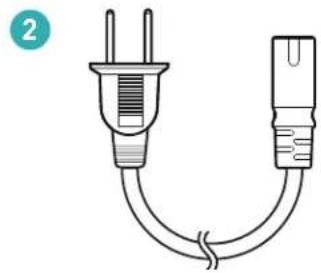
natural_image
Simple line drawing of a plug with two leads and a terminal block, no text or symbols present
natural_image
Two connected USB connectors with a coiled cable (no text or symbols)
natural_image
Line drawing of a cylindrical mechanical component with a protruding end (no text or symbols)
natural_image
Diagram of two USB connectors with a curved cable, no text or symbols present
PW 600 Enceinte Premium Wireless
natural_image
Simple line drawing of a two-pin electrical plug with a curved cord (no text or symbols)
natural_image
Diagram of two USB connectors with a curved cable, no text or symbols present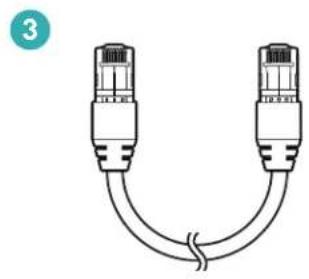
natural_image
Diagram of two Ethernet connectors with a curved cable between them (no text or symbols)
CONTENU (suite ...)
PW AMP Amplificateur Premium Wireless
natural_image
Line drawing of a rectangular electronic device with labeled buttons (no text or symbols on body)
natural_image
Simple line drawing of a plug with two leads and a terminal plug, no text or symbols present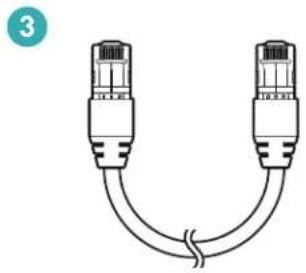
natural_image
Diagram of two Ethernet connectors with a coiled cable (no text or symbols)
natural_image
Line drawing of a cylindrical mechanical component with a flanged end (no text or symbols)
natural_image
Diagram of two USB connectors with a curved cable, no text or symbols present
EXIGENCES DU RÉSEAU
MISES À JOUR
GPL (GNU-General Public License)
LinuxKernel 2.6.29: https://kernel.org/ libao: http://www.xiph.org/ao/ bridge-utils: http://www.linuxfoundation.org/collaborate/workgroups/networking/bridge busybox: http://www.busybox.net/ Ebtables: http://ebtables.netfilter.org/ Wget: http://www.gnu.org/software/wget/
LGPL (GNU Lesser General Public License)
LIVE555: http://www.live555.com/
mpg123: http://mpg123.de/
ffmpeg: http://www.ffmpeg.org/
avahi: http://www.avahi.org/
MIT/X derivate license
CURL: http://curl.haxx.se/
Academic Free License (AFL)
dbus: http://www.freedesktop.org/wiki/
OpenSSL License
OpenSSL: https://www.openssl.org/
MIT License
LibXML2: http://www.xmlsoft.org/
Others
https://github.com/abrasive/shairport/blob/master/LICENSES
Abrasive: https://github.com/abrasive/shairport
NOTES
- RECYCLING AND REUSE GUIDELINES FOR EUROPE
- WIRELESS TRANSMITTER COMPLIANCE INFORMATION
- PARADIGM ELECTRONICS RESERVES THE RIGHT TO CHANGE SPECIFICATIONS AND/OR FEATURES WITHOUT NOTICE AS DESIGN IMPROVEMENTS ARE INCORPORATED.
- Paradigm Premium Wireless Series Owner's Manual
- TABLE OF CONTENTS
- CONGRATULATIONS!
- Thank you for purchasing this Paradigm® Premium Wireless Series product.
- IMPORTANT SAFETY INSTRUCTIONS
- IMPORTANT SAFETY INFORMATION
- WARNING!
- WHAT'S IN THE BOX ...
- PW 800 Premium Wireless Speaker
- PW 600 Premium Wireless Speaker
- WHAT'S IN THE BOX ... (cont'd ...)
- PW AMP Premium Wireless Amplifier
- NETWORK REQUIREMENTS
- SYSTEM REQUIREMENTS
- FEATURES & FUNCTIONS
- Power Button ( ⏻ ):
- Volume Up/Down Buttons (+ / +):
- Mute Button (✗):
- Input Button (→):
- Wi-Fi Setup Button:
- Stereo/Mono Setting Switch (L/S/R) (PW 600 ONLY):
- Wi-Fi Indicator ( ✉ );
- CONTROLS & CONNECTIONS
- CONTROLS & CONNECTIONS (cont'd ...)
- CONNECTING PW AMP TO SPEAKERS
- Bare Wire Connectors:
- Banana Plug Connectors:
- ADDING AN OPTIONAL EXTERNAL SUBWOOFER
- PLAY MUSIC & CONNECT MULTIPLE PW SERIES PRODUCTS
- How to Connect Multiple Paradigm Premium Wireless Series products:
- Primary/Secondary Zones:
- ANTHEM ROOM CORRECTION (ARC ™ )
- How to Correct Room Deficiencies using ARC Technology :
- UPDATES
- DTS Play-Fi® App Update:
- Paradigm Firmware Update:
- REBOOT (POWER CYCLE) & FACTORY RESET
- Reboot (Power Cycle):
- Factory Reset:
- ENABLE/DISABLE AUTO INPUT MODE
- BASIC TROUBLESHOOTING
- Problem Possible Solutions
- BASIC TROUBLESHOOTING (cont'd ...)
- TECHNICAL SPECIFICATIONS
- TECHNICAL SPECIFICATIONS (cont'd ...)
- LIMITED WARRANTY
- Thermal Or Mechanical Abuse/Misuse Is Not Covered Under Warranty.
- Limitations:
- Warranty is Void if:
- Owner Responsibilities:
- LIMITED WARRANTY (cont'd ...)
- License Information for the Software Used in this Product
- BSD License
- GPL (GNU-General Public License)
- LGPL (GNU Lesser General Public License) License
- MIT/X derivate license
- Academic Free License (AFL)
- OpenSSL License
- MIT License
- Others
- PREMIUM.ies
- Play-Fi®
- DIRECTIVES SUR LE RECYCLAGE ET LA RÉUTILISATION POUR L'EUROPE
- PW 600 Enceinte Premium Wireless
- CONTENU (suite ...)
- PW AMP Amplificateur Premium Wireless
- EXIGENCES DU RÉSEAU
- MISES À JOUR
- LGPL (GNU Lesser General Public License)
Brand : Paradigm
Model : PW AMP
Category : Home Theater System