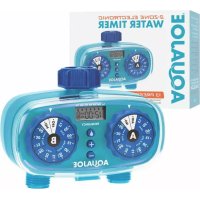
AJET2Z - Irrigation timer Aqua Joe - Free user manual and instructions
Find the device manual for free AJET2Z Aqua Joe in PDF.


| Product Type | Two-Zone Electronic Water Timer |
| Brand | Aqua Joe |
| Model | AJ-ET2Z |
| Number of Zones | 2 (A and B) |
| Programmable Watering Cycles | 1 to 13 cycles per day |
| Maximum Duration per Cycle | 60 minutes |
| Watering Frequency | From 12 hours to 7 days |
| Inlet/Outlet Diameter | 1.9 cm (3/4" NPT) |
| Power Supply | 2 AA batteries (not included) |
| Weight | 0.4 kg |
| Usage | Outdoor only |
| Maximum Water Temperature | 38 °C |
| Maximum Pressure | 100 psi (6.9 bar) |
| Display | Digital screen with AM/PM time |
| Manual Function | Yes (ON/OFF position) |
| Frost Protection | Remove from faucet during freezing periods |
| Cleaning | Rinse the inlet filter with clean water |
| Warranty | 2 years (residential use) |
Frequently Asked Questions - AJET2Z Aqua Joe
User questions about AJET2Z Aqua Joe
0 question about this device. Answer the ones you know or ask your own.
Ask a new question about this device
Download the instructions for your Irrigation timer in PDF format for free! Find your manual AJET2Z - Aqua Joe and take your electronic device back in hand. On this page are published all the documents necessary for the use of your device. AJET2Z by Aqua Joe.
USER MANUAL AJET2Z Aqua Joe
If you have any questions or comments, please call the Snow Joe® + Sun Joe® customer service department at:
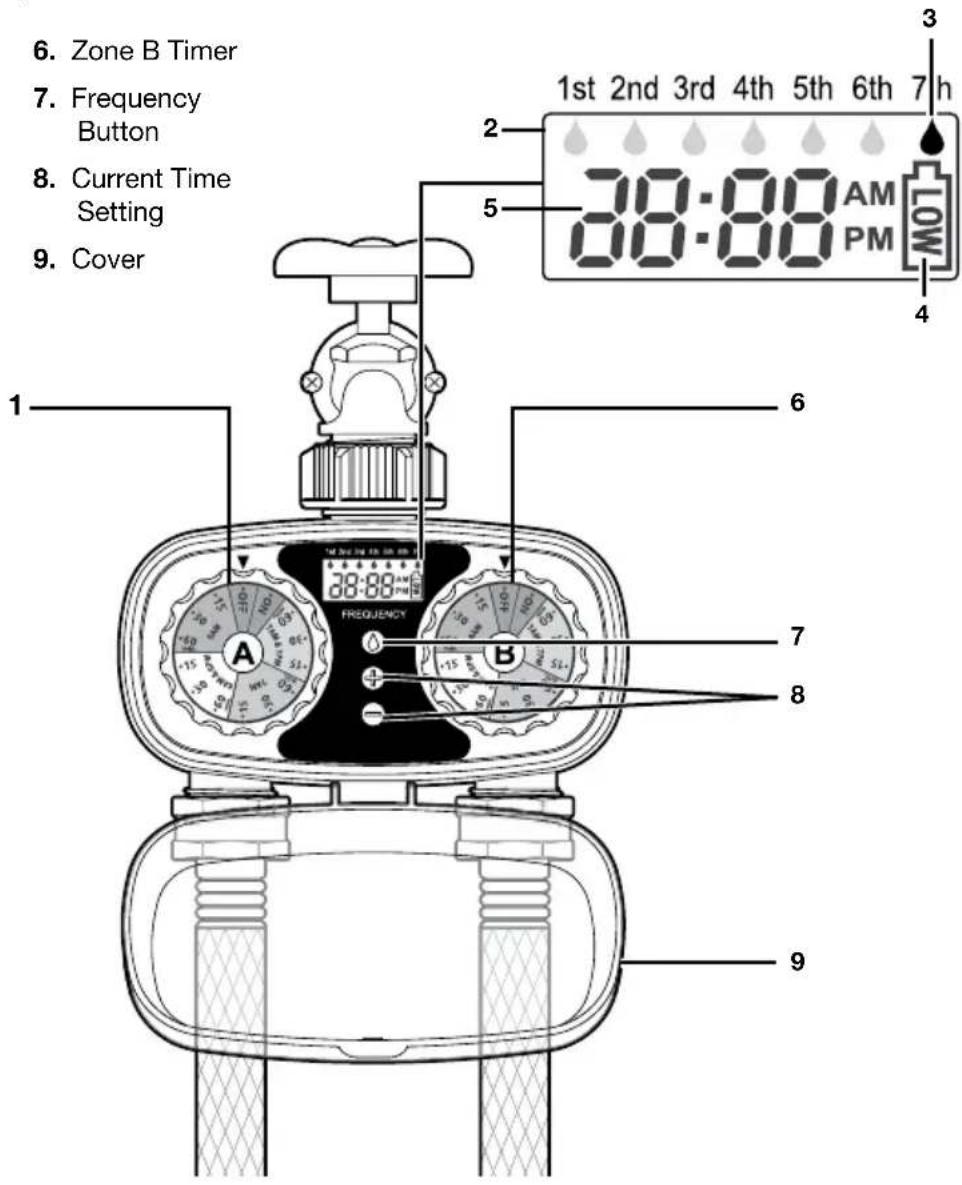
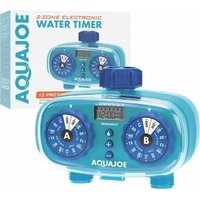
Read the owner's manual and safety rules carefully before operating your electronic water timer. Compare the illustration below to the actual unit in order to familiarize yourself with the location of the various controls and adjustments. Save this manual for future reference.
- Zone A Timer
- Digital Screen
- Watering Frequency
- Battery Capacity
-
Current Time
-
Zone B Timer
- Frequency Button
- Current Time Setting
- Cover
Technical Data
Power .... 2 AA Alkaline batteries (not included)
Operating Pressure ....10 - 100 PSI
Max Pressure....120 PSI
Rated Flow 9.24 GPM
Water Outlet/Inlet Thread Size .. 0.75 in. (1.9 cm)
Watering Cycles ....1-13 cycles
Cycle Time Max ....60 min each
Watering Frequency ....12 hrs up to every 7 days
Valves/Number of Zones ..... 2
Weight 0.9 lbs (0.4 kg)
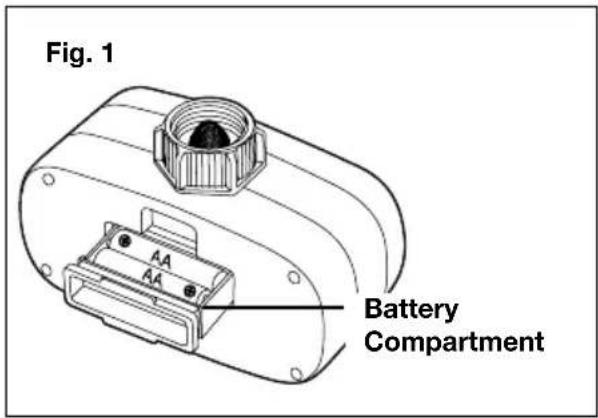
Battery Installation
- Open the battery compartment on the lower back of the timer.
- Pull out the battery compartment and insert two AA batteries (not included). Secure the battery compartment back into the unit (Fig. 1).
Set Current Time
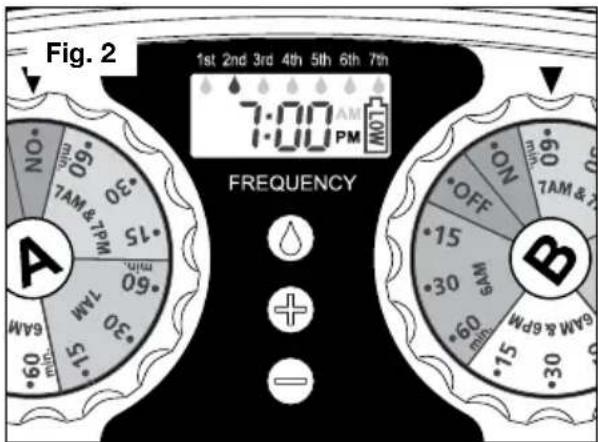
Refer to Fig. 2 for the following instructions.
- Use the “+” button to increase time displayed.
- Use the “-” button to decrease time displayed.
- Make sure that correct AM/PM is displayed.
TIP : Holding "+" or "-" button down allows you to scroll or more quickly through your time selection.
Programming the Timer
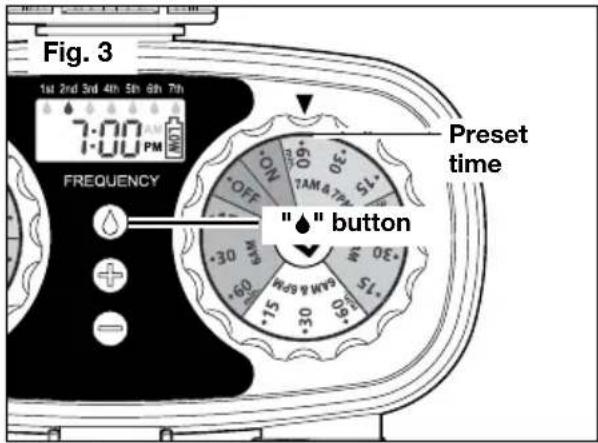
- To set watering frequency, press the "♠" button to cycle through options. Settings range from 1st to 7th. You may set up 1st (once a day), 2nd (once every two days), 3rd (once every three days), etc (Fig. 3).
- To select water cycle on dial, turn the dial to select one of the 13 settings you wish to run. For example, water at 6 AM for 15, 30 or 60 minutes; water at 6 AM and 6 PM for 15, 30 or 60 minutes; water at 7 AM for 15, 30 or 60 minutes; and water at 7 AM and 7 PM for 15, 30 or 60 minutes (Fig. 3).
Installing the Timer
Attach timer securely to the faucet and hose. Open the faucet and leave it open. Water will turn on and shut off at the selected time. Ensure cover is closed securely.
Manual Operation
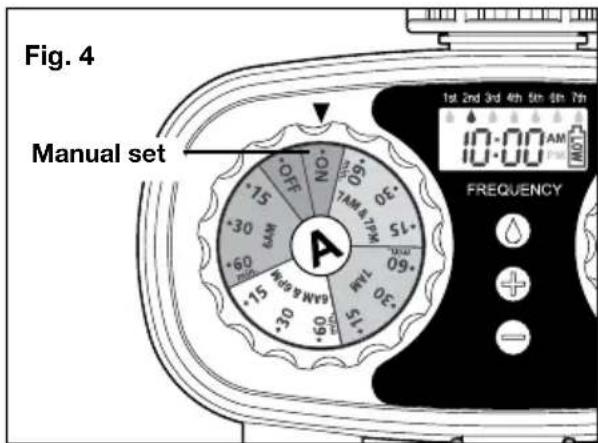
To water for non-timed application, with the water turned on at the faucet, turn the dial to ON. Turn the dial to OFF to stop manual watering (Fig. 4).
Maintenance + Care
Follow the steps below if the timer stops working or exhibits poor water quality due to debris or dirt build-up.
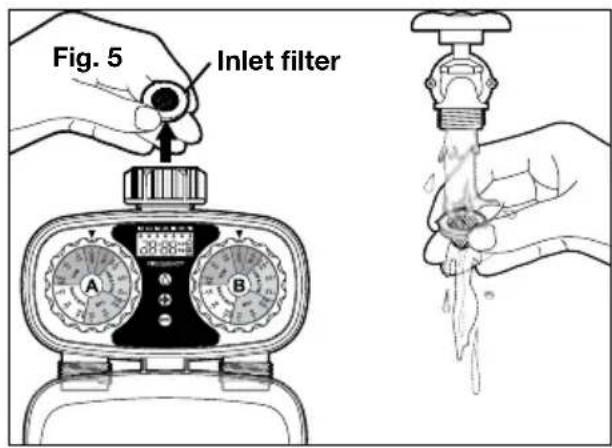
- Remove the inlet filter from the faucet connection and rinse under water to remove any dirt or debris (Fig. 5).
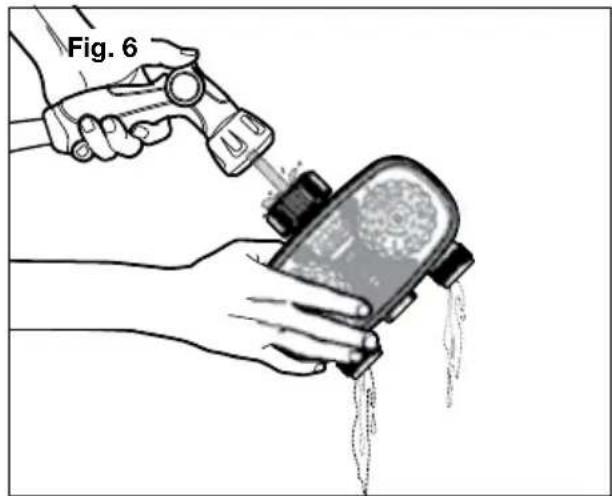
- With timer compartment cover closed securely, flush faucet connection with a stream of water, and repeat for both hose connections (Fig. 6).
natural_image
Illustration of a hand using a handheld device to lift a small container with liquid, labeled 'Fig. 6' (no text or symbols on the diagram itself)- Replace inlet filter before reattaching to water source. Tighten faucet connection securely.
WARNING!
Detach from faucet during freezing weather. This product is intended for outdoor watering use only. Do not use water exceeding 100^ F ( 38^ C) or with pressures exceeding 100 psi.
Service + Support
If your AQUA JOE® AJ-ET2Z 2-Zone Electronic Water Timer requires service or maintenance, please call the Snow Joe® + Sun Joe® customer service center at 1-866-SNOWJOE (1-866-766-9563).
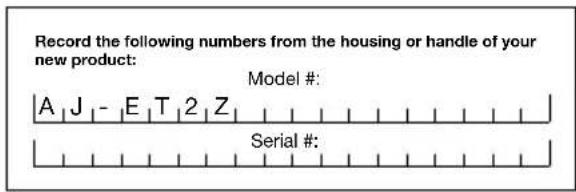
SNOW JOE® + SUN JOE® CUSTOMER PROMISE
ABOVE ALL ELSE, Snow Joe ^® + Sun Joe ^® are dedicated to you, our customer. We strive to make your experience as pleasant as possible. Unfortunately, there are times when a product does not work or breaks under normal operating conditions. We think it's important that you know what you can expect from us. That's why we created the Snow Joe ^® + Sun Joe ^® promise.
OUR PROMISE: Snow Joe®+ Sun Joe® warrant new products for two years from the date of purchase. If your product does not work, or there's an issue with a specific part, we will fix this by either sending you a free replacement part or by sending you a new or comparable product at no charge. How cool is that! Before you know it, you'll be back in action cutting, sawing, mowing, washing and...?
PRODUCT REGISTRATION:
Snow Joe ^® , LLC (“Snow Joe ^® + Sun Joe ^® ”) strongly encourages you to register your purchase. You can register online at snowjoe.com/register, or by printing and mailing in a registration card available online from our website, or calling our Customer Service Department at 1-866-SNOWJOE (1-866-766-9563), or by e-mailing us at help@snowjoe.com. Failure to register your product purchase will not diminish your warranty rights. However, registering your purchase will allow Snow Joe ^® + Sun Joe ^® to better serve you with any of your customer service needs.
WHO CAN SEEK WARRANTY COVERAGE?
This Warranty is extended by Snow Joe ^® + Sun Joe ^® to the owner of this new product for residential and personal household use only. This Warranty does not apply to products used for commercial, rental or re-sale purposes. Should ownership of this product change during the 2-year period, please update the product's owner information at snowjoe.com/register.
WHAT IS COVERED?
Snow Joe ^® + Sun Joe ^® warrants to the owner that if this product fails within 2 years from the date of purchase due to a defect in material or workmanship or as a result of normal wear and tear from ordinary household use, Snow Joe ^® + Sun Joe ^® will send a replacement part or product, as needed, free of charge and with free shipping to the original purchaser.
If, in Snow Joe ^® + Sun Joe ^® 's sole discretion, the failed product cannot be repaired with a part, Snow Joe ^® + Sun Joe ^® will elect to either (A) send a new product at no charge and with free shipping or (B) refund the full purchase price to the owner.
WHAT IS NOT COVERED?
This Warranty does not apply to products that have been used commercially or in non-household applications. This Warranty does not cover cosmetic changes that do not affect performance.
This Warranty is only valid if the product is used and maintained in accordance with the instructions, warnings and safeguards contained in the owner's manual. Snow Joe ^® + Sun Joe ^® will not be responsible for the cost of any unauthorized warranty repairs. This warranty does not cover any cost or expense incurred by the purchaser in providing substitute equipment or service during reasonable periods of malfunction or non-use of this product while waiting for a replacement part or unit under this warranty. Wearing parts like belts, augers, chains and tines are not covered under this warranty, and can be purchased at snowjoe.com or by calling 1-866-SNOWJOE (1-866-766-9563). Batteries are covered in full for 2 years from the date of purchase.
Repair, replacement or refund of the purchase price are the exclusive remedies of purchaser and the sole liability of Snow Joe ^® + Sun Joe ^® under this warranty. No employee or representative of Snow Joe ^® + Sun Joe ^® is authorized to make any additional warranty or any modification to this warranty which may be binding upon Snow Joe ^® + Sun Joe ^® . Accordingly, purchaser should not rely upon any additional statements made by any employee or representative of Snow Joe ^® + Sun Joe ^® . In no event, whether based on contract, indemnity, warranty, tort (including negligence), strict liability or otherwise, shall Snow Joe ^® + Sun Joe ^® be liable for any special, indirect, incidental, or consequential damages, including, without limitation, loss of profit or revenue.
Some states do not allow limits on warranties. In such states, the above limitations may not apply to you.
Outside the USA, other warranties may apply.
Peso 0.9 lb (0.4 kg)
natural_image
Illustration of hands using a tool to lift a device into a container, with liquid dripping (no text or symbols)Alimentation....2 piles AA alcalines (non incluses)
Pression de service .... 10 – 100 psi
Pression max....120 psi
Débit nominal 35 l/min
Soin et entretien
natural_image
Illustration of hands using a handheld device to lift water from a tray (no text or symbols)
- Technical Data
- Battery Installation
- Set Current Time
- Programming the Timer
- Installing the Timer
- Manual Operation
- Maintenance + Care
- WARNING!
- Service + Support
- SNOW JOE® + SUN JOE® CUSTOMER PROMISE
- PRODUCT REGISTRATION:
- WHO CAN SEEK WARRANTY COVERAGE?
- WHAT IS COVERED?
- WHAT IS NOT COVERED?
- Soin et entretien
Brand : Aqua Joe
Model : AJET2Z
Category : Irrigation timer