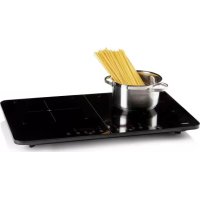
PR301IKP - Cooker PRIMO - Free user manual and instructions
Find the device manual for free PR301IKP PRIMO in PDF.


| Product type | Induction Cooker |
| Brand | PRIMO |
| Model | PR301IKP |
| Number of cooking zones | 2 |
| Total power | 3500 W |
| Power per zone | Left zone: 1500 W, Right zone: 2000 W (max 3500 W combined) |
| Supply voltage | 220-240 V ~ 50/60 Hz |
| Control type | Touch |
| Table material | Ceramic glass |
| Timer | Yes, from 1 min to 3 hours |
| Child safety | Yes, key lock |
| Residual heat indicator | Yes (display 'H') |
| Automatic shut-off | Yes, after 2 hours |
| Dimensions (approx.) | 60 x 52 x 6 cm (W x D x H) |
| Weight (approx.) | 8 kg |
| Cleaning | Special ceramic glass cleaner and scraper |
| Warranty | 2 years |
| Repairs | To be carried out by the manufacturer or its after-sales service |
Frequently Asked Questions - PR301IKP PRIMO
User questions about PR301IKP PRIMO
0 question about this device. Answer the ones you know or ask your own.
Ask a new question about this device
Download the instructions for your Cooker in PDF format for free! Find your manual PR301IKP - PRIMO and take your electronic device back in hand. On this page are published all the documents necessary for the use of your device. PR301IKP by PRIMO.
USER MANUAL PR301IKP PRIMO
natural_image
Black rectangular electronic appliance with digital display and control buttons (no visible text or symbols)Read all instructions carefully - keep this manual for later reference.

| 1. GARANTIE 3 | |
| 2. VE LIGHEIDSVOORSCHRIFTEN 4 | |
| 3. ONDERDELEN 8 | |
| 4. OPMERKINGEN VOORAF 9 | |
| 5. GEBRUIK 9 | |
| 6. ONDERHOUD EN REINIGING 11 | |
| 7. VEELGESTELDE VRAGEN 11 | |
| 8. MILIEURICHTLUNEN 13 |

natural_image
Pure electrical circuit lines without any symbolsnatural_image
Simple line drawing of a cooking pot with upward and downward arrows indicating direction (no text or symbols)5. GEBRUIK
natural_image
Pure electrical circuit lines without any symbols
natural_image
Simple line drawing of a cooking pot with upward and downward arrows indicating direction (no text or symbols)5. UTILISATION
natural_image
Pure electrical circuit lines without any symbolsnatural_image
Simple line drawing of a cooking pot with upward and downward arrows indicating direction (no text or symbols)5. GEBRAUCH
All of our products are always submitted to a strict quality control before they are sold to you. Should you nevertheless experience problems with your device, we sincerely regret this.
In that case, we kindly request you to contact our customer service.
Our staff will gladly assist you.

www.primo-elektro.be
Monday – Thursday: 8.30 – 12.00 and 13.00 – 17.00
Friday: 8.30 – 12.00 and 13.00 – 16.30
This appliance has a two year warranty period. During this period the manufacturer is responsible for any failures that are the direct result of construction failure. When these failures occur the appliance will be repaired or replaced if necessary. The warranty will not be valid when the damage to the appliance is caused by wrong use, not following the instructions or repairs executed by a third party. The guarantee is issued with the original till receipt. All parts, which are subject to wear, are excluded from the warranty. If your device breaks down within the 2-year warranty period, you can return the device together with your receipt to the shop where you purchased it. The guarantee on accessories and components that are liable to wear-and-tear is only 6 months.
The guarantee and responsibility of the supplier and manufacturer lapse automatically in the following cases:
- If the instructions in this manual have not been followed.
- In case of incorrect connection, e.g., electrical voltage that is too high.
• In case of incorrect, rough or abnormal use.
• In case of insufficient or incorrect maintenance. - In case of repairs or alterations to the device by the consumer or non-authorised third parties.
- If the customer used parts or accessories that are not recommended or provided by the supplier / manufacturer.
2. SAFETY INSTRUCTIONS
To ensure safety, you must read this manual thoroughly. This appliance is made for domestic use and should only be used according to the instructions described below.
- This device may be used by children from the age of 8 years and by persons with a physical sensory or mental limitations or lack of experience and knowledge if these persons are supervised have been given supervision or instruction concerning the use of the appliance in a safe manner and that they also know the hazards involved in using the device.
• Children must not play with the appliance. - Maintenance and cleaning of the appliance must not be done by children, unless they are older than 8 years of age and are supervised.
- Keep the appliance and cord out of the reach of children under the age of 8.
- If the electrical cord is damaged, it must replaced by the manufacturer, its after-sales service or a similarly qualified person person in order to avoid any accident.
- Caution: the appliance must not be used with an external timer or remote control.
Attention : the unit must not be used with an external timer or a separate remote control. - This device is suitable for use in the household envi-
ronment and in similar environments such as :
- Kitchen corner for staff of stores, offices and other similar professional environments.
- Farm houses.
- Hotel and motel rooms and other environments with a residential character.
- Guest rooms, or similar.

- The unit may become hot during use. Keep the electric cord away from hot parts and do not cover the unit.
- Beware of sharp edges. If the top of the apparatus is damaged or cracked, do not use the appliance may no longer be used. Do not place any heavy or sharp objects on the appliance.
- Do not place metallic or magnetic objects on the appliance. These will also be heated by the induction.
- Before use, check that the voltage indicated on the appliance corresponds to the voltage of the electricity network in your home.
- Do not leave the cord hanging on a hot surface or over the edge of a edge of a table or countertop.
- The use of accessories not recommended or sold by the manufacturer can cause fire, electric shock or injury.
- Unplug the unit from the wall outlet when not in use before the appliance is not in use, before assemble or disassemble parts and before cleaning. First, set all buttons to the 'off' position and pull the plug out of the socket at the outlet. Never pull on the cord to
pull the plug from the outlet.
- Do not leave a working appliance unattended left behind.
- Never place this appliance on or near a gas fire or electric fire or in a place where it can come into contact with a warm appliance.
- Do not use the appliance outdoors.
- Use the appliance only for its intended purpose.
- Always use the appliance on a solid, dry, even surface.
- Only use the appliance for domestic only.
- The manufacturer is not responsible for accidents resulting from improper use of the appliance or from failure to observe the rules specified in this manual.
- All repairs other than normal maintenance of the appliance must be carried out by the manufacturer or his after-sales service.
- Do not immerse the appliance, electric cord or plug in water or any other plug in water or any other liquid.
- Do not allow children to touch the electrical cord or children from touching the electrical cord or plug.
- Before first use, remove all packaging materials and any promotional stickers.
- Never place the appliance on a metal or flammable surface e.g. tablecloth, pad, etc.
- Make sure that the ventilation openings of the device are not covered. This can cause overheating.
- Keep a minimum distance of 10 cm around the ap-
pliance from walls, cupboards and other objects.
- Do not place the device in the vicinity of devices which are subject to magnetic fields e.g. radio, TV, etc.
- Do not place the cooking plate in the immediate vicinity of an open flame, heater or other sources of heat.
• Always make sure that the electric cord is not damaged or crushed under the appliance. - Do not use the appliance if it is not working properly or if it is damaged.
SAVE THIS MANUAL FOR FUTURE REFERENCE
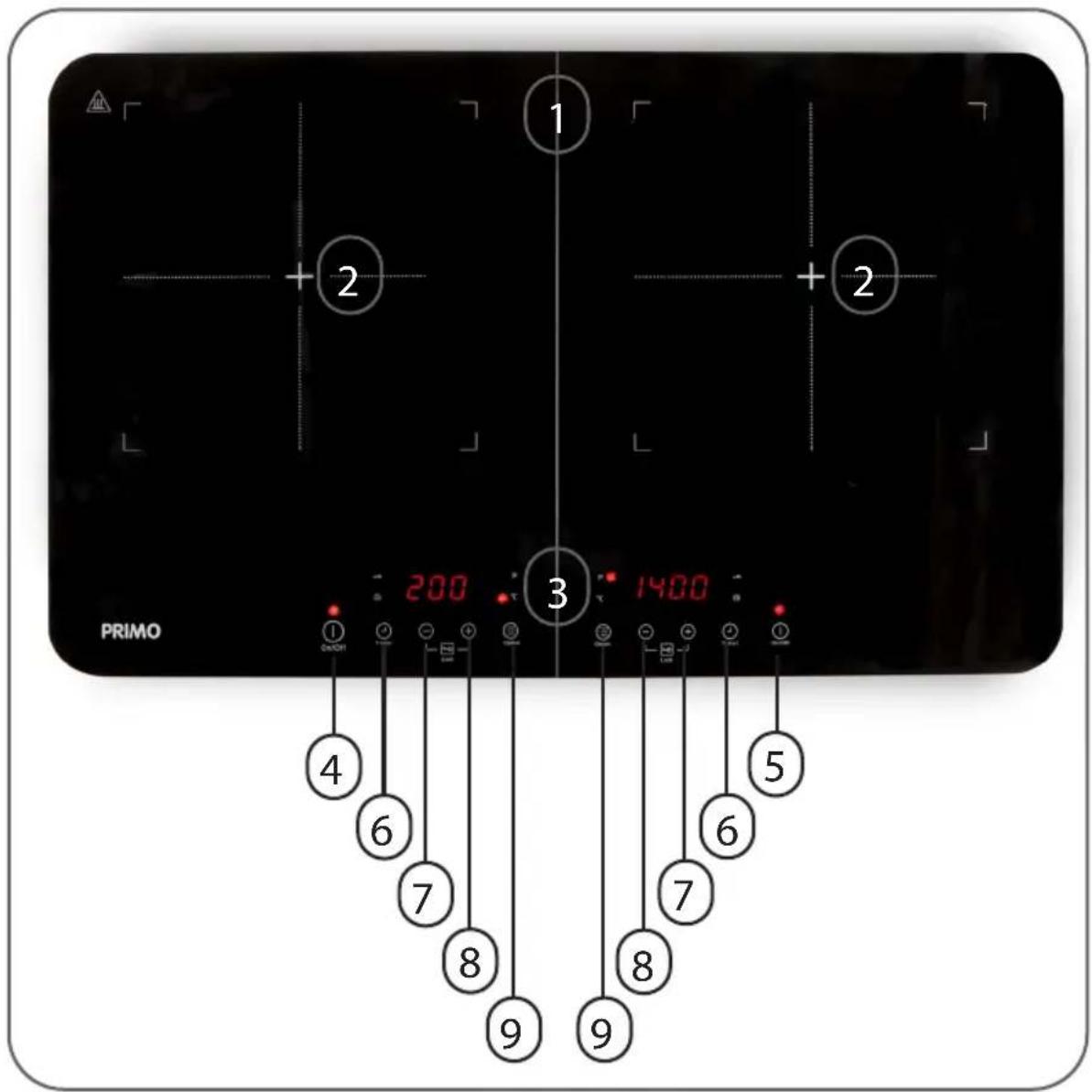
3. PARTS
- Ceramic plate
- Cooking zones (2 x 1500/2000W)
- Control panel
- Main switch appliance
- On/Off button on the right side
- Timer (up to 3h)
- Setting - for time, power and temperature
- Setting + for time, power and temperature
- Choice between power or temperature
Child lock press and hold "+" and "-" simultaneously for 3 seconds. The red light will illuminate.
4. BEFORE THE FIRST USE
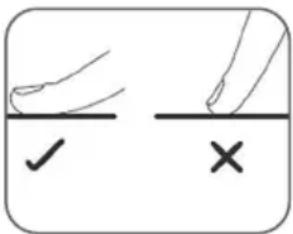
- The device has no push buttons but works via touch control. So you do not need to apply pressure to the keys. Rest your finger briefly on the power button, and you will see that the device activates. The placement of your finger is important for this.
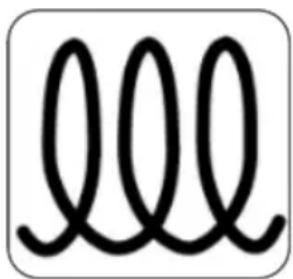
- Not all pots and pans are suitable for induction. Pots and pans with the induction symbol will work on this hob. Pots and pans whose bottoms are magnetic can also be used. You can simply test this by holding a magnet against the bottom of the pot or pan.
- When this symbol lights up on the display, the pot is not suitable, or there is no magnetic contact with the pot. The following materials cannot be used: stainless steel, aluminium, copper without a magnetic base, glass, porcelain or earthenware. Do not use cooking pots with damaged bottoms, convex (or hollow) bottoms or pots with a diameter of less than 12cm.
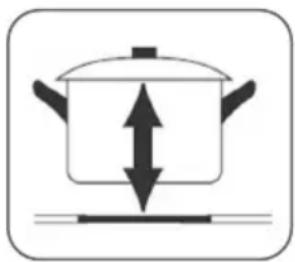
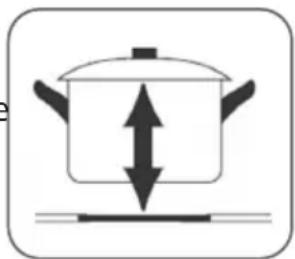
- Always lift the cooking pot. Do not slide the cooking pot over the hob. This will cause scratches and you will damage the appliance. Do not drop the cooking pot (or any other weight) on the hob.
natural_image
Pure electrical circuit lines without any symbols
natural_image
Simple line drawing of a cooking pot with upward and downward arrows indicating direction (no text or symbols)5. USE
When you plug it in, the fan will turn on for a moment. All the lights illuminate briefly and will immediately go back off. This is normal.
SWITCH ON THE DEVICE
- Press the left on/off button to switch the hob on. The indicator lights above both on/off buttons come on. You then have about 10 seconds to set the temperature or power level. The appliance will automatically switch off if you have not made a setting after 10 seconds. When the appliance is operating, the fan will rotate.
-
The appliance emits an audible signal if the correct cooking pot is not on the hob and will then switch off automatically after one minute. The display will show E00.
-
Press the Ⓔ button to switch on the appliance. Here you have the choice between power (in watts) or temperature (in °C).
- Push the + and - to set the desired temperature or power. The selected setting is visible on the display.
- Press the on/off button again to switch the appliance off.
- Attention: the appliance switches itself off after 2 hours.
TIMER
- Press the timer button to set the timer between 1 minute and 3 hours. A clock appears on the screen for you to set. Press + and - to set the desired time. Press and hold the + or - to go up or down per 10 minutes.
- Pressing the timer button again will turn it back off.
- When the desired time is set, the timer will appear in the display alternating with the selected temperature setting. The indicator light next to the timer also lights up to show that the timer is set.
- When the timer is finished, the hob the timer is set to automatically turns itself off.
MAXIMUM POWER
- The appliance has a maximum vemrogen of 3500W. If you set the right hob to 2000W, the left hob will consume a maximum of 1500W. So the sum of both hobs will never go above 3500W.
CHILD LOCK
- Child lock : P=0.5s and hold "+" and "-" simultaneously for 3 seconds. The red light lights up. To unlock the child lock, repeat this step.
POWER OFF
- Press the on/off button when you want to switch off the hob. The ventilation will continue to run for a while to cool down.
- Caution: do not touch the cooking zone if 'H' appears on the display, this means the hob is still hot (higher than 60°C).
| Power Suitable for... | |
| 200 - 400W • Slow heating of small quantitiesMelting chocolate, butter, ...Quiet simmering | |
| 600 - 800W • ReheatSlow cookingBaking pancakes | |
| 1000 - 1200W • | Sautéing vegetables• Cooking pasta |
| 1400 - 2000W • | Wok• Searing• Cooking of liquids |
6. CLEANING AND MAINTENANCE
- Remove the plug from the socket. Do not use aggressive cleaning agents and ensure that water cannot enter the appliance. To avoid electrocution, never immerse the appliance, plug or cord in water or any other liquid.
- To avoid excessive adhesion of dirt, we recommend cleaning the vitroceramic surface after each use when it is still lukewarm or has already cooled down. You can use a cleaning agent for vitroceramic glass to remove all traces of water and limescale as well as grease splashes.
- For large and stubborn stains, a scraper is ideal. Hold the scraper at an angle and loosen the dirt by scratching over the vitroceramic glass with the blade side. Melted material such as plastic should be scratched away immediately while it is still hot. Be careful not to burn yourself. If the hob had already cooled down, reheat it. When it has then cooled down, clean it as described above.
- Always wipe the cooking surface with a damp cloth, or use a mild, non-abrasive detergent.
- Make sure the pots or pans used do not scratch the cooking surface.
- Make sure the appliance is thoroughly cleaned before storing.
7. FREQUENTLY ASKED QUESTIONS
| Problem Solution | |
| The cooktop cannot be turned on. | Is the plug plugged in? Are other electrical appliances working on this socket?Press and hold the left power button until the light comes on. |
| The keys are not responding. | Is the child lock on? Turn off the child lock as described in this manual.There are drops on the keys. Dry the keys with a dry non-abrasive cloth. |
| Some pots or pans make a crackling sound. | This is due to the composition of the cooking pot. Still, this is not a problem, as long as the material is magnetic, and suitable for induction. |
| The device makes a buzzing sound during operation. | This is normal and is typical of heating by induction. The appliance is heating up. It is also normal that the sound will stop occasionally, then resume afterwards. |
| The fan at the bottom of the unit keeps running. | This is normal. The fan ensures that the appliance cools down sufficiently during and after use. Even when you have turned off the appliance, the fan will still cool down. Do not unplug the unit before the fan has stopped running. |
| The unit makes a beeping sound during operation. | ·The pot is not properly centered, so there is no good contact.·The diameter of the pot is too small.·The pot is not suitable for induction. |
| The cooktop failed unexpectedly. | ·Did you set the timer? When the time expires, the unit will automatically shut down.·Did the fuse blow? Are other electrical appliances working on this outlet?·A technical error has occurred. |
| Error code E01 - E02 - E03 - E04 - E05 - E06 - E07 - E09 - E0b - E0d - E12 | Please contact our customer service. |
| Error code E00 The pot | is not suitable for induction, too small, is not positioned properly, ... |
8. ENVIRONMENTAL GUIDELINES
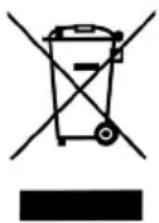
This symbol on the product or on its packaging indicates that this product may not be treated as household waste. Instead it must be brought to the applicable collection point for recycling of electrical and electronic equipment. By ensuring this product is disposed of correctly, you will help prevent potential negative consequences for the environment and human health, which could otherwise be caused by inappropriate waste handling of this product. For more detailed information about recycling of this product, please contact your local city office, your household waste disposal service or the shop where you purchased the product.

The packaging is recyclable. Please treat the packaging ecologically.
WWW.PRIMO-ELEKTRO.BE
- GEBRUIK
- UTILISATION
- GEBRAUCH
- SAFETY INSTRUCTIONS
- To ensure safety, you must read this manual thoroughly. This appliance is made for domestic use and should only be used according to the instructions described below.
- PARTS
- BEFORE THE FIRST USE
- USE
- SWITCH ON THE DEVICE
- TIMER
- MAXIMUM POWER
- CHILD LOCK
- POWER OFF
- CLEANING AND MAINTENANCE
- FREQUENTLY ASKED QUESTIONS
- ENVIRONMENTAL GUIDELINES
Brand : PRIMO
Model : PR301IKP
Category : Cooker