
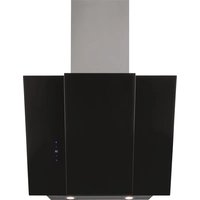
HATS6DS2XWIFI - Range hood HAIER - Free user manual and instructions
Find the device manual for free HATS6DS2XWIFI HAIER in PDF.

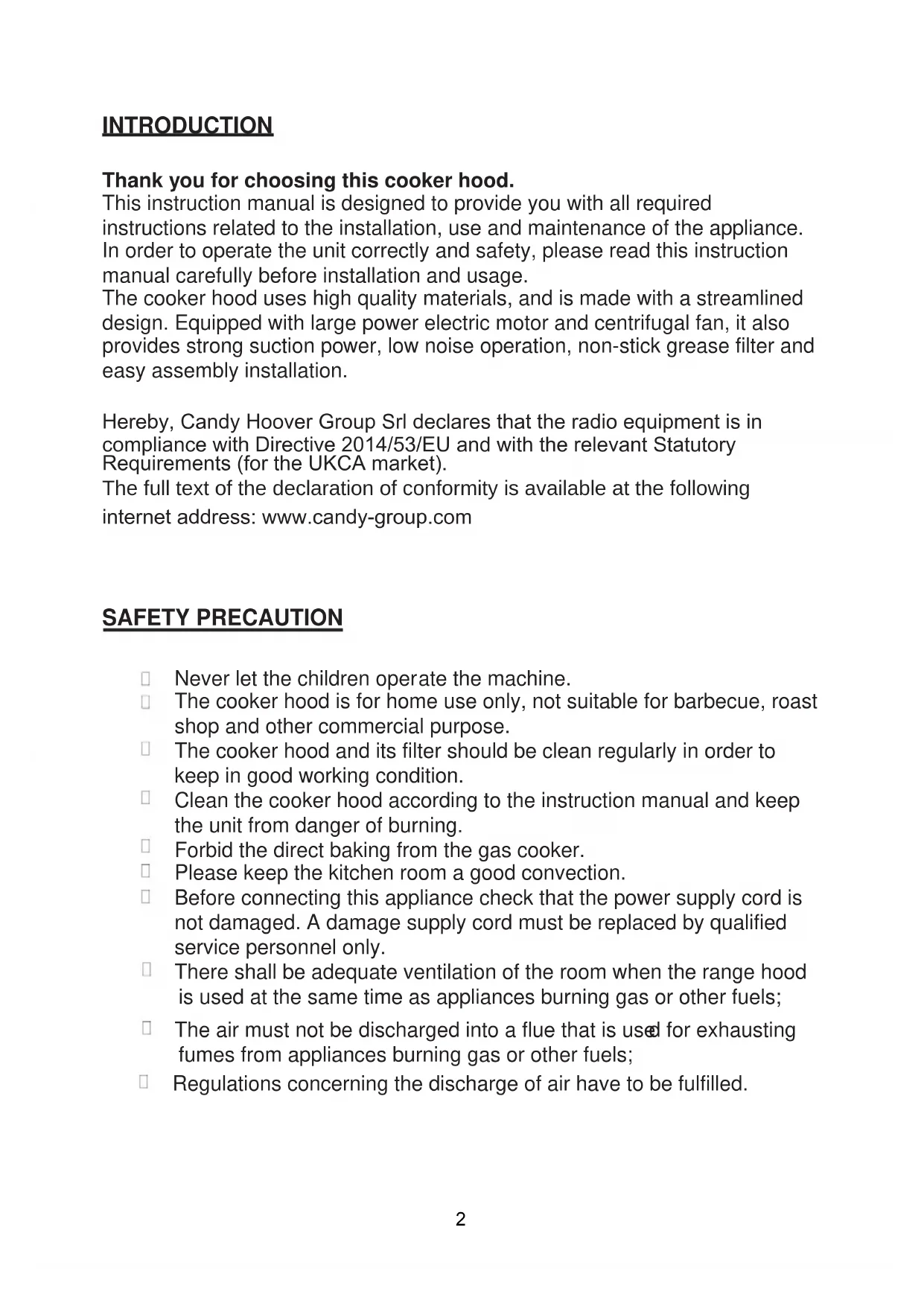


| Product type | Wall-mounted range hood |
| Brand | Haier |
| Model | HATS6DS2XWIFI |
| Recommended installation distance | 65 to 75 cm above the cooking surface |
| Number of speeds | 5 (low, medium, high, Boost 1, Boost 2) |
| Boost function | Yes, speeds 4 and 5 |
| Lighting | LED, 1.5 W max (not individually replaceable) |
| Connectivity | Wi-Fi 802.11 b/g/n, 2.4 GHz band, max power 100 mW |
| Compatible app | hOn |
| Venting type | External (duct Ø 150 mm) or recirculation with charcoal filter |
| Grease filter | Mandatory monthly cleaning |
| Charcoal filter | Annual replacement (in recirculation mode) |
| Power supply | 230 V ~ 50 Hz, class I, mandatory grounding |
| Network standby consumption | 2 W |
| Air outlet diameter | 150 mm |
| Material | Stainless steel, glass |
| Installation | Wall-mounted, with included bracket |
| Certification | EU compliant (2014/53/EU), UKCA |
Frequently Asked Questions - HATS6DS2XWIFI HAIER
User questions about HATS6DS2XWIFI HAIER
0 question about this device. Answer the ones you know or ask your own.
Ask a new question about this device
Download the instructions for your Range hood in PDF format for free! Find your manual HATS6DS2XWIFI - HAIER and take your electronic device back in hand. On this page are published all the documents necessary for the use of your device. HATS6DS2XWIFI by HAIER.
USER MANUAL HATS6DS2XWIFI HAIER
INSTALLATION AND USER'S MANUAL
CONTENT
INTRODUCTION 02
SAFETY PRECAUTION 02
ELECTRICAL INSTALLATION 04
SPECIFICATION 05
INSTALLATION (VENT OUTSIDE) 06
INSTALLATION (VENT INSIDE) 13
DESCRIPTION OF COMPONENTS 14
OPERATION 14
MAINTENANCE 17
TROBULESHOOTING 18
CONFORMITY WITH DIRECTIVES 19
ENVIRONMENTAL PROTECTION 19
INTRODUCTION
Thank you for choosing this cooker hood.
This instruction manual is designed to provide you with all required instructions related to the installation, use and maintenance of the appliance. In order to operate the unit correctly and safety, please read this instruction manual carefully before installation and usage.
The cooker hood uses high quality materials, and is made with a streamlined design. Equipped with large power electric motor and centrifugal fan, it also provides strong suction power, low noise operation, non-stick grease filter and easy assembly installation.
Hereby, Candy Hoover Group Srl declares that the radio equipment is in compliance with Directive 2014/53/EU and with the relevant Statutory Requirements (for the UKCA market).
The full text of the declaration of conformity is available at the following internet address: www.candy-group.com
SAFETY PRECAUTION
☐ Never let the children operate the machine.
☐ The cooker hood is for home use only, not suitable for barbecue, roast shop and other commercial purpose.
☐ The cooker hood and its filter should be clean regularly in order to keep in good working condition.
☐ Clean the cooker hood according to the instruction manual and keep the unit from danger of burning.
☐ Forbid the direct baking from the gas cooker.
☐ Please keep the kitchen room a good convection.
Before connecting this appliance check that the power supply cord is not damaged. A damage supply cord must be replaced by qualified service personnel only.
There shall be adequate ventilation of the room when the range hood is used at the same time as appliances burning gas or other fuels;
☐ The air must not be discharged into a flue that is used for exhausting fumes from appliances burning gas or other fuels;
☐ Regulations concerning the discharge of air have to be fulfilled.
- Children should be supervised to ensure that they do not play with the appliance.
- Do not flambé under the range hood.
The range hood is not intended to be installed over a hob having more than four hob elements
- These shall be adequate ventilation of the room when the range hood is used at the same time as appliances burning gas or other fuels (not applicable to appliances that only discharge the air back into the room);
- the details concerning the method and frequency of cleaning.
- there is a fire risk if cleaning is not carried out in accordance with the instructions;
- do not flame under the range hood;
- CAUTION: Accessible parts may become hot when used with cooking appliances.
Electrical Shock Hazard
\~ Only plug this unit into a properly earthed outlet. If in doubt seek advice from a suitably qualified engineer.
\~ Failure to follow these instructions can result in death, fire, or electrical shock.
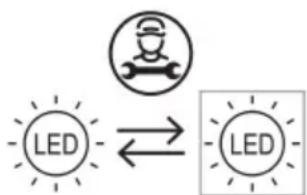
flowchart
graph LR
    A["LED"] <--> B["LED"]
The lamp used in this product is not suitable for use in the lighting of a room.
The purpose of this lamp is to provide illumination for using the product.
Electrical Installation
All installation must be carried out by a competent person or qualified electrician. Before connecting the mains supply ensure that the mains voltage corresponds to the voltage on the rating plate.
Direct Connection
The appliance must be connected directly to the mains using an omnipolar circuit breaker with a minimum opening of 3mm between the contacts.
The installer must ensure that the correct electrical connection has been made and that it complies with the wiring diagram.
The cable must not be bent or compressed.
Regularly check the power plug and power cord for damage. If the supply cord is damaged, it must be replaced by a special cord or assembly available from the manufacturer or its service agent.
WARNING: This is a Class I appliance and MUST be earthed
This appliance is supplied with a 3 core mains cable coloured as follows:
Brown = L or Live
Blue = N or Neutral
Green and Yellow = E or Earth
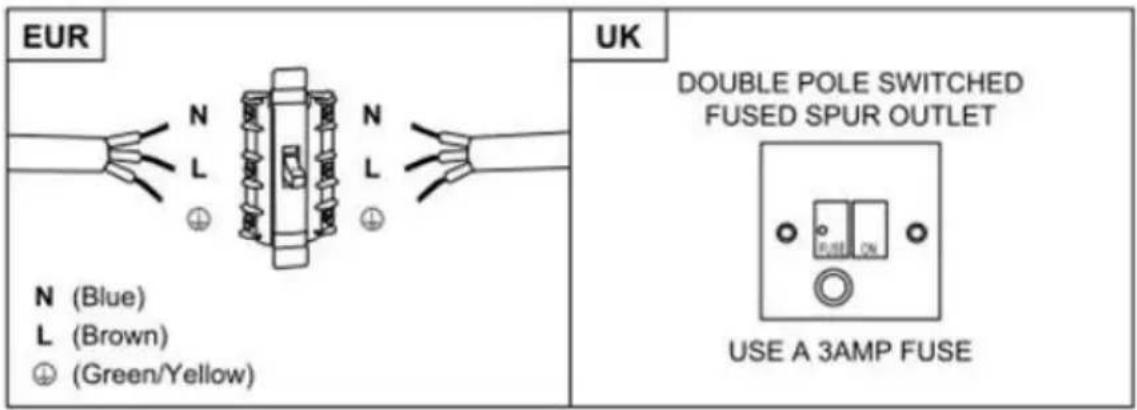
The fuse must be rated at 3 Amps.
Standard Installation Accessories List
| Spec. Qty | Illustration Picture | |
| Casing 1 | 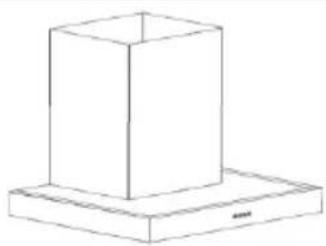 | |
| Upper Chimney 1 | 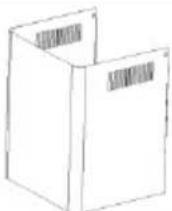 | |
| Lower Chimney 1 | 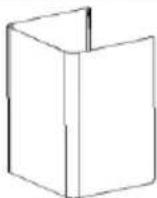 | |
| Lower chimney bracket 1 |  | |
| Upper chimney bracket 1 | 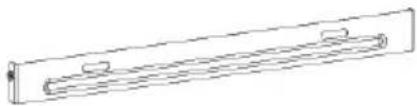 | |
| Hanging Board 1 | 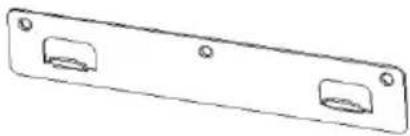 | |
| φ8 rawl plugs φ8×φ6 white color | 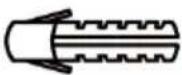 | 9 |
| Screws ST4.0×30 | 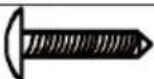 | 9 |
| φ7.2screws ST4.0×8 | 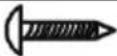 | 2 |
| Air outlet 1 | 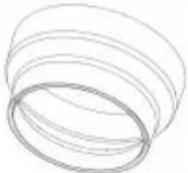 | |
| Carbon filter | 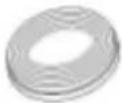 | 2 |
If you have an outlet to the outside, your cooker hood can be connected as below picture by means of an extraction duct (enamel, aluminum, flexible pipe non flammabe with an interior diameter of 150mm)
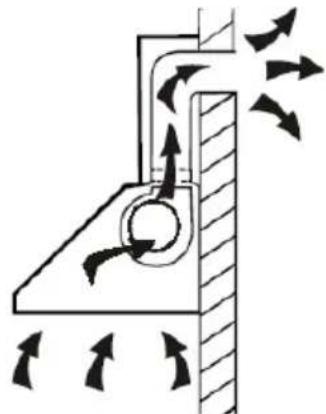
natural_image
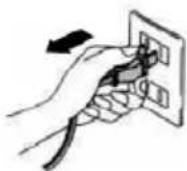
Diagram of airflow around a mechanical component with directional arrows indicating movement (no text or symbols)- Before installation, turn the unit off and unplug it from the outlet.
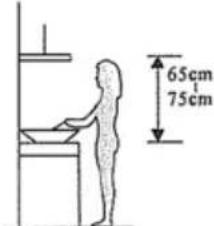
- The cooker hood should be placed at a distance of 65\~75cm above the cooking plane for best effect.
- Drill 3 x 8mm holes to accommodate the bracket. Screw and tighten the bracket onto the wall with the screws provided.
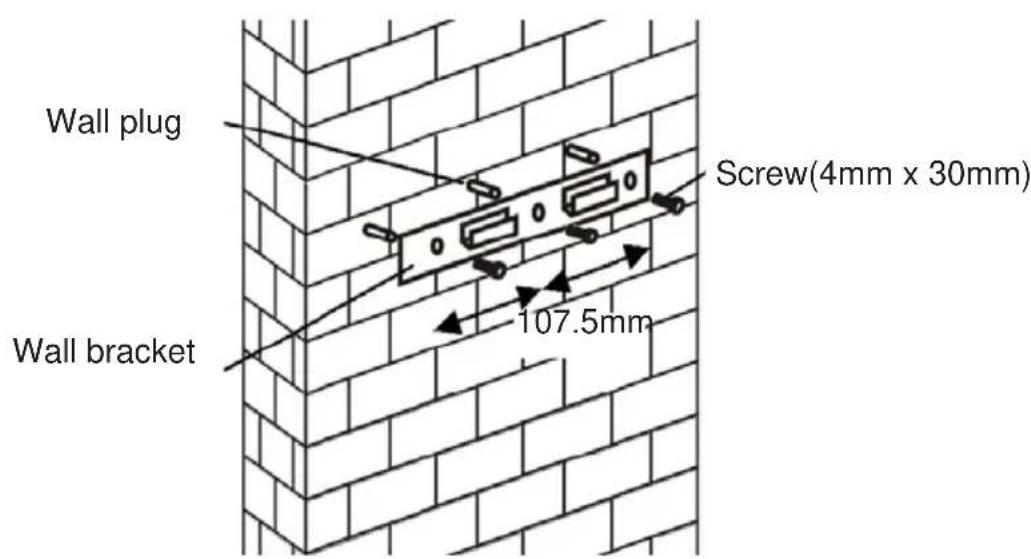
- Leave up the cooker hood and hang onto the wall bracket hook.
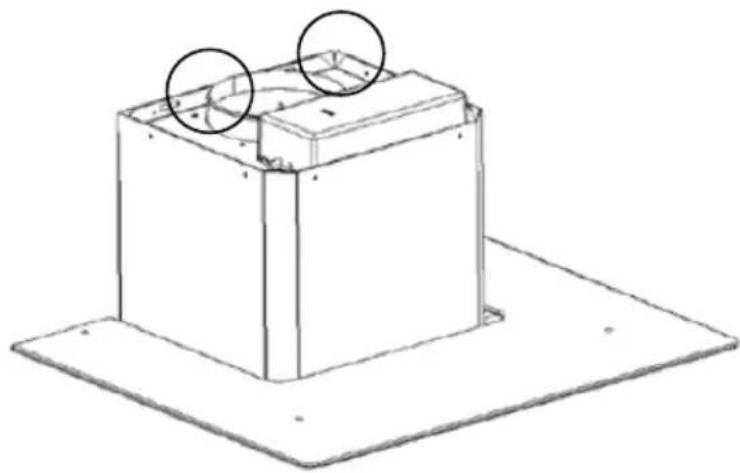
natural_image
Technical line drawing of a rectangular box mounted on a flat base, with two circular annotations highlighting the top and side views (no text or symbols present)- Fix the one-way-valve to the air outlet of the cooker hood. Then, attached the exhaust pipe onto the one-way-valve as shown below.
Exhaust pipe
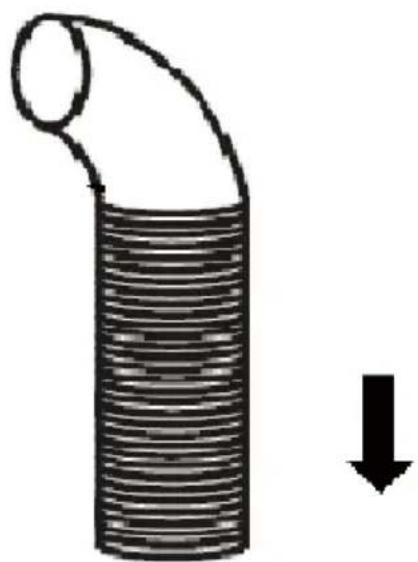
natural_image
Diagram of a coiled pipe with a downward arrow indicating compression or reduction (no text or symbols)Cooker hood
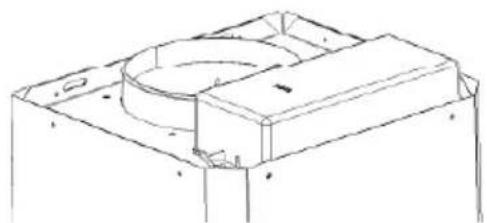
natural_image
Technical line drawing of a mechanical housing or enclosure component (no text or symbols)6.
i. Place the glass in appropriate position on the top the cooker hood
ii. Fix with 4 screws and washer. In order to avoid the glass cracking, please do not tighten the screws too strongly.
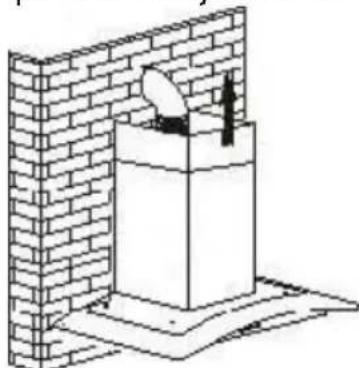
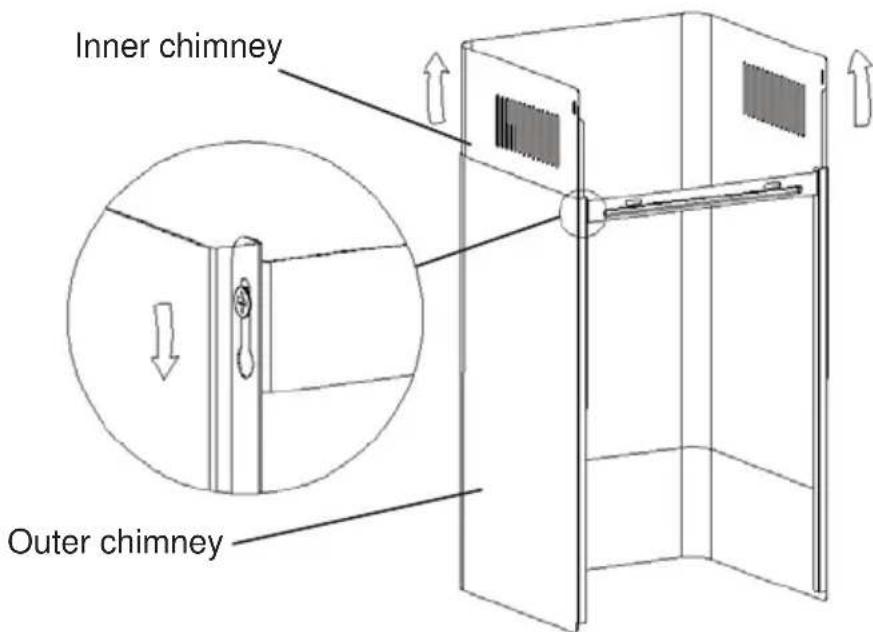
i. By Put the inner chimney into outer chimney . Then pulling out the inner chimney upwards. Adjust to reach the height required.
natural_image
Isometric line drawing of a brick wall with a small object on top, no text or symbols presentii. Sliding the chimney to adjust the chimney height. When the height you required is reached, then hang the fixing hole to the fixing screws as showed in below pictures.
8.
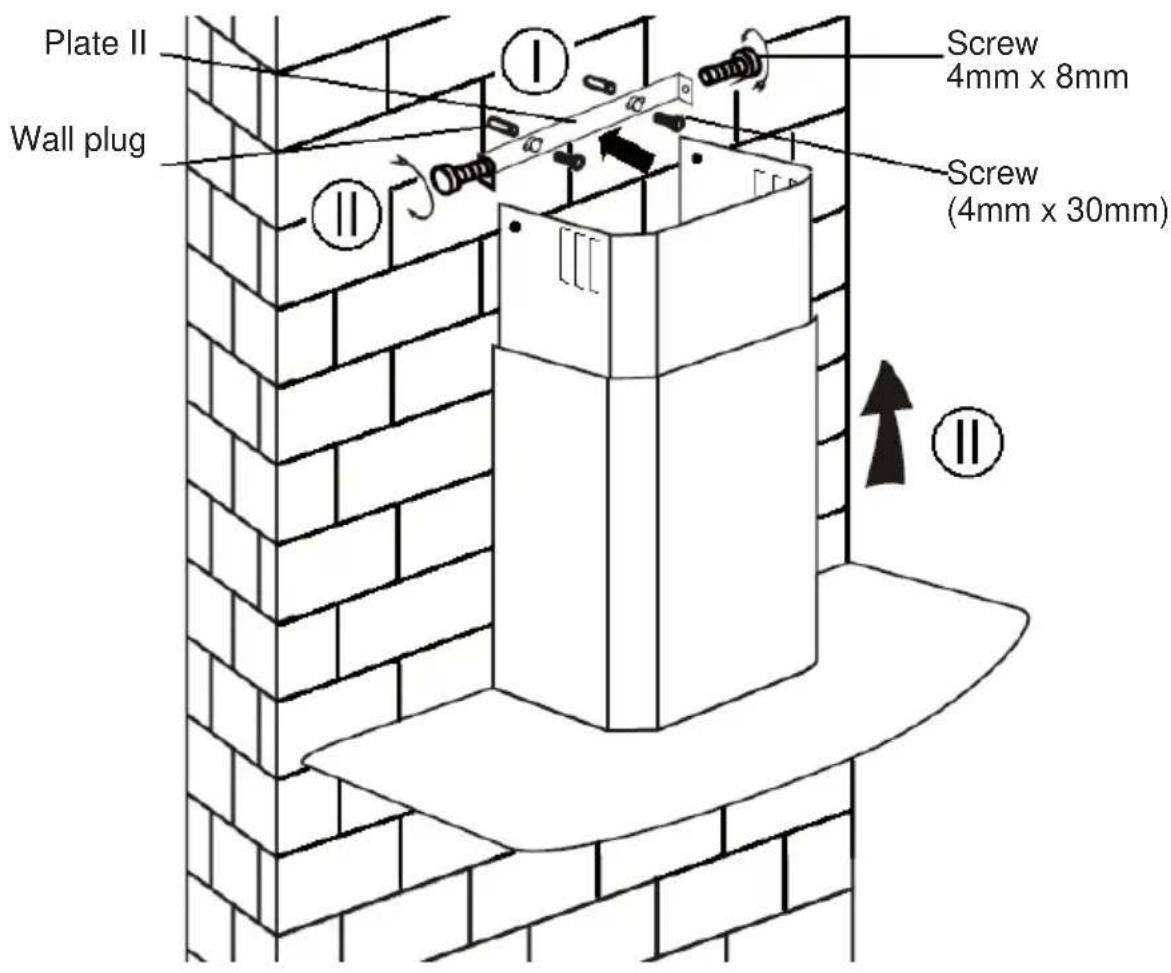
i. Drill 2 x 8mm holes to accommodate the plate II. Screw and tighten the plate II onto the wall with 2 screws provided.
ii. Assembly the chimney onto the unit and fix it with 2 screws.
Standard Installation Accessories List
| Spec. Illustration Picture Qty | ||
| Air Deflector | 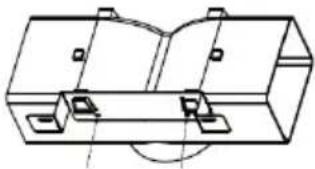 | 1 |
| Bracket | 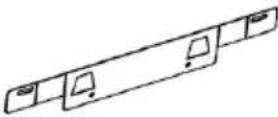 | 1 |
| φ8 rawl plugs φ8×φ6 white color | 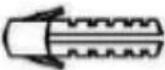 | 2 |
| Screws ST4.0×30 | 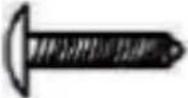 | 2 |
| Screws ST3.5×12 | 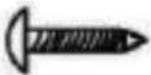 | 2 |
INSTALLATION(AIR DEFLECTOR):
Air deflector is mentioned as included and not optional.
- Before installation, curve both ends of the bracket as shown below:
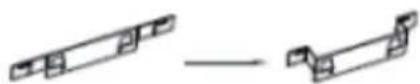
- Fix the bracket to the T-shaped plastic outlet with 2pcs ST3.5x12mm screws provided.
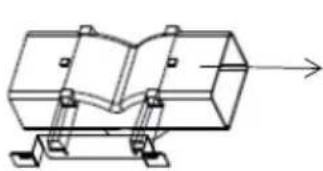
natural_image
Technical line drawing of a mechanical assembly with no visible text or symbols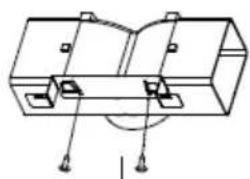
natural_image
Technical line drawing of a mechanical component with mounting holes and a central hub (no text or symbols)- Drill 2 holes to accommodate the wall plugs, then screw and tighten the bracket onto the wall with 2pcs ST4x30mm screws provided.
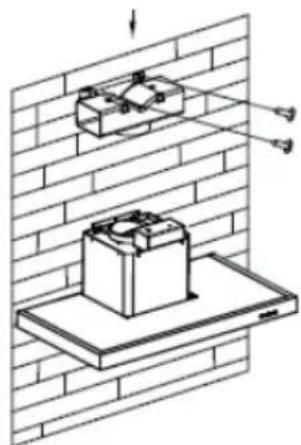
natural_image
Diagram of two electrical components mounted on a brick wall, with arrows indicating direction (no text or symbols)- Attach the exhaust pipe onto the air outlet of the cooker hood as shown below:
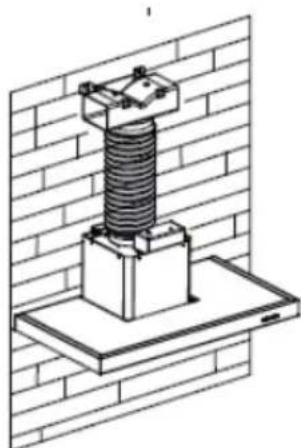
natural_image
Isometric line drawing of a mechanical assembly mounted on a brick wall, no text or symbols present- Install the chimney to the unit and fix it.
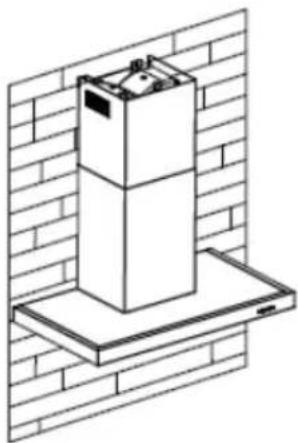
natural_image
Isometric line drawing of a multi-tiered appliance mounted on a base, set against a brick wall (no text or symbols)o "Please kindly be noted: T-shaped plastic outlet and v-flaps can not be used at the same time. You can use them in two ways: 1) Add v-flap on existing outlet; 2) Use T-shaped plastic o utlet, no add v-flap."
o "Note: The product is provided with v-flap accessory. This accessory is not mandatory for installation, operation and use of the product."
INSTALLATION (VENT INSIDE)
If you do not have an outlet to the outside, exhaust pipe is not required and the installation is similar to the one show in section "INSTALLATION (VENT OUTSIDE)".
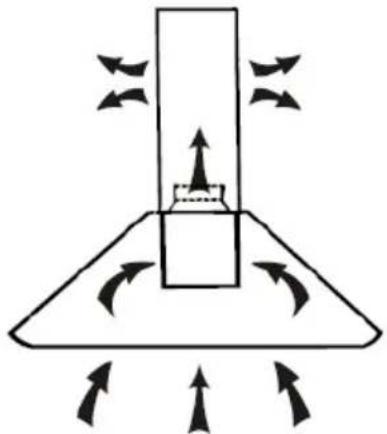
natural_image
Diagram of a conical device with directional arrows indicating flow or movement (no text or symbols)Activated carbon filter can be used to trap odors.
In order to install the activated carbon filter, the grease filter should be detached first. Press the lock and pull it downward.
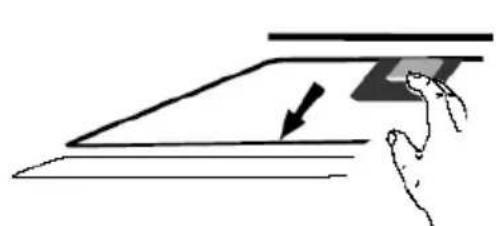
natural_image
Simple line drawing of a hand pressing down on a flat surface with an arrow indicating downward motion (no text or symbols)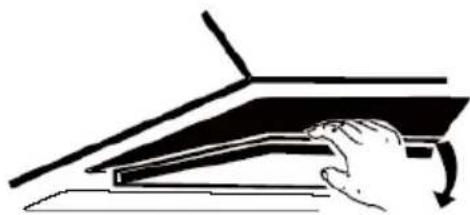
natural_image
Simple line drawing of a hand pressing down on a flat surface with a curved arrow indicating rotation (no text or symbols)Plug the activated carbon filter into the unit and turn it in clockwise direction. Repeat the same on the other side.
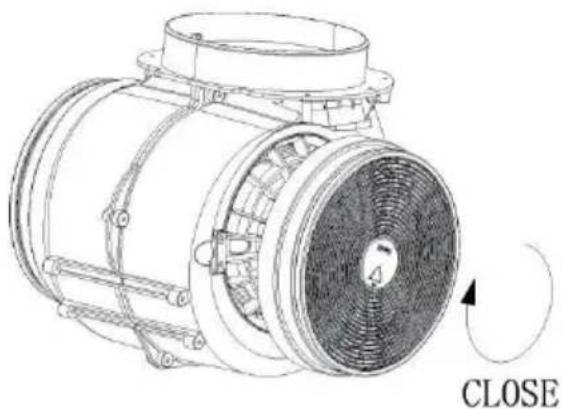
natural_image
Technical line drawing of a mechanical component with a close button and rotation arrow (no text or symbols)NOTE:
o Make sure the filter is securely locked. Otherwise, it would loosen and cause dangerous.
When activated carbon filter attached, the suction power will be lowere
DESCRIPTION OF COMPONENTS
CONFIGURATION 1
1
2
3
B
B+
[Non-Text]
[Non-Text]
OPERATION
1 Low Speed button
It's used for Ventilation on the kitchen. It is suitable for simmering and cooking which do not make much steam.
2 Medium Speed button
Airflow speed is ideally for ventilation in standard cooking operation.
3 High Speed button
When high density of smoke or steam produced, press high-speed button for high effective ventilation.
B Boost 1(speed 4)
Press speed b button 1, the backlit of speed B button is on, and the cooker hood is working at boost mode;
B + Boost 2(speed 5)
Press speed b button 2, the backlit of speed B+ button is on, and the cooker hood is working at boost mode;
Light
Short press for lighting on& off
Quick timer: Long press the light button hold for 3 seconds fan speed buttons will flashing & into 5 minutes count down, after 5 minutes motor & light will turn off automatic with three Buzzer sound.
Wi-Fi Connection
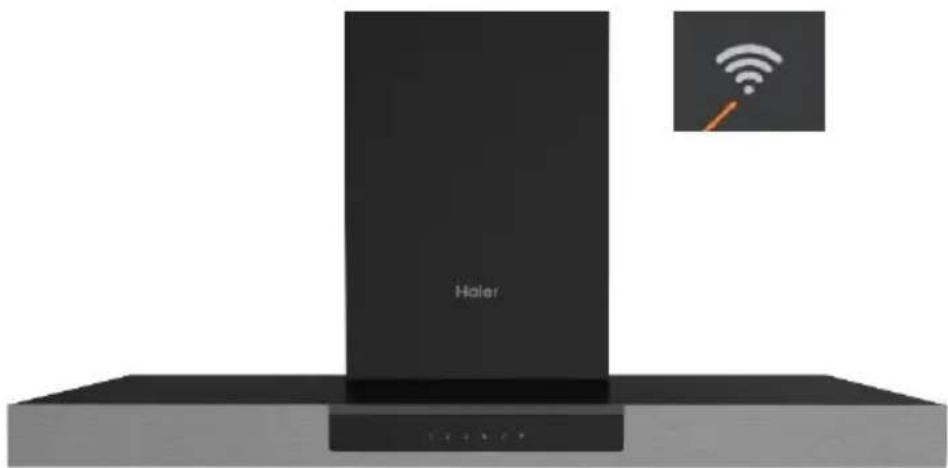
Long press WiFi icon and enter into connecting mode: the backlit of WiFi icon keep flashing indicate the connection is under connecting, the backlit of WiFi icon is light on indicate it is connected, same for standby mode; long press WiFi icon again and the connection will be stopped;
CONFIGURATION 2
1
2
3
B
#
#
STANDBY MODE.
After plug in, all lighting, system in STANDBY MODE.
1 Low Speed button
It's used for Ventilation on the kitchen. It is suitable for simmering and cooking which do not make much steam.
2 Medium Speed button
Airflow speed is ideally for ventilation in standard cooking operation.
3 High Speed button
When high density of smoke or steam produced, press high-speed button for high effective ventilation.
B Booster function
This hood has a booster function. To activate the booster, Press B to speed 4, enter into highest speed while the hood is in use and it will increase speed for 5 minutes, before slowing down again.
Light
Short press for lighting on & off
Quick timer: Long press the light button hold for 3 seconds, fan speed buttons will flashing & into 5 minutes count down, after 5 minutes motor & light will turn off automatic with three Buzzer sound.

Wi-Fi Connection
Long press WiFi icon and enter into connecting mode: the backlit of WiFi icon keep flashing indicate the connection is under connecting, the backlit of WiFi icon is light on indicate it is connected, same for standby mode; long press WiFi icon again and the connection will be stopped;
Download hOn App

First of all, you should download hOn APP and install to your portable device. Then enroll your hood.


NOTE
Get ready to add your appliance
1 Stay close to your appliance
2 While in front of your appliance, ensure that your smartphone is connected to a 2.4GHz Wi-Fi network with a stronger signal
CHANGE WI-FI SETTINGS
3 Public networks are not allowed due to low security and reliability.
4 Prepare to enter your Home Wi-Fi password.
natural_image
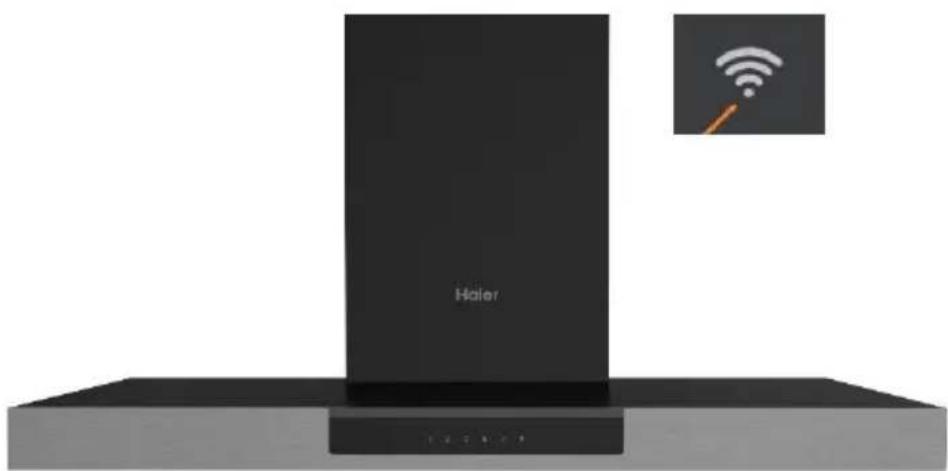
Exterior view of a Haier device with wireless signal icon (no text or symbols on main body)The image of the hood has the only purpose of presenting it. May not be perfectly representative.
1- Press the WiFi button until the icon starts blinking When the pairing is completed the WiFi icon will be on.
MAINTENANCE
Before cleaning switch the unit off and pull out the plug.
I. Regular Cleaning
Use a soft cloth moistened with hand-warm mildly soapy water or household cleaning detergent. Never use metal pads, chemical, abrasive material or stiff brush to clean the unit.
II. Monthly Cleaning for Grease Filter
ESSENTIAL: Clean the filter every month can prevent any risk of fire.
The filter collects grease, smoke and dust..... so the filter is directly affecting the efficiency of the cooker hood. If not cleaned, the grease residue (potential flammable) will saturate on the filter. Clean it with household cleaning detergent.
III. Annual Cleaning for Activated Carbon Filter
Apply SOLELY to unit that installed as a recirculation unit (not vented to the outside). This filter traps odors and must be replaced at least once a year
depending on how frequent the cooker hood used.
IV. Changing a light bulb
Remove the screws on the glass, take off the hood glass. Find the bulb that requires replacement, you will find it located in the light fixture which is inside the exposed section of the canopy.
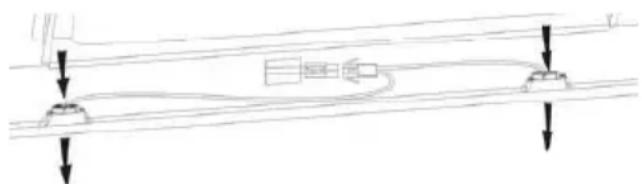
natural_image
Pure technical diagram showing a mechanical or electrical component with downward arrows indicating force or connection (no text or symbols)Disconnect the light wiring point and remove the bulb holders and wiring from the hood. Important: It's not possible to replace the bulbs individually, it will be necessary to obtain the bulbs, bulb holders and wiring as a complete part. (LED light: MAX 1.5W)
Fit the replacement bulbs, bulb holders and wiring in the same manners as the originals. Then reconnect the light wiring point.
Refit the hood glass and fasten the glass screws. Make sure the screws are fully tightened.
TROBULESHOOTING
| Fault | Cause | Solution |
| Light on, but fan does not work | The fan blade is jammed. | Switch off the unit and repair by qualified service personnel only. |
| The motor is damaged. | ||
| Both light and fan do not work | Halogen light bulb burn. | Replace the bulb with correct rating. |
| Power cord looses. | Plug in to the power supply again. | |
| Serious Vibration of the unit | The fan blade is damaged. | Switch of the unit and repair by qualified service personnel only. |
| The fan motor is not fixed tightly. | Switch off the unit and repair by qualified service personnel only. | |
| The unit is not hung properly on the bracket. | Take down the unit and check whether the bracket is in proper location. | |
| Suction performance not good | Too long distance between the unit and the cooking plane | Readjust the distance to 65-75cm |
| Technology Wi-Fi | |
| Standard 802.11 b/g/n | |
| Frequency Band(s)[MHz] | 2400 MHz - 2483.5 MHz |
| Maximum Power[mW] | 100 mW |
| Product information for networked equipment | |
| power consumption of the product in networked standby if all wired network ports are connected and all wireless network ports are activated: | 2W |
| How to activate wireless network port: | If the Hood has been enrolled with the APP, turn on the Hood to activate wireless network port. |
| How to deactivate wireless network port: | If the Hood has been enrolled with the APP, turn off the Hood to deactivate wireless network port. If the Hood hasn’t been enrolled with the APP, wireless network port will be deactivated even the Hood is on. |
CUSTOMER ASSISTANCE SERVICE
If you cannot identify the cause of the operating anomaly, switch off the appliance and contact the Assistance Service.
PRODUCT SERIAL NUMBER. Where can I find it?
It is important you to inform the Assistance Service of your product code and its serial number (a 16 character code which begins with the number 3); this can be found on the guarantee certificate or on the data plate located on the appliance.
It will help to avoid wasted journeys to technicians, thereby (and most significantly) saving the corresponding callout charges.
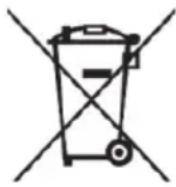

This appliance is labelled in accordance with European Directive 2012/19/EU on Waste Electrical and Electronic Equipment Regulations 2013 regarding electric and electronic appliances (WEEE). The WEEE contain both polluting substances (that can have a negative effect on the environment) and base elements (that can be reused).
It is important that the WEEE undergo specific treatments to correctly remove and dispose of the pollutants and recover all the materials.
Individuals can play an important role in ensuring that the WEEE do not become an environmental problem; it is essential to follow a few basic rules:
- the WEEE should not be treated as domestic waste;
- the WEEE should be taken to dedicated collection areas managed by the town council or a registered company.
In many countries, domestic collections may be available for large WEEEs. When you buy a new appliance, the old one can be returned to the vendor who must accept it free of charge as a one-off, as long as the appliance is of an equivalent type and has the same functions as the purchased appliance.
KURULUM VE KULLANIM KILAVUZU
iÇİNDEKİLER
GİRİŞ 21
GÜVENLİK ÖNLEMİ 21
ELEKTRİK TESİSATI 23
flowchart
graph TD
    A["LED"] <--> B["LED"]
natural_image
Diagram of airflow around a mechanical component with directional arrows indicating movement (no text or symbols)natural_image
Technical line drawing of a rectangular box mounted on a base plate, with two circular annotations highlighting the top section (no text or symbols present)natural_image
Isometric line drawing of a mechanical component mounted on a brick wall, no text or symbols presentnatural_image
Technical line drawing of a mechanical assembly with two views (top and side), no visible text or symbolsnatural_image
Technical line drawing of a mechanical assembly mounted on a brick wall, showing two components and a downward force arrow (no text or symbols)natural_image
Technical line drawing of a mechanical assembly mounted on a brick wall (no text or symbols)natural_image
Isometric line drawing of a cabinet mounted on a platform against a brick wall (no text or symbols)natural_image
Diagram of a mechanical or fluidic component with directional arrows indicating flow or movement (no text or symbols)natural_image
Simple line drawing of a hand pressing down on a flat surface with an arrow indicating downward motion (no text or symbols)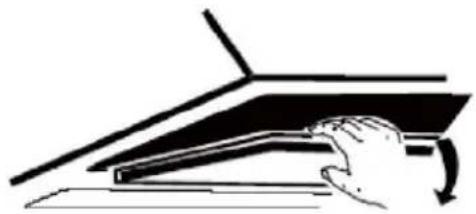
natural_image
Illustration of a hand pressing down on a mechanical component (no text or symbols visible)natural_image
Technical line drawing of a mechanical fan or motor assembly with no visible text or symbolsKAPATIN
NOT:

NOT
Get ready to add your appliance
1 Stay close to your appliance
2 While in front of your appliance, ensure that your smartphone is connected to a 2.4GHz Wi-Fi network with a stronger signal
CHANGE WI-FI SETTINGS
3 Public networks are not allowed due to low security and reliability.
4 Prepare to enter your Home Wi-Fi password.
HAIER DAVLUMBAZI KAYDEDİN

natural_image
Exterior view of a Haier device with wireless signal icon (no text or symbols on main body)natural_image
Pure diagram of a road with two directional arrows indicating flow or movement (no text or symbols)natural_image
Symbol of a trash bin crossed with two crossed lines, no text or labels presentnatural_image
Diagram of airflow around a mechanical component with directional arrows indicating movement (no text or symbols)natural_image
Technical line drawing of a rectangular box with two circular holes, placed on a flat base (no text or symbols)natural_image
Isometric line drawing of a cabinet with a mounted dish, set against a brick wall (no text or symbols)natural_image
Technical line drawing of a mechanical component with arrows indicating direction (no text or symbols)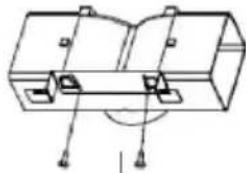
natural_image
Technical line drawing of a mechanical component with mounting holes and a central hub (no text or symbols)natural_image
Technical line drawing of a brick wall with two components, one mounted on a platform and the other above (no text or symbols)natural_image
Technical line drawing of a mechanical assembly mounted on a brick wall (no text or symbols)natural_image
Isometric line drawing of a multi-tiered storage unit mounted on a base, set against a brick wall (no text or symbols)natural_image
Diagram of a mechanical or fluid system with directional arrows and a central component (no text or symbols)natural_image
Simple line drawing of a hand pressing down on a flat surface with an arrow indicating downward motion (no text or symbols)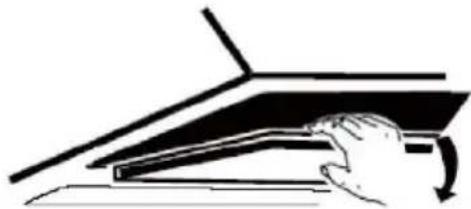
natural_image
Simple line drawing of a hand pressing down on a mechanical component (no text or symbols)natural_image
Technical line drawing of a mechanical fan or motor assembly with no visible text or symbolsFERMEZ
REMARQUE :

REMARQUE
Get ready to add your appliance
1 Stay close to your appliance
2 While in front of your appliance, ensure that your smartphone is connected to a 2.4GHz Wi-Fi network with a stronger signal
CHANGE WI-FI SETTINGS
3 Public networks are not allowed due to low security and reliability.
4 Prepare to enter your Home Wi-Fi password.
ENREGISTREMENT DE LA HOTTE HAIER
natural_image
Exterior view of a Haier device with wireless signal icon (no text or symbols on main body)natural_image
Pure mechanical diagram showing a lever system with downward force arrows (no text or symbols)natural_image
Symbol of a trash bin with crossed lines indicating no waste or restriction, and a solid black rectangle below (no text or labels)natural_image
Diagram of airflow around a mechanical component with directional arrows indicating movement (no text or symbols)natural_image
Isometric line drawing of a rectangular box with two circular cutouts on top, placed on a flat base (no text or symbols)natural_image
Diagram of a brick wall with a mounted dish and a chimney, no text or symbols presentnatural_image
Technical line drawing of a mechanical assembly with mounting brackets and a directional arrow (no text or symbols)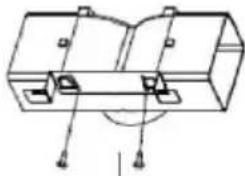
natural_image
Technical line drawing of a mechanical component with mounting holes and a central circular feature (no text or symbols)natural_image
Technical line drawing of a brick wall with two components, one mounted on a platform and the other above it (no text or symbols)natural_image
Technical line drawing of a mechanical assembly mounted on a brick wall (no text or symbols)natural_image
Isometric line drawing of a cabinet mounted on a platform against a brick wall (no text or symbols)natural_image
Diagram of a mechanical or fluid system with directional arrows indicating flow or movement (no text or symbols)natural_image
Simple line drawing of a hand pressing down on a flat surface with an arrow indicating direction (no text or symbols)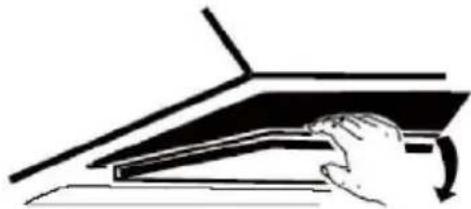
natural_image
Simple line drawing of a hand pressing down on a laptop keyboard (no text or symbols)natural_image
Technical line drawing of a mechanical fan or motor assembly with no visible text or symbolsملاحظة:

ملاحظة
Get ready to add your appliance
1 Stay close to your appliance
2 While in front of your appliance, ensure that your smartphone is connected to a 2.4GHz Wi-Fi network with a stronger signal
CHANGE WI-FI SETTINGS
3 Public networks are not allowed due to low security and reliability.
4 Prepare to enter your Home Wi-Fi password.
تسجيلHAIEF
natural_image
Exterior view of a Haier device with a wireless signal icon above it (no text or symbols on the device itself)natural_image
Pure mechanical diagram showing two vertical supports with downward arrows indicating force or motion (no text or symbols)natural_image
Simple line drawing of a trash bin with crossed lines indicating no waste or discharge (no text or symbols)


- INSTALLATION AND USER'S MANUAL
- CONTENT
- INTRODUCTION
- Thank you for choosing this cooker hood.
- SAFETY PRECAUTION
- Electrical Shock Hazard
- Electrical Installation
- Direct Connection
- WARNING: This is a Class I appliance and MUST be earthed
- INSTALLATION(AIR DEFLECTOR):
- INSTALLATION (VENT INSIDE)
- NOTE:
- DESCRIPTION OF COMPONENTS
- CONFIGURATION 1
- OPERATION
- Low Speed button
- Medium Speed button
- High Speed button
- B Boost 1(speed 4)
- B + Boost 2(speed 5)
- Light
- Wi-Fi Connection
- CONFIGURATION 2
- STANDBY MODE.
- B Booster function
- Short press for lighting on & off
- Download hOn App
- NOTE
- Get ready to add your appliance
- MAINTENANCE
- Regular Cleaning
- Monthly Cleaning for Grease Filter
- Annual Cleaning for Activated Carbon Filter
- Changing a light bulb
- CUSTOMER ASSISTANCE SERVICE
- KURULUM VE KULLANIM KILAVUZU
- iÇİNDEKİLER
- NOT:
- NOT
- HAIER DAVLUMBAZI KAYDEDİN
- REMARQUE :
- REMARQUE
- ENREGISTREMENT DE LA HOTTE HAIER
Brand : HAIER
Model : HATS6DS2XWIFI
Category : Range hood