
KX-TCA151EX - Cordless phone PANASONIC - Free user manual and instructions
Find the device manual for free KX-TCA151EX PANASONIC in PDF.
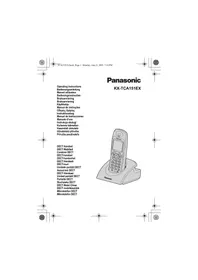


| Brand | Panasonic |
| Model | KX-TCA151EX |
| Product type | Cordless telephone handset (additional) |
| Power supply | Panasonic PQLV200CE mains adapter (230 V, 50 Hz) + 2 Ni-MH AAA rechargeable batteries |
| Charger | Panasonic PQLV30018 |
| Standby time | Approximately 100 hours (estimated) |
| Talk time | Approximately 10 hours (estimated) |
| Indoor range | Up to 50 meters (estimated) |
| Outdoor range | Up to 300 meters (estimated) |
| Display | Backlit LCD display (depending on base model) |
| Main functions | Navigation joystick, phonebook, speakerphone, voicemail (depending on base), SMS (depending on base), language selection (19 languages), registration to base |
| Compatibility | Panasonic bases KX-TCD500, KX-TCD505, KX-TCD510, KX-TCD515, KX-TCD535 |
| Number of supported handsets | Up to 6 handsets per base |
| Default PIN code | 0000 |
| Wall mounting | Possible (screw distance: 2.8 cm) |
| Maintenance and cleaning | Use a soft, dry cloth. Do not use abrasive products or solvents. |
| Safety | Do not expose to moisture. Use only Panasonic accessories. Do not open the batteries. |
| Spare parts and repairability | Parts available via Panasonic after-sales service. Batteries and charger replaceable. |
| Dimensions (handset) | Approximately 155 x 48 x 28 mm (estimated) |
| Weight (handset with battery) | Approximately 130 g (estimated) |
Frequently Asked Questions - KX-TCA151EX PANASONIC
User questions about KX-TCA151EX PANASONIC
0 question about this device. Answer the ones you know or ask your own.
Ask a new question about this device
Download the instructions for your Cordless phone in PDF format for free! Find your manual KX-TCA151EX - PANASONIC and take your electronic device back in hand. On this page are published all the documents necessary for the use of your device. KX-TCA151EX by PANASONIC.
USER MANUAL KX-TCA151EX PANASONIC
Panasonic
KX-TCA151EX
Operating Instructions
Bedienungsanleitung
Manuel utilisateur
2
Contents/Inhaltsverzeichnis/Table des matières/Inhoud/Innehållsförteckning/Innholdsfortegnelse/Sisällysluettelo/Indice/Περιεχόμενα/Indholdfortegnelse/Contenido/Indice/Spis treści/İçindekiler/Tartalomjegyzék/Obsah
English 4
Deutsch 7
Français 11
Nederlands 15
Svenska 19
Norwegian 23
Finnish 27
Portuguese 31
Greek 35
Danish 39
Spanish 43
Italian 47
Polish 51
Turkish 55
Hungarian 59
Czech 63
Slovak 67
3
English
Accessories:
Charger Unit 1
Charger (PQLV30018)
AC Adaptor (PQLV200CE)
Batteries 2
(HHR-4EPT/BA2 (P03P))
Battery Cover 1
Belt Clip 1
PLEASE READ BEFORE USE AND SAVE
- These operating instructions only describe the steps necessary to start up the handset.
- Please read the relevant Main Unit(s) operating instructions for further details.
- KX-TCA151EX is the optional handset for the KX-TCD500/KX-TCD505/KXTCD510/KX-TCD515/KX-TCD530/KX-TCD535.
- The SMS feature is available only when handset is connected with KX-TCD505/KX-TCD515/KX-TCD535.
- The digital answering system is available only when handset is connected with KX-TCD510/KX-TCD515.
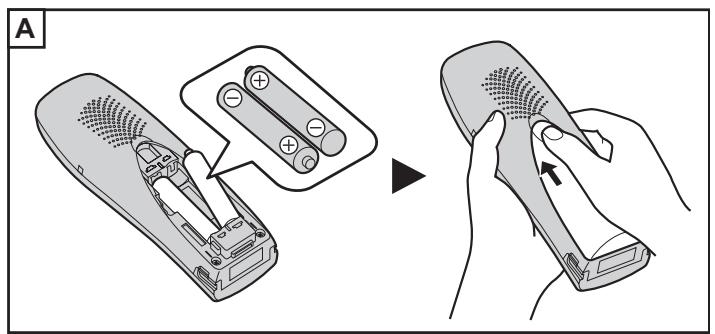
Installing the Batteries in the Handset (Page 2(A)).
Battery Charge
- To charge, place the handset on the base unit or charger.
- Please charge the batteries for approximately 7 hours before initial use.
4
Registering a Handset to the Base Unit
- You must register the Handset to the base unit before use.
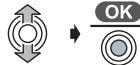
1 Press JOYSTICK (or move).

2 Select "Setting Handset".
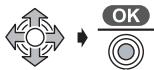
3 Select "Registration".
4 Select "Register H/set".
5 Press and hold on the Base unit (for about 3 seconds) until the tone sounds.
If all registered handsets start ringing (Paging), press to stop paging then start over again.
6 Select the desired base unit.

7 Enter 4-digit Base Unit PIN after "Enter Base PIN" is displayed. Factory preset 0000
8 Press JOYSTICK.

When a handset is registered successfully, a confirmation tone sounds and the "Ψ" icon lights.
- To exit the operation, press at any time.
Charger Information
The handset batteries are charged by placing the handset on the charger.
Connection
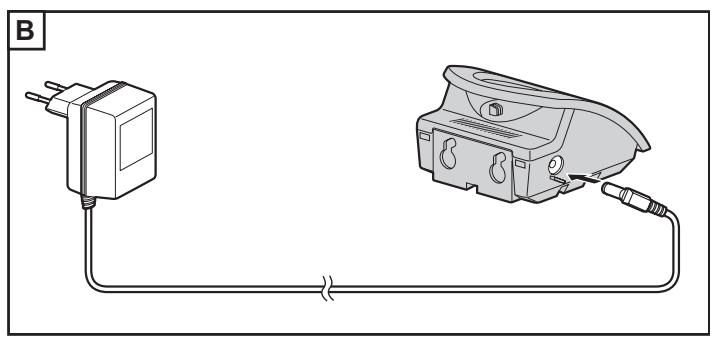
- Connect as shown (p. 2(B)).
- Use ONLY Panasonic AC ADAPTOR PQLV200CE.
- The AC Adaptor must remain connected at all times. (It is normal for the adaptor to feel warm during use.)
- To maximise battery life it is advisable not to place the handset on the charger until the "boxed" symbol flashes.
- Charge the handset batteries fully when "—" flashes or the unit beeps every 1 minute.
- The batteries cannot be overcharged.
Wall Mounting
This unit can be mounted on a wall.
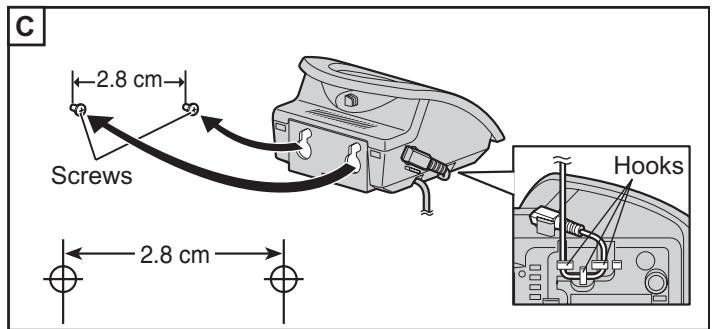
- Insert screws into the wall. The centre of the screw hole should be 2.8 cm horizontally apart.
- Connect the AC adaptor.
- Arrange the wires as shown (p. 2(C)), then mount the unit.
Battery Caution
To reduce the risk of fire or injury to persons, read and follow these instructions.
- Use only specified batteries.
- Only use rechargeable batteries.
- Do not mix old and new batteries.
- Do not dispose of batteries in a fire, they may explode. Check local waste management codes for special disposal instructions.
- Do not open or mutilate the batteries. Released electrolyte is corrosive and may cause burns or injury to the eyes or skin. The electrolyte may be toxic if swallowed.
- Exercise care in handling the batteries in order not to short the batteries with conductive materials such as rings, bracelets and keys. The batteries and/or conductor may overheat and cause burns.
- Charge the batteries provided in accordance with the information given in this operating guide.
Battery charger (PQLV30018)
Plug-in power supply (PQLV200CE)
Batteries: 2
(HHR-4EPT/BA2 (P03P))
Battery compartment cover 1
Belt clip 1
Accessories:
Charger 1
(HHR-4EPT/BA2 (P03P))
Battery compartment cover .... 1
Belt clip 1
PLEASE READ THIS MANUAL CAREFULLY BEFORE USING THE DEVICE
TCD505/KX-TCD510/KX-TCD515/KX-TCD530/KX-TCD535.

Precautions concerning batteries
Dutch
Accessories:
Charger. 1
Charger (PQLV30018)
AC adapter (PQLV200CE)
Batteries 2
(HHR-4EPT/BA2 (P03P))
Battery cover 1
Riemclip. 1
READ THIS MANUAL FIRST BEFORE USING THE DEVICE AND KEEP THIS MANUAL
3 Select "Log on/off".

4 Select "H/set Log on".
Wall mounting
Swedish
Accessories:
Charger 1
Charger (PQLV30018)
Power adapter (PQLV200CE)
Batteries. 2
(HHR-4EPT/BA2 (P03P))
Battery compartment 1
Battery cover 1
READ THIS BEFORE USING THE DEVICE AND THEN SAVE THE DOCUMENTATION
Registering a handset with the base unit
- You must register the handset to the base unit before you can use it.
Information on charger
Norwegian
Accessories:
Charger unit 1
Charger (PQLV30018)
AC adapter (PQLV200CE)
Batteries 2
(HHR-4EPT/BA2 (P03P))
Battery cover. 1
Belt clip 1
READ AND SAVE THESE INSTRUCTIONS BEFORE USE
- This operating instructions only describes the points necessary to use the handset.
- Read the operating instructions for the corresponding base unit(s) if you want more details.
- KX-TCA151EX is an additional (accessory) handset that can be used with KX-TCD500/KX-TCD505/KX-TCD510/KX-TCD515/KX-TCD530/KX-TCD535.
- The SMS function is only available when the handset is connected to KX-TCD505/KX-TCD515/KX-TCD535.
- The digital answering system is only available when the handset is connected to KX-TCD510/KX-TCD515.
Install batteries in the handset (Page 2(A)).
Battery charging
- To charge, place the handset on the base unit or in the charger.
- The battery must be charged for at least 7 hours before using the phone for the first time.
23
Selecting the display language
Press the JOYSTICK (or scroll).

3 Select "Display Option".
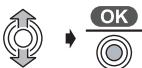
5 Select "NORSK".*1
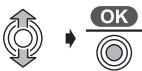
2 Select "Setting Handset".

4 Select "Select Language".

Press OK.
Registering a handset to the base unit
Finnish
Supplies (included):
Charger. 1
Charger (PQLV30018)
(HHR-4EPT/BA2 (P03P))
Battery compartment cover. 1
Belt clip. 1
READ THE INSTRUCTIONS BEFORE USE AND KEEP THEM
Portuguese
Accessories:
Charger. 1
(HHR-4EPT/BA2 (P03P))
Select the display language
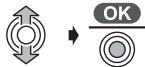
1 Press JOYSTICK (or move it).

3 Select "Display Option".
Ελληνικά
Περιεχόμενα:
Μονάδα Φόρτισης 1
(HHR-4EPT/BA2 (P03P))
Κατάλογος εξαρτημάτων
1
Κλιπ ζώνης 1
ΠΑΡΑΚΑΛΟΥΜΕ ΔΙΑΒΑΣΤΕ ΠΡΟΣΕΚΤΙΚΑ ΚΑΙ ΦΥΛΑΞΤΕ ΑΥΤΕΣ ΤΙΣ ΟΔΗΓΙΕΣ ΧΡΗΣΗΣ
Αυτές οι οδηγίες περιγράφουν μόνο τα απαραίτητα βήματα για την αρχική λειτουργία του ακουστικού. - Για περισσότερες λεπτομέρειες, παρακαλούμε ανατρέξτε στις οδηγίες χρήσης της κύριας μονάδας. Το KX-TCA151EX είναι το ασύρματο ακουστικό για τις συσκευές KX-TCD500/KX-TCD505/KX-TCD510/KX-TCD515/KX-TCD530/KX-TCD535. Η δυνατότητα SMS διατίθεται μόνο όταν το ακουστικό είναι συνδεδεμένο με τη συσκευή KX-TCD505/KX-TCD515/KX-TCD535. Το ηχητικό σύστημα απάντησης διατίθεται μόνο όταν το ακουστικό είναι συνδεδεμένο με το KX-TCD510/KX-TCD515.
To turn on the handset (Ela2(A)).
Turning on the handset
Selecting the language displayed on the screen
1 Press (or move) the JOYSTICK.

3 Select "Display Option".
2 Select "Setting Handset".

5 Select "GREEK".*1
4 Select "Select Language".
To use this function, press the key at any time. *1 You can select one of 19 languages. If you select a language you cannot read, reset the handset to the factory settings. Press Press Move OK Move OK OK Tone Key PIN of handset (The factory setting is 0000.) Move Press OK
36
Registering the handset to the base unit
The handset must be registered to the base unit before use.
1 Press (or move) the JOYSTICK.

2 Press “PROGRAM”
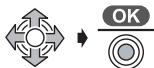
3 Select “RECORDING”.

4 Press “RECORDING”
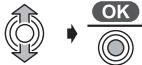
5 Press and hold the REC button for about 3 seconds. If all the recordings start to play back (AUTO PLAY), press the STOP button to stop playback and reset.
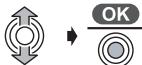
6 Press the REC button you want.
Information about the remote control
The remote control buttons are located on the remote control.
Overview
Danish
Accessories:
Charging unit. 1
Charger (PQLV30018)
AC adapter (PQLV200CE)
Batteries 2
(HHR-4EPT/BA2 (P03P))
Battery cover 1
Belt clip 1
READ THE INSTRUCTION MANUAL CAREFULLY BEFORE USING THE UNIT. KEEP THE INSTRUCTION MANUAL.
Charging information
Spanish
Accessories:
Chargers: 1
Charger (PQLV30018)
AC adapter (PQLV200CE)
Batteries. 2
(HHR-4EPT/BA2 (P03P))
Battery cover 1
Italian
Accessories:
Charger. 1
(HHR-4EPT/BA2 (P03P))
Polish
Equipment:
Charger. 1
Charger (PQLV30018)
(HHR-4EPT/BA2 (P03P))
Battery cover. 1
Belt clip 1
BEFORE USING THE PHONE, PLEASE
Turkish
Accessories:
Charging unit 1
Charging device (PQLV30018)
One AC adapter (PQLV200CE)
Two batteries
(HHR-4EPT/BA2 (P03P))
4 Select "Language".
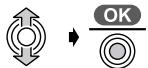
5 Select "Turkish".*1
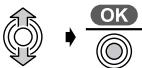
Press OK. Move and press the OK buttons to enter the 4-digit mobile
Hungarian
Accessories:
Charging cradle. 1
Charger (PQLV30018)
AC adapter (PQLV200CE)
Battery 2
(HHR-4EPT/BA2 (P03P))
Battery cover. 1
Belt clip. 1
PLEASE READ BEFORE USE, AND KEEP FOR FUTURE REFERENCE
TCA151EX.book Page 60 Monday, June 9, 2003 7:14 PM
TCA151EX.book Page 61 Monday, June 9, 2003 7:14 PM
TCA151EX.book Page 62 Monday, June 9, 2003 7:14 PM
TCA151EX_Cze.fm Page 63 Tuesday, June 10, 2003 2:24 PM
Czech
Accessories:
Charger 1
Charger (PQLV30018)
(HHR-4EPT/BA2 (P03P))
Battery cover 1
Belt clip 1
PLEASE READ BEFORE USE, AND KEEP FOR FUTURE REFERENCE
KX-TCD500/KX-TCD505/KX-TCD510/KX-TCD515/KX-TCD530/KX-TCD535.
Charger information
The handset batteries are charged by placing the handset in the charger.
Connection
Slovak
Accessories:
Charger 1
Charger (PQLV30018)
AC adaptor (PQLV200CE)
Batteries 2
(HHR-4EPT/BA2 (P03P))
Battery compartment cover. 1
Belt clip. 1
Manufacturer's Declaration:
Hereby Panasonic Communications Co., Ltd., declares that this DECT Cordless Telephone is in compliance with the essential requirements and other relevant provisions of Directive 1999/5/EC. A copy of the manufacturer's declaration of conformity to the essential requirements of the R&TTE Directive is available at the following web address: http://doc.panasonic-tp.de
Manufacturer's Declaration
Manufacturer's Declaration:
This handset may show features not supported by all main units.
Sales Department:
Panasonic Business Systems U.K.
Panasonic House, Willoughby Road Bracknell, Berkshire, RG12 8 FP
Sales:
Panasonic Austria
John Lay Electronics AG/
John Lay Electronics S.A.
Littauerboden 1
CH-6014 Littau-Luzern, Switzerland
Commercial Systems Division:
Panasonic France S.A.
Sales Division:
Panasonic Italia S.p.A.
Panasonic Czech Republic, s.r.o.
Križíkova 237/36A, 186 00 Praha 8,
Czech Republic

€0436
1999/5/EC
Panasonic Communications Co., Ltd.
1-62, 4-chome, Minoshima, Hakata-ku, Fukuoka 812-8531, Japan
PQQX13713ZA D0603-0


- PANASONIC
- ENGLISH
- PLEASE READ BEFORE USE AND SAVE
- REGISTERING A HANDSET TO THE BASE UNIT
- CHARGER INFORMATION
- CONNECTION
- WALL MOUNTING
- BATTERY CAUTION
- PLEASE READ THIS MANUAL CAREFULLY BEFORE USING THE DEVICE
- PRECAUTIONS CONCERNING BATTERIES
- DUTCH
- READ THIS MANUAL FIRST BEFORE USING THE DEVICE AND KEEP THIS MANUAL
- SWEDISH
- READ THIS BEFORE USING THE DEVICE AND THEN SAVE THE DOCUMENTATION
- REGISTERING A HANDSET WITH THE BASE UNIT
- INFORMATION ON CHARGER
- NORWEGIAN
- READ AND SAVE THESE INSTRUCTIONS BEFORE USE
- BATTERY CHARGING
- SELECTING THE DISPLAY LANGUAGE
- FINNISH
- READ THE INSTRUCTIONS BEFORE USE AND KEEP THEM
- PORTUGUESE
- SELECT THE DISPLAY LANGUAGE
- ΕΛΛΗΝΙΚΆ
- ΠΑΡΑΚΑΛΟΥΜΕ ΔΙΑΒΑΣΤΕ ΠΡΟΣΕΚΤΙΚΑ ΚΑΙ ΦΥΛΑΞΤΕ ΑΥΤΕΣ ΤΙΣ ΟΔΗΓΙΕΣ ΧΡΗΣΗΣ
- TURNING ON THE HANDSET
- SELECTING THE LANGUAGE DISPLAYED ON THE SCREEN
- REGISTERING THE HANDSET TO THE BASE UNIT
- INFORMATION ABOUT THE REMOTE CONTROL
- OVERVIEW
- DANISH
- READ THE INSTRUCTION MANUAL CAREFULLY BEFORE USING THE UNIT. KEEP THE INSTRUCTION MANUAL
- CHARGING INFORMATION
- SPANISH
- ITALIAN
- POLISH
- BEFORE USING THE PHONE, PLEASE
- TURKISH
- HUNGARIAN
- PLEASE READ BEFORE USE, AND KEEP FOR FUTURE REFERENCE
- CZECH
- SLOVAK
- MANUFACTURER'S DECLARATION
- SALES DEPARTMENT
- PANASONIC BUSINESS SYSTEMS U.K
- SALES
- PANASONIC AUSTRIA
- JOHN LAY ELECTRONICS AG
- JOHN LAY ELECTRONICS S.A
- COMMERCIAL SYSTEMS DIVISION
- PANASONIC FRANCE S.A
- SALES DIVISION
- €
- PANASONIC COMMUNICATIONS CO., LTD
Brand : PANASONIC
Model : KX-TCA151EX
Category : Cordless phone