
SC-BTT105EG - Home Theater System PANASONIC - Free user manual and instructions
Find the device manual for free SC-BTT105EG PANASONIC in PDF.



| Product type | Blu-ray Disc™ Home Cinema System |
| Brand | Panasonic |
| Model | SC-BTT105EG |
| Dimensions (main unit) | 430 x 60 x 300 mm (W x H x D) |
| Weight (main unit) | 3.5 kg |
| Power supply | Mains, 220-240 V, 50/60 Hz |
| Standby power consumption | 0.5 W (typical) |
| Main functions | Blu-ray, DVD, CD playback; firmware update; HDMI connectivity; Dolby Digital, DTS-HD surround sound |
| Supported audio formats | Dolby Digital, Dolby Pro Logic, DTS, DTS-HD, PCM |
| Connectivity | HDMI, Ethernet, analog audio output, digital audio input |
| Included accessories | Remote control, 2 batteries, FM antenna, power cord, CD-ROM, speaker cables, speaker stands |
| Number of speakers | 5 (front, center, surround) |
| Care and cleaning | Clean with a soft, dry cloth; do not use solvents |
| Safety | Do not expose to moisture, do not block ventilation openings, use only the supplied speakers |
| Remote control batteries | 2 alkaline or manganese batteries (AAA type) |
| Operating temperature | 0 °C to 40 °C |
| Operating humidity | 20 % to 80 % (non-condensing) |
| Repairability | Spare parts available through authorized Panasonic after-sales service |
| General information | Indoor use, temperate climates; firmware update recommended; Cinavia compatible |
Frequently Asked Questions - SC-BTT105EG PANASONIC
User questions about SC-BTT105EG PANASONIC
0 question about this device. Answer the ones you know or ask your own.
Ask a new question about this device
Download the instructions for your Home Theater System in PDF format for free! Find your manual SC-BTT105EG - PANASONIC and take your electronic device back in hand. On this page are published all the documents necessary for the use of your device. SC-BTT105EG by PANASONIC.
USER MANUAL SC-BTT105EG PANASONIC
Please also read through the "Owner's Manual
Please read these instructions carefully before using this product, and save this manual for future use.
This document explains basic operations of the unit. For more detailed explanation, please refer to "Owner's Manual
How to open the Owner's Manual (PDF format)
When you insert the CD-ROM and open the [INDEX.pdf] in the CD-ROM, the Owner's Manual list will be displayed. Click the document name of the Owner's Manual you would like to open.
- Adobe Reader is required to view the PDF file. Please download it from the homepage of Adobe Systems Incorporated.
Basic operation
The methods of assembling the speakers, placing the speakers, connecting the cables and Easy Settings are shown in the supplied "Owner's Manual
Playing a disc
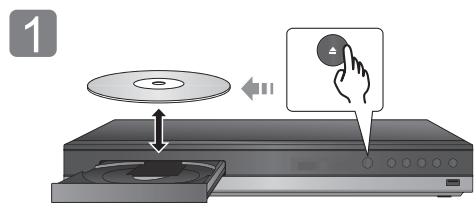
Insert the disc.
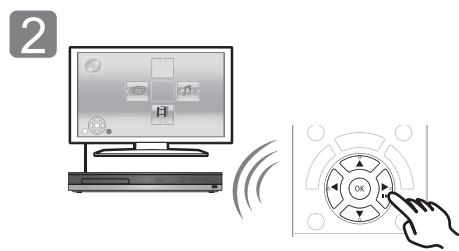
Select the item to play and press [OK].
Enjoying TV with unit's speakers
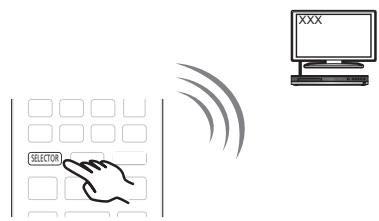
Press [SELECTOR] several times to select the appropriate external input mode.
- Reduce the volume on the TV to its minimum, and then adjust the volume of the main unit.

Firmware updates
Panasonic is constantly improving the unit's firmware to ensure that our customers are enjoying the latest technology.
Panasonic recommends updating your firmware as soon as you are notified.
For details, refer to the Owner's Manual (PDF format).
Package contents and accessories
Check the package contents and supplied accessories before using this unit.
Package contents

BTT465
Main unit
(SA-BTT465)
FRONT
(SB-HFS4810)
SURROUND
(SB-HFS4010)
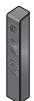
(Speakers)
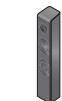
(Stands)

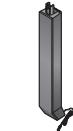

(Bases)


(Screws)


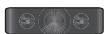
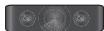
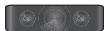
CENTER
(SB-HC4010)


SUBWOOFER
(SB-HW4010)
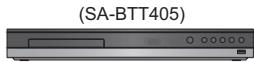
BTT405
Main unit
FRONT

(SB-HFS4010)


(Speaker cables)

SURROUND
(SB-HFS4010)


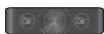
CENTER
(SB-HC4010)

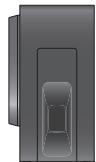
SUBWOOFER
(SB-HW4010)

BTT105
Main unit
(SA-BTT105)
FRONT

(SB-HFS4010)


(Speaker cables)
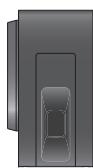
SUBWOOFER
(SB-HW4010)
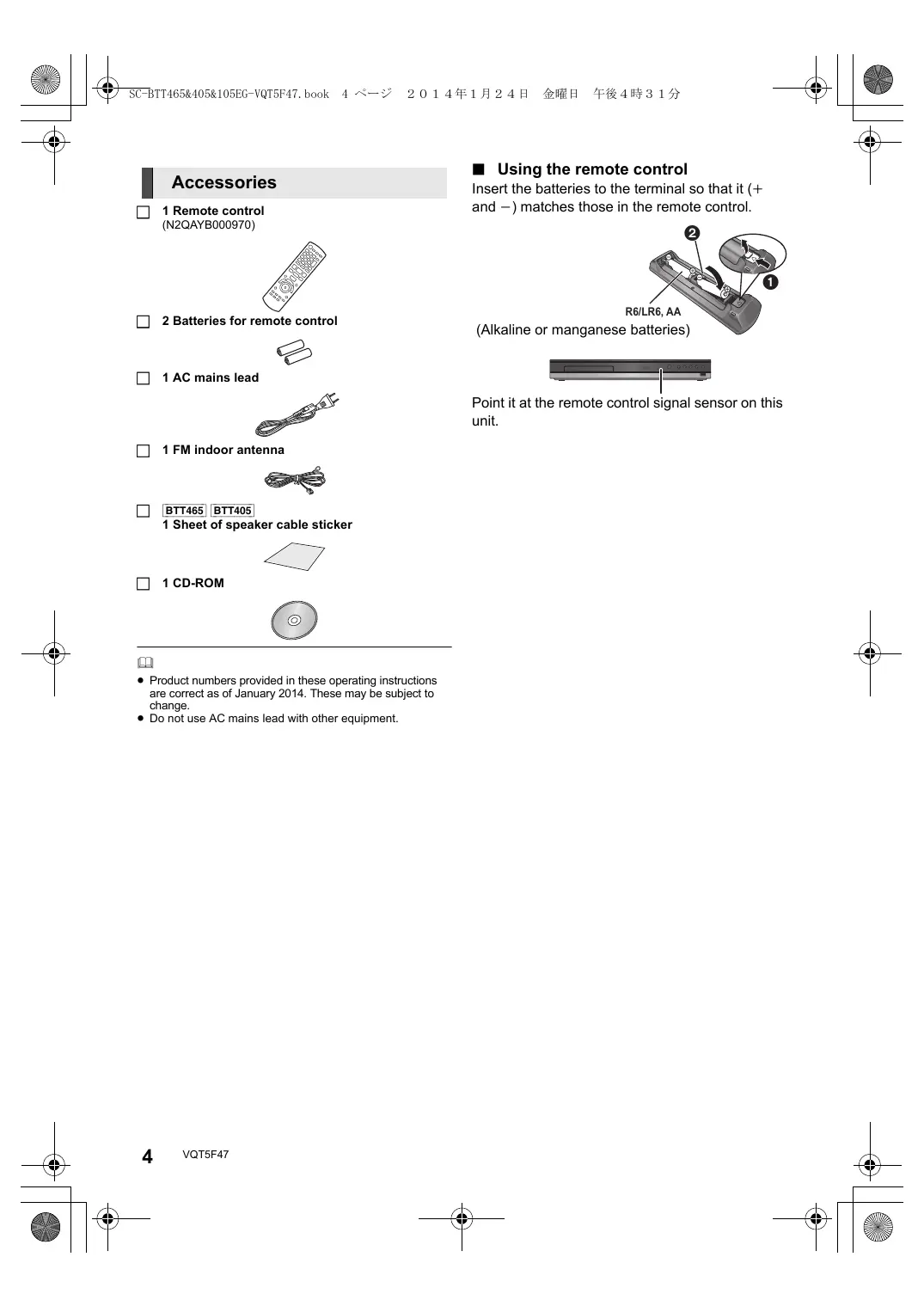
Accessories
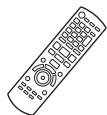
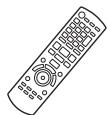
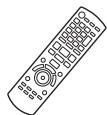
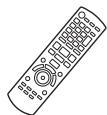
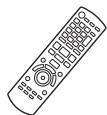
1 Remote control (N2QAYB000970)
2 Batteries for remote control

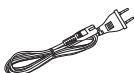
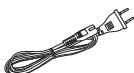
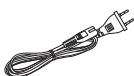
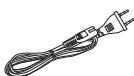
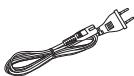
1 AC mains lead
1 FM indoor antenna

BTT465 BTT405 1 Sheet of speaker cable sticker

1 CD-ROM


- Product numbers provided in these operating instructions are correct as of January 2014. These may be subject to change.
- Do not use AC mains lead with other equipment.
Using the remote control
Insert the batteries to the terminal so that it (+ and -) matches those in the remote control.
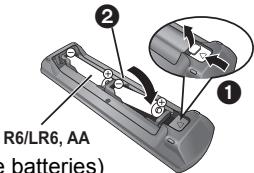
(Alkaline or manganese batteries)
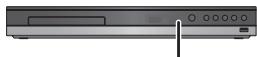
Point it at the remote control signal sensor on this unit.
Precautions
WARNING
Unit
To reduce the risk of fire, electric shock or product damage,
- Do not expose this unit to rain, moisture, dripping or splashing.
- Do not place objects filled with liquids, such as vases, on this unit.
- Use only the recommended accessories.
- Do not remove covers.
- Do not repair this unit by yourself. Refer servicing to qualified service personnel.
- Do not let metal objects fall inside this unit.
- Do not place heavy items on this unit.
AC mains lead
To reduce the risk of fire, electric shock or product damage,
- Ensure that the power supply voltage corresponds to the voltage printed on this unit.
- Insert the mains plug fully into the socket outlet.
- Do not pull, bend, or place heavy items on the lead.
- Do not handle the plug with wet hands.
- Hold onto the mains plug body when disconnecting the plug.
- Do not use a damaged mains plug or socket outlet.
The mains plug is the disconnecting device.
Install this unit so that the mains plug can be unplugged from the socket outlet immediately.
Speaker
To prevent injury, this apparatus must be securely attached to the wall in accordance with the installation instructions.
Small object
- Keep the screws out of reach of children to prevent swallowing.
CAUTION
Unit
- This unit utilizes a laser. Use of controls or adjustments or performance of procedures other than those specified herein may result in hazardous radiation exposure.
- Do not place sources of naked flames, such as lighted candles, on this unit.
- This unit may receive radio interference caused by mobile telephones during use. If such interference occurs, please increase separation between this unit and the mobile telephone.
- This unit is intended for use in moderate climates.
- Standby/on switch (D/I)
Press to switch the unit from on to standby mode or vice versa. In standby mode, the unit is still consuming a small amount of power.
Placement
Place this unit on an even surface.
To reduce the risk of fire, electric shock or product damage,
- Do not install or place this unit in a bookcase, built-in cabinet or in another confined space. Ensure this unit is well ventilated.
- Do not obstruct this unit's ventilation openings with newspapers, tablecloths, curtains, and similar items.
- Do not expose this unit to direct sunlight, high temperatures, high humidity, and excessive vibration.
Speaker
- Use only supplied speakers
The main unit and supplied speakers are to be used only as indicated in these operating instructions. Failure to do so may lead to damage to the amplifier and/or the speakers, and may result in the risk of fire. Consult a qualified service person if damage has occurred or if you experience a sudden change in performance.
- Be careful not to cross (short-circuit) or reverse the polarity of the speaker wires as doing so may damage the speakers.
- Hold the speaker firmly to avoid injury by dropping the speaker when carrying.
- You can damage your speakers and shorten their useful life if you play sound at high levels over extended periods.
- Do not touch the front area of the speakers. Hold by the sides.
- Place speakers on flat, secure surfaces.
- To avoid injury by falling or dropping the speaker, place the speaker cables with care not to stumble or hook.
- Do not stand on the speaker. Be cautious when children are near.
Batteries
Mishandling of batteries can cause electrolyte leakage and may cause a fire.
- Danger of explosion if battery is incorrectly replaced. Replace only with the type recommended by the manufacturer.
- When disposing of the batteries, please contact your local authorities or dealer and ask for the correct method of disposal.
- Do not mix old and new batteries or different types at the same time.
- Do not heat or expose to flame.
- Do not leave the battery(ies) in a car exposed to direct sunlight for a long period of time with doors and windows closed.
- Do not take apart or short circuit.
- Do not recharge alkaline or manganese batteries.
- Do not use batteries if the covering has been peeled off.
Remove batteries if you do not intend to use the remote control for a long period of time. Store in a cool, dark place.
LAN cable
Use category 5 or above straight LAN cables (STP) when connecting to peripheral devices.
C€ 0560
Declaration of Conformity (DoC)
Hereby, "Panasonic Corporation" declares that this product is in compliance with the essential requirements and other relevant provisions of Directive 1999/5/EC.
Customers can download a copy of the original DoC to our R&TTE products from our DoC server:
http://www.doc.panasonic.de
Contact to Authorized Representative:
Panasonic Marketing Europe GmbH, Panasonic Testing
Centre, Winsberging 15, 22525 Hamburg, Germany
This product is intended for general consumer. (Category 3)
Frequency range: 2.4 GHz band FH-SS
To dispose or transfer this unit
The unit may keep the user settings information in the unit. If you discard this unit either by disposal or transfer, then follow the procedure to return all the settings to the factory presets to delete the user settings.
- The operation history may be recorded in the memory of this unit.
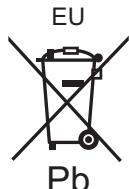
Disposal of Old Equipment and Batteries
Only for European Union and countries with recycling systems

m = 311 ;
These symbols on the products, packaging, and/or accompanying documents mean that used electrical and electronic products and batteries must not be mixed with general household waste.
For proper treatment, recovery and recycling of old products and used batteries, please take them to applicable collection points in accordance with your national legislation.
By disposing of them correctly, you will help to save valuable resources and prevent any potential negative effects on human health and the environment.
For more information about collection and recycling, please contact your local municipality. Penalties may be applicable for incorrect disposal of this waste, in accordance with national legislation.

Note for the battery symbol (bottom symbol):
This symbol might be used in combination with a chemical symbol. In this case it complies with the requirement set by the Directive for the chemical involved.
Copyrights and Trademarks
This product uses Cinavia technology to limit the use of unauthorized copies of some commercially-produced film and videos and their soundtracks. For details, refer to the Owner's Manual (PDF format).
"AVCHD" is a trademark of Panasonic Corporation and Sony Corporation.
Java is a registered trademark of Oracle and/or its affiliates.
Manufactured under license from Dolby Laboratories.
Dolby, Pro Logic, and the double-D symbol are trademarks of Dolby Laboratories.
For DTS patents, see http://patents.dts.com. Manufactured under license from DTS Licensing Limited. DTS, DTS-HD, the Symbol, & DTS and the Symbol together are registered trademarks, and DTS-HD Master Audio | Essential is a trademark of DTS, Inc. © DTS, Inc. All Rights Reserved.
HDMI, the HDMI Logo, and High-Definition Multimedia Interface are trademarks or registered trademarks of HDMI Licensing LLC in the United States and other countries.
This product is licensed under the AVC patent portfolio license and VC-1 patent portfolio license for the personal and non-commercial use of a consumer to (i) encode video in compliance with the AVC Standard and VC-1 Standard ("AVC/VC-1 Video") and/or (ii) decode AVC/VC-1 Video that was encoded by a consumer engaged in a personal and non-commercial activity and/or was obtained from a video provider licensed to provide AVC/VC-1 Video. No license is granted or shall be implied for any other use. Additional information may be obtained from MPEG LA, LLC. See http://www.mpegla.com.
MPEG Layer-3 audio coding technology licensed from Fraunhofer IIS and Thomson.
"DVD Logo" is a trademark of DVD Format/Logo Licensing Corporation.
"Wi-Fi", "Wi-Fi Protected Setup", "WPA" and "WPA2" are marks or registered marks of the Wi-Fi Alliance.
The Bluetooth® word mark and logos are owned by the Bluetooth SIG, Inc. and any use of such marks by Panasonic Corporation is under license. Other trademarks and trade names are those of their respective owners.
Android is a trademark of Google Inc.
Copyright 2004-2013 Verance Corporation. Cinavia™ is a Verance Corporation trademark. Protected by U.S. Patent 7,369,677 and worldwide patents issued and pending under license from Verance Corporation. All rights reserved.
This product incorporates the following software:
(1) the software developed independently by or for Panasonic Corporation,
(2) the software owned by third party and licensed to Panasonic Corporation,
(3) the software licensed under the GNU General Public License, Version 2.0 (GPL V2.0),
(4) the software licensed under the GNU LESSER General Public License, Version 2.1 (LGPL V2.1), and/or
(5) open source software other than the software licensed under the GPL V2.0 and/or LGPL V2.1.
The software categorized as (3) - (5) are distributed in the hope that it will be useful, but WITHOUT ANY WARRANTY, without even the implied warranty of MERCHANTABILITY or FITNESS FOR A PARTICULAR PURPOSE. Please refer to the detailed terms and conditions thereof shown in the Settings menu.
At least three (3) years from delivery of this product, Panasonic will give to any third party who contacts us at the contact information provided below, for a charge no more than our cost of physically performing source code distribution, a complete machine-readable copy of the corresponding source code covered under GPL V2.0, LGPL V2.1 or the other licenses with the obligation to do so, as well as the respective copyright notice thereof.
Contact Information: oss-cd-request@gg.jp.panasonic.com
The source code and the copyright notice are also available for free in our website below.
http://panasonic.net/avc/oss/theater/AWTHT14A.html
(1) MS/WMA
This product is protected by certain intellectual property rights of Microsoft Corporation and third parties. Use or distribution of such technology outside of this product is prohibited without a license from Microsoft or an authorized Microsoft subsidiary and third parties.
(2) MS/PlayReady/Final Product Labeling
This product contains technology subject to certain intellectual property rights of Microsoft. Use or distribution of this technology outside of this product is prohibited without the appropriate license(s) from Microsoft.
(3) MS/PlayReady/End User Notices
Content owners use Microsoft PlayReady™ content access technology to protect their intellectual property, including copyrighted content. This device uses PlayReady technology to access PlayReady-protected content and/or WMDRM-protected content. If the device fails to properly enforce restrictions on content usage, content owners may require Microsoft to revoke the device's ability to consume PlayReady-protected content. Revocation should not affect unprotected content or content protected by other content access technologies. Content owners may require you to upgrade PlayReady to access their content. If you decline an upgrade, you will not be able to access content that requires the upgrade.
(4) Vorbis, FLAC, WPA Suppliant
The software licenses are displayed when "Software Licence" in the Setup menu is selected.*
- [SETTING] "System" "System Information"



Master Audio | Essential

SUBWOOFER
(SB-HW4010)

BTT405
Appareil principal
(SA-BTT405)
FRONT

(SB-HFS4010)


(Cable d'enceinte)

SURROUND
(SB-HFS4010)


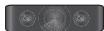
CENTER
(SB-HC4010)

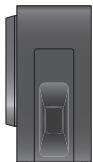
SUBWOOFER
(SB-HW4010)

BTT105
Appareil principal
(SA-BTT105)
FRONT

(SB-HFS4010)


(Cable d'enceinte)

SUBWOOFER
(SB-HW4010)
Accessoires
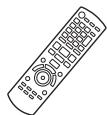
1 Telekommande (N2QAYB000970)
Panasonic Marketing Europe GmbH, Panasonic Testing Centre, Winsberging 15, 22525 Hamburg, Germany
Master Audio | Essential

SUBWOOFER (SB-HW4010)
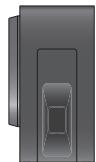
SUBWOOFER (SB-HW4010)

SUBWOOFER
(SB-HW4010)
Accessori
1 Telekomando
(N2QAYB000970)
Centre, Winsberging 15, 22525 Hamburg, Germany
Master Audio | Essential
Lea增值服务estas instruccionesan deusareste producto,yguardeeste manualeparausrloenel futuro.

SUBWOOFER (SB-HW4010)

BTT405
Aparato principal
(SA-BTT405)
FRONT

(SB-HFS4010)



SUBWOOFER (SB-HW4010)

BTT105
Aparato principal
(SA-BTT105)
FRONT

(SB-HFS4010)



SUBWOOFER
(SB-HW4010)
Accesorios
1 Mando a distancia (N2QAYB000970)
HDMI, el logotipo HDMI y High-Definition Multimedia Interface son MARLAS MARLAS MARLAS MARLAS MARLAS MARLAS MARLAS MARLAS MARLAS MARLAS MARLAS MARLAS MARLAS MARLAS MARLAS MARLAS MARLAS MARLAS MARLAS MARLAS MARLAS MARLAS MARLAS MARLAS MARLAS MARLAS MARLAS MARLAS MARLAS MARLAS MARLAS MARLAS MARLAS MARLAS MARLAS MARLAS MARLAS MARLAS MARLAS MARLAS MARLAS MARLAS MARLAS MARLAS MARLAS MARLAS MARLAS MARLAS MARLAS MARLAS MARVAS MARLAS MARLAS MARLAS MARLAS MARLAS MARLAS MARLAS MARLAS MARLAS MARLAS MARLAS MARLAS MARLAS MARLAS MARLAS MARLAS MARLAS MARLAS MARLAS MARLAS MARLAS MARLAS MARLAS MARLAS MARLAS MARLAS MARLAS MARLAS MARLAS MARLAS MARLAS MARLAS MARLAS MARLAS MARLAS MARLAS MARLAS MARLAS MARLAS MARLAS MARLAS MARLAS MARLAS MARLAS MARLAS MARLAS MARLAS MARLAS MARLAS MARLSMARLSMARLSMARLSMARLSMARLSMARLSMARLSMARLSMARLSMARLSMARLSMARLSMARLSMARLSMARLSMARLSMARLSMARLSMARLSMARLSMARLSMARLSMARLSMARLSMARLSMARLSMARLSMARLSMARLSMARLSMARLSMARLSMARLSMARLSMARLSMARLSMARLSMARLSMARLSMARLSMARLSMARLSMARLSMARLSMARLSMARLSMARLSMARLSMARLSMARLS
"Wi-Fi", "Wi-Fi Protected Setup", "WPA" y "WPA2" son MARCAS commerciales oscarcas registadas de Wi-Fi Alliance.

SUBWOOFER (SB-HW4010)

SUBWOOFER (SB-HW4010)

SUBWOOFER (SB-HW4010)
Accessoires
1 Afstandsbediening (N2QAYB000970)
2 Batterijenafstands bediening

1 Netsnoer
1 FM binnenantenne

BTT465 BTT405
"AVCHD" is an handelsmerk van Panasonic Corporation on Sony Corporation.

dtts-hD
Master Audio | Essential

SUBWOOFER
(SB-HW4010)

SUBWOOFER
(SB-HW4010)

SUBWOOFER
(SB-HW4010)
Tillbehör
1 Fjarrkontroll (N2QAYB000970)

2 Batterier till fjarrkontrollen

1 AC-sladd
1 FM-inomhusantenn

BTT465 BTT405

SUBWOOFER
(SB-HW4010)

BTT405
Hovedapparat
(SA-BTT405)
FRONT

(SB-HFS4010)


(Hojttilerkabler)

SURROUND
(SB-HFS4010)


CENTER
(SB-HC4010)


SUBWOOFER
(SB-HW4010)

BTT105
Hovedapparat
(SA-BTT105)
FRONT

(SB-HFS4010)


(Hojttalerkabler)

SUBWOOFER
(SB-HW4010)
Tilbehør
1 Fjernbetjening
(N2QAYB000970)

Panasonic Marketing Europe GmbH, Panasonic Testing Centre, Winsberging 15, 22525 Hamburg, Germany
Master Audio | Essential

SUBWOOFER
(SB-HW4010)

BTT105
Paalaiite
(SA-BTT105)
FRONT

(SB-HFS4010)


(Kaiuttimen johdot)

SUBWOOFER
(SB-HW4010)
Varusteet
1 Kaukosädin (N2QAYB000970)

2 Kaukosaa timen paristot

1 Verkkokaapeli
1 FM-sisäantenni

Centre, Winsberging 15, 22525 Hamburg, Germany
Master Audio | Essential

SUBWOOFER
(SB-HW4010)

SUBWOOFER
(SB-HW4010)

SUBWOOFER
(SB-HW4010)
Akcesoria
1 Pilot
(N2QAYB000970)
2 Baterie do pilota

1 Przewód zasilania

m = 311 ;

SUBWOOFER (SB-HW4010)

BTT405
Keszulek
(SA-BTT405)
FRONT

(SB-HFS4010)


(Hangszóró kábelek)

SURROUND
(SB-HFS4010)


CENTER (SB-HC401


SUBWOOFER (SB-HW4010)

BTT105
Keszulek
(SA-BTT105)
FRONT

(SB-HFS4010)


(Hangszóró kábelek)

SUBWOOFER (SB-HW4010)
Tartozekok
1 FM belteri antenna

CAUTION: VISIBLE AND INAVAILABLE LASER RADIATION WHEN OPEN, DO NOT STARE INTO BEAM. EDA31CER/CLASS II (ft)
CAUTION. CLASS 2 VISIBLE AND INVISIBLE LASER RADIATION THEN OBTAIN DO NOT STARE INTO BEAM. IEC60825-1/CLA
ATTENTION-RAYONNEMENT LASER VISIBLE ET INVISIBLE, EN EN CAS D'OUVERTURE, NE PAS REGARDER DANS LE FAISCEAU.
(Inside of product)
Importer for Europe:
Kadoma, Osaka, Japan
Panasonic Marketing Europe GmbH
Panasonic Testing Centre
Winsbergring 15, 22525 Hamburg, Germany
- How to open the Owner's Manual (PDF format)
- Basic operation
- Playing a disc
- Enjoying TV with unit's speakers
- Firmware updates
- Package contents and accessories
- Package contents
- Accessories
- Using the remote control
- Precautions
- WARNING
- Unit
- AC mains lead
- Speaker
- Small object
- CAUTION
- Placement
- Batteries
- LAN cable
- C€ 0560
- Declaration of Conformity (DoC)
- To dispose or transfer this unit
- Disposal of Old Equipment and Batteries
- Only for European Union and countries with recycling systems
- Note for the battery symbol (bottom symbol):
- Copyrights and Trademarks
- Accessoires
- Accessori
- Accesorios
- Tillbehör
- Tilbehør
- Varusteet
- Akcesoria
- Tartozekok
Brand : PANASONIC
Model : SC-BTT105EG
Category : Home Theater System