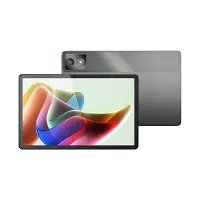
Tab K11 Plus - Tablet LENOVO - Free user manual and instructions
Find the device manual for free Tab K11 Plus LENOVO in PDF.


| Product Type | Touchscreen Tablet |
| Brand | Lenovo |
| Model | Tab K11 Plus (TB352FU / TB352XU) |
| Dimensions (approx.) | 269.1 x 169.4 x 7.5 mm |
| Weight (approx.) | 520 g |
| Screen | 11.5 inches, resolution 2000 x 1200 pixels |
| Operating System | Android (version subject to update) |
| Processor | MediaTek Helio G88 (octa-core) |
| RAM Memory | 4 GB |
| Internal Storage | 64 GB (expandable via microSD) |
| Connectivity | Wi-Fi 802.11 a/b/g/n/ac, Bluetooth 5.1, NFC, USB Type-C |
| Mobile Network (model TB352XU) | 4G LTE, GSM, WCDMA |
| Sensors | Accelerometer, proximity sensor, gyroscope (estimated) |
| Front Camera | 8 MP |
| Rear Camera | 13 MP with autofocus |
| Battery | 7500 mAh (Li-Po, non-removable) |
| Charging | USB Power Delivery 15-20 W, via USB-C |
| Battery Life (claimed) | Up to 12 hours of video playback |
| Connectors | USB-C, 3.5 mm audio jack, smart connector (pogo pin) |
| Speakers | 4 speakers, Dolby Atmos sound |
| Card Reader | Yes, for SIM card (model TB352XU) and microSD |
| Safety | SAR: 1.439 W/kg (body), 1.481 W/kg (limb). Compliant with ICNIRP guidelines |
| Package Contents | Tablet, USB-C cable, charger (country dependent), quick start guide |
Frequently Asked Questions - Tab K11 Plus LENOVO
User questions about Tab K11 Plus LENOVO
0 question about this device. Answer the ones you know or ask your own.
Ask a new question about this device
Download the instructions for your Tablet in PDF format for free! Find your manual Tab K11 Plus - LENOVO and take your electronic device back in hand. On this page are published all the documents necessary for the use of your device. Tab K11 Plus by LENOVO.
USER MANUAL Tab K11 Plus LENOVO
• Read this guide carefully before using your device.
- All pictures and illustrations in this guide are for your reference only. The actual product may vary.
Overview
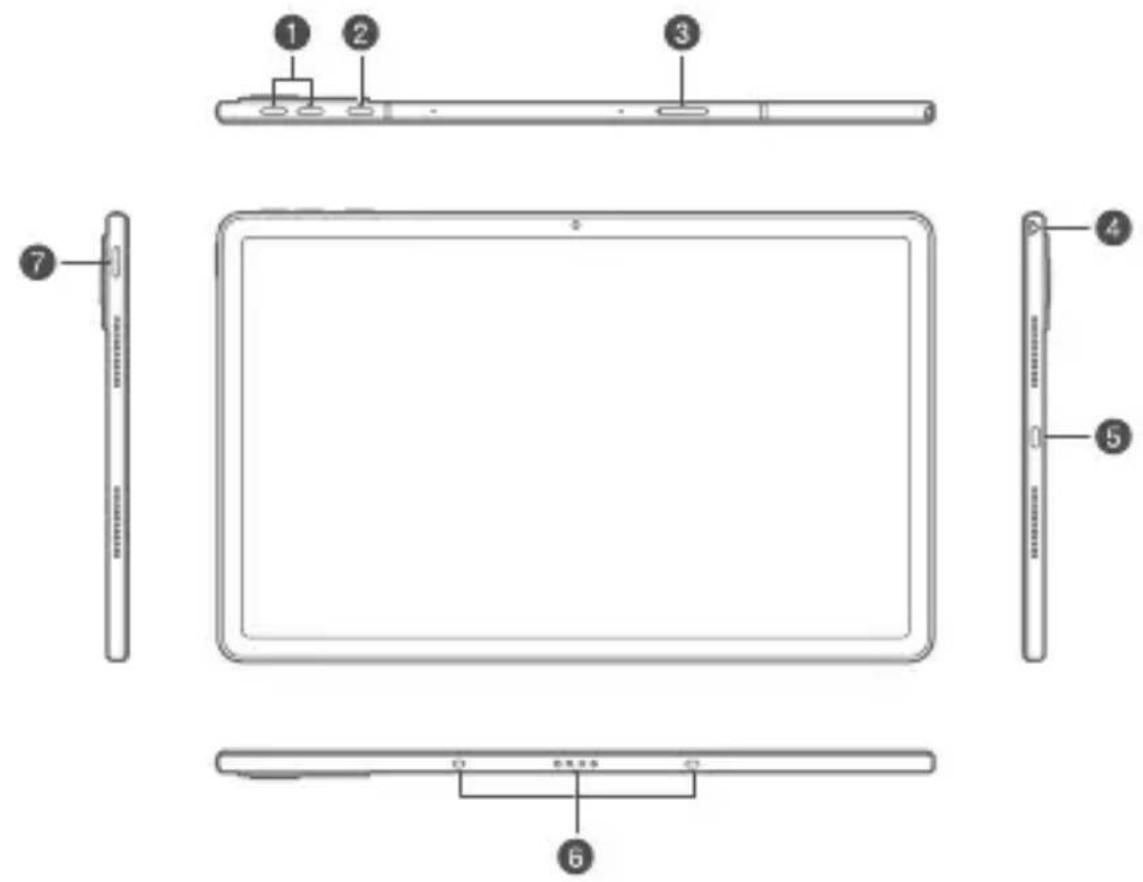
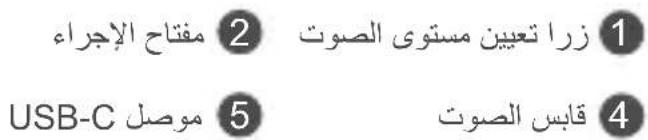
1 Volume buttons
2 Action key
3 Card tray
4 Audio jack
5 USB-C connector
6 Smart connector
7 Power button
Install cards
Turn off your device before inserting or removing a card.
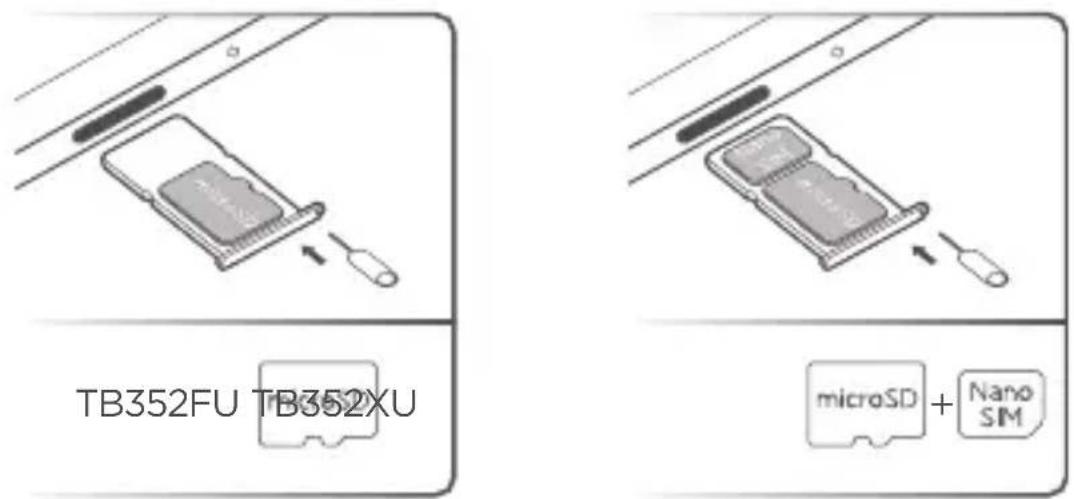
If you're using a third-party SIM, contact your carrier for more details.
Charge your device
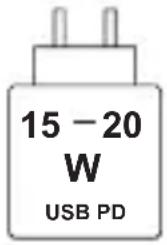
For environmental reasons this package may not include a charger in certain countries or regions. This device can be powered with most USB power adapters and a cable with USB Type-C plug. Use a USB Power Delivery compliant charger that supports power output above 15 W for tablet charging.
It is recommended to use a charger that complies with applicable national/regional regulations for mobile device adapters. Only use a charger that complies with international and regional safety standards (such as EN/IEC/UL 62368-1) for charging. Other chargers may not comply with applicable safety standards, and using such chargers to charge may result in injury or death.
Help and more
To get more information and download the User Guide, go to https://support.lenovo.com.
European Union (EU) / United Kingdom (UK) compliance statement
CE UK CA
Lenovo (Singapore) Pte. Ltd. declares that the radio equipment types: TB352FU, TB352XU are in compliance with EU Radio Equipment Directive 2014/53/EU. Lenovo (Slovakia) Ltd. declares that the radio equipment types: TB352FU, TB352XU are in compliance with UK Radio Equipment Regulation SI 2017 No. 1206. The full text of the system declarations of conformity are available at: https://www.lenovo.com/us/en/compliance/eu-doc for EU and https://www.lenovo.com/us/en/compliance/uk-doc for UK.
This radio equipment operates with the following frequency bands and maximum radio-frequency power:
| Model Name Frequency Bands Maximum Power (dBm) | ||
| TB352FU | WLAN 2400-2483.5 MHz 20 | |
| WLAN 5150-5250 MHz 20 | ||
| WLAN 5250-5350 MHz 20 | ||
| WLAN 5470-5725 MHz 20 | ||
| WLAN 5725-5850 MHz 14 | ||
| Bluetooth 2.4 GHz 10 | ||
| NFC 13.56 MHz 42dBuA/m at | 10m | |
| TB352XU | GSM 900 33.5 | |
| GSM 1800 30.5 | ||
| WCDMA I 24 | ||
| WCDMA VIII 24 | ||
| LTE B1,3,5,7,8,20,28,38,40,41 24 | ||
| WLAN 2400-2483.5 MHz 20 | ||
| WLAN 5150-5250 MHz 20 | ||
| WLAN 5250-5350 MHz 20 | ||
| WLAN 5470-5725 MHz 20 | ||
| WLAN 5725-5850 MHz 14 | ||
| Bluetooth 2400-2483.5 MHz | 10 | |
| NFC 13.56 MHz 42dBuA/m at | 10m | |
Restrictions of use:
Usage of this device is limited to indoor in the band 5250 to 5350 MHz.
 | AT | BE | FBG | CH | CY | CZ | DE | DK | EE | EL | ES | |
| FR | HR | HU | MTE | NLS | IT | LI | LT | LU | LV | |||
| NO | PL | PT | RO | SE | SI | SK | TR | UK | UK (NI) | |||
Specific Absorption Rate information
THE DEVICE MEETS INTERNATIONAL GUIDELINES FOR EXPOSURE TO RADIO WAVES.
The device is a radio transmitter and receiver. It is designed not to exceed the limits for exposure to radio waves (radio frequency electromagnetic fields) recommended by international guidelines. The guidelines were developed by an independent scientific organization (ICNIRP) and include a substantial safety margin designed to assure the safety of all persons, regardless of age and health. The radio wave exposure guidelines use a unit of measurement known as the Specific Absorption Rate, or SAR.
Tests for SAR are conducted using standard operating positions with the device transmitting at its highest certified power level in all tested frequency bands. The highest SAR values under the ICNIRP guidelines for your device model are listed below:
| Maximum SAR for this model and conditions under which it was recorded. | ||||
| EU/UK 10gSAR Limit(2.0 W/kg) | TB352FU | Body-worn(0mm) | WLAN, Bluetooth 1.439 W/kg | |
| EU/UK 10gSAR Limit(4.0 W/kg) | Limb(0mm) | WLAN, Bluetooth 1.439 W/kg | ||
| Europe 10gSAR Limit(2.0 W/kg) | TB352XU | Body-worn(0mm) | WLAN, BT, GSM,WCDMA, LTE | 1.481 W/kg |
| Europe 10gSAR Limit(4.0 W/kg) | Limb(0mm) | WLAN, BT, GSM,WCDMA, LTE | 1.481 W/kg | |

The above information is for EU countries and UK. Please refer to the actual product for supported frequency bands in other countries.
During use, the actual SAR values for your device are usually well below the values stated. This is because, for purposes of system efficiency and to minimize interference on the network, the operating power of the device is automatically decreased when full power is not needed for the data connection. The lower the power output of the device, the lower its SAR value. If you are interested in further reducing your RF exposure then you can easily do so by limiting your usage or simply using a hands-free kit to keep the device away from the body.
Charging capabilities and the compatible charging devices of this product
The power delivered by the charger must be between min 15 Watts required by the radio equipment, and max 20 Watts in order to achieve the maximum charging speed. And the device supports USB Power Delivery (USB-PD).
Français
Démarrage
UK https://www.lenovo.com/us/en/compliance/eu-doc
-https://www.lenovo.com/us/en/compliance/uk-doc
© Copyright Lenovo 2024.
. Lenovo 2024 ©
ال Quantity Management
Reduce | Reuse | Recycle


V1.0_20240511
90101-37180
MC
Printed in China
Brand : LENOVO
Model : Tab K11 Plus
Category : Tablet