CELED32SAHD23B7 - Television CONTINENTAL EDISON - Free user manual and instructions
Find the device manual for free CELED32SAHD23B7 CONTINENTAL EDISON in PDF.


| Product type | LED Smart TV |
| Brand | Continental Edison |
| Model | CELED32SAHD23B7 |
| Screen size | 31.5 inches (80 cm) |
| Resolution | 1366 x 768 pixels |
| Aspect ratio | 16:9 |
| Contrast ratio | 3000:1 |
| Dimensions (with stand) | 735.8 x 179.7 x 474.9 mm |
| Weight | Approximately 5.2 kg |
| Power supply | 100-240V~, 50/60Hz |
| Energy consumption (SDR) | 26 kWh/1000h |
| Energy class | E+ |
| Standby consumption | < 0.5 W |
| Tuner | DVB-T/T2/C |
| Connectivity | HDMI x3, USB x2, RJ45, AV IN, optical, headphone |
| Network | Wi-Fi, Bluetooth, Ethernet |
| Audio | 2 speakers of 8 W each |
| Smart TV functions | Android TV, Google Assistant, Chromecast built-in |
| Supported USB multimedia formats | Video: FLV, MKV, MPEG, MOV, AVI, H.264 ; Audio: MP3, WAV, M4A, AMR ; Photo: JPG, BMP, PNG |
| Maintenance and cleaning | Unplug before cleaning; use a soft dry cloth; avoid liquids and chemicals |
| Safety | Double insulation (class II); do not expose to water; do not block ventilation openings |
| Spare parts and repairability | Essential parts available for 10 years after purchase (remote control, power supply, motherboard, connectors) |
| Warranty | Legal warranty (excluding wear parts, misuse, etc.) |
Frequently Asked Questions - CELED32SAHD23B7 CONTINENTAL EDISON
User questions about CELED32SAHD23B7 CONTINENTAL EDISON
0 question about this device. Answer the ones you know or ask your own.
Ask a new question about this device
Download the instructions for your Television in PDF format for free! Find your manual CELED32SAHD23B7 - CONTINENTAL EDISON and take your electronic device back in hand. On this page are published all the documents necessary for the use of your device. CELED32SAHD23B7 by CONTINENTAL EDISON.
USER MANUAL CELED32SAHD23B7 CONTINENTAL EDISON
I.DESCRIPTIONDUPRODUIT 8
I.DESCRIPTION DU PRODUIT
IMPORTANT WARNINGS AND SAFETY ADVICE
We invite you to read this user manual carefully and completely before installing and using your device.
It is important that this user manual be kept with the device for further consultation. If this device is to be transferred to another person, make sure the user manual follows the device so that the new user can be informed of the operation of the device.
| The warning sign showing a lightning bolt in a triangle indicates that this product contains "dangerous electrical voltages". | |
| CAUTION RISK OF ELECTRIC SHOCK POWERED DEVICE DO NOT OPEN | CAUTION:TO AVOID THE RISK OF ELECTROC TROCUTION, DO NOT REMOVE THE COVER (OR THE BACK OF THE DEVICE). |
| NO PARTS ARE REPLACEABLE BY THE USER. PLEASE CONTACT QUALIFIED PERSONNEL IN CASE OF FAILURE. | |
| ! | The warning sign showing an exclamation point in a triangle indicates that this point of the manual requires special attention. |
CAUTION: -TO REDUCE THE RISK OF FIRE, ELECTRIC SHOCK OR SERIOUS INJURY:
- This device must only be connected to a mains network whose characteristics are identical to those shown on the device identification plate.
- If it is a class I appliance, the user's protection is grounded. The appliance must be connected to a power supply base with a connection to the protective earth.
- This device bears the logo , it is a class II electrical device in which the protection against electric shock is not based solely on main insulation but on double insulation. It does not have protective grounding
- The mains plug must always be easily accessible. It serves as a mains disconnecting switch of the device.
- To disconnect the device from the mains, the plug must be disconnect- ed.Hold the mains cable by its plug. Do not pull on the mains cable to disconnect the plug.
- The mains cables must be routed so that they are not trampled upon or pinched by objects placed on or against them.
- If the mains cable of the device is damaged, it must be replaced by the manufacturer, its after-sales service or a similarly qualified person to avoid any danger.
- The device must not be exposed to dripping or splashing water, moisture or liquids.
- Do not place the device near water, for example in a bathroom or near a sink.
-
No objects filled with liquids such as vases should be placed on or above the device.
-
Never touch the mains cable with wet hands, this could cause a short circuit or electric shock.
- To avoid the risk of fire, do not place sources of open flames, Such as lighted candles, or heat sources such as radiators, on or near the device. The device is intended for use only in a temperate climate.
- If smoke, an unusual odour or strange noise is emitted by the device: unplug the mains cable from the electrical outlet and consult the after-sales service or repair centre. Never attempt to make repairs your self, this could be potentially dangerous.
- Do not attempt to open or disassemble the device. This would expose you to dangerous voltages.
- The slots and openings of the device are intended for ventilation and to ensure its operation. To prevent overheating, these openings must not be obstructed or covered in any way, such as by newspapers, tablecloths or curtains.
- Always leave a minimum distance of 10cm around the device for sufficient ventilation.
- Never push any object into the device through one of its openings, as it may come into contact with electrical components, which can cause an electric shock or fire.
- In case of thunderstorm or lightning, immediately unplug the mains cable from the wall outlet.
- Always turn off the device when not in use. Unplug the mains cable from the electrical outlet when the device will not be used for a long period of time.
- Unplug the device from the electrical outlet before cleaning. Do not use liquid or aerosol cleaners. Use a dry, soft cloth for cleaning.

CAUTION:TO AVOID RISK OF INJURY OR DAMAGE TO THE PRODUCT OR OTHER EQUIPMENT:
- This product is intended for household and personal use only. Do not use this product for commercial, industrial or other purposes.
- Do not subject the product to strong shocks, extreme temperatures or direct sunlight for prolonged periods.
- Keep the product away from magnetic objects, motors and transformers.
- Do not use the product outdoors, regardless of weaths conditions.
- Install the device only on a stand (furniture, wall...), that can support its weight safely.
- WARNING: Never place a TV in an unstable place. This can fall, causing injuries or even the death of a person. Many injuries, especially in the case of children, can be avoided by taking simple precautions such as:
The use of furniture or stands recommended by the TV manufacturer.
- The exclusive use of furniture that can support the weight of the TV safely.
- Make sure that the device does not protrude from the edge of the furniture on which it is placed.
- Never place the device on a tall piece of furniture (e.g. cabinets or bookcases) without attaching both the furniture and the device to a suitable stand.
- Do not place the device on a trolley or on a stand that is not stable. Do not install the device on any fabric or other materials placed between its base and the supporting furniture. The device could fall and be damaged or seriously injure a person.
- Do not use or watch the TV while driving. This is dangerous, and illegal in some countries.
-
Explain to children the dangers they face when climbing on the furniture to reach the device or its controls.
-
If you keep this device and change the location, you should apply the same considerations.
-
CAUTION: to avoid accidents, this device must be securely attached to the floor or wall according to the installation instructions.

CAUTION:TO AVOID EYE HAZARDS:
- It is best to have soft indirect lighting to watch TV. Avoid completely dark environments and any reflection on the screen, as these can cause eyestrain.

USE AND HANDLING OF BATTERIES:
- CAUTION: danger of explosion if the batteries are not inserted correctly or if they are replaced by a non-similar or incompatible model.
- Replace the batteries only with batteries of the same type AAA/LR03.
- Batteries must not be exposed to excessive heat such as that from the sun, fire or similar origin.
- Never throw batteries into fire and never expose them to heat sources.
- Do not mix different types of batteries, or new and used batteries.
-
The batteries must be inserted according to the polarities indicated on the battery and in the battery case of the remote control.
Used batteries must be removed from the remote control. -
The batteries must be disposed of safely at the assigned specific collection points to preserve the environment. Follow the disposal instructions indicated on the batteries and at the collection points.
- Keep batteries out of the reach of children and animals. Only adults are capable of handling the batteries.
For installation, handling, cleaning and disposal of the device, refer to the following chapters of the user manual.
To avoid possible hearing damage, do not listen at a high sound level for a long time.

Cadmium free; concentration values of Cadmium (Cd) by weight in any homogeneous material part of the display do not exceed 0,01 % as defined in Directive 2011/65/EU.

This symbol indicate direct current (DC). This symbol indicate alternative current (AC). This symbol indicate "Indoor use only".
SIMPLIFIED EU DECLARATION OF CONFORMITY Continental Edison, declares that the radioelectric equipment type CELED32SAHD23B7 is in compliance with Directive 2014/53 / EU. The full text of the EU declaration of conformity is available at the following internet address: https://notice.continentaledison.fr/
CONTENTS
I.DESCRIPTION OF THE UNIT 8
A.Description of the TV Set 8
B. Remote control 10
II. TECHNICAL SPECIFICATIONS 12
III. INSTALLATION 14
A.Unpacking 14
B.Wall mounting 14
C. Installing the stand legs 15
D. Basic connections 16
IV. USE 19
OPERATIONS 19-28
V. MAINTENANCE AND CLEANING 29
VI. TROUBLESHOOTING TIPS 30
VII. WARRANTY 32
VIII.DISPOSAL 33
This user guide, any updates or new versions are available on our website. 2011/65/EU (Restriction of the use of certain hazardous substances in electronic
equipment)
The CE marking indicates that the product meets the main requirements of the European Directives 2014/35/EU (Low Voltage), 2014/30/EU (Electromagnetic Compatibility), 2014/53/EU (Radio Equipment), 2011/65/EU (Restriction of the use of certain hazardous substances in electronic equipment).
I. DESCRIPTION OF THE UNIT
A.Description of the TV Set
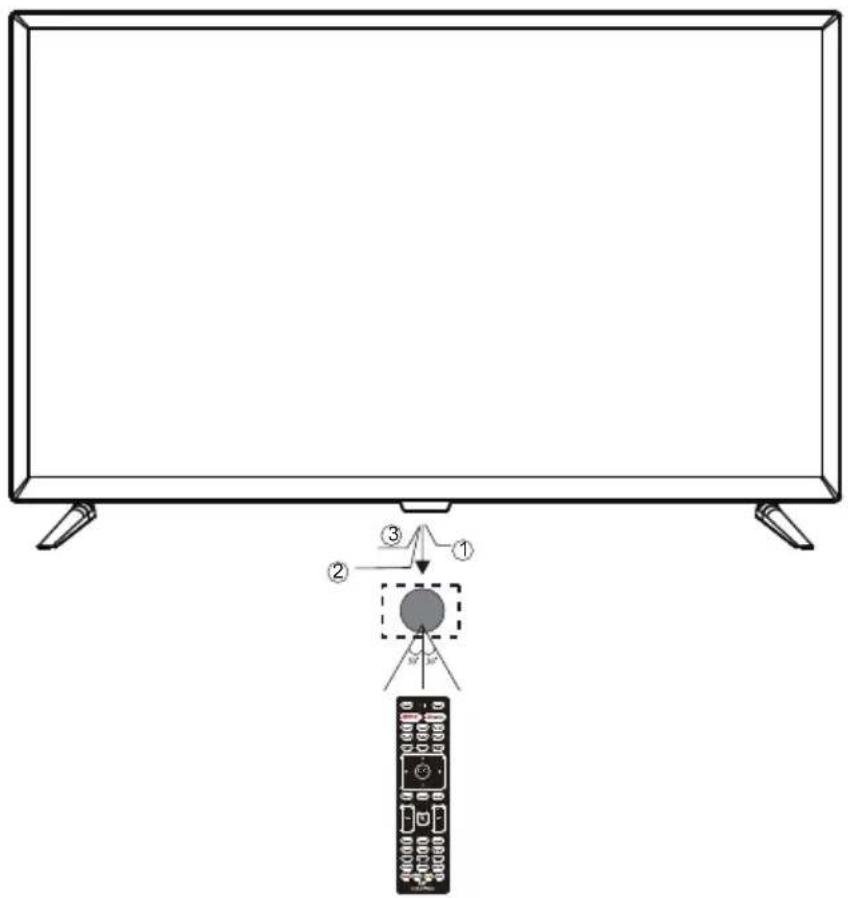
Front View
bottom View
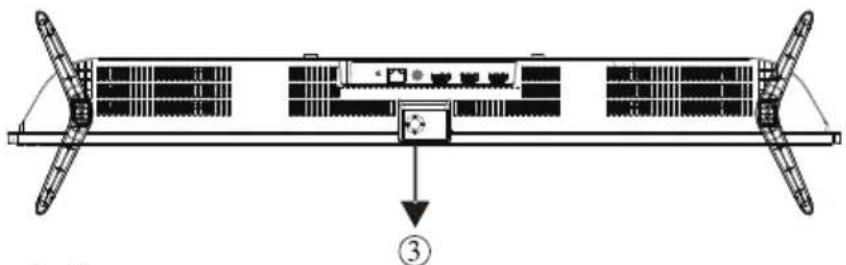
1: Remote control sensor.
2: Indicator LED: RED STANDBY.
3. " = "VOL- and move left
“ ”VOL+ and move right
"CH- and move down
^n CH+ and move up
-Short press to confirm or enter the menu
-Long press to Power off
Rear view of the TV set
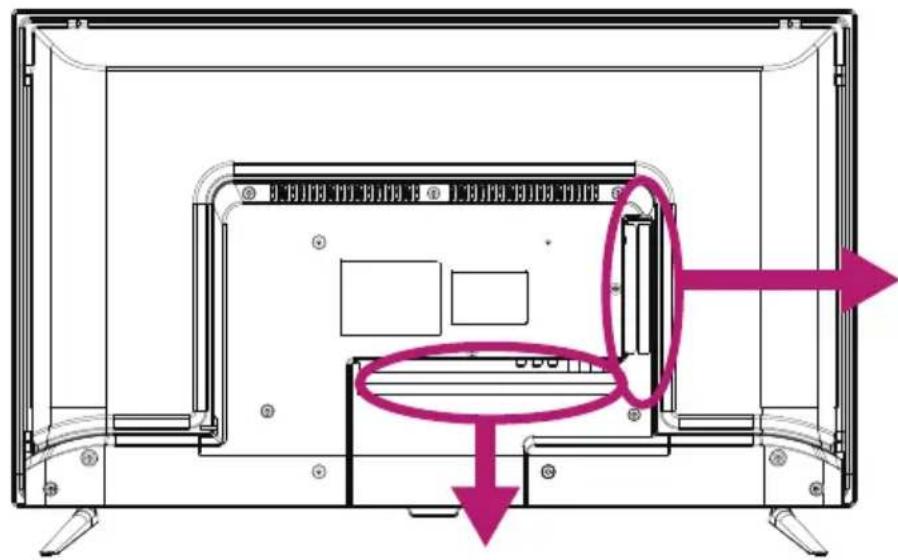
Black View
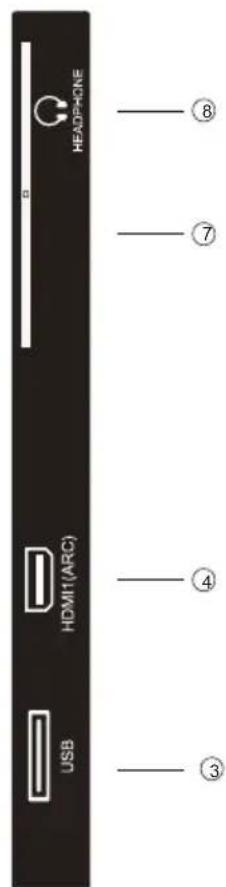
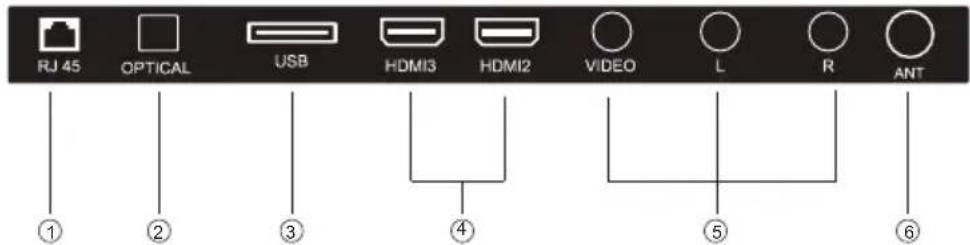
1.RJ 45
2.OPTICAL
3.USB INPUT
4.HDMI
5.AV IN.
6.ANT
7.CI slot.
8. Headphone output.
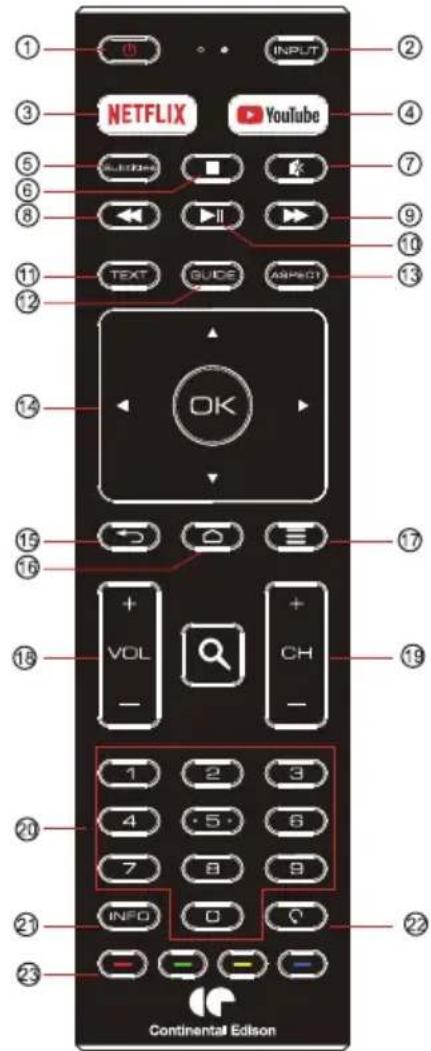
B.Remote control
- POWER: To set the TV to Standby or Power On modes
- INPUT: Open Input menu (TV, HDMI1, HDMI2, etc)
- Press to open NetflixLIX.
- Presauoppen the You Tube.
- Subtitle: To turn on subtitles in DTV mode
- (top): Press to stop multimedia playback
- To disable or enable the speaker sound output.
- (Reverse): Reverse Playback rapidly.
- (Forward): Advance playback rapidly.
- Play/Pause):Start playback or Pause playback.
11.TXT:Press to select the teletext mode
12.GUIDE: Press to display electronic programme
guide in TV mode
13.ASPECT: Press to change the picture aspect ratio.
14.ARROWS: Navigate on-screen menu,OK to confirm selection
15. RETURN: Return to previous menu
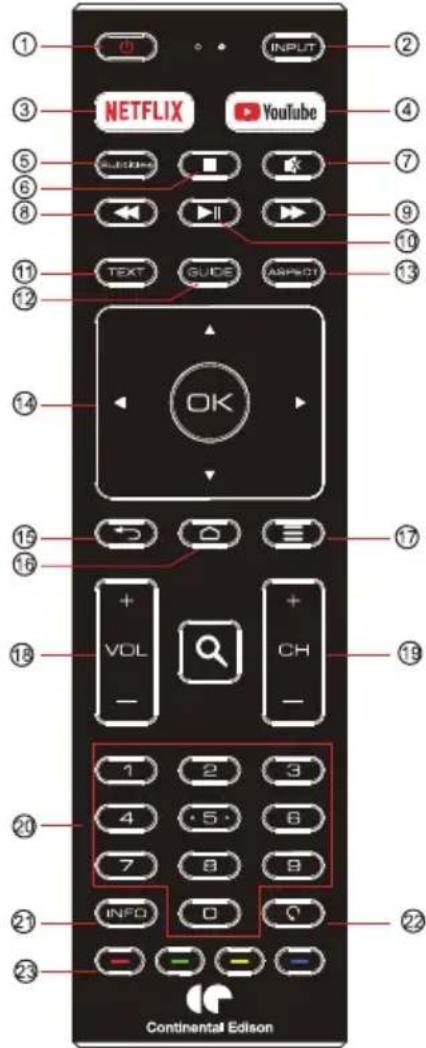
- : Press to open the Home Page.
- : Press to open or close the on-screen menu.
- VOL+/-: To adjust sound level
- CH+/CH- : To access the next or previous channels To access the next or previous Media pictures, videos, audios.
- NUMBER KEY: For direct access to channels
- INFO: Display channel information
- : Jumps to last viewed channel
- : Operations according to the prompt within menu or while watching TV.
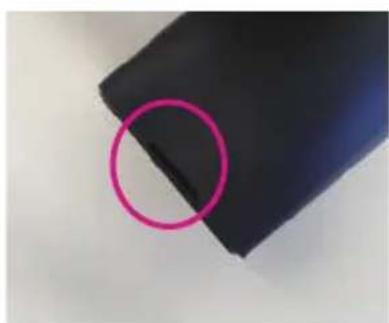
How to open back of remote control to replace batteries
- Look for the hole at the back side, bottom of the remote. Use this hole to place one thin tool to pop open the cover
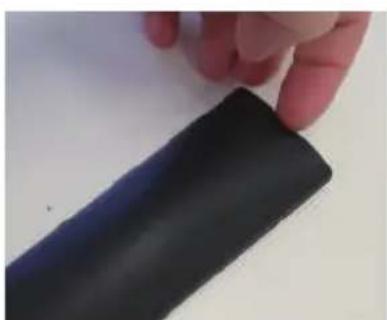
- Place/Replace the batteries making sure that the 2x AAA batteries (included) polarities (+/-) match the battery compartment polarities (+/-) .
- When closing the back cover, place the top side edge of the back cover in first, then the bottom side (where the opening hole is) when pushed in will click shut.

II.TECHNICAL SPECIFICATIONS
| Article number | CELED32SAHD23B7 |
| Model | MSDV326BY-66830 |
| Display | SMART TV LED 31.5 |
| Resolution | 1366x768 pixels |
| Colour display | 16,7M |
| Constraint | 3000 |
| Ratio | 16:9 |
| Tuner | DVB-T/T2/C |
| TV power supply | AC 1024 VQ5 6 Ω 0 z |
| Consumption | 48W |
| Dimensions | 735.8 x 179,7 x 474,9 mm |
| Weight | Approx. 5,2 kg |
| Stand | 2 piece dismountable |
| Operating temperature range | -5°C to 45 °C |
| Remote control power supply | 3V= (2 x LR03/AAA 1.5V batteries not included |
| USB ports voltage and current | 5V=5A 0 |
| Speaker | Built-in 2 x 8W |
| Inputs | HDMIx3, ANT, CI, USBx2, RJ45, AV IN |
| Outputs | Optical, Headphones |
| USB functions | Y |
| USB multimedia playback formats | Video:FLV,MKV,MPEG,MOV,AVI,H.264 |
| Music:MP3,MAV,M4A,AMR | |
| Photos:JPG,BMP,PNG,JPEG | |
| Text:TXT | |
| Frequency range | BT: 2402MHz-2480MHz wifi: 2400MHz-2483.5MHz |
| Max RF power output | <100mW |
These specifications are subject to change without notice.
The Adopted Trademarks HDMI, HDMI High-Definition Multimedia Interface, and the HDMI Logo are trademarks or registered trademarks of HDMI Licensing Administrator, Inc. in the United States and other countries.
ACCWSSORIES:
Stand 2piece
Remote control 1piece
Instruction manual 1piece
The image provided in this manual are for information only, refer to the actual product for confirmation.
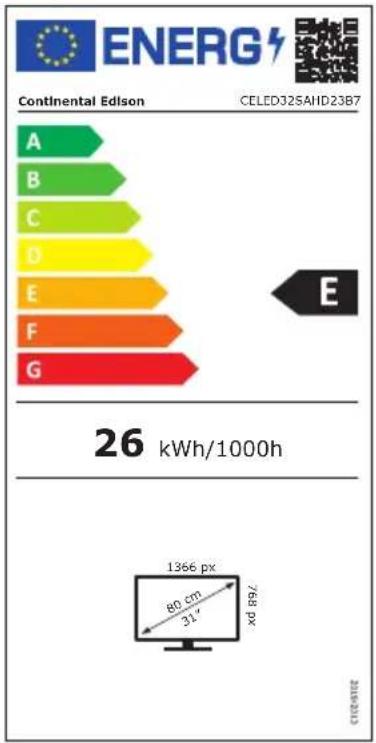
| ENERGY RATING LABEL | |
| Brand | CONTINENTAL EDISON |
| Article number | CELED32SAHD23B7 (MSDV326BY-66830) |
| Energy efficiency class | E+ |
| Visible diagonal display | 80 cm;31 inches |
| On mode power demand for standard dynamic Range(SDR) | 26kWh/1000 |
| Power consumption in standby mode (W) | <0.5W |
| Power consumption in off-mode W ) | 0W |
| Screen resolution(pixels) | 1366x768 |
https://eprel.ec.europa.eu/qr/1469009
III.INSTALLATION
A.Unpacking
Your TV should be unpacked and handled by 2 people, to avoid any risk of deformation or impact on the LED display.
Start by preparing a flat surface covered with a soft, thick fabric (a blanket, for example).
The prepared surface area must be larger than the size of the TV. This will allow the TV to be laid flat with the LED screen facing the floor.
Before removing the TV from its packaging, read the sections "Wall Mounting" and "Stand Legs Installation" to prepare yourself for the installation operation you have chosen.
Remove the TV from its packaging by lifting it vertically, then place the TV screen flat on the previously protected flat surface so that either the stand legs or a wall mounting bracket(not included) can be attached.

Packaging materials
-
The packaging cardboard is recyclable.
-
The materials marked with the symbol are recyclable.
-
PE<=polyethylene; >PS< = polystyrene; >PP< = polypropylene; ... This means that they can be recycled by disposing of them in appropriate collection containers.
-
Other packaging elements (adhesive, fasteners, etc.) should be disposed of with household waste.
For more information:www.quefairedemesdechets.fr
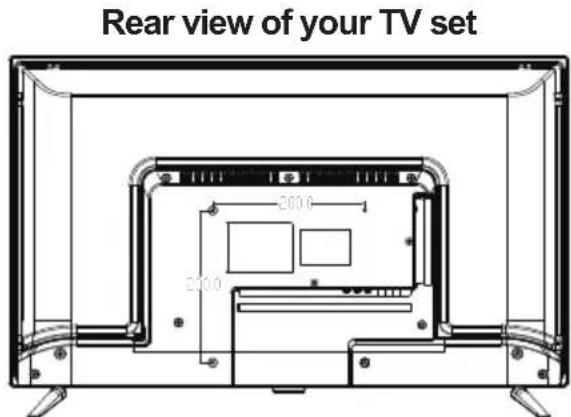
B. Wall mounting
- Contact a professional for assistance with the wall mounting of your TV set. We cannot be held liable for any damage or injury caused by the mounting of the TV set.
The TV must be mounted on a vertical wall. This TV is not intended for installation on a sloped wall.
- The TV must be turned off and disconnected from the power supply when you mount it to the wall. Failure to comply with these precautions may result in electric shock or electrocution.
The mounting bracket must correspond to the centre distances indicated below.
NOTE: The screws supplied are used for fixing the stand legs only. If you want to mount the TV on a wall, contact a professional to find out how to install a wall bracket.
C.Installing the stand legs
A Your TV set comes with uninstalled stand legs. Before using this TV as a free-standing unit on a furniture, install the stand legs as shown below.
Step 1
Place the TV flat, with the screen facing down, on a flat surface covered with a soft, thick cloth to prevent damage. The bottom edge of the TV should protrude slightly from the edge of the flat surface, to allow the stand legs to be fixed without damaging the LED display.
Step 2
Align the bottom of the TV with the stand legs until they are fully in place (aligned mounting holes).
Step 3
Tighten the supplied screws with a screwdriver.
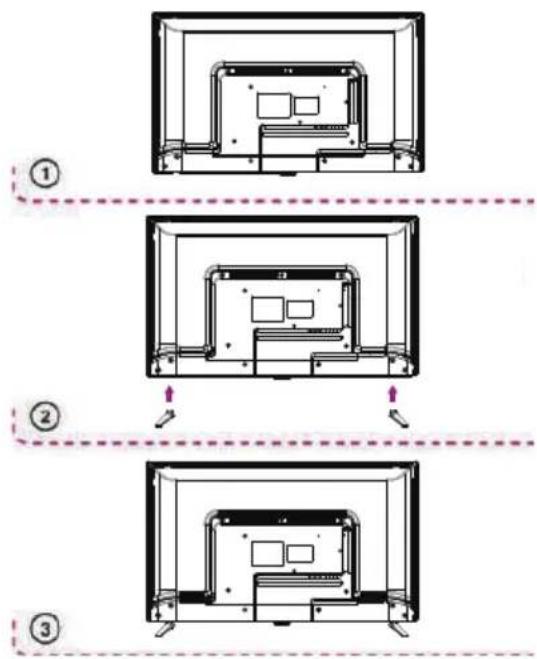
NOTE: unplug the TV from the AC outlet when installing or removing the TV legs. Contact one of our distributors to learn more about how to install and remove the TV legs.
D. Basic connections
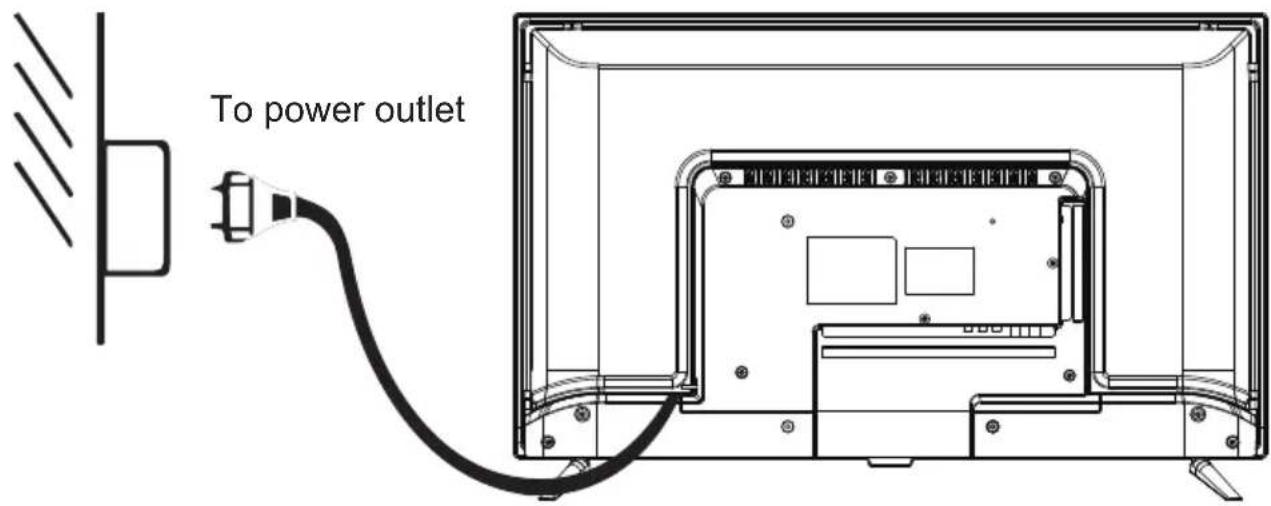
- Ensure all the cables are disconnected from the main unit before connecting to AC power source.
- Read through the instructions before connecting other equipments.
CONNECTING TO AC POWER SOURCE
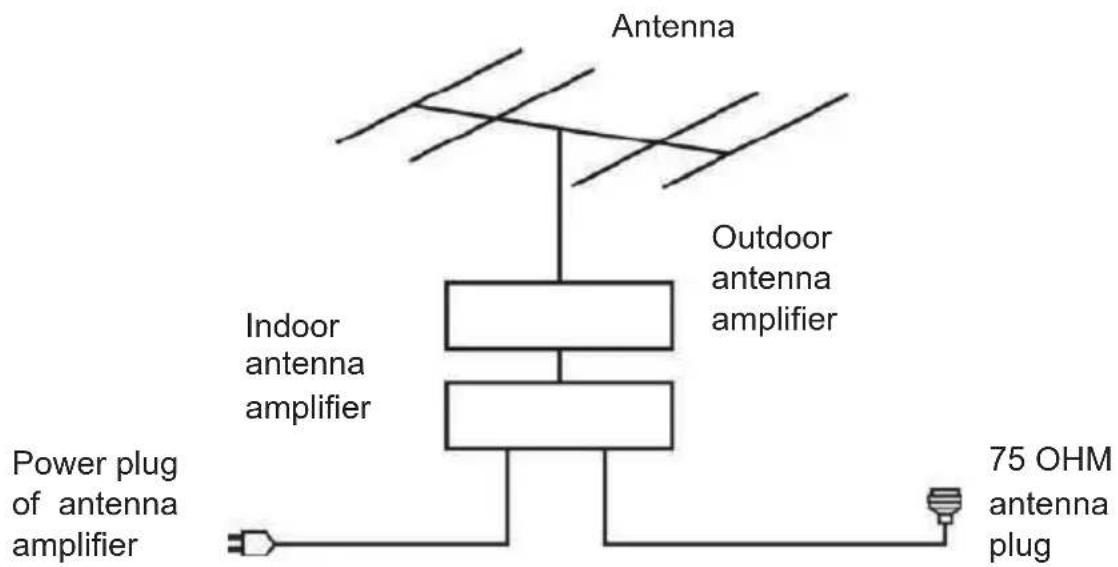
CONNECT EXTERNAL ANTENNA TO UNIT
Install external antenna into antenna jack for best picture.
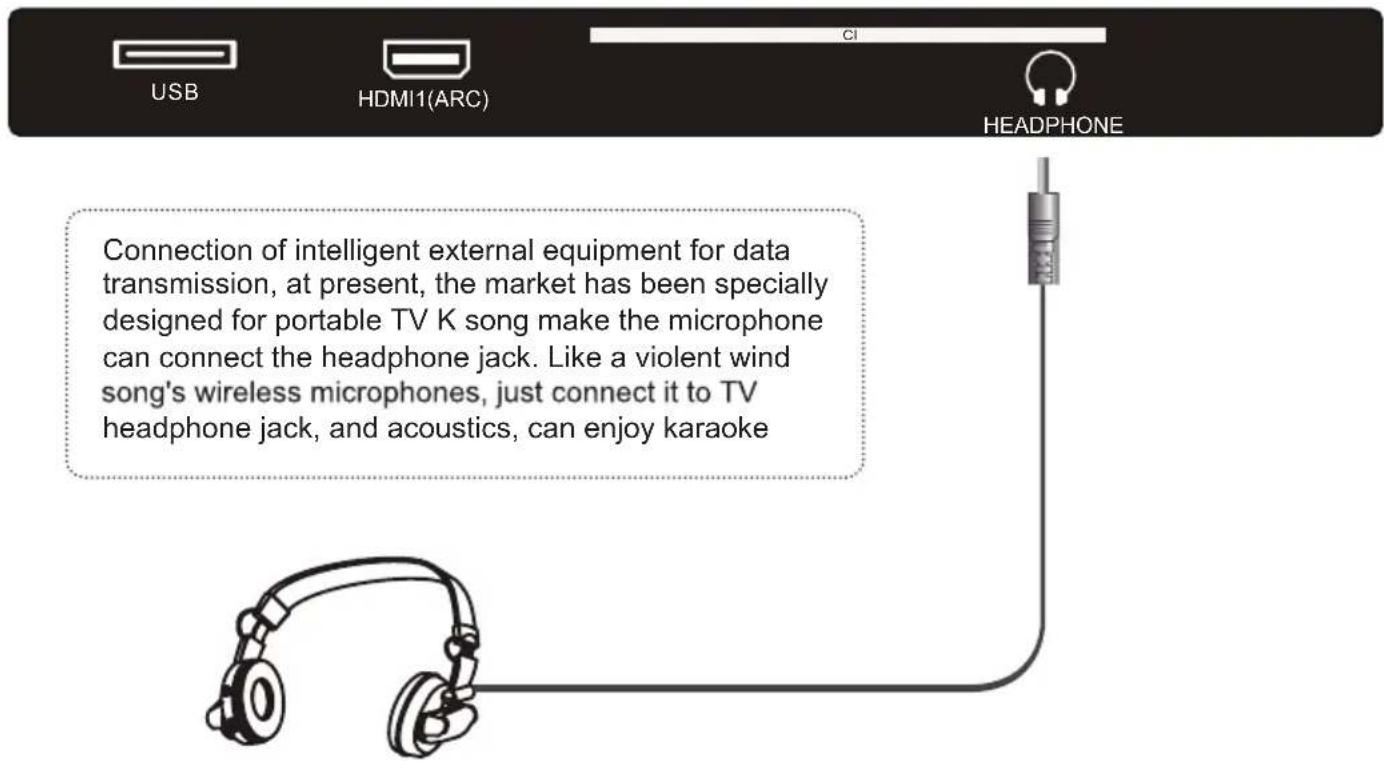
HEADPHONE
OPTICAL

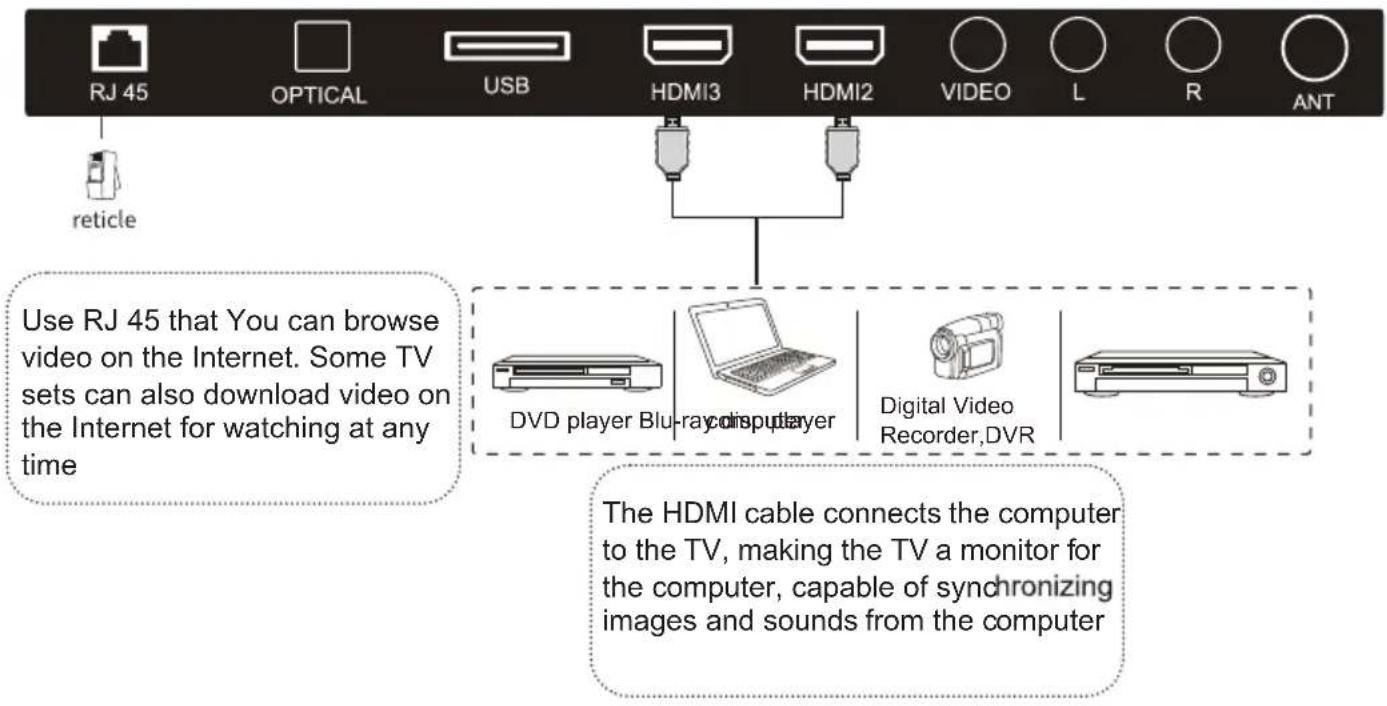
RJ 45 and HDMI
USB and ANT
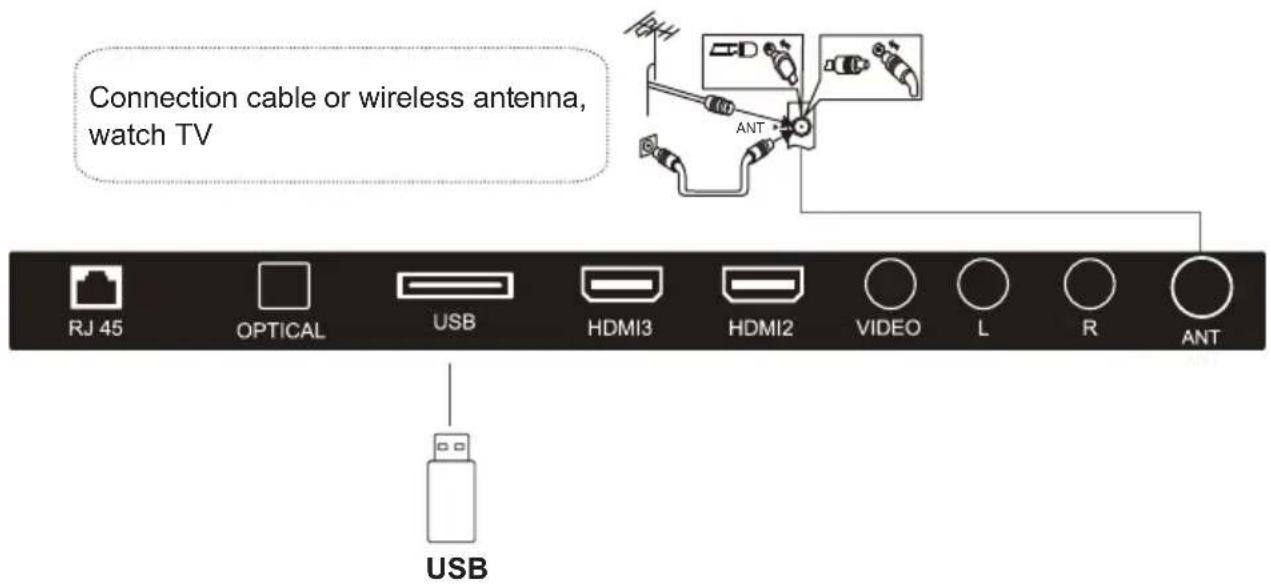
USB interface is used to and other USB devices (such as mobile hard disk, U disk, etc.), direct broadcast audio and video files in USB devices. Turn it also has a memory function, such as on a USB interface with the digital camera, another interface to connect mobile hard disk, you can easily move the photos from digital camera to hard disk.
IV. USE
INITIAL SETUP
The first you turn your TV, the setup wizard will guide you through setting up basic settings.
Please according to the text tip to first time setup.
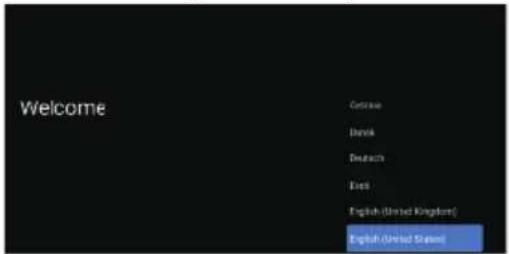
Press to select the system language and press OK to confirm the language.
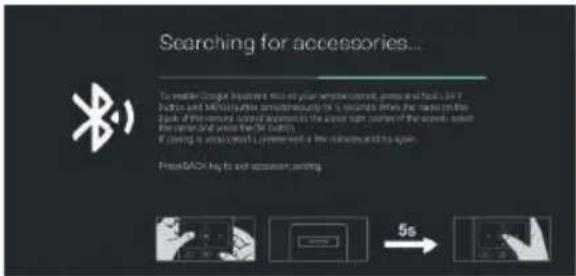
This function is used for the remote control pair code. After the code is successful, you can use the Bluetooth remote control to operate the TV. If you die to use the Bluetooth remote control, you can press the BACK button to skip this step.
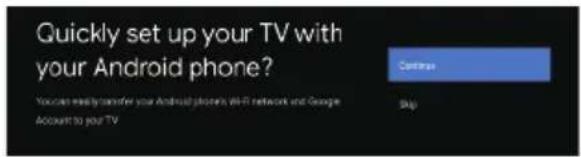
Connect your Android phone to your TV, select "Continue to continue the connection, and choose "Skip to skip this step.
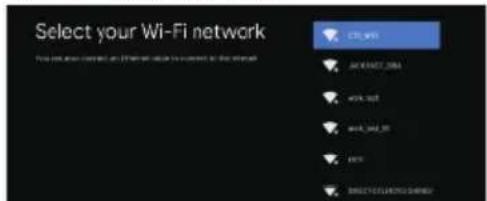
Press select the the Wifi to connect, press OK and enter the password to confirm the connection is successful. You can also try use Ethernet and skip select network.
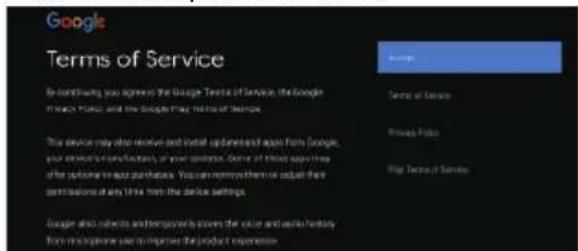
By accepting the Google Terms of Service to improve the product experience, select "Accept to accept this condition.
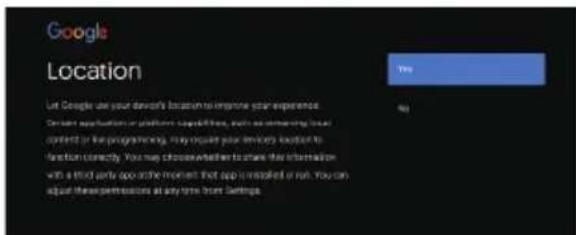
Agree to Google to get the location information of your device to get more features,choose YES to accept."
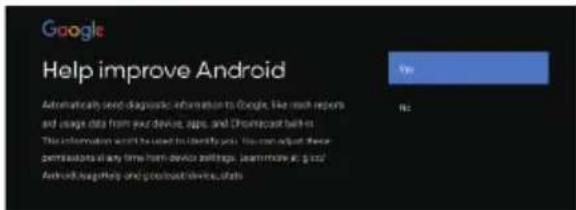
By agreeing to automatically send diagnostic information to Google to improve discriminative power, choose YES to accept.
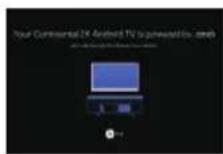
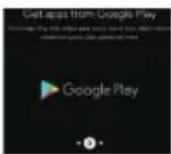
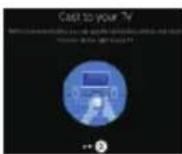
- Your device is powered by Android TV and press the button to select the browsing feature.
- You can get more apps from Google Play and press the button to go to the next screen.
- Transfer photos and other content to the TV via the built-in chromecast, press OK to complete the browsing.
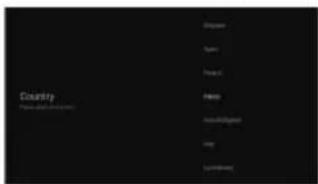
Press select the country of your device and press OK to confirm.
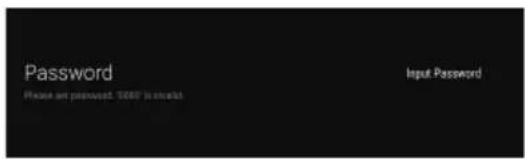
Used to set your device's password to ensure security and privacy.
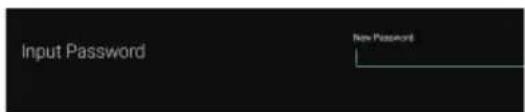
Press OK to pop up the soft keyboard, and use the remote control to enter the 4-digit password automatically jump to the next interface.
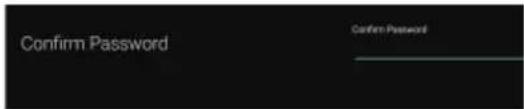
Confirm the password again and keep it consistent. Use the remote control to enter the password and complete the password confirmation.
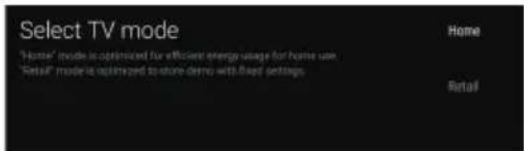
For selecting the mode, press key to select Home mode and press OK to confirm.
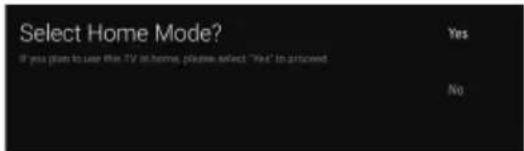
Confirm the selected mode again, select "Yes" to confirm the selected mode, and select "No" to return to the previous step.
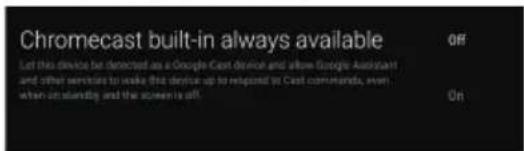
Let this device be detected as a Google Cast device and allow Google Assistant and other services to wake this device up to respond to Cast commands, even when on standby and the screen is off.
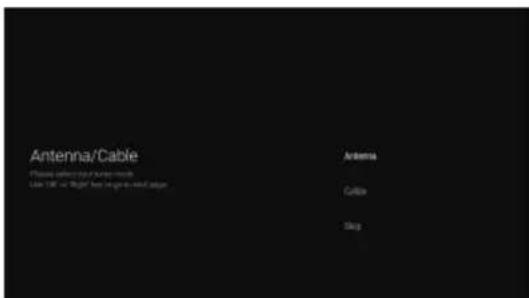
To select the Tuner mode for searching, press to select and press OK to confirm.
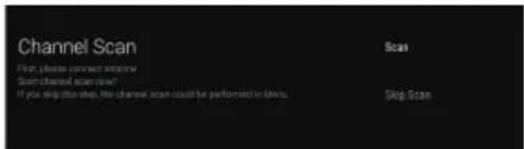
Press to select whether to search, select can to search, select "Skip Scan to skip the search.
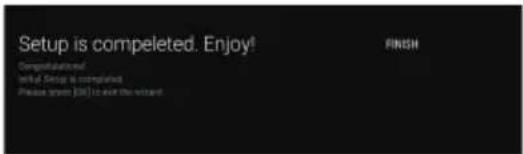
Pr to complete the setup.
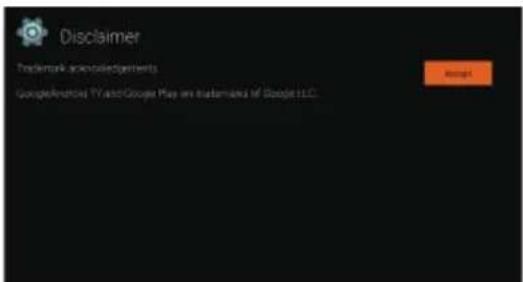
Press the OK button to agree to (Disclaimer). After setting is complete, You can watch TV.
HOME SCREEN
Press the HOME button to go to the home page
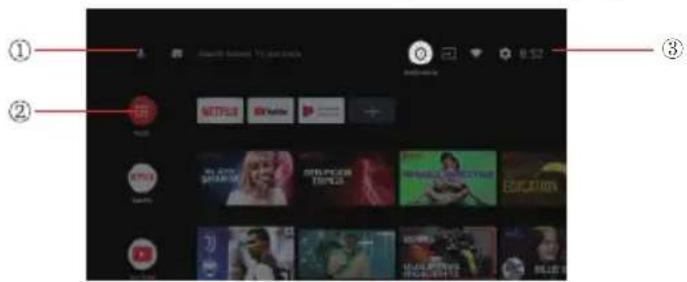
① open the google assistant start a voice search or use keyboard search
② Among the applications installed on the TV, the icons for the favourite applications are shown inside here.(Favourite applications can be added/deleted/ changed its order by users.)
- Apps: Click to jump to Apps screen where all the installed applications are listed.

Notification: Display the notifications.
Inputs: Icon to select an input source.
Network&Internet : Icon to Setup Network, Such as wifi.
Settings: Various settings can be configured here. For details on the settings, see the next explanation.
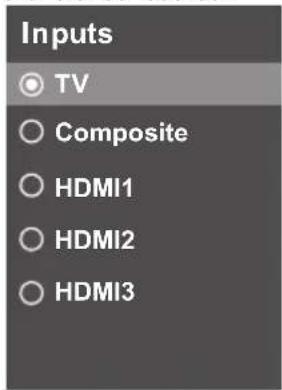
INPUT SOURCE
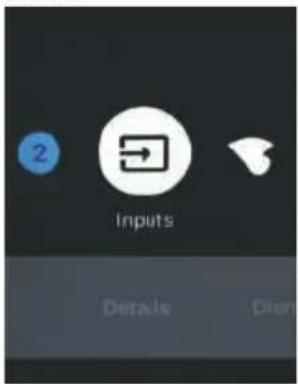
1.In the HOME interface,press to select the "Inputs" icon, press OK to open the input source list, then press up to highlight an input and press OK to switch.
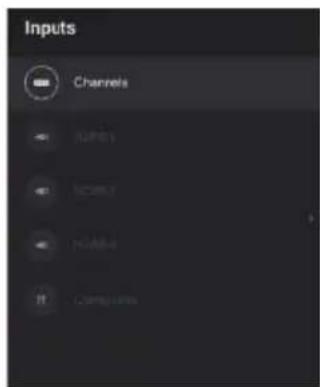
- Under Live TV, press the SOURCE button to display the list of input sources. You can select the desired source.
NAVIGATING THE ON-SCREEN MENU
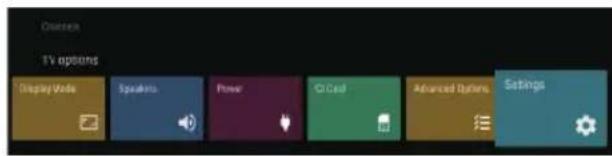
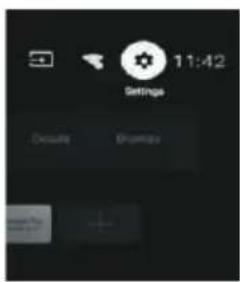
- There are two ways to enter. First, in Live TV, press the menu button to display TV options, press
select the settings menu and press OK to confirm. Second, in the HOME interface, press the key to select the icon of the circular settings menu, press OK to confirm.
- Press button to select what you want set.
- Press OK to enter setting.
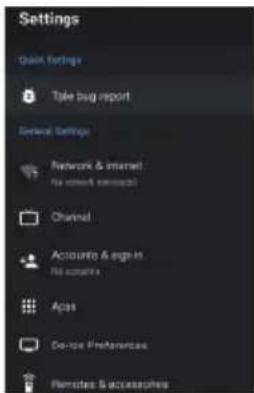
Press BACK to return to the previous menu. If the main menu is displayed, pressing BACK will close the onscreen menu.
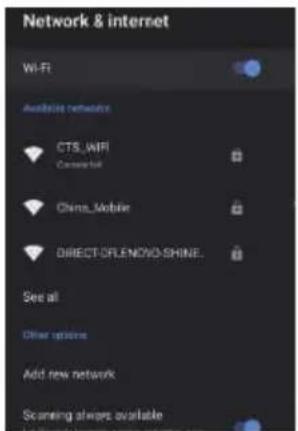
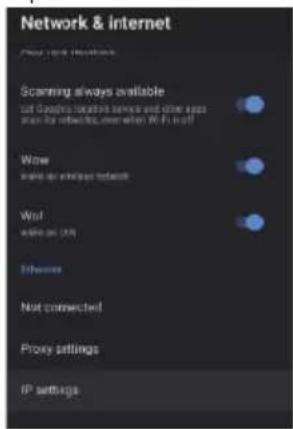
Networrk&Internet
- Press button to select what you want set.
- Press OK button to adjust.
- After finishing your adjustment, press OK button to save and return to the previous menu.
CHANNEL
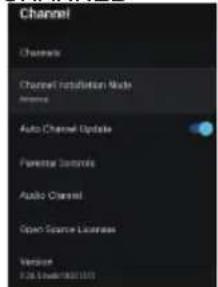
Channels:Display the scan sub- menu based on different Channel installation modes.
Channel installation mode:Select on-screen display channel sources. You can select the signal type.
- Antenna: Set the signal type to antenna. When set to Antenna, the TV can receive analog and digital (DVB-T/DVB-T2) broadcasting signals.
- Cable: Set the signal type to cable. When set to Cable, the TV can receive analog and QAM broadcasting signals.
Auto Channel Update
Parental controls: Press button to select the option then press OK button to enter the sub-menu. Audio Channel: Press button to select the option then press OK button to enter the sub-menu. Open source licenses: Press button to select the option then press OK button to enter the sub-menu.
Antenna
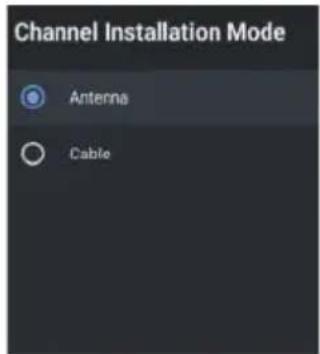
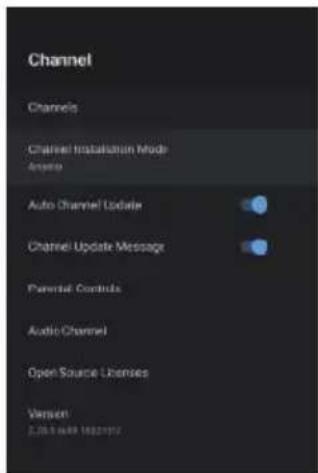
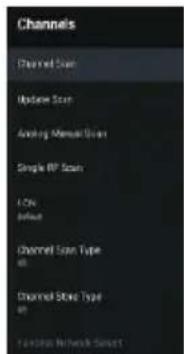
- Menu->Settings->Channel-> Channel Installation Mode enter, choose Antenna or Cable.
- Enter Menu->Settings-> Channel->Channels.
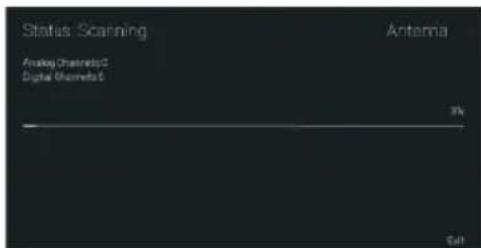
- Channel Scan directly enters the ATV + DTV automatic search platform interface of Antenna. Update Scan: Re-automatically search for frequency points outside the station.
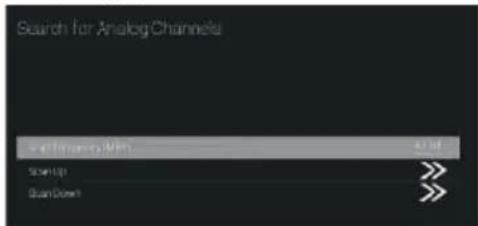
Analog Manual Scan: Manual ATV search station. After input the frequency point, you can select up or down search station.
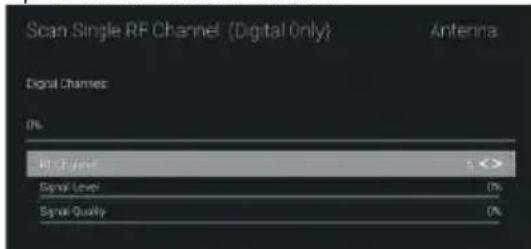
Single RF Scan: DTV manual search, left and right after selecting RF Channel, directly OK search.
Cable
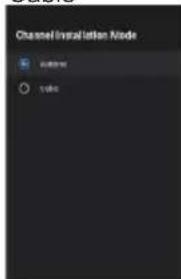
- Menu->Settings->Channel->Channel Installation Mode, select Cable.
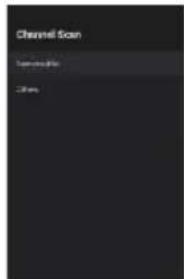
- Enter Menu->Settings->Channel->Channels.
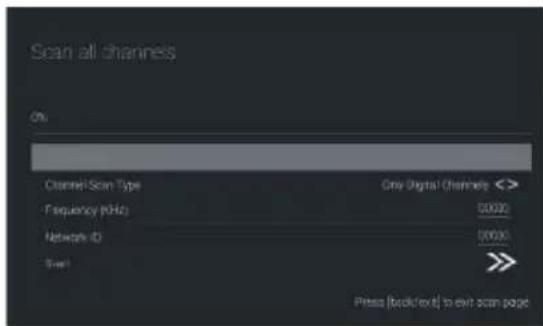
- Enter Channel Scan, where Numericable are the local operators, and the default Scan Mode is Advance; Others have Advance, Quick and Full Scan modes.
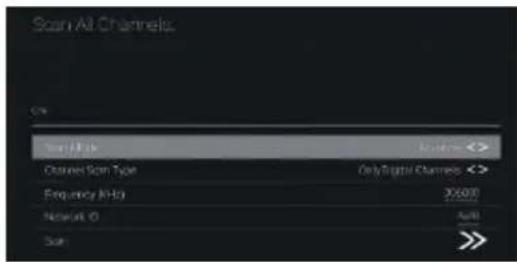
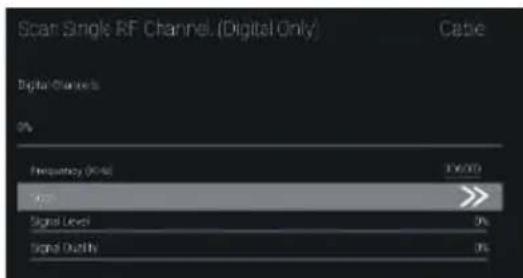
Single RF Scan : manual search station.
ACCOUNTS&SIGN IN
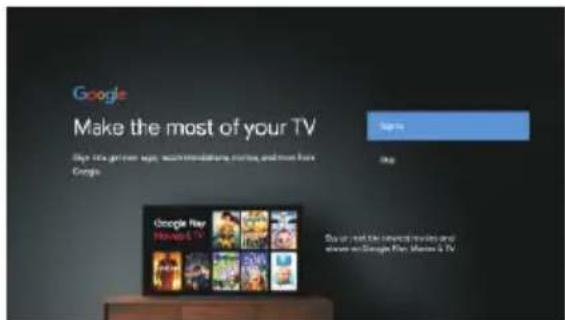
Press UP/DOWN button to select Sign in or Skip.
APPS
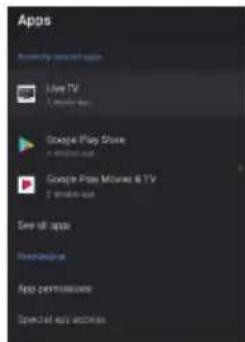
In this menu, you can set the APP permissions, and read the app lists.
-
Press button to select what you want set.
-
Press OK button to adjust.
3.After finishing your adjustment, Press BACK button to return to the previous menu.
DEVICE PREFERENCES
ABOUT
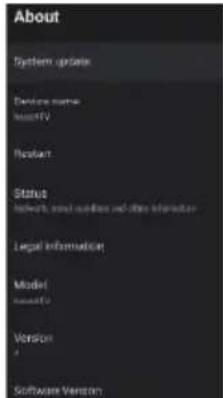
In this menu, you can read the information and settings of TV.
- Press button to select what you want set.
- Press OK button to adjust.
- After finishing your adjustment, Press BACK button to return to the previous menu.
DATE&TIME
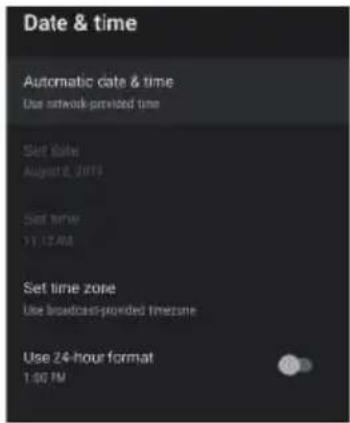
Automatic date&time - Press button to select the option then press OK button to enter the sub-menu. (Optional: Use network-provided time, Off)
Set date:Press button to select the option then press OK button to enter the sub-menu.
Set time:Press button to select the option then press OK button to enter the sub-menu.
Set time zone:Press button to select the option then press OK button to enter the sub-menu.
Use 24-hour format: Press button to select the option then press OK button to choose ON/OFF.
TIMER:
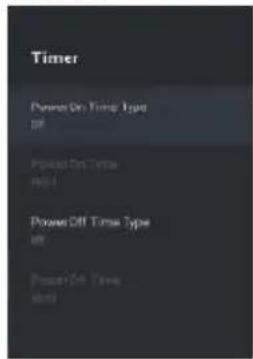
Power On Timer Type: Press button to select the option then press OK button to choose ONOFONCE.
Power On Timer :Press button to select the option then press OK button to enter the sub-menu.
Power Off Timer Type: Pres button to select the option then press OK button to choose ONOFONCE.
Power Off Timer :Press button to select the option then press OK button to enter the sub-menu.
LANGUAGE:
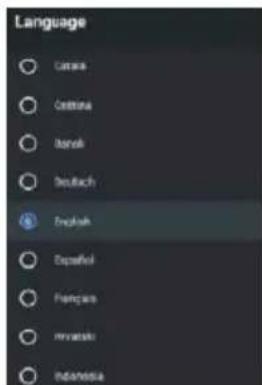
Language:Press button to select the option then press OK button to enter the select language.
KEYBOARD
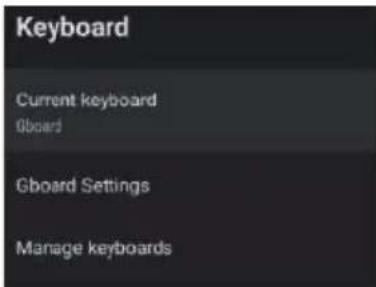
Current keyboard:Press button to select the option then press OK button to enter the sub-menu.
Gboard Settings:Press▲ button to select the option then press OK button to enter the sub-menu. Manage keyboards:Press▼▲ button to select the option then press OK button to enter the sub-menu.
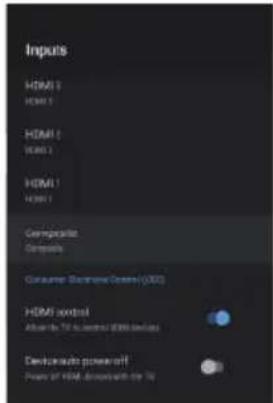
INPUTS
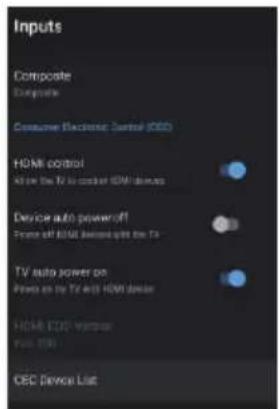
Input s:Press button to select the option then press OK button to enter the sub-menu. HDMI contro I:Press button to select the option then press OK button to choose ONOFF. Device auto power off:Press button to select the option then press OK button to choose ON F TV auto power on:Press button to select the option then press OK button to choose ONFF. HDMI EDID Version :show EDID version.
CEC Device List:Press button to select the option then press OK button to enter the sub-menu
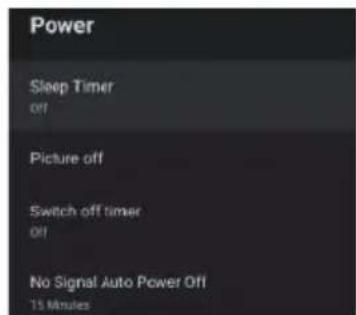
POWER
Sleep Timer: Pres button to select the option then press OK button to enter the sub-menu.(Optional: off, 10 minutes, 2 minutes, 3 minutes, 4 minutes, 5 minutes, 6 minutes, 9 minutes, 12 minutes).
Picture off:Press button to select the option then press OK button to turn off the TV.
Switch off timer:Press button to select the option then press OK button to enter sub-menu.(Optional:off, 30 minutes,6 minutes9 minutes12 minutes,15 minutes,18 minutes,21 minutes24 minutes). No signal Auto Power Off:Pre button to select the option then press OK button to enter sub-menu. (Optional:off,5minutes,1 minutes,15 minutes,3 minutes,6 minutes).
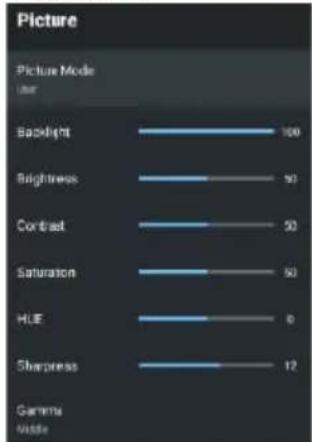
PICTURE
Picture Mode:Press button to select the option then press OK button to enter sub-menu.(Optional: user,Standard-, Vivid,Sport, Movie, Game, Energy saving).
Backlight /Brightness s/Contrast/Saturation/HUE/Sharpness:- Press button to select the option. Press to decrease the parameter. Press to increase the parameter.
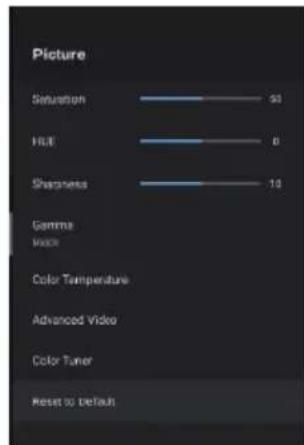
Gamma:Press button to select the option then press OK button to enter sub-menu.(Optional: Dark,middle,Bright).
Color Temperature:Press button to select the option then press OK button to enter sub-menu.
Advanced Video:Press button to select the option then press OK button to enterthe sub-menu.
Color Tuner:Press button to select the option then press OK button to enterthe sub-menu.
Reset to Default:Reset all settings to the factory defaults.
SOUND
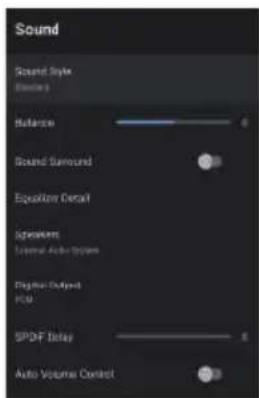
Sound style: Pres button to select the option then press OK button to enter the sub-menu. (Optional: user, Standard, Vivid, Sports, Movie, Music, News)
Balance Bass Treble: Press button to select the option. press to decrease the parameter. Press to increase the parameter.
Sound Surround: Pres button to select the option then press OK button to choose ON OFF.
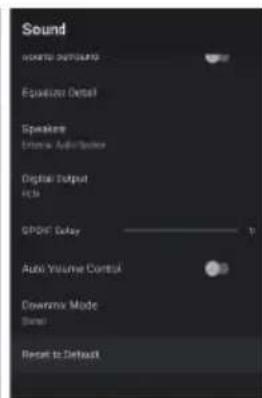
Equation Detail: Press button to select the option then press OK button to enter the sub-menu.
Speakers: Press button to select the option then press OK button to enter the sub-menu.(Optional: TV Speaker, External Audio System)
Digital Output: Pres按钮 to select the option then press OK button to enter the sub-menu.(Optional:
Auto, Bypass, PCM, Dolby Digital Plus, Dolby Digital) SPDIF Delay: Press▼▲ bRteasto select the option.
to decrease the parameter. Press to increase the parameter.
Auto Volume Control: Pres button to select the option then press OK button to choose ON/OFF.
Downmix Mode: Presy button to select the option then press OK button to enter the sub-menu. (Optional: Stereo, Surround)
Reset to Default: Reset all settings to the factory defaults.
STORAGE
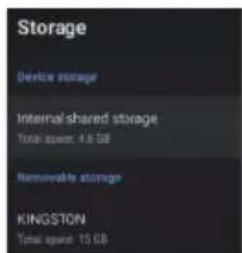
Internal shared storage: Press button to select the option then press OK button to enter the sub-menu.
Removeable Storage: Pres button to select the option then press OK button to enter the sub-menu.(Note: Show external devices if available)
HOME SCREEN
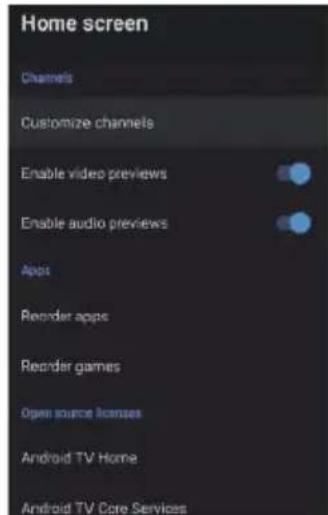
In this menu, you can set channels, apps, open source licenses.
- Press button to select what you want set.
- Press OK button to adjust.
- After finishing your adjustment, Press BACK button return to the previous menu.
RETAIL MODE
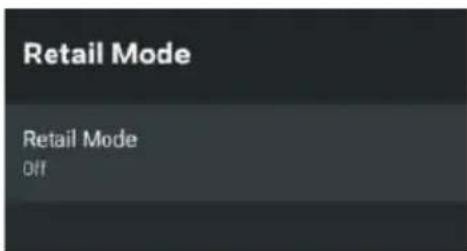
Retail mode: Presy button to select the option then press OK button to choose ON OFF.
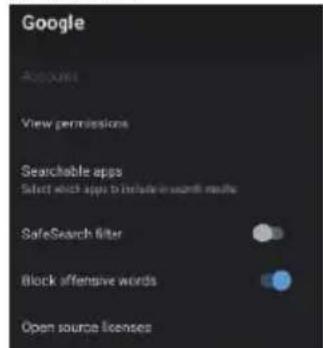
In this menu, you can set searchable apps,safe search filter, block offensive words, open source licenses.
- Press button to select what you want set.
- Press ok button to adjust.
- After finishing your adjustment, Press BACK button return to the previous menu.
CHROMECAST BUILT-IN
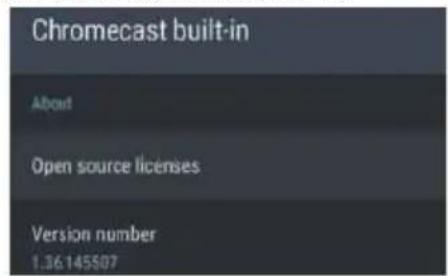
In this menu, you can read the information and settings of Chromecast.
- Press button to select what you want set.
- Press ok button to adjust.
- After finishing your adjustment, Press BACK button return to the previous menu.
SCREENSAVER
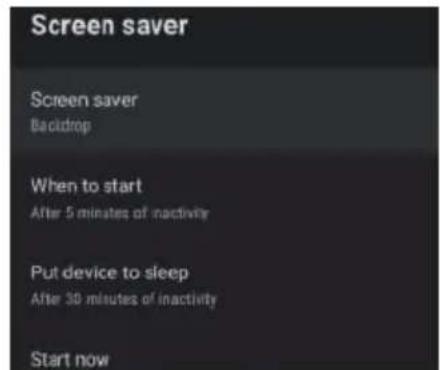
Screen saver: Press button to select the option then press OK button to enter the sub-menu.(Option Turn screen off, Backdrop, Colors).
When to Start: Press button to select the option then press OK button to enter the sub-menu.(Option 5 minutes,15 minutes,3 minutes,1 hour,2 hours).
Put device to sleep: Press button to select the option then press OK button to enter the sub-menu. (Optional: 3 minutes, 1 hour, 3 hours, 6 hours, 12 hours, Never).
Start now: Presy button to select the option then press OK button to enter screen saver. LOCATION
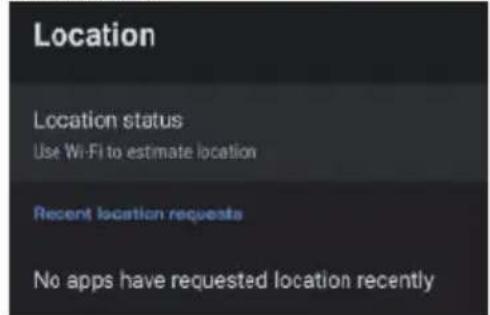
Location status: Press button to select the option then press OK button to enter the sub-menu. (Optional:Use Wi-Fi to estimate location, Off).
USAGE & DIAGNOSTICS
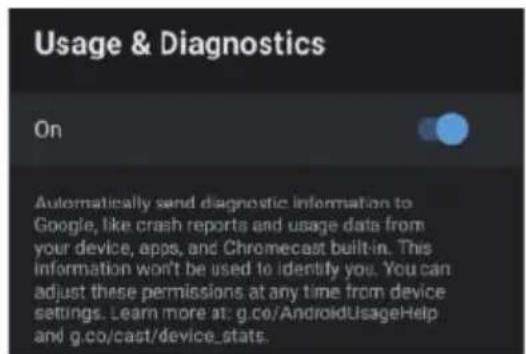
Usage & diagnostics:Press button to select the option then press OK button to choose ONOFF.
ACCESSIBILITY
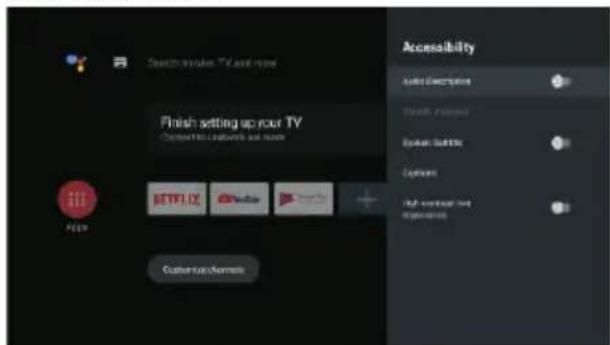
Audio Description: Press button to select the option then press OK button to choose ON OFF.
Visually Impaired: Press button to select the option then press OK button to enter the sub-menu.
Spoken Subtitle:Press button to select the option then press OK button to choose/ON OFF.
Captions: Press button to select the option then press OK button to enter the sub-menu.
High contrast text: Press button to select the option then press OK button to choose/ONF.
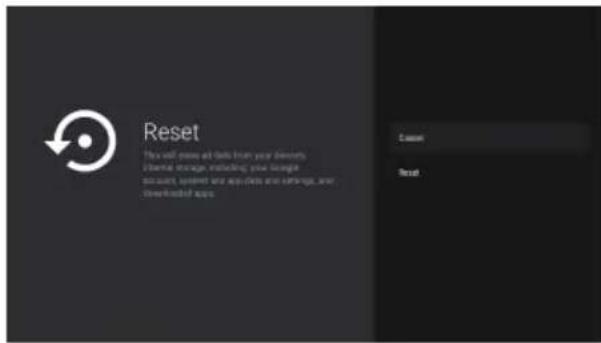
RESET
Press OK button to enter the sub- menu Reset-Erase everything.
REMOTE & ACCESSORIES
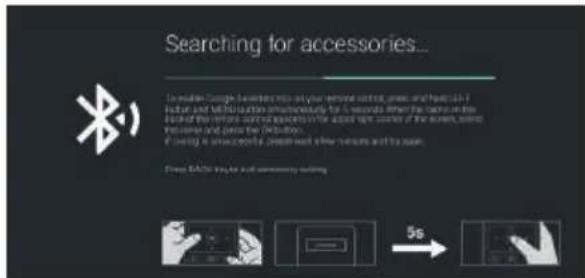
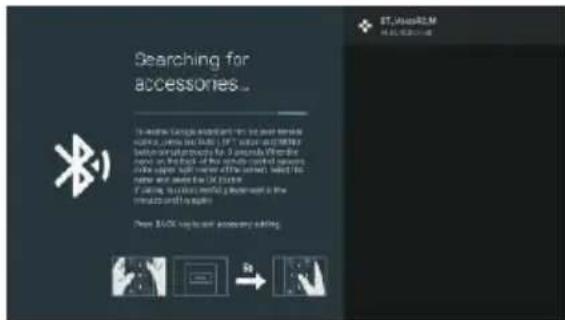
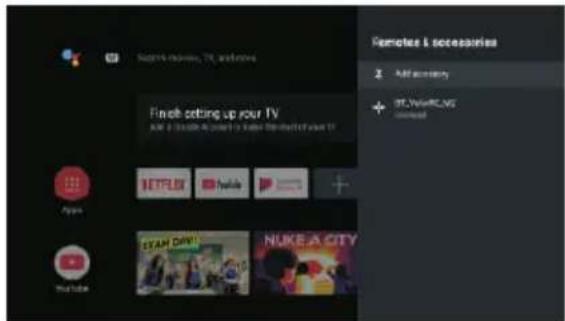
In this menu, you can pair Bluetooth devices.
- Press the "MENU" and "LEFT" buttons at the bottom of the remote control for 5 seconds.
2.When the LED starts to flash, release it. The remote controller will send the pairing signal to the TV and display the information of the remote control on the right side of the screen. - Press the OK button to display the pairing.If the paired is displayed, the connection is successful.
4.If the couldn't papipears, the connection fails.Wait 6 seconds and then press the "MENU" and "LEFT" buttons at the bottom of the remote control for 5 seconds repeat the previous steps - Press BACK button return to the previous menu.
MULTIMEDIA PLAYER
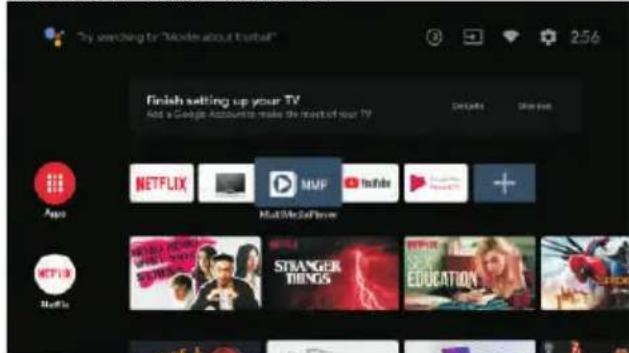
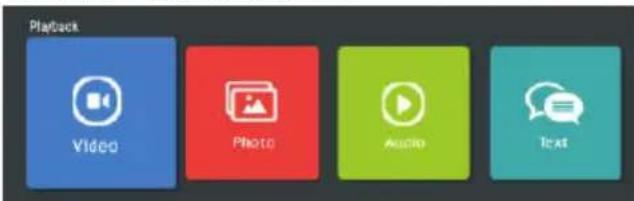
In the HOME interface, select the MMP APP to display Video,Photo,Audio,Text.After inserting the USB flash drive, you can view the corresponding files in the USB flash drive.
NOTE:
The menu may be different depending on when you purchased the TV.
V.MAINTENANCE AND CLEANING
Before servicing your TV, make sure it is turned off and the Power cable is disconnected.
Wipe the TV with a soft, dry cloth.
- If the surface is very dirty, wipe it with a soft cloth slightly soaked in water. Then wipe again with a dry, soft cloth.
- Never insert objects or liquids into the ventilation openings of your TV. This could damage it, or even cause a short circuit or risk of electric shock.
Never use alcohol, benzene, solvents or other chemicals. Do not compressed air to remove dust.
VI.TROUBLESHOOTING TIPS
Some malfunction can be easily resolved. Before calling on the service department or a repair technician, consult the following information:
| Symptoms Solutions | |
| The TV does not tum on. | ·Check the connection of the power supply cord. ·Carefully connect the power cord to another power outlet. |
| No picture or picture of poor quality. Picture is not displayed in full screen. | ·Make sure that the equipment is properly connected, especially the ANT antenna or cable from the source used. ·Try another channel. ·Check and adjust the image size option. ·Adjust the antenna or use another antenna. ·Check the contrast and brightness settings. ·Keep the TV away from potential sources of electromagnetic or radio interference. ·Perform a new automatic channel search. |
| No sound, Its distorted, Poor sound quality. | ·Adjust the volume using the VOL+NOL-keys. ·Press the MUTE button to cancel the mute/ mute mode. ·Disconnect the headphones. ·If audio equipment is connected, make sure it is properly connected. ·Check that the TV and stereo equipment is properly configured. Check the audio setting. |
| Noise or other type of interference. | Electronic equipment adjacent to the unit creates interference. ·Check the connections of the equipment cables. ·Move the TV or equipment concerned. |
| The remote control does not work. | ·Use the remote control at a distance of less than 6m. ·Remove any potential obstacles between the remote control and the IR receiver of the TV. ·Clean the lens of the remote control. ·Make sure the batteries are properly installed. ·The batteries may be dead. Replace them. Try again by pointing the remote control at the infrared receiver on the TV. |
| The buttons do not work (TV or remote control). | ·Disconnects the power cord and then carefully reconnect it (the TV may fail due to a storm, static electricity, etc.). |
| Symptoms (continued) Solutions | continued) |
| Only some channels are available. | ·Check that your area is covered by the DTV broadcast. ·Check if channels are not blocked by the "Block program" settings. ·Checks to be performed in case of poor image quality. |
| The USB stick does not work. | ·Check the USB connection. ·The USB stick is not formatted. ·Make sure that the USB stick is compatible and that multimedia data formats can be played back. |
| The TV turns itself off. | ·Check if the "Sleep Timer", "Auto Standby" settings are not activated in the Time menu. ·If the TV is used as a PC monitor, check the PCs power and standby settings. |
| Color dots appear on the screen. | ·Although the LED display is manufactured with high-precision technology, black or colored dots (red, blue or green) may appear: this is a structural property of the display and not a malfunction. |
VII. WARRANTY
The warranty does not cover product wear parts, problem or damage resulting from:
- Surface damage due to normal product wear and tear;
- Defects or damage due to contact of the product with food or liquids and due to corrosion caused by rust;
- Any incident, misapplication, misuse, alteration, disassembly or unauthorized repair;
- Any improper maintenance operation, use not in accordance with the instructions concerning the product or connection to an incorrect voltage;
- Any use of accessories not supplied or approved by CONTINENTAL EDISON.
The warranty will be cancelled if the nameplate and/or product serial number is removed.
VII. DISPOSAL
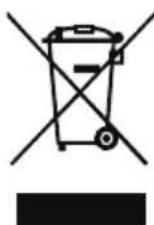
This logo on the product means that it is an appliance whose treatment as waste falls within the framework of the European Directive 2012/19/EU on Waste Electrical and Electronic Equipment (WEEE), which requires that used rate and recycling of the materials they contain, and reduce the impact on the environment and human health.
Thus, at the end of the life of this device, It must not be disposed of with unsorted household waste.
It must be disposed of in the return and collection systems made available to you by local authorities (waste collection centres ) and distributors.
As an end consumer, your role is essential in the reuse, recycling and other forms of recovery cycle of this Electrical and Electronic Equipment.
You are required to use the selective collection systems available to you.
Continental Edison: 120-126, Quai de Bacalan - CS 11584 - 33067
Bordeaux CEDEX

Continental Edison
4031Q326B37
www.continentaldison.fr

CELED32SAHD23B7_IM_EN_022023_V1

- I.DESCRIPTION DU PRODUIT
- IMPORTANT WARNINGS AND SAFETY ADVICE
- CAUTION: -TO REDUCE THE RISK OF FIRE, ELECTRIC SHOCK OR SERIOUS INJURY:
- CAUTION:TO AVOID RISK OF INJURY OR DAMAGE TO THE PRODUCT OR OTHER EQUIPMENT:
- CAUTION:TO AVOID EYE HAZARDS:
- USE AND HANDLING OF BATTERIES:
- CONTENTS
- DESCRIPTION OF THE UNIT
- Rear view of the TV set
- B.Remote control
- II.TECHNICAL SPECIFICATIONS
- ACCWSSORIES:
- III.INSTALLATION
- A.Unpacking
- Wall mounting
- C.Installing the stand legs
- Step 1
- Step 2
- Step 3
- Basic connections
- CONNECTING TO AC POWER SOURCE
- CONNECT EXTERNAL ANTENNA TO UNIT
- HEADPHONE
- OPTICAL
- RJ 45 and HDMI
- USB and ANT
- USE
- INITIAL SETUP
- HOME SCREEN
- INPUT SOURCE
- NAVIGATING THE ON-SCREEN MENU
- CHANNEL
- Auto Channel Update
- Antenna
- Cable
- ACCOUNTS&SIGN IN
- APPS
- DEVICE PREFERENCES
- ABOUT
- DATE&TIME
- TIMER:
- LANGUAGE:
- KEYBOARD
- SOUND
- STORAGE
- RETAIL MODE
- CHROMECAST BUILT-IN
- SCREENSAVER
- USAGE & DIAGNOSTICS
- ACCESSIBILITY
- RESET
- REMOTE & ACCESSORIES
- MULTIMEDIA PLAYER
- NOTE:
- V.MAINTENANCE AND CLEANING
- VI.TROUBLESHOOTING TIPS
- WARRANTY
- DISPOSAL
- Continental Edison
Brand : CONTINENTAL EDISON
Model : CELED32SAHD23B7
Category : Television