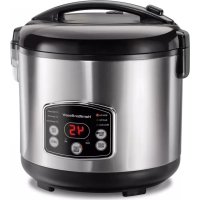
Digital Simplicity 37548 - Rice cooker HAMILTON BEACH - Free user manual and instructions
Find the device manual for free Digital Simplicity 37548 HAMILTON BEACH in PDF.


| Product Type | Digital Rice Cooker with Steam Function |
| Brand and Model | Hamilton Beach Digital Simplicity 37548 |
| Maximum Capacity | 7 cups uncooked rice (provided measuring cup), approximately 1.24 L of rice, with water up to the "7" line |
| Dimensions (approx.) | 30 × 25 × 25 cm |
| Weight (approx.) | 2.5 kg |
| Power Supply | 120 V ~ 60 Hz |
| Power (estimated) | 600 W |
| Cooking Pot Material | Metal with nonstick coating, removable |
| Main Functions | White rice, quick rice, whole grains, hot cereals, steam cooking, heat/simmer, automatic keep warm, delay timer (up to 15 h) |
| Accessories Included | Removable cooking pot, steaming basket, 6 oz (177 ml) rice measuring cup, rice paddle, condensation collector |
| Care and Cleaning | Pot and basket hand washable; lid ring is removable and hand washable; do not immerse base; do not use dishwasher "SANI" cycle |
| Safety | Automatic shut-off after 12 h in keep warm mode; overheat protection; polarized plug; hot surfaces marked |
| Spare Parts and Repairability | Replaceable cooking pot (contact customer service); parts available via manufacturer |
| Warranty | 5 years in Canada, 1 year in USA (material and workmanship defects) |
| General Information | Household use only; do not use outdoors; compatible with appropriate extension cords |
Frequently Asked Questions - Digital Simplicity 37548 HAMILTON BEACH
User questions about Digital Simplicity 37548 HAMILTON BEACH
0 question about this device. Answer the ones you know or ask your own.
Ask a new question about this device
Download the instructions for your Rice cooker in PDF format for free! Find your manual Digital Simplicity 37548 - HAMILTON BEACH and take your electronic device back in hand. On this page are published all the documents necessary for the use of your device. Digital Simplicity 37548 by HAMILTON BEACH.
USER MANUAL Digital Simplicity 37548 HAMILTON BEACH
Visit www.hamiltonbeach.com for our complete line of products and Use and Care Guides – as well as delicious recipes, tips, and to register your product online!
Questions? Please call us – our friendly associates are ready to help. USA: 1.800.851.8900
Digital Simplicity™ Rice Cooker & Food Steamer
2–14 Cup Food Capacity
When using electrical appliances, basic safety precautions should always be followed to reduce the risk of fire, electric shock, and/or injury to persons, including the following:
- Read all instructions.
- This appliance is not intended for use by persons (including children) with reduced physical, sensory, or mental capabilities, or lack of experience and knowledge, unless they are closely supervised and instructed concerning use of the appliance by a person responsible for their safety.
- Close supervision is necessary when any appliance is used by or near children. Children should be supervised to ensure that they do not play with the appliance.
- Do not touch hot surfaces. Use handles or knobs. Use pot holders when removing hot containers.
- To protect against a risk of electrical shock, do not immerse cord, plug, or base in water or other liquid.
- Unplug from outlet when not in use. Unplug and allow to cool before putting on or taking off parts, and before cleaning.
- Do not operate any appliance with a damaged supply cord or plug, or after the appliance malfunctions or has been dropped or damaged in any manner. Supply cord replacement and repairs must be conducted by the manufacturer, its service agent, or similarly qualified persons in order to avoid a hazard. Call the
provided customer service number for information on examination, repair, or adjustment.
-
The use of accessory attachments not recommended by the appliance manufacturer may cause injuries.
-
Do not use outdoors.
-
Do not let cord hang over edge of table or counter or touch hot surfaces, including the stove.
-
Do not place on or near a hot gas or an electric burner, or in a heated oven.
-
Extreme caution must be used when moving an appliance containing hot oil, food, water, or other hot liquids.
-
To disconnect, press CANCEL (O); then remove plug from wall outlet.
-
Do not use appliance for other than intended use.
-
Lift and open cover carefully to avoid scalding, and allow water to drip into the cooker.
-
CAUTION: Risk of electric shock. Cook only in removable container.
- Do not place the unit directly under cabinets when operating as this product produces large amounts of steam. Avoid reaching over the product when operating.
SAVE THESE INSTRUCTIONS!
Other Consumer Safety Information
This appliance is intended for household use only.
WARNING Electrical Shock Hazard: This appliance is provided with a polarized plug (one wide blade) to reduce the risk of electric shock. The plug fits only one way into a polarized outlet. Do not defeat the safety purpose of the plug by modifying the plug in any way or by using an adapter. If the plug does not fit fully into the outlet, reverse the plug. If it still does not fit, have an electrician replace the outlet.
The length of the cord used on this appliance was selected to reduce the hazards of becoming tangled in or tripping over a longer cord. If a longer cord is necessary, an approved extension cord may be used. The electrical rating of the extension cord must be equal to or greater than the rating of the appliance. Care must be taken to arrange the extension cord so that it will not drape over the countertop or tabletop where it can be pulled on by children or accidentally tripped over.
To avoid an electrical circuit overload, do not use another high-wattage appliance on the same circuit with this appliance.
Parts and Features
*To order parts:
US: 1.800.851.8900
www.hamiltonbeach.com
Canada: 1.800.267.2826
Mexico: 01 800 71 16 100
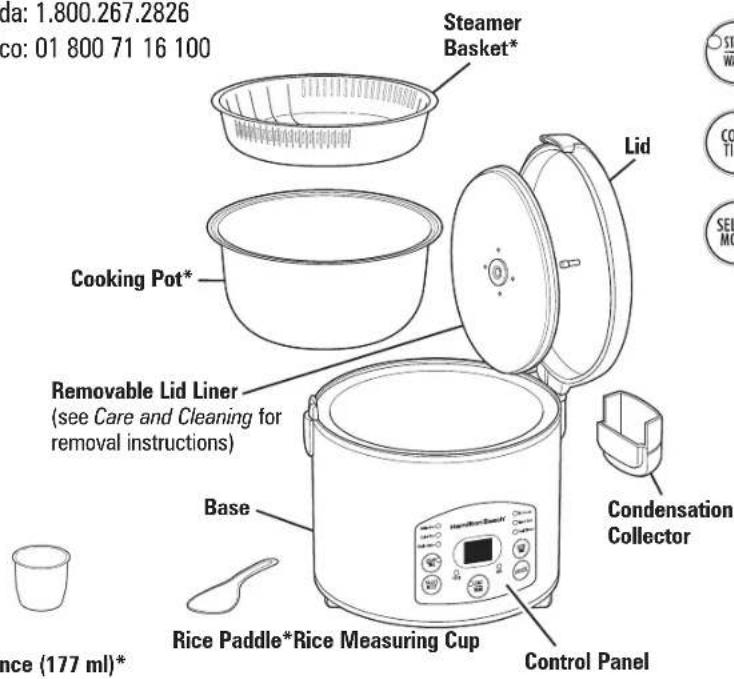

Use to delay the start time (up to 15 hours) for any function EXCEPT START/WARM.

Press to turn the cooker off.

Press START/WARM to start cooking. Unit automatically shifts to WARM function after every function EXCEPT STEAM COOK.

Use to set cooking time for STEAM COOK and HEAT/SIMMER modes only.

Use to select rice or cooking type.
WHITE RICE: Use to cook white rice for a preprogrammed cook time.
QUICK RICE: Use to cook rice faster. This program eliminates the rice soak cycle for a preprogrammed cook time.
WHOLE GRAIN: Use to cook brown rice or other grains (any other than white rice) for a preprogrammed cook time.
HOT CEREALS: Use to cook all types of hot cereals, oats, or grits. This function will heat and then simmer for the selected period of time.
STEAM COOK: Use to steam food for a selected steam time. Steaming time can be set from 0 (to just boil water) to 30 minutes.
HEAT/SIMMER: Use with prepackaged rice mixes, soups, stews, beans, hot cereal or any other food that requires a heat and then simmer. This function will heat and then simmer for the selected period of time.
How to Cook Rice
⚠ WARNING Electrical Shock Hazard. Cook only in removable cooking pot. Never place water or food directly into the base.
BEFORE FIRST USE: Wash cooking pot following Care and Cleaning instructions; dry thoroughly.
RICE MEASURING CUP INFORMATION
NOTE: Do not throw away the rice measuring cup that comes with your unit. This is an important tool in using your rice cooker successfully and its size is standard in the rice industry. One rice measuring cup equals 6 oz. (177 ml) or approximately 3/4 cup U.S. standard measuring cup.
natural_image
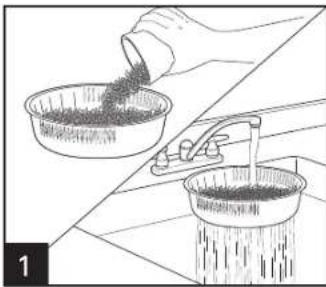
Illustration showing a hand pouring granular material into a bowl and a drain, with no visible text or symbols.Measure rice with rice measuring cup. Add the desired amount of measured uncooked rice to steam basket. Do not fill above side vents to prevent rice from falling through while rinsing. Place basket under a slow-flowing faucet and rinse. Add drained rice to cooking pot. Repeat rinsing with any remaining rice.
natural_image
Line drawing of a hand pouring liquid into a bowl filled with granular material (no text or symbols)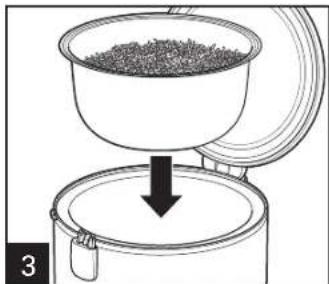
natural_image
Diagram of a container being filled with granular material, showing a downward arrow indicating process (no text or symbols)
natural_image
Diagram showing a container being filled with granular material, with a downward arrow indicating process (no text or symbols)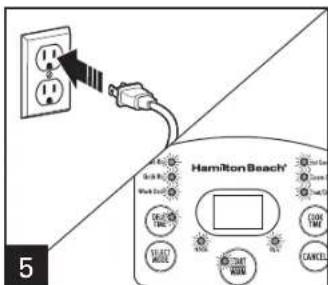
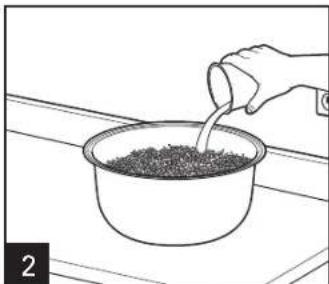
Fill with water to corresponding water line. Example: If you add 3 level rice cups of rice to the cooking pot, add water to the "3" line of the cooking pot. DO NOT exceed 7-cup MAX fill line.
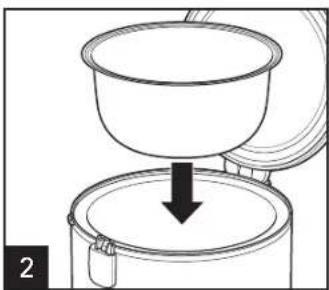
Place cooking pot securely into the base. NOTE: Make sure bottom of cooking pot is not bent or warped, or it will not conduct heat correctly.
Close lid.
4
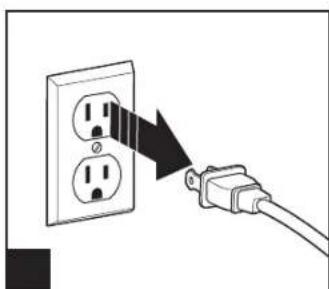
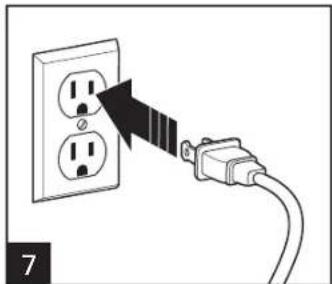
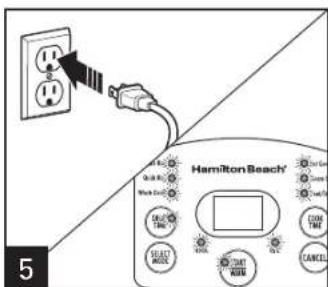
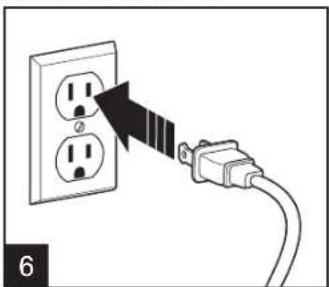
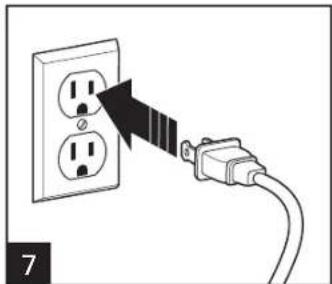
Plug into wall outlet; all lights will flash on control panel.
If program is not selected, OR after pressing CANCEL (Q) the rice cooker control panel will flash for 15 seconds and the rice cooker will turn off.
How to Cook Rice (cont.)
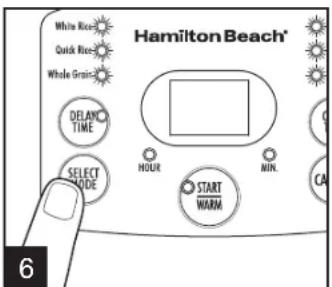
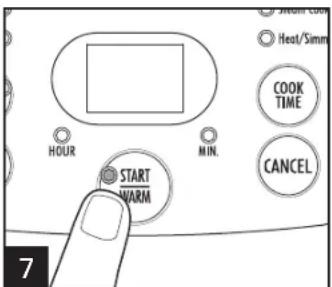
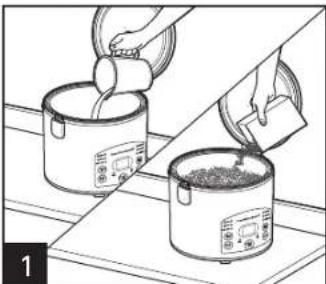
Press SELECT MODE until WHITE RICE, QUICK RICE, or WHOLE GRAIN is illuminated. Light will glow for mode selected. For packaged rice mixes, see How to Heat/Simmer on page 17. Press START/WARM to start cooking OR unit will start automatically in 5 seconds.

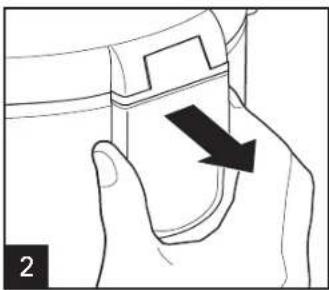
NOTE: Empty condensation collector as needed during cooking.
TIP: Quick Rice can make white rice or whole grains.
Once a mode is selected, the default time for that mode is displayed. The digital rice cooker will adjust the cooking time throughout the cooking cycle based on the amount of rice and moisture in the cooker. You may notice that the cooker will place a hold on the time or significantly decrease cooking time as the moisture content changes.
WARNING Burn Hazard:
Never use lid handle to carry cooker when contents are hot. Steam from steam vent can cause injury.
When finished cooking, cooker will switch to WARM and light will glow. Display will count up WARM time for up to 12 hours. After 12 hours, the rice cooker will turn off. OR, press CANCEL (O) to turn off.
TIP: If you prefer a softer rice, let cooked rice rest on WARM at least 10 to 15 minutes.
Rice Cooking Chart
• Chart is based on measuring rice and water with the rice measuring cup provided.
- There are many different types of rice. Rice packaging directions may call for different amounts of rice and water from the chart; following package directions may vary results.
- Do not exceed maximum 7 water fill line to prevent overflow while rice is cooking.
| TYPE OF RICE | RICE COOKER SETTING | MAXIMUM AMOUNT OF RICE* | MAXIMUM AMOUNT OF WATER | APPROX. COOKING TIME | YIELD** |
| Long grain white White Rice 7 cups (1.24 L) fill to 7 line | 50–52 min 14+ | cups | |||
| Long grain brown Whole Grain 7 cups (1.24 L) fill to 7 line | 58–60 min 14+ | cups | |||
| Arborio White Rice 7 cups (1.24 L) fill to 7 line | 45–47 min 14+ | cups | |||
| Basmati White Rice 7 cups (1.24 L) fill to 7 line | 48–50 min 14+ | cups | |||
| Jasmine White Rice 7 cups (1.24 L) fill to 7 line | 46–48 min 14+ | cups | |||
| Sushi Rice White Rice 7 cups (1.24 L) fill to 7 line | 42–44 min 14+ | cups | |||
*Measured in rice measuring cup
**Measured in 1-cup U.S. measure
How to Cook Grain
Follow directions to cook rice, except choose the WHOLE GRAIN setting. Add water as indicated on grain cooking chart.
Grain Cooking Chart
Chart is based on measuring grain and water with the rice measuring cup provided. Teff, amaranth, and other very small grains are not recommended.
Cook the following on the WHOLE GRAIN setting.
| TYPE OF GRAIN | MAXIMUM AMOUNT OF GRAIN* | MAXIMUM AMOUNT OF WATER* | APPROX. COOKING TIME | YIELD** |
| Barley 2 cups (355 ml) | 6 cups (1.06 L) | 90–92 min 4 cups | ||
| Buckwheat 3 1/2 cups (621 ml) | 10 1/2 cups (1.86 L) | 55–57 min 11 1/2 cups | ||
| Farro 7 cups (1.24 L) | 9 cups (1.6 L) | 68–70 min 12 cups | ||
| Millet 4 1/2 cups (798 ml) | 9 1/2 cups (1.69 L) | 58–60 min 11 cups | ||
| Quinoa*** 7 cups (1.24 L) | 7 cups (1.24 L) | 58–60 min | 14 cups | |
| Sorghum | 3 1/2 cups (621 ml) | 10 1/2 cups (1.86 L) | about 2 hours | 8 1/2 cups |
| Wheatberries | 7 cups (1.24 L) | 8 cups (1.42 L) | about 1 3/4 hours | 12 cups |
*Measured in rice measuring cup
**Measured in 1-cup U.S. measure
***Rinse quinoa before cooking
How to Cook Hot Cereals
⚠ WARNING Electrical Shock Hazard. Cook only in removable cooking pot and steamer basket. Never place water or food directly into the base.
BEFORE FIRST USE: Wash cooking pot following Care and Cleaning instructions; dry thoroughly.
natural_image
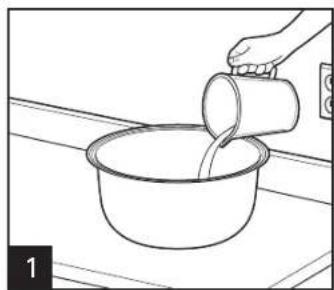
Illustration of two cooking pots with liquid being poured into them, no text or symbols presentPlace water and desired contents into cooking pot.
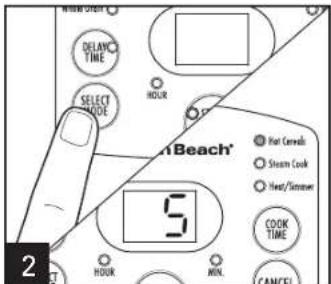
Press SELECT MODE until HOT CEREALS is illuminated. "5" will appear in the display. (5 minutes is the minimum amount of time.) NOTE: The HOT CEREALS time can be set for up to 5 hours. Set HOT CEREALS time in 1-minute increments up to 90. After 90 minutes, set in 1-hour increments up to 5.
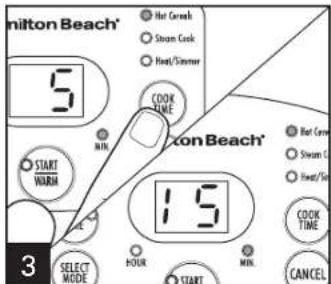
Press COOK TIME until desired amount of cooking time is selected. Press START/WARM or the rice cooker will automatically start after 5 seconds. The cooker will heat the contents and then simmer for the selected amount of time.
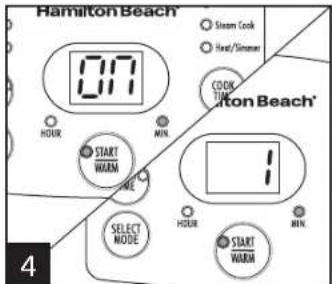
Display will show "ON" during heating and will count down set time once simmering has begun. After simmer time is complete, the cooker will automatically switch to WARM.
NOTE: The rice cooker starts heating liquids immediately. The start of actual simmering depends on the amounts of liquid and food placed in the rice cooker.
WARNING Burn Hazard: Never use lid handle to carry cooker when contents are hot. Steam from steam vent can cause injury.
Cereal Cooking Chart
Chart is based on measuring cereal and water with the rice measuring cup provided. Cook the following on the HOT CEREALS setting.
TYPE OF CEREAL
MAXIMUM AMOUNT OF CEREAL\*
MAXIMUM AMOUNT OF WATER\*
APPROX. COOKING TIME YIELD\*\*
Cream of Wheat****†
6 1/2 cups (1.15 L) 10 cups (1.77 L) 28–30 min 12 cups
Grits 4 cups (710 ml) fill to 7 line about 1 hour 12 cups
Old-Fashioned Oatmeal 3 cups (532 ml) 9 cups (1.6 L) 28–30 min 9 cups
Steel-Cut Oats 3 cups (532 ml) 9 cups (1.6 L) about 1 hour
9 cups
*Measured in rice measuring cup
**Measured in 1-cup U.S. measure
***Stir once or twice during cooking
^† Cream of Wheat is a trademark of B&G Foods North America, Inc. Use of the trademark does not imply any affiliation with or endorsement by B&G North America, Inc.
How to Steam Food
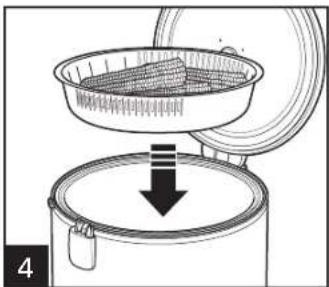
WARNING Electrical Shock Hazard. Cook only in removable cooking pot and steamer basket. Never place water or food directly into the base. BEFORE FIRST USE: Wash cooking pot following Care and Cleaning instructions; dry thoroughly.
natural_image
Line drawing of a hand pouring liquid into a bowl (no text or symbols)Pour desired amount of water in cooking pot.
natural_image
Diagram of a container being inverted with a downward arrow, no text or symbols presentPlace cooking pot securely into the base.

natural_image
Line drawing of a hand using a crumbent to stir contents in a bowl (no text or symbols)natural_image
Illustration of a food preparation setup with a bowl and steamer, showing a downward arrow (no text or symbols)(1) AD = BD = 1
natural_image
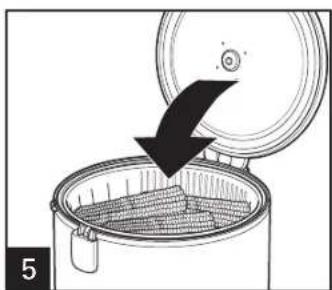
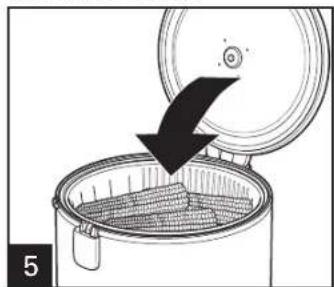
Diagram of a cooking step showing a lid being inserted into a grater with a downward arrow indicating the process (no text or symbols present)Close lid.
natural_image
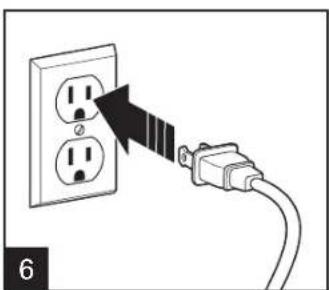
Diagram showing a plug inserted into an electrical socket with a black arrow indicating the insertion direction (no text or symbols present)Press SELECT MODE until STEAM COOK is illuminated.
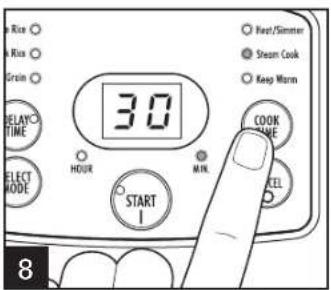
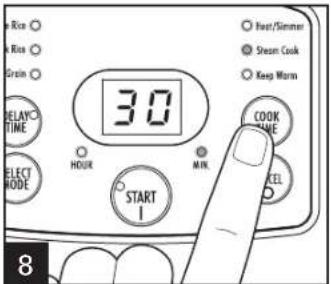
Press COOK TIME to set the steam time from 0 to 30 minutes. Press START/WARM. Set to 0 if just boiling water.
How to Steam Food (cont.)

Display will show "ON" during heating, and display will count down set time once steaming has begun.
WARNING Burn Hazard: Never use lid handle to carry cooker when contents are hot. Steam from steam vent can cause injury.
natural_image
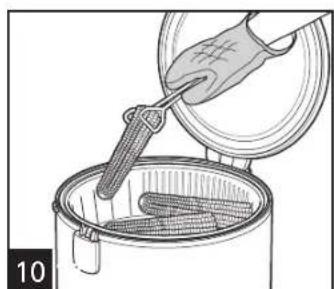
Illustration of a hand using a tool to stir contents in a container (no text or symbols)NOTE: If pot boils dry, rice cooker will beep and the remaining time will flash in display. To continue STEAM COOK, add more water. Unit will resume steaming if water is added before 3 minutes. After 3 minutes, press CANCEL (Φ to cancel steam function. Press SELECT MODE until STEAM COOK is illuminated and set the COOK TIME.
natural_image
Diagram showing a cable being inserted into an electrical outlet with two socket outlets (no text or symbols present)Steam Cooking Chart
Cook the following on the STEAM COOK setting.
| TYPE OF FOOD | MAXIMUM AMOUNT OF FOOD* | MAXIMUM AMOUNT OF WATER* | APPROX. COOKING TIME | DONENESS TEST FOR FOOD |
Vegetables:
| Asparagus, cut in 3-inch pieces 4 cups (946 ml) 2 cups (473 ml) 6–8 min Crisp-tender |
| Broccoli, florets 4 cups (946 ml) 2 cups (473 ml) 4–6 min Crisp-tender |
| Carrots, sliced 1/4-inch thick 4 cups (946 ml) 2 cups (473 ml) 10–12 min Crisp-tender |
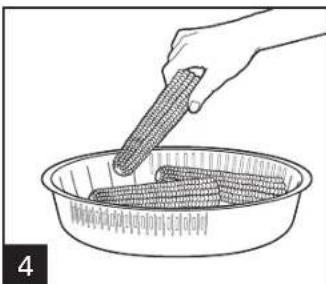
| Corn-on-the-Cob 2 ears 2 cups (473 ml) 10–12 min Crisp-tender |
| Potatoes, 3/4-inch cubes 4 cups (946 ml) 2 cups (473 ml) 18–20 min Tender |
| Zucchini, sliced 1/4-inch thick 4 cups (946 ml) 2 cups (473 ml) 4–6 min Crisp-tender |
Poultry/Seafood:
| Chicken, tenders | 20 oz. (567 g) | 2 cups (473 ml) | 15–17 min | Internal temperature 160°–165°F (71°–74°C) |
| Salmon, fillet | 20 oz. (567 g) | 2 cups (473 ml) | 15–17 min | Internal temperature 145°F (63°C) |
| Shrimp, peeled and deveined 31–40 count | 24 oz. (681 g) | 2 cups (473 ml) 10–12 min | Pink and opaque | |
*Measured in 1-cup U.S. measure
- The more vegetables added to the steamer basket, the longer the steam time should be.
- Smaller pieces of vegetables will steam faster than larger pieces.
How to Steam Food While Cooking Rice
RICE MEASURING CUP INFORMATION
NOTE: Do not throw away the rice measuring cup that comes with your unit. This is an important tool in using your rice cooker successfully and its size is standard in the rice industry. One rice measuring cup equals 6 oz. (177 ml) or approximately 3/4 cup U.S. standard measuring cup.

natural_image
Illustration of two containers pouring liquid from a bottle into a container with a handle, placed on a tiled surface (no text or symbols)Measure rice with rice measuring cup. Add the desired amount of measured uncooked rice to steam basket. Do not fill above side vents to prevent rice from falling through while rinsing. Place basket under a slow-flowing faucet and rinse. Add drained rice to cooking pot. Repeat rinsing with any remaining rice.
natural_image
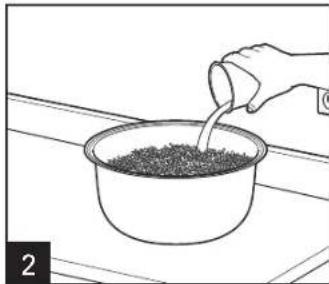
Line drawing of a hand pouring liquid into a bowl filled with granular material (no text or symbols)Fill with water to corresponding water line. See chart on page 15 for maximum amounts of rice and food. Example: If you add 3 level rice cups of rice to the cooking pot, add water to the "3" line of the cooking pot.
natural_image
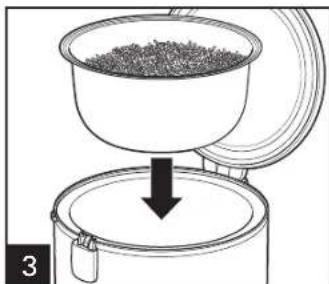
Diagram of a coffee maker with a bowl and lid pouring granular material into a container (no text or symbols)Place cooking pot securely into the base. NOTE: Make sure bottom of cooking pot is not bent or warped, or it will not conduct heat correctly.
natural_image
Line drawing of a hand holding a corn cob in a bowl (no text or symbols)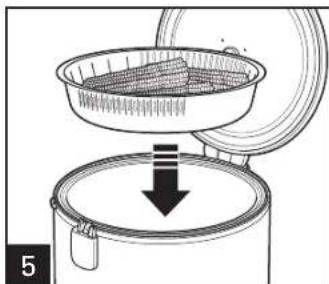
natural_image
Diagram of a food processing setup showing a container being inverted over a lid, with no visible text or symbols.How to Steam Food While Cooking Rice (cont.)
natural_image
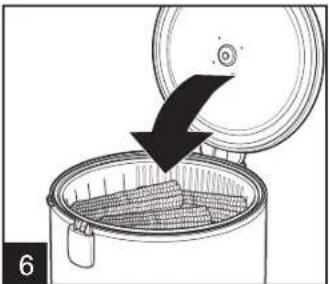
Illustration of a cooking pot with a lid and a downward arrow indicating a drop or reduction (no text or symbols)Close lid.
natural_image
Diagram showing a plug inserted into an electrical socket with a black arrow indicating the cable (no text or symbols present)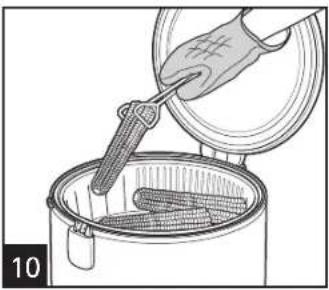
natural_image
Illustration of a hand pouring liquid into a cooking pot with a griddle (no text or symbols)WARNING Burn Hazard:
Never use lid handle to carry cooker when contents are hot. Steam from steam vent can cause injury.
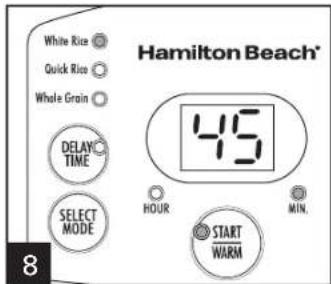
While lights are flashing, press desired program. Once a mode is selected, the default time for that mode is displayed. For WHITE RICE, QUICK RICE, and WHOLE GRAIN programs, the digital rice cooker will adjust the cooking time throughout the cooking cycle based on the amount of rice and moisture in the cooker. You may notice that the cooker will place a hold on the time or significantly decrease cooking time as the moisture content changes.
TIP: QUICK RICE can make white rice or whole grains.
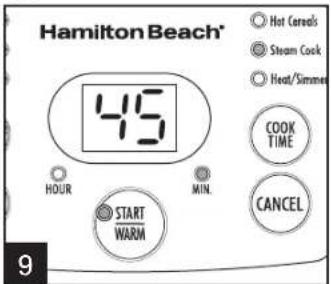
Display will show default time during heating, and display will count down time once steaming has begun.
natural_image
Diagram showing a plug inserted into an electrical socket, with no text or symbols present.Steaming Food With Rice Chart
Cook the following on the WHITE RICE setting.
| TYPE OF FOOD | MAXIMUM AMOUNT OF FOOD* | MAXIMUM AMOUNT OF RICE** | MAXIMUM AMOUNT OF WATER | APPROX. COOKING TIME*** | YIELD OF RICE* | DONENESS TEST FOR FOOD |
| Asparagus, cut in 3-inch pieces | 4 cups (946 ml) | 2 cups (355 ml) | fill to 2 line 34–36 min 6 cups | Crisp-Tender: add vegetables when steaming heavily from vent | ||
| Broccoli, florets | 4 cups (946 ml) | 2 cups (355 ml) | fill to 2 line 34–36 min 5 cups | Crisp-Tender: add vegetables when steaming heavily from vent | ||
| Corn-on-the-Cob 2 ears | 2 cups (355 ml) | fill to 2 line 36–38 min 6 cups Crisp-Tender | ||||
| Potatoes, cut in 3/4–1 inch chunks | 4 cups (946 ml) | 2 cups (355 ml) | fill to 2 line 36–38 min 5 cups Firm but Tender | |||
| Yellow Squash and Red Bell Peppers, sliced 1/4-inch thick and 1-inch cubes | 4 cups (946 ml) | 2 cups (355 ml) | fill to 2 line 34–36 min 5 cups | Crisp-Tender: add vegetables when steaming heavily from vent | ||
| Chicken, tenders 12 oz. (340 g) | 2 cups (355 ml) | fill to 2 line 34–36 min 5 cups Internal temperature 160°–165°F (71°–74°C) | ||||
| Salmon, fillet 12 oz. (340 g) (2 fillets) | 2 cups (355 ml) | fill to 2 line 34–36 min 5 cups | Internal temperature 145°F (63°C) | |||
| Shrimp, peeled and deveined 24 oz. (681 g) *Measured in 1-cup U.S. measure **Measured in rice measuring cup ***All times are for long grain white rice | 2 cups (355 ml) | fill to 2 line 36–38 min 5 cups Pink and opaque | ||||
| The more vegetables added to the steamer basket, the longer the steam time should be. Smaller pieces of vegetables will steam faster than larger pieces. | Give rice a flavor boost by substituting an equal amount of chicken/beef/vegetable broth for water. | |||||
How to Set Delay Start Time
natural_image
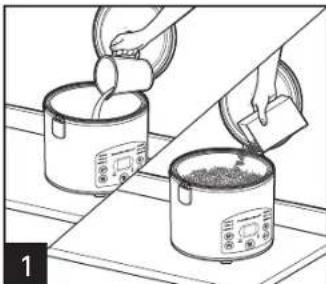
Diagram showing a container with granular material being inserted into a lid, with a black arrow indicating the process (no text or symbols present)Delay Time can be used with WHITE RICE, WHOLE GRAIN, HOT CEREALS, HEAT/ SIMMER, and STEAM COOK. Place water and food items in cooking pot or food in steamer basket.
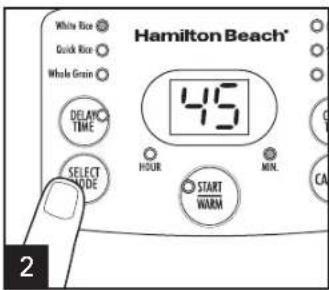
Press SELECT MODE to set cooking mode. Set time if using HEAT/SIMMER, HOT CEREALS, or STEAM COOK.
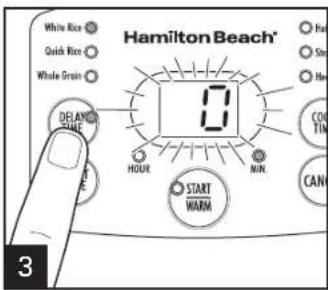
Press DELAY TIME. The display will flash "0." Continue to press DELAY TIME to set delay time from 1 to 15 hours. Press START/WARM to begin delay start countdown or rice cooker will automatically start after 5 seconds.
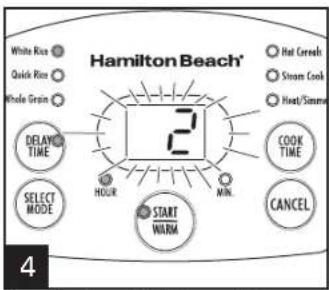
The display will flash and then begin counting down the set delay time. After cooking is complete, the rice cooker will go to WARM (except for STEAM COOK).
NOTES:
- Cooking/steaming will begin once the unit has completed the delay time countdown.
- This function is ideal for soaking and cooking dried beans.
How to Heat/Simmer
natural_image
Illustration of two hands pouring liquid into two rice pots on a table (no text or symbols)Place water and desired contents into cooking pot.
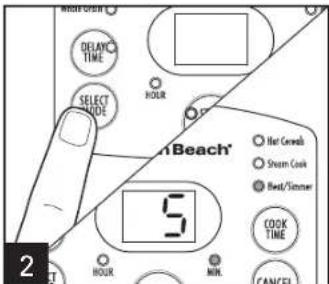
Press SELECT MODE until HEAT/SIMMER is illuminated. "5" will appear in the display. (5 minutes is the minimum amount of time.) NOTE: The simmer time can be set for up to 5 hours. Set HEAT/SIMMER time in 1-minute increments up to 90. After 90 minutes, set in 1-hour increments up to 5.
⚠ WARNING Electrical Shock Hazard. Cook only in removable cooking pot and steamer basket. Never place water or food directly into the base.
BEFORE FIRST USE: Wash cooking pot following Care and Cleaning instructions; dry thoroughly.
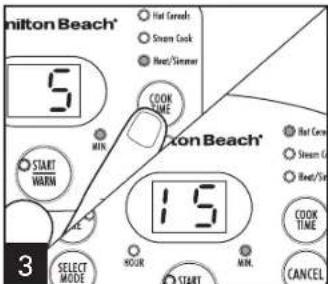
Press COOK TIME until desired amount of "simmer" time is selected. Press START/WARM or the rice cooker will automatically start after 5 seconds. The cooker will heat the contents and then simmer for the selected amount of time.
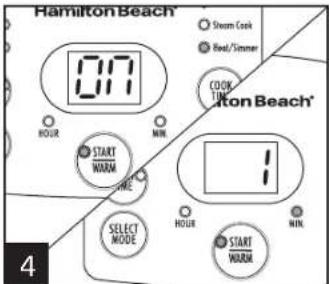
Display will show "ON" during heating and will count down set time once simmering has begun. After simmer time is complete, the cooker will automatically switch to WARM.
NOTE: The rice cooker starts heating liquids immediately. The start of actual simmering depends on the amounts of liquid and food placed in the rice cooker.
WARNING Burn Hazard: Never use lid handle to carry cooker when contents are hot. Steam from steam vent can cause injury.
Care and Cleaning
natural_image
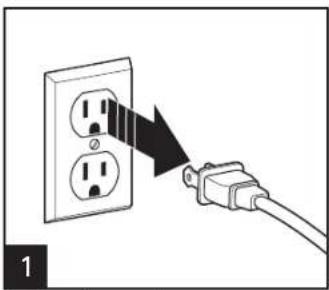
Diagram showing a cable being inserted into an electrical socket (no text or symbols present)Unplug rice cooker.
natural_image
Hand holding a device with a black arrow indicating direction (no text or symbols)The Ground Truth image displays a single, solid horizontal line. According to Rule 2 (UNDERSCORE & LINE RULES), this is a stylistic or background line, not a placeholder underscore. Therefore, the OCR result must ignore it and output nothing or only meaningful text. The provided OCR content is "____", which consists of four underscores. This is an incorrect interpretation of the line as a placeholder, violating the rule that stylistic lines must be ignored. The OCR has hallucinated underscores where none should exist based on the GT's visual context. Hence, the OCR result is inconsistent with the Ground Truth.
WARNING
Electrical Shock Hazard.
Do not immerse base, cord, or plug in water or other liquid.
natural_image
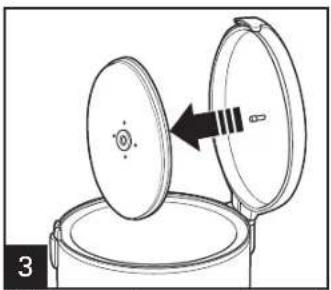
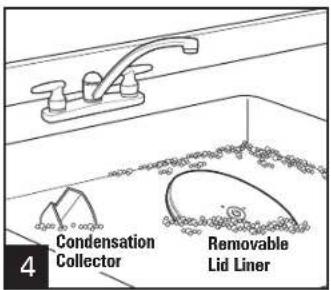
Diagram of a lid being placed into a container with an arrow indicating direction (no text or symbols)Lid liner may be removed to wash by hand.
-
natural_image
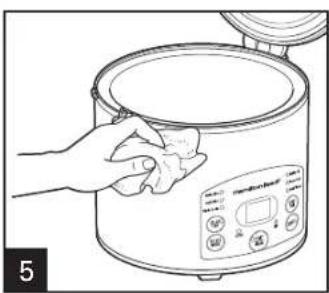
Line drawing of a hand cleaning a rice cooker with a cloth (no text or symbols)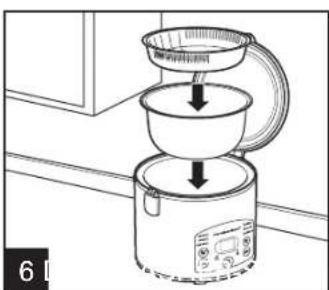
natural_image
Line drawing of a kitchen appliance with a lid and side panel, showing a cooking step (no text or symbols)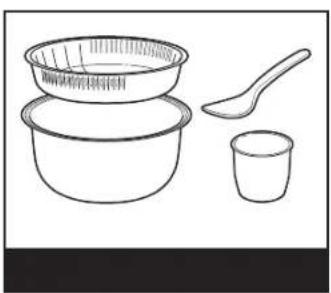
natural_image
Line drawing of a set of four food items: a bowl, a spoon, and a cup (no text or symbols)DO NOT use the "SANI" setting when washing in the dishwasher. "SANI" cycle temperatures could damage your product.
Recipes
Overnight Oatmeal
Ingredients:
2 cups (473 ml) old-fashioned oatmeal
4 cups (946 ml) water
1/2 cup (118 ml) dried apples, chopped
Dash salt
1/4 teaspoon (1.3 ml) cinnamon
Sugar or sweetener, to taste
2 tablespoons (30 ml) butter, optional
Directions:
Place oatmeal, water, dried apples, salt and cinnamon into cooking pot.
Set Cooker: Delay Start (at least 6 hours or overnight)
HOT CEREALS: 5 minutes
Optional: Stir in sugar and butter.
NOTE: This recipe may be made immediately (without using delay option), if desired.
Servings: 4
Test Kitchen Tip: Replace old-fashioned oatmeal with steel-cut oats.
Use Delay Start and set cook time for 15 minutes on HOT CEREALS.
Steamed Salmon With Brown Rice
Ingredients:
2 salmon fillets (wild Alaskan, 3–4 ounces/85–113 g each)
2 teaspoons (10 ml) ground ginger
3 tablespoons (44 ml) low-sodium soy sauce
1 garlic clove, minced
2 teaspoons (10 ml) dark brown sugar
1/2 teaspoon (2.5 ml) chili flakes
1 green onion or shallot, sliced
Salt and pepper, to taste
Brown rice (uncooked)
Directions:
Place steamer basket on plate (to catch any drippings). Mix ginger, soy sauce, garlic, dark brown sugar and chili flakes. Rub fish fillets with mixture and place in refrigerator to marinate for approximately 30 minutes.
Measure brown rice and water according to desired servings/package directions. Chicken or vegetable stock/broth may also be substituted for water.
Set Cooker: WHOLE GRAIN—after approximately 30–35 minutes, lift cover and add steamer basket with salmon fillets.
Cook an additional 8–10 minutes or until salmon flakes easily with a fork. Serve salmon over rice and sprinkle with sliced green onion.
Servings: 2
Troubleshooting
PROBLEM
Cooker doesn't turn on.
Rice is not cooked.
Rice is mushy.
Rice cooker starts to "beep" during Steam Cook.
Cooking pot not fitting.
Display time skips minutes or holds time.
PROBABLE CAUSE/SOLUTION
- Cooker is not plugged in. Make sure rice cooker is plugged into a properly operating electrical outlet.
- Not enough water/cooking liquid. Follow package directions.
- Place cooking pot securely into the base. NOTE: If cooking pot is bent or warped, it will not seat properly in base and, therefore, will not conduct heat correctly. To replace cooking pot, call the toll-free Customer Assistance number listed on the cover of this guide.
- Let rice rest for 10 to 15 minutes after cooking is complete and rice cooker has switched to WARM.
- Too much liquid added to cooking pot. Reduce liquid.
- Cooking pot has boiled dry. Add more water and select STEAM COOK function to continue steaming or press START (I).
- Call the toll-free Customer Assistance number listed on the cover of this guide.
- Rice cooker is adjusting time for the type of rice and amount of rice and moisture in the cooker. The rice cooker is working correctly. You may notice that the cooker will place a hold on the time or significantly decrease cooking time as the moisture content changes.
Limited Warranty
This warranty applies to products purchased and used in the U.S. and Canada. This is the only express warranty for this product and is in lieu of any other warranty or condition.
This product is warranted to be free from defects in material and workmanship for a period of five (5) years from the date of original purchase in Canada and one (1) year from the date of original purchase in the U.S. During this period, your exclusive remedy is repair or replacement of this product or any component found to be defective, at our option; however, you are responsible for all costs associated with returning the product to us and our returning a product or component under this warranty to you. If the product or component is no longer available, we will replace with a similar one of equal or greater value.
This warranty does not cover glass, filters, wear from normal use, use not in conformity with the printed directions, or damage to the product resulting from accident, alteration, abuse, or misuse. This warranty extends only to the original consumer purchaser or gift recipient. Keep the original sales receipt, as proof of purchase is required to make a warranty claim. This warranty is void if the product is used for other than single-family household use or subjected to any voltage and waveform other than as specified on the rating label (e.g., 120V \~ 60 Hz).
We exclude all claims for special, incidental, and consequential damages caused by breach of express or implied warranty. All liability is limited to the amount of the purchase price. Every implied warranty, including any statutory warranty or condition of merchantability or fitness for a particular purpose, is disclaimed except to the extent prohibited by law, in which case such warranty or condition is limited to the duration of this written warranty. This warranty gives you specific legal rights. You may have other legal rights that vary depending on where you live. Some states or provinces do not allow limitations on implied warranties or special, incidental, or consequential damages, so the foregoing limitations may not apply to you.
To make a warranty claim, do not return this appliance to the store. Please call 1.800.851.8900 in the U.S. or 1.800.267.2826 in Canada or visit hamiltonbeach.com in the U.S. or hamiltonbeach.ca in Canada. For faster service, locate the model, type, and series numbers on your appliance.
PRÉCAUTIONS IMPORTANTES
CONSERVEZ CES INSTRUCTIONS!
natural_image
Illustration of two kitchen utensils: one pouring granular material into a bowl, the other pouring liquid from a drain into a bucket (no text or symbols)natural_image
Line drawing of a hand pouring liquid into a bowl filled with granular material (no text or symbols)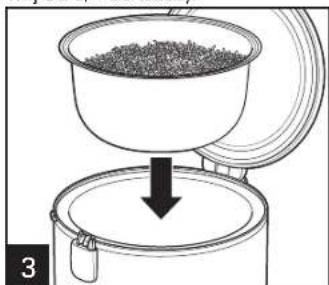
natural_image
Diagram of a container being poured into a granular material, with a downward arrow indicating the process (no text or symbols present)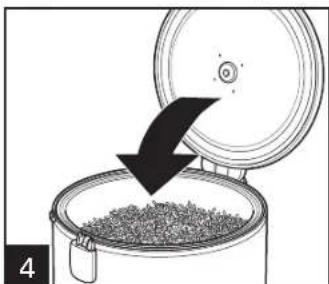
natural_image
Diagram showing a container being inserted into a lid with a downward arrow indicating compression (no text or symbols)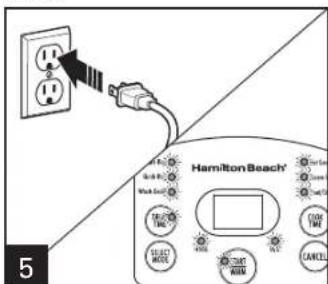
natural_image
Illustration of two cooking pots with liquid being poured into them, no text or symbols presentnatural_image
Line drawing of a hand pouring liquid into a bowl (no text or symbols)natural_image
Diagram of a container with a lid and a downward arrow indicating process (no text or symbols)natural_image
Line drawing of a hand using a corn cob to stir contents in a bowl (no text or symbols)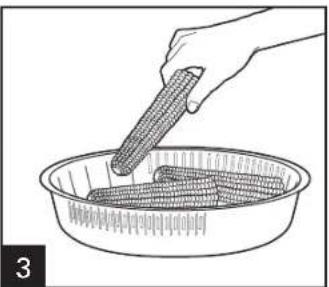
natural_image
Line drawing of a hand using a tool to stir contents in a bowl (no text or symbols)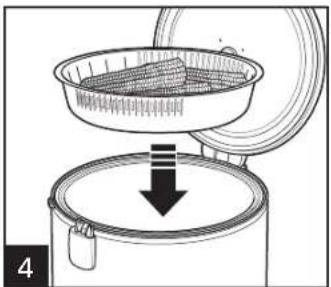
natural_image
Diagram of a food processing setup showing a container being inverted over a lid, with no visible text or symbols.
natural_image
Diagram of a food processing setup showing a container being inverted over a lid, with no visible text or symbols.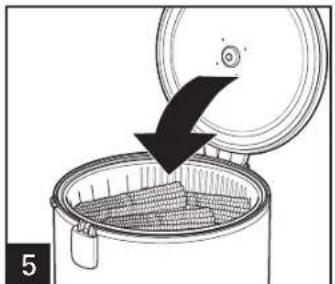
natural_image
Diagram of a cooking pot with a lid and arrow indicating a drop or direction (no text or symbols)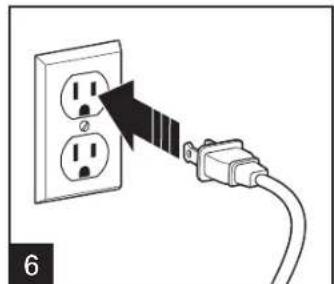
natural_image
Diagram showing a plug inserted into an electrical socket with a black arrow indicating the insertion direction (no text or symbols present)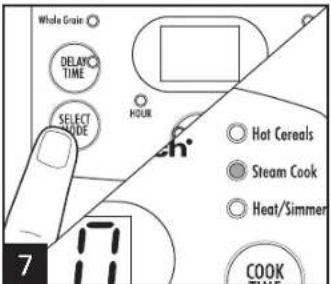
natural_image
Illustration of a hand using a tool to stir contents in a container (no text or symbols)natural_image
Diagram showing a cable being inserted into an electrical outlet with two socket outlets (no text or symbols present)natural_image
Illustration showing a container pouring granular material into a bucket, with a handle partially visible (no text or symbols)natural_image
Hand pouring liquid into a bowl of granular material on a surface (no text or symbols)natural_image
Diagram of a coffee maker pouring granular material into a container (no text or symbols)natural_image
Line drawing of a hand using a griddle to stir corn in a bowl (no text or symbols)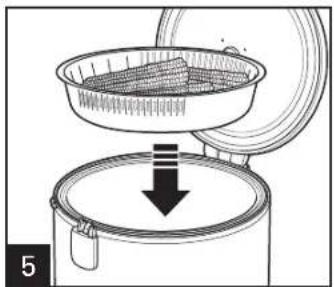
natural_image
Diagram of a food preparation setup showing a bowl being placed on an oven with a downward arrow indicating process (no text or symbols)natural_image
Illustration of a cooking pot with a lid and a downward arrow indicating a drop or reduction (no text or symbols)natural_image
Diagram showing a plug inserted into an electrical socket with a black arrow indicating the insertion direction (no text or symbols present)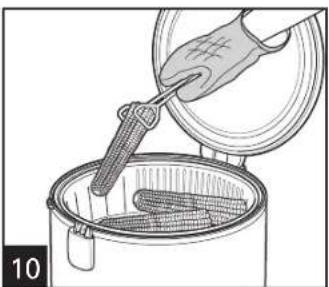
natural_image
Illustration of a hand pouring liquid into a steamer with a grater inside (no text or symbols)natural_image
Diagram showing a cable being inserted into an electrical socket (no text or symbols present)natural_image
Diagram showing a container with granular material being inserted into a lid, with a black arrow indicating the process (no text or symbols present)natural_image
Illustration of two containers with food being poured into them, no text or symbols presentnatural_image
Diagram showing a cable being inserted into an electrical socket (no text or symbols present)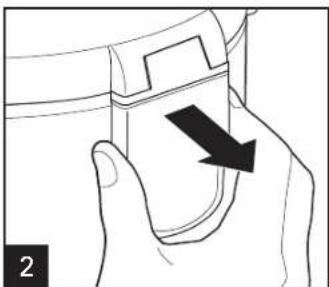
natural_image
Hand holding a device with a black arrow indicating direction (no text or symbols)natural_image
Diagram of a lid being inserted into a container with an arrow indicating direction (no text or symbols)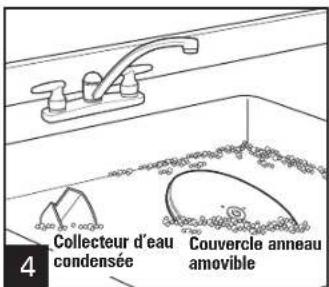
natural_image
Line drawing of a hand cleaning a rice cooker with a cloth (no text or symbols)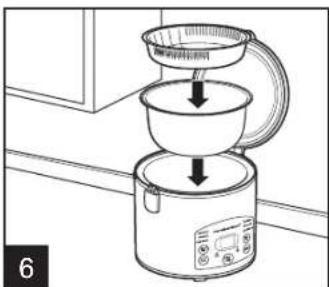
natural_image
Line drawing of a kitchen appliance with a lid and side panel, showing a downward funnel and side button (no text or symbols)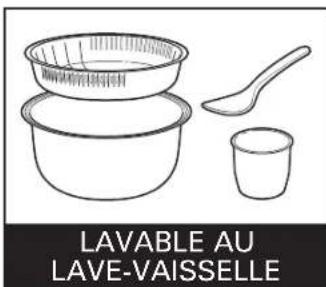
CAUSE POSSIBLE/SOLUTION
natural_image
Illustration showing two steps of pouring granular material from a bottle into a bowl and a bucket (no text or symbols)natural_image
Illustration of a hand pouring liquid into a bowl filled with granular material (no text or symbols)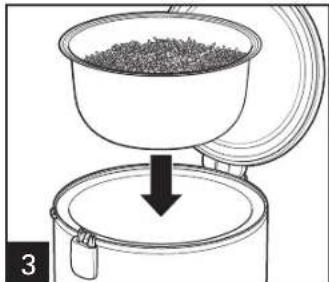
natural_image
Diagram of a coffee maker pouring granular material into a container (no text or symbols)
natural_image
Diagram showing a container with granular material being inserted into a lid, with a black arrow indicating the process (no text or symbols present)Cierra la tapa.
natural_image
Illustration of two cooking pots with food being poured into them, no text or symbols presentnatural_image
Line drawing of a hand pouring liquid into a bowl on a surface (no text or symbols)natural_image
Diagram of a container with a lid and a downward arrow indicating process (no text or symbols)natural_image
Line drawing of a hand holding a corn cob in a basket (no text or symbols)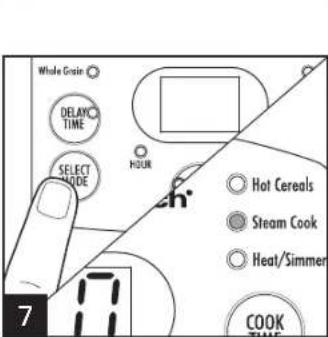
natural_image
Diagram of a food processing setup showing a bowl being placed into a container with a downward arrow indicating process (no text or symbols)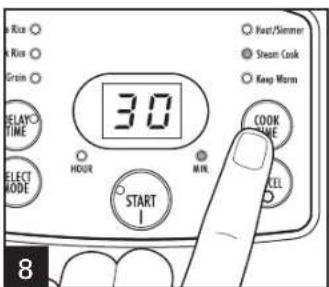
natural_image
Diagram of a cooking pot with corn kernels being added, showing a downward arrow indicating compression (no text or symbols)Cierra la tapa.
natural_image
Diagram showing a plug inserted into an electrical socket with a black arrow indicating the insertion direction (no text or symbols present)natural_image
Illustration of a hand using a tool to stir contents in a container (no text or symbols)natural_image
Diagram showing a cable being inserted into an electrical outlet with two socket outlets (no text or symbols present)natural_image
Illustration showing a container pouring granular material into a bucket, with a hand pouring liquid into another bucket (no text or symbols)natural_image
Diagram of a coffee maker pouring granular material into a container (no text or symbols)natural_image
Line drawing of a hand pouring liquid into a bowl filled with granular material (no text or symbols)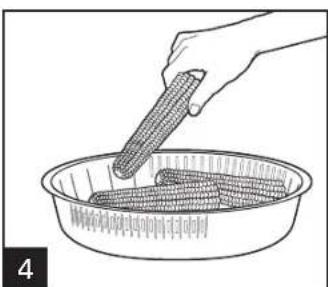
natural_image
Illustration of a hand holding corn in a bowl, no text or symbols presentnatural_image
Diagram showing a cooking step with a bowl of food being placed into a container, no text or symbols presentnatural_image
Illustration of a cooking pot with a lid and a downward arrow indicating a process (no text or symbols)Cierra la tapa.
natural_image
Diagram showing a plug inserted into an electrical socket with a black arrow indicating the cable (no text or symbols present)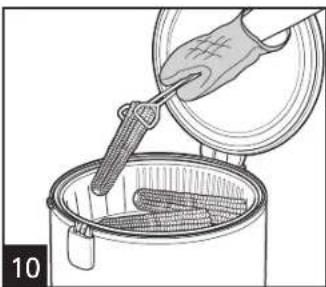
natural_image
Illustration of a hand pouring liquid into a steamer with a stirring rod (no text or symbols)ADVERTENCIA
natural_image
Diagram showing a cable being inserted into an electrical socket, with no text or symbols present.natural_image
Diagram showing a container with granular material being inserted into a lid, with a black arrow indicating the process (no text or symbols present)natural_image
Illustration of two containers pouring liquid from a can into a tray, with no visible text or symbolsnatural_image
Diagram showing a cable being inserted into an electrical socket (no text or symbols present)natural_image
Hand holding a device with a black arrow indicating direction (no text or symbols)The Ground Truth image displays a single, solid horizontal line. According to Rule 2 (UNDERSCORE & LINE RULES), this is a stylistic or background line, not a placeholder underscore. Therefore, the OCR result must ignore it and output nothing or only meaningful text. The provided OCR content is "____", which consists of four underscores. This is an incorrect interpretation of the line as a placeholder, violating the rule that stylistic lines must be ignored. The OCR has hallucinated underscores where none should exist based on the GT's visual context. Hence, the OCR result is inconsistent with the Ground Truth.
natural_image
Diagram of a lid being opened into a container with an arrow indicating direction (no text or symbols)natural_image
Line drawing of a hand cleaning a rice cooker with a cloth (no text or symbols)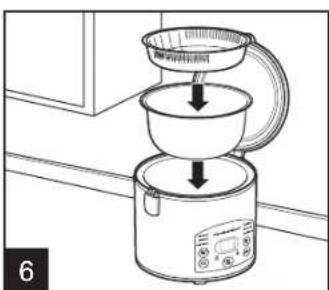
natural_image
Diagram of a kitchen appliance with a lid and side panel, showing a cooking step (no text or symbols)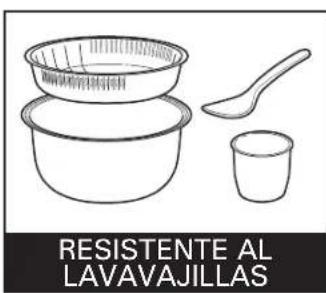
Mixcoac MEXICO 03910 D.F.
Tel: 01 55 5563 8723 • Fax: 01 55 5615 1856
Nuevo Leon


- SAVE THESE INSTRUCTIONS!
- Other Consumer Safety Information
- This appliance is intended for household use only.
- Parts and Features
- How to Cook Rice
- RICE MEASURING CUP INFORMATION
- How to Cook Rice (cont.)
- WARNING Burn Hazard:
- Rice Cooking Chart
- How to Cook Grain
- Grain Cooking Chart
- How to Cook Hot Cereals
- Cereal Cooking Chart
- TYPE OF CEREAL
- MAXIMUM AMOUNT OF CEREAL\*
- MAXIMUM AMOUNT OF WATER\*
- APPROX. COOKING TIME YIELD\*\*
- How to Steam Food
- How to Steam Food (cont.)
- Steam Cooking Chart
- How to Steam Food While Cooking Rice
- How to Steam Food While Cooking Rice (cont.)
- Steaming Food With Rice Chart
- How to Set Delay Start Time
- NOTES:
- How to Heat/Simmer
- Care and Cleaning
- WARNING
- Recipes
- Overnight Oatmeal
- Steamed Salmon With Brown Rice
- Troubleshooting
- PROBLEM
- PROBABLE CAUSE/SOLUTION
- Limited Warranty
- PRÉCAUTIONS IMPORTANTES
- CONSERVEZ CES INSTRUCTIONS!
- CAUSE POSSIBLE/SOLUTION
- ADVERTENCIA
- Nuevo Leon
Brand : HAMILTON BEACH
Model : Digital Simplicity 37548
Category : Rice cooker