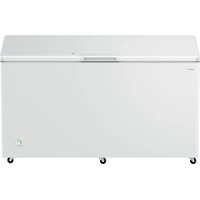
USER MANUAL CFF 1854 DX CANDY
Total No-Frost Freezer
| Content |
| 1. Safety Information | Page 1~9 |
| 2. Overview | Page 10 |
| 3. Installation | Page 11~19 |
| 4.User interface | Page 20~22 |
| 5. Daily Use | Page 23~26 |
Thank you for purchasing this product.
Before using your refrigerator, please carefully read this instruction manual in order to maximize its performance. Store all documentation for subsequent use or for other owners. This product is intended solely for household use or similar applications such as:
- the kitchen area for personnel in shops, offices and other working environments
- on farms, by clientele of hotels, motels and other environments of a residential type
-at-bed and breakfasts (B & B)
- for catering services and similar applications not for retail sale.
This appliance must be used only for purposes of storage of food, any other use is considered dangerous and the manufacturer will not be responsible for any omissions. Also, it is recommended that you take note of the warranty conditions.
Please read the operating and installation instructions carefully!
They contain important information on how to install, use and maintain the appliance.
The manufacturer is not liable if you fail to comply with the instructions and warnings.
Retain all documents for subsequent use or for the next owner.
- Do not connect the appliance to the electricity supply until all packing and transit protectors have been removed. Keep children away from packaging and its parts.
Danger of suffocation from folding cartons and plastic film!
- Leave to stand for at least 4 hours before switching on the product, to allow compressor oil to settle if transported horizontally.
• Make sure there is no transport damage.
- Do not damage the refrigerant circuit.
- Maintain the ventilation openings in the appliance enclosure or in the built-in structure, free of obstruction.
- Never use water to wash the compressor position, wipe it with a dry cloth thoroughly after cleaning to prevent rust.
- Handle the appliance always with at least two persons because it is heavy.
• Install and level the appliance in an area suitable for its size and use.
- Make sure that the electrical information on the rating plate agrees with the power supply. If it does not, contact an electrician.
- The appliance is operated by a 220-240 VAC/50 Hz power supply. Abnormal voltage fluctuation may cause the appliance to fail to start, or damage to the temperature control or compressor, or there may be an abnormal noise when operating. In such case, an automatic regulator shall be mounted.
- Only for UK: The appliance's power cable is fitted with 3-cord (grounding) plug that fits a standard 3-cord (grounded) socket. Never cut off or dismount the third pin (grounding). After the appliance is installed, the plug should be accessible.
• Make sure that mains cable is not caught under the appliance during and after
carrying/moving the appliance, to avoid the mains cable becoming cut or damaged. If the supply cord is damaged, it must be replaced by the manufacturer, its service agent or similarly qualified person in order to avoid a hazard.
- Do not install the appliance in humid, oily or dusty places, nor expose it to direct sunlight and to water.
- Do not install the appliance near heaters or inflammable materials.
- FOR appliances with a freezer compartment: if there is a power failure do not open the lid. Frozen food should not be affected if the failure lasts for less than the hours indicated on the rating label (Temperature rise time). If the failure is longer, then the food should be checked and eaten immediately or cooked and then refrozen.
- If you find that the lid of the appliance is difficult to open just after you have closed it, don't worry. This is due to the pressure difference which will equalize and allow the lid to be opened normally after a few minutes.
- Do not store medicines, bacteria or chemical agents in the appliance. This appliance is a household appliance, it is not recommended to store materials that require strict temperatures.
- Do not excessively pull or fold the power cord
or touch the plug with wet hands.
- Do not store products which contain flammable propellant (e.g. spray cans) or explosive substances in the appliance. Risk of explosion!
- Do not place unstable articles (heavy objects, containers filled with water) on top of the refrigerator, to ovoid personal injury caused by falling or electric shock caused by contact with water.
- Do not use electrical appliances inside the food storage compartments, unless they are of the type recommended by the manufacturer.
- Do not touch internal cooling elements, especially with wet hands, to avoid cracks or injuries.
- At risk here are children, people who have limited physical, mental or sensory abilities, as well as people who have inadequate knowledge concerning safe operation of the appliance.
- Check that children and vulnerable people have understood the hazards. A person responsible for safety must supervise or instruct children and vulnerable people who are using the appliance. Only children aged 8 years and above may use the appliance.
• Children should not play with the appliance.
• Children aged from 3 to 8 years are allowed to load and unload this appliance.
- FOR appliances with a freezer compartment: do not store bottled or canned liquids (especially carbonated drinks) in the freezer compartment. Bottles and cans may burst!
- FOR appliances with a freezer compartment: never put frozen food straight from the freezer compartment in your mouth. Risk of low-temperature burns!
- Keep plastic parts and the door seal free of oil and grease. Otherwise, plastic parts and the door seal will become porous.
- Before performing any operation, unplug the power cord from the power socket.
- Do not use mechanical devices or other means to accelerate the defrosting process, other than those recommended by the manufacturer.
- Do not use pointed or sharp-edged objects such as knives or forks to remove the frost.
- Never use hairdryers, electrical heaters or other such electrical appliances for defrosting.
- It is recommended to keep the plug clean, any excessive dust residues on the plug can be the cause fire.
- Do not try to repair, disassemble or modify the appliance by yourself. In case of repair please contact always our customer service.
- Supervise children while the appliance is being cleaned or maintained.
- Do not clean the cold glass shelves with hot water. Sudden temperature change may cause the glass to break.
- WARNING: The tubes of the refrigeration circuit convey a small quantity of an environmentally friendly but flammable refrigerant (R600a) and insulating gas (cyclopentane). It does not damage the ozone layer and does not increase the greenhouse effect. If refrigerant escapes, it may injure your eyes or ignite.
- If the refrigerant circuit should be damaged:
- Switch off the appliance and pull out the mains plug,
- Keep naked flames and/or ignition sources away from the appliance,
- Thoroughly ventilate the room for several minutes,
- Inform customer service.
- WARNING: Do not damage the plug and/or the power cord; this could cause electrical shocks or fires.
- WARNING: Do not use multiple portable socket-outlets or portable power supplies. We do not recommend the use of extension leads and multi-way adapters.
- Do not attempt to sit or stand on the top of the
appliance. You could injure yourself or damage it. This appliance is not designed for stacking with any other ones.
- The product is designed and built for domestic household use only.
- Only original parts supplied by the manufacturer may be used. The manufacturer guarantees that only these parts satisfy the safety requirements.
- Opening the door for long periods can cause a significant increase of the temperature in the compartments of the appliance.
-Clean regularly surfaces that can come in contact with food and accessible drainage systems.
-Clean water tanks if they have not been used for 48h; flush the water system connected to a water supply if water has not been drawn for 5 days.
-Store raw meat and fish in suitable containers in the refrigerator, so that it is not in contact with or drip onto other food.
- Two-star frozen-food compartments(if they are presented in the appliance) are suitable for storing pre-frozen food, storing or making ice-cream and making ice cubes.
-One-, two- and three -star compartments, if present in the appliance, are not suitable for the freezing of fresh food.
- If the appliance is left empty for long periods, switch off, defrost, clean, dry and leave the door open to prevent mould developing within the appliance.
• FOR Wine Coolers: this appliance is intended to be used exclusively for the storage of wine
- FOR a free standing appliance: this refrigerating appliance is not intended to be used as a built-in appliance
- FOR appliances without a 4-star compartment: this refrigerating appliance is not suitable for freezing foodstuffs
- Replaceable (LED only) light source by a professional
- This product contains a light source of energy efficiency class G.
Scrapping old appliances
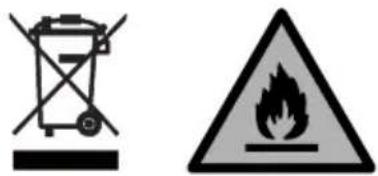
This appliance is marked according to the European directive 2012/19/EU on Waste Electrical and Electronic Equipment (WEEE).
WEEE contains both polluting substances (which can cause negative consequences for the environment) and basic components (which can be re-used). It is important to have WEEE subjected to specific treatments, in order to remove and dispose properly all pollutants, and recover and recycle all materials.
Individuals can play an important role in ensuring that WEEE does not become an environmental issue; it is essential to follow some basic rules:
- WEEE should not be treated as household waste;
- WEEE should be handed over to the relevant collection points managed by the municipality or by registered companies. In many countries, for large WEEE, home collection could be present.
In many countries, when you buy a new appliance, the old one may be returned to the retailer who has to collect it free of charge on a one-to-one basis, as long as the equipment is of equivalent type and has the same functions as the supplied equipment.
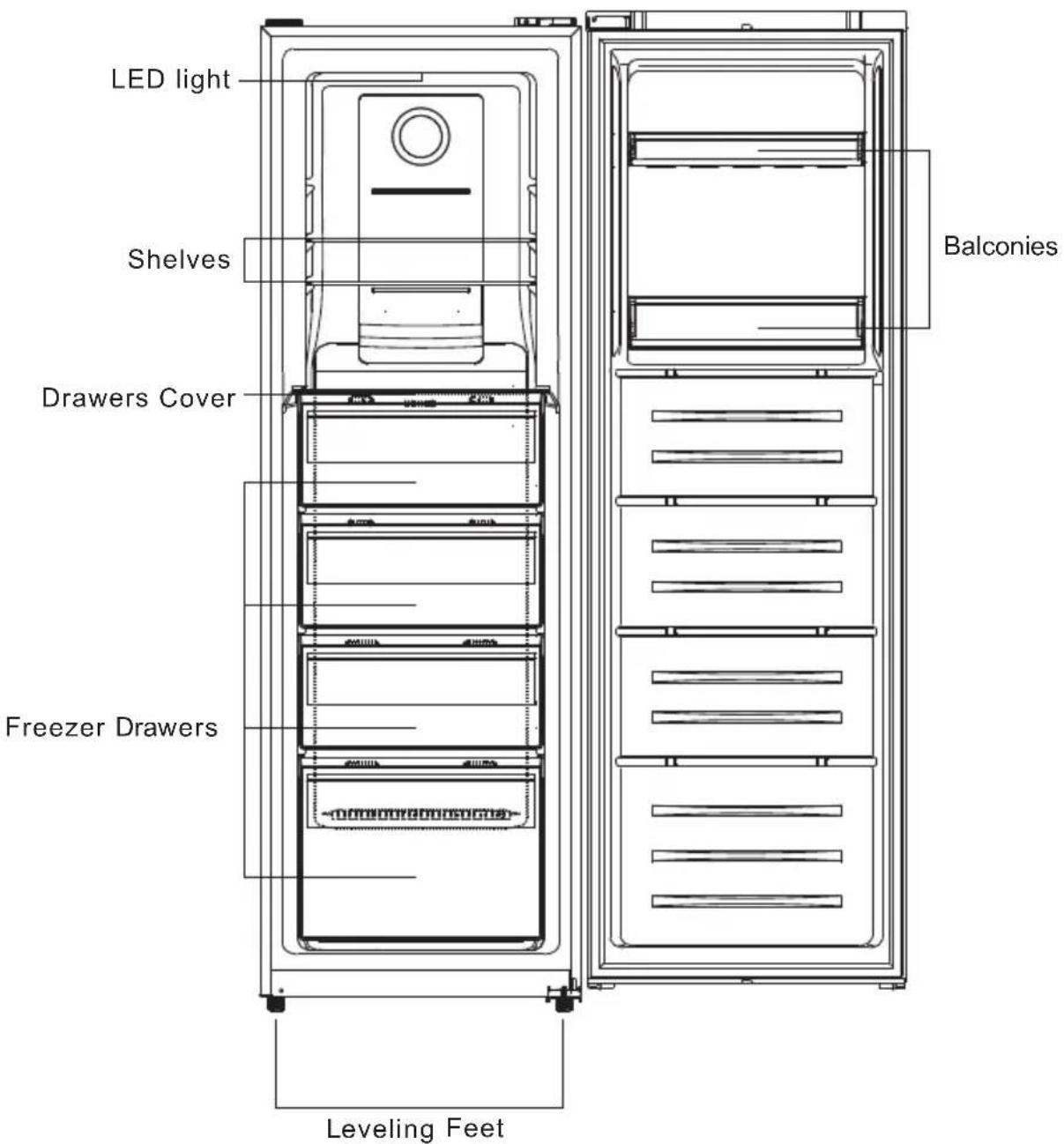
* The most energy-saving configuration requires drawers, food box and shelves to be positioned in the product and fan to be off, please refer to the above pictures.
** The pictures above are only for reference. The actual configuration will depend on the physical product or statement by the distributor.
INSTALLATION
WARNING! The appliance is heavy. Always handle with at least two persons.
Before first use
Remove all packaging materials.
Clean the appliance with water and a mild detergent and dry it with soft cloth.
➢ Check if power supply, socket and fusing are appropriate to the rating plate.
➢ Check if the power socket is earthed and no multi-plug or extension is present.
➢ Check if the power plug is accessible after the appliance has been positioned.
➢ Refrigerator and freezer temperature are automatically set at 4irc C and -18°C respectively. These are the recommended settings. If desired, you can change these temperature manually. See Adjust the temperature.
Environmental conditions
This appliance should be installed in a room that is dry and well ventilated.
Do not install the appliance near other heat-emitting appliances (ovens, refrigerators) without isolation or exposed to direct sunlight.
If this appliance is situated in a cold environment (such as a shed, outhouse or garage), the performance will be affected and this may damage the food.
Install this product in a position where the ambient temperature is not lower or higher than the operating temperature: in this case the appliance does not work properly.
- Extended temperate (SN): 'this refrigerating appliance is intended to be used at ambient temperatures ranging from 10 °C to 32 °C'.
- Temperate (N): 'this refrigerating appliance is intended to be used at ambient temperatures ranging from 16 °C to 32 °C'.
- Subtropical (ST): 'this refrigerating appliance is intended to be used at ambient temperatures ranging from 16 °C to 38 °C'.
- Tropical (T): 'this refrigerating appliance is intended to be used at ambient temperatures ranging from 16 °C to 43 °C'.
Levelling the appliance
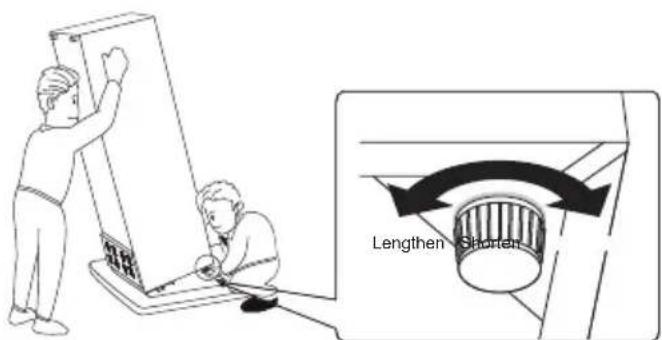
The appliance should be placed on a flat and solid surface
- Tilt the appliance slightly backwards.
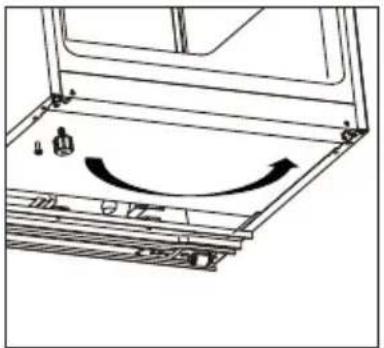
- Turn the feet clockwise to raise the refrigerator.
- Turn the feet counter clockwise to lower the refrigerator.
Moving the appliance
- Remove all food and unplug the appliance
- Secure shelves and other moveable parts in the fridge and in the freezer with adhesive tape.
- Do not tilt the refrigerator more than 45irc to avoid damaging the refrigerating system.
TIPS FOR FOOD STORAGE
Position different food in different compartments according to be below table:
| Refrigerator compartment | Type of food |
| Door or balconies of fridge compartment | ·Foods with natural preservatives, such as jams, juices, drinks, condiments·Do not store perishable foods |
| Crisper drawers (salad drawer) | ·Fruits, herbs and vegetables should be placed separately in the crisper bin·Do not store bananas, onions, potatoes, garlic in the refrigerator |
| Fridge shelf – middle | ·Dairy products, eggs |
| Fridge shelf – top | ·Foods that do not need cocking, such as ready-to-eat foods, deli meats, leftovers |
| Freezer drawer(s)/tray | ·Foods for long-term storage·Bottom drawer for raw meat, poultry, fish·Middle drawer for frozen vegetables, chips·To p tray for ice cream, frozen fruit, frozen baked goods |
It's suggested to set the temperature at 4ircC in the fridge compartment, and, whether possible, at -18ircC in the freezer compartment.
For most food categories, the longest storage time in the fridge compartment is achieved with colder temperatures. Since some particular products (as fresh fruits and vegetables) may be damaged with colder temperatures, it is suggested to keep them in the crisper drawers, whenever present. If not present, maintain an average setting of the thermostat.
For frozen food, refer to the storage time written on the food packaging. This storage time is achieved whenever the setting respects the reference temperatures of the compartment (one-star -6°C, two stars -12°C, three stars -18°C)
Tips for storing food in the fridge
Keep your fridge temperature below 5°C.
Hot food must be cooled to room temperature before storing in the appliance.
- Foods stored in the refrigerator should be washed and dried before storing.
Food to be stored should be properly sealed to avoid odour or taste alterations. It is advisable to keep food covered with materials that are tasteless, impermeable to air and water, non-toxic and free of pollution, to avoid contamination or odour transfer.
It is recommended not to obstruct the air outlets of the refrigerator compartment.
Do no store excessive quantities of food. Leave spaces between foods to allow cold air flowing around them, for a better and more homogenous cooling.
Leave a gap between foods and the inner walls, allowing air flowing. In special way don't
store foods against the rear wall, as food could freeze.
The ageing process of some fruit and vegetables (such as melons, papaya, banana, pineapple etc) can be accelerated in the refrigerator; therefore, it is not advisable to store them in the refrigerator. However, the ripening of strongly greed fruits can be promoted for a certain period. Onions, garlic, ginger and other root vegetables should also be stored at room temperature.
Tips for freezing fresh food
The freezer compartment is suitable for freezing fresh food and storing frozen and deep-frozen food for a long time
Place the fresh food to be frozen in the freezer compartment
The maximum amount of food that can be frozen in 24 hours is specified on the rating plate
The freezing process lasts 24 hours: during this period do not add other food to be frozen
Tips for storing food in the freezer
Keep the freezer temperature at -18°C
Hot foot must be cooled to room temperature before storing in the freezer compartment
➢ Food cut into small portions will freeze faster and will be easier to defrost and cook. The recommended weight for each portion is less than 2.5 kg
It is better to pack the food before putting it into the freezer.
- Defrosted food cannot be re-frozen unless it is first cooked
Do not load excessive quantities of fresh food in the freezer compartment
Food can be stored in the freezer at a temperature of at least -18°C for 2 to 12 months, depending on its properties (e.g. meat: 3-12 months, vegetables 6-12 months). Do not exceed the food storage time recommended by the manufacturers.
CARE AND CLEANING
WARNING! Disconnect the appliance from the power supply before cleaning
General
The appliance should be cleaned every four weeks for good maintenance and to prevent bad stored food odours.
Clean the inside and housing of the appliance with lukewarm water and some neutral soap.
➢ Rinse and dry with soft cloth.
Clean the accessories only with lukewarm water and neutral detergent. Make sure that all soap is rinsed off and all parts are dry before replacing them inside the appliance.
Do not clean any of the parts of the appliance in a dishwasher.
Allow at least 5 minutes before restarting the appliance as frequent starting may damage the compressor.
TROUBLESHOOTING
In case of a problem please check all shown possibilities and follow below instructions before contacting an after sales service.
| Problem | Possible cause | Possible solution |
| The appliance does not work | The appliance is turned off | Press the ON/OFF key to turn on the appliance |
| Mains plug is not connected in the mains socket | Connect the mains plug |
| Fuse has blown or is defective | Check the fuse and replace it if necessary |
| Socket is defective | Mains malfunctions should be corrected by an electrician |
| The appliance runs frequently or runs for a too long period of time | The indoor or outdoor temperature is too high | It is normal for the appliance to run longer |
| The appliance has been off power for a period of time | Normally, it takes 8 to 12 hours for the appliance to cool down completely |
| A door/drawer of the appliance is not tightly closed | Close the door/drawer and ensure the appliance is located on a level ground and there is no food or container jarring the door |
| The inside of the refrigerator is dirty and/or smells | The inside of the refrigerator needs cleaning | Clean the inside of the refrigerator |
| Food of strong odour is stored in the refrigerator | Wrap the food thoroughly |
| Moisture formation on the inside of the refrigerator | The climate is too warm and too damp | Increase the temperature |
| A door/drawer of the appliance is not tightly closed. | Close the door/drawer |
| Food containers or liquids are left open | Let hot foods cool to room temperature and cover foods and liquids |
| Moisture accumulates on the refrigerators outside the surface or between the doors/door and drawer | The climate is too warm and too damp | This is normal in damp climate and will change when the humidity decreases |
| The door/drawer is not closed tightly | Ensure that the door/drawer is tightly shut |
| Strong ice and frost in the freezer compartment | The goods were not adequately packaged | Always pack the goods well |
| A door/drawer of the appliance is not tightly closed | Close the door/drawer |
| Unusual noises | The appliance is not at level | Re-adjust the feet |
| The appliance is touching the wall or other objects | Slightly move the appliance |
| UI Led's are flashing | One of the sensors is out of range | Contact the assistance |
| An alarm is beeping | The fridge storage compartment door is open | Close the door or silence the alarm manually |
| The interior lighting or cooling system does not work | The LED-lamp is out of order | Please call the service for changing the lamp |
During operation, the side walls and perimeter of the freezer compartment may be hot: this is normal and is due to the normal working cycle of the product.
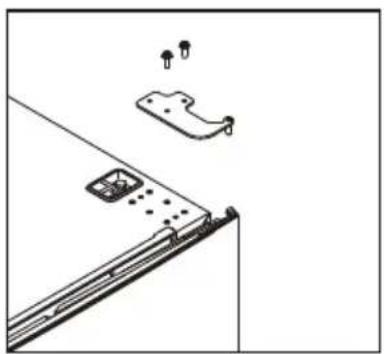
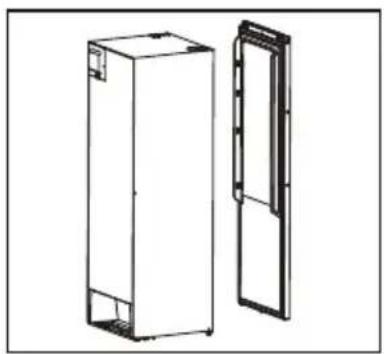
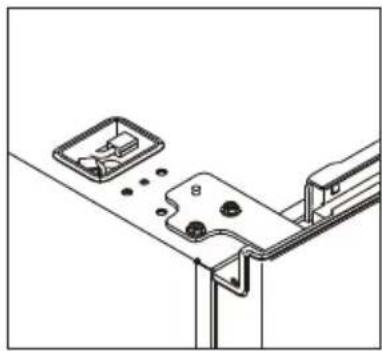
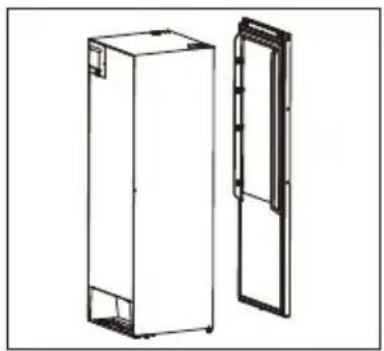
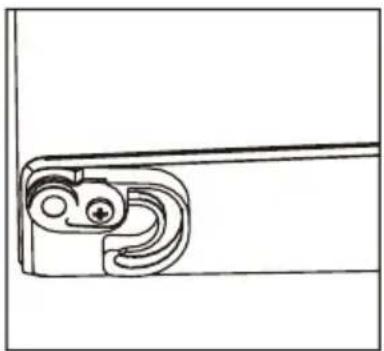
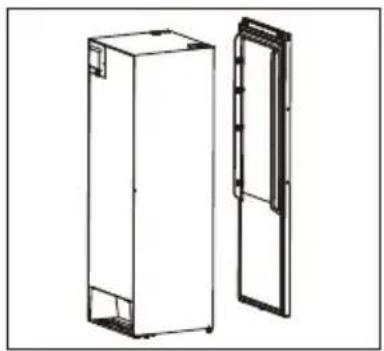
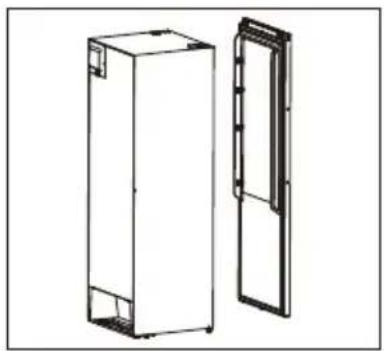
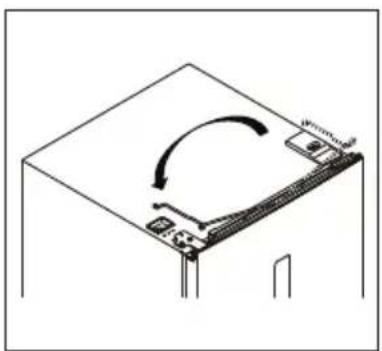
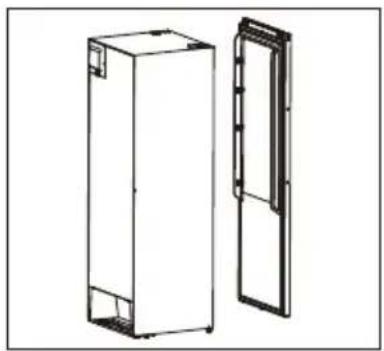
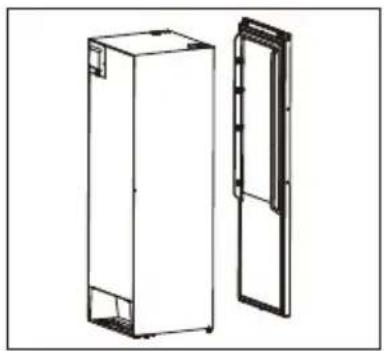
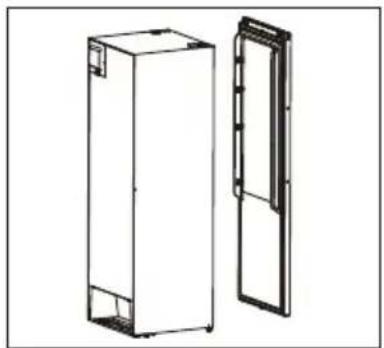
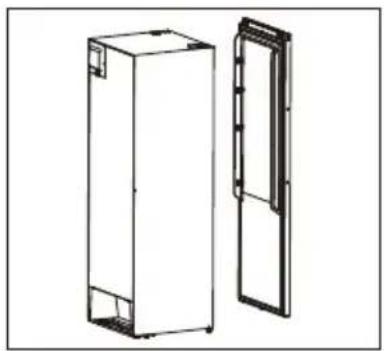
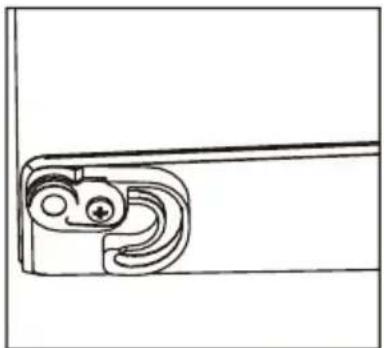
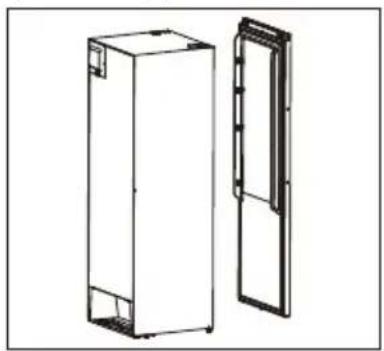
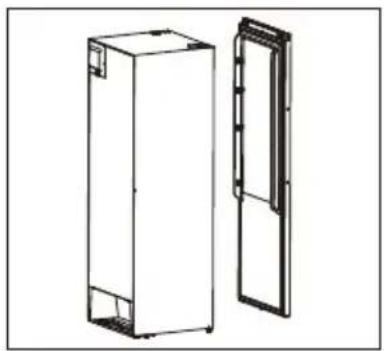
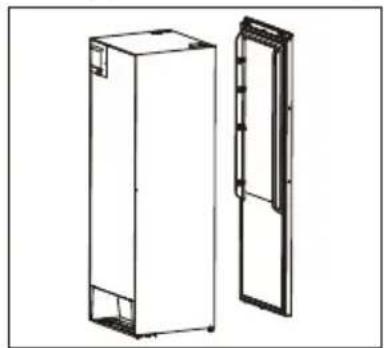
- Unscrew and remove the top hinge, and then remove the door.
natural_image
Technical line drawing of a mechanical assembly with mounting holes and a bracket (no text or symbols)
natural_image
Technical line drawing of two rectangular storage units, one open and one closed, with no visible text or symbols.
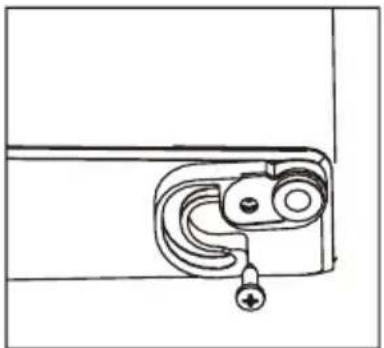
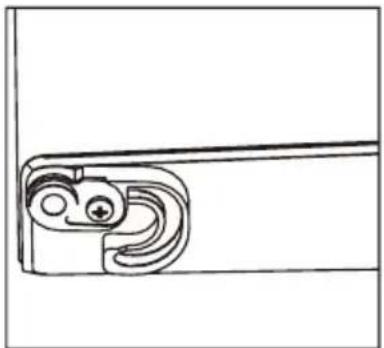
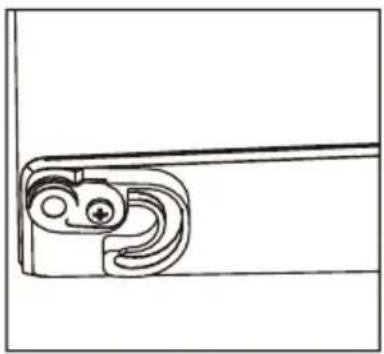
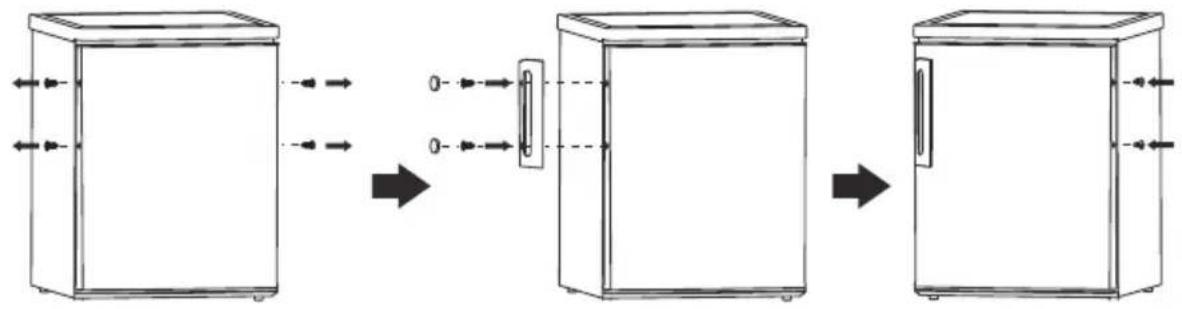
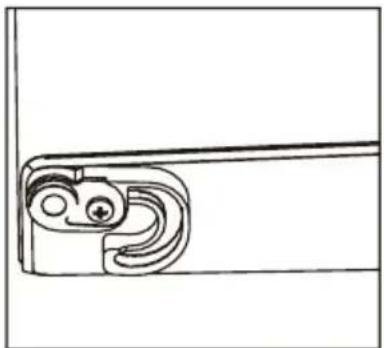
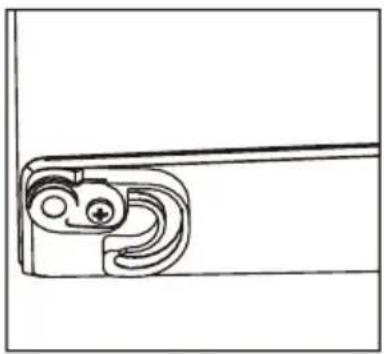
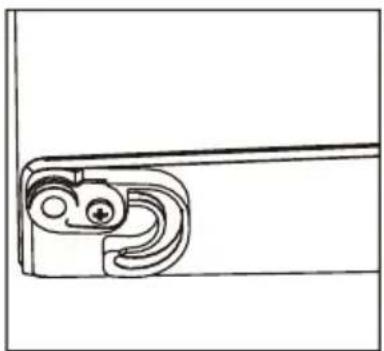
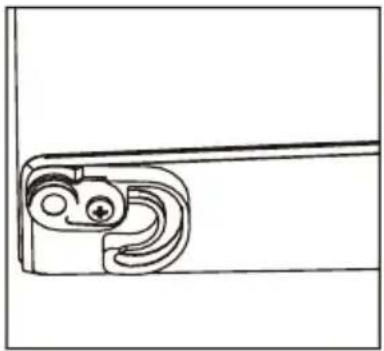
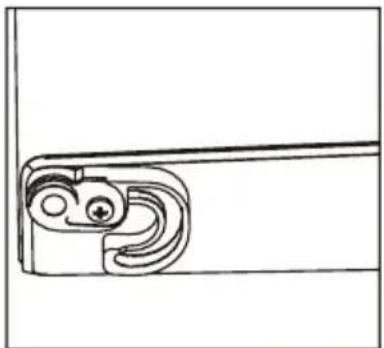
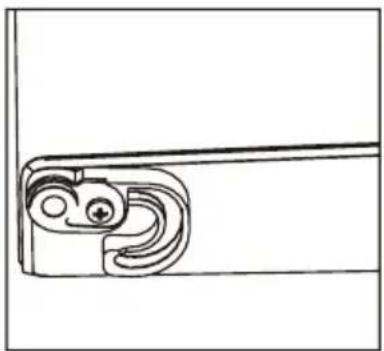
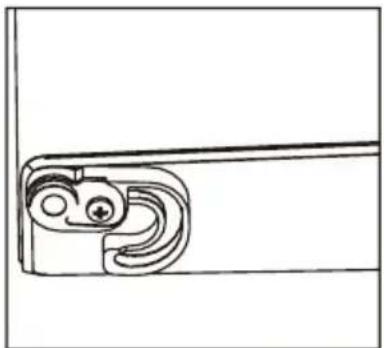
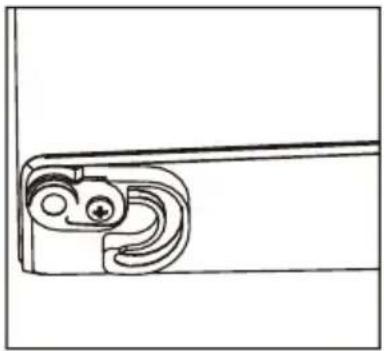
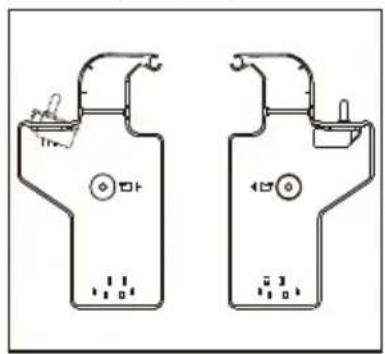
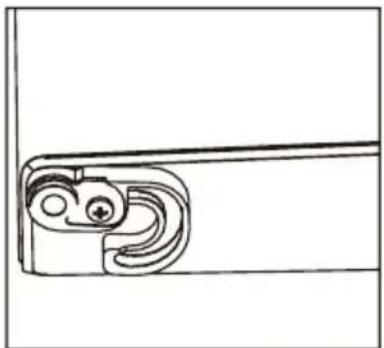
- Remove the right aid-closer, and take out left aid-closer from accessories bag and install it at left side.
natural_image
Simple line drawing of a door handle with a curved lock and circular eyes (no text or symbols)
natural_image
Pure mechanical component diagram without any text, numbers, or symbols
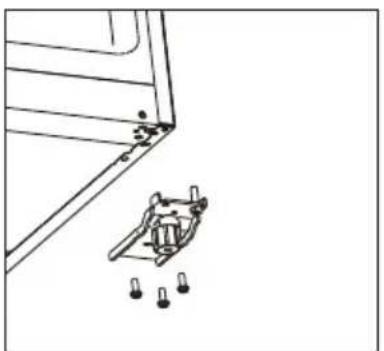
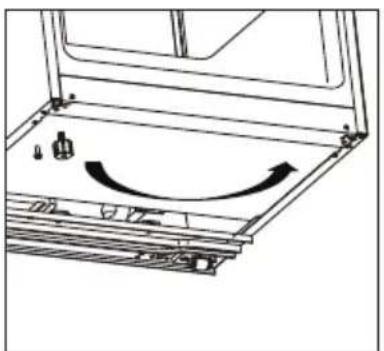
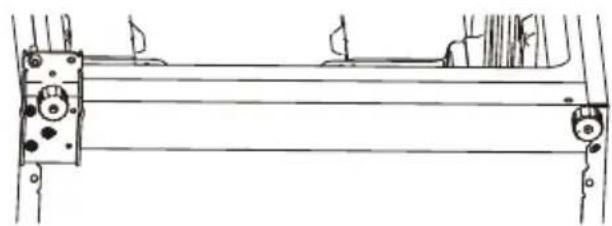
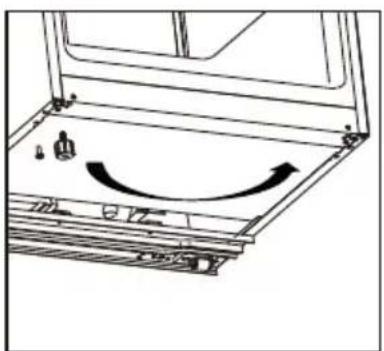
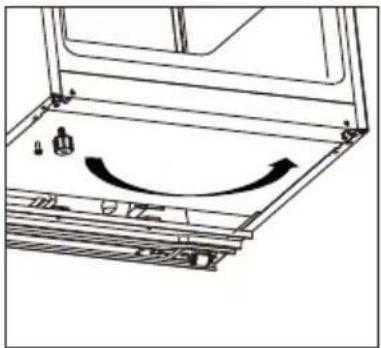
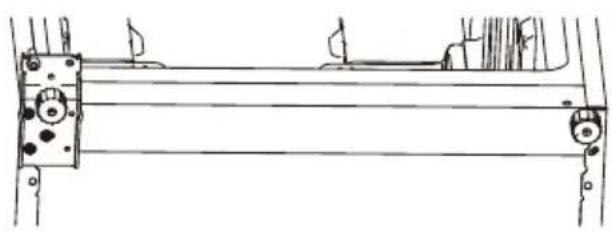
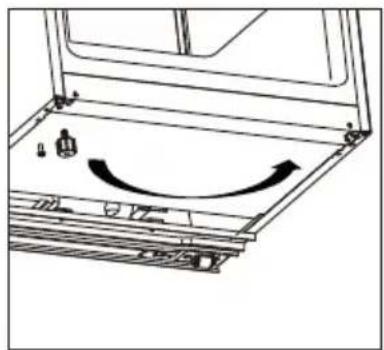
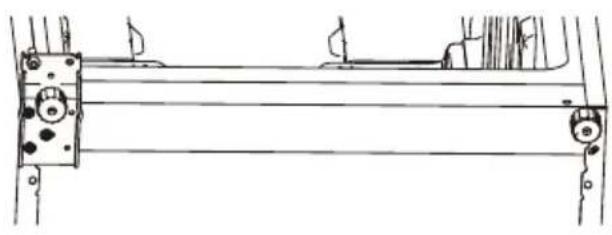
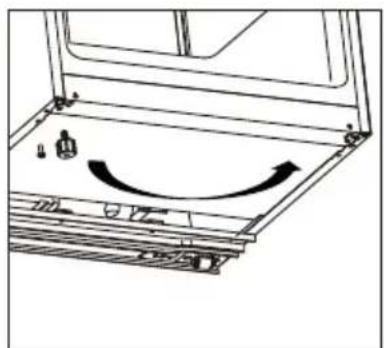
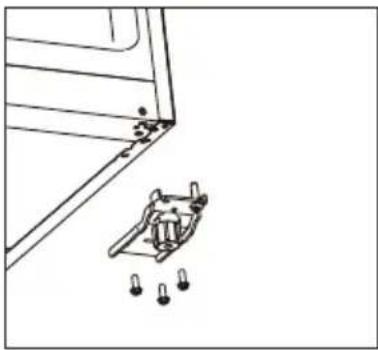
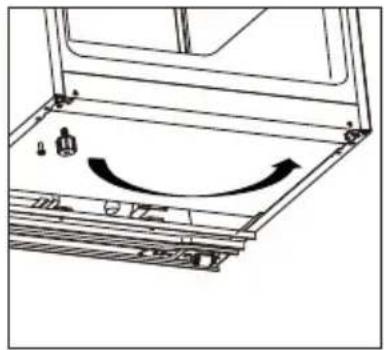
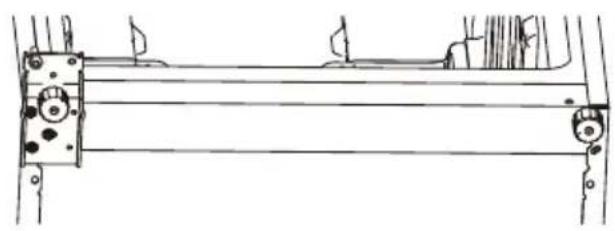
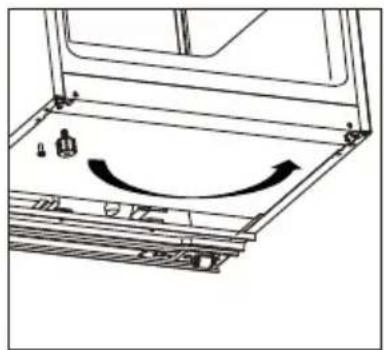
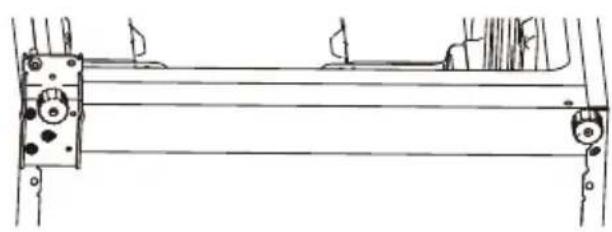
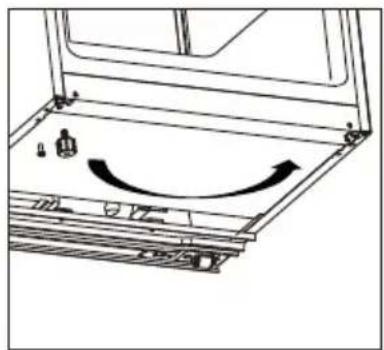
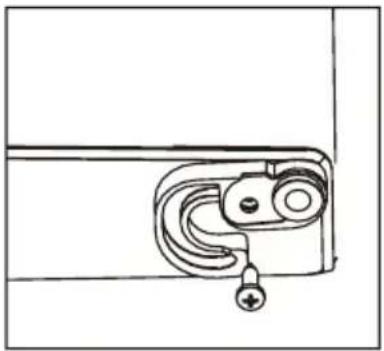
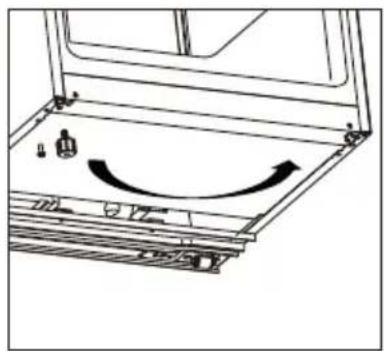
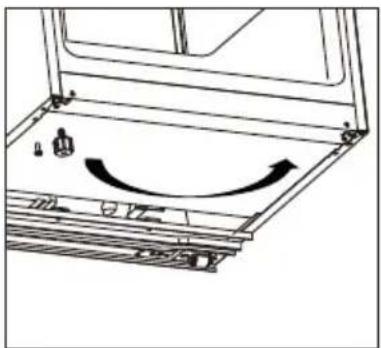
- Unscrew the bottom hinge, and remove the adjustable foot from the left side to the right side.
natural_image
Technical line drawing of a mechanical bracket with mounting holes and a separate bracket component (no text or symbols)
natural_image
Diagram of a mechanical assembly with a curved arrow indicating motion or force direction (no text or symbols present)
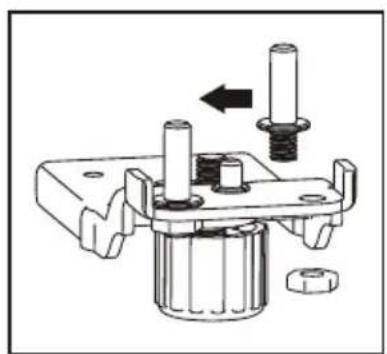
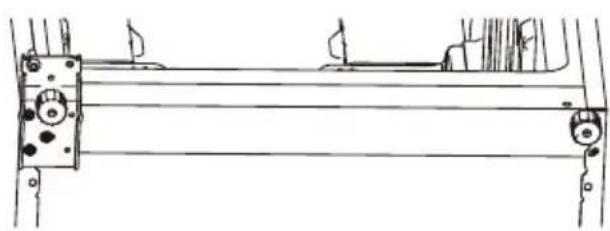
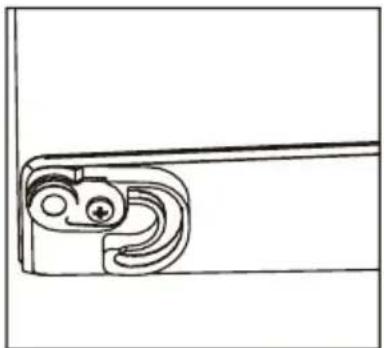
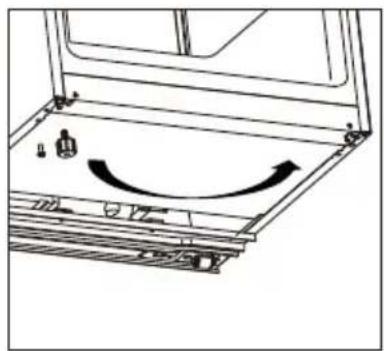
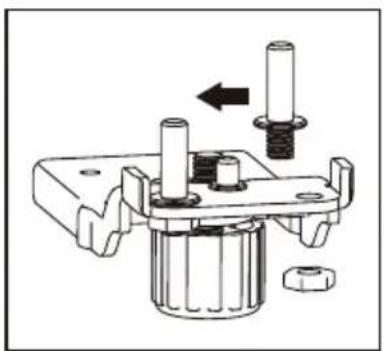
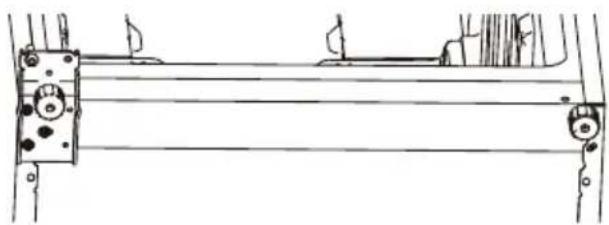
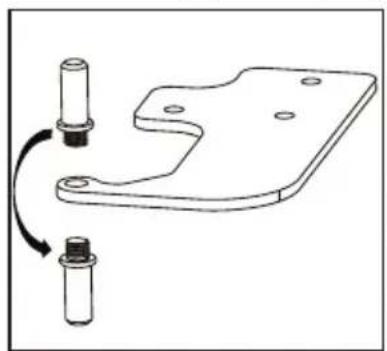
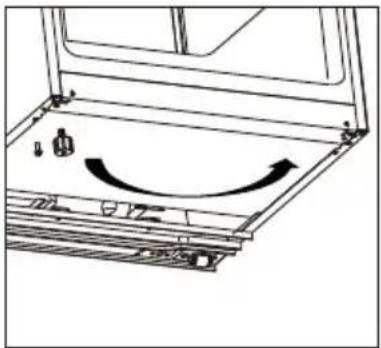
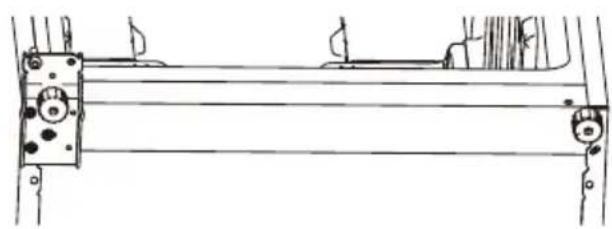
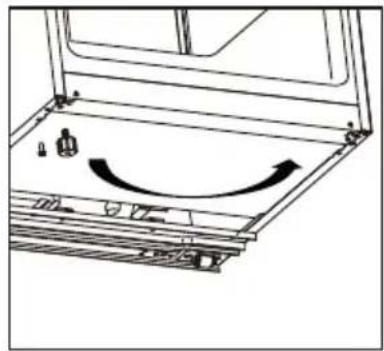
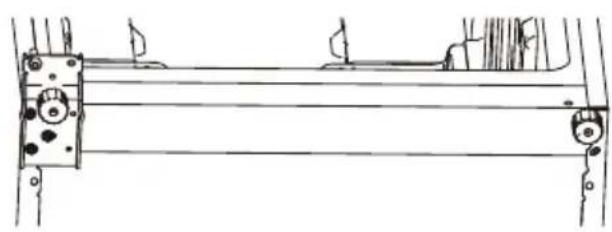
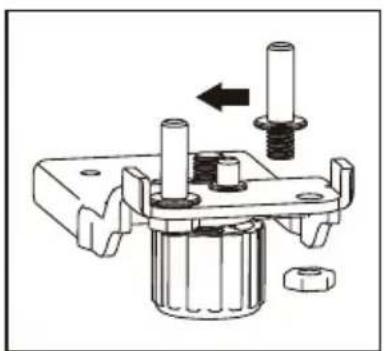
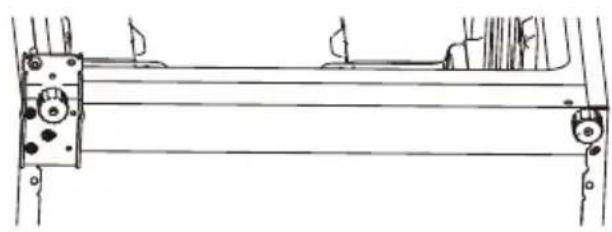
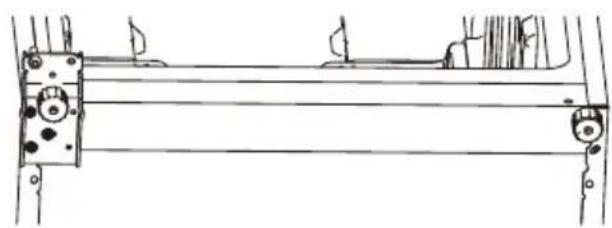
- Unscrew and move the bottom hinge pin from the right side to the left side, then install the bottom hinge on the left side of the appliance.
natural_image
Mechanical assembly diagram showing a shaft and nut assembly with a directional arrow (no text or labels)
natural_image
Technical line drawing of a mechanical assembly with no visible text or symbols
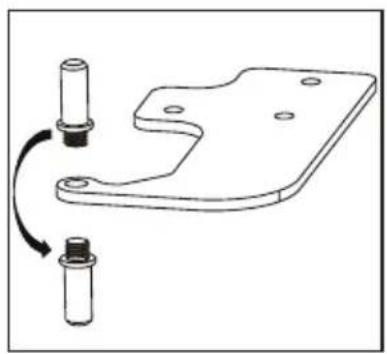
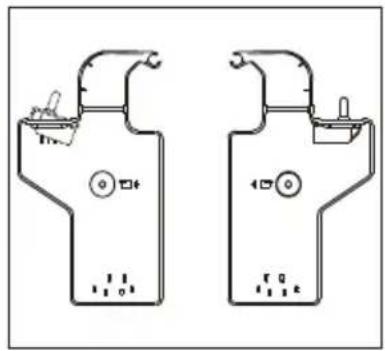
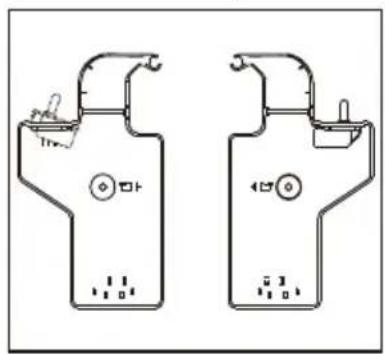
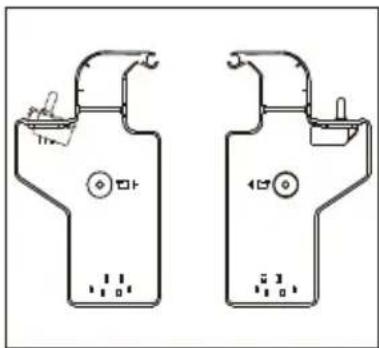
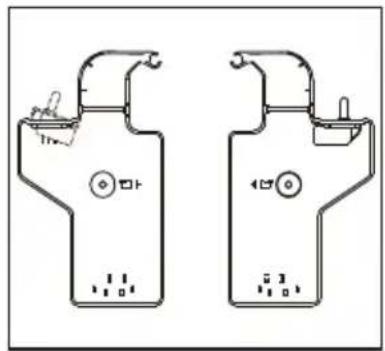
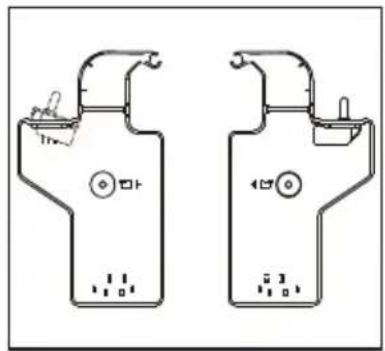
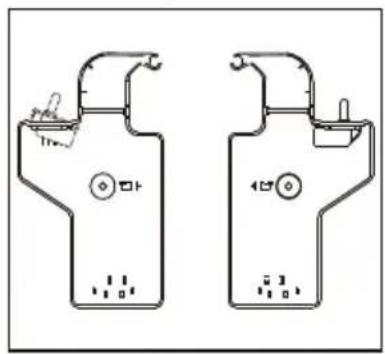
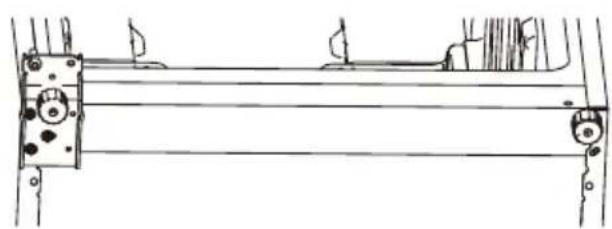
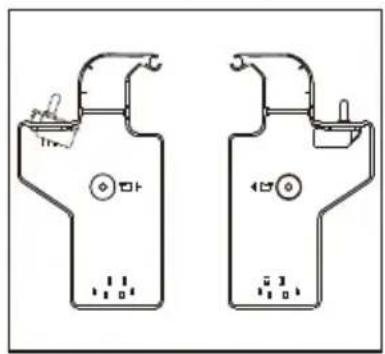
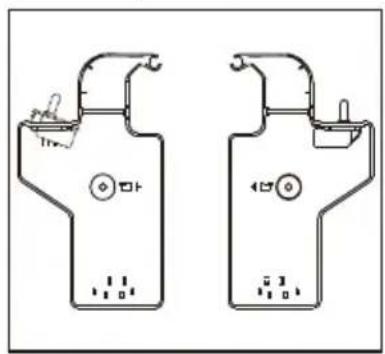
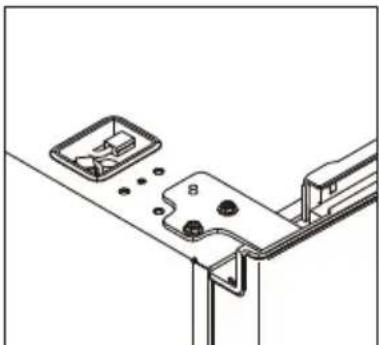
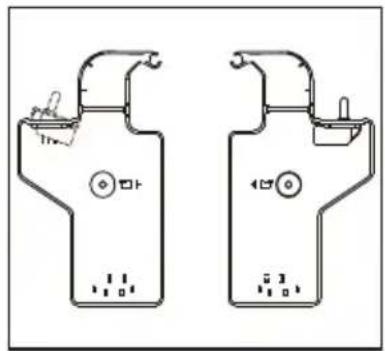
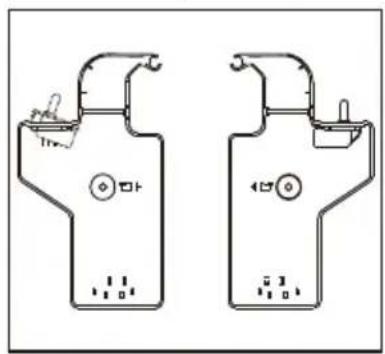
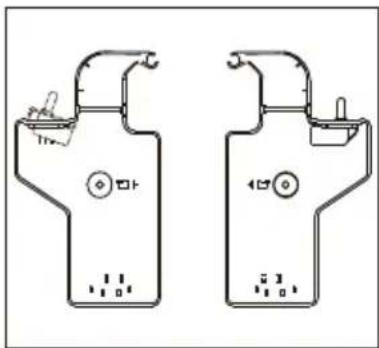
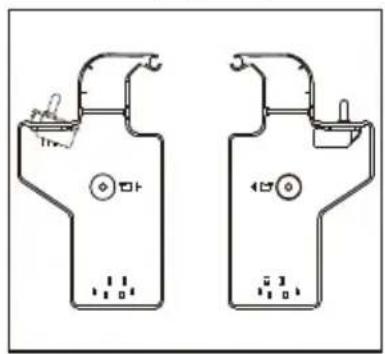
- Unscrew and move the top hinge pin from bottom side to upper side. Remove door switch from right hinge cover and then install it in left hinge cover which is placed in accessory bag.
natural_image
Technical line drawing of a mechanical bracket with two cylindrical components and a curved arrow indicating rotation (no text or symbols)
natural_image
Two identical mechanical device diagrams with no visible text, numbers, or symbols.
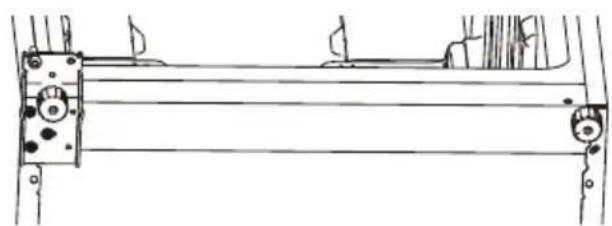
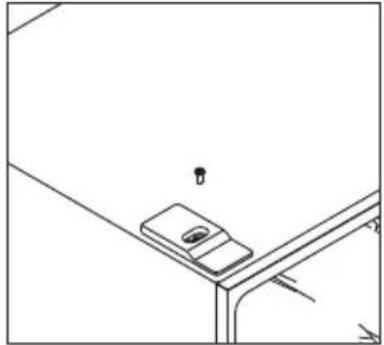
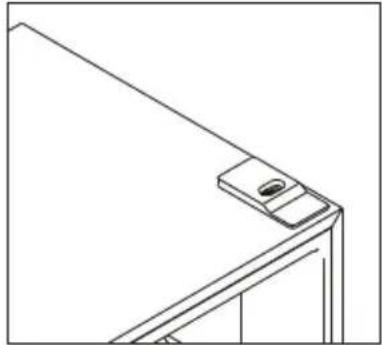
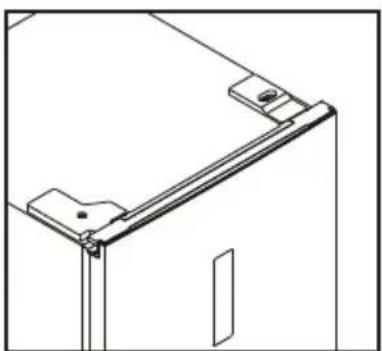
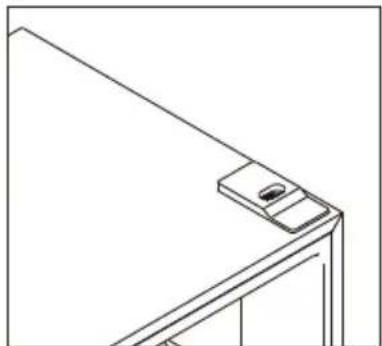
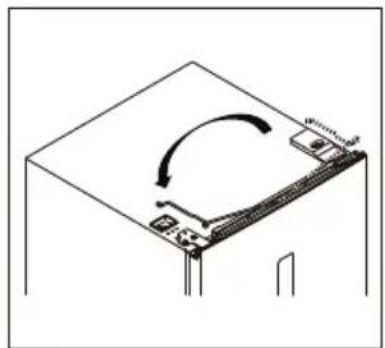
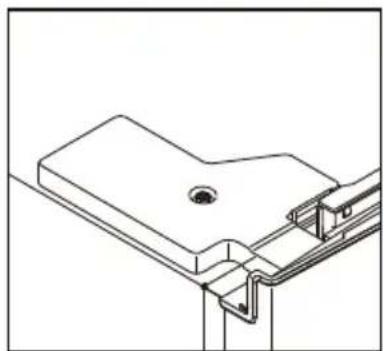
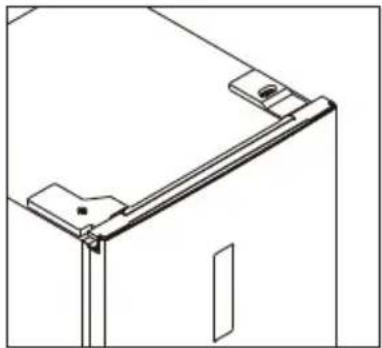
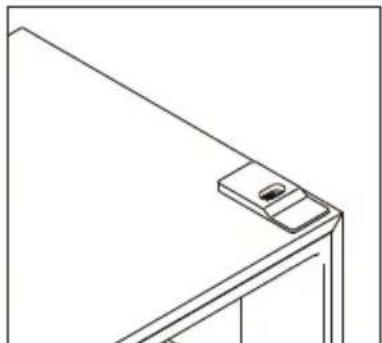
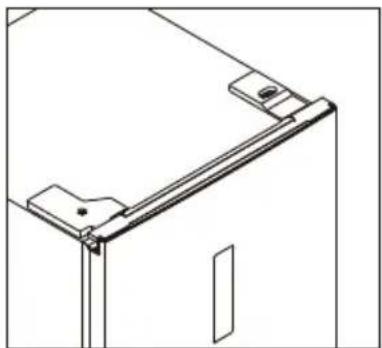
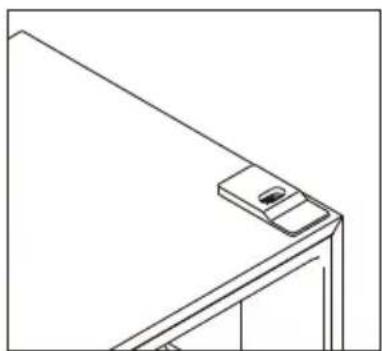
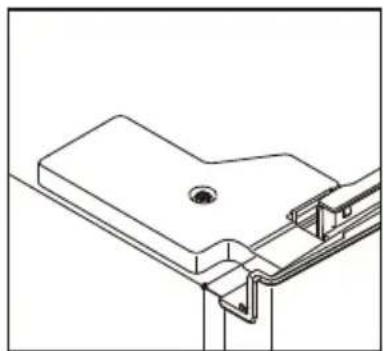
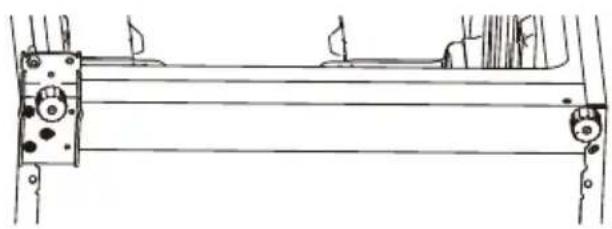
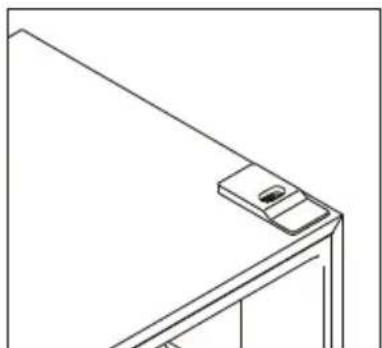
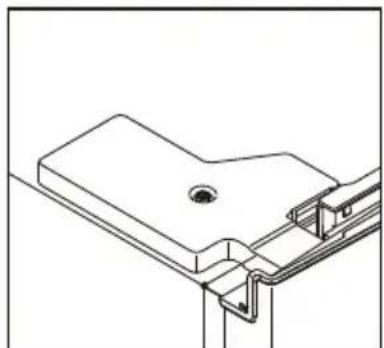
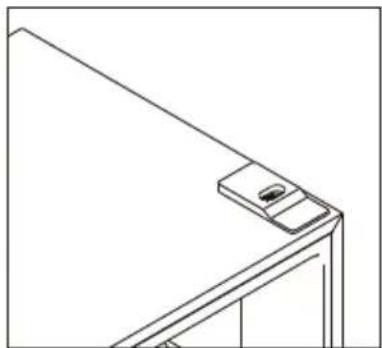
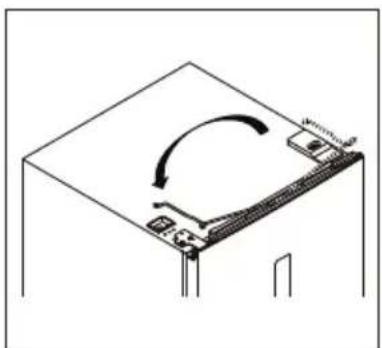
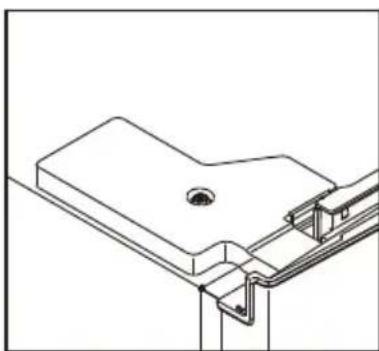
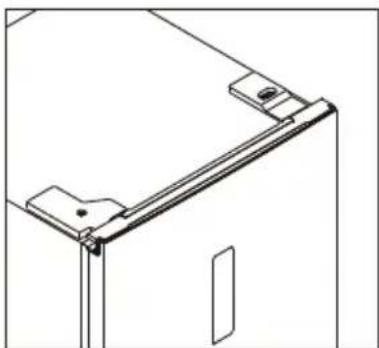
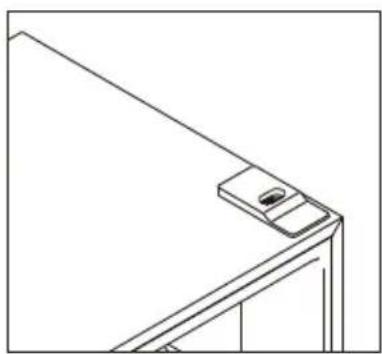
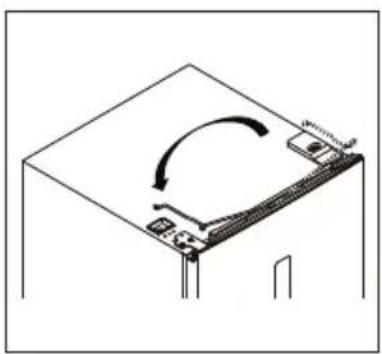
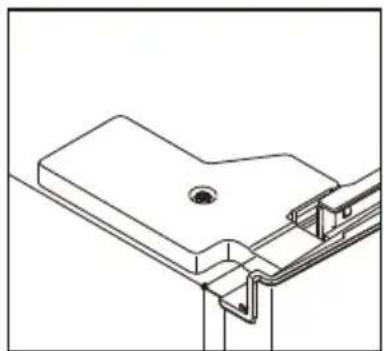
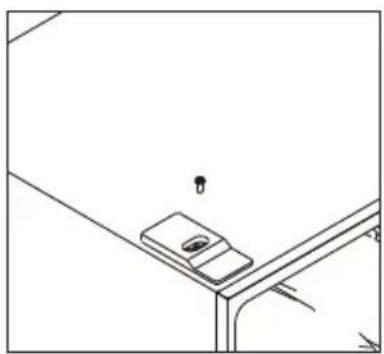
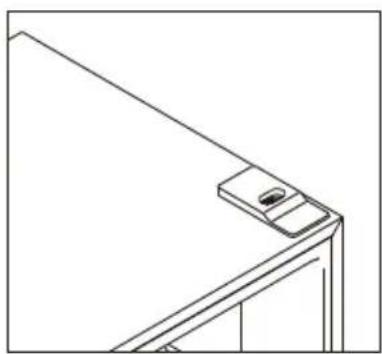
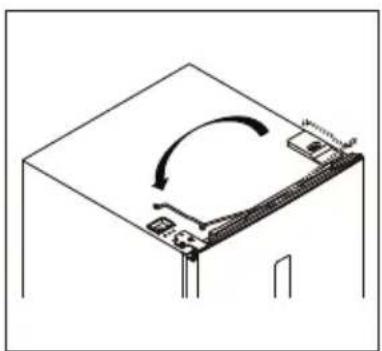
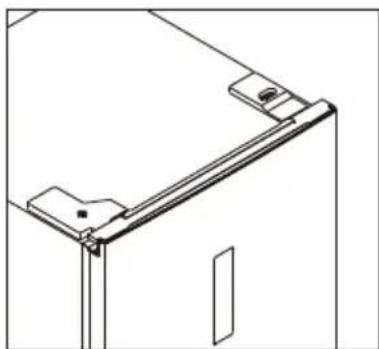
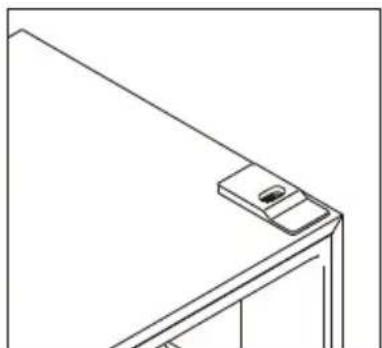
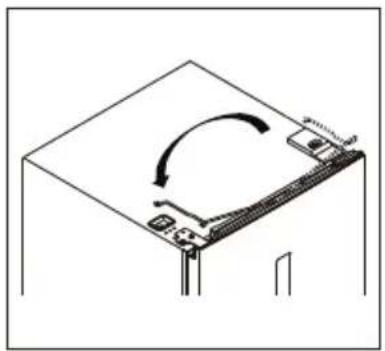
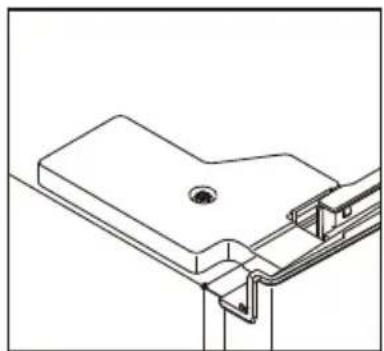
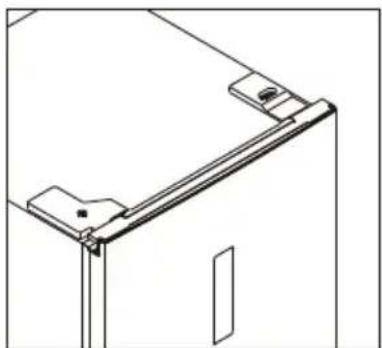
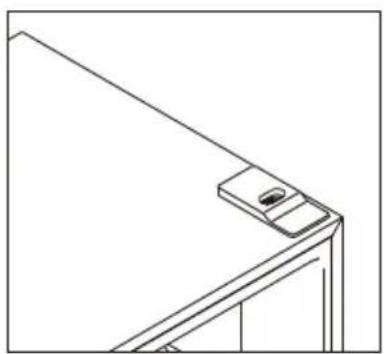
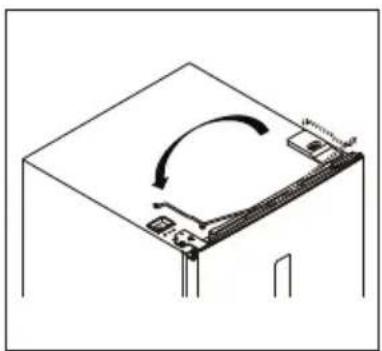
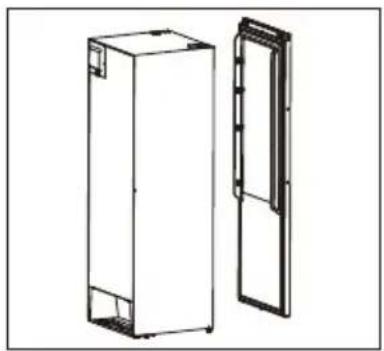
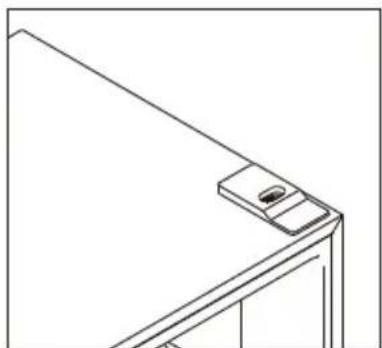
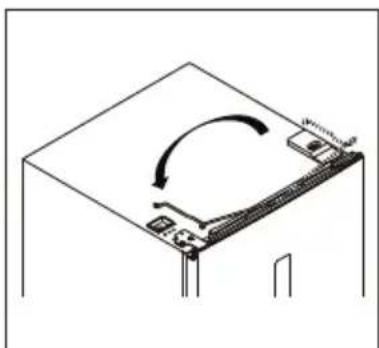
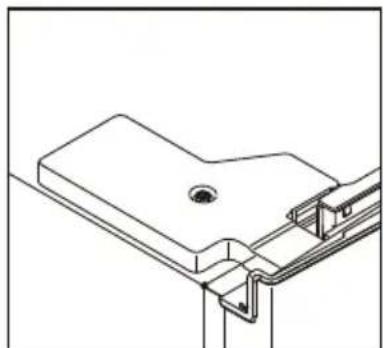
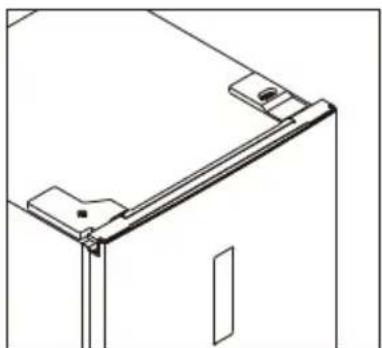
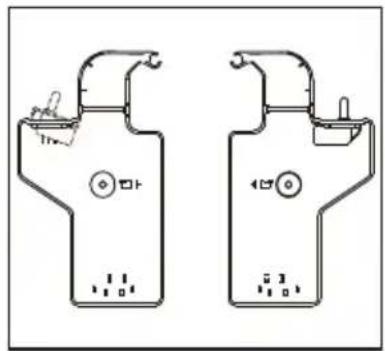
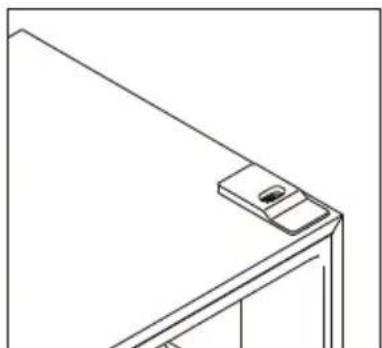
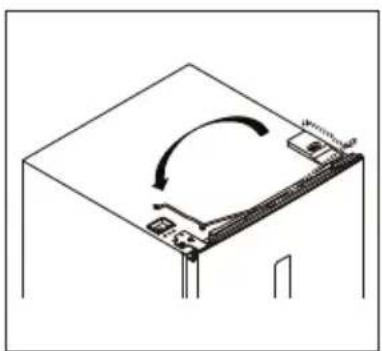
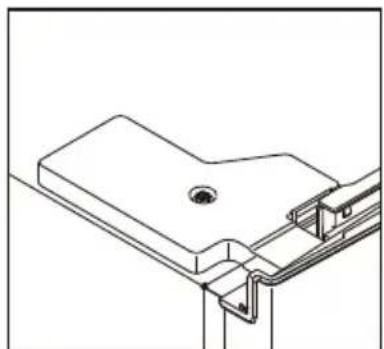
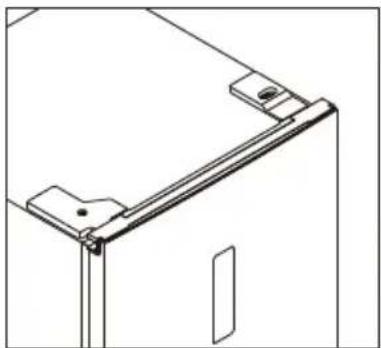
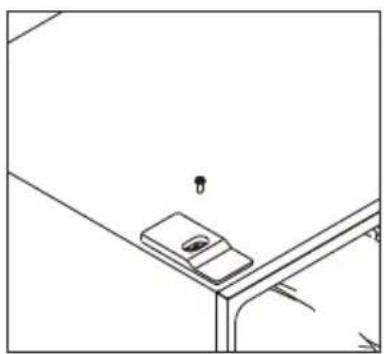
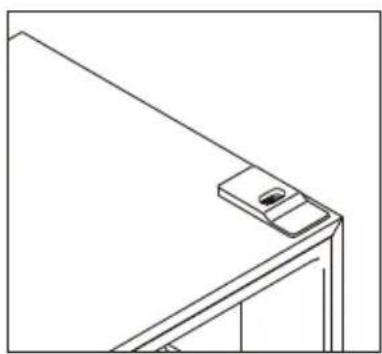
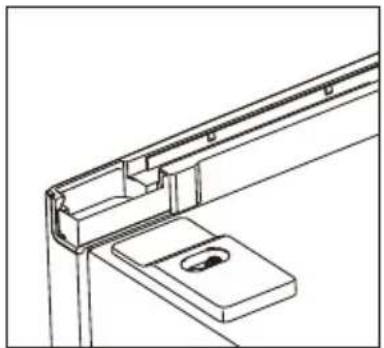
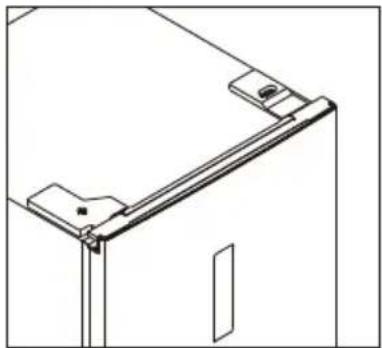
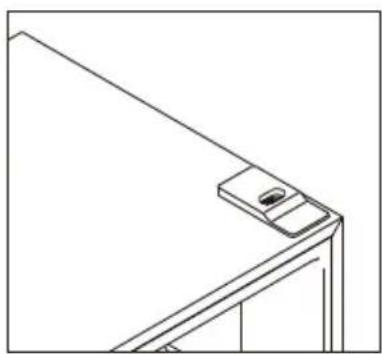
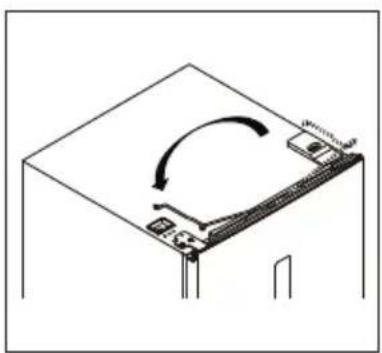
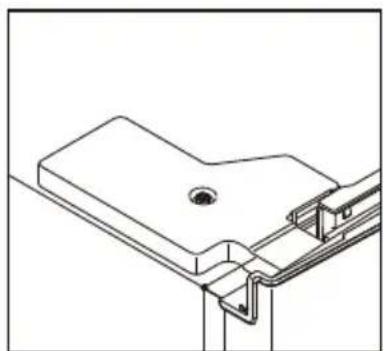
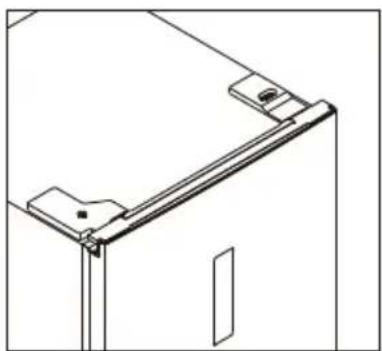
- Unscrew and move the top decorative cover on the left side, and install it on the right side.
natural_image
Line drawing of a mobile phone mounted on a wall-mounted device (no text or symbols)
natural_image
Line drawing of a structural bracket with a small inset detail (no text or symbols)
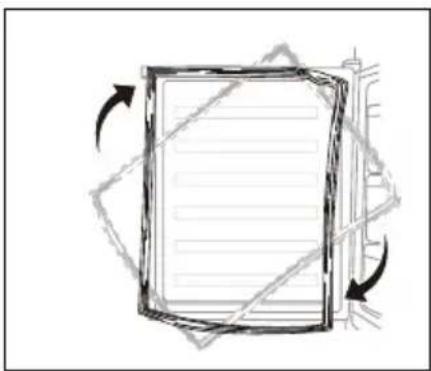
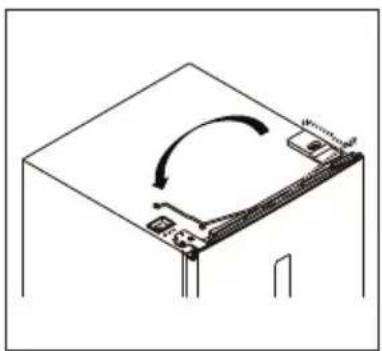
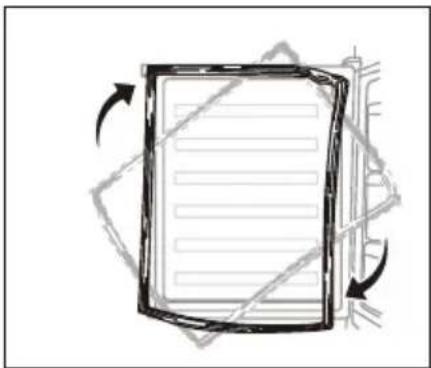
- Detach the Fridge and the Freezer door gaskets and then attach them after rotating.
natural_image
Abstract diagram of a rectangular frame with directional arrows indicating rotation or movement (no text or symbols)
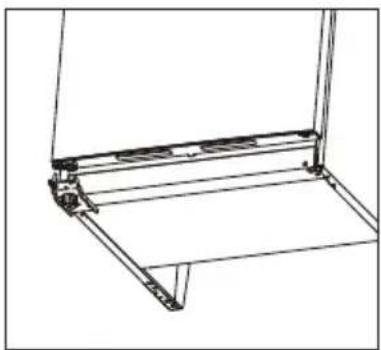
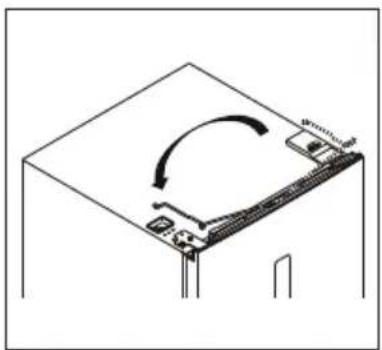
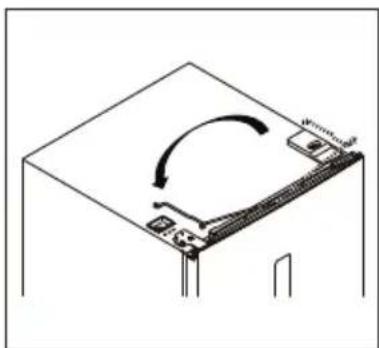
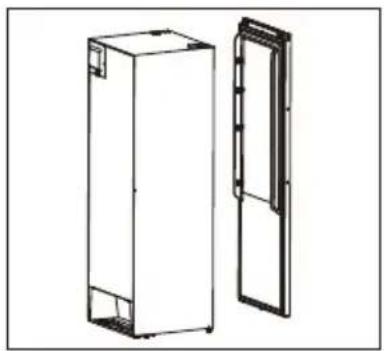
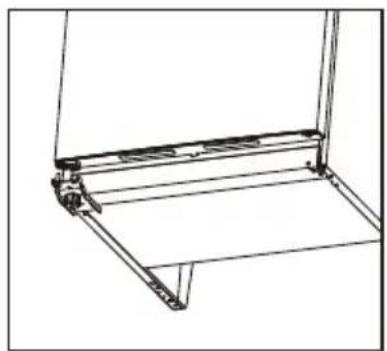
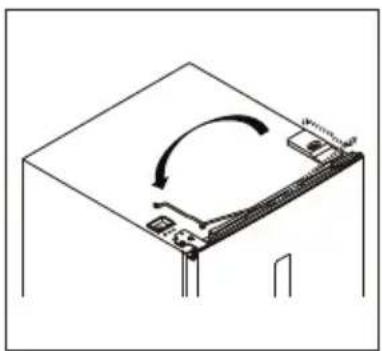
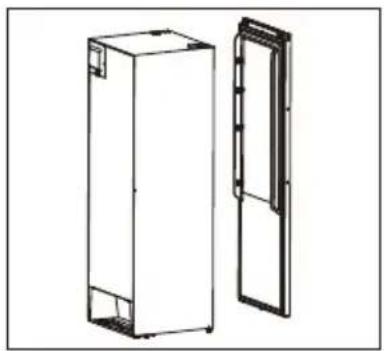
- Install the door, and then move the connecting wires from right side to left side.
natural_image
Technical line drawing of a mechanical bracket or frame structure (no text or symbols)
natural_image
Diagram of a computer monitor with an open lid and scroll wheel, showing no text or symbols
Installation
- Install the top hinge to the left side, please slightly adjust the top hinge while installing to make sure gasket is well sealed.
natural_image
Technical line drawing of a mechanical assembly with mounting brackets and a central component (no text or symbols)
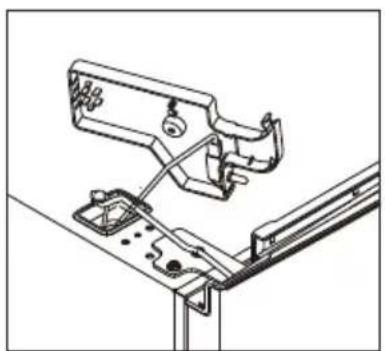
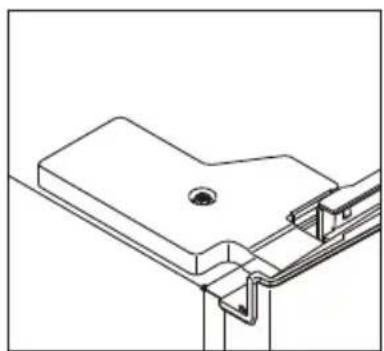
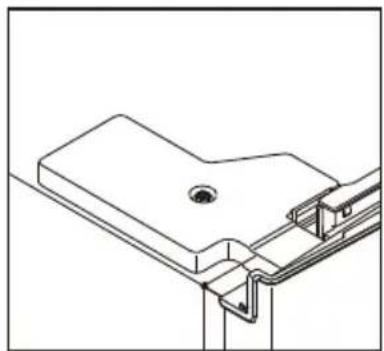
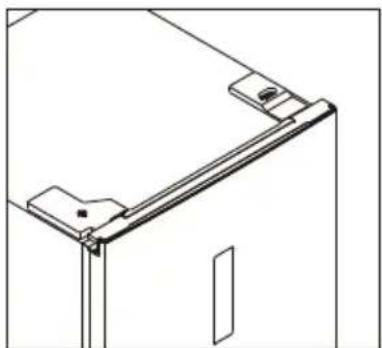
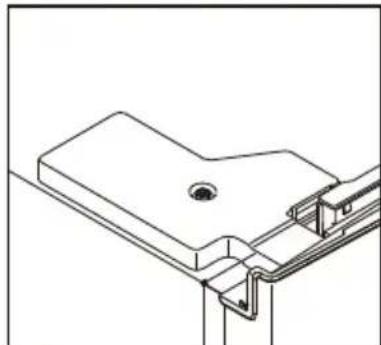
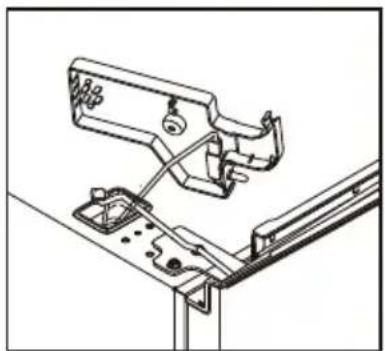
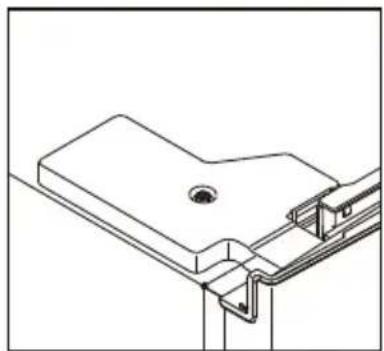
- Connect connectors of door switch and display, and install the left top hinge cover.
natural_image
Technical line drawing of a mechanical assembly with no visible text or symbols
natural_image
Technical line drawing of a mechanical bracket assembly (no text or symbols)
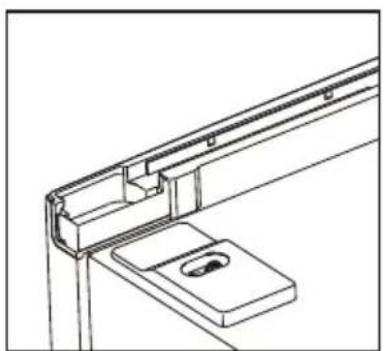
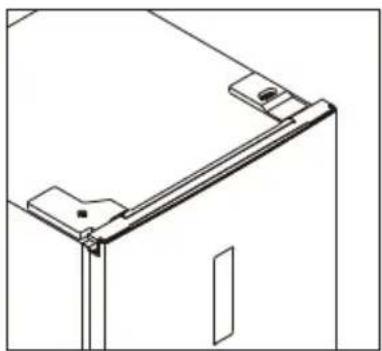
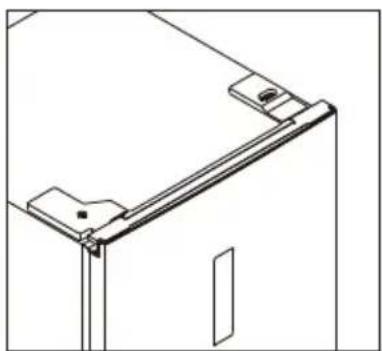
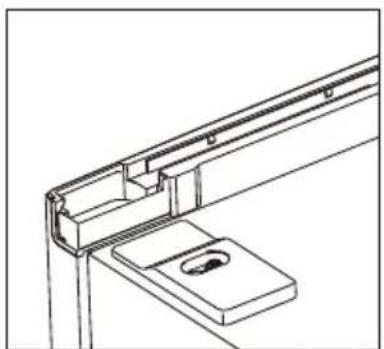
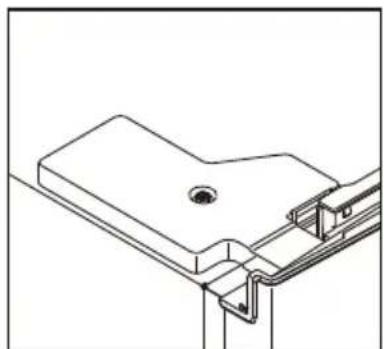
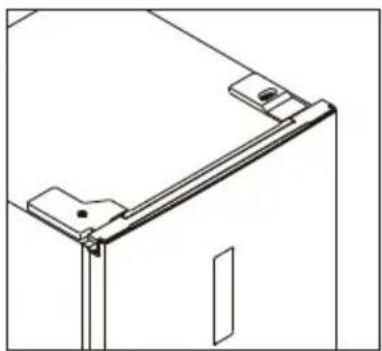
- Install the upper wire box covers to the right side.
natural_image
Technical line drawing of a mechanical bracket assembly (no text or symbols)
natural_image
Technical line drawing of a mechanical bracket or frame assembly (no text or symbols)
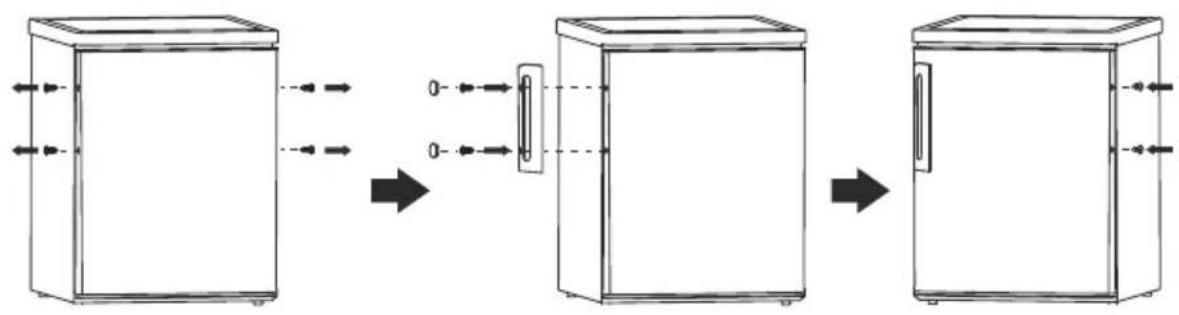
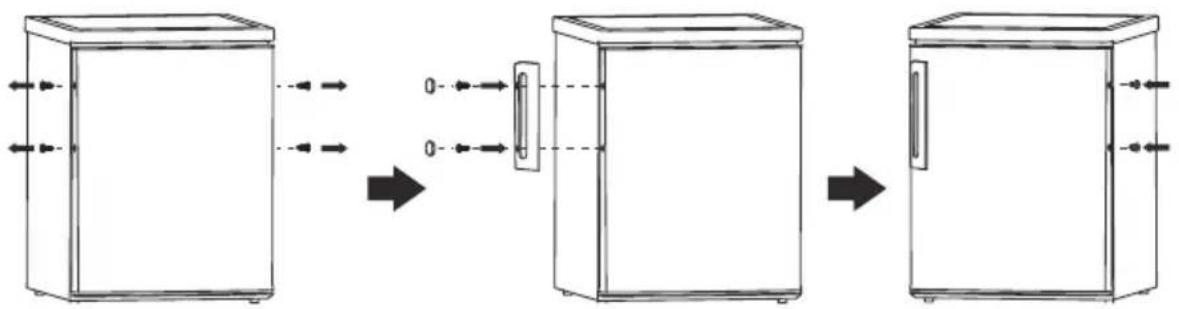
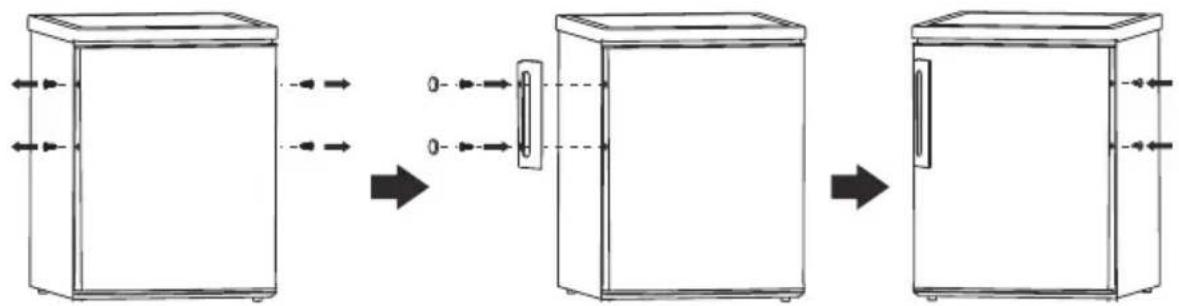
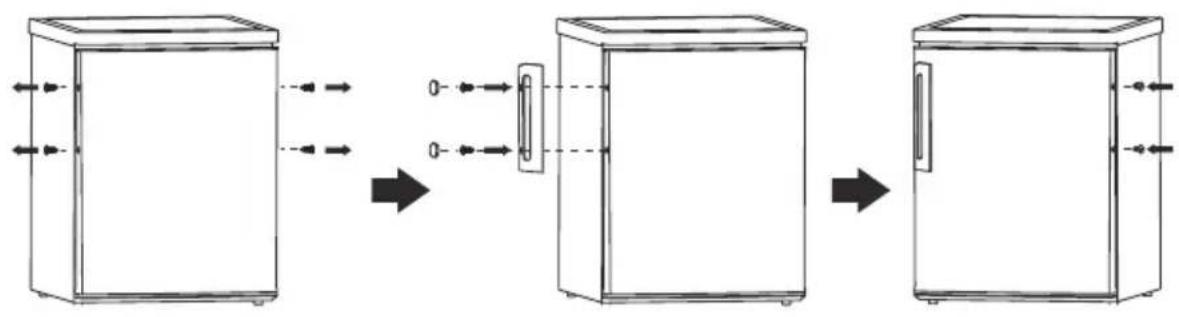
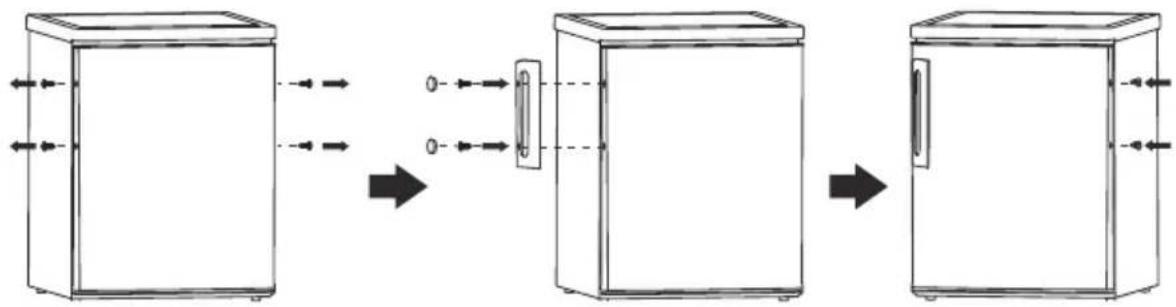
Install door handle
flowchart
graph LR
    A["Front refrigerator"] --> B["Side refrigerator with door and door"]
    B --> C["Back refrigerator with door and door"]
Space Requirement
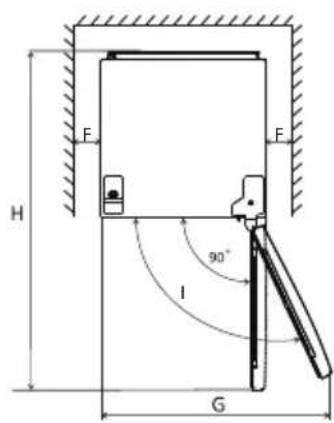
- Keep enough space of door open.
- It is advisable to keep at least 10mm gap at two sides.
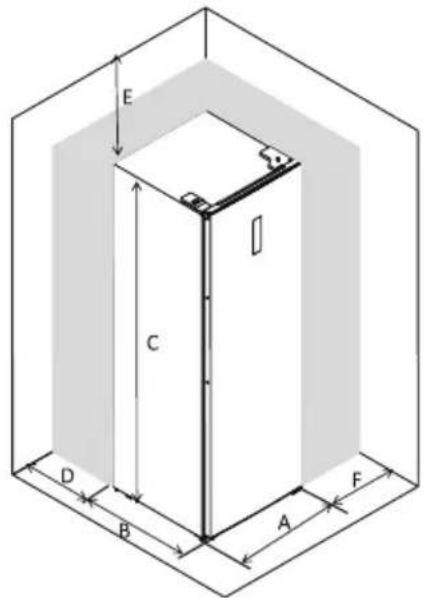
| A | 600 |
| B | 650 |
| C | 1850 |
| D | min=50 |
| E | min=50 |
| F | min=10 |
| G | 835 |
| H | 323 |
| I | 115° |
Note: this refrigerating appliance is not intended to be used as a built-in appliance.
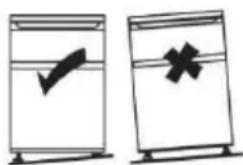
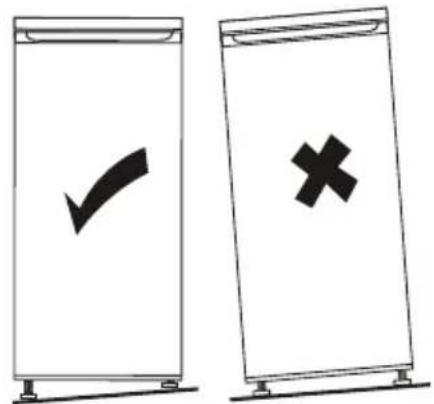
Levelling the unit
To do this adjust the two levelling feet at front of the unit.
If the unit is not level, the doors and magnetic seal alignments will not be covered properly.
Using the Control Panel
1.0 User interface introduction
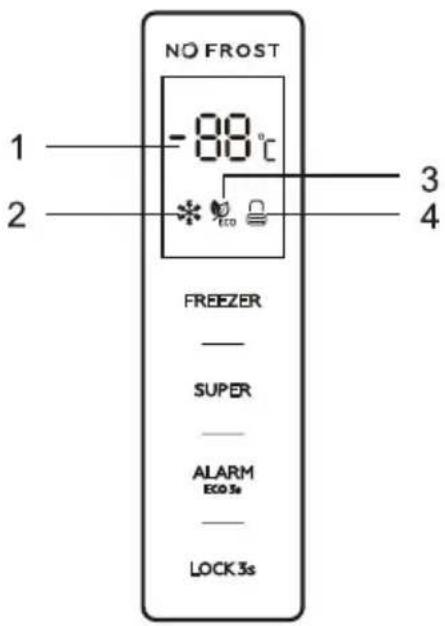
1.1 Operation Interface
FREEZER: Temperature control of the appliance
SUPER: Select and deselect super mode control
ALARM/ECO: Clear door opening alarm, select and deselect ECO Mode
LOCK: Locking and unlocking
1.2 LED Display
- Display window for preset temperature
- Super mode icon
3.ECO mode icon
- Locking and unlocking icon
All buttons are valid only in unlocking status.
Short beep after per touching of buttons
2.1 FREEZER: temperature control of the appliance available only for user defined mode
Touching "FREEZER" button consecutively, the temperature will change in a circle from -14°C\~-22°C, stop touching and after 5 seconds flashing, temperature is set.
2.2 SUPER: select and deselect super mode
Press "SUPER" button to select super mode. After 5 seconds flashing of super mode icon, super mode is selected.
When super mode is selected, super mode icon will light on, and display window will show -25°C.
In super mode, touching "FREEZER" button, super mode icon will flash 3 times, but freezer temperature can not be changed.
To exit Super mode,
- Press "SUPER" button to deselect Super mode,
- Or after 50 hours of super mode without any operation, the refrigerator will automatically stop it and enter to previous setting.
Warning:
In super mode, noise of the appliance may be slightly higher than normal running.
2.3 ALARM/ECO: clear door opening alarm and high temperature alarm, select and deselect ECO mode
Short touching "ALARM/ECO" button to clear door opening alarm and high temperature alarm. Touching "ALARM/ECO" button for 3 seconds to select ECO mode. After 5 seconds flashing of ECO mode icon, ECO mode is selected.
When ECO mode is selected, ECO mode icon will light on, and display window will show different preset temperatures, depending on the ambient temperature (Ta) of where the appliance be placed, as below.
| Ambient Temperature (Ta) | Ta ≤ 13ircC | 14ircC < Ta ≤ 20ircC | 21ircC < Ta ≤ 27ircC | 28ircC < Ta ≤ 34ircC | Ta >35ircC |
| Preset Temperature | -18°C | -18°C | -18°C | -16°C | -15°C |
In ECO mode, "FREEZER" button will not respond to any touching. Touching "ALARM/ECO" button for 3 seconds to deselect ECO mode.
2.4 LOCK: Locking and Unlocking
Touching "LOCK" button for 3 seconds to lock the control panel, then the locking and unlocking icon will be " [icon]".
In locking status, touch any button, the locking and unlocking icon will flash 3 times.
Touching "LOCK" button for 3 seconds to unlock the control panel, then the locking and unlocking icon will be "☐".
In unlocking status, all buttons are available.
If no operation in 25 seconds, the control panel will be locked automatically.
3.0 Door opening alarm
If the door keeps opening for 90 seconds, door opening alarm sounds.
Close the door to stop the door opening alarm.
Or short touching "ALARM/ECO" button to clear door opening alarm.
4.0 High temperature alarm
If high internal temperature of the appliance is detected, high temperature alarm will sound, "ht" and detected temperature will display alternately on display window.
Short touching "ALARM/ECO" button to stop door opening alarm.
High temperature display will disappear automatically only if detected temperature goes back to normal.
First use
Cleaning the Interior
Before using the appliance for the first time, wash the interior and all internal accessories with lukewarm water and some neutral soap so as to remove the typical smell of a brand new product, then dry thoroughly.
Important! Do not use detergents or abrasive powders, as these will damage the finish.
Daily use
Position different food in different compartments according to be below table
| Freezer drawer(s)/shelf | ·Foods for long-term storage.·Bottom drawer/shelf for raw meat, poultry, fish.·Middle drawer/shelf for frozen vegetables, chips.·Top drawer/shelf for ice cream, frozen fruit, frozen baked goods. |
Storing frozen food
When first starting-up or after a period out of use. Before putting the product in the compartment let the appliance run at least 2 hours on the higher settings.
Important! In the event of accidental defrosting, for example the power has been off for longer than the value shown in the technical characteristics chart under "rising time", the defrosted food must be consumed quickly or cooked immediately and then re-frozen (after cooked).
Temperature setting recommendation: -18ircC is recommended.
Under recommended setting, the best storage time of freezer is no more than 1 month.
The best storage time may reduce under other settings.
Thawing
Deep-frozen or frozen food, prior to be used, can be thawed in the freezer compartment or at room temperature, depending on the time available for this operation.
Small pieces may even be cooked still frozen, directly from the freezer. In this case, cooking will take longer.
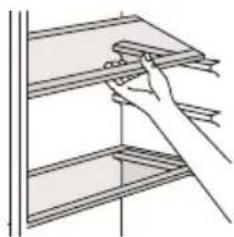
Accessories Movable shelves
The walls of the refrigerator are equipped with a series of runners so that the shelves can be positioned as desired.
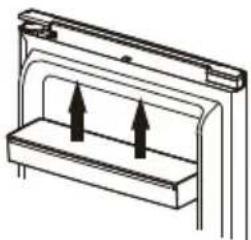
Positioning the door balconies
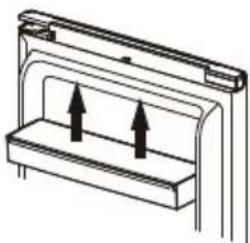
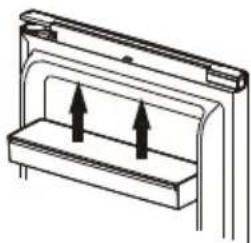
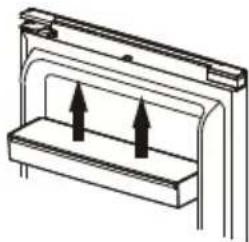
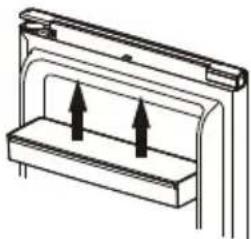
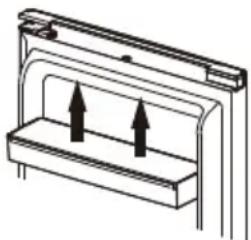
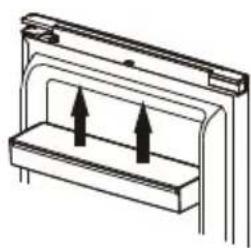
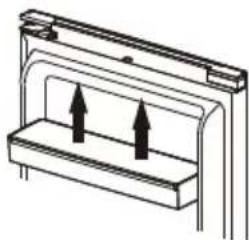
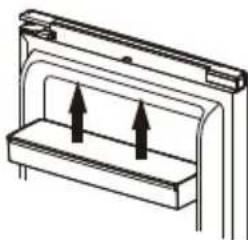
Door balconies can be disassembled for cleaning. To make the disassembling as follows: gradually pull the balcony in the direction of the arrows until it comes free, after cleaning, reposition it.
natural_image
Line drawing of a hand holding a shelf with a ruler, no text or symbols present
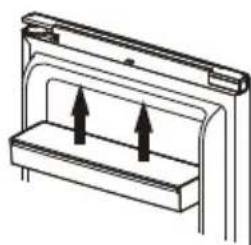
natural_image
Pure technical diagram of a mechanical component with two upward arrows indicating direction (no text or symbols)
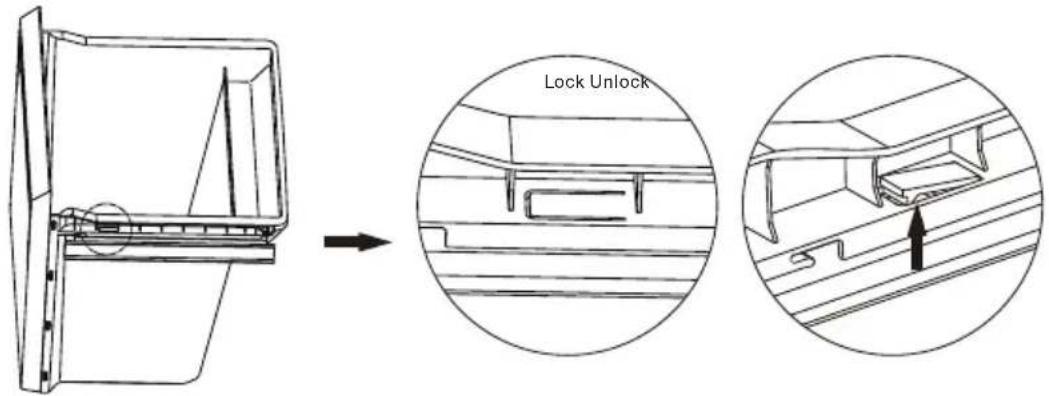
Disassemble the bottom drawer
-
Pull out the bottom drawer to stopper position.
-
Push up the elastic buckles on both sides of the bottom drawer.
-
Pull out the bottom drawer.
Helpful hints and tips
Hints for freezing
To help you make the most of the freezing process, here are some important hints:
• the maximum quantity of food which can be frozen in 24 hrs. is shown on the rating plate;
- the freezing process takes 24 hours. No further food to be frozen should be added during this period;
- only freeze top quality, fresh and thoroughly cleaned, foodstuffs;
- prepare food in small portions to enable it to be rapidly and completely frozen and to make it possible subsequently to thaw only the quantity required;
- wrap up the food in aluminium foil or polythene and make sure that the packages are airtight;
- do not allow fresh, unfrozen food to touch food which is already frozen, thus avoiding a rise in temperature of the latter;
- lean foods store better and longer than fatty ones; salt reduces the storage life of food;
- water ices, if consumed immediately after removal from the freezer compartment, can possibly cause the skin to be freeze burnt;
- it is advisable to show the freezing in date on each individual pack to enable you removal from the freezer compartment, can possibly cause the skin to be freeze burnt;
- it is advisable to show the freezing in date on each individual pack to enable you to keep tab of the storage time.
Hints for storage of frozen food
To obtain the best performance from this appliance, you should:
make sure that the commercially frozen foodstuffs were adequately stored by the retailer;
be sure that frozen foodstuffs are transferred from the food store to the freezer in the shortest possible time;
not open the door frequently or leave it open longer than absolutely necessary.
Once defrosted, food deteriorates rapidly and cannot be refrozen.
Do not exceed the storage period indicated by the food manufacture.
Cleaning
For hygienic reasons the appliance interior, including interior accessories, should be cleaned regularly.

Caution! The appliance may not be connected to the mains during cleaning. Danger of electrical shock! Before cleaning switch the appliance off and remove the plug from the mains, or switch off or turn out the circuit breaker or fuse. Never clean the appliance with a steam cleaner. Moisture could accumulate in electrical components, danger of electrical shock! Hot vapors can lead to the damage of plastic parts. The appliance must be dry before it is placed back into service.
Important! Ethereal oils and organic solvents can attack plastic parts, e.g. lemon juice or the juice form orange peel, butyric acid, cleanser that contain acetic acid.
- Do not allow such substances to come into contact the appliance parts.
- Do not use any abrasive cleaners
- Remove the food from the freezer. Store them in a cool place, well covered.
- Switch the appliance off and remove the plug from the mains, or switch off or turn out the circuit breaker of fuse.
- Clean the appliance and the interior accessories with a cloth and lukewarm water. After cleaning wipe with fresh water and rub dry.
•After everything is dry place appliance back into service.
Replace the lamp
The internal light is a LED type. To replace the lamp, please contact qualified technician.
Troubleshooting
Caution! Before troubleshooting, disconnect the power supply. Only a qualified electrician of competent person must do the troubleshooting that is not in this manual.
Important! There are some sounds during normal use (compressor, refrigerant circulation).
Non-use for long periods
If the appliance is not used for an extended period of time:
Take out the food and unplug the power cord.
Clean the appliance as described in the "Care and cleaning – General" section.
Keep the door and freezer drawers/door open to prevent the creation of bad odors inside.
Power interruption
In the event of power cut, food should remain safely cold for see rating plate. Follow these tips during a prolonged power interruption, especially in summer:
Open the door/drawer as few times as possible.
Do not put additional food into the appliance during a power interruption.
If prior notice of a power interruption is given and the interruption duration is longer than the amount of hours indicated on the rating plate, make some ice and put it in the top of the refrigerator compartment.
The storage period and edible quality of food will be reduced. Any food that defrosts should be either consumed, or cooked and refrozen (where suitable) in order to prevent health risks.
Availability of spare parts
➢ Thermostats, temperature sensors, printed circuit boards and light sources are available for a minimum period of 7 years after placing the last unit of the model on the market.
➢ Door handles, door hinges, trays and baskets for a minimum period of 7 years and door gaskets for a minimum period of 10 year, after placing the last unit of the model on the market.
To contact the technical assistance, visit our website: https://
corporate.haier-europe.com/en/
Under the section “website”, choose the brand of your product and your country. You will be redirected to the specific website where you can find the telephone number and form to contact the technical assistance.
For further information about the product, please consult https://
eprel.ec.europa.eu/ or scan the QR on the energy label supplied with the appliance
Mraznička Total No-Frost
natural_image
Technical line drawing of a mechanical assembly with mounting holes and a bracket (no text or symbols)
natural_image
Technical line drawing of two rectangular storage units, one upright and one tilted (no text or symbols)
natural_image
Simple line drawing of a mechanical clamp or bracket with a handle and mounting base (no text or symbols)
natural_image
Pure technical line drawing of a mechanical bracket or clamp (no text or symbols)
natural_image
Technical line drawing of a mechanical bracket with mounting holes and a separate bracket component (no text or symbols)
natural_image
Diagram of a mechanical assembly with a curved arrow indicating motion or direction (no text or symbols present)
natural_image
Mechanical assembly diagram showing a bolted joint with two bolts and a central shaft (no text or labels)
natural_image
Technical line drawing of a mechanical assembly with no visible text or symbols
Instalace
natural_image
Technical line drawing of a mechanical bracket with two cylindrical components and a curved arrow indicating rotation (no text or symbols)
natural_image
Two identical mechanical device diagrams with no visible text, numbers, or symbols.
natural_image
Simple line drawing of a mobile phone mounted on a pole, no text or symbols present
natural_image
Line drawing of a window frame with a small object on top (no text or symbols)
natural_image
Abstract diagram of a document with directional arrows indicating rotation or movement (no text or symbols)
natural_image
Technical line drawing of a mechanical bracket or frame structure (no text or symbols)
natural_image
Diagram of a computer monitor with an open rear panel and a curved arrow indicating motion (no text or symbols)
Instalace
natural_image
Technical line drawing of a mechanical assembly with mounting bracket and housing (no text or symbols)
natural_image
Technical line drawing of a mechanical assembly with no visible text or symbols
natural_image
Technical line drawing of a mechanical bracket assembly (no text or symbols)
natural_image
Technical line drawing of a mechanical bracket assembly (no text or symbols)
natural_image
Technical line drawing of a mechanical bracket or frame assembly (no text or symbols)
Instalace
| A | 600 |
| B | 650 |
| C | 1850 |
| D | min. 50 |
| E | min. 50 |
| F | min. 10 |
| G | 835 |
| H | 1323 |
| I | 115° |
natural_image
Line drawing of a hand holding a shelf with a tool, no text or symbols present
natural_image
Diagram of a mechanical or electrical component with two upward arrows indicating direction (no text or symbols)
natural_image
Technical line drawing of a mechanical assembly with mounting holes and a bracket (no text or symbols)
natural_image
Technical line drawing of two rectangular metal enclosure units, one open and one closed, with no visible text or symbols.
natural_image
Simple line drawing of a mechanical clamp or bracket with a handle and mounting base (no text or symbols)
natural_image
Pure technical line drawing of a mechanical bracket or clip (no text or symbols)
natural_image
Technical line drawing of a mechanical bracket with mounting holes and a separate component (no text or symbols)
natural_image
Diagram of a mechanical assembly with a curved arrow indicating rotation or movement (no text or symbols present)
natural_image
Mechanical assembly diagram showing a bolted joint with two threaded pins and a central shaft (no text or labels)
natural_image
Technical line drawing of a mechanical assembly with no visible text or symbols
Installation
natural_image
Technical line drawing of a mechanical bracket with two cylindrical components and a curved arrow indicating rotation (no text or symbols)
natural_image
Two identical mechanical device diagrams with no visible text, numbers, or symbols.
natural_image
Simple line drawing of a desk with a small object on the bench and a bracket (no text or symbols)
natural_image
Line drawing of a cabinet or shelf with a small object on top (no text or symbols)
natural_image
Abstract diagram of a document with arrows indicating rotational movement (no text or symbols)
natural_image
Technical line drawing of a mechanical bracket or frame structure (no text or symbols)
natural_image
Isometric line drawing of a computer monitor with an open lid and scroll wheel (no text or symbols)
Installation
natural_image
Technical line drawing of a mechanical assembly with mounting brackets and mounting holes (no text or symbols)
natural_image
Technical line drawing of a mechanical assembly with no visible text or symbols
natural_image
Technical line drawing of a mechanical assembly with no visible text or symbols
natural_image
Technical line drawing of a mechanical bracket assembly (no text or symbols)
natural_image
Technical line drawing of a mechanical bracket or mounting bracket (no text or symbols)
Installation
Monter dørhåndtaget
flowchart
graph LR
    A["Left refrigerator"] --> B["Right refrigerator"]
    B --> C["Downward arrow to right"]
    style A fill:#f9f,stroke:#333
    style B fill:#ccf,stroke:#333
    style C fill:#cfc,stroke:#333
Pladskrav
| A | 600 |
| B | 650 |
| C | 1850 |
| D | min. 50 |
| E | min. 50 |
| F | min. 10 |
| G | 835 |
| H | 1323 |
| I | 115° |
natural_image
Line drawing of a hand placing a rectangular object on a shelf (no text or symbols)
natural_image
Pure technical diagram of a mechanical or electrical component with two upward arrows inside a rectangular housing (no text or symbols)
Skil den nederste skuffe ad
natural_image
Technical line drawing of a mechanical assembly with mounting holes and a bracket (no text or symbols)
natural_image
Technical line drawing of two rectangular metal enclosure units, one open and one closed, with no visible text or symbols.
natural_image
Simple line drawing of a door handle with a curved lock and a plus button (no text or symbols)
natural_image
Pure technical line drawing of a mechanical bracket or clamp (no text or symbols)
natural_image
Technical line drawing of a mechanical bracket with mounting holes and a bracket assembly (no text or symbols)
natural_image
Diagram of a mechanical assembly with a curved arrow indicating motion or direction (no text or symbols present)
natural_image
Mechanical assembly diagram showing a shaft, nut, and housing with a directional arrow indicating movement (no text or labels)
natural_image
Technical line drawing of a mechanical assembly with mounting brackets and joints (no text or symbols)
Installation
natural_image
Technical line drawing of a mechanical bracket with two cylindrical components and a curved arrow indicating rotation (no text or symbols)
natural_image
Two identical mechanical device diagrams with no visible text, numbers, or symbols.
natural_image
Simple line drawing of a mobile phone mounted on a pole, with no text or symbols present.
natural_image
Line drawing of a window frame corner with a small object on top (no text or symbols)
natural_image
Technical line drawing of a mechanical bracket or frame structure (no text or symbols)
natural_image
Diagram of a computer monitor with an open screen and scroll, showing no text or symbols
Installation
natural_image
Technical line drawing of a mechanical assembly with mounting bracket and housing (no text or symbols)
natural_image
Technical line drawing of a mechanical assembly with no visible text or symbols
natural_image
Technical line drawing of a mechanical bracket assembly (no text or symbols)
natural_image
Technical line drawing of a mechanical bracket assembly (no text or symbols)
natural_image
Technical line drawing of a mechanical bracket or frame assembly (no text or symbols)
Installation
Türgriff montieren
flowchart
graph LR
    A["Left refrigerator"] --> B["Right refrigerator"]
    B --> C["Right refrigerator"]
Platzbedarf
| A | 600 |
| B | 650 |
| C | 1850 |
| D | min=50 |
| E | min=50 |
| F | min=10 |
| G | 835 |
| H | 1323 |
| I | 15° |
natural_image
Line drawing of a hand placing a rectangular object on a shelf (no text or symbols)
natural_image
Diagram of a mechanical or electrical component with two upward arrows indicating direction (no text or symbols)
Täglicher Gebrauch
natural_image
Technical line drawing of a mechanical assembly with mounting holes and a bracket (no text or symbols)
natural_image
Technical line drawing of two rectangular metal enclosure units, one open and one closed, with no visible text or symbols.
natural_image
Simple line drawing of a door handle with a curved lock and a plus button (no text or symbols)
natural_image
Pure mechanical component diagram without any text, numbers, or symbols
natural_image
Technical line drawing of a mechanical assembly with mounting holes and a bracket component (no text or symbols)
natural_image
Diagram of a mechanical assembly with a curved arrow indicating motion or direction (no text or symbols present)
natural_image
Mechanical assembly diagram showing a shaft, nut, and housing with an arrow indicating direction (no text or labels)
natural_image
Technical line drawing of a mechanical assembly with mounting brackets and joints (no text or symbols)
Instalación
natural_image
Technical line drawing of a mechanical bracket with two cylindrical components and a curved arrow indicating rotation (no text or symbols)
natural_image
Two identical mechanical device diagrams with no visible text, numbers, or symbols.
natural_image
Simple line drawing of a mobile phone mounted on a pole, no text or symbols present
natural_image
Line drawing of a mechanical bracket or frame structure with a small object on top (no text or symbols)
natural_image
Abstract diagram of a document frame with directional arrows indicating rotation or movement (no text or symbols)
natural_image
Technical line drawing of a mechanical bracket or frame structure (no text or symbols)
natural_image
Diagram of a computer monitor with an open rear panel and scroll wheel (no text or symbols)
Instalación
natural_image
Technical line drawing of a mechanical assembly with components and mounting bracket (no text or symbols)
natural_image
Technical line drawing of a mechanical assembly with no visible text or symbols
natural_image
Technical line drawing of a mechanical bracket assembly (no text or symbols)
natural_image
Technical line drawing of a mechanical bracket assembly (no text or symbols)
natural_image
Technical line drawing of a mechanical bracket or mounting bracket (no text or symbols)
Instalación
| A | 600 |
| B | 650 |
| C | 1850 |
| D | min. 50 |
| E | min. 50 |
| F | min. 10 |
| G | 835 |
| H | 1323 |
| I | 115° |
natural_image
Line drawing of a hand placing a rectangular object on a shelf (no text or symbols)
natural_image
Pure technical diagram of a mechanical component with two upward arrows indicating motion or force (no text or symbols)
Uso diario
natural_image
Technical line drawing of a mechanical assembly with mounting holes and a bracket (no text or symbols)
natural_image
Technical line drawing of two rectangular storage units, one open and one closed, with no visible text or symbols.
natural_image
Simple line drawing of a mechanical clamp or bracket with a handle and mounting base (no text or symbols)
natural_image
Pure technical line drawing of a mechanical bracket or hinge (no text or symbols)
natural_image
Technical line drawing of a mechanical assembly with mounting holes and a bracket (no text or symbols)
natural_image
Diagram of a mechanical assembly with a curved arrow indicating motion or direction (no text or symbols present)
natural_image
Mechanical assembly diagram showing a shaft and nut assembly with a directional arrow indicating movement (no text or labels)
natural_image
Technical line drawing of a mechanical assembly with mounting brackets and a central rod (no text or symbols)
Asennus
natural_image
Technical line drawing of a mechanical bracket with two cylindrical components and a curved arrow indicating rotation (no text or symbols)
natural_image
Simple line drawing of a mobile phone mounted on a pole, no text or symbols present
natural_image
Line drawing of a mechanical bracket or frame structure with a small inset component (no text or symbols)
natural_image
Diagram of a document with arrows indicating rotational movement, no text or symbols present
natural_image
Technical line drawing of a mechanical bracket or frame structure (no text or symbols)
natural_image
Diagram of a computer monitor with an open rear panel and scroll wheel, showing no text or symbols
Asennus
natural_image
Technical line drawing of a mechanical assembly with mounting brackets and mounting holes (no text or symbols)
natural_image
Technical line drawing of a mechanical assembly with no visible text or symbols
natural_image
Technical line drawing of a mechanical bracket assembly (no text or symbols)
natural_image
Technical line drawing of a metal bracket assembly (no text or symbols)
natural_image
Technical line drawing of a mechanical bracket or mounting bracket (no text or symbols)
Asennus
Asenna ovenkahva
flowchart
graph LR
    A["Left refrigerator"] --> B["Right refrigerator"]
    B --> C["Left refrigerator with internal component"]
    C --> D["Right refrigerator with side panel"]
Tilantarve
| A | 600 |
| B | 650 |
| C | 1850 |
| D | min. 50 |
| E | min. 50 |
| F | min. 10 |
| G | 835 |
| H | 1323 |
| I | 115° |
natural_image
Line drawing of a hand holding a shelf with shelves (no text or symbols)
natural_image
Diagram of a mechanical or electrical component with two upward arrows indicating direction (no text or symbols)
https://corporate.haier-europe.com/en/.
natural_image
Technical line drawing of a mechanical assembly with mounting bracket and mounting holes (no text or symbols)
natural_image
Technical line drawing of two rectangular electronic components with internal structure (no text or symbols)
natural_image
Simple line drawing of a door handle with a curved cable and circular components (no text or symbols)
natural_image
Pure technical line drawing of a mechanical bracket or clamp (no text or symbols)
natural_image
Technical line drawing of a mechanical bracket with mounting holes and a separate bracket component (no text or symbols)
natural_image
Diagram of a mechanical assembly with a curved arrow indicating rotation or movement (no text or symbols present)
natural_image
Mechanical assembly diagram showing a shaft, nut, and housing with directional arrows indicating movement (no text or labels)
natural_image
Technical line drawing of a mechanical assembly with no visible text or symbols
Installation
natural_image
Technical line drawing of a mechanical bracket with two cylindrical components and a curved arrow indicating rotation (no text or symbols)
natural_image
Two identical mechanical device diagrams with no visible text, numbers, or symbols.
natural_image
Simple line drawing of a mobile phone mounted on a bracket, with no text or symbols present.
natural_image
Line drawing of a structural bracket with a small component on top (no text or symbols)
natural_image
Abstract diagram of a document with arrows indicating rotational movement (no text or symbols)
natural_image
Technical line drawing of a mechanical bracket or frame structure (no text or symbols)
natural_image
Isometric line drawing of a computer monitor with an arrow indicating rotation or movement (no text or symbols)
Installation
natural_image
Technical line drawing of a mechanical assembly with mounting bracket and mounting holes (no text or symbols)
natural_image
Technical line drawing of a mechanical assembly with no visible text or symbols
natural_image
Technical line drawing of a mechanical bracket assembly (no text or symbols)
natural_image
Technical line drawing of a mechanical bracket assembly (no text or symbols)
natural_image
Technical line drawing of a mechanical bracket or frame assembly (no text or symbols)
Installation
| A | 600 |
| B | 650 |
| C | 1850 |
| D | min. 50 |
| E | min. 50 |
| F | min. 10 |
| G | 835 |
| H | 1323 |
| I | 115° |
Accessoires Clayettes mobiles
natural_image
Line drawing of a hand placing a rectangular object on a shelf (no text or symbols)
natural_image
Diagram of a mechanical or electrical component with two upward arrows indicating direction (no text or symbols)
natural_image
Technical line drawing of a mechanical assembly with mounting holes and a bracket (no text or symbols)
natural_image
Technical line drawing of two rectangular metal enclosure units, one open and one closed, with no visible text or symbols.
natural_image
Simple line drawing of a door handle with a curved lock and circular eyes (no text or symbols)
natural_image
Pure mechanical component diagram without any text, numbers, or symbols
- Odvrnite donju šarku i uklonite prilagodljivu nožicu s lijeve strane na desnu stranu.
natural_image
Technical line drawing of a mechanical bracket with mounting holes and a bracket assembly (no text or symbols)
natural_image
Diagram of a mechanical assembly with a curved arrow indicating motion or direction (no text or symbols present)
- Odvrnite i pomaknite zatik donje šarke s desne na lijevu stranu, a zatim postavite donju šarku na lijevu stranu uređaja.
natural_image
Mechanical assembly diagram showing a shaft and nut assembly with a directional arrow indicating motion (no text or labels)
natural_image
Technical line drawing of a mechanical assembly with mounting brackets and joints (no text or symbols)
Ugradnja
- Odvrnite i pomaknite zatik gornje šarke s donje strane na gomju stranu. Uklonite prekidač vrata s poklopca desne šarke i zatim ga postavite u poklopac lijeve šarke koji se stavlja u vrećicu s dodatcima.
natural_image
Technical line drawing of a mechanical bracket with two cylindrical components and a curved arrow indicating rotation (no text or symbols)
natural_image
Two identical mechanical device diagrams with no visible text, numbers, or symbols.
- Odvrnite i pomaknite gornji dekorativni poklopac na lijevoj strani i postavite ga na desnu stranu.
natural_image
Simple line drawing of a mobile phone mounted on a bracket, with no text or symbols present.
natural_image
Line drawing of a structural bracket with a small component on top (no text or symbols)
natural_image
Abstract diagram of a document frame with directional arrows indicating rotation or movement (no text or symbols)
natural_image
Technical line drawing of a mechanical bracket or frame structure (no text or symbols)
natural_image
Diagram of a computer monitor with an open rear panel and a curved arrow indicating rotation (no text or symbols)
Ugradnja
- Postavite gornju šarku na lijevu stranu i lagano prilagodite gornju šarku tijekom ugradnje da biste bili sigurní da se brtva dobro zabrtvila.
natural_image
Technical line drawing of a mechanical assembly with no visible text or symbols
natural_image
Technical line drawing of a mechanical assembly with no visible text or symbols
natural_image
Technical line drawing of a mechanical bracket assembly (no text or symbols)
- Postavite poklopce gornje žične kutije na desnu stranu.
natural_image
Technical line drawing of a metal bracket assembly (no text or symbols)
natural_image
Technical line drawing of a mechanical bracket or frame assembly (no text or symbols)
Ugradnja
flowchart
graph LR
    A["Left refrigerator"] --> B["Right refrigerator"]
    B --> C["Left refrigerator with internal component"]
    C --> D["Right refrigerator with side panel"]
Prostorni zahtjev
| A | 600 |
| B | 650 |
| C | 1850 |
| D | min. 50 |
| E | min. 50 |
| F | min. 10 |
| G | 835 |
| H | 1323 |
| I | 15° |
natural_image
Line drawing of a hand holding a shelf with a wooden plank (no text or symbols)
natural_image
Diagram of a mechanical or electrical component with two upward arrows indicating direction (no text or symbols)
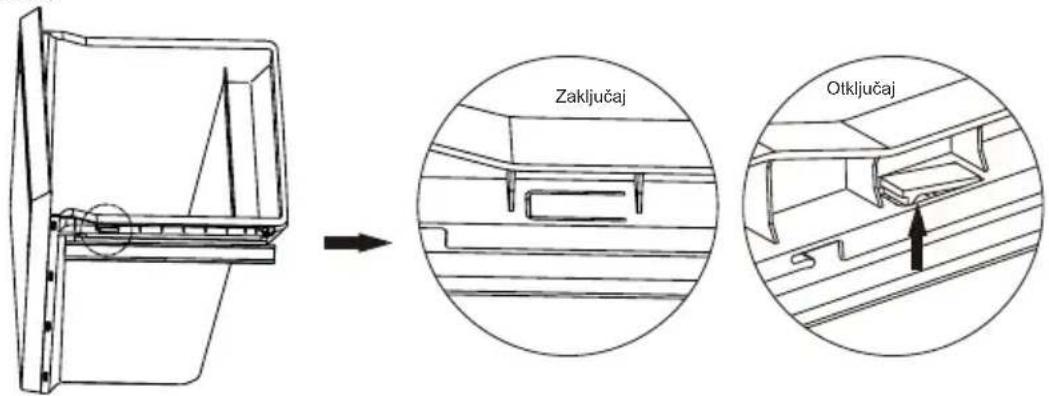
Rastavite donju ladicu
- Izvucite donju ladicu do položaja zaustavnika.
- Gurnite elastične kopče s obje strane donje ladice.
- Izvucite donju ladicu.
natural_image
Technical line drawing of a mechanical assembly with mounting holes and a bracket (no text or symbols)
natural_image
Technical line drawing of two rectangular storage units, one open and one closed, with no visible text or symbols.
natural_image
Simple line drawing of a door handle with a curved lock and circular eyes (no text or symbols)
natural_image
Pure technical line drawing of a mechanical bracket or clamp (no text or symbols)
natural_image
Technical line drawing of a mechanical bracket and mounting bracket with mounting holes (no text or symbols)
natural_image
Diagram of a mechanical assembly with a curved arrow indicating rotation or movement (no text or symbols present)
natural_image
Mechanical assembly diagram showing a bolted joint with two cylindrical components and a nut, no text or symbols present.
natural_image
Technical line drawing of a mechanical assembly with no visible text or symbols
Installazione
natural_image
Technical line drawing of a mechanical bracket with two cylindrical components and a curved arrow indicating rotation (no text or symbols)
natural_image
Two identical mechanical device diagrams with no visible text, numbers, or symbols.
natural_image
Simple line drawing of a mobile phone mounted on a pole, no text or symbols present
natural_image
Line drawing of a mechanical bracket or frame structure with a small inset component (no text or symbols)
natural_image
Abstract diagram showing a document frame with directional arrows indicating rotation or movement (no text or symbols)
natural_image
Technical line drawing of a mechanical bracket or frame structure (no text or symbols)
natural_image
Diagram of a computer monitor with an open screen and scroll, showing a curved arrow indicating rotation (no text or symbols present)
Installazione
natural_image
Technical line drawing of a mechanical assembly with mounting brackets and a component labeled '8' (no text or symbols beyond label)
natural_image
Technical line drawing of a mechanical assembly with no visible text or symbols
natural_image
Technical line drawing of a mechanical bracket assembly (no text or symbols)
natural_image
Technical line drawing of a mechanical bracket assembly (no text or symbols)
natural_image
Technical line drawing of a mechanical bracket or frame assembly (no text or symbols)
Installazione
natural_image
Line drawing of a hand holding a shelf with shelves (no text or symbols)
natural_image
Pure technical diagram of a mechanical component with two upward arrows indicating motion or force (no text or symbols)
- Informer kundeservice.
- ADVARSEL: Ikke skad pluggen og/eller strømledningen. dette kan føre til elektriske støt eller branner.
Flytte apparatet
natural_image
Technical line drawing of a mechanical assembly with mounting holes and a bracket (no text or symbols)

natural_image
Technical line drawing of two rectangular metal enclosure units, one open and one closed, with no visible text or symbols.
natural_image
Simple line drawing of a door handle with a curved lock and a plus button (no text or symbols)
natural_image
Pure mechanical component diagram without any text, numbers, or symbols
natural_image
Technical line drawing of a mechanical bracket with mounting holes and a clamping mechanism (no text or symbols)
natural_image
Diagram of a mechanical assembly with a curved arrow indicating motion or direction (no text or symbols present)
natural_image
Mechanical assembly diagram showing a shaft, nut, and housing with an arrow indicating direction (no text or labels)
natural_image
Technical line drawing of a mechanical assembly with mounting brackets and joints (no text or symbols)
Installasjon
natural_image
Technical line drawing of a mechanical bracket with two cylindrical components and a curved arrow indicating rotation (no text or symbols)
natural_image
Two identical mechanical device diagrams with no visible text, numbers, or symbols.
natural_image
Simple line drawing of a mobile phone mounted on a wall, with no text or symbols present.
natural_image
Line drawing of a structural bracket with a small component on top (no text or symbols)
natural_image
Diagram of a document with arrows indicating rotational movement, no text or symbols present
natural_image
Technical line drawing of a mechanical bracket or frame structure (no text or symbols)
natural_image
Diagram of a computer monitor with an open screen and scroll, showing a curved arrow indicating rotation (no text or symbols present)
natural_image
Technical line drawing of a mechanical assembly with mounting brackets and a central component (no text or symbols)
natural_image
Technical line drawing of a mechanical assembly with no visible text or symbols
natural_image
Technical line drawing of a mechanical bracket assembly (no text or symbols)
natural_image
Technical line drawing of a mechanical bracket assembly (no text or symbols)
natural_image
Technical line drawing of a mechanical bracket or frame assembly (no text or symbols)
Installasjon
Montere dørhåndtak
flowchart
graph LR
    A["Front refrigerator"] --> B["Side refrigerator with door and door"]
    B --> C["Back refrigerator with door and door"]
Plassbehov
| A | 600 |
| B | 650 |
| C | 1850 |
| D | min. 50 |
| E | min. 50 |
| F | min. 10 |
| G | 835 |
| H | 1323 |
| I | 15° |
natural_image
Line drawing of a hand holding a shelf with a ruler, no text or symbols present
natural_image
Diagram of a mechanical or electrical component with two upward arrows indicating direction (no text or symbols)
Demonter underskuffen.
Mover o aparelho
natural_image
Technical line drawing of a mechanical assembly with mounting holes and a bracket (no text or symbols)
natural_image
Technical line drawing of two rectangular storage units, one open and one closed, with no visible text or symbols.
natural_image
Simple line drawing of a door handle with a curved lock and circular eyes (no text or symbols)
natural_image
Pure technical line drawing of a mechanical bracket or clamp (no text or symbols)
natural_image
Technical line drawing of a mechanical assembly with mounting bracket and mounting holes (no text or symbols)
natural_image
Diagram of a mechanical assembly with a curved arrow indicating motion or direction (no text or symbols present)
natural_image
Mechanical assembly diagram showing a bolt and nut assembly with no visible text or symbols
natural_image
Technical line drawing of a mechanical assembly with no visible text or symbols
Instalação
natural_image
Technical line drawing of a mechanical bracket with two cylindrical components and a curved arrow indicating rotation (no text or symbols)
natural_image
Two identical mechanical device diagrams with no visible text, numbers, or symbols.
natural_image
Simple line drawing of a mobile phone mounted on a pole, no text or symbols present
natural_image
Line drawing of a mechanical bracket or bracket with a small inset component (no text or symbols)
natural_image
Abstract diagram of a document frame with directional arrows indicating rotation or movement (no text or symbols)
natural_image
Technical line drawing of a mechanical bracket or support structure (no text or symbols)
natural_image
Diagram of a mechanical device with a curved arrow indicating motion or rotation (no text or symbols)
natural_image
Technical line drawing of a mechanical assembly with mounting brackets and a component (no text or symbols)
natural_image
Technical line drawing of a mechanical assembly with no visible text or symbols
natural_image
Technical line drawing of a mechanical bracket assembly (no text or symbols)
natural_image
Technical line drawing of a metal bracket assembly (no text or symbols)
natural_image
Technical line drawing of a mechanical bracket or frame assembly (no text or symbols)
Instalação
| A | 600 |
| B | 650 |
| C | 1850 |
| D | min. 50 |
| E | min. 50 |
| F | min. 10 |
| G | 835 |
| H | 1323 |
| I | 15° |
Utilizar o painel de controlo
natural_image
Line drawing of a hand holding a shelf with a wooden shelf (no text or symbols)
natural_image
Diagram of a mechanical or architectural component with two upward arrows indicating direction (no text or symbols)
Desmontar a gaveta inferior
Congelator Total No-Frost
Mutarea aparatului
natural_image
Technical line drawing of a mechanical assembly with mounting holes and a bracket (no text or symbols)
natural_image
Technical line drawing of two rectangular storage units, one open and one closed, with no visible text or symbols.
natural_image
Simple line drawing of a door handle with a curved lock and circular eyes (no text or symbols)
natural_image
Pure technical line drawing of a mechanical bracket or clamp (no text or symbols)
natural_image
Technical line drawing of a mechanical bracket with mounting holes and a separate component (no text or symbols)
natural_image
Diagram of a mechanical assembly with a curved arrow indicating rotation or motion (no text or symbols present)
natural_image
Mechanical assembly diagram showing a bolt and nut assembly with no visible text or symbols
natural_image
Technical line drawing of a mechanical assembly with no visible text or symbols
Instalare
natural_image
Technical line drawing of a mechanical bracket with two cylindrical components and a curved arrow indicating rotation (no text or symbols)
natural_image
Two identical mechanical device diagrams with no visible text, numbers, or symbols.
natural_image
Simple line drawing of a mobile phone mounted on a pole, no text or symbols present
natural_image
Line drawing of a mechanical bracket or frame structure with a small inset component (no text or symbols)
natural_image
Diagram of a document with arrows indicating rotational movement, no text or symbols present
natural_image
Technical line drawing of a mechanical bracket or frame structure (no text or symbols)
natural_image
Diagram of a computer monitor with an open screen and scroll, showing internal components and a curved arrow indicating rotation (no text or symbols)
Instalare
natural_image
Technical line drawing of a mechanical assembly with mounting bracket and component (no text or symbols)
natural_image
Technical line drawing of a mechanical assembly with no visible text or symbols
natural_image
Technical line drawing of a mechanical bracket assembly (no text or symbols)
natural_image
Technical line drawing of a mechanical bracket assembly (no text or symbols)
natural_image
Technical line drawing of a mechanical bracket or frame assembly (no text or symbols)
Instalare
flowchart
graph LR
    A["Left Refrigerator"] --> B["Right Refrigerator"]
    B --> C["Left Refrigerator with Box"]
    C --> D["Right Refrigerator with Box"]
| A | 600 |
| B | 650 |
| C | 1850 |
| D | min. 50 |
| E | min. 50 |
| F | min. 10 |
| G | 835 |
| H | 1323 |
| I | 15° |
natural_image
Line drawing of a hand holding a shelf with shelves (no text or symbols)
natural_image
Pure technical diagram of a mechanical component with two upward arrows indicating force or movement (no text or symbols)
Dezasamblati sertarul inferior
Premikanje aparata
natural_image
Technical line drawing of a mechanical assembly with mounting holes and a bracket (no text or symbols)
natural_image
Technical line drawing of two rectangular storage units, one open and one closed, with no visible text or symbols.
- Odstranite desno pomožno zapiralo in vzemite levo pomožno zapiralo iz vrečke z dodatki in ga namestite na levo stran.
natural_image
Simple line drawing of a door handle with a curved lock and a plus button (no text or symbols)
natural_image
Pure technical line drawing of a mechanical bracket or clamp (no text or symbols)
natural_image
Technical line drawing of a mechanical bracket and mounting bracket with mounting holes (no text or symbols)
natural_image
Diagram of a mechanical assembly with a curved arrow indicating motion or direction (no text or symbols present)
- Odvijačte in premaknite zatič spodnjega tečaja z desne strani na levo stran, nato namestite spodnji tečaj na levo stran aparata.
natural_image
Mechanical assembly diagram showing a shaft, nut, and housing with an arrow indicating direction (no text or labels)
natural_image
Technical line drawing of a mechanical assembly with no visible text or symbols
Vgradnja
natural_image
Technical line drawing of a mechanical bracket with two cylindrical components and a curved arrow indicating rotation (no text or symbols)
natural_image
Two identical mechanical device diagrams with no visible text, numbers, or symbols.
- Odvijačite in premaknite zgornji okrasni pokrov na levi strani ter ga namestite na desni strani.
natural_image
Simple line drawing of a mobile phone mounted on a bracket, with no text or symbols present.
natural_image
Line drawing of a window frame corner with a small object on top (no text or symbols)
- Odstranite tesnila z vrat hladilnika in zamrzovalnika in jih ponovno namestite, ko vrata obrnete.
natural_image
Abstract diagram showing a document frame with directional arrows indicating rotation or movement (no text or symbols)
- Namestite vrata in nato premaknite povezovalne žice z desne strani na levo stran.
natural_image
Technical line drawing of a mechanical bracket or frame structure (no text or symbols)
natural_image
Diagram of a computer monitor with an arrow indicating rotation or movement, no text or symbols present
natural_image
Technical line drawing of a mechanical assembly with mounting brackets and a handle (no text or symbols)
- Priključite priključke stikala vrat in zaslona ter namestite pokrov levega zgornjega tečaja.
natural_image
Technical line drawing of a mechanical assembly with no visible text or symbols
natural_image
Technical line drawing of a mechanical bracket or mounting structure (no text or symbols)
- Namestite pokrove zgornje žične omarice na desno stran.
natural_image
Technical line drawing of a mechanical bracket assembly (no text or symbols)
natural_image
Technical line drawing of a mechanical or architectural component with no visible text or symbols
Vgradnja
flowchart
graph LR
    A["Front refrigerator"] --> B["Side panel with vertical door"]
    B --> C["Back refrigerator with handle and side panel"]
Prostorske zahteve
| A | 600 |
| B | 650 |
| C | 1850 |
| D | min. 50 |
| E | min. 50 |
| F | min. 10 |
| G | 835 |
| H | 1323 |
| I | 115° |
natural_image
Line drawing of a hand holding a shelf with a label 'rahlo' (no other text or symbols)
natural_image
Pure technical line drawing of a mechanical component with two upward arrows indicating motion (no text or symbols)
Vsakodnevna uporaba
Flytta apparaten
natural_image
Technical line drawing of a mechanical assembly with mounting holes and a bracket (no text or symbols)
natural_image
Technical line drawing of two rectangular storage units, one open and one closed, with no visible text or symbols.
natural_image
Simple line drawing of a door handle with a curved lock and circular eyes (no text or symbols)
natural_image
Pure mechanical component diagram without any text, numbers, or symbols
natural_image
Technical line drawing of a mechanical bracket with mounting holes and a separate mounting bracket (no text or symbols)
natural_image
Diagram of a mechanical assembly with arrows indicating motion or force direction (no text or symbols)
natural_image
Mechanical assembly diagram showing a shaft, nut, and housing with an arrow indicating direction (no text or labels)
natural_image
Technical line drawing of a mechanical assembly with no visible text or symbols
Installation
natural_image
Technical line drawing of a mechanical bracket with two cylindrical components and a curved arrow indicating rotation (no text or symbols)
natural_image
Two identical mechanical device diagrams with no visible text, numbers, or symbols.
natural_image
Simple line drawing of a mobile phone mounted on a bracket, with no text or symbols present.
natural_image
Line drawing of a window frame corner with a small object on top (no text or symbols)
natural_image
Abstract diagram of a document frame with directional arrows indicating rotation or movement (no text or symbols)
natural_image
Technical line drawing of a mechanical bracket or frame structure (no text or symbols)
natural_image
Diagram of a computer monitor with an open rear panel and scroll wheel, showing no text or symbols
natural_image
Technical line drawing of a mechanical assembly with mounting brackets and components (no text or symbols)
natural_image
Technical line drawing of a mechanical assembly with no visible text or symbols
natural_image
Technical line drawing of a mechanical bracket or mounting structure (no text or symbols)
natural_image
Technical line drawing of a metal bracket assembly (no text or symbols)
natural_image
Technical line drawing of a mechanical or architectural component with no visible text or symbols
Installation
Montera dörrhandtaget
flowchart
graph LR
    A["Front refrigerator"] --> B["Side panel with vertical door"]
    B --> C["Side panel with left vent and door"]
    C --> D["Back refrigerator"]
Utrymme som krävs
| A | 600 |
| B | 650 |
| C | 1850 |
| D | min. 50 |
| E | min. 50 |
| F | min. 10 |
| G | 835 |
| H | 1323 |
| I | 115° |
natural_image
Line drawing of a hand holding a shelf with shelves (no text or symbols)
natural_image
Pure technical line drawing of a mechanical component with two upward arrows indicating direction (no text or symbols)
Ta ut bottenlådan
ت Connectivity Department of the United States
لا تسب أو تطو
• بأيد
ميلة.
• شتعال
natural_image
Technical line drawing of a mechanical assembly with mounting brackets and a bracket (no text or symbols)
natural_image
Technical line drawing of two rectangular metal enclosure units, one open and one closed, with no visible text or symbols.
natural_image
Simple line drawing of a door handle with a curved lock and plus button (no text or symbols)
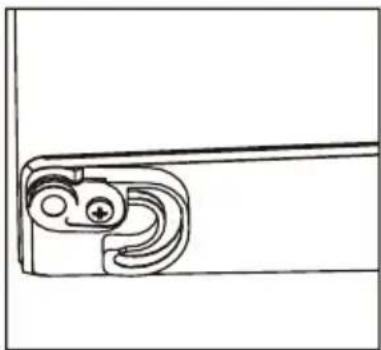
natural_image
Pure technical line drawing of a mechanical component without any text, numbers, or symbols
natural_image
Technical line drawing of a mechanical bracket with mounting holes and a separate bracket component (no text or symbols)
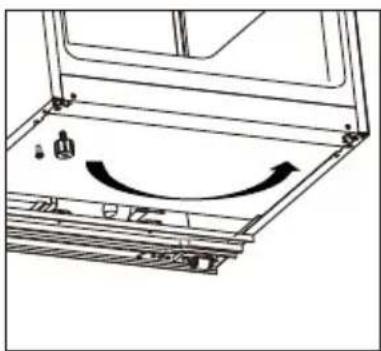
natural_image
Diagram of a mechanical assembly with a curved arrow indicating motion or direction (no text or symbols present)
natural_image
Mechanical assembly diagram showing a bolt and nut assembly with no visible text or symbols
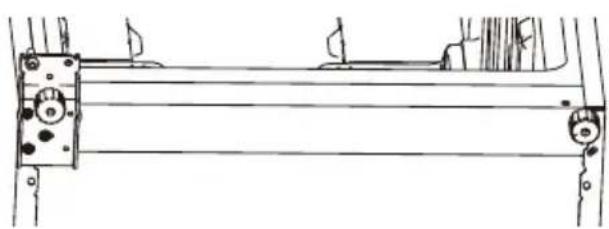
natural_image
Technical line drawing of a mechanical assembly with no visible text or symbols
natural_image
Technical line drawing of a mechanical bracket with two cylindrical components and a curved arrow indicating rotation (no text or symbols)
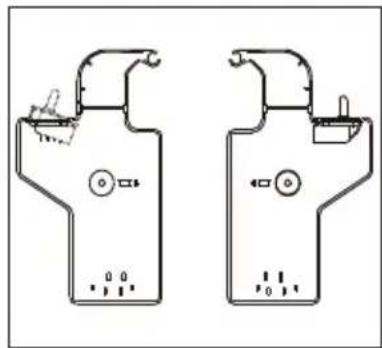
natural_image
Two identical mechanical device diagrams with no visible text, numbers, or symbols
natural_image
Simple line drawing of a bracket with a small inset object on top (no text or symbols)
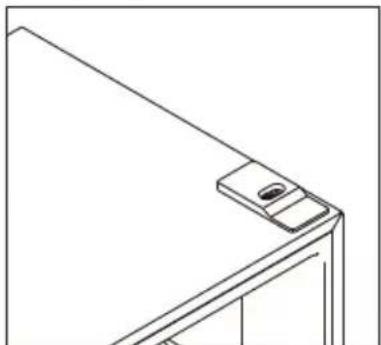
natural_image
Line drawing of a door handle with a small object on top (no text or symbols)
natural_image
Abstract diagram showing a document with arrows indicating rotational movement, no text or symbols present
natural_image
Technical line drawing of a mechanical bracket or frame structure (no text or symbols)
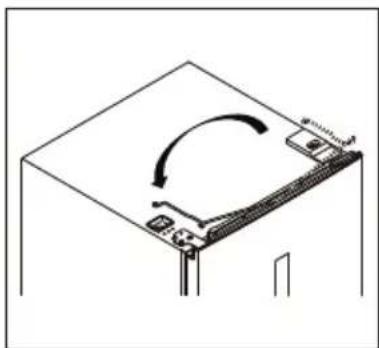
natural_image
Diagram of a computer monitor with an open lid and scroll wheel, showing no text or symbols
natural_image
Technical line drawing of a mechanical assembly with mounting brackets and internal components (no text or symbols)
natural_image
Technical line drawing of a mechanical assembly with no visible text or symbols
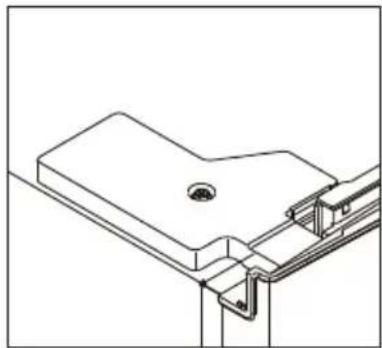
natural_image
Technical line drawing of a mechanical bracket assembly (no text or symbols)
natural_image
Technical line drawing of a structural bracket assembly (no text or symbols)
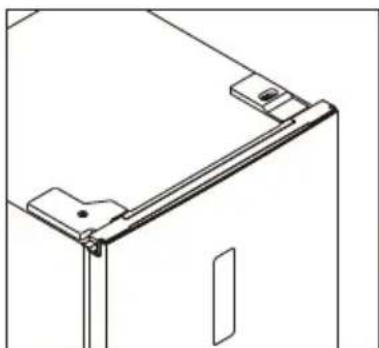
natural_image
Technical line drawing of a door frame with mounting brackets and a door (no text or symbols)
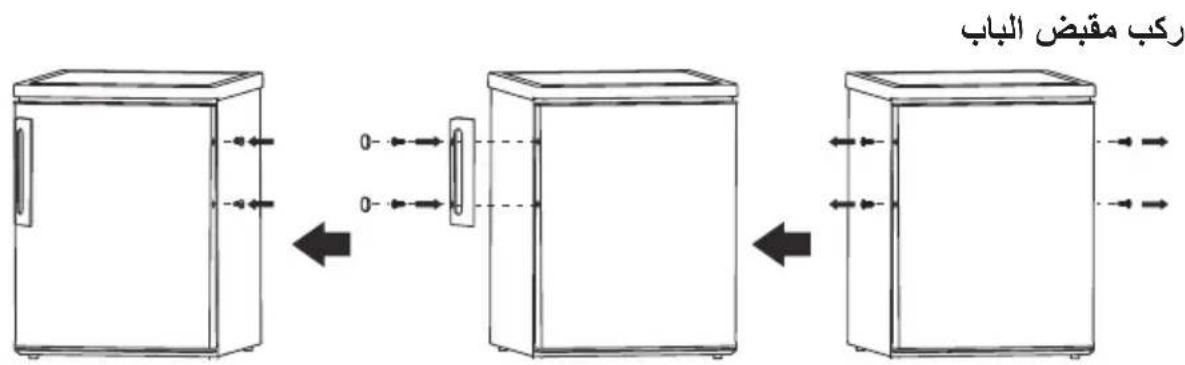
متطلبات المساحة
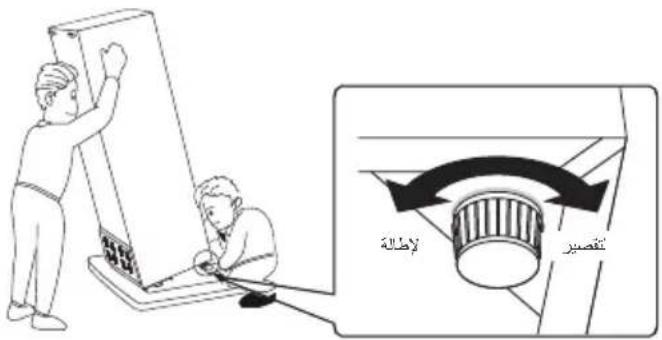
1.0 جهة المستخدم
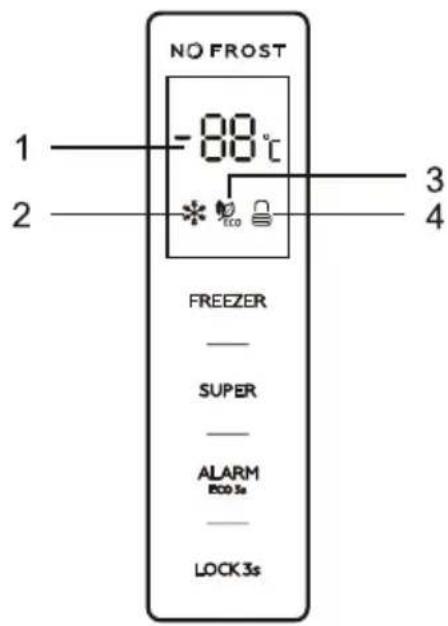
واجهة العملية 1.1
natural_image
Line drawing of a hand cleaning or filtering a shelf with a cloth (no text or symbols)
natural_image
Diagram of a mechanical or electrical component with two upward arrows indicating direction (no text or symbols)
تفكيك الدرج السفلي
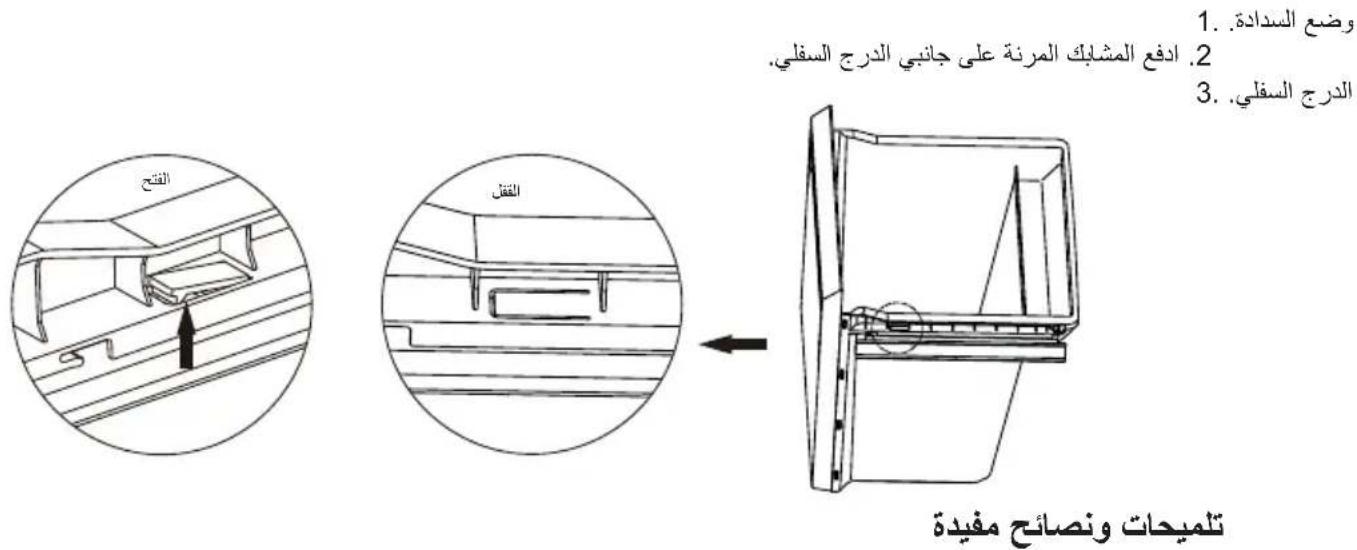
natural_image
Technical line drawing of a mechanical component with mounting holes and a bracket (no text or symbols)
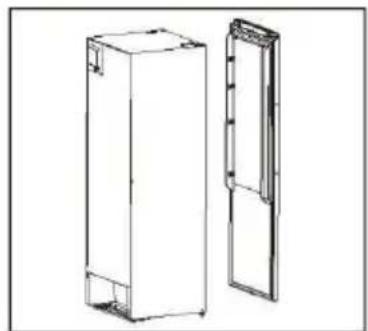
natural_image
Technical line drawing of two rectangular electronic cabinets (no text or symbols)
natural_image
Simple line drawing of a mechanical latch or locking bracket (no text or symbols)
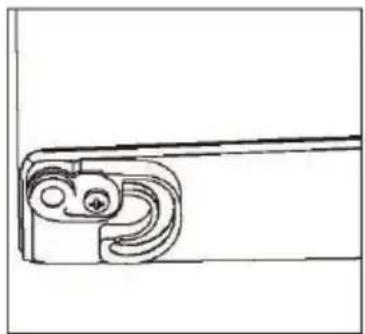
natural_image
Pure mechanical component outline without any text, numbers, or symbols
natural_image
Technical line drawing of a mechanical bracket with mounting holes and a separate bracket (no text or symbols)
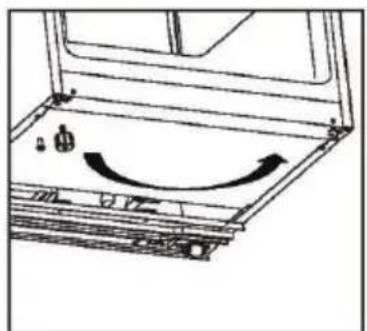
natural_image
Diagram of a laptop interior with a curved arrow indicating rotation or movement (no text or symbols present)
natural_image
Mechanical assembly diagram showing a piston and nut assembly with a directional arrow (no text or labels)
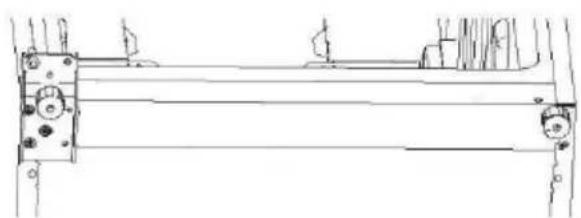
natural_image
Technical line drawing of a mechanical assembly with mounting brackets and internal components (no text or symbols)
Installatie
natural_image
Technical line drawing of a mechanical bracket with two cylindrical components and a curved arrow indicating rotation (no text or symbols)
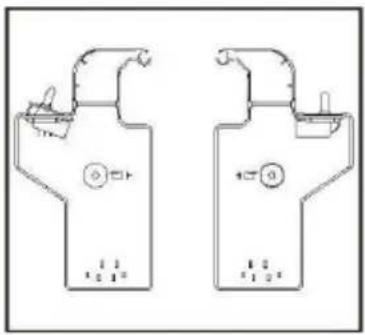
natural_image
Simple line drawing of a car parked near a road with a traffic light symbol (no text or labels)
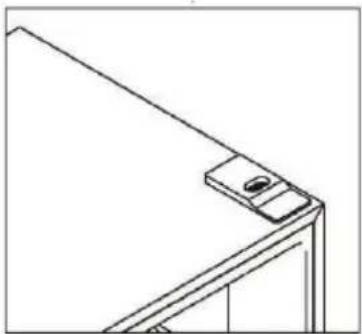
natural_image
Pure technical line drawing of a mechanical bracket or frame structure without any text, numbers, or symbols
natural_image
Abstract diagram of a document frame with arrows indicating rotational movement (no text or symbols)
natural_image
Technical line drawing of a mechanical bracket or frame structure (no text or symbols)
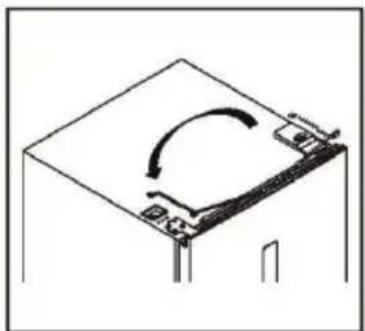
natural_image
Simple line drawing of a mechanical or electrical component with no text or symbols
Installatie
natural_image
Technical line drawing of a mechanical assembly with no visible text or symbols
natural_image
Technical line drawing of a mechanical assembly with no visible text or symbols
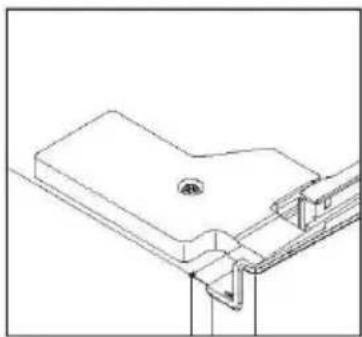
natural_image
Technical line drawing of a mechanical bracket or mounting structure (no text or symbols)
natural_image
Technical line drawing of a mechanical bracket assembly (no text or symbols)
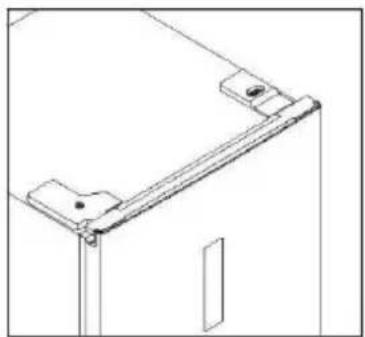
natural_image
Technical line drawing of a mechanical bracket or frame assembly (no text or symbols)
Installeer de deurhandgreep
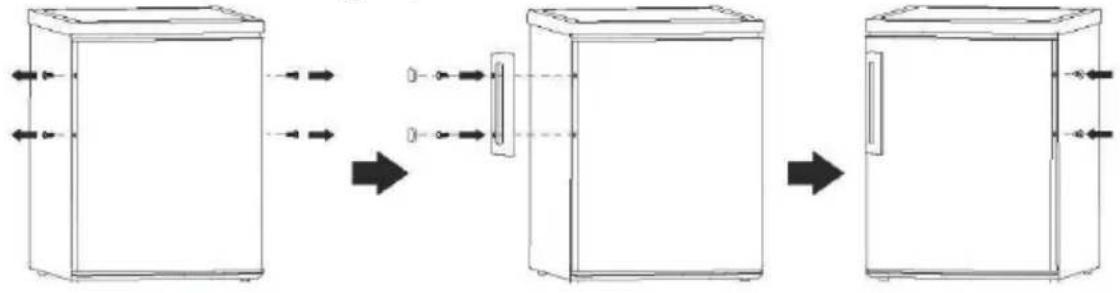
flowchart
graph LR
    A["Input"] --> B["Zoomed Lens"]
    B --> C["Final Output"]
Benodigde ruimte
| A | 600 |
| B | 650 |
| C | 1850 |
| D | min.=50 |
| E | min.=50 |
| F | min.=10 |
| G | 835 |
| H | 1323 |
| I | 115 irc |
natural_image
Illustration of a hand placing a component into a shelf (no text or symbols)
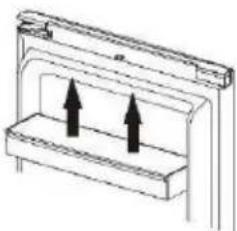
natural_image
Diagram of a mechanical or electrical component with two upward arrows inside a rectangular frame (no text or symbols)