00054772 - Computer accessory HAMA - Free user manual and instructions
Find the device manual for free 00054772 HAMA in PDF.



| Brand | Hama |
| Model | 00054772 |
| Category | Computer accessory |
| Type | Mouse pad with wireless charging |
| Dimensions | 30.5 x 0.5 x 20.5 cm |
| Input power | 5.0 V DC / 2.0 A |
| Output power | 5 W |
| Connectivity | Micro USB input |
| Charging technology | Induction (Qi) |
| Compatibility | Smartphones compatible with inductive charging |
| Package contents | Wireless Charging mouse pad, micro USB cable, user manual |
| Frequency | 108.49 kHz – 175.64 kHz |
| Maximum H field | 32.4 dBμA/m at 3 m |
| Safety instructions | Do not open, avoid heat, humidity, metal objects, use appropriate charger |
| Cleaning | Slightly damp lint-free cloth, avoid harsh detergents |
| Usage | Connect via USB charger (min 2 A), place smartphone back on the charging surface |
| Customer service | Tel. +49 9091 502-0, www.hama.com |
| Recycling | Compliant with directives 2012/19/EU and 2006/66/EC |
| Warranty | Exclusion for improper installation, assembly or use |
| Declaration of conformity | Available on www.hama.com (00054772 > Downloads) |
Frequently Asked Questions - 00054772 HAMA
User questions about 00054772 HAMA
0 question about this device. Answer the ones you know or ask your own.
Ask a new question about this device
Download the instructions for your Computer accessory in PDF format for free! Find your manual 00054772 - HAMA and take your electronic device back in hand. On this page are published all the documents necessary for the use of your device. 00054772 by HAMA.
USER MANUAL 00054772 HAMA
"Wireless Charging" Mouse Pad
Mauspad „Wireless Charging"
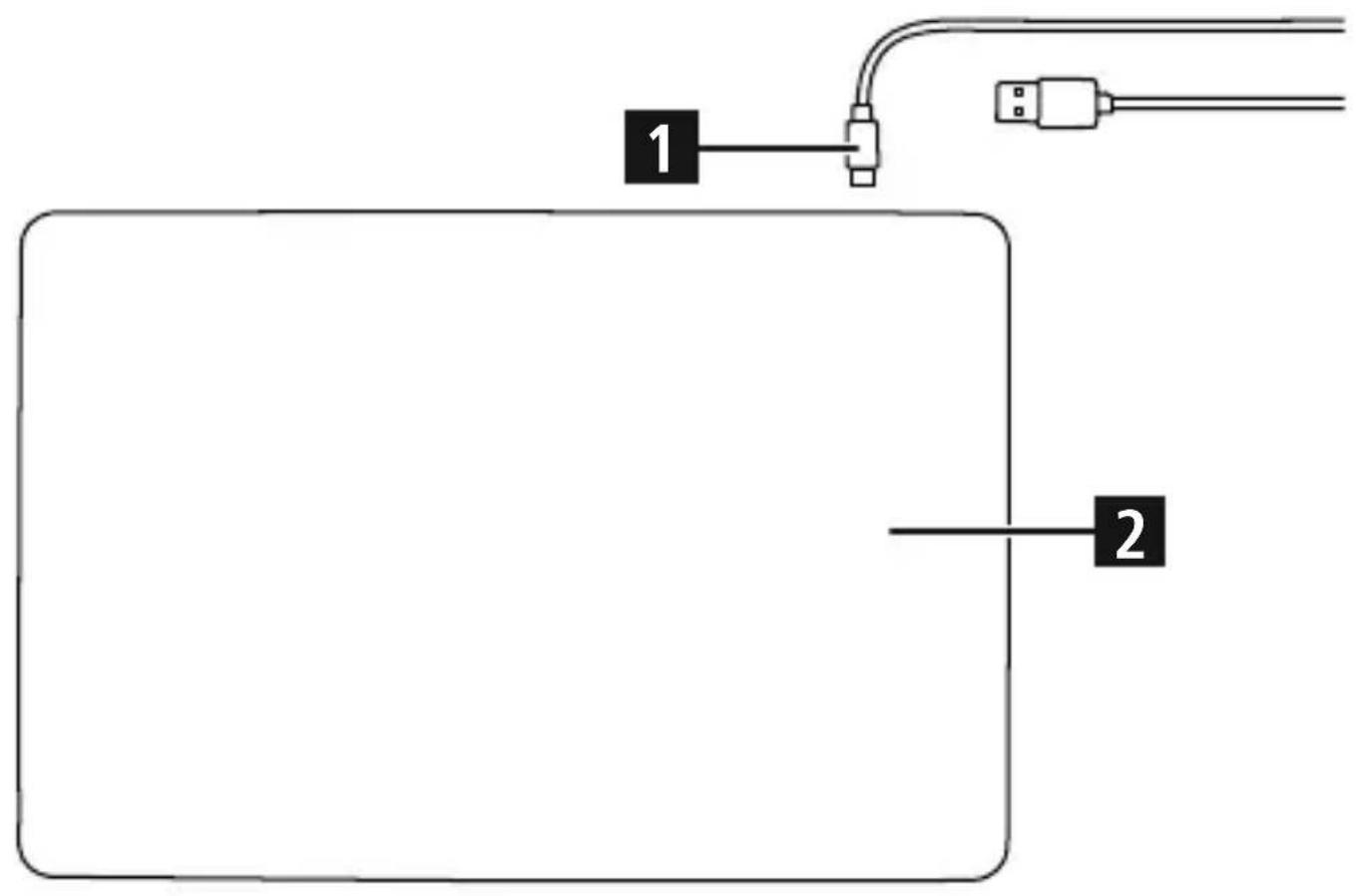
ControlsandDisplays
- Micro-USBinput
- Chargingsurface
Thankyouforchoosinga H amaproduct.
Take your time and read the following instructions and information completely. Please keep these instructions in a safe place for future reference. If you sell the device, please pass these operating instructions onto thenewowner.
1.ExplanationofWarningSymbolsandNotes
Warning
Thissymbolisusedtoindicatesafetyinstructionsontodrawyourattentionospecific hazardsandrisks.

Note
Thissymbolisusedtoindicateadditionalinformationorimportantnotes.

2.PackageContents
WirelessCharging'mousepad
- 1xMicro-USBcable
Theseoperatingsinstructions
3.SafetyNotes
- Usetheproductforitsintendedpurposeonly.
- Donotusetheproductintheimmediatevicinityofheatersorotherheatsourcesorindirectsunlight.
- Keep this product, as all electrical products, out of the reach of children!
- Donotusetheproductifthechargingcable,adaptercableorpowercableisdamaged..
- Do not attempt to service or repair the product yourself. Leave any and all service work to qualifiedexperts.
The product is intended for private, non-commercial use only. -
Protect the product from dirt, moisture and overheating, and only use it in a dry environment.
-
Donotdroptheproductanddonotexposeittoanymajorshocks.
- Do not operate the product outside the power limits given in the specifications.
- Donotopenthedevicereorcontinuetooperateitifitbecomesdamaged.
- Do not use the product in areas where the use of electronic devices is not permitted.
- In order to prevent damage caused by overheating, make sure the product is not covered by textiles, metal or other objects.
- Disposeofpackagingmaterialimmediatelyaccordingtolocallyapplicableregulations.
- Do not modify the product in any way. Doing so voids the warranty.

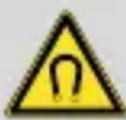
Donotputanybankcardsorsimilarcardswithmagneticstrips,or othermagneticallysensitiveobjects,ontheproduct.Thedataonthe cardscouldbedamagedordeleted.

Warning
Ensure that there are no metal parts (for example, metal plate for magnetic holder) on the back of your smartphone. Metal may heat up significantly in the field of the 'Wireless Charging' mousepad, causing damagetoyoursmartphoneand/orthemousepad.
4. Getting Started and Operation
Note

- To be able to charge your smartphone using the 'Wireless Charging' mouse pad, your smartphone must be compatible with inductive charging technology. For more information, pleaserefertotheoperatinginstructionsofyoursmartphone.
- Notethat the presence of mobile phone cases, covers other materials between the 'Wireless Charging' mousepad and the back of your smartphone can interfere with charging or prevent it.
Warning

- OnlyusesuitablechargingdevicesorUSBconnectionsforcharging.
-
As a rule, do not use charging devices or USB connections that are defective and do not try to repair them yourself.
-
Place the rear of your smartphone onto the mouse pad's charging surface (2).
- Charging starts as soon as an effective induction field has been generated.
- The current charging status appears on your smartphone.
- If no connection can be established through induction, you may have to change the position of your smartphone.
- Charging stops automatically once your smartphone's battery is fully charged.
- Remove your smartphone from the mouse pad and disconnect the mouse pad from the power supply.
- Connect the Micro-USB cable supplied to the Micro-USB input (1) on the 'Wireless Charging' mouse pad and to a suitable USB charger. Please refer to the operating instructionsfortheUSB c hargerused.
- The charger used should have an output current of at least 2000mA .
- The green status LED (2) lights up briefly to indicate successful connection to a power supply.
Note

Disconnect the device from the power supply before cleaning or if it will not be used for a longperiodoftime.
5.CareandMaintenance
Only clean this product with a slightly damp, lint-free cloth and do not use aggressive cleaningagents.
6.WarrantyDisclaimer
Hama GmbH & Co KG assumes no liability and provides no warranty for damage resulting from improperinstallation/mounting, improperuseoftheproductormalfailure to observe the operating instructions and/or safety notes.
7. Service and Support
Please contact Hama Product Consulting if you have any questions about this product. Hotline:+499091502-0(German/English)
Furthersupportinformationcanbefoundhere:
www.hama.com
8. Technical Data
| ‘Wireless Charging’ mouse pad | |
| Input5.0VDC/2.0A | = |
| Output5W | |
| Dimensions | 30,5 x 0,5 x 20,5 cm |
9.DeclarationofConformity

Hereby, Hama GmbH & Co KG declares that the radio equipment type [00054772] is in compliance with Directive 2014/53/EU. The full text of the EU declaration of conformity is available at the following internet address:
www.hama.com->00054772->Downloads.
Frequencyband(s)108.49kHz- 1 75.64kHz
Maximum radio-frequency powertransmitted
H-Field32.4 d BμA/mat3m
10.RecyclingInformation
Noteonenvironmentalprotection:
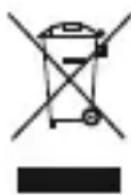
After the implementation of the European Directive 2012/19/EU and 2006/66/EU inthenationalallegalsystem, the following applies: Electricandecronicidevices as well as batteries must not be disposed of with household waste. Consumers are obliged by law to return electrical and electronic devices as well as batteries at the end of their service lives to the public collecting points set up for this purpose
or point of sale. Details to this are defined by the national law of the respective country. This symbol on the product, the instruction manual or the package indicates that a product is subject to these regulations. By recycling, reusing the materials or other forms of utilising old devices/batteries, you are making an important contribution to protecting our environment.
KobpknJaMbIwnWirelessCharging
-1ka6eJbMicro-USB
·HactoansaHnHCTpyKua
3.Yka3aHnIopTexHnke6e30NaCHOCTN
-3anpeaetcnoB3OBaTbHeNoHa3NaueHIO.
He 3KcNlyaTnpOBaTB HEnOpceIcTBeHHoH 6JIN3OCTn C HArpeBaTeJIbHbIMn PpN6Opamn, 6epeyBoTnpMByxCOJHneHbIXnye.
HeNaBaTbTeTm!
He nCnoIb3yIte n3deJIne, ecn noBpeJdeHbI Ka6JIb IJa 3apJdkn, Ka6JIb aAnTepa nn HypnITAHna.
3anpeaaetcamaocToaTeIbHo pemOHnpoBaTb yctpoiCTBO.PeMOHT pa3peaaaetc npOn3BOAnTb Toblko KBaInuNpOBAHHOMy nepcoHany.
- I3dJIeIne npeIHa3HaueHo TOLbKO JIa IOMaUHero npIMeHHeNIA.
- 3aunTe n3eJne ot rpa3n, BlaRn n nepepeBa n nCnoJb3yIte ero TOnbKO B cyxnx yCloBnX.
He poHr. Bepeb ot cnIbHbIX yIapOB.
CobJIOaIe TexHnueckne XapaKTePcTnKu N IcNoJIb3yIte PpOdyKT, He BbIXoJa 3a paMKN
ero n pepeJIbHbIXBO3MOXHOCTeI.
He otKpbBaIte n3dJIe. 3aIpeuAetcKcNpyaTnpoBaTb HeNCnpaBHOe n3dJIe.
He nCnoJb3yIte B 3aIpeTHbIX 30Hax.
- Bo n36eXaHne nepeRpeBa He 3aKpbIbAaTe yCTpoiCTBO TeKCTnJIbHbIMN, MeTaJIInueCKnMI INJINIO6bIMnIDpyrHMnIPeDMeTAMN.
Cpa3y yTnIIN3NpyTe yNaKOBky B COOTBETCTBIM C MeCTHbIMN HOpMaMn.
3aIpeaaetcBHOCTb N3MeHnB KOHCTpyKuH. B npOTNBOM clyuae rapaHTnHbIe 6ra3ateJIbCTBaAHHynpyIOc.

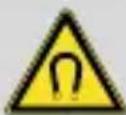
He KlaIte Ha yCTpoiCTBO 6aHKOBCKne KapTbI, a TaKxe IpyrIe
IpeIMeTbI, Ha KoTOpBle MOry OTrpuCaTeNbHO BInyTb MaHHThIe NOLJ.
3To MoKeT npINBeCTn K NOBpeXJeHNIO KapT INoHOMy yJaJIeHNIO
COxpaHeHHoHaHNxHΦOpMaUIN.
Ipeynppexdene

Y6eIntecb B TOM,ЧTo Ha 3aДнeн PaHeJI N BaUeRo CMapTfoHa HeT MaTJIInueckx DeTaJIeN (HaNPmEp, MTeAJIInuecko ПlaCTINbI ДЯ МaHHTHOrO DePkaTeJ).MTeAJIcNtBn Ho HArpeBaEtCBy B INdYKcUHOHHOM NOle KOBpIka DЯ Mblu WiReless Charging n MoXeT NOBpeIntb CMapTfoH N/INn KOBpIK.
10.IHCTpyKcunnooyTnJn3aun
OxpaHaOkpyKaIoUeIcpeIbI:
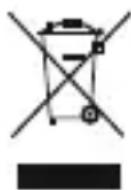
C MOMeHTa nepexoHa NaUHOHaJIbHOrO 3aKOHoJaTeJIbCTBa Ha eBpOneIckne HOpMaTINBbl 2012/19/EUn 2006/66/EUn DeiCTBnTeJbHo CJeIyUoUee: 3JIeKTpruYeCKNe i 3JIeKTpoHHbIe np6Opbl, a TaKxe 6aTapeN 3aPepaetcay yTInl3nPoBaTb C O6bUHbIM Mycopom. NToTpe6ntel, corglaCHO 3aKOHy, o6ra3aH yTInl3nPoBaTb 3JIeKTpruYeCKNe i 3JIeKTpoHHbIe np6Opbl, a TaKxe 6aTapeN i
aKKymyIaTOpbI NocLe Ix IcNoJIb3OBaHnB B CpeUaJIbHO ppeHa3HaueHHbIX DJIa 3TOrO
nyHKtax c6opap, IIOBO B nyHKtax npoJaxn. DeTaJIbHaerpaTeaun 3Tnx Tpe6OBaHn
OCuIeCTBJIaETcA COOTBeTCTByIOUzIM MeCTHbIM 3aKOHoJaTeJIbCTBOM. Heo6xoImOCTb
COJIIOHeHnJaAHhIxnpedIncaHnIO603HaayaeTcAoC6bIM3HaYKOMHaN3deJIN,
IHCTpyKznn IO 3KcIIyatau nn IIN yNaKOBke. Ppi nepepaBOTke, NOBtOPHom IcNoJIb3OBaHn
MaTePnaIob nI IN npi dpyroI FOpMe yTInI3aun 6bIBux B ynoTpe6JeHn II np6Opob Bbl
nomoraTe oxpaHe OkpykaIoUe cpeIb. B COOTBeTCTBnN C ppeIncaHnMyn IIO o6paJeHnO
C 6BaTapeMn, B TePmaHn BBIeHa3BaHHbIe HopMaTINBbl DeIcTBYOT IJIa yTInI3aun
6BaTapeN aKKymyIaTOpOB.
108.49 kHz - 175.64 kHz
108.49 kHz - 175.64 kHz
10.Pokynyk likvidaci
108.49 kHz - 175.64 kHz
MaximányvysokofrekvenčnýH-Field32.4dBμA/mat3m
108.49 kHz - 175.64 kHz
PutereamaximăH-Field32.4dBμA/mat3m
10.Informatiipentureciclare
Hotline:+499091502-0(ty/eng)
Duhittarmersupport-informationhar:
www.hama.com
8.Tekniskadata
| Musmatta "Wireless Charging" | |
| Ingång5.0VDC/2.0A | = |
| Utgång5W | |
| Mätt | 30,5 x 0,5 x 20,5 cm |
9.Forsakranomoverensstammelse
Xama Tm6X & Ko. KHe noeMa HnKaKBa OTROBOpHoc TnI rapaHcN3a NOBpeDN B pe3yIITaT Ha He npabInHa IHCTaJaCn, MoHTax N He npabInHa yNoTppeBa Ha npOdyKTA nIi HecnA3BaHe Ha yNbTBaHETo 3a OBCnyKBaHe n/nnn INHCTpyKcNITE 3a 6e30NaCHOCT.
7.CepBn3n c bnpT
3a Bbnpocn BbB Bpb3Ka C npOyKta ce o6bpH N KbM OTdela 3a KOHCyJtauu 3a npOyKTn HaXama.
TopeuTa TelefoHnHa IHHa: +49 9091 502-0 (HeMckn/aHrnnckn)
IOnbJIHnTeJHa HOpMaun 3a CbnpT 7e Hamepnte Tuk:
www.hama.com
8.TexHnuecknDaHHN
| пад за мишka „Wireless Charging" | |
| Вхов5.0VDC/2.0A | == |
| Изхов5W | |
| Разmersи | 30,5 x 0,5 x 20,5 cm |
9.ДeКларацnia3acbOTBETCTBNE

C hactoio Hama GmbH & Co KG deklapa, ye TnBt paanocntema [00054772]cbOTBeTCTBaHaOCHOBHIne3NCKBaHnHaInpEKTnBa2014/53/ EO. Iblnrt TeKCT Ha EC deklapaunra 3a cbOTBeTCTBne e Ha
pa3noJoxeHHeHaCJIeHNyInHTepHeTaIpec:
www.hama.com->00054772->Downloads.
PapnoocTeHnna30H/ PaoNoocTeOTnna30H
108.49kHz- 175.64kHz
I3JIbYeHaMaKcImaJIHa MoUHocTHaIpeJaBaHe
H-Field32.4dBμA/mat3m
10.yka3aHn3an3XbpbIaHe
Yka3aHne OTHOCHO 3aUNTaTHa OKoJHaTa CpeDa:
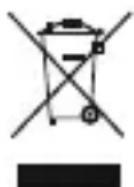
OT MOMENTa Ha npinlaheTo Ha eBponecknte dinpeKtNBn 2012/19/EU n 2006/66/EO B hauioHaJIHOTo npaBO Ha cBOTBeTHnte CtpaHn Baxn CneHOTO: EJekTpuecknte H eJekTpOHHnte ypeHn H batePnnte He 6bNa Da ce n3XBpIaT C 6HTOBnTe OTnAdbU. Notpe6nteJIaT e JbXKeH NO 3aKOH Da BbPHe eJekTpuecknte H eJekTpOHHnte ypeHn H batePnnte B KpaH Na TExHata DblrOTrpaHocT Ha
I3rpaJeHnTe 3a ceJIta obSeCTBeHn nyHKToBe 3a cb6npaHe Ha OTnaIbUu NII Ha TbpROBCKn oBeKT. Iopro6HoCTnTe NO Bbnpoca ca peTJAmeHTnpaHn B 3aKHOJaTeJICTBOTo Ha CbOTBeTHata cTpHa. CmBoJbT Bbpx y npOyKTA, yNtBAHeTO 3a yNtpe6a NII ONaKOBkata HaC0UBa KbM Te3n pa3npoep6n. Ype3 pezIKnPaHeto, npepa6oTKaTa Ha MaTePnAInTe NII DpyrHΦOpMNHaONOJ3OTBOPraBaHeHaCTapNTeypedn/6aTePnNBueOIpnHaC9Te3a 3aUnTata Ha Na7aTa OKJlHa cpeDa.
hama®
HamaGmbH& Co K G 86652Monheim/Germany www.hama.com
- "Wireless Charging" Mouse Pad
- Mauspad „Wireless Charging"
- ControlsandDisplays
- 1.ExplanationofWarningSymbolsandNotes
- Warning
- Note
- 2.PackageContents
- 3.SafetyNotes
- Getting Started and Operation
- 5.CareandMaintenance
- 6.WarrantyDisclaimer
- Service and Support
- Technical Data
- 9.DeclarationofConformity
- 10.RecyclingInformation
- Noteonenvironmentalprotection:
- 3.Yka3aHnIopTexHnke6e30NaCHOCTN
- Ipeynppexdene
- 10.IHCTpyKcunnooyTnJn3aun
- OxpaHaOkpyKaIoUeIcpeIbI:
- 10.Pokynyk likvidaci
- 10.Informatiipentureciclare
- 8.Tekniskadata
- 9.Forsakranomoverensstammelse
- 7.CepBn3n c bnpT
- 8.TexHnuecknDaHHN
- 9.ДeКларацnia3acbOTBETCTBNE
- 10.yka3aHn3an3XbpbIaHe
- Yka3aHne OTHOCHO 3aUNTaTHa OKoJHaTa CpeDa:
- hama®
Brand : HAMA
Model : 00054772
Category : Computer accessory