ManualGo.com
GSF25TGTWW - Fridge GE - Free user manual and instructions
Find the device manual for free GSF25TGTWW GE in PDF.



Download the instructions for your Fridge in PDF format for free! Find your manual GSF25TGTWW - GE and take your electronic device back in hand. On this page are published all the documents necessary for the use of your device. GSF25TGTWW by GE.
USER MANUAL GSF25TGTWW GE
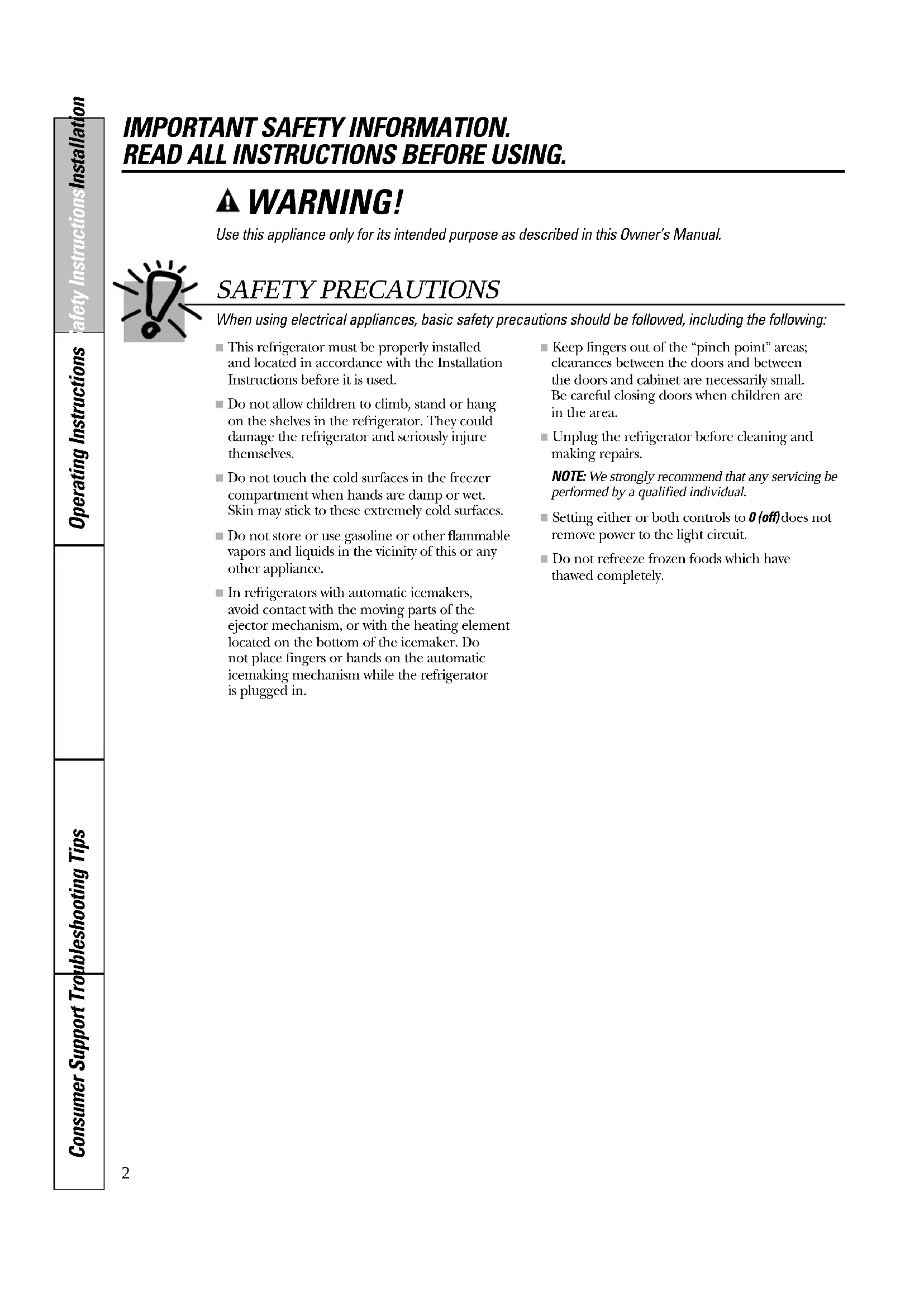
IMPORTANT SAFETY INFORMATION. READ ALL INSTRUCTIONS BEFORE USING. WARNING! Use this appliance only for its intended purpose as described in this Owner’s Manual. SAFETY PRECAUTIONS When using electrical appliances, basic safety precautions should be followed, including the following:
■ This refrigerator must be properly installed and located in accordance with the InstallationInstructions before it is used. ■ Do not allow children to climb, stand or hang on the shelves in the refrigerator. They coulddamage the refrigerator and seriously injurethemselves. ■ Do not touch the cold surfaces in the freezercompartment when hands are damp or wet. Skin may stick to these extremely cold surfaces. ■ Do not store or use gasoline or other flammablevapors and liquids in the vicinity of this or anyother appliance. ■ In refrigerators with automatic icemakers, avoid contact with the moving parts of the ejector mechanism, or with the heating elementlocated on the bottom of the icemaker. Do not place fingers or hands on the automaticicemaking mechanism while the refrigerator is plugged in. ■ Keep fingers out of the “pinch point” areas;clearances between the doors and between the doors and cabinet are necessarily small. Be careful closing doors when children are in the area. ■ Unplug the refrigerator before cleaning andmaking repairs.NOTE: We strongly recommend that any servicing beperformed by a qualified individual. ■ Setting either or both controls to 0 (off) does notremove power to the light circuit. ■ Do not refreeze frozen foods which have thawed completely.Consumer SupportTroubleshooting TipsOperating InstructionsSafety Instructions Installation Instructions ge.com
PROPER DISPOSAL OF THE REFRIGERATOR
Child entrapment and suffocation are not problemsof the past. Junked or abandoned refrigerators arestill dangerous…even if they will sit for “just a fewdays.” If you are getting rid of your old refrigerator,please follow the instructions below to help preventaccidents. Before You Throw Away Your Old Refrigerator or Freezer: ■ Take off the doors.■ Leave the shelves in place so that children maynot easily climb inside. Refrigerants All refrigeration products contain refrigerants,which under federal law must be removed prior to product disposal. If you are getting rid of anold refrigeration product, check with thecompany handling the disposal about what to do.
USE OF EXTENSION CORDS
Because of potential safety hazards under certain conditions, we strongly recommend against the use of an extension cord.However, if you must use an extension cord, it is absolutely necessary that it be a UL-listed (in the UnitedStates) or a CSA-listed (in Canada), 3-wire grounding type appliance extension cord having a groundingtype plug and outlet and that the electrical rating of the cord be 15 amperes (minimum) and 120 volts.
Do not, under any circumstances, cut or remove the third (ground) prong from the power cord. For personal safety, this appliance must be properly grounded. The power cord of this appliance is equipped with a 3-prong (grounding) plug which mates with a standard 3-prong (grounding) wall outlet to minimize the possibility of electric shock hazardfrom this appliance.Have the wall outlet and circuit checked by aqualified electrician to make sure the outlet isproperly grounded.If the outlet is a standard 2-prong outlet, it is your personal responsibility and obligation to have it replaced with a properly grounded 3-prong wall outlet.The refrigerator should always be plugged into itsown individual electrical outlet which has a voltagerating that matches the rating plate.This provides the best performance and alsoprevents overloading house wiring circuits whichcould cause a fire hazard from overheated wires.Never unplug your refrigerator by pulling on the power cord. Always grip plug firmly and pullstraight out from the outlet.Repair or replace immediately all power cords thathave become frayed or otherwise damaged. Do notuse a cord that shows cracks or abrasion damagealong its length or at either end.When moving the refrigerator away from the wall, be careful not to roll over or damage the power cord. READ AND FOLLOW THIS SAFETY INFORMATION CAREFULLY. SAVE THESE INSTRUCTIONSTurboCoolrapidly cools the refrigeratorcompartment in order to more quickly cool foods. Use TurboCoolwhen adding alarge amount of food to the refrigeratorcompartment, putting away foods after theyhave been sitting out at room temperatureor when putting away warm leftovers. It canalso be used if the refrigerator has beenwithout power for an extended period.Once activated, the compressor will turn onimmediately and the fans will cycle on andoff at high speed as needed for eight hours.The compressor will continue to run untilthe refrigerator compartment cools toapproximately 34°F (1°C), then it will cycleon and off to maintain this setting. After 8 hours, or if TurboCoolis pressed again, the refrigerator compartment will return to the original setting.How to UsePress TurboCool. The TurboCoolindicator light will come on; however, the refrigerator temperature display will still show the current setting.After TurboCoolis complete, the TurboCoolindicator light will go out.NOTES: The refrigerator temperaturecannot be changed duringTurboCool The freezer temperature is notaffected during TurboCool When opening the refrigeratordoor during TurboCool, the fans will continue to run if they havecycled on. Consumer SupportTroubleshooting TipsOperating Instructions Safety Instructions Installation Instructions
About the temperature controls. ge.com WARMERCOLDERADJUST REFRIGERATOR TEMP9 IS COLDESTWARMERCOLDERADJUST FREEZER TEMP9 IS COLDEST Initially, set the refrigerator control at 5 and the freezer control at 5 and allow 12–24 hours for the temperature to stabilize.Several adjustments may be required. Adjust the controls one increment at a time, andallow 12 hours after each adjustment for the refrigerator to reach the temperature youhave set. Setting the controls to 0 stops cooling in both the refrigerator and freezer compartments but does not shut off electrical power to the refrigerator. On some models, only the refrigerator control has a 0 setting. Touch pad controls
Setting either control at 0 will automatically set the other control at 0. The zeros will blink until you set the controls.
If both controls are set at 0 and either COLDER pad is pressed, the controls will automatically reset to 5.Control settings will vary based on personal preferences, usage and operatingconditions and may require more than one adjustment. NOTE: On some models, the refrigerator is shipped with protective film covering the temperature controls. If this film was not removed during installation, remove it now. About TurboCool.
(on some models) How it Works6 Consumer Support Troubleshooting Tips Operating Instructions Safety InstructionsInstallation Instructions About the water filter (on some models). On some models Water Filter Cartridge The water filter cartridge is located in the back upper rightcorner of the refrigerator compartment. When to Replace the Filter on Models With a Replacement Indicator Light There is a replacement indicator light for the water filtercartridge on the dispenser. This light will turn orange to tellyou that you need to replace the filter soon.The filter cartridge should be replaced when thereplacement indicator light turns red or if the flow of waterto the dispenser or icemaker decreases. When to Replace the Filter on Models Without a Replacement Indicator Light The filter cartridge should be replaced every six monthsor earlier if the flow of water to the water dispenser oricemaker decreases. Removing the Filter Cartridge If you are replacing the cartridge, first remove the old oneby slowly turning it to the left. Do notpull down on thecartridge. A small amount of water may drip down. Installing the Filter Cartridge If you are replacing a SmartWatercartridge with anadapter, the adapter must be removed before installingthe cartridge. To remove the adapter, turn it to the leftabout 1/4 turn.If you are replacing a Water by Culligancartridge, leave the adapter in place. This adapter will stay in therefrigerator when you replace future cartridges.On models without a replacement indicator light, apply the month and year sticker to the new cartridgeto remind you to replace the filter in six months.Fill the replacement cartridge with water from the tapto allow for better flow from the dispenser immediatelyafter installation.Line up the arrow on the cartridge and the cartridgeholder. Place the top of the new cartridge up inside the holder. Do notpush it up into the holder.Slowly turn it to the right until the filter cartridge stops. DO NOT OVERTIGHTEN.As you turn the cartridge, it willautomatically raise itself into position. The cartridge will move about 1/2 turn.Run water from the dispenser for 3 minutes (about 1-1/2 gallons) to clear the system and preventsputtering.Press and hold the RESET WATER FILTER pad (on some models) on the dispenser for 3 seconds.NOTE:A newly-installed water filter cartridge may causewater to spurtfrom the dispenser. Filter Bypass Plug You must use the filter bypass plug when a replacementfilter cartridge is not available. The dispenser and theicemaker will not operate without the filter or filter bypass plug.To use the filter bypass plug on Water by Culliganmodels,you must first remove the filter adapter from the cartridgeholder by turning it to the left.If you have questions—visit our Website at ge.com, or call 1.800.GE.CARES (1.800.432.2737).Replacement filters:To order additional filter cartridges in the United States, visit our Website at ge.com, or call GE Parts and Accessories,800.626.2002. MWF Suggested Retail $38.95–47.95Customers in Canada should consult the yellow pages for the nearest Mabe Service Center.(appearance may vary)CartridgeHolderFilterBypass Plug Filter Bypass Plug SmartWaterWater by CulliganWith adapterWithout adapter7 Consumer SupportTroubleshooting TipsOperating Instructions Safety Instructions Installation Instructions About the shelves and bins. ge.com Refrigerator Door Bins and Freezer Door Tilt-Out Bins Large BinsThe larger refrigerator door bins andfreezer tilt-out door bins are adjustable. To remove: Lift the front of the bin straightup, then lift up and out.To replace or relocate: Engage the back sideof the bin in the molded supports of thedoor. Then push down on the front of thebin. Bin will lock in place.Small BinsTo remove: Lift the front of the bin straightup then out.To replace: Position the bin above therectangular molded supports on the door.Then slide the bin down onto the supportto lock it in place.The snugger helps prevent tipping, spilling or sliding of small items stored on the doorshelf. Place a finger on either side of thesnugger near the rear and move it back and forth to fit your needs.CAUTION: Onmodels with an icechute inside the topfreezer door bin, becareful when placingitems in the bin.Make sure thatitems do not block or fall into the icechute. Not all features are on all models. Refrigerator binFreezer tilt-out binSnuggerFreezer bin Slide-Out Spillproof Shelf The slide-out spillproof shelf allows you to reach items stored behind others. Thespecial edges are designed to help preventspills from dripping to lower shelves. To remove:Slide the shelf out until it reaches the stop,then press down on the tab and slide theshelf straight out.Press tab and pull shelfforward to removeTo replace or relocate:Line the shelf up with the supports andslide it into place. The shelf can berepositioned when the door is at 90° ormore. To reposition the shelf, slide the shelfpast the stops and angle downward. Slideshelf down to the desired position, line upwith the supports and slide into place.Make sure you push the shelves all the way backin before you close the door.Do not block8 Consumer Support Troubleshooting Tips Operating Instructions Safety InstructionsInstallation Instructions About the shelves and bins. Not all features are on all models. QuickSpace
Shelf (on some models) This shelf splits in half and slides underitself for storage of tall items on the shelfbelow.This shelf can be removed and replaced or relocated just like Slide-Out SpillproofShelves.On some models, this shelf can not be usedin the lowest position. Slide-Out Freezer Shelves To remove,slide out to the stop position, lift the front past the stop position, andslide out from rib.Make sure you push the shelves all the way backin before you close the door. Freezer Baskets To remove, slide out to the stop position, lift the front past the stop position, and slide out.Make sure you push the baskets all the way backin before you close the door. Fixed Freezer Shelves To remove,lift the shelf up at the left sideand then bring the shelf out.NOTE FOR DISPENSER MODELS: In order to take full advantage of the tilt-out ice bin(on some models), only store items on theshelf below the ice bin that are no tallerthan the lowest point on the bin.9 Consumer SupportTroubleshooting Tips Operating Instructions Safety Instructions Installation Instructions About the refrigerator doors. ge.com Refrigerator Doors The refrigerator doors may feel differentthan the ones you are used to. Thespecial door opening/closing featuremakes sure the doors close all the wayand are securely sealed.When opening and closing the door youwill notice a stop position. If the door isopened past this stop point, the door willremain open to allow you to load andunload food more easily. When the door is only partially open, it will automaticallyclose.The resistance you feel at the stop position will be reduced as the door is loaded with food.When the door is only partially open,it will automatically close.Beyond this stop the door will stay open. Door Alignment If doors are uneven, adjust therefrigerator door. Using a 7/16″ socket wrench, turnthe door adjusting screw to the rightto raise the door; to the left, to lowerit. (A nylon plug, imbedded in thethreads of the pin, prevents the pinfrom turning unless a wrench isused.) After one or two turns of thewrench, open and close therefrigerator door and check thealignment at the top of the doors.To remove the basegrille, open the doors,remove the screw ateach end of the basegrille and then pullthe grille straight out. 7/16″ Socket WrenchRaise Support Leg Before moving the refrigerator, you willneed to screw up the support leg. Oncethe unit is relocated, you will need toscrew down the support leg again.Screw down the supportleg until it touches thefloor. This will preventdoor misalignment.About crisper removal. Not all features are on all models. Crisper Removal Crispers can easily be removed by pullingthe drawer straight out and lifting thedrawer up and over the stop location.If the door prevents you from taking out the drawers, first try to remove the doorbins. If this does not offer enoughclearance, the refrigerator will need to be rolled forward until the door opensenough to slide the drawers out. In somecases, when you roll the refrigerator out, you will need to move the refrigerator to the left or right as you roll it out. Consumer Support Troubleshooting Tips Operating Instructions Safety InstructionsInstallation Instructions
About the crispers and pans. Not all features are on all models. Fruit and Vegetable Crispers Excess water that may accumulate in thebottom of the drawers should be wiped dry. Adjustable Humidity Crispers Slide the control all the way to the settingto provide high humidity recommended formost vegetables.Slide the control all the way to the setting to provide lower humidity levelsrecommended for most fruits. HI LOConsumer SupportTroubleshooting TipsOperating Instructions Safety Instructions Installation Instructions
About the automatic icemaker. ge.com Automatic Icemaker The icemaker will produce seven cubes per cycle—approximately 100–130 cubes in a 24-hour period, depending on freezercompartment temperature, roomtemperature, number of door openings and other use conditions.See below for how to access ice and reachthe power switch on dispenser models.If the refrigerator is operated before thewater connection is made to the icemaker,set the power switch in the OFF position.When the refrigerator has been connectedto the water supply, set the power switch to the
position.The icemaker will fill with water when it cools to 15°F (–10°C). A newly installedrefrigerator may take 12 to 24 hours to beginmaking ice cubes.You will hear a buzzing sound each time the icemaker fills with water.Throw away the first few batches of ice toallow the water line to clear.Be sure nothing interferes with the sweep of the feeler arm.When the bin fills to the level of the feelerarm, the icemaker will stop producing ice. It is normal for several cubes to bejoined together.If ice is not used frequently, old ice cubeswill become cloudy, taste stale and shrink. A newly installed refrigerator may take 12 to 24 hours to begin making ice. Lift the bin, then pull it forward until the bin stops.IcemakerFeeler ArmPower SwitchLower the bin to access ice or reach the power switch.NOTE: In order to take full advantageof the tilt-out ice bin, only store itemson the shelf below the ice bin thatare no taller than the lowest point on the bin.Models without a shelfabove the ice binTo access ice and reach theicemaker power switch: Accessing Ice and Reaching the Power Switch on Dispenser Models There are two types of ice storage bins ondispenser models. One has a shelf above the bin, the other does not.Special note about dispenser models without a shelf above the ice bin: ■ These models have a tilt-out ice bin. The bin can be tilted out as shown in the illustrations, and it will hold itself up while you take ice out or turn theicemaker power switch on and off. Be sure to put the bin back in placebefore closing the door.■ To restore your ice level from an emptybucket stage, the following steps arerecommended:12 hours after the first batch of ice has fallen into the bin, dispense 3 to 4 cubes.After an additional 6 hours, dispense 3 to 4 cubes again.These steps will restore your ice level in the shortest amount of time.To access ice, pull the bin forward.To reach the power switch, pull theshelf straight out. Always be sure toreplace the shelf.Models with a shelf above the ice binShelfIce BinShelfIce Bin12 Consumer Support Troubleshooting Tips Operating Instructions Safety InstructionsInstallation Instructions About the ice and water dispenser (on some models). To Use the Dispenser Select CUBED ICE , CRUSHED ICE WATER .Press the glass gently against the top of thedispenser cradle.The spill shelf is not self-draining. Toreduce water spotting, the shelf and itsgrille should be cleaned regularly. If no water is dispensed when the refrigerator isfirst installed, there may be air in the water linesystem. Press the dispenser arm for at least twominutes to remove trapped air from the waterline and to fill the water system. To flush outimpurities in the water line, throw away the firstsix glassfuls of water.CAUTION: Never put fingers or any other objects into the ice crusher discharge opening. Locking the Dispenser Press the LOCK CONTROLpad for 3 seconds tolock the dispenser andcontrol panel. Tounlock, press and hold the pad again for 3 seconds. Dispenser Light This pad turns the nightlightin the dispenser onand off. The light alsocomes on when thedispenser cradle ispressed. If this lightburns out, it should bereplaced with a 6 watt12V maximum bulb. Quick Ice (on some models) When you need ice in a hurry, press this pad to speed up iceproduction. This willincrease ice productionfor the following 48 hours or until youpress the pad again. Door Alarm To set the alarm, press this pad until theindicator light comeson. This alarm willsound if either door is open for more than 3 minutes. The lightgoes out and thebeeping stops when you close the door.Spill Shelf Important Facts About Your Dispenser ■ Do not add ice from trays or bags to the storage drawer. It may not crush ordispense well.■ Avoid overfilling glass with ice and use of narrow glasses. Backed-up ice can jamthe chute or cause the door in the chuteto freeze shut. If ice is blocking the chute,poke it through with a wooden spoon.■ Beverages and foods should not be quick-chilled in the ice storage drawer. Cans, bottles or food packages in thestorage drawer may cause the icemaker or auger to jam.■ To keep dispensed ice from missing the glass, put the glass close to, but nottouching, the dispenser opening.■ Some crushed ice may be dispensed eventhough you selected CUBED ICE. This happens occasionally when a few cubesaccidentally get directed to the crusher.■ After crushed ice is dispensed, somewater may drip from the chute.■ Sometimes a small mound of snow willform on the door in the ice chute. Thiscondition is normal and usually occurswhen you have dispensed crushed icerepeatedly. The snow will eventuallyevaporate.Consumer SupportTroubleshooting TipsOperating Instructions Safety Instructions Installation Instructions Care and cleaning of the refrigerator. Cleaning the Outside The dispenser drip area (on some models) beneath the grille, should be wiped dry. Waterleft in this area may leave deposits. Removethe deposits by adding undiluted vinegar tothe well. Soak until the deposits disappearor become loose enough to rinse away. The dispenser cradle (on some models).Before cleaning, lock the dispenser bypressing and holding the LOCK CONTROL pad for 3 seconds. Clean with warm water and baking soda solution – about a tablespoon (15 ml) of baking soda to a quart (1 liter) of water. Rinse thoroughly and wipe dry. The door handles and trim. Clean with a cloth dampened with soapy water. Dry with a soft cloth. Keep the outside clean. Wipe with a cleancloth lightly dampened with kitchenappliance wax or mild liquid dish detergent.Dry and polish with a clean, soft cloth. Do not wipe the refrigerator with a soiled dish cloth or wet towel. These may leave a residue that can erode the paint. Do not use scouring pads, powdered cleaners, bleach or cleaners containing bleach because these products can scratch and weaken the paint finish. Cleaning the Inside To help prevent odors, leave an open box of baking soda in the fresh food and freezercompartments. Unplug the refrigerator before cleaning. If thisis not practical, wring excess moisture out of sponge or cloth when cleaning aroundswitches, lights or controls. Use warm water and baking soda solution –about a tablespoon (15 ml) of baking sodato a quart (1 liter) of water. This bothcleans and neutralizes odors. Rinse andwipe dry. Use of any cleaning solution other than that which is recommended, especially those that contain petroleum distillates, can crack or damage the interior of the refrigerator. Avoid cleaning cold glass shelves with hot water because the extreme temperature difference may cause them to break. Handle glass shelves carefully. Bumping tempered glass can cause it to shatter. Do not wash any plastic refrigerator parts in the dishwasher. Dispenser drip area. ge.com Lift the bin, then pull it forward until the bin stops.Lift and pull forward again to remove the bin. Models without a shelf above the ice bin To remove: Models with a shelf above the ice bin To remove: Removing and Replacing the Ice Storage Bin on Dispenser Models There are two types of ice storage bins on dispenser models. One has a shelf above the bin, the other does not.Always set the icemaker power switch to the OFF position before removing the ice bin. When replacing either type of ice bin: Always be sure to press it firmly into place.If it does not go all the way back, remove itand rotate the drive mechanism 1/4 turn.Then push the bin back again.Pull the bin straight out, then lift pastthe stop position.RotateDriveMechanism 13For long vacations or absences, removefood and unplug the refrigerator. Clean the interior with a baking soda solution of one tablespoon (15 ml) of baking sodato one quart (1 liter) of water. Leave thedoors open.Set the icemaker power switch to the OFF position and shut off the water supply to the refrigerator.If the temperature can drop belowfreezing, have a qualified servicer drain the water supply system (on some models)to prevent serious property damage due to flooding.
Consumer Support Troubleshooting Tips Operating Instructions Safety InstructionsInstallation Instructions Care and cleaning of the refrigerator. Behind the Refrigerator Be careful when moving the refrigeratoraway from the wall. All types of floorcoverings can be damaged, particularlycushioned coverings and those withembossed surfaces. Pull the refrigerator straight out and returnit to position by pushing it straight in.Moving the refrigerator in a side directionmay result in damage to the floor coveringor refrigerator. When pushing the refrigerator back, make sure you don’t roll over the power cord or icemaker supply line (on some models). Preparing for Vacation Preparing to Move Secure all loose items such as shelves anddrawers by taping them securely in place to prevent damage.When using a hand truck to move therefrigerator, do not rest the front or back of the refrigerator against the hand truck.This could damage the refrigerator. Handleonly from the sides of the refrigerator. Be sure the refrigerator stays in an upright position during moving.Consumer SupportTroubleshooting TipsOperating Instructions Safety Instructions Installation Instructions Replacing the light bulbs. ge.com Setting either or both controls to 0 does not remove power to the light circuit. Refrigerator Compartment—Upper Light Unplug the refrigerator.The bulbs are located at the top of thecompartment, inside the light shield.Remove the screw at the front of thelight shield. To remove the light shield, press in onthe tabs on the sides of the shield andslide forward and out.After replacing the bulb with anappliance bulb of the same or lowerwattage, replace the light shield andscrew. When replacing the light shield,make sure that the tabs at the back of the shield fit into the slots at the back of the light shield housing.Plug the refrigerator back in. Refrigerator Compartment—Lower Light This light is located above the top drawer.Unplug the refrigerator.Lift the light shield up and pull it out.After replacing the bulb with anappliance bulb of the same or lowerwattage, replace the shield.Plug the refrigerator back in. Freezer Compartment Unplug the refrigerator.Remove the shelf just above the lightshield. (The shelf will be easier toremove if it is emptied first.) Removethe screw at the top of the light shield.To remove the light shield, press in onthe sides, and lift up and out.Replace the bulb with an appliancebulb of the same or lower wattage,and reinstall the light shield. Whenreinstalling the light shield, makesure the top tabs snap securely into place. Replace the screw.Reinstall the shelf and plug therefrigerator back in.
Dispenser Unplug the refrigerator.The bulb is located on the dispenserunder the control panel.Remove the light bulb by turningit counterclockwise.Replace the bulb with a bulb of thesame size and wattage.Plug the refrigerator back in. Tabs16
Read these instructions completely and carefully.
IMPORTANT — Save these instructions for local inspector’s use.
IMPORTANT — Observe all governing codes and ordinances.• Note to Installer – Be sure to leave theseinstructions with the Consumer.• Note to Consumer – Keep theseinstructions for future reference.• Skill level – Installation of this appliancerequires basic mechanical skills.• Completion time – Refrigerator Installation30 minutesWater Line Installation30 minutes• Proper installation is the responsibility ofthe installer. • Product failure due to improper installationis not covered under the Warranty.If the refrigerator has already been installed,remove the base grille (see Step 2 in Movingthe Refrigerator), then skip to Step 5 inInstalling the Refrigerator Questions? Call 800.GE.CARES (800.432.2737) or Visit our Website at: ge.comIn Canada, call 1.800.561.3344 or Visit our Website at: www.geappliances.ca Installation Refrigerator Instructions Models 25 & 27 If the refrigerator has an icemaker, it will haveto be connected to a cold water line. A GEwater supply kit (containing tubing, shutoffvalve, fittings and instructions) is available at extra cost from your dealer, by visiting our Website at ge.com (in Canada atwww.geappliances.ca) or from Parts andAccessories, 800.626.2002 (in Canada1.800.661.1616). PREPARATION
Phillips Head Screwdriver 3/8″ and 5/16″ Socket 1/2″ and 7/16″ Wrench Plastic Putty Knife17 Installation Instructions
Leave all tape and door pads on doors until the refrigerator is in its final location. To move the refrigerator, use a padded hand truck. Center the refrigerator on the hand truck and secure the strap around the refrigerator. DO NOT OVERTIGHTEN THE STRAP.
Remove the grille by removing the two Phillips head screws.
If the refrigerator must go through any entrance that is less than 38″ wide, the doors must be removed. Proceed to Step 3. DO NOT remove the handles. If all entrances are more than 38″ wide, skip to Installing the Refrigerator.
DISCONNECT THE WATER
COUPLING (on some models) If the refrigerator has a water dispenser, there is a water line from the cabinet into the bottom hinge on the freezer door that must be disconnected. To disconnect, push in on the white collar of the coupling and pull out the tubing.
White collarBottomfreezerhinge
Installation Instructions
DISCONNECT THE POWER
COUPLING (on some models) If the refrigerator has a water dispenser, there is a power line (harness) from the cabinet into the bottom hinge on the freezer door that must be disconnected. To disconnect, pull apart at the coupling.
CONNECTORS (on some models) If the refrigerator has a refreshment center, there are electrical connectors (harnesses) from the cabinet into the bottom hinge on the refrigerator door that must be disconnected. To disconnect, pull apart each connector.
Remove the freezer door top hinge cover by either squeezing it and pulling it up or by prying it off with a plastic putty knife. Remove the two 5/16” hex head screws, then lift the hinge straight up to free the hinge pin. Open the freezer door to 90.°
Installation Instructions REMOVE THE FREEZER DOOR (cont.) As one person slowly lifts the freezer door up and off the bottom hinge, the second person should carefully guide the water line and power line (harness) through the bottom hinge. Set the door on a non-scratching surface with the inside up.
90° REMOVE THE REFRIGERATOR DOOR Remove the refrigerator door top hinge cover by either squeezing it and pulling it up or by prying it off with a plastic putty knife.
5/16” Hex Head 90°20 Installation Instructions REMOVE THE REFRIGERATOR DOOR (cont.) Lift the refrigerator door up and off the bottom hinge. If the refrigerator has a refreshment center, one person should slowly lift the door up and off the bottom hinge and the second person should carefully guide the electrical lines (harnesses) through the bottom hinge. Set the door on a non-scratching surface with the inside up.
To replace the doors, simply reverse steps 3 through 8. However, please note the following:
- When lowering the doors onto the bottom hinges, make sure the second person carefully guides the tube and harnesses through the holes in the hinges.
- When connecting the water line, make sure you insert the tubing all the way to the mark.
- Do not pinch the tubing and harnesses when placing the doors on the bottom hinges.
- When connecting the power line and the electrical lines (refreshment center models only), be sure that the connectors are seated together fully.
- Do not install the refrigerator where the temperature will go below 60°F (16°C) because it will not run often enough to maintain proper temperatures.
- Do not install the refrigerator where the temperature will go above 100°F (37°C) because it will not perform properly.
- Install it on a floor strong enough to support it fully loaded. CLEARANCES Allow the following clearances for ease of installation, proper air circulation and plumbing and electrical connections: Sides 1/8″ (4 mm) Top 1″ (25 mm) Back 1″ (25 mm)Installation Instructions
(icemaker and dispenser models) A cold water supply is required for automatic icemaker and dispenser operation. If there is not a cold water supply, you will need to provide one. See “Installing the Water Line” section. NOTES:
- Before making the connection to the refrigerator, be sure the refrigerator power cord is not plugged into the wall outlet.
- If your refrigerator does not have a water filter, we recommend installing one if your water supply has sand or particles that could clog the screen of the refrigerator’s water valve. Install it in the water line near the refrigerator. If using GE SmartConnect
Refrigerator Tubing Kit, you will need an additional tube (WX08X10002) to connect the filter. Do not cut plastic tube to install filter. If you are using copper tubing, place a compression nut and ferrule (sleeve) onto the end of the tubing coming from the house cold water supply. If you are using the GE SmartConnect
tubing, the nuts are already assembled to the tubing. If you are using copper tubing, insert the end of the tubing into the refrigerator connection, at the back of the refrigerator, as far as possible. While holding the tubing, tighten the fitting. If you are using GE SmartConnect
tubing, insert the molded end of the tubing into the refrigerator connection, at the back of the refrigerator, and tighten the compression nut until it is hand tight. Then tighten one additional turn with a wrench. Overtightening may cause leaks.
Fasten the tubing into the clamp provided to hold it in position. You may need to pry open the clamp. 1/4″ Tubing Tubing Clamp 1/4″ Compression Nut Ferrule (sleeve) SmartConnect
TURN ON THE WATER SUPPLY
Turn the water on at the shutoff valve (house water supply) and check for any leaks.
Before plugging in the refrigerator, make sure the icemaker power switch is set to the OFF position. See the grounding information attached to the power cord.
Installation Instructions
PUT THE REFRIGERATOR
IN PLACE Move the refrigerator to its final location.
The refrigerator can be leveled by adjusting the rollers located near the bottom hinges. Rollers have three purposes:
- Rollers adjust so the door closes easily when opened about halfway. (Raise the front about 5/8″ [16 mm] from the floor.)
- Rollers adjust so the refrigerator is firmly positioned on the floor and does not wobble.
- Rollers allow you to move the refrigerator away from the wall for cleaning. To adjust the rollers:
- Turn the roller adjusting screws clockwise to raise the refrigerator, counterclockwise to lower it. Use a 3/8″ hex socket or wrench, or an adjustable wrench.
Rollers Roller adjusting screw
Adjust the refrigerator door to make the doors even at the top. To align: Using a 7/16″ wrench, turn the door adjusting screw to the right to raise the door, to the left to lower it. NOTE: A nylon plug, imbedded in the threads of the pin, prevents the pin from turning unless a wrench is used. After one or two turns of the wrench, open and close the refrigerator door and check the alignment at the top of the doors.
Doors should be even at top Raise7/16″ wrench Raise
SCREW DOWN SUPPORT LEG
Screw down the support leg until it touches the floor. This will prevent door misalignment.
Installation Instructions
REPLACE THE BASE GRILLE
Replace the grille by installing the two Phillips head screws.
Set the controls to the recommended setting.
Set the icemaker power switch to the ON position. The icemaker will not begin to operate until it reaches its operating temperature of 15°F (–9°C) or below. It will then begin operation automatically. It will take 2–3 days to fill the ice bin.
Installation Instructions
REPLACE THE BASE GRILLE
Replace the grille by installing the two Phillips head screws.
Set the controls to the recommended setting.
Set the icemaker power switch to the ON position. The icemaker will not begin to operate until it reaches its operating temperature of 15°F (–9°C) or below. It will then begin operation automatically. It will take 2–3 days to fill the ice bin.
Power switchNOTE: The only GE approved plastic tubing is that supplied in GE SmartConnect
Refrigerator Tubing kits. Do not use any other plastic water supply line because the line is under pressure at all times. Certain types of plastic will crack or rupture with age and cause water damage to your home.
- A GE water supply kit (containing tubing, shutoff valve and fittings listed below) is available at extra cost from your dealer or from Parts and Accessories, 800.626.2002 (in Canada 1.800.661.1616).
- A cold water supply. The water pressure must be between 20 and 120 p.s.i. (1.4–8.1 bar).
- 1/2″ or adjustable wrench.
- Straight and Phillips blade screwdriver.
- Two 1/4″ outer diameter compression nuts and 2 ferrules (sleeves)—to connect the copper tubing to the shutoff valve and the refrigerator water valve.
- If you are using a GE SmartConnect
Refrigerator Tubing kit, the necessary fittings are preassembled to the tubing.
- If your existing copper water line has a flared fitting at the end, you will need an adapter (available at plumbing supply stores) to connect the water line to the refrigerator OR you can cut off the flared fitting with a tube cutter and then use a compression fitting. Do not cut formed end from GE SmartConnect
- Shutoff valve to connect to the cold water line. The shutoff valve should have a water inlet with a minimum inside diameter of 5/32″ at the point of connection to the COLD WATER LINE. Saddle-type shutoff valves are included in many water supply kits. Before purchasing, make sure a saddle-type valve complies with your local plumbing codes. WHAT YOU WILL NEED (CONT.) Installation Instructions
SHUT OFF THE MAIN WATER
SUPPLY Turn on the nearest faucet long enough to clear the line of water. Install the shutoff valve on the nearest frequently used drinking water line.
Choose a location for the valve that is easily accessible. It is best to connect into the side of a vertical water pipe. When it is necessary to connect into a horizontal water pipe, make the connection to the top or side, rather than at the bottom, to avoid drawing off any sediment from the water pipe.
Drill a 1/4″ hole in the water pipe (even if using a self-piercing valve), using a sharp bit. Remove any burrs resulting from drilling the hole in the pipe. Take care not to allow water to drain into the drill. Failure to drill a 1/4″ hole may result in reduced ice production or smaller cubes. INSTALLING THE WATER LINE (CONT.)
Place the compression nut and ferrule (sleeve) for copper tubing onto the end of the tubing and connect it to the shutoff valve. Make sure the tubing is fully inserted into the valve. Tighten the compression nut securely. For plastic tubing from a GE SmartConnect
Refrigerator Tubing kit, insert the molded end of the tubing into the shutoff valve and tighten compression nut until it is hand tight, then tighten one additional turn with a wrench. Overtightening may cause leaks. NOTE: Commonwealth of Massachusetts Plumbing Codes 248CMR shall be adhered to. Saddle valves are illegal and use is not permitted in Massachusetts. Consult with your licensed plumber.
Saddle-Type Shutoff ValveCompression NutPacking NutOutlet ValveFerrule (sleeve) Turn the main water supply on and flush out the tubing until the water is clear. Shut the water off at the water valve after about one quart (1 liter) of water has been flushed through the tubing.
Installation Instructions SmartConnect Tubing Fasten the shutoff valve to the cold water pipe with the pipe clamp. NOTE: Commonwealth of Massachusetts Plumbing Codes 248CMR shall be adhered to. Saddle valves are illegal and use is not permitted in Massachusetts. Consult with your licensed plumber.
Tighten the clamp screws until the sealing washer begins to swell. NOTE: Do not overtighten or you may crush the tubing.
TIGHTEN THE PIPE CLAMP
Pipe ClampVertical Cold Water PipeSaddle-TypeShutoff ValveWasherInlet EndPipe ClampClampScrew Route the tubing between the cold water line and the refrigerator. Route the tubing through a hole drilled in the wall or floor (behind the refrigerator or adjacent base cabinet) as close to the wall as possible. NOTE: Be sure there is sufficient extra tubing (about 8
[2.4 m] coiled into 3 turns of about 10″ [25 cm] diameter) to allow the refrigerator to move out from the wall after installation.
To complete the installation of the refrigerator, go back to Step 1 in Installing the Refrigerator.28 Consumer Support Troubleshooting Tips Operating Instructions Safety InstructionsInstallation Instructions Normal operating sounds. Newer refrigerators sound different from older refrigerators.Modern refrigerators have more features and use newertechnology. HUMMM... WHOOSH...
The new high efficiency compressor may run fasterand longer than your old refrigerator and you mayhear a high-pitched hum or pulsating sound while it is operating. Sometimes the refrigerator runs for an extended period,especially when the doors are opened frequently. Thismeans that the Frost Guard feature is working toprevent freezer burn and improve food preservation. You may hear a whooshing sound when the doors close.This is due to pressure equalizing within the refrigerator. You may hear the fans spinning at high speeds. This happens when the refrigerator is first pluggedin, when the doors are opened frequently or when a large amount of food is added to the refrigeratoror freezer compartments. The fans are helping tomaintain the correct temperatures. If either door is open for over 3 minutes, you mayhear the fans come on in order to cool the lightbulbs. The fans change speeds in order to provide optimalcooling and energy savings. CLICKS, POPS, CRACKS and CHIRPS
You may hear cracking or popping sounds when therefrigerator is first plugged in. This happens as therefrigerator cools to the correct temperature. Electronic dampers click open and closed to provideoptimal cooling and energy savings. The compressor may cause a clicking or chirpingsound when attempting to restart (this could take up to 5 minutes). The electronic control board may cause a clickingsound when relays activate to control refrigeratorcomponents. Expansion and contraction of cooling coils duringand after defrost can cause a cracking or poppingsound. On models with an icemaker, after an icemakingcycle, you may hear the ice cubes dropping into the ice bucket. WATER SOUNDS
The flow of refrigerant through the freezer coolingcoils may make a gurgling noise like boiling water. Water dropping on the defrost heater can cause asizzling, popping or buzzing sound during thedefrost cycle. A water dripping noise may occur during the defrostcycle as ice melts from the evaporator and flows intothe drain pan. Closing the door may cause a gurgling sound due topressure equalization. Do you hear what I hear? These sounds are normal. For additional information on normalicemaker and dispenser operating sounds,see the About the automatic icemakerand About the ice and water dispensersections.Consumer SupportTroubleshooting TipsOperating Instructions Safety Instructions Installation Instructions Before you call for service… ge.com Troubleshooting Tips Save time and money! Review the charts on the following pages first and you may not need to call for service. Problem Possible Causes What To Do Refrigerator does not Refrigerator in defrost cycle. •Wait about 30 minutes for defrost cycle to end. operate Either or both controls set to . •Set the controls to a temperature setting. Refrigerator is unplugged. •Push the plug completely into the outlet. The fuse is blown/circuit •Replace fuse or reset the breaker. breaker is tripped. Refrigerator is in showroom mode.•Unplug the refrigerator and plug it back in. Vibration or rattling Rollers need adjusting. •See Rollers. (slight vibration is normal) Motor operates for Normal when refrigerator •Wait 24 hours for the refrigerator to completely long periods or cycles is first plugged in. cool down. on and off frequently. Often occurs when large •This is normal. (Modern refrigerators amounts of food are with more storage placed in refrigerator. space and a larger Door left open. •Check to see if package is holding door open. freezer require more Hot weather or frequent • This is normal. operating time. They door openings. start and stop often Temperature controls •See About the controls. to maintain even set at the coldest temperatures.) setting. Refrigerator or freezer Temperature control not set •See About the controls. compartment too warm cold enough. Warm weather or frequent •Set the temperature control one step colder. door openings. See About the controls. Door left open. •Check to see if package is holding door open. Frost or ice crystals Door left open. •Check to see if package is holding door open. on frozen food Too frequent or too long (frost within package door openings. is normal) Divider between Automatic energy saver •This helps prevent condensation on the outside. refrigerator and freezer system circulates warm compartments liquid around front edge feels warm of freezer compartment. Automatic icemaker Icemaker power switch •Set the power switch to the
position. does not work is in the OFF position. Water supply turned off or •See Installing the water line. not connected. Freezer compartment •Wait 24 hours for the refrigerator to completely too warm. cool down. Piled up cubes in the storage •Level cubes by hand. bin cause the icemaker to shut off. Ice cubes stuck in icemaker. •Turn off the icemaker, remove cubes, and turn the icemaker back on. 29Problem Possible Causes What To Do Ice cubes have Ice storage bin needs cleaning. •Empty and wash bin. Discard old cubes. odor/taste Food transmitting odor/taste •Wrap foods well.to ice cubes.Interior of refrigerator •See Care and cleaning. needs cleaning. Small or hollow cubes Water filter clogged. •Replace filter cartridge with new cartridge or with plug. Slow ice cube freezing Door left open. •Check to see if package is holding door open.Temperature control not set •See About the controls. cold enough. Orange glow in Defrost heater is on. •This is normal. the freezer Cube dispenser does not Icemaker turned off or •Turn on icemaker or water supply. work (on some models) water supply turned off.Ice cubes are frozen to •Remove cubes.icemaker feeler arm. An item is blocking or has fallen •Remove any item that might be blocking, or has fallen into the ice chute inside the top into, the chute.door bin of the freezer. Irregular ice clumps in •Break up with fingertip pressure and discard storage container. remaining clumps.•Freezer may be too warm. Adjust the freezer control to a colder setting, one position at a time, until clumps do not form.Dispenser is LOCKED . •Press and hold the LOCK CONTROL pad for 3 seconds. Water has poor taste/odor Water dispenser has not been •Dispense water until all water in system is replenished. (on some models) used for a long time. Water in first glass is Normal when refrigerator •Wait 24 hours for the refrigerator to completely warm (on some models) is first installed. cool down. Water dispenser has not been •Dispense water until all water in system is replenished. used for a long time. Water system has been drained. •Allow several hours for replenished supply to chill. Water dispenser does Water supply line turned •See Installing the water line. not work (on some models) off or not connected. Water filter clogged. •Replace filter cartridge or remove filter and install plug. Air may be trapped in the •Press the dispenser arm for at least two minutes. water system.Dispenser is LOCKED . •Press and hold the LOCK CONTROL pad for 3 seconds. Water spurting from Newly-installed filter cartridge. •Run water from the dispenser for 3 minutes (about dispenser (on some models)one and a half gallons). Water is not dispensed Water in reservoir is •Call for service. (on some models) but frozen. icemaker is working Refrigerator control setting •Set to a warmer setting. is too cold. Before you call for service… Consumer Support Troubleshooting Tips Operating Instructions Safety InstructionsInstallation Instructions 30ge.com Consumer SupportTroubleshooting TipsOperating Instructions Safety Instructions Installation Instructions
Problem Possible Causes What To Do No water or ice cube Supply line or shutoff •Call a plumber. production valve is clogged. Water filter clogged. •Replace filter cartridge or remove filter and install plug. Dispenser is LOCKED . •Press and hold the LOCK CONTROL pad for 3 seconds. CUBED ICE was selected Last setting was •A few cubes were left in the crusher from the previous but CRUSHED ICE CRUSHED ICE. setting. This is normal. was dispensed (on some models) Refrigerator has odor Foods transmitting •Foods with strong odors should be tightly wrapped. odor to refrigerator.
- Keep an open box of baking soda in the refrigerator; replace every three months. Interior needs cleaning. •See Care and cleaning. Moisture forms on Not unusual during •Wipe surface dry. outside of refrigerator periods of high humidity. Moisture collects inside Too frequent or too (in humid weather, air long door openings. carries moisture into refrigerator when doors are opened) Interior light does No power at outlet. •Replace fuse or reset the breaker. not work Light bulb burned out. •See Replacing the light bulbs. Water on kitchen floor or Cubes jammed in chute. •Poke ice through with a wooden spoon. on bottom of freezer Hot air from bottom Normal air flow cooling of refrigerator motor. In the refrigeration process, it is normal that heat be expelled in the area under the refrigerator. Some floor coverings are sensitive and will discolor at these normal and safe temperatures. Refrigerator never Adaptive defrost keeps •This is normal. The refrigerator will cycle off after the shuts off but the compressor running during door remains closed for 2 hours. temperatures are OK door openings. Refrigerator is beeping Door is open. •Close door. Door not closing properly Door gasket on hinge side •Apply paraffin wax to the face of the gasket. sticking or folding over.Manufactured for: General Electric Company, Louisville, KY 40225EPA EST. No. 070595-MN-001 Performance Data Sheet SmartWater Filtration System MWF Cartridge This system has been tested according to NSF/ANSI 42/53 for reduction of the substances listed below. The concentration of the indicated substances in water entering the system was reduced to a concentration less than or equal to the permissible limit for water leaving the system, as specified in NSF/ANSI 42/53.* (100% safety factors built in for unmetered usage) Standard No. 42: Aesthetic EffectsParameter USEPA Influent Influent Effluent % Reduction Min. RequiredMCL Challenge Concentration Average Average Maximum Average Minimum Reduction Chlorine — 2.0 mg/L + 10% 1.96 mg/L 0.06 mg/L 0.11 mg/L 96.77% 94.74% > 50% T & O — — — — — — — — Particulate** — ≥ 10,000 particles/mL 6,400,000 #/mL 58,833 #/mL 150,000 #/mL 99.14% 97.97% ≥ 85% Standard No. 53: Health Effects Parameter USEPA Influent Influent Effluent % Reduction Min. Required MCL Challenge Concentration Average Average Maximum Average Minimum Reduction Turbidity 0.5 NTU 11 + 1 NTU*** 10.5 NTU 0.14 NTU 0.28 NTU 98.54% 97.20% 0.5 NTU Cysts ≥ 99.95% Reduction Minimum 50,000 L 118,750 #/L < 1 #/L 4 #/L > 99.99% > 99.99% ≥ 99.95% Asbestos ≥ 99% Reduction 10
- Tested using a flow rate of 0.50 gpm; pressure of 60 psig; pH of 7.5 ± 0.5; temp. of 68° ± 5°F (20° ± 3°C) ** Measurement in Particles/ml. Particles used were 0.5-1 microns*** NTU=Nephelometric Turbidity units Operating Specifications Capacity: certified for up to 300 gallons (1135 l); up to six months for models without a replacement filter indicator light; up to one year for models with a replacement filter indicator light Pressure requirement: 40–120 psi (2.8–8.2 bar), non-shock Temperature: 33–100ºF (0.6–38ºC) Flow rate: 0.5 gpm (1.9 lpm) General Installation/Operation/Maintenance Requirements Flush new cartridge at full flow for 3 minutes to purge out trapped air. Replace cartridge when the indicator light flashes or water flow rate is reduced on non-indicator units. Special Notices Installation instructions, parts and service availability, and standard warranty are included with the product when shipped. This drinking water system must be maintained according to manufacturer’s instructions, including replacement of filter cartridges. Do not use with water that is microbiologically unsafe or of unknown quality without adequate disinfection before or after the system. Systems certified for cyst reduction may be used on disinfected water that may contain filterable cysts. The contaminants or other substances removed or reduced by this water treatment system are not necessarily in your water. Check for compliance with the state and local laws and regulations. Note that while the testing was performed under standard laboratory conditions, actual performance may vary. Systems must be installed and operated in accordance with manufacturer’s recommended procedures and guidelines. NSF
System Tested and Certified by NSF International against ANSI/NSF Standard 42 & 53 for the reduction of:Standard No. 42: Aesthetic EffectsChemical UnitChlorine Taste and OdorMechanical Filtration UnitParticulate Reduction, Class IStandard No. 53: Health EffectsChemical Reduction UnitAlachlor and Atrazine ReductionBenzene and Carbofuran Reduction1,4 dichlorobenzene and 2,4-D ReductionLead and Lindane ReductionMercury and Toxaphene ReductionMechanical Filtration UnitTurbidity ReductionCyst and Asbestos Reduction 32General Electric Company Warranty Registration Department P.O. Box 32150 Louisville, KY 40232-2150 GE Service Protection Plus
GE, a name recognized worldwide for quality and dependability together with Assurant Solutions, offers you Service Protection Plus
—comprehensive protection on your appliances.* Benefits Include:• Prompt, reliable service from GE Authorized Servicers• Convenient hours designed to suit your busy schedule• Quality replacement parts• The dependability of GE, a name recognized and trusted worldwide• Ask about our interest-free payment plansWith Service Protection Plus you can expect:• An extended service plan that limits unexpected repair bills• Service coverage for most major brands• Unlimited service calls for the length of your contract, or credit toward a replacement product• Service coverage for covered operating parts and labor on appliances and home electronics that failduring normal single family household use• Your satisfaction is our goal. We strive to provide you with excellent service in a professional and timelymanner. Place your confidence in GE and call us in the U.S. toll-free at 1.800.626.2224 for more information.*Most brands covered up to 15 years old in the continental U.S.SPP is a trademark of General Electric Company.Please place in envelope and mail to: Cut here
Consumer Product Ownership Registration ImportantMail Today! GE Consumer & Industrial Appliances General Electric Company Louisville, KY 40225ge.com First Name Mr. ■■ Ms. ■■ Mrs. ■■ Miss ■■ StreetAddress City StateDate PlacedIn UseMonth Day Year Zip Code Apt. # Last Name PhoneNumber
Consumer Product Ownership Registration Dear Customer: Thank you for purchasing our product and thank you for placing your confidence in us. We are proud to have you as a customer! Follow these three steps to protect your new appliance investment: Important: If you did not get a registration card with your product, detach and return the form below to ensure that your product is registered, or register online at ge.com.
Cut here Complete and mail your Consumer Product Ownership Registration today. Have the peace of mind of knowing we can contact you in the unlikely event of a safety modification. After mailing the registration below, store this document in a safe place. It contains information you will need should you require service. Our service number is 800.GE.CARES (800.432.2737). Read your Owner’s Manual carefully. It will help you operate your new appliance properly. Model Number Serial Number E-mail Address*
- Please provide your e-mail address to receive, via e-mail, discounts, special offers and other important communications from GE Appliances (GEA). ■■ Check here if you do not want to receive communications from GEA’s carefully selected partners. FAILURE TO COMPLETE AND RETURN THIS CARD DOES NOT DIMINISH YOUR WARRANTY RIGHTS. For information about GEA's privacy and data usage policy, go to ge.com and click on "Privacy Policy" or call 800.626.2224.35 OWNERSHIP REGISTRATION
MISSISSAUGA, ONTARIO L4Y 4G1 (FOR CANADIAN CONSUMERS ONLY) Please place in envelope and mail to: Veuillez mettre dans une enveloppe et envoyez à :3637 State of California Department of Health Services Water Treatment Device Certificate Number Date Issued: February 2, 2005 Trademark/Model Designation Replacement Elements 169805 - MWF MWF Manufacturer: General Electric Company The water treatment device(s) listed on this certificate have met the testing requirements pursuant to Section 116830 of the Health and Safety Code for the following health related contaminants: Cysts Turbidity Asbestos Lead Mercury Alachlor Atrazine Benzene Carbofuran Lindane Mercury Toxaphene 1,4-dichlorobenzene 2,4-D Microbiological Contaminants and Turbidity Inorganic/Radiological Contaminants Organic Contaminants Do not use where water is microbiologically unsafe or with water of unknown quality, except that systems certified for cyst reduction may be used on disinfected waters that may contain filterable cysts. 300 galRated Service Capacity:
Rated Service Flow: Conditions of Certification:38 TERMS AND CONDITIONS: This warranty applies only for single family domestic use inCanada when the Refrigerator has been properly installedaccording to the instructions supplied by Mabe and isconnected to an adequate and proper utility service.Damage due to abuse, accident, commercial use, and alterationor defacing of the serial plate cancels all obligations of thiswarranty.Service during this warranty period must be performed by anAuthorized Mabe Service Agent.Neither Mabe nor the Dealer is liable for any claims ordamages resulting from failure of the Refrigerator or fromservice delays beyond their reasonable control.To obtain warranty service, purchaser must present the originalBill of Sale. Components repaired or replaced are warrantedthrough the remainder of the original warranty period only.This warranty is extended to the original purchaser and anysucceeding owner for products purchased for home use withinCanada. In home warranty service will be provided in areaswhere it is available and deemed reasonable by Mabe to provide.This warranty is in addition to any statutory warranty. WHAT IS NOT COVERED:
- Owner is responsible to pay for service calls related toproduct installation and/or teaching how to use the product.• Damage to finish must be reported within 48 hours followingthe delivery of the appliance.• Damage to finish after delivery.• Improper installation—proper installation includes adequateair circulation to the refrigeration system, adequate electrical,plumbing and other connecting facilities.• Replacement of house fuses or resetting of circuit breakers.• Replacement of light bulbs.• Damage to product caused by accident, fire, floods or acts of God.• Loss of food due to spoilage.• Proper use and care of product as listed in the owner’smanual, proper setting of controls.• Product not accessible to provide required service.• WARRANTOR IS NOT RESPONSIBLE FOR CONSEQUENTIALDAMAGES. IMPORTANT Keep this warranty and your bill of sale as proof of original purchase and purchase date. Please have serial number and model number available when calling for service. Mabe Service is available coast to coast. If further help is needed concerning this warranty, contact: Manager, Consumer Relations Mabe Canada Inc., Consumer Service 1 Factory Lane, Suite 310 Moncton, New Brunswick E1C 9M3
Staple your receipt here. Proof of the original purchase date is needed to obtain service under the warranty. What is covered How Long Warranted Parts Labour(From Date of Sale) Repair or Replaceat Mabe’s Option Compressor GE Profile: Ten (10) Years GE Profile: Ten (10) Years GE Profile: Five (5) Years GE and All Other GE and All Other GE and All OtherBrands: One (1) Year Brands: One (1) Year Brands: One (1) Year Sealed System (including GE Profile: Five (5) Years GE Profile: Five (5) Years GE Profile: Five (5) Years evaporator, condenser GE and All Other GE and All Other GE and All Other tubing and refrigerant) Brands: One (1) Year Brands: One (1) Year Brands: One (1) Year All Other Parts One (1) Year One (1) Year One (1) Year CUSTOMER WARRANTY (for customers in Canada) Your refrigerator is warranted to be free of defects in material and workmanship. EXCLUSION OF IMPLIED WARRANTIES—Your sole and exclusive remedy is product repair as provided in this Limited Warranty. Any implied warranties, including the implied warranties of merchantability or fitness for a particular purpose, are limited to one year or the shortest period allowed by law.Refrigerator Warranty. (For customers in the United States) All warranty service provided by our Factory Service Centers, or an authorized Customer Care
technician. To schedule service, on-line, visit us at ge.com, or call 800.GE.CARES (800.432.2737). Please have serial number and model number available when calling for service. For The Period Of: GE Will Replace: GE and GE PROFILE MODELS:One Year Any part of the refrigerator which fails due to a defect in materials or workmanship.From the date of theDuring this limited one-year warranty, GE will also provide, free of charge, all labor and original purchaserelated service to replace the defective part.Thirty Days Any part of the water filter cartridge which fails due to a defect in materials or workmanship.(Water filter, if included) During this limited thirty-day warranty, GE will also provide, free of charge, a replacement waterFrom the original filter cartridge.purchase date of the refrigeratorGE PROFILE MODELS ONLY:Five Years Any part of the sealed refrigerating system (the compressor, condenser, evaporator (GE Profile models only)and all connecting tubing) which fails due to a defect in materials or workmanship.From the date of theDuring this limited five-year sealed refrigerating system warranty, GE will also provide, original purchase free of charge,all labor and related service to replace the defective part in the sealed refrigerating system.■ Service trips to your home to teach you how to use the product.■ Improper installation, delivery or maintenance.■ Failure of the product if it is abused, misused, or used forother than the intended purpose or used commercially.■ Loss of food due to spoilage.■ Replacement of house fuses or resetting of circuitbreakers.■ Damage caused after delivery.■ Replacement of the water filter cartridge, if included,due to water pressure that is outside the specifiedoperating range or due to excessive sediment in the water supply.■ Replacement of the light bulbs, if included, or water filtercartridge, if included, other than as noted above. ■ Damage to the product caused by accident, fire, floods or acts of God.■ Incidental or consequential damage caused by possibledefects with this appliance.■ Product not accessible to provide required service. What GE Will Not Cover: This warranty is extended to the original purchaser and any succeeding owner for products purchased for home use within the USA. If the product is located in an area where service by a GE Authorized Servicer is not available, you may be responsible for a trip charge or you may be required to bring the product to an Authorized GE Service location for service. In Alaska, the warranty excludes the cost of shipping or service calls to your home. Some states do not allow the exclusion or limitation of incidental or consequential damages. This warranty gives you specific legal rights, and you may also have other rights which vary from state to state. To know what your legal rights are, consult your local or state consumer affairs office or your state’s Attorney General. Warrantor: General Electric Company. Louisville, KY 40225 Staple your receipt here. Proof of the original purchasedate is needed to obtain serviceunder the warranty. EXCLUSION OF IMPLIED WARRANTIES—Your sole and exclusive remedy is product repair as provided in this Limited Warranty. Any implied warranties, including the implied warranties of merchantability or fitness for a particular purpose, are limited to one year or the shortest period allowed by law.
Refrigerator Tubing.
REEMPLACE LA PARRILLA
800.626.2002 during normal business hours.
Instructions contained in this manual cover procedures to be performed by any user. Other servicing generally should be referred to qualified service personnel. Caution must be exercised, since improper servicing may cause unsafe operation. Customers in Canada should consult the yellow pages for the nearest Mabe service center, or call 1.800.661.1616. Contact Us In the U.S.: ge.com If you are not satisfied with the service you receive from GE, contact us on our Website with all the details including your phone number, or write to: General Manager, Customer Relations GE Appliances, Appliance Park Louisville, KY 40225 In Canada: www.geappliances.ca, or write to: Director, Consumer Relations, Mabe Canada Inc. Suite 310, 1 Factory Lane Moncton, N.B. E1C 9M3 Register Your Appliance In the U.S.: ge.com Register your new appliance on-line – at your convenience! Timely product registration will allow for enhanced communication and prompt service under the terms of your warranty, should the need arise. You may also mail in the pre-printed registration card included in the packing material. In Canada: www.geappliances.ca Printed in Mexico