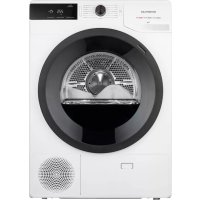
VDW9001W - Tumble dryer INVENTUM - Free user manual and instructions
Find the device manual for free VDW9001W INVENTUM in PDF.



| Product type | Heat pump dryer |
| Brand | Inventum |
| Model | VDW9001W |
| Dimensions (W × D × H) | 63 × 60 × 85 cm |
| Net weight | 41 kg |
| Rated capacity | 9 kg |
| Power supply | 220-240 V ~ 50 Hz |
| Rated power | 800 W |
| Refrigerant | R450a, 0.33 kg |
| Ambient temperature | +5 °C to +35 °C |
| Programs | Cotton extra dry, Cotton standard, Cotton iron dry, Mix extra dry, Mix, Wool, Sensitive, Refresh, Duvet, Delicate, Sport, Shirts, Time (90/60/30 min), Bed linen |
| Additional functions | Extra dry, Half load, Anti-crease (1h/2h/3h), Delay start (up to 24h), Child lock |
| Display | LED with indicators for time, full tank, clean filter |
| Condensation tank | Yes, with external drain possible |
| Lint filter | Clean after each use |
| Heat pump filter | Clean every 5 cycles maximum |
| Heat exchanger | Recommended cleaning every 12 months |
| Warranty | 2 years full + 3 additional years (subject to registration within 45 days) |
| Safety | Child lock, overheat protection, automatic stop in case of error |
| Energy efficiency class | Not specified in the manual |
| Noise level | Not specified |
Frequently Asked Questions - VDW9001W INVENTUM
User questions about VDW9001W INVENTUM
0 question about this device. Answer the ones you know or ask your own.
Ask a new question about this device
Download the instructions for your Tumble dryer in PDF format for free! Find your manual VDW9001W - INVENTUM and take your electronic device back in hand. On this page are published all the documents necessary for the use of your device. VDW9001W by INVENTUM.
USER MANUAL VDW9001W INVENTUM
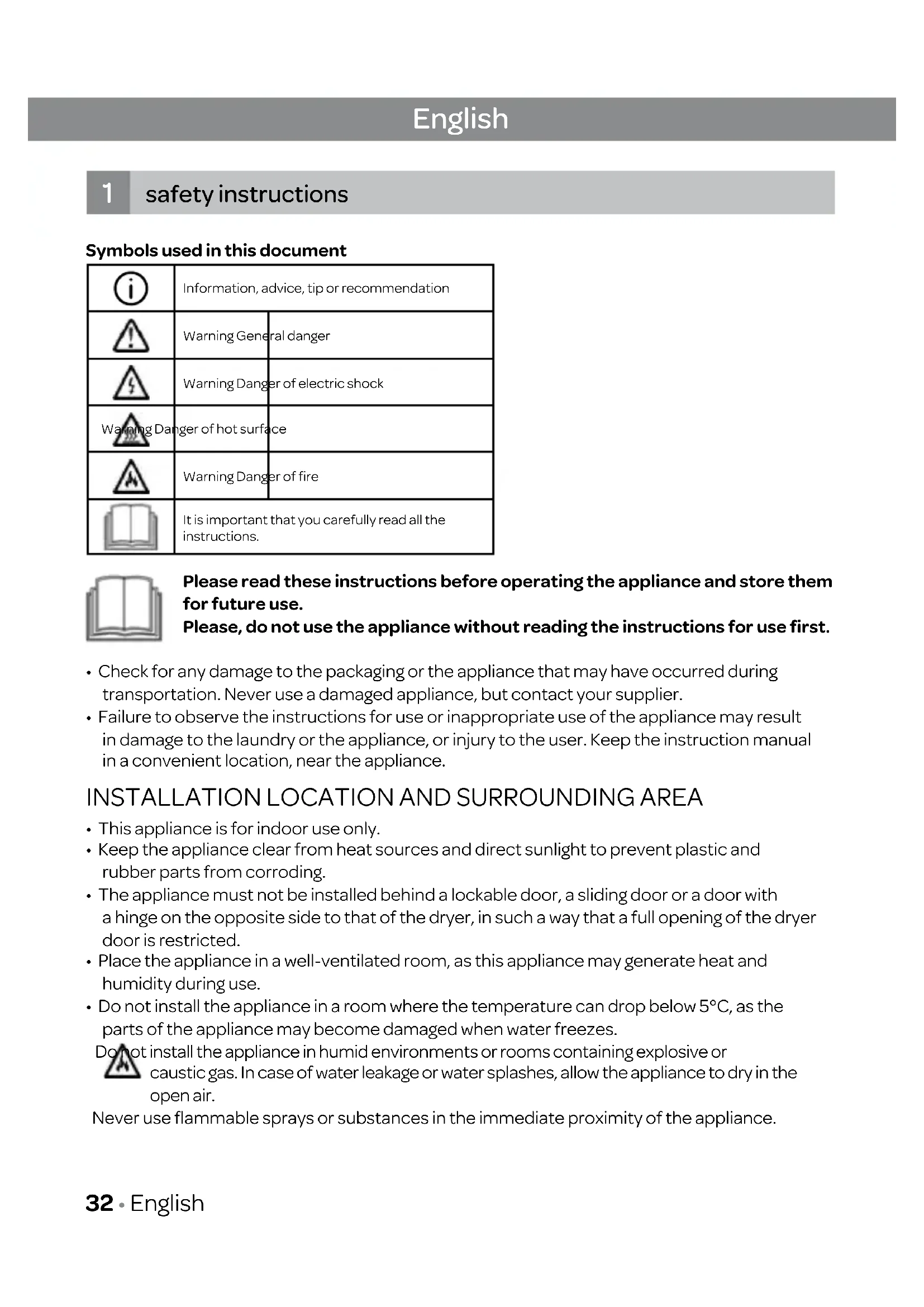
- safety instructions page-32
- product description page - 36
- installation and connection page - 37
- operation page-39
- maintenance and cleaning page - 51
- troubleshooting page - 53
- technical specifications page-57
general terms and conditions of service and warranty page - 122
Deutsch
INSTALLATIELOCATIE EN OMGEVING
APPARAAT WATERPAS ZETTEN

WAARSCHUWING!
(1)(2)(3)(4)(6)(7)(8)
DROOGPROGRAMMA ANNULEREN
1 safety instructions
Symbols used in this document
| i | Information, advice, tip or recommendation | |
| ! | Warning General danger | |
| $ | Warning Danger of electric shock | |
| Warning Danger of hot surface | ||
| A | Warning Danger of fire | |
| It is important that you carefully read all the instructions. | ||

Please read these instructions before operating the appliance and store them for future use.
Please, do not use the appliance without reading the instructions for use first.
- Check for any damage to the packaging or the appliance that may have occurred during transportation. Never use a damaged appliance, but contact your supplier.
- Failure to observe the instructions for use or inappropriate use of the appliance may result in damage to the laundry or the appliance, or injury to the user. Keep the instruction manual in a convenient location, near the appliance.
INSTALLATION LOCATION AND SURROUNDING AREA
- This appliance is for indoor use only.
- Keep the appliance clear from heat sources and direct sunlight to prevent plastic and rubber parts from corroding.
- The appliance must not be installed behind a lockable door, a sliding door or a door with a hinge on the opposite side to that of the dryer, in such a way that a full opening of the dryer door is restricted.
- Place the appliance in a well-ventilated room, as this appliance may generate heat and humidity during use.
- Do not install the appliance in a room where the temperature can drop below 5^ , as the parts of the appliance may become damaged when water freezes.
Do not install the appliance in humid environments or rooms containing explosive or caustic gas. In case of water leakage or water splashes, allow the appliance to dry in the open air.
Never use flammable sprays or substances in the immediate proximity of the appliance.
INSTALLATION
- Place the appliance on a solid (concrete) base that is level and stable.
- Adjust the adjustable feet of the appliance to ensure the appliance is standing level and balanced.
- After installation, let the dryer rest still for 24 hours before using it. Failure to do so may result in a heat pump failure which shall not be covered by the warranty.
- If the dryer has to be laid down on one of its sides during transport or servicing, place it on its left side downwards as seen from the appliance front.
- Before connecting the appliance to the power mains, wait at least 2 hours to allow it to reach room temperature.
- Dispose the packaging materials according to local regulations. Keep the material out of reach of children. Danger of suffocation.
ELECTRICAL INSTALLATION
- Connect the appliance to an earthed power socket protected by a fuse that complies with the values on the rating plate.
- Particularly make sure that the appliance is not placed on the power cord.

To avoid danger, a damaged power cord may only be replaced by the manufacturer, its service agent or similarly qualified persons.
If the appliance is damaged, it must not be operated until it is repaired by the manufacturer, service agent or similarly qualified persons.
- The appliance may not be connected to the power mains using an extension cord.

Do not connect the appliance to the power mains using an external switch device such as a programme timer, or connect it to a power mains that is regularly switched on and off by the power supply provider.
- Do not connect the appliance to an electrical outlet intended for an electric shaver or hair dryer.
- The mains plug must be accessible after installation.
Never use an extension cord or multiple plugs for making a connection.

Do not pull the plug out of the power socket if there is flammable gas around.

Never pull out the plug with wet hands.

Always unplug the appliance when it is not being used.

- Connection to the power supply has to be executed by an adequately trained technician or expert.
- Any repair and maintenance pertaining to safety or performance should be done by trained experts.
- In case of a defect, only use approved spare parts by authorised manufacturers.
- In case of incorrect appliance connection, incorrect use, or servicing by an unauthorised person, Inventum will not be responsible for any damage, as such damage will not be covered by warranty.
EXPLOSION AND FIRE HAZARD
- Please do not dry clothes with any flammable substances such as kerosene or alcohol. Otherwise, there may be an explosion.
- The appliance contains an environmentally friendly but flammable R450a refrigerant. Keep away from open flame and other sources of ignition.
- The tumble dryer is not to be used if industrial chemicals have been used for cleaning.
-
Do not dry unwashed items in the tumble dryer.
-
Items that have been soiled with substances such as cooking oil, acetone, alcohol, petrol, kerosene, spot removers, turpentine, waxes and wax removers should be washed in hot water with an extra amount of detergent before being dried in the tumble dryer.
- Items such as foam rubber (latex foam), shower caps, waterproof textiles, rubber backed articles and clothes or pillows fitted with foam rubber pads should not be dried in the tumble dryer.
- Oil-affected items can ignite spontaneously, especially when exposed to heat sources such as in a tumble dryer. The items become warm, causing an oxidation reaction in the oil. Oxidation creates heat. If the heat cannot escape, the items can become hot enough to catch fire. Piling, stacking or storing oil-affected items can prevent heat from escaping and so create a fire hazard.
- Remove all objects from pockets such as lighters and matches.
- If it is unavoidable that fabrics containing vegetable or cooking oil or having been contaminated by hair care products are placed in a tumble dryer, these items should first be washed in hot water with extra detergent. This will reduce, but not eliminate, the hazard.
- WARNING: Never stop a tumble dryer before the end of the drying cycle, unless all items are quickly removed and spread out so that the heat is dissipated.
- Openings must not be obstructed.
- The dryer filter has to be cleaned frequently.
- Lint must not be allowed to accumulate around the tumble dryer.
CHILD SAFETY
- Before closing the appliance door and running the programme, make sure there is nothing except laundry in the drum (e.g. check if a child or animal climbed into the drum of the appliance).
- Do not let children aged 3 years and under come near the appliance, unless they are under constant supervision.
- This appliance may be used by children aged 8 years and above and by persons with reduced physical, sensory or mental capabilities or lack of experience and knowledge, provided they are supervised or have been given instructions concerning the use of the appliance in a safe way and understand the hazards of inappropriate use. Children are not allowed to play with the appliance.
- The appliance may not be cleaned or maintained by children, unless this is done under supervision.
- Children should be supervised, to prevent them from playing with the appliance.
- Do not climb or sit on the appliance.
- The appliance is made in compliance with all relevant safety standards.
- Remove the door or deactivate the lock when disposing of the appliance. Children are known to have gotten themselves locked in old appliances. To prevent such a situation, break the door lock of your appliance and tear off the electrical cables.
Only use the appliance for drying laundry as described in the instruction manual.
The machine is not intended for dry cleaning.
- The dryer uses a heat pump system to heat the air.
The system consists of a compressor and a heat exchanger. When the dryer is started, compressor operation (the sound of flowing liquid) or flow of refrigerant may be louder as long as the compressor operates. This is not a sign of malfunction and it will not affect useful life of the dryer. In time and with use of the dryer this noise will become quieter.
- Only use products specifically designed for drying laundry. Inventum will not be responsible for any damages or discolouration of gaskets and plastic parts resulting from incorrect use
of bleaching or colouring agents.
- In case of a defect, only use approved spare parts by authorised manufacturers.
- Make sure that all pockets are emptied. Sharp and rigid items such as coins, brooches, nails, screws, stones etc. may cause serious damages to this machine.
- Remove all objects from pockets such as lighters and matches before using the appliance.
- Please do not close the door with excessive force. If it is found difficult to close the door, please check if the clothes are properly inserted and distributed.
- In case of incorrect connection of the appliance, incorrect use, or servicing by an unauthorised person, the user shall bear the cost of any damage, as such damage shall not be covered by warranty.
- When cleaning the appliance, only use non-corrosive cleaning agents.
- The warranty does not cover consumables, minor deviations in colour, increased noise that results from appliance age and which does not affect the functionality of the appliance, and aesthetic defects on components, which do not affect the functionality and safety of the appliance.
TRANSPORT/RELOCATION AFTER INSTALLATION
- Accumulated water must be drained out of the appliance.
- If the dryer cannot be transported in the upright position, tilt it on its left side as seen from the front of the appliance.
- The appliance is heavy. Transport with care. Never hold any protruding part of the appliance when lifting. The door of the appliance cannot be used as a handle.
INTENDEDUSE
- The appliance is intended solely for household use. If the appliance is used for professional, commercial purposes or purposes exceeding normal use in a household, or if the appliance is used by a person who is not a consumer, the warranty period shall be equal to the shortest warranty period required by relevant legislation.
- This appliance is intended to be used in households and similar applications such as: - staff kitchen areas in shops, offices or residential type environments;
-farm houses;
- by clients in hotels, motels and other residential type environments;
- bed & breakfast type environments;
- areas for communal use in blocks of flats or in launderettes.
- The appliance is not intended for use by persons (including children) with physical or mental impairments, or persons lacking experience and knowledge. These persons should be instructed about the use of the appliance by a person responsible for their safety.
OLD APPLIANCE
- Remove the door or deactivate the lock when disposing of the appliance. Children are known to have gotten themselves locked in old appliances. To prevent such a situation, break the door lock of your appliance and tear off the electrical cables.
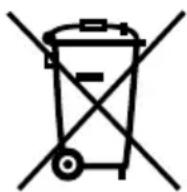
This marking indicates that this product should not be disposed of with other household wastes throughout the EU.
To prevent possible harm to the environment or human health from uncontrolled waste disposal, recycle it responsibly to promote the sustainable reuse of material resources. To return your used device, please use the collection systems or contact the retailer where the product was purchased.
They return and can take this product for environmental safe recycling.
2 product description
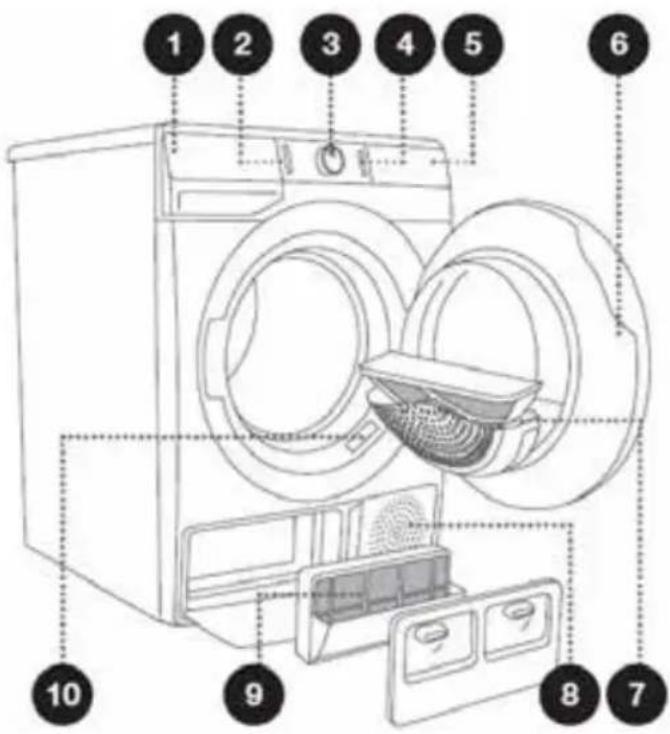
FRONT
- Condensate tank
- On/off button
- Programme selector knob
- Start/pause button
- Control panel
- Door
- Dryer filter
- Air inlet
- Heat pump filter
- Rating plate
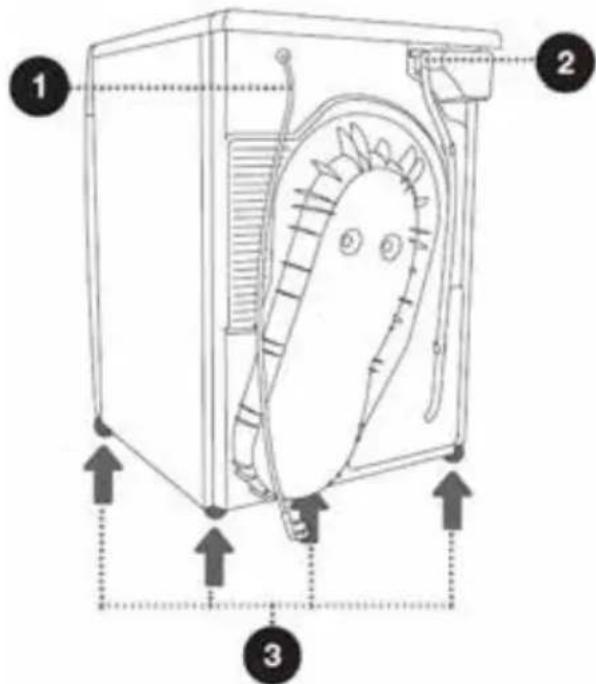
BACK
- Power cord
- Condensate discharge hose
- Adjustable feet
3
installation and connection
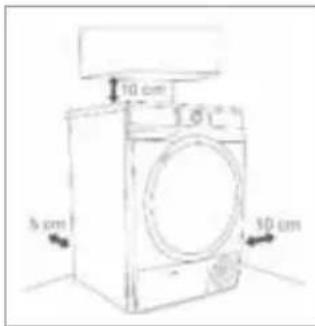
REQUIRED SPACE FOR INSTALLING

WARNING!
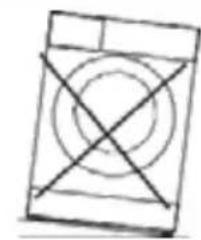
- Stability is important to prevent the product from moving across the installation site! Make sure to level the appliance and install it on a stable base in longitudinal and traverse direction by screwing the adjustable feet up or down.
- Make sure the appliance is not standing on the power cord.
- Make sure to observe the minimum required clearances from the walls as indicated in the figure.
- Do not place the appliance on a carpet with long fibres, as this may impede air circulation.
①
The room in which the appliance is placed must meet the following requirements:
- Dry, level and stable solid base
- Avoid direct sunlight
- A clean location, where dirt does not accumulate. Air must be able to circulate freely around the appliance. Do not obstruct the front air inlet or the air intake grills at the back of the machine.
- Room temperature is between 10^ and 25^
- Place the appliance in a well-ventilated room, as the use of this appliance may generate heat and humidity. Keep far away from heat sources such as coal, gas or wood burning appliances
- Do not stack this dryer on a washing machine without a stacking kit.
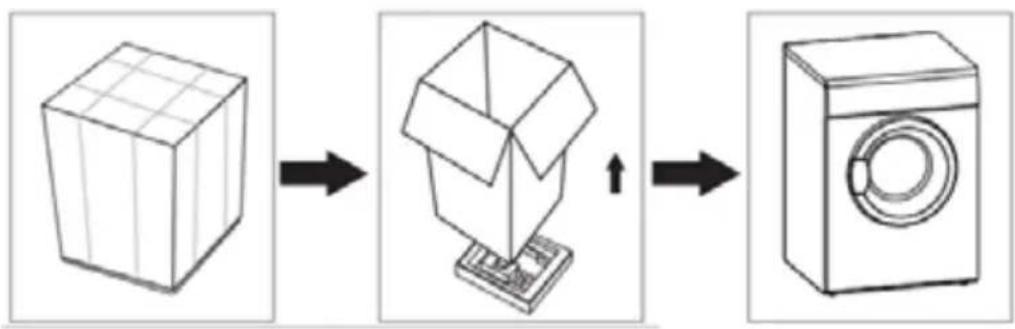
UNPACKING THE APPLIANCE

WARNING!
- Move the appliance with at least two people and wear protective clothing, such as sturdy gloves.
- Packaging material (e.g. films, Styrofoam) can be dangerous for children.
- There is a risk of suffocation! Keep all packaging away from children.
INSTALLING THE EXTERNAL DRAINAGE HOSE (INCLUDED)
Install the external drainage hose if you do not want to use the internal condensate tank.
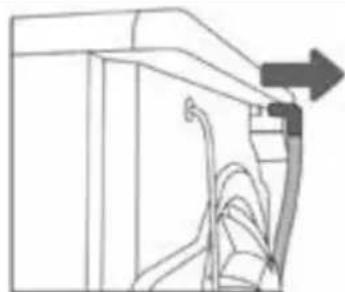
- Release the hose from the holder on the rear of the dryer (left hand side, below the top cover).
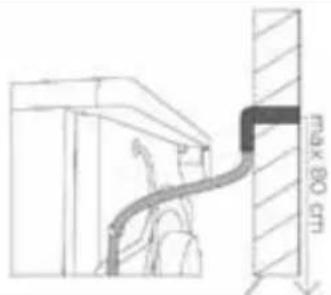
- Put the hose into a drain pipe, wash basin or any other sink.
LEVELLING THE APPLIANCE

WARNING!
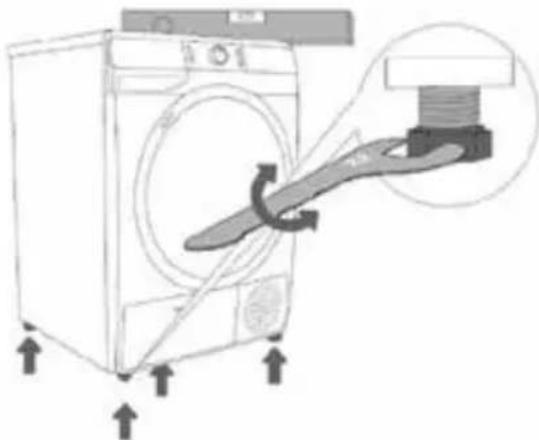
Incorrect levelling of the appliance with the adjustable feet may cause vibration, appliance moving across the room, and loud operation.
Use a spirit level and a spanner No. 22 to level the appliance.
- Rotate the adjustable feet with a spanner.
- Level the appliance in longitudinal and traverse direction.
CONNECTING THE APPLIANCE TO THE POWER MAINS

WARNING!
- Before connecting the appliance to the power mains, wait for at least 2 hours until room temperature has been reached.
- Connect the appliance to an earthed power outlet. After installation, the wall socket must be freely accessible. The socket must be fitted with an earth contact (in compliance with the relevant regulations).
Information about your appliance is indicated on the rating plate. - Using an over-voltage protection to protect the appliance in case of a lightning strike, is recommended.
- Do not connect the appliance to the power mains using an extension cord.

- Do not connect the appliance to an electrical outlet intended for an electric shaver or hair dryer.
- Any repair and maintenance pertaining to safety or performance must be done by trained experts.
- A damaged power cord may only be replaced by a person authorised by the manufacturer.
4 operation
BEFORE FIRST USE

WARNING!
After installation, let the dryer rest still for 24 hours before using it. Failure to do so may result in a heat pump failure which shall not be covered by the warranty.
If the dryer has to be laid down on one of its sides during transport or servicing, place it with its left side downwards, as seen from the appliance front.

CAUTION! Before first use, clean the inside of the drum with a soft damp cloth.
- Put some clean rags into the drum.
- During drying, the airflow and the pump will generate some noise, which is entirely normal.
BEFORE EACH DRYING CYCLE
-
Before each drying cycle, sort your laundry by reading the care labels.
-
Thoroughly spinning the laundry in the washing machine, shortens the drying time and saves energy.
-
For uniform drying results, sort the laundry according to fabric type and select the appropriate drying programme.
-
Before drying, please close buttons and zips, hooks and eyelets, tie any ribbons and turn the pockets inside out.
-
Leave jackets open and undo any long zips so that textiles dry evenly.
-
Sew in or remove underwiring from bras.
-
Close duvet covers and pillow cases to prevent small items from getting rolled up inside them.
-
Drying laundry made of particularly delicate fabrics that may be deformed is not recommended. The following types of laundry may not be dried in the appliance as this may cause your garments to deform:
-
leather garments and other leather products;
- garments that are waxed or treated in any other way;
- garments with major wooden, plastic or metal parts;
garments with spangles; -
garments with metal parts subject to rusting.
-
Do not over-dry the clothes, because over-dried clothes can easily get creases.

CAUTION!
- Do not put more load than rated in the appliance.
- See below for the reference weight of dry clothes (weight per item) Do not dry dripping wet laundry. The appliance might get damaged.
REFERENCE WEIGHT OF DRY CLOTHES
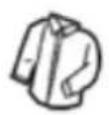
Sweater (mixed 800g)
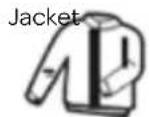
(cotton 800g)
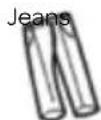
(800g)
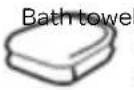
(cotton 900g)
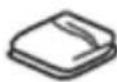
Single bedsheet cotton 600g
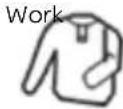
clothes (1120g)
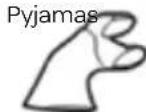
(200g)
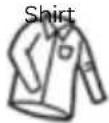
(cotton 300g)
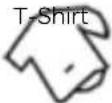
(cotton 180g)

(cotton 70g)

(mixed-weave 50g)
Only dry laundry suitable for tumble drying. Regard the laundry care labels:

Suitable for tumble drying

Normal drying process: drying in the appliance is possible with normal programmes and temperature of 80^

Mild drying process: caution is appropriate when tumble drying. Select a mild process with reduced thermal action.

Do not tumble dry: the garment is not suitable for drying in the appliance.
PREPARING BEFORE DRYING
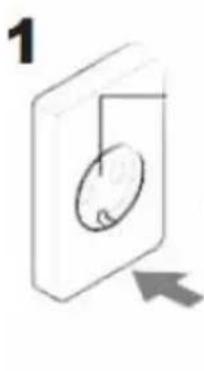
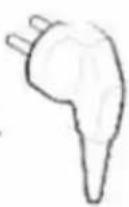
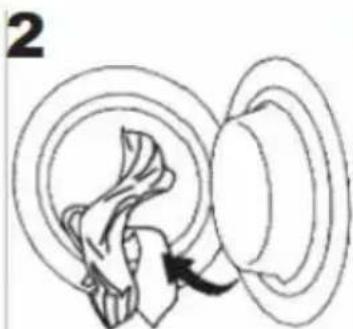
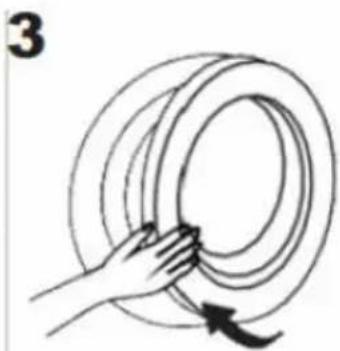
Plug in Open the door and load Close the door
DRYING
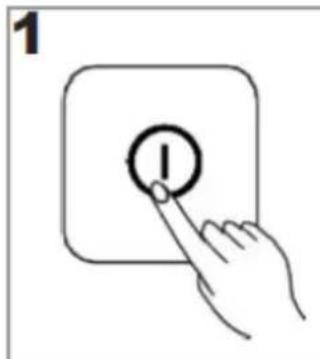
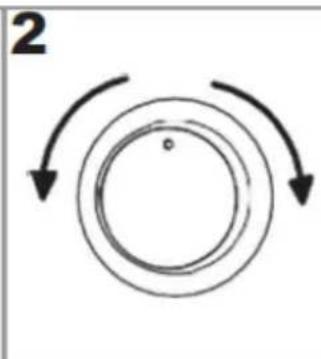
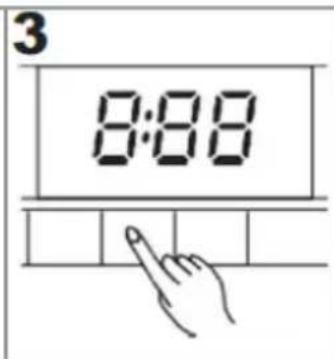
Press On/Off to start the appliance
Select a programme Select settings and/or additional functions
Press Start/Pause to start the program
AFTER DRYING
When the programme is finished and the appliance is ready, a buzzer will sound and [0:00] appears on the display.
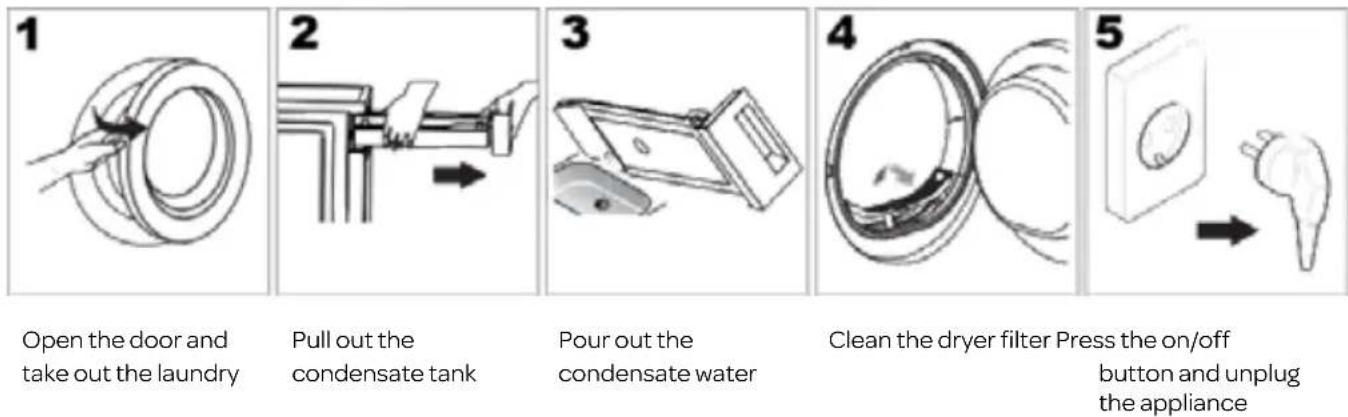
When the door of the appliance is opened, the interior light switches on. Do not forget to press the On/Off button before unplugging the appliance.
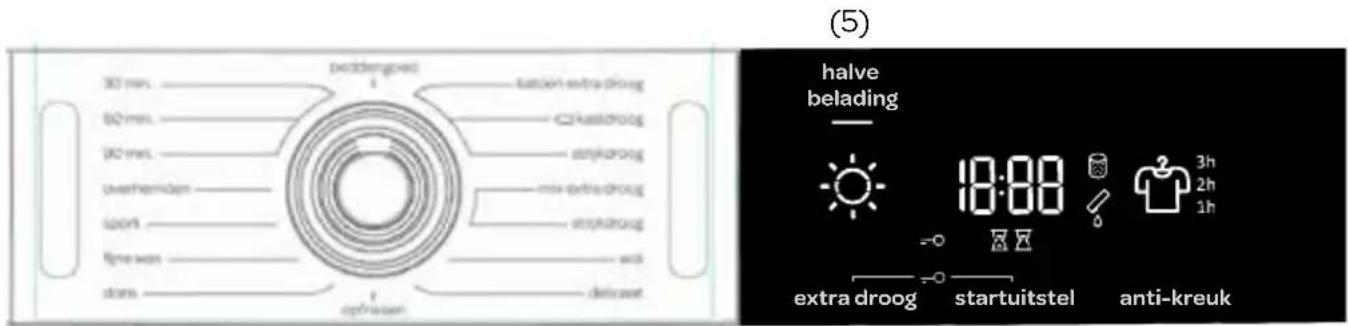
CONTROL PANEL
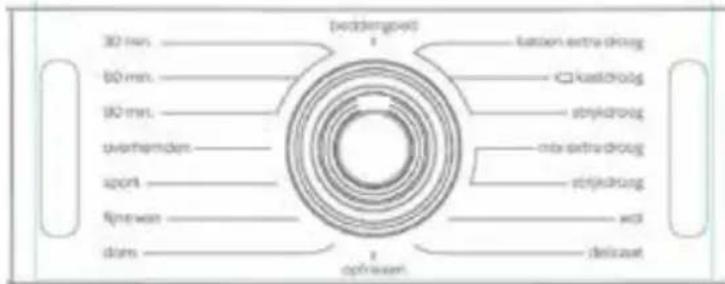
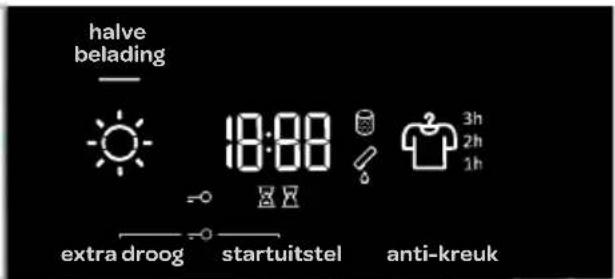
(5)
(1)(2)(3)(4)(6)(7)(8)
(1) ON/OFF BUTTON. Press the On/Off button to start the appliance or to turn it off.
(2) PROGRAMME SELECTOR KNOB. Turn the programme selector knob left or right to select the desired programme.
(3) START/PAUSE BUTTON. Press this button to start or pause the drying process. Opening the door also pauses the appliance. When closing the door, press the button again to resume the drying process.
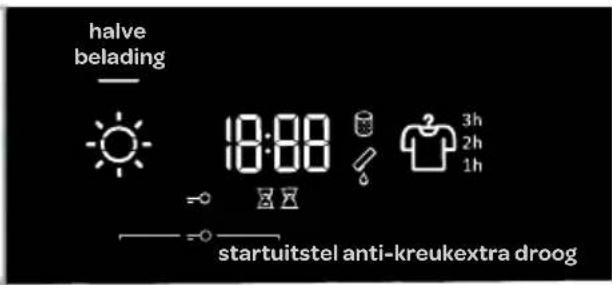
(4) EXTRA DRY [extra droog]. The extra dry option allows you to adjust the dryness level of the laundry. The symbol lights up when the function is selected.
(5) HALFLOAD [halve belading]. The symbol lights up when the function is selected.
(6) CHILD LOCK. The symbol lights up. Press EXTRA DRY [extra droog] and START DELAY [startuitstel] together and hold them for 3 seconds to activate or deactivate child lock.
(7) START DELAY [startuitstel]. Option to set a start delay. Use this function to start the drying cycle after a certain amount of time has elapsed.
(8) ANTI CREASE [anti-kreuk]. The symbol and anti-crease time chosen will light up.
ADDITIONAL DISPLAY SYMBOLS
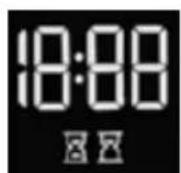
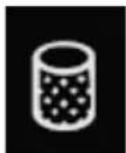
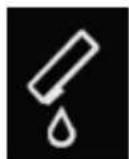
Information on the START DELAY function.
The display also shows the settings, estimated time remaining, options and status messages for your appliance. The display will remain on during the cycle.
Warning: when this indicator lights up, the dryer filter needs to be cleaned.
Warning: when this indicator lights up, the condensate tank is full and needs to be emptied.
| Programme Dryness levels | Max. load | Programme description |
| Cotton extra dry [katoen extra droog] | 9 kg Use this programme for single or multi-layer cotton laundry. It will be dried completely for direct storage. | |
| ○ Cotton standard* [kastdroog] (Cupboard dry) | 9 kg Use this programme for thicker non-sensitive cotton laundry of approximately the same thickness. After drying, it will be dry. | |
| Cotton [strijkdroog] (Moist for ironing) | 9 kg Use this programme for single layer cotton laundry. The laundry will remain damp after drying and is ready for ironing. | |
| Mix storage [mix extra droog] (Cupboard dry) | 3,5 kg Use this programme to dry laundry made of mixed fabrics from cotton and synthetics. After the drying process, the laundry will be dry. | |
| Mix [strijkdroog] (Moist for ironing) | 3,5 kg Use this programme for sensitive laundry made of a mixture of synthetic and cotton fibres. The laundry will remain damp after drying and is ready for ironing. | |
| Wool [wol] | 2 kg | This short programme is intended for softening or fluffing of clothes made of wool and silk, which have to be dried thoroughly according to manufacturer's instructions. |
| Sensitive [delicaat] | 1 kg | Use this programme to dry highly delicate laundry made of synthetic fibres, which may be slightly moist after the drying process. We recommend using a special-purpose laundry bag. |
| Air refresh [opfrissen] | 2 kg In this programme, the heater is switched off. The programme is suitable for refreshing your laundry. | |
| Down wear [dons] 1,5 kg | Use this programme to dry textiles stuffed or padded with down (pillows, duvets, jackets etc.). Dry large items separately and use the EXTRA DRY function or the Time Programme if necessary. | |
| Delicate [fijne was] | 4 kg | Use this programme to dry delicate clothing made of mixed fibres or viscose and cotton which should be dried with care. Clothes dried with this programme are usually normally dry. |
| Sportswear [sport] | 3 kg | Use this programme for clothing with a membrane, for sportswear made of mixed materials, and breathable fabrics. |
| Shirts [overhemden] | 2 kg | Use this programme for easy care laundry, such as shirts and blouses equipped with anti-crease functionality to minimise the ironing effort. Place clothes loosely in the dryer. Once dried, remove quickly and hang it on a clothes hanger. |
| Time (Timed drying program) | 4 kg Use this programme for non-sensitive laundry that is still slightly moist and has to be thoroughly dried. In the time programme, remaining moisture is not detected automatically. If the laundry is still damp after the programme is complete, repeat the programme; if it is too dry and therefore creased and rough to touch, the drying time you selected was too long. | |
| 90 min | ||
| 60 min | ||
| 30 min | ||
| Bedding [beddengoed] | 5 kg Use this programme for larger items. When the programme is complete, they will be dry. Adjusted drum rotation prevents the laundry from tangling. | |
- Testing programme according to EN 61121
If your laundry is not dried to the desired dryness level, use extra functions or use a more suitable programme.
ADJUSTING THE SETTINGS
Most programmes feature basic settings, but these settings can be changed.
Adjust the settings by pressing the relevant function button (before pressing the Start/Pause button).
Functions that cannot be changed with the selected programme are partly lit (dimmed). Certain settings cannot be selected with some programmes. Such settings will not be lit, and the button will flash when pressed.
Description of lighting of functions for the selected programme:
- Lit (Basic/pre-set setting)
- Dimmed (Functions that can be adjusted)
Unlit (Functions that cannot be selected)
DRYING MODE
EXTRA DRY [extra droog]
Press EXTRA DRY to adjust the dryness level – the dryer the laundry, the longer the drying cycle. This setting can be adjusted before the start of the drying process. After the drying programme, this setting is not stored.
![INVENTUM VDW9001W - EXTRA DRY [extra droog] - 1](/content/2026/03/543273/images/3a20b33620ee9ccfb95aaaa040ff72a906e66aec7e16544e3187f0c9b4dd75b3.jpg)
HALFLOAD [halve belading]
Press HALFLOAD [halve belading] to choose between normal and half load, which also affects the displayed laundry drying time.
ANTICREASE [anti-kreuk]
If you do not intend or cannot remove the laundry from the dryer immediately after the completion of the drying programme, we recommend using the ANTI CREASE function which has to be selected before the start of the drying process.
Press on ANTI CREASE [anti-kreuk] to choose between 1h, 2h, and 3h or to deactivate this function. When you open the dryer door after the completion of the drying programme, the function is automatically deactivated.
START DELAY
The desired time when the drying programme should start can be set in advance, which allows more flexibility.
Press START DELAY [startuitstel] (to set the start delay from 0 to 6 hours in 30-minute steps, and from 6 to 24 hours in 1-hour steps; when you press the Start/Pause button, the selected time is displayed.
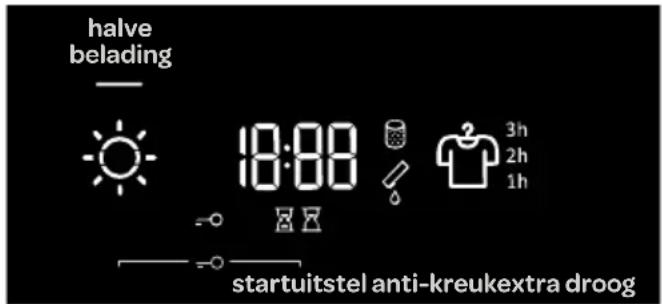
When the set delay time expires, the selected drying programme will start automatically.
To deactivate the start delay, press the button START DELAY [startuitstel] and hold it for 3 seconds.
In case of a power supply failure before the delay time has elapsed, press the Start/Pause button to resume the countdown.
The symbol is lit when the DRYING TIME is in progress/counting down. The symbol is lit when the START DELAY function is selected.
CHILD LOCK

CHILD LOCK (EXTRA DRY [extra droog] and START DELAY [startuitstel])
A safety feature. To activate the child lock, simultaneously press EXTRA DRY [extra droog] and START DELAY [startuitstel] and hold them for at least three seconds. The symbol =0 will light up. Follow the same procedure to deactivate the child lock. As long as the child lock is activated, programme, settings, or additional functions cannot be changed.
The child lock remains active after the dryer is switched off. Therefore, it has to be deactivated before a new programme can be selected. It can also be switched off during the drying process.
| Programmes | HALFLLOAD [halve belading] | EXTRA DRY [extra droog] | START DELAY [startuitstel] | ANTI CREASE [anti-kreuk] |
| Cotton extra dry [katoen extra droog] | ● ● ● ● | |||
| ○ Cotton standard* [kastdroog] (Cupboard dry) | ● ● ● ● | |||
| Cotton [strijkdroog] (Moist for ironing) | ● ● ● ● | |||
| Mix storage [mix extra droog] (Cupboard dry) | ● ● ● ● | |||
| Mix [strijkdroog] (Moist for ironing) | ● ● ● ● | |||
| Wool [wol] | ||||
| Sensitive [delicaat] | ● ● ● | |||
| Air refresh [opfrissen] | ||||
| Down wear [dons] | ● ● ● ● | |||
| Delicate [fijne was] | ● ● ● ● | |||
| Sportswear [sport] | ● ● ● | |||
| Shirts [overhemden] | ● ● ● ● | |||
| 90 min | ● | ● | ||
| 60 min | ● | ● | ||
| 30 min | ● | ● | ||
| Bedding [beddengoed] | ● ● ● ● |
- Extra functions can be used
If your laundry is not dried to the desired dryness level, use extra functions or use a more suitable programme.
STARTING THE DRYING PROGRAMME
Press the Start/Pause button to start the drying programme with the options chosen.
PAUSING THE DRYING PROGRAMME / ADDING/REMOVING LAUNDRY / OPENING THE DOOR
The drying programme can always be paused and resumed by pressing the Start/ Pause button or opening the door. The drying programme is temporarily paused. Add or remove laundry if you wish to do so. Drying time may be extended if you add laundry.
To resume the drying program, first close the door and then press the Start/Pause button.

WARNING: The dryer door will heat up during the drying process. Make sure you do not burn yourself when opening the dryer door.
CANCELLING THE DRYING PROGRAMME
To stop and cancel the drying programme, press the Start/Pause button and hold it for 3 seconds. The selected programme will stop, and the dryer will start to cool down. Cooling down time depends on the selected programme. After this process, the drying programme can be selected again.
CHANGING THE PROGRAMME/FUNCTIONS
Switch off the dryer by pressing the On/Off button; then, switch it on again by pressing the On/Off button and rotate the programme selector knob to the desired programme, or choose extra functions.
Select another programme/function and press the Start/Pause button again.
FULL CONDENSATE TANK
When the condensate tank is full, the drying programme will pause and the symbol will light. Empty the condensate tank (see chapter MAINTENANCE AND CLEANING/Emptying the condensate tank).
Press the Start/Pause button to resume the drying programme from the point at which it was interrupted.
POWER SUPPLY FAILURE
When power supply is resumed, the signal light on the Start/Pause button will flash.

To resume the drying process, press Start/Pause.
END OF THE DRYING PROGRAMME
At the end of the drying programme, End will appear on the display unit, and the two red indicator lights will light up. The Start/Pause button light and Anti Crease time indicator, if activated or selected, will flash.
- Open the dryer door.
- Clean the filter (see the section MAINTENANCE AND CLEANING ).
- Take the laundry from the drum.
- Close the door!
- Switch off the dryer (press the On/Off button).
- Empty the condensate tank.
- Unplug the power cord from the outlet.

After the end of the drying programme, immediately remove the laundry from the dryer to prevent it from creasing again.
SAVING PERSONAL SETTINGS
Initial settings may be changed.
When the programme and additional functions are selected, you may store such a combination by pressing the Start/Pause button and holding it for five seconds. An indicator light on the Start/ Pause button and an acoustic signal will confirm your selection. SC (settings changed) will be displayed briefly on the display.
Press the Start/Pause button to start the drying process.
The changed combination will appear every time you switch on the dryer.
Follow the same procedure to change a previously saved combination.
PERSONAL SETTINGS MENU
Switch on the dryer by pressing the On/Off button. To open the personal settings menu, simultaneously press the positions START DELAY [startuitstel] and ANTI CREASE
[anti-kreuk] and hold them for 3 seconds. The symbols for START DELAY, DRYING TIME, FILTER, and CONDENSATE TANK will be lit on the display unit. Number 1 will appear on the LED display, indicating the settings function. Rotate the programme selector knob to the left or to the right to choose the function to change. Number 1 indicates sound settings and number 2 indicates resetting of Personal programme settings to factory defaults. If the desired settings are not selected in 20 seconds, the programme will automatically return to the main menu.
Press START DELAY [startuitstel] to confirm the desired functions and their settings; press EXTRA DRY [extra droog] to go back one step.
Acoustic signal volume can be set at four levels
- 0 means the sound is off;
- 1 means that the button sound is activated;
2 means low volume, and - 3 means high volume.
Choose the volume level by rotating the programme selector knob (2) to the left or to the right. The lowest setting means that the acoustic signal is switched off.
LOW STANDBY MODE
If you do not run a programme or do anything else after switching on the dryer, the dryer will switch off automatically after 5 minutes to save energy. Indicator light on the Start/Pause button will flash.
The display will be reactivated if you rotate the programme selector knob or press the On/Off button or open the dryer door. If you do not do anything for 5 minutes after the end of the programme, the display unit will be switched off as well. The indicator light on the Start/Pause button will flash.
ERRORS
In case of an error or fault, the programme will be interrupted.
Flashing signal lights and an acoustic signal will warn about such an occurrence (see the chapter
TROUBLESHOOTING , and the error will be indicated on the display (E:XX).
5
maintenance and cleaning

WARNING! Always unplug the appliance before cleaning and maintenance.
CLEANING THE EXTERIOR OF THE APPLIANCE
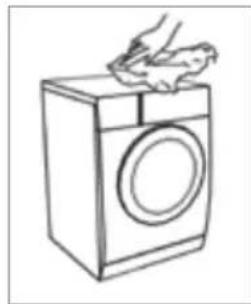
Proper maintenance on the appliance can extend its useful life. Clean the exterior of the appliance and control panel using a soft damp cloth and water. If necessary, a diluted non-abrasive neutral cleaning agent can be used to clean the appliance.
EMPTYING THE CONDENSATE TANK
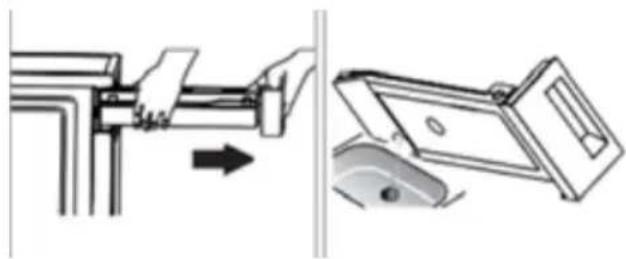
- Pull out and hold the condensate tank with two hands.
- Tilt the condensate tank, pour out the condensate water into the basin.
- Install the condensate tank.

WARNING!
- Empty the condensate tank after each use. Should the condensate tank fill up completely, the programme will be paused and the symbol will light up. Once the tank is emptied, the dryer can be restarted by pressing the Start/Pause button.
- Do not drink the condensate water.
- Do not use the dryer without the condensate tank.
CLEANING THE DRYER FILTER
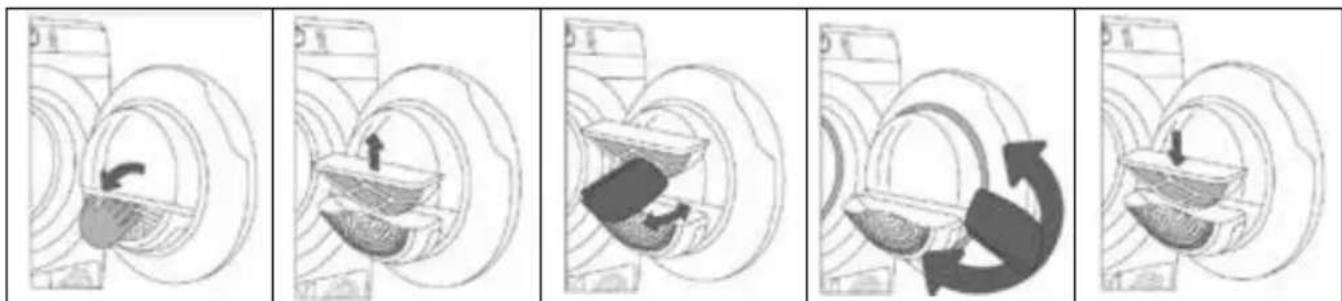
Open the filter housing.
Pull out the dryer filter.
Gently scrape the filter to remove the lint, i.e. the lining of fibres and threads, with your hand or with a cloth.
If necessary, clean the filter housing and door gasket as well.
Insert the dryer filter and close the filter housing.

NOTE!
- The lint accumulated on the dryer filter will block the air circulation, which will result in a longer drying time and an increased energy consumption. Therefore, the dryer filter must be cleaned after each use.
- Do not operate the dryer without the dryer filter!
- Clean the dryer filter after each use to prevent lint accumulation inside the dryer.
CLEANING THE HEAT PUMP FILTER
Please clean the heat pump filter at least after every five drying cycles.
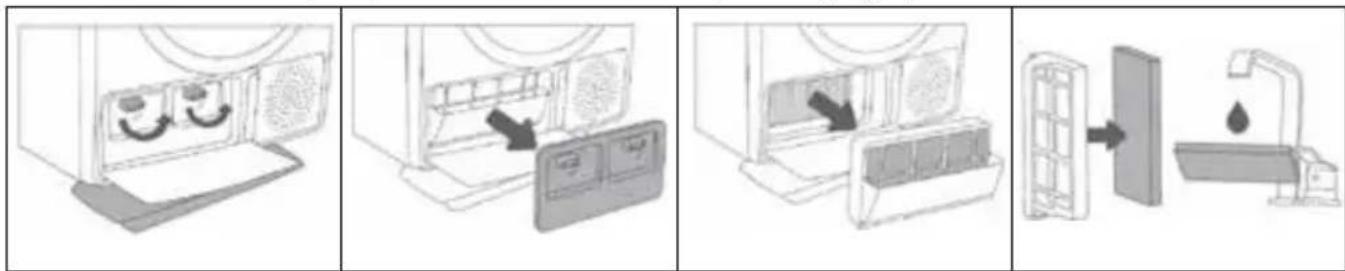
Open the outer cover. Hold the levers on the inside cover and rotate them upwards. Remove the inside cover.
Use the handle to pull out the heat pump filter.
Push the foam part of the filter from the housing. Use a damp cloth to clean the heat pump filter housing.
Wash the foam filter under running water and dry it before replacing it in the filter housing.
Insert the heat pump foam filter into the housing and close the outer cover (push it upwards toward the machine until it latches into place).
The heat pump filter has to be correctly inserted into its slot. Otherwise, the heat exchanger installed inside the dryer may be clogged or damaged.
WARNING

Before cleaning, leave the dryer to cool down.
- Do not damage the heat exchanger! Do not use hard/sharp-edged objects!
- Clean with water only.
- Residual water may leak out, place an absorbent cloth under the maintenance cover.
- Do not operate the dryer without the unit filters in place!
CLEANING THE HEAT EXCHANGER
We recommend you clean the heat exchanger at least every twelve months.

Do not touch the inner metal parts of the heat exchanger with bare hands. Danger of injury on sharp parts. Use appropriate protection gloves when cleaning the heat exchanger.

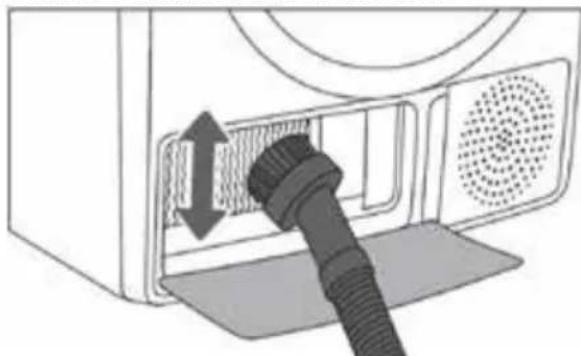
Incorrect cleaning of the metal fins of the heat exchanger can permanently damage the tumble dryer. Do not press on the metal fins with hard objects like for example the plastic tube of a vacuum cleaner.
The dust and dirt in the metal fins of the heat exchanger can be cleaned with a vacuum
cleaner and a soft brush attachment.
Access to the heat exchanger is possible, when the heat pump filter is removed as is described in the chapter Cleaning the heat pump filter.
Without pressing, gently move the brush attachment only in the direction of the metal fins from top to bottom. Too much pressure can damage or bend the metal fins of the heat exchanger.
52·English
6 troubleshooting
TROUBLESHOOTING
Many malfunctions and faults that might occur in daily operation can be easily remedied. Time and money will be saved because a service call will not be needed.
The following guide may help you to find the reason for a malfunction and correct it.
- Switch off the dryer and wait at least one minute.
- Switch on the dryer and repeat the drying programme.
- Most errors during operation can be resolved by the user (see the TROUBLESHOOTING TABLE).
- If the error persists, call the customer service. Only authorised technicians can carry out repairs.

The warranty does not cover the errors or failures resulting from incorrect connection or use of the dryer, or disturbances from the environment (lightning strike, power grid failures, natural disasters etc.). In such cases, the costs of repair shall be charged to the user.
SOUNDS
- In the initial drying stage or during drying, the compressor and the heat pump cause noise; this, however, does not affect the tumble dryer operation.
- Humming sound: compressor noise; the noise level depends on the program and the drying stage.
- Buzzing sound: the compressor is occasionally ventilated.
- Pumping or liquid flowing sound: the pump is pumping the condensate into the condensate tank.
- Clicking sound: start of automatic cleaning of the heat exchanger (compressor).
- Rumbling or rattling noise: during drying when the laundry also includes hard parts (such as buttons, zippers etc.)
WARNING INDICATED ON THE DISPLAY UNIT
| Warning Indication on the display unit and description of warning | What to do? |
| Condensate tank warning | Empty the condensate tank before resuming the programme (see chapter »CLEANING AND MAINTENANCE/Emptying the condensate tank«). |
| »PF« Power supply failure warning | Drying interrupted due to power supply failure. Press the Start/Pause button to restart or resume the drying programme. |
ERROR TABLE
In case of an error or fault, the programme will be interrupted.
Flashing signal lights and an acoustic signal will warn about such an occurrence, and the error will be indicated on the display (E:XX).
| Warning Indication on the display unit and description of warning | What to do? |
| E0 Control panel failure | Call customer service. |
| E1 Temperature sensor failure | Call customer service. |
| E2 Communication error | Call customer service. |
| E3 Pump error | Call customer service. |
| E4 System overheating | Clean the filter. See chapter «CLEANING AND MAINTENANCE/Cleaning the dryer filter« or call a service technician. |
| E6, E7, E8 Control panel failure | Disconnect the tumble dryer from the power supply. Call customer service. |

Write down the error code (e.g. E0, E1), switch off the dryer, and call the customer service.
TROUBLESHOOTING TABLE
| Problem/error Cause | What to do? | |
| The machine will not start. | ·The main switch is not switched on. | ·Check whether the main switch is on. |
| ·There is no voltage in the power outlet. | ·Check the fuse. ·Check if the power cord plug is correctly inserted into the power outlet. | |
| There is voltage in the outlet, but the drum does not spin and the appliance does not work. | ·Open the door.·Check if the door is closed properly. | |
| ·The condensate tank is full. | ·Empty the condensate tank (see chapter «CLEANING AND MAINTENANCE/Emptying the condensate tank«). | |
| ·Perhaps the START DELAY function was set. ·Programme was not started in accordance with the instructions. | ·To cancel the start delay, press START DELAY [startuitstel] and hold for 3 seconds. ·Re-read the instructions for use. | |
| The appliance stops heating completely during a programme. | ·The dryer filter may be clogged. As a result, the temperature in the dryer rises, which in turn causes overheating, and therefore heating is switched off. | ·Clean the dryer filter (see CLEANING AND MAINTENANCE/Cleaning the dryer filter). ·Wait for the appliance to cool down, and try running it again. If the dryer still fails to start, call the customer service. |
| A slight hitting noise appears. | ·If the dryer is out of use for a long period of time, the support elements are under stress at the same point. | ·The noise will subside without any intervention. |
| The door opens during drying. | ·Excessive load on the door (too much laundry in the drum). | ·Reduce the amount of laundry. |
| Unevenly dried laundry. | ·Laundry of varying types and thickness, or excessive amount of laundry. | ·Make sure you have sorted the laundry by type and thickness, and check that you have added a suitable amount of laundry to the drum, and that you have selected a suitable programme (see PROGRAMME TABLE). |
| Laundry not dried or drying takes too long | •Filter is not cleaned. •Clean the filter (see chapter »CLEANING AND MAINTENANCE / Cleaning the dryer filter«). | |
| •Dryer is placed in a closed room; room that is too cold; or room that is too small and the air overheats as a result. | •Make sure there is adequate supply of fresh air to the dryer; for example, open the door and/or window. •Check if the temperature in the room where the dryer is installed is too high or too low. | |
| •Laundry was not sufficiently wrung or spun. | •If the laundry is still wet after the drying cycle, repeat the drying and select an appropriate drying programme (after cleaning the filter). | |
| •Amount of laundry dried in the appliance is too large or insufficient. | •Use a suitable programme or extra functions. | |
| •Laundry (such as bedding) gets tangled into large balls. | •Close the buttons or zippers on the laundry before drying. Select a suitable programme (e.g. the Bedding program). •After the drying process, loosen the laundry and select an additional drying programme (e.g. 90/60/30 min. Timed drying program)). | |
| Drum lighting error | There is no lighting when the dryer door is opened. | •Disconnect the dryer from the power mains and call the customer service. |
Before you call the customer service, please check if you can resolve the problems yourself, consulting the user instructions.

WARNING! If you cannot resolve the problems yourself and need help:
- Press the On/Off button.
- Pull out the mains plug and call the customer service.
CUSTOMER SERVICE

WARNING! Risk of electric shock
- Never try to repair an appliance which is defective or presumed to be defective. You may put your own and future users' lives in danger. Only authorised specialists are allowed to carry out this repair work.
- Improper repair will void the warranty and subsequent damages cannot be recognised!
7 technical specification
TECHNICAL SPECIFICATIONS
Model VDW9001W
Rated input power 800 W
Rated voltage 220-240V~
Rated frequency 50 Hz
Refrigerant type R450a
Weight of product 41kg
Rated capacity 9kg
i NOTE!
- The rated capacity is the maximum capacity, make sure that the dry clothes loaded into the appliance do not exceed the rated capacity.
- Do not install the tumble dryer in a room with a risk of frost. At temperatures around freezing point, the tumble dryer may not be able to operate properly.
- There is a risk of damage if the condensate water is allowed to freeze in the pump, hoses and/or condensate tank.
REFRIGERANT
The product includes fluorinated greenhouse gases.
Refrigerant type: R450a
Amount of refrigerant: 0.33kg
Total GWP (global warming potential): 604
CO2 equivalent: 0.200 t
Hermetically sealed.
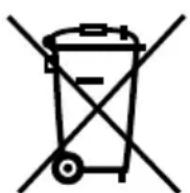
RECYCLING
This symbol means that this product should not be disposed of with regular household waste (2012/19/EU). Observe the rules that apply in your country for the separated collection of electric and electronic products. Correct disposal of the product prevents negative consequences for the environment and for public health. The packaging material of this product can be recycled 100% , return packaging material separately.
PRODUCT INFORMATION SHEET
| Model | |
| Rated Capacity | |
| Dryer Type | |
| Energy efficiency class | |
| Weighted annual energy consumption (AEc) (*1) | |
| Automatic or non-automatic | |
| EU Ecolabel | |
| Energy consumption of the standard cotton programme | |
| Weighted energy consumption of the standard cotton programme at full and partial load | |
| Energy consumption of the standard cotton programme at full load | |
| Energy consumption of the standard cotton programme at partial load | |
| Power consumption in the off-mode (Po) | |
| Power consumption in the left-on mode (Pl) | |
| Duration of the left-on mode | |
| Programme time of the ‘standard cotton programme’ | |
| Weighted programme time of the standard cotton programme at full and partial load | |
| Programme time of the standard cotton programme at full load | |
| Programme time of the standard cotton programme at partial load | |
| Condensation efficiency class A (most efficient) to G (least efficient) | |
| Average condensation efficiency of the standard cotton programme at full load | |
| Average condensation efficiency of the standard cotton programme at partial load | |
| Weighted condensation efficiency of the standard cotton programme at full and partial load | |
| Sound power level of the standard cotton programme at full load |
(^*1) Energy consumption per year, based on 160 drying cycles of the standard cotton programme at full and partial load, and the consumption of the low-power modes.
Actual energy consumption per cycle will depend on how the appliance is used.
The programme 'Cotton Standard [katoen kastdroog]' used at full and partial load is the standard drying programme to which the information in the label and the fiche relates.
This programme is suitable for drying normal wet cotton laundry and it is the most efficient programme in terms of energy consumption for cotton.
(1)(2)(3)(4)(6)(7)(8)
KNITTERSCHUTZ [anti-kreuk]
![INVENTUM VDW9001W - KNITTERSCHUTZ [anti-kreuk] - 1](/content/2026/03/543273/images/f37e900f741f530c2f2da5da010cff397ce45e8e60a890a013a66fa63f085e26.jpg)
(1)(2)(3)(4)(6)(7)(8)
EXTRA SEC [extra droog]
7 specifications techniques
FICHE D'INFORMATIONS DU PRODUIT
general terms and conditions of service and warranty
We do not need to remind you of the importance of service. After all, we develop our products to a standard so that you can enjoy them for many years, without any concerns. If, nevertheless, there is a problem, we believe you are entitled to a solution straight away. Hence our products come with an exchange service, on top of the rights and claims you are entitled to by law. By exchanging a product or part, we save you time, effort and costs.
2-year full manufacturer's warranty
- Customers enjoy a 2-year full manufacturer's warranty on all Inventum products. Within this period, a faulty product or part will always be exchanged for a new model, free of charge. In order to claim under the 2-year full manufacturer's warranty, you can either return the product to the shop you bought it from or contact the Inventum costumer service department via the form at www.inventum.eu/service-aanvraag.
- The 2-year warranty period starts from the date the product is bought.
- In order to claim under the warranty, you must produce a copy of the original receipt.
- The warranty applies only to normal domestic use of Inventum products within the Netherlands.
5-year Inventum warranty
- Inventum offers a 5-year warranty on most large domestic appliances and a selection of small domestic appliances. This 5-year Inventum warranty consists of a 2-year full manufacturer's warranty, extended by a further 3-year warranty. The only thing you need to do to qualify for the 3-year extended warranty is to register the product within 45 days of purchase. You can read more about registering the product in the following paragraph.
- In accordance with the 5-year Inventum warranty provisions, a faulty product or part will always be exchanged for a new model during the first 2 years under the warranty. During the 3rd to 5th year under the warranty, you will only pay the costs of exchange. The current costs of exchange are listed at www.inventum.eu/omruilkosten.
- In order to claim under the 5-year Inventum warranty, you can either return the product to the shop you bought it from or contact the Inventum costumer service department via the form at www.inventum.eu/service-aanvraag.
- The 5-year warranty period starts from the date the product is bought.
- In order to claim under the warranty, you must produce a copy of the original receipt.
- The warranty applies only to normal domestic use of Inventum products within the Netherlands.
Product registration
- The 3-year extended warranty is easy to obtain, free of charge, by registering the product within 45 days of purchase, via the website www.inventum.eu/garantie- registrarie. If you did not register the product within 45 days of purchase, you can still do so up to 2 years after the purchase date. However, there will be a charge. The one-off registration charge is € 89 for each separate product. Registration is possible only for products that are subject to the 5-year Inventum warranty. Whether the product qualifies for the 5-year Inventum warranty is stated in the product user manual and in the product information sheet, on Inventum's website.
- The warranty period always starts from the date the product is bought. If the product is registered for the extended warranty at a later date, the warranty period still starts from the original date of purchase.
- The 3-year extended warranty can only be applied for if you are in the possession of a copy of the original receipt and the Inventum 5-year warranty certificate.
Large domestic appliances
- Breakdowns or faults in large domestic appliances (separate and built-in white goods) can be registered via the form at www.inventum.eu/service-aanvraag, by calling the Inventum costumer service department or in the store where you bought the device. The telephone number of the costumer service department can be found at www.inventum.eu.
- In the event of breakdowns or faults in large domestic appliances, Inventum will have the option to have a service engineer inspect the faulty device onsite at the customer in the Netherlands and to carry out repairs, there and then. The Inventum customer service department can also decide to have the device exchanged.
- If you suffer a breakdown or fault in a large domestic appliance during the first 2 years from the date of purchase, Inventum will not charge any costs for the exchange, call-out or for parts and labour.
- If you registered the product as described before at www.inventum.eu/garantie-registry and you subsequently report a breakdown of a large domestic appliance in the 3rd to 5th year of the date of purchase, the 5-year Inventum warranty applies and the device will be repaired or exchanged, free of charge. In the event of a repair or exchange of the device, you only pay the costs of exchange. The current costs of exchange are listed at www.inventum.eu/omruilkosten. If you did not register the product, the 3-year extended warranty does not apply.
- When reporting a breakdown or fault, a service engineer will contact the customer within 1 working day in order to make an appointment. When the report is made in a weekend or during a public holiday, this will be the next working day.
-
If you report a breakdown or fault via the form at www.inventum.eu/service-aanvraag, you will be kept informed of the progress via mobile messages and e-mail.
-
The warranty period starts from the date the product is bought.
- In order to claim under the warranty, you must produce a copy of the original receipt and the Inventum 5-year warranty certificate.
- The warranty applies only to normal domestic use of Inventum products within the Netherlands.
Breakdowns or faults outside the warranty period
- Breakdowns or faults in small or large domestic appliances outside the warranty period, can be reported to the costumer services department via the form at www.inventum.eu/service-aanvraag or by calling the costumer services department.
- The costumer services department may ask you to send the product for inspection or repair. The costs of dispatch will be at your expense.
- The inspection to establish whether repair is possible involves a charge. You need to grant your permission for this, in advance.
- In the event of a large domestic appliance, Inventum, at your request, can send out a service engineer. In that case, you will be charged the call-out costs, as well as parts and labour.
- In the event of an instruction to repair, the repair costs must be paid in advance. In the event of a repair by a service engineer, the costs of the repair must be settled with the engineer onsite, preferably by means of PIN payment.
Warranty exclusions
- The following is excluded from the aforesaid warranties:
normal wear and tear;
- improper use or misuse;
insufficient maintenance;
- failure to comply with the operating and maintenance instructions;
- unprofessional installation or repairs by third parties or the customer himself;
- non-original parts used by the customer;
- use for commercial or business purposes;
- removal of the serial number and/or rating label.
-
In addition, the warranty does not apply to normal consumer goods, such as:
-
dough hooks, baking tins, (carbon) filters, etc.;
- batteries, bulbs, carbon filters, fat filters etc.;
external connection cables; -
glass accessories and glass parts such as oven doors;
and similar items. -
Transport damage not caused by Inventum is also excluded. Therefore, inspect your new device before starting to use it. If you detect any damage, you must report this to the store where you purchased the product within 5 working days, or to the Inventum customer service department via the form at www.inventum.eu/service-aanvraag. If transport damage is not reported within this period, Inventum does not accept any liability in this respect.
- The following are excluded from warranty and/or replacement: faults, loss of and damage to the device as a result of an event that is normally insured under the home contents insurance.
Important to know
- The replacement or repair of a faulty product, or a part thereof, does not lead to an extension of the original warranty period.
- Parts that have been replaced, packaging material and exchanged devices are taken back by the service engineer and become the property of Inventum.
- If a complaint is unfounded, all costs arising from it will be at the customer's expense.
- Following expiry of the warranty period, all costs of repair or replacement, including administration costs, dispatch and call-out charges, will be charged to the customer.
- Inventum cannot be held liable for damage as a result of devices built in incorrectly.
- Inventum cannot be held liable for damage caused by external events, unless this liability arises from mandatory statutory provisions.
- These warranty and service provisions are governed by Dutch law. Disputes will be settled exclusively by the competent Dutch court.
- Deutsch
- INSTALLATIELOCATIE EN OMGEVING
- APPARAAT WATERPAS ZETTEN
- WAARSCHUWING!
- DROOGPROGRAMMA ANNULEREN
- safety instructions
- INSTALLATION LOCATION AND SURROUNDING AREA
- INSTALLATION
- ELECTRICAL INSTALLATION
- EXPLOSION AND FIRE HAZARD
- CHILD SAFETY
- TRANSPORT/RELOCATION AFTER INSTALLATION
- INTENDEDUSE
- OLD APPLIANCE
- product description
- FRONT
- BACK
- installation and connection
- REQUIRED SPACE FOR INSTALLING
- WARNING!
- UNPACKING THE APPLIANCE
- INSTALLING THE EXTERNAL DRAINAGE HOSE (INCLUDED)
- LEVELLING THE APPLIANCE
- CONNECTING THE APPLIANCE TO THE POWER MAINS
- operation
- BEFORE FIRST USE
- BEFORE EACH DRYING CYCLE
- CAUTION!
- REFERENCE WEIGHT OF DRY CLOTHES
- PREPARING BEFORE DRYING
- DRYING
- AFTER DRYING
- CONTROL PANEL
- (1)(2)(3)(4)(6)(7)(8)
- ADDITIONAL DISPLAY SYMBOLS
- ADJUSTING THE SETTINGS
- DRYING MODE
- EXTRA DRY [extra droog]
- HALFLOAD [halve belading]
- ANTICREASE [anti-kreuk]
- START DELAY
- CHILD LOCK
- STARTING THE DRYING PROGRAMME
- PAUSING THE DRYING PROGRAMME / ADDING/REMOVING LAUNDRY / OPENING THE DOOR
- CANCELLING THE DRYING PROGRAMME
- CHANGING THE PROGRAMME/FUNCTIONS
- FULL CONDENSATE TANK
- POWER SUPPLY FAILURE
- END OF THE DRYING PROGRAMME
- SAVING PERSONAL SETTINGS
- PERSONAL SETTINGS MENU
- LOW STANDBY MODE
- ERRORS
- maintenance and cleaning
- WARNING! Always unplug the appliance before cleaning and maintenance.
- CLEANING THE EXTERIOR OF THE APPLIANCE
- EMPTYING THE CONDENSATE TANK
- CLEANING THE DRYER FILTER
- NOTE!
- CLEANING THE HEAT PUMP FILTER
- WARNING
- CLEANING THE HEAT EXCHANGER
- 52·English
- troubleshooting
- TROUBLESHOOTING
- SOUNDS
- WARNING INDICATED ON THE DISPLAY UNIT
- ERROR TABLE
- TROUBLESHOOTING TABLE
- WARNING! If you cannot resolve the problems yourself and need help:
- CUSTOMER SERVICE
- WARNING! Risk of electric shock
- technical specification
- TECHNICAL SPECIFICATIONS
- i NOTE!
- REFRIGERANT
- RECYCLING
- PRODUCT INFORMATION SHEET
- KNITTERSCHUTZ [anti-kreuk]
- EXTRA SEC [extra droog]
- specifications techniques
- FICHE D'INFORMATIONS DU PRODUIT
- general terms and conditions of service and warranty
- 2-year full manufacturer's warranty
- 5-year Inventum warranty
- Product registration
- Large domestic appliances
- Breakdowns or faults outside the warranty period
- Warranty exclusions
- Important to know
Brand : INVENTUM
Model : VDW9001W
Category : Tumble dryer