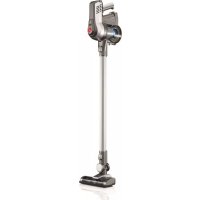
Cruise BH52212 - Vacuum Cleaner HOOVER - Free user manual and instructions
Find the device manual for free Cruise BH52212 HOOVER in PDF.



| Brand | Hoover |
| Model | Cruise BH52212 |
| Appliance Type | Cordless vacuum |
| Use | Household use only |
| Power | Rechargeable lithium-ion battery (part no. 440009633) |
| Charger | Part no. 440009553, wall outlet |
| Charging Time | Up to 6 hours (first charge) |
| Charge Indicator | Red light flashing (charging), solid green (charged) |
| Operation | On/off trigger and continuous power lock |
| Brush Roll | Motorized, removable, with on/off button (carpet/hard floor) |
| Filter | Motor output filter, washable with clean water (no soap), dry 24h |
| Filter Maintenance | Clean every 3 months, replace every 12 months |
| Dust Cup | Removable, empty by button |
| Included Accessories | Motorized nozzle, extension wand, handheld vacuum, crevice tool, dusting brush, upholstery tool, articulated dusting brush, wall mount, screws and screw covers |
| Warranty | 2 years (household use) |
| Customer Service | 1 888 679-2121 (US and Canada) or hoover.com |
| Safety Instructions | Do not use on wet surfaces, do not expose to rain, do not vacuum flammable liquids, remove battery before maintenance |
| Repairability | Spare parts available, repair by authorized service center |
Frequently Asked Questions - Cruise BH52212 HOOVER
User questions about Cruise BH52212 HOOVER
0 question about this device. Answer the ones you know or ask your own.
Ask a new question about this device
Download the instructions for your Vacuum Cleaner in PDF format for free! Find your manual Cruise BH52212 - HOOVER and take your electronic device back in hand. On this page are published all the documents necessary for the use of your device. Cruise BH52212 by HOOVER.
USER MANUAL Cruise BH52212 HOOVER
natural_image
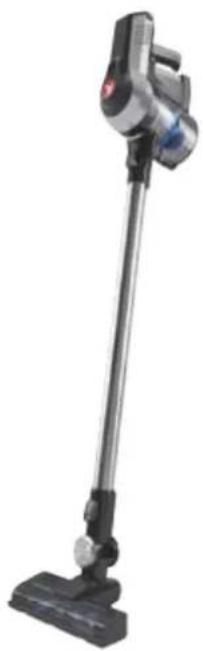
Exterior view of a modern vacuum cleaner (no text or symbols visible)User manual
IMPORTANT: READ CAREFULLY BEFORE ASSEMBLY AND USE.
This product is intended for household use only. If used commercially the warranty is void.
Welcome to Hoover ownership.
Make it official.
Register your vacuum by:

or Hoover.ca

Calling 888 679-2121 Visiting Hoover.com
IT'S GUARANTEED.
Hoover will replace your batteries under our 2 year limited warranty. See Warranty for complete details.
YOUR GUIDE
Important Safety Instructions....4
Getting started with your Cruise™ Cordless....6
Assembly 7
Attach the wall bracket....8
How to use 9
Before you begin cleaning....10
Using your machine....12
Using your machine as a Handheld vacuum....13
Using your machine to clean up high....14
Maintenance....16
How to order accessories....22
Need Help? 23
Service and Warranty 24
IMPORTANT SAFETY INSTRUCTIONS
SAVE THESE INSTRUCTIONS
When using an electrical appliance, basic precautions should always be followed, including the following: READ ALL INSTRUCTIONS BEFORE USING THIS APPLIANCE. THIS PRODUCT IS INTENDED FOR HOUSEHOLD USE ONLY. IF USED COMMERCIALLY WARRANTY IS VOID.
WARNING: TO REDUCE THE RISK OF FIRE, ELECTRIC SHOCK, DAMAGE OR INJURY:
- Fully assemble before operating.
- Do not use appliance on wet surfaces. Do not expose appliances to rain. Store appliances indoors.
- The charger is for indoor use only. Be sure to always keep the battery and charger indoors in a dry place.
- Do not allow to be used as a toy. Not intended for use by children age 12 and under. Close supervision is necessary when used near children. To avoid injury or damage, keep children away from product, and do not allow children to place fingers or other objects into any openings.
- Use only as described in this manual. Use only Hoover® recommended attachments and products.
-
Do not use charger with damaged cord or plug. If appliance or charger is not working as it should, has been dropped, damaged, left outdoors, or dropped into water, take it to a service center prior to continuing use.
-
Do not pull or carry charger by cord, use cord as a handle, close a door on cord, or pull cord around sharp edges or corners. Do not place product on cord. Do not run appliance over cord. Keep cord away from heated surfaces.
- Do not unplug charger by pulling on cord. To unplug charger, grasp the plug, not the cord.
- Do not handle charger including charger plug and charger terminals, or appliance with wet hands.
- Do not put any object into openings. Do not use with any opening blocked; keep free of dust, lint, hair, and anything that may reduce air flow.
- Keep hair, loose clothing, fingers, and all parts of body away from openings and moving parts.
- Use extra care when cleaning on stairs. To avoid personal injury or damage, and to prevent the cleaner from falling, always place cleaner at bottom of stairs on floor. Do not place cleaner on stairs or furniture, as it may result in injury or damage.
-
Do not use to pick up flammable or combustible liquids, such as gasoline, or fine wood shavings, or use in areas where they may be present.
-
Do not pick up anything that is burning or smoking, such as cigarettes, matches, or hot ashes.
- Do not use without Dirt Cup and/or Filters in place.
- Turn power switch off and remove battery before removing or installing brush roll.
- Always turn off this appliance before connecting or disconnecting Motorized Turbo Tool or tools.
- Do not incinerate the charger, battery, or appliance even if it is severely damaged. The batteries can explode in a fire.
- This product includes rechargeable lithium-ion batteries. Do not expose batteries to high temperatures, as they may catch fire and/or explode.
- Do not expose battery to crushing, incineration or similar actions.
- Do not dispose of battery in a fire or trash compactor. See battery disposal section for directions.
- Do not attempt to disassemble battery.
- Unplug the charger from the outlet before any routine cleaning or maintenance.
- Leaks from battery cells can occur under extreme conditions. If any liquid gets on the skin wash quickly with soap and water. If any liquid gets into the eyes, do not rub eyes, immediately flush them with clean water continuously for a minimum of 15 minutes. Seek medical attention immediately.
-
Use only the charger (Hoover Part #440009553) supplied by Hoover® to recharge.
-
Use only the battery (Hoover Part #440009633) supplied by Hoover®. Other batteries may burst causing serious personal injury or damage.
- Do not touch or insert objects into battery pack or charger terminals.
- Do not attempt to short circuit the battery or charger terminals.
WARNING: This product contains chemicals known to the State of California to cause cancer, birth defects or reproductive harm. WASH HANDS AFTER HANDLING.
Getting started with your Cruise™ Cordless:
CONTENTS VARY DEPENDING ON THE MODEL PURCHASED.
WHAT'S IN THE BOX?
| Unit Model |  Handheld Handheld |  |  Reach Wand Powered Nozzanine Tool Upholstery Wall Mount Reach Wand Powered Nozzanine Tool Upholstery Wall Mount |  |  |  Dusting Brush Dusting Brush |  | 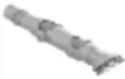 Articulating Dusting Brush Articulating Dusting Brush |
| BH52200/PC/CDI | √ √ | √ √ √ | ||||||
| BH52210/PC/CA | √ √ | √ √ √ | √ √ | |||||
| BH52212 | √ √ | √ √ √ | √ √ |
ALL MODELS COME WITH A CHARGER, BATTERY, SCREWS, SCREW COVERS AND USER MANUAL.
Assembly:
1
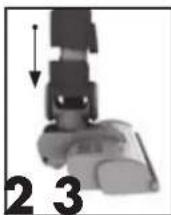
Line up the connector on the Reach Wand with the Powered Nozzle. Push the Reach Wand down onto the Powered Nozzle until it clicks into place.
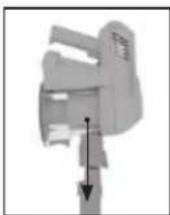
Push the Handheld down onto the Reach Wand until it clicks into place.
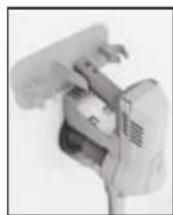
The vacuum cleaner is not free standing and in between uses must always be placed in the wall bracket or laid flat on the floor, in a suitable location so it does not become a trip hazard or can be stepped on.
WARNING

To reduce the risk of personal injury, remove battery before cleaning or servicing.
IMPORTANT

This vacuum cleaner is not free standing. In between uses or when carrying out any maintenance always lie flat on the floor in a suitable location so it does not become a trip hazard or can be stepped on.
Attach the wall bracket:
First, fully assemble the vacuum but do not attach the battery.
1
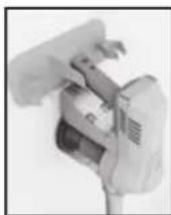
Attach the wall bracket to the handle.
2
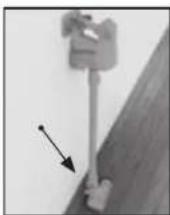
With the wall bracket attached, stand the vacuum close to the wall, in the upright position with the Powered Nozzle flat on the floor.
3
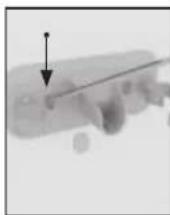
Holding the wall bracket firmly in place, carefully remove the vacuum. Using a pencil make a small mark for each screw.
4
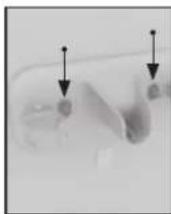
Use both screws and screw covers to secure the wall bracket to the wall. Place covers over the screws.
5
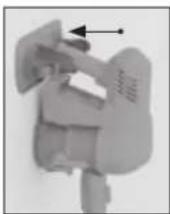
Firmly press the vacuum handle into the wall bracket to secure.
6
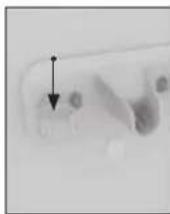
The tools can be stored on the wall bracket.
How to use:
- Brush roll On/Off button
- On/Off & charging light
- Handheld release button
- Reach Wand
- Power Nozzle/accessory release button
- Powered Nozzle
- Brush roll
- Filter cover release buttons
- Handle
- Battery Charging Port
- Battery release button
- Dirt container removal button (hidden)
- Dirt empty button
- On/Off trigger
- Continuous power lever (hidden)
- Battery
- Dirt container
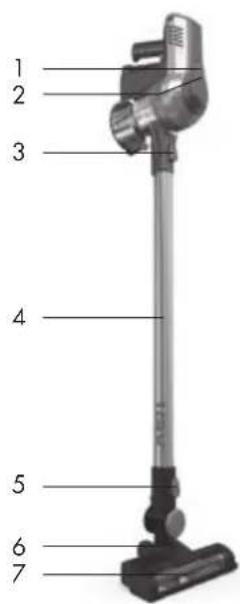
text_image
1 2 3 4 5 6 7
text_image
8 9 10 11 12 13 14 15 16 17Before you begin cleaning:
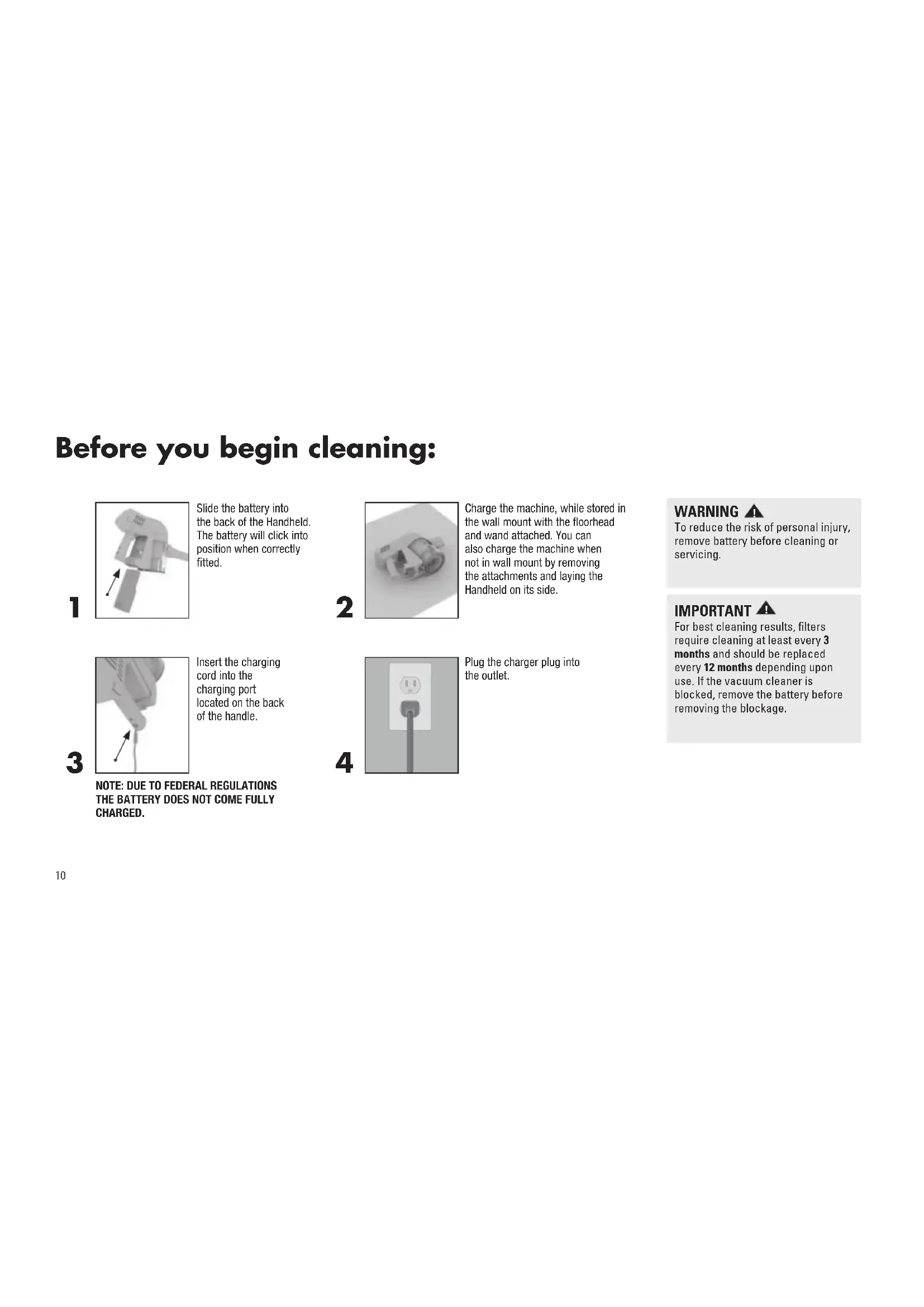
1
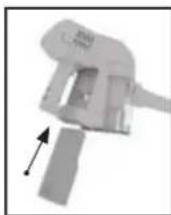
Slide the battery into the back of the Handheld. The battery will click into position when correctly fitted.
2
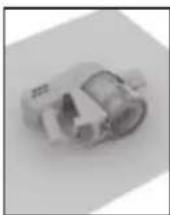
Charge the machine, while stored in the wall mount with the floorhead and wand attached. You can also charge the machine when not in wall mount by removing the attachments and laying the Handheld on its side.
3
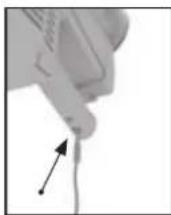
Insert the charging cord into the charging port located on the back of the handle.
4
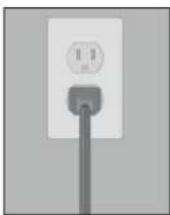
Plug the charger plug into the outlet.
WARNING
To reduce the risk of personal injury, remove battery before cleaning or servicing.
IMPORTANT
For best cleaning results, filters require cleaning at least every 3 months and should be replaced every 12 months depending upon use. If the vacuum cleaner is blocked, remove the battery before removing the blockage.
Before you begin cleaning:
5

The On/Off and charging light will illuminate while the charger is connected.
Red flashing light - the battery is charging. Green continuous light - the battery is charged.
If charging for the first time the initial charge time may be up to 6 hours.
WARNING

Do not use the vacuum cleaner when the machine is plugged in and charging.
IMPORTANT

For best performance the terminals on the battery and vacuum cleaner must be clean and free from dust and dirt. The life expectancy of the battery will vary depending on the usage of the vacuum cleaner.
Using your machine:
1
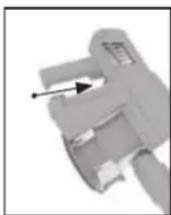
Squeeze the trigger located underneath the handle, the machine will switch 'On'. The On/Off and charging light will illuminate green indicating the power is on and the machine is charged. Release the trigger to switch the machine 'Off'.
3
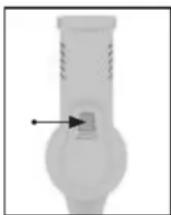
Press the brush roll's On/Off button to go between carpet and hard floor mode. The brush roll will spin for carpet mode.
2
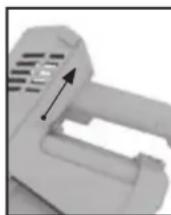
Squeeze the trigger and pull the 'Continuous Power Lever' towards the trigger. This will lock it into the 'On' position and will continue to power the machine without having to hold in the trigger. Push the lever away from the trigger to unlock and release the trigger.
4
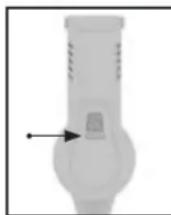
When the vacuum cleaner is in use the On/Off and charging light will illuminate and flash red when the battery is running low. When the red light flashes the machine will turn off in 20 seconds. The user should recharge the battery.
WARNING
This vacuum cleaner has a constantly rotating brush roll when the brush roll 'ON' is selected. Never leave the vacuum cleaner in one spot for an extended period of time as this may damage the floor surface. The brush roll should be ON for carpets and OFF for hard floors.
WARNING
Risk of personal injury – the brush roll may suddenly restart. Turn power switch Off and remove the battery before cleaning of servicing the brush roll.
Using your machine as a Handheld vacuum:
1
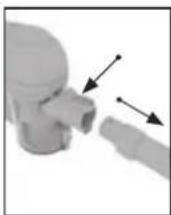
Press the Handheld release button. Pull to separate the Handheld from the Reach Wand.
3
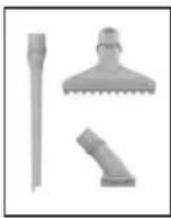
Choose an accessory (all accessories not available on all models).
2
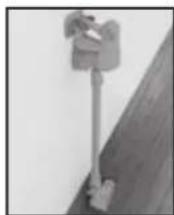
The Reach Wand when attached to the Powered Nozzle/accessory is not free standing, place safely and securely to one side.
4
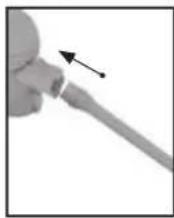
Push the chosen accessory into the Handheld until it clicks into place.
(All available accessories can be attached directly onto the Handheld).
IMPORTANT
Not to be used for grooming a pet.
Using your machine to clean up high:
The Reach Wand can be used for hard-to-reach places.
1
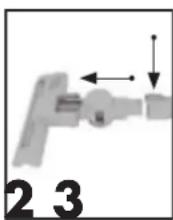
Press the Power Nozzle/accessory release button and pull to remove the Powered Nozzle from the Reach Wand.
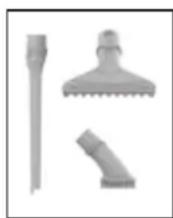
Choose an accessory (all accessories not available on all models).
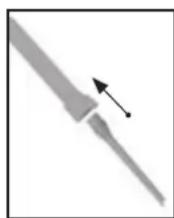
Push the chosen accessory into the Reach Wand until it clicks into place.
Using your machine to clean up high:
The Reach Wand can be used for hard-to-reach places.
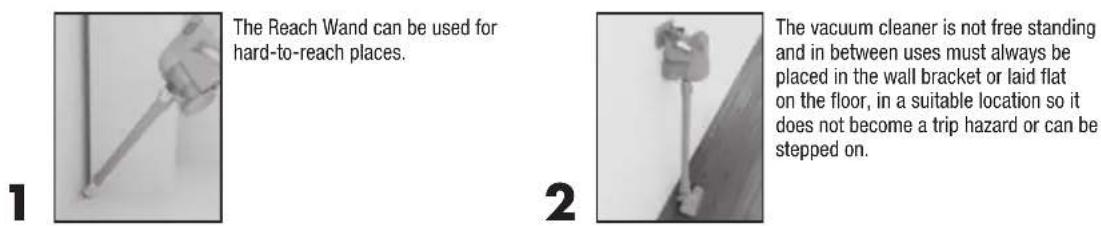
The Reach Wand can be used for hard-to-reach places.
The vacuum cleaner is not free standing and in between uses must always be placed in the wall bracket or laid flat on the floor, in a suitable location so it does not become a trip hazard or can be stepped on.
Maintenance:
Removing the battery.
1
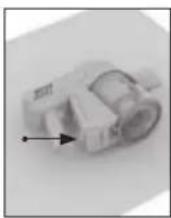
Lie the Handheld on its side on a flat stable surface. Press the battery release button.
2
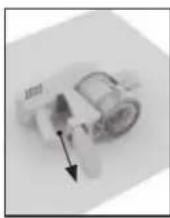
Slide the battery out from the bottom of the Handheld.
WARNING

To reduce the risk of personal injury, remove battery before cleaning or servicing.
Maintenance:
Cleaning the post-motor filter.
1
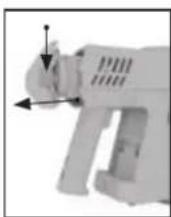
Press the filter cover release buttons located on both sides of the filter cover and pull to remove the filter from the machine.
2
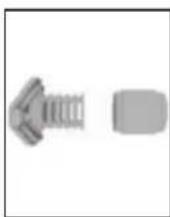
Hold filter cover and pull filter off of the filter cover. Tap filter and filter cover over the trash bin to remove any dirt or debris. Rinse filter under warm running water until water is clear.
WARNING

To reduce the risk of personal injury, remove battery before cleaning or servicing.
NOTE: DO NOT USE SOAP OR ANY OTHER CHEMICAL TO CLEAN.
DRY FILTER COMPLETELY, FOR UP TO 24 HOURS, BEFORE REINSTALLING INTO THE PRODUCT.
Maintenance:
Emptying the dirt container.
1
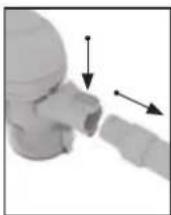
Press the Handheld release button. Pull to separate the Handheld from the Reach Wand.
3
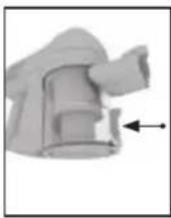
Ensure the battery has been removed and hold the Handheld over a trash bin.
WARNING
To reduce the risk of personal injury, remove battery before cleaning or servicing.
2
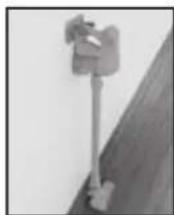
The Reach Wand when attached to the Powered Nozzle/accessory is not free standing. Place safely and securely to one side.
4
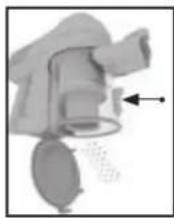
Press the dirt empty button.
Maintenance:
Cleaning the separator, filter and dirt container.
1
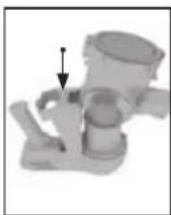
To remove the dirt container, turn unit upside down. Push the 'Remove Dirt Cup' button and tilt the dirt container slightly forward and pull to remove.
3
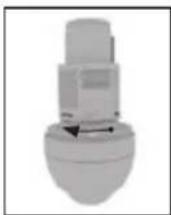
To reassemble, line up the arrows around the side of the separator with the arrows on the Handheld. Twist the separator clockwise locking it into place.
2
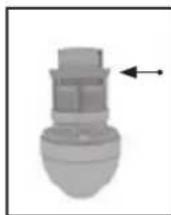
Twist the separator counterclockwise and pull to remove. Clean any dust and dirt from the separator.
4
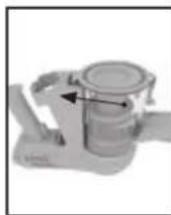
Reassemble the dirt container onto the unit over the separator - the hook should go onto the front first. Then, push the dirt container backwards to lock into place.
WARNING
Risk of personal injury – the brush roll may suddenly restart. Turn power switch Off and remove the battery before cleaning or servicing the brush roll.
Maintenance:
Removing and replacing the brush roll.
1
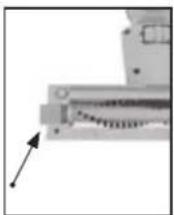
Slide to release the brush roll. The button can not be removed.
3
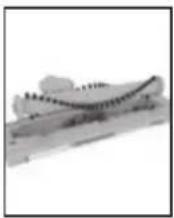
Clear any threads or hair from both ends of the brush roll and any dirt/debris inside the housing of the Powered Nozzle.
2
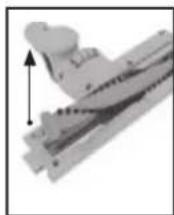
Lift left end of brush roll first to remove.
4
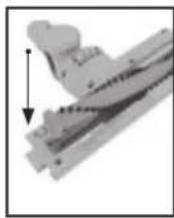
When re-fitting the brush roll fit the right side into the housing first. Then line up left end of brush roll and slide into place. Ensure that the brush roll release button slides back into place to secure the brush roll.
WARNING
Risk of personal injury – the brush roll may suddenly restart. Turn power switch Off and remove the battery before cleaning or servicing the brush roll.
Maintenance:
Removing blockages from the Powered Nozzle. Removing blockages from the Reach Wand.
natural_image
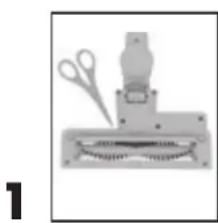
Illustration of a mechanical device with scissors and a base, no visible text or symbolsThe brush roll should be removed from the Powered Nozzle before attempting to remove any blockages. Carefully use scissors to remove any threads or hair from around the brush roll and clear any dirt or debris from Powered Nozzle.
WARNING
Risk of personal injury – the brush roll may suddenly restart. Turn power switch Off and remove the battery before cleaning or servicing the brush roll.
2
To test for a blockage in the Reach Wand, drop a small ball of paper into the wand. The paper will drop through if the wand is clear. Use a broom handle or similar blunt object to remove any blockage.
LUBRICATION
The motor and brush roll are equipped with bearings which contain sufficient lubrication for their lifetime. The addition of lubricant could cause damage. Do not add lubricant to motor or brush roll.
Any other servicing should be done by an authorized service representative. If appliance is not working as it should, has been dropped, damaged, left outdoors, or dropped into water, take it to a service center prior to continuing use.
How to order accessories:
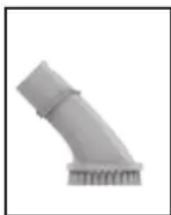
Dusting Brush
Part #440010636
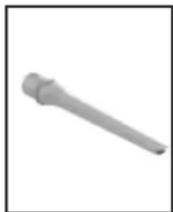
Crevice Tool
Part #440010635
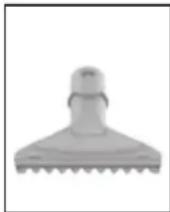
Upholstery tool
Part #440010637
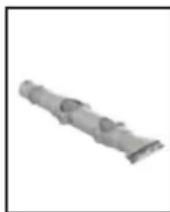
Articulating Dusting Brush
Part #440010638
WHAT TO BUY:
Contact a Hoover ^® customer service representative at 1-888-679-2121 for replacement details
or visit Hoover.com or Hoover.ca
Need Help?
My Cruise Cordless Vacuum won't turn on.
Your battery may not be charged. Check the Charge Level Indicator and charge the battery if it's low. Charge time may take up to 6 hours. Due to federal regulations the battery does not come fully charged.
My Cruise Cordless Vacuum isn't picking up well.
You may have a clogged filter. Your filter should be rinsed every 4-6 uses. Remove the filter. Rinse with clear warm water for two minutes. Let it dry for 24 hours before reinstalling it.
If your filter was dirty...
You may also have a clog in the system. Check the Reach Wand for any clogged debris. If found, remove the clog.
WARNING ▲
To reduce the risk of personal injury, remove battery before cleaning or servicing.
My Cruise™ Cordless Vacuum picks up well on hard floors, but not on carpet. When you're vacuuming, look to see if the brush roll is spinning. You should hear it. If you don't, pull the trigger switch to turn on the brush roll.
Any other servicing should be done by an authorized service representative. If appliance is not working as it should, has been dropped, damaged, left outdoors, or dropped into water, take it to a service center prior to continuing use.
QUESTIONS OR CONCERNS?
For a Complete Troubleshooting Guide, see: Hoover.com/support or Hoover.ca/support
Connect with us:
Twitter: @HooverUSA • Facebook: facebook.com/hoover Do not return to store. See back of product for model number.
SERVICE & WARRANTY FOR HOOVER® CRUISE CORDLESS VACUUM PRODUCT & BATTERY SERVICE INFORMATION
ANY SERVICING SHOULD BE DONE BY AN AUTHORIZED SERVICE REPRESENTATIVE
Call 888 679-2121 USA & Canada
In the event that further assistance is required, visit an authorized service center. Find one nearest you by visiting our website at www.hoover.com. Costs of any transportation to and from any place of repair are to be paid by the owner. Always identify your product by the model number and manufacturing code when requesting information or ordering replacement parts. (The model number and manufacturing code for the vacuum appears on the bottom and/or back of the product, and on the back of the battery and charger.)
LIMITED TWO YEAR WARRANTY (DOMESTIC USE)
WHAT THIS WARRANTY COVERS: When used and maintained in normal household use and in accordance with the Owner's Guide, your Hoover ^® product and battery are warranted against original defects in material and workmanship for a full two years from (a.) date of purchase (the "Warranty Period"). During the Warranty Period, Hoover ^® will provide labor and parts, at no cost to you, to correct any such defect in your products and (b.) will provide a replacement battery at no cost to you, to correct defects in the LithiumLife ^™ battery that came with your product purchased in the United States, U.S. Military Exchanges and Canada.
HOW TO MAKE A WARRANTY CLAIM: If this product is not as warranted, take or send the product to a Hoover ^® Authorized Warranty Service Dealer along with proof of purchase. If the batteries are not as warranted, either take or send the batteries along with proof of purchase to a Hoover ^® authorized dealer or contact Hoover ^® Services at 888 679-2121. For an automated referral to authorized service outlets in the U.S.A., phone 888 679-2121 or visit Hoover ^® online at www.hoover.com.
WHAT THIS WARRANTY DOES NOT COVER: This warranty does not cover belts, filters and brush rolls, use of the product in a commercial operation (such as maid, janitorial and equipment rental services), improper maintenance of the product, damage due to misuse, acts of God, nature, vandalism or other acts beyond the control of Hoover ^® , owner's acts or omissions, use outside the country in which the product was initially purchase and resales of the product by the original owner. This warranty does not cover pick up, delivery, transportation or house calls. However, if you mail your product to a Hoover ^® Sales and Service Center for warranty service, cost of shipping will be paid one way. Please call the Hoover ^® Services, 888 679-2121, on how to ship this product. This warranty does not apply to products purchased outside the United States, including its territories and possessions, a U.S. Military Exchange and Canada.
OTHER IMPORTANT TERMS: This warranty is not transferable and may not be assigned. This warranty shall be governed and construed under the laws of the state of Ohio. The Warranty Period will not be extended by any replacement of batteries or parts or repair performed under this warranty.
THIS WARRANTY IS THE EXCLUSIVE WARRANTY AND REMEDY ALL OTHER WARRANTIES, EXPRESSED OR IMPLIED, INCLUDING WARRANTIES OF MERCHANTABILITY OR FITNESS FOR PARTICULAR PURPOSE, ARE DISCLAIMED IN NO EVENT WILL HOOVER BE LIABLE FOR ANY SPECIAL, INDIRECT, INCIDENTAL OR CONSEQUENTIAL DAMAGES OF ANY KIND OR NATURE TO OWNER OR ANY PARTY CLAIMING THROUGH OWNER, WHETHER BASED IN CONTRACT, NEGLIGENCE, TORT OR STRICT PRODUCTS LIABILITY OR ARISING FROM ANY CAUSE WHATSOEVER.
Some states do not allow the exclusion of consequential damages, so the above exclusion may not apply to you. This warranty gives you specific rights; you may also have others that vary from state to state.
NOTES:

text_image
HOOVER MDASPIRATEUR SANS FIL CRUISE ^MC
natural_image
Exterior view of a modern vacuum cleaner (no text or symbols visible)IMPORTANT : LISEZ ATTENTIVEMENT LE PRÉSENT GUIDE D'UTILISATION AVANT D'ASSEMBLER ET D'UTILISER L'APPAREIL.
natural_image
Close-up of a mechanical lever with two arrows indicating movement, labeled 1, 2, 3 (no text or symbols on the lever itself)natural_image
Illustration of a mechanical device with scissors and a base, no visible text or symbolsHoover.com/support ou Hoover.ca/support
Suivez-nous :
Twitter : @HooverUSA • Facebook : facebook.com/hoover
natural_image
Exterior view of a modern vacuum cleaner (no text or symbols visible)natural_image
Close-up of a mechanical lever with two arrows indicating movement, labeled 1, 2, 3 (no text or symbols on the lever itself)natural_image
Illustration of a mechanical device with scissors and a base, no visible text or symbolsyoutube.com/hoover facebook.com/hoover twitter.com/hooverusa