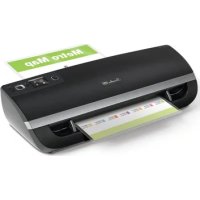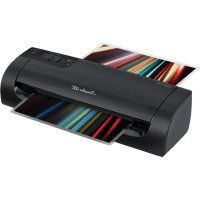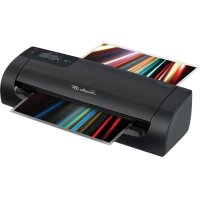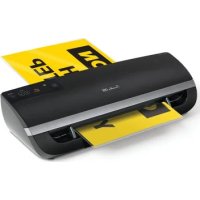
Fusion 5000L - Laminating machine Swingline - Free user manual and instructions
Find the device manual for free Fusion 5000L Swingline in PDF.


User questions about Fusion 5000L Swingline
0 question about this device. Answer the ones you know or ask your own.
Ask a new question about this device
Download the instructions for your Laminating machine in PDF format for free! Find your manual Fusion 5000L - Swingline and take your electronic device back in hand. On this page are published all the documents necessary for the use of your device. Fusion 5000L by Swingline.
USER MANUAL Fusion 5000L Swingline
professional finish… automatically!
Welcome to the new Swingline GBC 5000L laminator which allows lamination to be completed quickly and simply with Swingline GBC quality lamination output. Perfect for novice users choosing automatic self setting to expert users with multiple pouch thicknesses and document sizes.
For best lamination results and performance, use only Swingline GBC branded pouches.
Please take a little time to study these instructions to ensure you get the best results out of your machine.
safety instructions

Your safety as well as the safety of others is important to ACCO® Brands. In this instruction manual and on the product are important safety messages. Read these messages carefully.

The safety alert symbol precedes each safety message in this instruction manual. This symbol indicates a potential personal safety hazard that could hurt you or others, as well as cause product damage or property damage.
The following warning is found on the product in several languages.
This safety message means that you could be seriously hurt or killed if you open the product and expose yourself to hazardous voltage.



WARNING
Electrical shock hazard. Do not open. No user serviceable parts inside. Refer servicing to qualified service personnel.
points to note

- Use this unit only for its intended use of laminating documents
- Only use 3 mil, 5 mil, 7 mil or 10 mil pouches with this laminator
- Do not laminate an empty pouch

- The unit must be connect to a supply voltage corresponding to the electrical rating shown on the unit

- The socket-outlet shall be installed near the equipment and shall be easily accessible
- Ensure the machine is clear of pouches prior to starting the next pouch
- Clean the lamination rollers on a regular basis
Maximum 12" document pouch12" x 17" on Swingline GBC Fusion 5000L 12" Laminator
Active anti jam feature may not detect issue on smaller items

- Failure to comply will result in damage and invalidate guarantee
service
Do not attempt to service or repair the pouch laminator yourself. Unplug the unit and contact an authorised Swingline GBC service representative for any required repairs.
technical specifications
| Electrical | 120V AC / 60Hz / 12A / 1410W |
| Machine Dimensions 22.4x7.5x5.19 inch (570x193x132mm) | |
| Machine Weight 2.6lbs (4.6kg) | |
| Maximum Pouch Width 12.0 inch (303mm) | |
| Maximum Pouch Thickness | 10 mil (250 mic) |
| Maximum Thru-put Thickness | 1.0mm |
| Warm-Up Time Approximately 1 minute | |
| Speed 40 inches (1000mm) | per minute |
English
getting ready to laminate
Easy Set Up
1 Remove the plastic exit tray from the box and place into the two holes on the back of the laminator and extend to use. Ensure that there is sufficient space behind the laminator for the item to be removed.
2 Take the electrical plug and place in an appropriate power source, which is near the table you intend to use.
3 The laminator will briefly flash the Swingline GBC logo on the control panel and will make an audible beep.
Interactive User Display
4 To use the laminator gently tap the 'power on' button. A sequence of lights will cross the control panel.
NOTE: Your new laminator may emit a slight odor during the initial operation. Its is normal and will diminish after a few hours of operation.
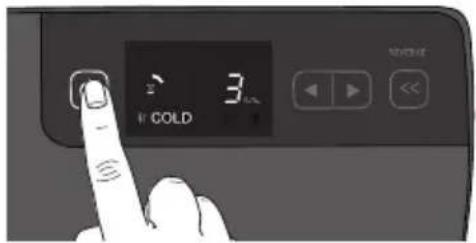
5 If 3 mil is not the pouch thickness you want to select, using the arrows scroll until the required pouch thickness setting is shown and press "Enter".
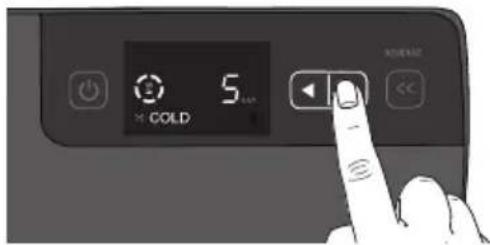
Intelligent Pouch Select
6 Using the 'Auto' setting allows the user to use any thickness of pouch and the laminator will automatically measure the thickness of the pouch and document and self set to the appropriate speed.
NOTE: During warm up a circle will be formed on the control panel and a red indicator will flash in the centre of the circle until ready ( 2) When ready a series of three beeps are heard and the ( ) show on the display. The machine will not take any pouch during warm up.
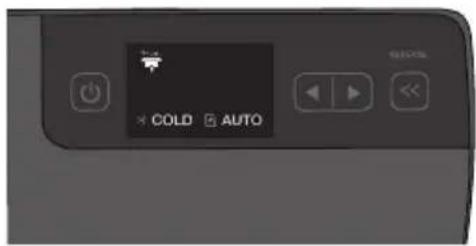
loading the pouch
1 Take your item to be laminated and place into the laminating pouch. Ensuring it is firmly placed along the sealed edge of the pouch. This is to help ensure that you get optimal quality output.
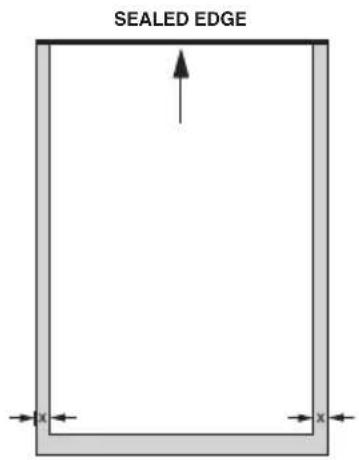
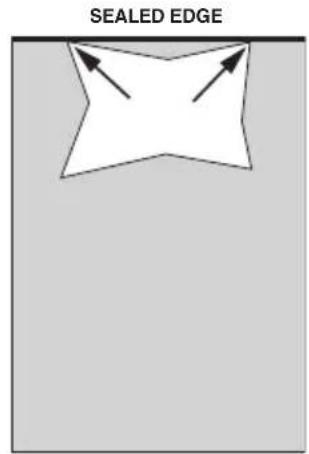
NOTE: Do not cut pouches prior to lamination.
letter, legal, menu Irregular shaped item

Before laminating important or unique documents, always run a test pouch through the laminator using a similar type document.
English
laminating
1 On the front of the laminator there are adjustable guides to help you feed your pouch accurately. Move the guides to appropriate line which matches your pouch/ item to be laminated.
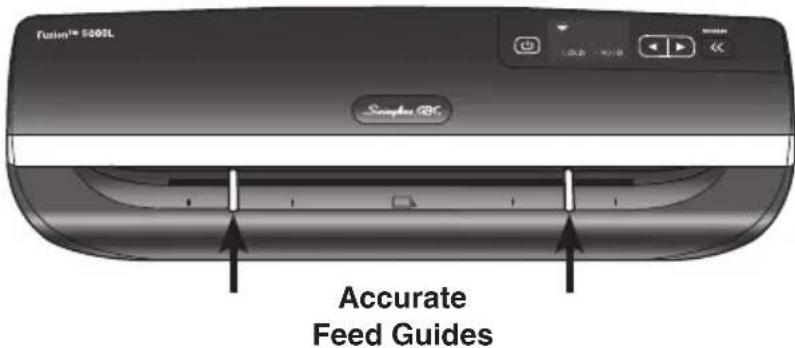
2 Feed the sealed edge of the pouch, into the laminator between the guides. The laminator will grip the pouch and guide it through to the exit tray.
NOTE: Do not force guides against pouch
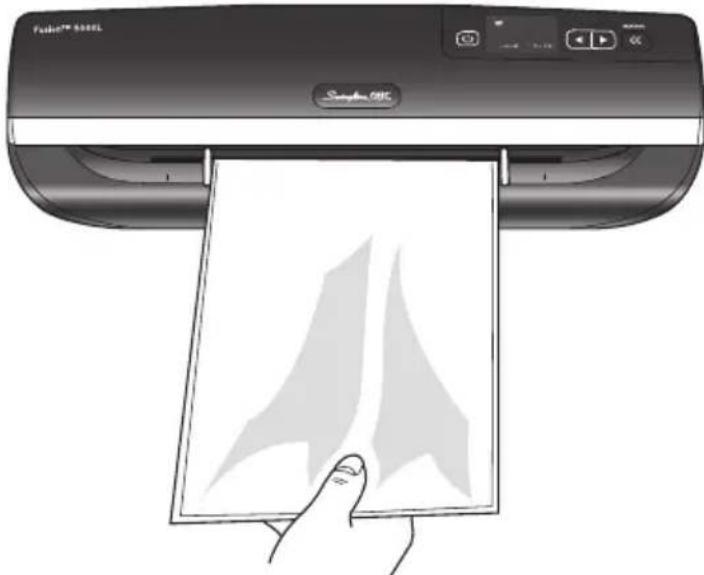
3 Do not force guides tightly against pouch. Move guides to an appropriate setting to allow pouch to be fed in without touching guides.
4 When you are finished laminating tap the 'power' button and if required remove the tray, unplug and store accordingly.

Upon exiting remove your laminated item immediately and lay on a flat surface to ensure optimal quality.
NOTE: On Power Off there will continue to be a noise emitted from the unit for approximately 30 seconds, this is for cooling purposes.
additional features
Intelligent Status Alert
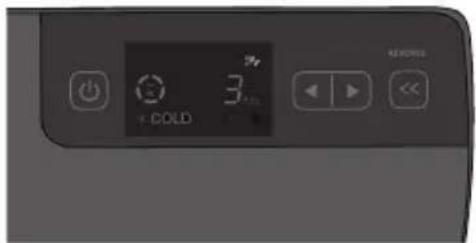
If pouch misfeeds or jam starts to occur a series of beeps will be heard - and the laminator will automatically reverse the document out (8v).
NOTE: Never reuse a misfed or jammed pouch.
Intelligent Pouch Reverse
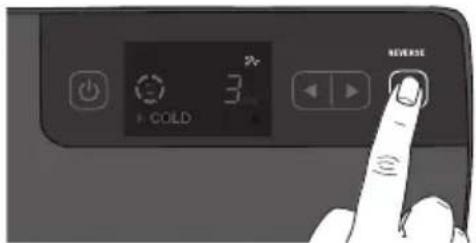
To recover a partially fed pouch press and hold the "Reverse" () button and the pouch will be quickly reversed out of the laminator. You will hear a series of single beeps until Reverse button () is released.
NOTE: Do not put partially laminated items back into the laminator.

Intelligent Power Off
For added safety and environmental reasons the laminator will automatically go into sleep mode after 30 minutes of inactivity. You will hear a single beep before this occurs.
cleaning

WARNING: UNPLUG THIS PRODUCT BEFORE CLEANING THE EXTERIOR. WIPE EXTERIOR ONLY WITH A DAMP CLOTH AND DO NOT USE DETERGENTS OR SOLVENTS.
Regularly feed a cleaning card or sheet of paper through the laminator to clean the rollers.
Limited One (1) Year Warranty
ACCO Brands USA LLC, 300 Tower Parkway, Lincolnshire, IL 60069 (in Canada, ACCO Brands Canada Inc., 5 Precidio Court, Brampton, ON L6S-6B7; and in Mexico, ACCO Mexicana, S.A. de C.V. Av. Circuito Industrial Norte #6 Parque Industrial Lerma 52000, Lerma Edo. de Mexico) (each, respectively, "ACCO Brands") warrants to the original purchaser that this ACCO Brands product is free from defects in workmanship and material under normal use and service for a period of 1 year after purchase.
ACCO Brands' obligation under this warranty is limited to replacement or repair, at ACCO Brands' option, of any warranted part found defective by ACCO Brands without charge for material or labor. Any replacement, at ACCO Brands' option, may be the same product or a substantially similar product that may contain remanufactured or refurbished parts. This warranty shall be void in the following circumstances:
(i) if the product has been misused,
(ii) if the product has been damaged by negligence or accident, or
(iii) if the product has been altered by anyone other than ACCO Brands or ACCO Brands' authorized agents.
For warranty execution, please call 1-800-541-0094 in the USA/1-800-268-3447 in Canada/1-800-759-6825 in Mexico or go to HYPERLINK "http://www.gbc.com" www.gbc.com.
TO THE EXTENT ALLOWED BY APPLICABLE LAW, THIS WARRANTY IS IN LIEU OF ALL OTHER EXPRESSD WARRANTYES. REPRESENTATIONS OR PROMISES INCONSISTENT WITH OR IN ADDITION TO THIS WARRANTY ARE UNAUTHORIZED AND SHALL NOT BE BINDING ON ACCO BRANDS. TO THE EXTENT PERMITTED BY APPLICABLE LAWS, ANY IMPLIED WARRANTYES (IF APPLICABLE) ARE LIMITED IN DURATION TO THE DURATION OF THIS WARRANTY. SOME STATES AND JURISDICTIONS DO NOT ALLOW LIMITATIONS ON HOW LONG AN IMPLIED WARRANTY LASTS, SO THE ABOVE LIMITATION MAY NOT APPLY TO YOU. TO THE EXTENT PERMITTED BY APPLICABLE LAW, IN NO EVENT SHALL ACCO BRANDS BE LIABLE FOR ANY SPECIAL, INCIDENTAL, PUNITIVE, EXEMPLARY, CONSEQUENTIAL OR SIMILAR DAMAGES, WHETHER OR NOT FORSEEABLE. SOME STATES AND JURISDICTIONS DO NOT ALLOW THE EXCLUSION OR LIMITATION OF SPECIAL, INCIDENTAL, PUNITIVE, EXEMPLARY, CONSEQUENTIAL, OR SIMILAR DAMAGES, SO THE ABOVE EXCLUSION OR LIMITAITON MAY NOT APPLY TO YOU.
FOR CONSUMERS WHO HAVE THE BENEFIT OF CONSUMER PROTECTION LAWS OR REGULATIONS IN THEIR JURISDICTION OF PURCHASE OR, IF DIFFERENT, IN THEIR JURISDICTION OF RESIDENCE, THE BENEFITS CONFERRED BY THIS WARRANTY ARE IN ADDITION TO ALL RIGHTS AND REMEDIES CONVEYED BY SUCH CONSUMER PROTECTION LAWS AND REGULATIONS.
To the extent permitted by law, this warranty is not transferable and will automatically terminate if the original product purchaser sells or otherwise disposes of the product.
This warranty gives you specific legal rights. Other rights, which vary from jurisdiction to jurisdiction, may exist. In addition some jurisdictions do not allow (i) the exclusion of certain warranties, (ii) limitations on how long an implied warranty lasts and/or (iii) the exclusion or limitation of certain types of costs and/or damages, so the above limitations may not apply.
FCC CLASS B NOTICE
Note: This equipment has been tested and found to comply with the limits for a Class B digital device, pursuant to part 15 of the FCC Rules. These limits are designed to provide reasonable protection against harmful interference in a residential installation. This equipment generates, uses and can radiate radio frequency energy and, if not installed and used in accordance with the instructions, may cause harmful interference to radio communications. However, there is no guarantee that interference will not occur in a particular installation. If this equipment does cause harmful interference to radio or television reception, which can be determined by turning the equipment off and on, the user is encouraged to try to If this equipment does cause harmful interference to radio or television reception, which can be determined by turning the equipment off and on, the user is encouraged to try to correct the interference by one or more of the following measures:
Reorient or relocate the receiving antenna.
Increase the separation between the equipment and receiver.
Connect the equipment into an outlet on a circuit different from that to which the receiver is connected.
Consult the dealer or an experienced radio/TV technician for help.
CANADA CLASS B NOTICE
This Class B digital apparatus complies with Canadian ICES-003
MODIFICATIONS
Any modifications made to this device may void the authority granted to the user by the FCC and/or by Industry Canada to operate this equipment.
ACCO is a registered trademark of ACCO Brands.
Copyright © 2011 ACCO Brands. All rights reserved.
Issue August 2012
Fusion is a registered trademark of ACCO Brands.
service address
ACCO Brands, 101 Bolton Ave 9E, Booneville, MS 38829 USA
Tel. 800-541-0094 www.accobbrands.com
specifications techniques
ACCO Canada-Brampton, 5 Precidio Court, Brampton, ON L6S 6B7 Canada
Tel 905-595-3100 www.acco.ca
terminado professionnel… automáticamente
APPLICABLE A SU CASO.