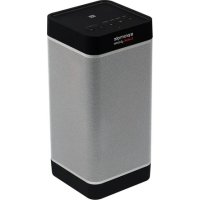
Prime - Docking station Promate - Free user manual and instructions
Find the device manual for free Prime Promate in PDF.



User questions about Prime Promate
0 question about this device. Answer the ones you know or ask your own.
Ask a new question about this device
Download the instructions for your Docking station in PDF format for free! Find your manual Prime - Promate and take your electronic device back in hand. On this page are published all the documents necessary for the use of your device. Prime by Promate.
USER MANUAL Prime Promate
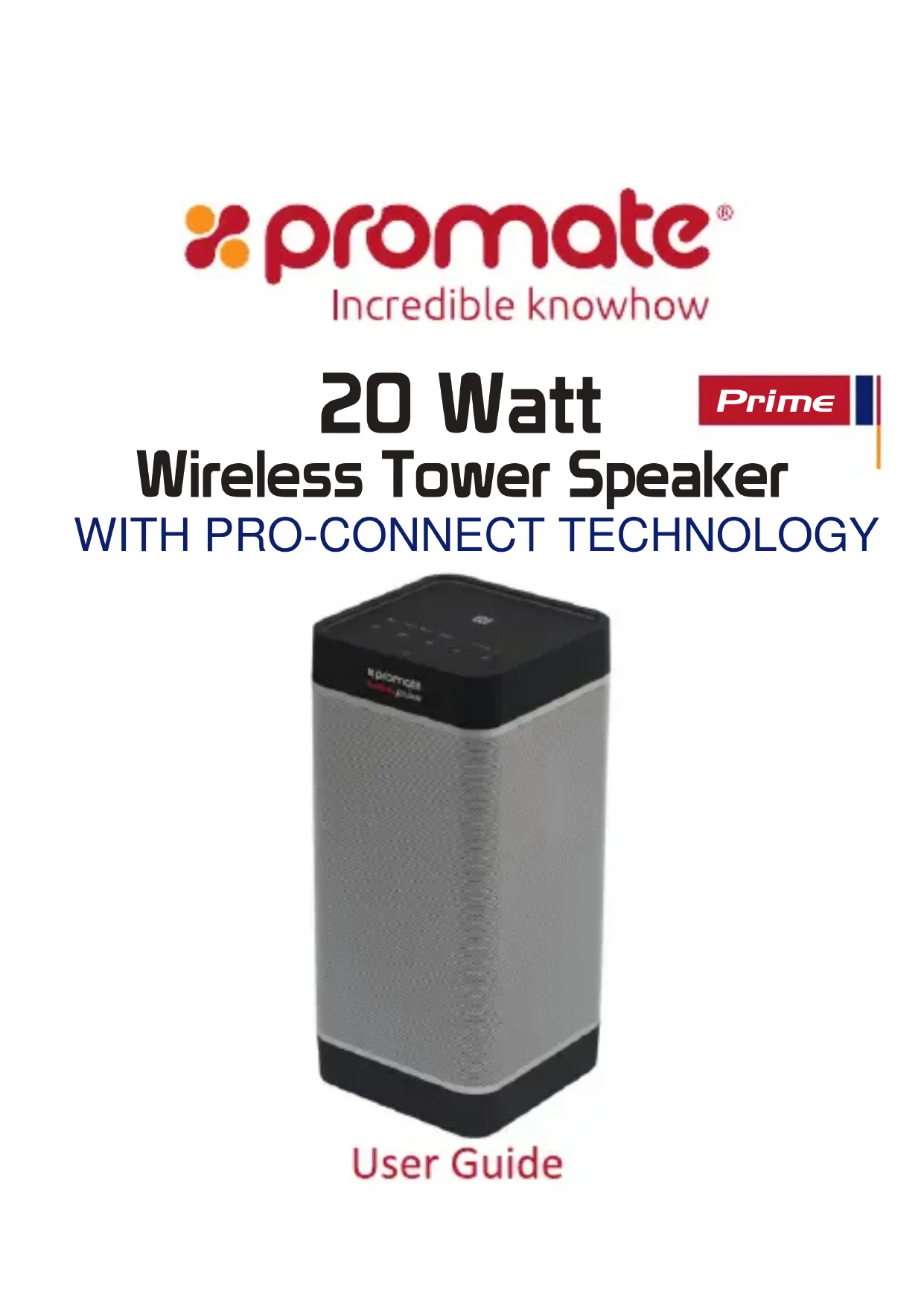
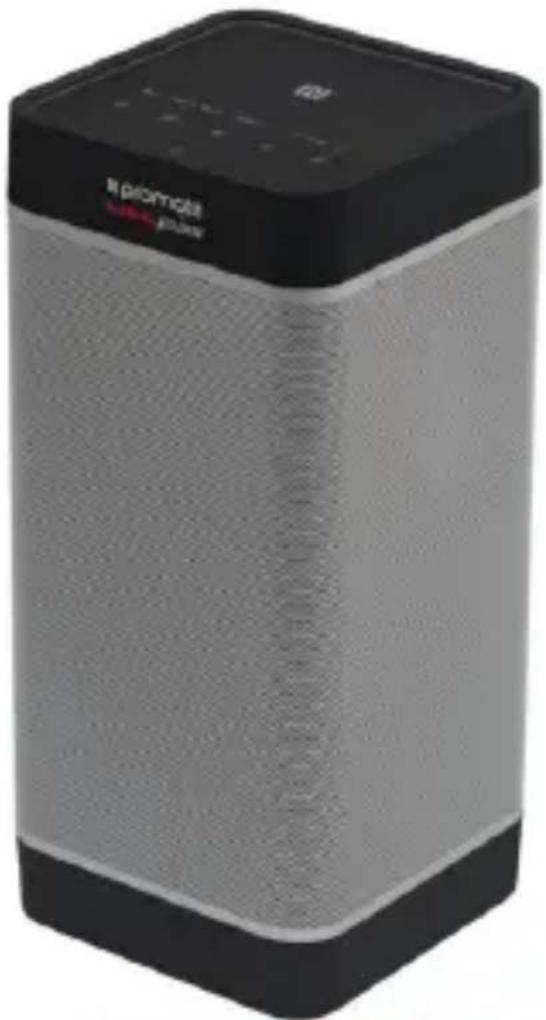
Wireless Tower Speaker
WITH PRO-CONNECT TECHNOLOGY
User Guide
Introduction
Experience uninterrupted and enhanced surround sound experience with Prime, a multi-function 20watt wireless speaker. Experience crystal clear calls with the hands-free function. Play your favorite tracks wirelessly or via the 3.5mm audio jack. One Touch connect via the NFC function. Create your own surround sound experience by connecting up to 8 Pro-Connect enabled speakers to Prime.
Packaging Contents
Prime
- Aux Cable
- Power Cable
- User Guide
Specification:
- Bluetooth Version: v3.0
- Bluetooth Chipset: ISSC IS1681S
- Bluetooth Frequency: 2.4GHz
- Bluetooth Profiles: A2DP, HFP, HSP, AVRCP
- Battery Type: Li-ion
- Battery Capacity: 6600mAh
- Power Input: AC100-250V
- Speaker Output: 5W^*2 + 10W
Impedance: 4Ω - Operating Distance: 10m
- proConnect Range: 30m
MusicPlayback Time:8 hours - Charging Time: 8 hours
Features
- Powerful Speaker: A multi-function 20W speaker takes your music listening experience on to the next level
-
Enhanced Bass: Dual external passive radiators demonstrate just how powerful your speakers are.
-
Call Function: Engage in call function with the built-in hands-free function. The built-in mic features advanced noise cancellation technology for clear wireless hands-free calling
- Multiple Connectivity Options: Play your favourite tracks via various connectivity options available with Prime. Play it wirelessly or via the 3.5mm audio jack.
- NFC Connectivity: Enjoy music via uninterrupted NFC connection
- Pro-Connect Technology: Create your own surround sound experience by connecting up to 8 Pro-Connect enabled speakers.
- Long Lasting Battery: Play your favourite tracks for up to 8 hours with Prime's 6600mAh rechargeable lithium-ion battery
- Built-In Backup Battery: Prime Features a built in 6600mAh backup battery to charge mobile devices and ensures your devices never run out of power.
- Universal Compatibility: Prime is compatible with all Bluetooth enabled devices
Precautions
Please read all safety instructions and warnings thoroughly before using this product. Improper use of this product may result in damage to this or attached products.
- Do not disassemble the device or attempt to fix it.
- Kindly use the included cable to charge the product.
- Do not attempt to replace any part of this product.
- Do not crush, puncture or dispose of in fire.
- Do not store or use the battery in a high temperature environment, including intense sunlight or heat.
- Avoid excessive drops, bumps, abrasions and impacts.
- If there is any reason to believe that there is internal damage to the device, discontinue use immediately.
- If you find that the device is too hot, is emitting an odor, or is deformed, punctured or exhibits any suspicious or abnormal behavior, discontinue use immediately and contact our customer service.
- Always charge this product before extended storage.
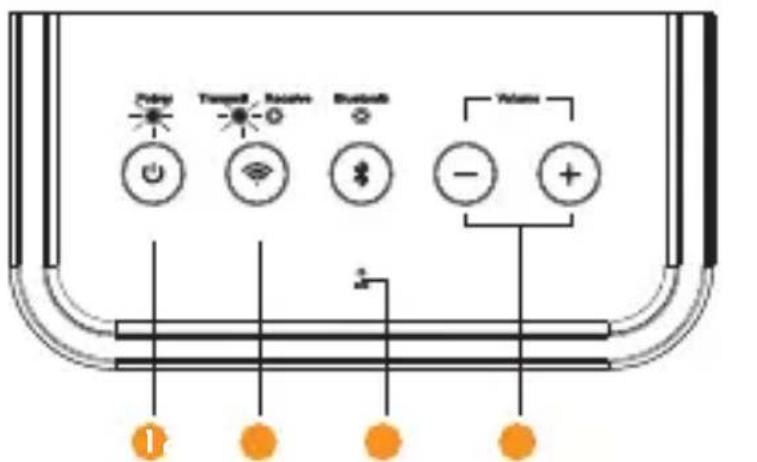
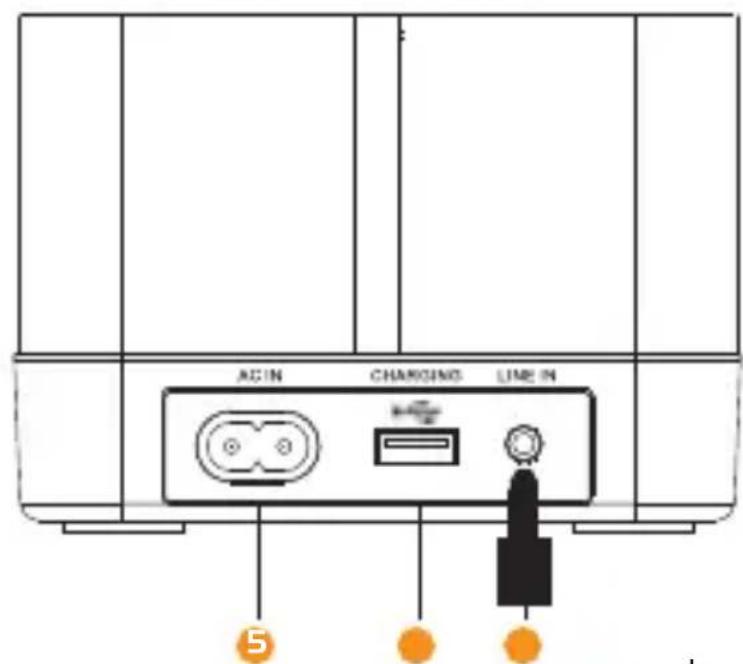
Appearance & Interface Description:
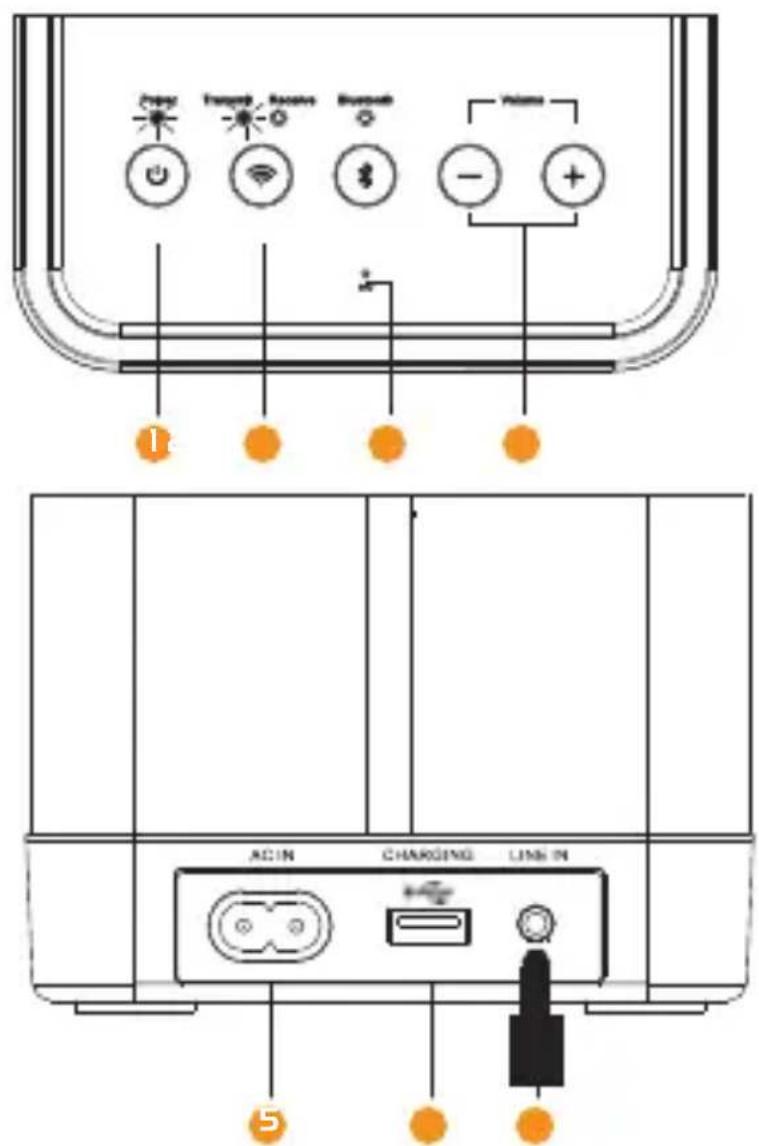
- Power Button
- Pro-Connect Button
- Multi-Function Button
- Volume control Buttons
- AC charge In
- USB Charging Output
- Aux Line In
Operation Instructions:
1. Charging Prime
- Use the provided AC cable to charge Prime.
- Connect one end of the AC Cable provided to Prime and other end to a wall Power Socket.
- The Red LED will light up indicating that Prime is charging normally.
The Red LED indicator will turn off once fully charged. - The Red LED indicator will start flashing when the device is running out of power.
2. Turning Prime On/Off
- To switch on Prime, press the "Power Button" once.
- The Green Power LED will turn on.
- Press the power button again to switch off Prime.
3. Bluetooth Pairing
- Prime automatically enters into Bluetooth pairing mode once powered on.
- To manually enter Bluetooth pairing mode, press and hold the "Multi-Function Button" for about 2 Seconds.
- The "Bluetooth Mode Indicator" LED will begin flashing when in pairing mode.
- Turn on the Bluetooth function on your device and select "Prime" in the available devices list.
- Some Bluetooth devices may require you to enter a passcode to pair your device to Prime. Enter "0000" and press submit.
- Once your device is successfully paired, the "Bluetooth Mode Indicator"LED will stop flashing.
- Control track playback and volume from your connected device.
4. NFC Pairing:
- Turn On the NFC function of your device and touch it to Prime's NFC Sensing Area.
- Your device will ask for permission to pair with Prime.
- Choose 'YES' to complete pairing.
- After successful pairing, the indicator will change to solid Blue.
- Control track playback and volume from your connected device.
5. Playing Music via Auxiliary Connection:
-
Connect your device to Prime via the 3.5mm Aux cable provided.
-
Prime will automatically enter into AUX playback mode.
- Control track playback and volume from your connected device.
6. Connecting Multiple Pro-Connect Enabled Speakers:
- Pair your Bluetooth device to 1 Pro-Connect enabled speaker, by following the instructions above.
- Press and hold the Pro-Connect Button on the speaker connected to your device to send out a connection request.
The Transmit LED will begin flashing. - Press and hold the Pro-Connect Button on the receiving speaker to scan for a transmission request.
The Receive LED will begin flashing. - The LED will stop flashing once the speakers are connected to each other.
- Follow the above steps to pair up to 8 Pro-Connect Speakers together.
7. Call/Hands-free Function:
- Short press the Multi-function button to pick up incoming calls when your device is paired.
- Short press the Multi-function button to end an ongoing call.
- Long press the Multi-function button to reject an incoming call.
- Double press the Multi-function button to re-dial the last caller.
- Press and hold the Multi-Function button during a call to Mute the mic.
- Press and hold the Multi-Function button again to unmute the mic.
8. Volume Control:
- Control volume via the paired devices or using the Volume Control buttons on Prime.
9. Charging devices using Prime:
- Prime can be used to charge any Smartphone device.
- Plug in one end of the cable into the "USB Charging Output Port" and the other into the device you wish to charge.
10. LED Status Indicators:
| LED | LED Status | Note |
| Green Power LED | On | Prime in “Power On” mode |
| Off | Prime in “Standby” mode | |
| Red Charging LED | Off | Prime is fully charged |
| LED Flashing | Low battery | |
| On | Charging in progress | |
| Blue Bluetooth LED | On | Prime is connected to a Bluetooth device |
| LED Flashing | Primeis in “Bluetooth Pairing” Mode | |
| Amber Pro-Connect LED | On | Pro-Connect enabled speakers connected |
| LED flashing | Pro-Connect mode enabled |
Troubleshooting
-
Prime does not pair with a Bluetooth device:
-
Check if the Bluetooth hardware on your device supports A2DP profile which is necessary for sound transmission over Bluetooth.
4. Appareillage NFC:
.5S 00s j Saaewg E gsw JwI LED
gJLwJgSsIyBbSgSg Pro-Connect aos
.
LED
LED
. Pro-Connect 8 L sJw
:sj/wwla slac.7
Ioo 1, oJSS aos ooh cjo ulalkws as sols ssswolai j
.
J 10000000000000000000000000000000000000
.
.
. 1
- 1
:UJzS.8
Prime s9,1o uJzSsl aosd j oslaow l y oohs
.1J 1J 1J 1J
:Prime jloaslU lalssdss.9
.150l Prime jI JgJdN 000000000000000000000000000000000000000000000000
.
dss
Prime 不 ≤ 不 ≤ 不 .1
.1solPrimeusLwJyogg
Prime 日 _ 1 ^ 日 _ 2 ^ 日 _ 3 ^ aRgUglk
. sle g y b d j L Jd Prime d s o s w s s s s s s LED
.
.55 55 55 55 55 55 55 55 55 55 55 55 55 55 55 55 55 55 55 55 55 55 55 55 55 55 55 55 55 55 55 55 55 55 000000000000000000000000000000000000000000
Prime 2
. 山 _ 1 ^ J _ 《wogolgws》QsD .Prime unSsr
LED
.1J 1 Jgol g rJgolgPrime oRgol
sJw .3
. 品 品 品 品 品 品 品 品 品 品 品 品 品 品 品 品 品 品 品 品 品 1 Prime
2g>1,《0s>aaS》,ss sJw J
a 9
.1J 1 J 1 J 1 J 1 J 1 J 1 J 1 J 1
.
bui jw g u
wgo1gnsogosd.1
Pro-Connect aos > .2
0.1521 > 0.052 .3
120 Ujoo Uus sla aoss.4
UgLoo JyJrLw sSgrg .5
USB Lw .6
Aux Line sgg .7
.
Pro-Connect 8 JI J L J L O JgJy oJgJgJg
Jy /JUaYI aBg .7
Jg>lgjI sic ods lgll aollls lc d jglglldssr jll lcl
.ajj aJso sIy y Igll ssr jll lgl b
.02Jg aJko Jlgl 0o jll lcl ygb bol
Jll Jll Jll lcl y llgll jll lc n no b
Jlll 000 Jlll Jll 111 111
.
:uay1 s0sui 8
.
:abwJoo.9
.
.5le Jkwhy yg yu u yy oohy aay
yI pai jg sJxV JaaVJ 6biw
JyI y aIbI joo Ioc oogy JyI y
yI yI sIab! g Juew .2
.0>g o "aIbJ j" sbc bol ,pJ J
.
.1y|y|bV sJr J 0aagbV jSbc
JlJdJ.3
aVgJgJgJgJgJgJgJgJg
.2 0aV "albgydsoo j" sbc bclgduy gglgglgj aJg
.1gjyJyL> g JgJyI sC "oggJyJyJyJyJyJyJyJyJyJyJyJy
a>laV 0j>V aJg "u|y" j> g Jj> g oog yll lgsj aV> Jee w
0000" Jds, yjy jg> brr s r jo jd ldo 1bdd g g
Jg>baol